


Artificial Intelligence and Machine Learning Articles
AI/ML Skills Gap 2026: Why Companies Can't Find Job-Ready Talent
20 AI/ML Interview Questions Recruiters Can Use Without a Tech Background - Best Guide
How Industry-Backed AI/ML Bootcamps Are Changing the AI/ML Hiring Pipeline - Best Guide 2026
From IT Support to AI Engineer: A Realistic Career Switch Guide 2026


Get In Touch For Details! Request More Information
Using ChatGPT for Pair Programming: Complete Guide for Developers (2026)
Jun 11, 2026 10 Min Read 1138 Views
(Last Updated)
Every developer knows the feeling. You are staring at a piece of code that simply refuses to work. You have read it five times, you know the logic should be right, but something is off and you cannot see it. What you need in that moment is not a Stack Overflow thread. What you need is someone to look at the code with you, ask the right questions, and help you find the problem. That is exactly what ChatGPT for Pair Programming gives you. On demand, at any hour, with no meetings and no waiting, ChatGPT for Pair Programming turns every developer into a developer with a partner.
In 2026, 84% of developers use AI coding tools as part of their daily workflow. ChatGPT remains one of the most widely used AI tools for coding, not just for generating snippets but for genuine, back-and-forth programming collaboration. This guide explains what ChatGPT for Pair Programming actually means, how to set up the driver-navigator dynamic with ChatGPT, how to use it across every stage of development, and how to get real results without blindly trusting AI-generated code.
Quick Answer
ChatGPT for Pair Programming means using ChatGPT as your coding partner in a driver-navigator dynamic. You can switch roles, with ChatGPT writing code while you review and guide it, or you writing code while ChatGPT checks your logic, catches bugs, and suggests improvements. It gives every developer access to an always-available collaborator that never gets tired and always has context on your codebase.
Table of contents
- What is Pair Programming and Why Does It Matter?
- Setting Up ChatGPT as Your Pair Programming Partner
- The Driver-Navigator Method with ChatGPT
- Practical Use Cases for ChatGPT for Pair Programming
- Debugging with ChatGPT
- Code Review with ChatGPT
- Writing and Improving Tests
- Learning New Languages and Frameworks
- Architecture and Design Discussions
- Tips for Getting the Best Results from ChatGPT for Pair Programming
- What ChatGPT for Pair Programming Cannot Do
- 💡 Did You Know?
- Conclusion
- FAQs
- What is ChatGPT for Pair Programming?
- Is ChatGPT for Pair Programming suitable for beginners?
- How is ChatGPT for Pair Programming different from GitHub Copilot?
- Can ChatGPT for Pair Programming replace a human pair programming partner?
- How do I get started with ChatGPT for Pair Programming today?
What is Pair Programming and Why Does It Matter?
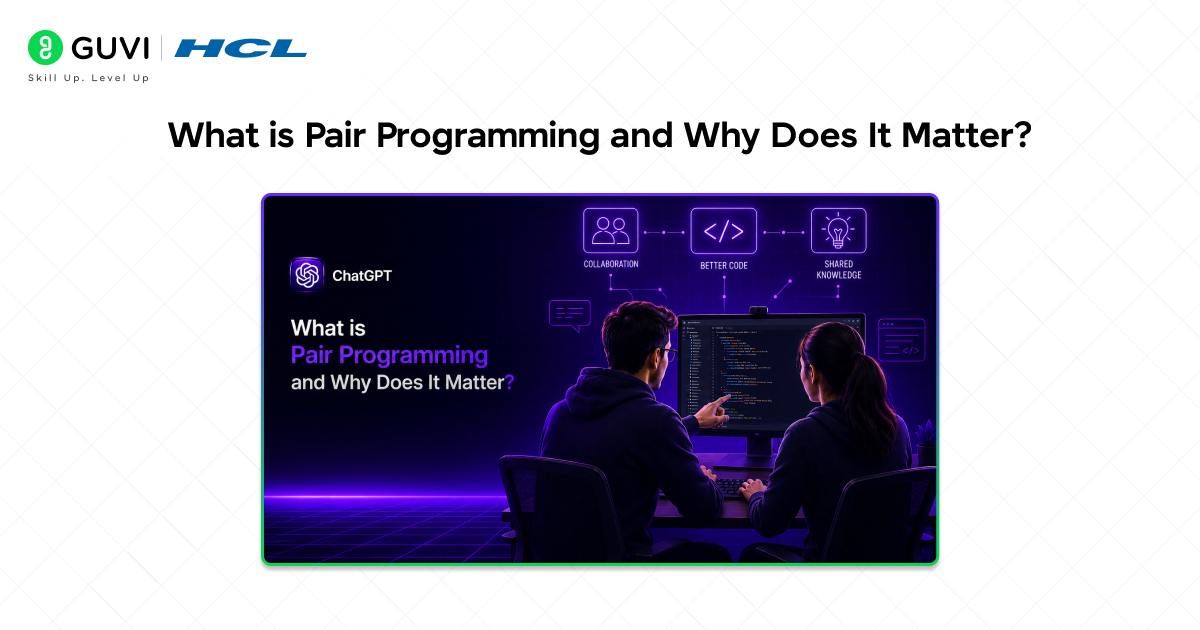
Pair programming is an industry-standard software development method where two developers work together on the same code at the same time. One developer, the driver, writes the code. The other, the navigator, reviews each line in real time, thinks about the bigger picture, and catches issues before they become bugs. Research consistently shows that pair programming produces fewer defects, better design decisions, and faster knowledge transfer between developers.
The traditional challenge with pair programming is availability. Not every developer has a qualified colleague free to sit with them when they need one. Junior developers may not have a senior engineer available to guide them. Remote teams operate across time zones. Solo freelancers have no partner at all. ChatGPT for Pair Programming solves this availability problem entirely. With ChatGPT for Pair Programming, every developer, solo freelancer, or remote engineer has access to a capable, patient collaborator at all times.
Thought to ponder: Traditional pair programming requires two developers, two schedules, and one shared screen. ChatGPT for Pair Programming requires none of those things. Does that make it better than human pair programming, or just different?
Hint: It is different in important ways. ChatGPT for Pair Programming is available instantly and never gets tired or distracted. But it also cannot think creatively the way a human partner can, it cannot notice when you seem frustrated and adjust accordingly, and it does not have genuine understanding of your business domain or team context unless you explicitly provide it. The best developers use ChatGPT for Pair Programming to complement human collaboration, not replace it entirely.
What Makes ChatGPT Different From Other Coding Tools
GitHub Copilot, Cursor, and similar tools complete your code inline as you type. They are powerful but largely reactive. ChatGPT for Pair Programming is conversational. You can describe a problem in plain language, paste code that is not working, argue about whether an approach is correct, ask for a second opinion on your architecture, and get responses that go far beyond a code completion.
- Conversational depth: ChatGPT for Pair Programming lets you have a real back-and-forth discussion about your code, not just receive an autocomplete suggestion. You can push back, ask for alternatives, and build on previous messages in the same session.
- Language and framework flexibility: ChatGPT works across Python, JavaScript, Java, TypeScript, Go, Rust, SQL, Terraform, and dozens of other languages and frameworks without any additional configuration.
- Context window advantage: GPT-5, the model powering ChatGPT in 2026, supports a context window of up to 400,000 tokens. You can paste entire files, multiple services, test suites, and documentation into a single session and ChatGPT will reason across all of it.
- Explanation alongside code: Unlike inline code completion tools, ChatGPT for Pair Programming always explains what it did and why, which means every interaction is also a learning opportunity.
Do check out HCL GUVI’s Artificial Intelligence and Machine Learning course, a mentor-led program designed to help you master AI, machine learning, deep learning, and real-world development skills through hands-on projects and live training, making it ideal for developers who want to strengthen their problem-solving and coding workflows using modern tools like AI assistants.
Setting Up ChatGPT as Your Pair Programming Partner
The most important step before any ChatGPT for Pair Programming session is setting up ChatGPT correctly with the right context. A well-scoped session produces dramatically better results than jumping straight into coding without context.
Start every ChatGPT for Pair Programming session by giving ChatGPT three things: its role, your project context, and the ground rules for how you want to collaborate. A simple but effective setup prompt looks like this.
Tell ChatGPT: “You are an experienced senior software engineer. We are going to do pair programming together on a Python web API project using FastAPI and PostgreSQL. I am the driver and you are the navigator. Your job is to review my code as I write it, point out issues, suggest improvements, and ask clarifying questions rather than just writing the code for me. Do not give me full code solutions unless I specifically ask. Give me hints and pseudocode instead.”
This one setup message is the difference between a generic ChatGPT for Pair Programming session and a truly productive one. By telling it not to give you full solutions, you stay engaged with the problem and actually learn, rather than blindly pasting whatever ChatGPT produces.
Riddle: A developer sets up ChatGPT for Pair Programming and asks it to write all the code from start to finish. The feature gets built in 20 minutes. Another developer uses ChatGPT for Pair Programming but asks it only to review and guide. Their feature takes 40 minutes. Which developer benefited more from the session?
Answer: Almost certainly the second developer. The first developer got a feature built quickly but may not understand it well enough to maintain, debug, or extend it later. The second developer built the feature themselves, learned from the review and guidance, and ended up with a deeper understanding of the code they own. ChatGPT for Pair Programming is most powerful when it makes you a better developer, not when it removes the development from you entirely.
The Driver-Navigator Method with ChatGPT
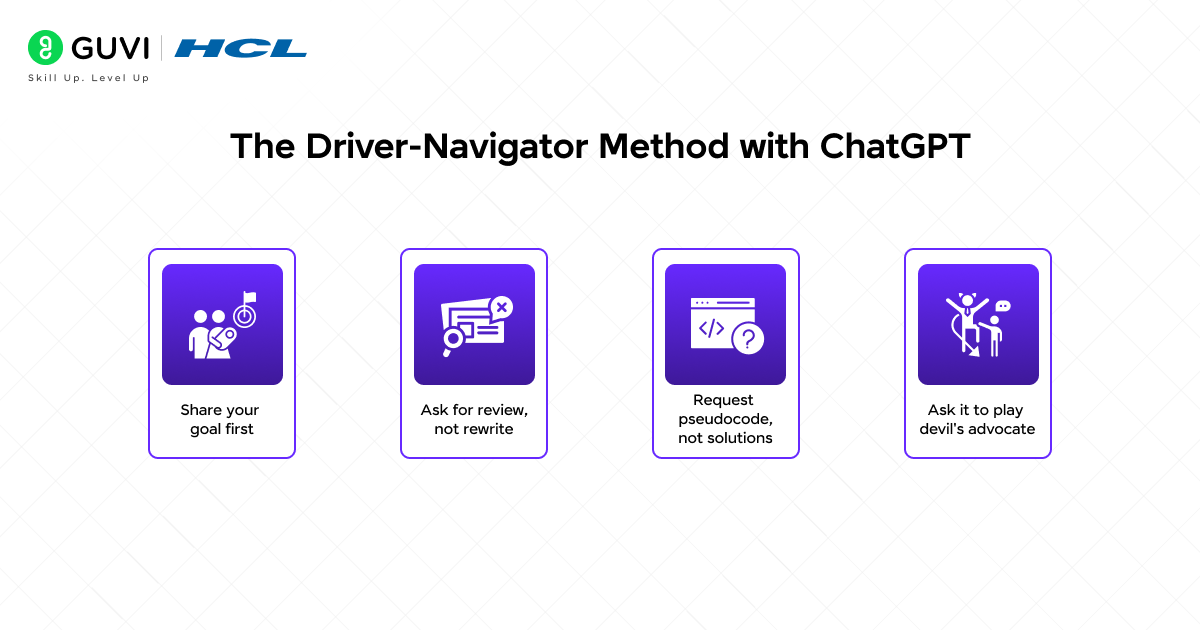
The driver-navigator method is the most natural and effective structure for ChatGPT for Pair Programming, and it mirrors how professional pairs work in real engineering teams. It mirrors how professional pair programming works but gives you the flexibility to switch roles based on what you need at any given moment.
When You Are the Driver, ChatGPT is the Navigator
In this mode, you write the code and ChatGPT watches, reviews, and guides. This is the most educational configuration for ChatGPT for Pair Programming and the best mode for building your own reasoning and debugging skills.
To use this mode effectively, paste your code into ChatGPT as you write it and describe what you are trying to do. Ask ChatGPT to check your logic, point out anything it would do differently, and flag any potential bugs or edge cases.
- Share your goal first: Before pasting any code, tell ChatGPT what the function or feature is supposed to do. This gives it the context to evaluate your code meaningfully rather than in isolation.
- Ask for review, not rewrite: Say “review my code and tell me what could go wrong” rather than “fix my code.” This keeps you in the driver seat and ChatGPT in the navigator role.
- Request pseudocode, not solutions: When you are stuck, ask ChatGPT for pseudocode or the logical steps you should follow. Writing the actual code yourself from that guidance is far more valuable than pasting ChatGPT’s solution directly.
- Ask it to play devil’s advocate: Tell ChatGPT to challenge your approach. Ask “what is wrong with this design?” or “what edge cases am I missing?” A navigator’s job is to catch what the driver misses.
When ChatGPT is the Driver, You Are the Navigator
In this mode of ChatGPT for Pair Programming, you describe what you want built and ChatGPT writes the code while you review, guide, and correct. This is effective for boilerplate-heavy work, repetitive patterns, and tasks you understand well but do not want to type out manually.
The key to this mode is staying actively engaged as the navigator. Do not simply accept whatever ChatGPT produces. Read every line, question every decision, and push back when something does not look right.
- Give precise requirements: The more specific your description, the closer ChatGPT’s output will be to what you actually need. Vague prompts produce vague code.
- Review before running: Never run AI-generated code without reading it first. Understand what it does, why it does it that way, and whether you would write it differently.
- Request changes in natural language: If something is not right, describe the change you want in plain language. “Change this to use async/await instead of callbacks” or “the error handling here does not account for a null response” are exactly the kind of navigator instructions ChatGPT responds well to.
- Ask ChatGPT to explain its choices: A good navigator should always be asking why. Ask ChatGPT to explain why it structured a function a certain way, and you will learn something from every session.
Practical Use Cases for ChatGPT for Pair Programming
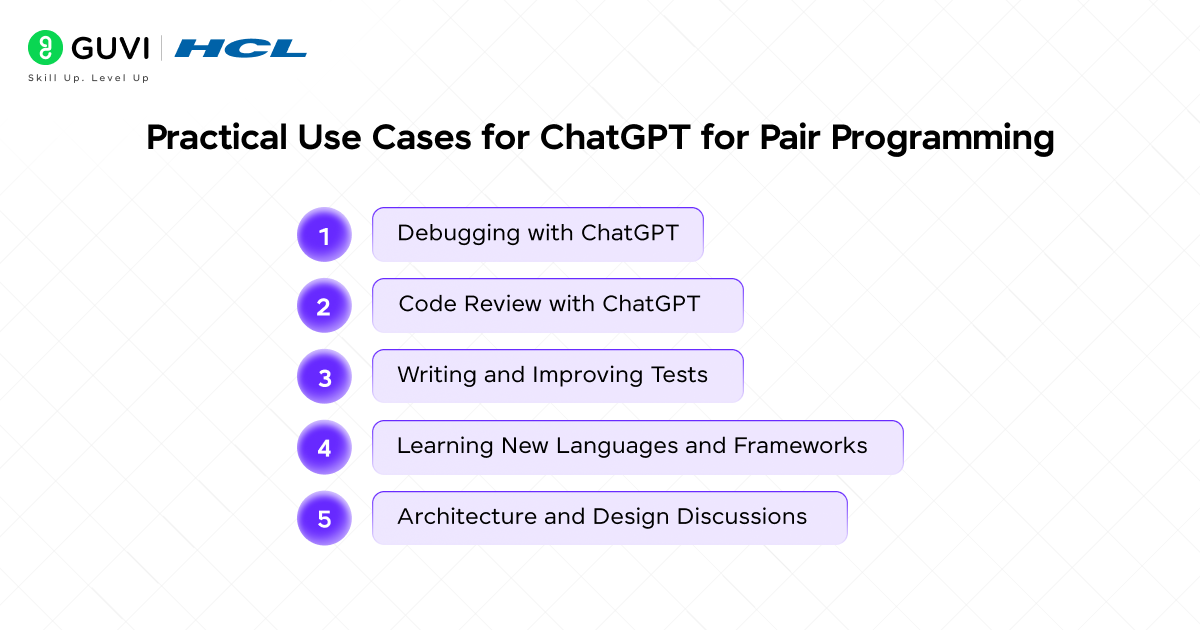
ChatGPT for Pair Programming is not limited to a single type of coding task. Here is how it fits into every major part of the development workflow.
1. Debugging with ChatGPT
Debugging is where ChatGPT for Pair Programming delivers some of its most immediate and consistent value for developers at every experience level. Paste your broken code along with the error message and a description of what you expected to happen. ChatGPT will identify the problem, explain why it is happening, and suggest a fix, usually with a clearer explanation than anything you would find by searching the error message alone.
- Share the full error trace: Do not just paste the error message. Include the full stack trace and the relevant section of code so ChatGPT has everything it needs to diagnose accurately.
- Describe expected versus actual behaviour: Tell ChatGPT what your code is supposed to do and what it is actually doing instead. This context helps it rule out irrelevant possibilities quickly.
- Use it for rubber duck debugging: Sometimes just describing the problem to ChatGPT, even before it responds, helps you see the bug yourself. The act of articulating the problem clearly often reveals the answer.
- Ask follow-up questions: If ChatGPT’s first suggestion does not fix the bug, describe what happened when you tried it. ChatGPT for Pair Programming is a conversation, not a single-shot query.
Brain teaser: You have been staring at a bug for two hours. You paste the code into ChatGPT and as you are typing the description of the problem, you suddenly see the issue yourself before ChatGPT even responds. Why does this happen so often?
Answer: This is called rubber duck debugging, a well-known technique where explaining a problem out loud (or in writing) forces your brain to reprocess the logic from scratch rather than pattern-matching the same incorrect assumption repeatedly. ChatGPT for Pair Programming makes rubber duck debugging more effective because you are not just talking to a rubber duck. You are framing the problem precisely enough for another intelligent system to respond. The clarity required to explain the problem clearly is itself part of the debugging process.
2. Code Review with ChatGPT
Code review is a critical part of professional software development, but getting timely quality reviews is often difficult. ChatGPT for Pair Programming gives you an instant, thorough first-pass review before your code even reaches a human reviewer, making ChatGPT for Pair Programming one of the most time-saving practices you can adopt.
Paste your code and ask ChatGPT to review it as a senior engineer would. Ask it to look for bugs, security vulnerabilities, performance issues, readability problems, and anything that violates common best practices for your language and framework.
- Be specific about what to look for: “Review this Python function for performance issues and edge cases” produces a more useful review than “review this code.”
- Ask about security: ChatGPT is good at spotting common vulnerabilities like SQL injection risks, missing input validation, exposed credentials, and improper error handling. Always include security as part of your review request.
- Request refactoring suggestions: Ask ChatGPT “how would you simplify this code without changing its behaviour?” This is one of the most educational uses of ChatGPT for Pair Programming because it shows you alternative approaches you might not have considered.
- Check test coverage: Paste your function and ask ChatGPT what test cases you are missing. It is remarkably good at identifying edge cases, null inputs, and boundary conditions that developers commonly overlook.

3. Writing and Improving Tests
Writing comprehensive tests is one of those tasks developers know they should do thoroughly but often rush through under deadline pressure. ChatGPT for Pair Programming makes test writing faster, more systematic, and more complete than anything most developers produce working alone.
Paste your function and ask ChatGPT to generate a unit test suite using whatever testing framework you use, whether that is pytest, Jest, JUnit, or something else. Then review the generated tests critically. Add the ones that make sense, question the ones that seem unnecessary, and ask ChatGPT to explain any test you do not fully understand.
- Ask for edge case tests specifically: “What edge cases should I test for this function?” often produces tests you would not have written yourself and catches bugs that only appear at the boundaries of valid input.
- Use it to test-drive development: Describe what a function should do and ask ChatGPT to write the tests first. Then implement the function yourself to pass those tests. This is test-driven development with ChatGPT as your spec-writing partner.
- Review test quality: Ask ChatGPT to review tests you have already written and identify gaps. It can tell you if your tests are too tightly coupled to implementation details, if they test behaviour rather than internal state, and if they would actually catch a real bug.
4. Learning New Languages and Frameworks
One of the most powerful and underappreciated uses of ChatGPT for Pair Programming is how dramatically it accelerates learning when you pick up an unfamiliar language, framework, or library. Instead of reading documentation in isolation, you have a patient expert available to answer your questions in the context of real code you are actually writing.
When you are learning, switch to navigator mode. Write code as you understand the new language or framework and ask ChatGPT to review it, correct your mistakes, and explain the idiomatic way to do what you are attempting. You learn the right patterns as you write, not days later when you are reviewing your own mistakes.
- Ask for idiom explanations: “I wrote this in JavaScript thinking style but I am now writing Go. How would a Go developer write this function differently and why?” This kind of question produces genuinely educational answers.
- Request context on language conventions: Ask ChatGPT to explain why Go uses interfaces the way it does, why Python has both lists and tuples, or why Rust’s ownership model exists. Understanding the reason behind language design decisions makes you a better developer in that language.
- Use it for framework orientation: When starting with a new framework, describe your goal and ask ChatGPT to walk you through the standard framework way of achieving it. This is faster than reading documentation and more interactive because you can ask follow-up questions immediately.
5. Architecture and Design Discussions
ChatGPT for Pair Programming is not limited to line-by-line code work. Used at the architecture and design level, ChatGPT for Pair Programming becomes a thinking partner for the decisions that have the largest impact on your codebase.
Describe the feature you are building and ask ChatGPT to help you think through the architecture. Ask it to argue against your proposed design, suggest alternatives, and identify tradeoffs you might be overlooking. Used this way, ChatGPT for Pair Programming becomes a design review tool that is available before you write a single line of code.
- Describe your constraints clearly: Tell ChatGPT your performance requirements, team size, technology stack, and any existing architectural decisions you need to work within. The more context it has, the more relevant its suggestions will be.
- Ask for tradeoff analysis: “What are the tradeoffs between using a message queue and a direct API call for this workflow?” gets you a balanced, educational answer that helps you make a better decision.
- Use it to document decisions: Ask ChatGPT to help you write an architecture decision record (ADR) for a design choice you have made. Describing the decision to ChatGPT and asking it to write the document forces you to articulate your reasoning clearly.
Tips for Getting the Best Results from ChatGPT for Pair Programming
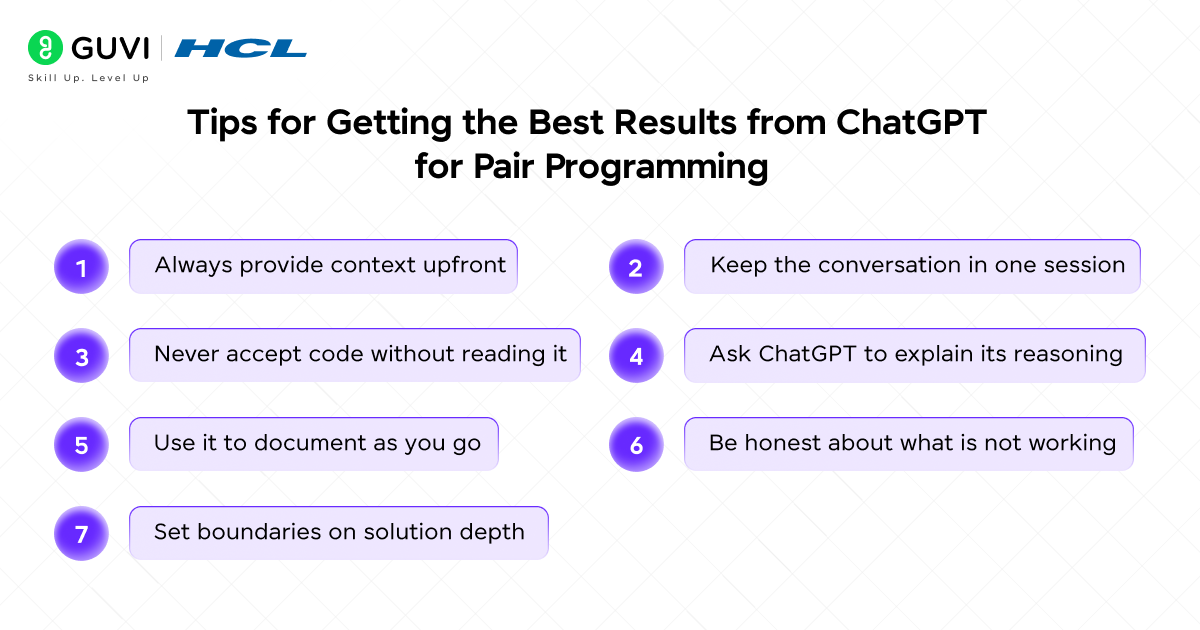
- Always provide context upfront: Tell ChatGPT the language, framework, and the purpose of the code at the start of every session. Context transforms generic suggestions into specific, relevant guidance.
- Keep the conversation in one session: ChatGPT for Pair Programming works best when the entire context of your work session stays within a single conversation. Starting a new chat loses all the context you built up.
- Never accept code without reading it: Every line of code that goes into your codebase is your responsibility, regardless of who or what wrote it. Read AI-generated code the same way you would read a pull request from a colleague.
- Ask ChatGPT to explain its reasoning: When ChatGPT suggests an approach, ask why. Understanding the reasoning behind a suggestion is more valuable than the suggestion itself.
- Use it to document as you go: After writing a function with ChatGPT, ask it to write the docstring and inline comments. This is one of the most time-saving uses of ChatGPT for Pair Programming for busy developers.
- Be honest about what is not working: If ChatGPT’s suggestion did not solve the problem, say so explicitly. “I tried that and the error is now X instead of Y. Here is the updated code.” ChatGPT iterates well when given accurate feedback.
- Set boundaries on solution depth: If you are learning, explicitly tell ChatGPT not to give you complete solutions. Ask for hints, pseudocode, or step-by-step logic instead. This is where ChatGPT for Pair Programming truly develops your skills rather than substituting for them.
Do check out HCL GUVI’s free AI & ML 5-Day Email Course, a beginner-friendly program that delivers daily lessons covering AI and machine learning basics, real-world applications, career insights, and project ideas, making it a great starting point if you want to understand core concepts and explore AI career paths in a structured way.
What ChatGPT for Pair Programming Cannot Do
Being honest about limitations makes you a better user of any tool. ChatGPT for Pair Programming is genuinely powerful, but there are consistent failure modes you need to know about before you rely on it for anything important.
- It cannot run your code: ChatGPT has no execution environment. It can predict what code will do based on its training but cannot actually test it. Always run and test code yourself.
- It can be confidently wrong: ChatGPT sometimes produces code that looks correct but contains subtle bugs or incorrect assumptions, especially for complex algorithms, concurrency issues, and security-sensitive code. Code review is non-negotiable.
- It does not know your codebase: Unless you paste the relevant code directly, ChatGPT has no knowledge of your project’s structure, conventions, or history. Providing context is always your responsibility.
- It may suggest outdated patterns: For rapidly evolving frameworks and libraries, ChatGPT may suggest patterns from older versions. Always verify that suggestions are compatible with your current version.
💡 Did You Know?
- 84% of developers reported using AI coding tools in their workflow in 2026, up from around 60% in 2024, making AI pair programming one of the fastest-adopted practices in software development history.
- GPT-5’s context window of 400,000 tokens allows ChatGPT for Pair Programming to hold an entire medium-sized codebase in a single session, enabling project-wide reasoning rather than file-by-file assistance.
- Developers using AI coding tools report a 78% improvement in efficiency, but research also shows they sometimes take 19% longer on tasks because they spend saved typing time reviewing and correcting AI-generated code.
Conclusion
Every developer, regardless of experience level, benefits from having a second set of eyes on their code. ChatGPT for Pair Programming gives you that, every day, for every project, at no cost on the free tier.
The developers who get the most from ChatGPT for Pair Programming are not the ones using it as a code vending machine. They are the ones using it as a genuine collaborator, sharing context, asking hard questions, pushing back on suggestions, and staying actively engaged with every line of code in their codebase. Start with one workflow, whether that is debugging, code review, or learning a new framework, and build from there.
Your best code might be one good pair programming session away.
FAQs
1. What is ChatGPT for Pair Programming?
ChatGPT for Pair Programming is the practice of using ChatGPT as your coding partner in a driver-navigator structure. You and ChatGPT take turns as the driver writing code and the navigator reviewing it, using conversation to debug, review, design, and learn more effectively than working alone.
2. Is ChatGPT for Pair Programming suitable for beginners?
Absolutely. In fact, beginners often benefit most from ChatGPT for Pair Programming because they get access to expert-level review and guidance they would not otherwise have. The key is to use ChatGPT for Pair Programming in navigator mode so it guides rather than writes for you, which helps beginners build real understanding rather than just copy code they do not fully understand.
3. How is ChatGPT for Pair Programming different from GitHub Copilot?
GitHub Copilot completes your code inline as you type, making it more like a sophisticated autocomplete. ChatGPT for Pair Programming is conversational. You discuss problems, explain goals, review logic together, and build understanding through dialogue. Most experienced developers use both tools for different parts of their workflow.
4. Can ChatGPT for Pair Programming replace a human pair programming partner?
Not entirely. ChatGPT cannot replicate the creative problem solving, business context knowledge, and interpersonal communication that human pair programming provides. ChatGPT for Pair Programming is most effective as a complement to human collaboration, especially when a human partner is not available.
5. How do I get started with ChatGPT for Pair Programming today?
Open ChatGPT, paste a real coding problem you are working on today, and start your first ChatGPT for Pair Programming session with this prompt: “You are a senior software engineer. I am going to share some code with you. Review it as my pair programming partner, point out any issues you see, and ask me questions rather than just rewriting it.” Then paste your code and begin the conversation.
Success Stories

About the Author
Jebasta
I translate the language of data into stories that anyone can understand. As a writer with a data science background, I simplify analytics, AI, and decision-making so beginners and enthusiasts can confidently explore the world of data.
View all posts by Jebasta
Connect with me @










Did you enjoy this article?