


Mechanical CAD Articles
Who Is a Mechanical CAD Designer? A Complete Beginner's Guide
How to Prepare for Mechanical Engineering Technical Interview Questions: A Practical Guide
CAD Designer Resume Examples & Tips to Land Your Dream Job
CAD Designer Career in India: Salary, Job Roles & Growth Path


Get In Touch For Details! Request More Information

What is AutoCAD? Beginner Guide with Uses, Features & Career Scope 2026
Jul 23, 2026 11 Min Read 11763 Views
(Last Updated)
Since 1982, AutoCAD has revolutionized design and drafting. The software has grown into a massive market valued at over $5.5 billion for 3D design and $1.97 billion for 2D design capabilities. And haven’t we all wanted to create those intuitive drawings at least once?
It enables you to create precise and detailed drawings that serve multiple industries, especially when you have architecture, engineering, manufacturing, and interior design needs. You can develop building plans and object designs without hand-drawn sketches.
So, in this article we will learn what AutoCAD is, how it compares to other CAD tools, its career scope, and the steps to create your first designs. I’ve simplified everything to help beginners such as yourself focus solely on the knowledge they need to begin their design experience.
Table of contents
- TL;DRSummary
- What is AutoCAD?
- Industries Using AutoCAD: Where AutoCAD is Used Every Day
- What is AutoCAD Used For? Key Applications
- What are the Key Features of AutoCAD?
- AutoCAD Versions, Industries, and Pricing
- AutoCAD 2D vs 3D: What is the Difference?
- AutoCAD Commands for Beginners: 30 Essential Commands
- AutoCAD vs SolidWorks vs CATIA vs Revit — Which to Learn?
- Is AutoCAD Still Relevant in 2026?
- AutoCAD Career Scope in India (2026)
- Beginner to Senior: AutoCAD Career Growth Path
- AutoCAD Salary in India (2026): Role-Wise Breakdown
- Top AutoCAD Design Trends in 2026
- AutoCAD Design Process: Step-by-Step
- AutoCAD vs Alternatives: Which Should You Learn?
- AutoCAD Certification in India: Types, Cost, and How to Prepare
- How Long Does It Take to Learn AutoCAD?
- Is AutoCAD Free for Students?
- AutoCAD System Requirements (2026)
- Top AutoCAD Tools and Software in the Ecosystem
- Where to Learn AutoCAD: Best Courses in India
- Conclusion
- Concluding Thoughts…
- Frequently Asked Questions
- What is AutoCAD used for?
- What is the difference between AutoCAD and AutoCAD LT?
- Is AutoCAD free for students?
- How much does an AutoCAD designer earn in India?
- Can I learn AutoCAD without a degree?
- How long does it take to learn AutoCAD?
- What is new in AutoCAD 2026?
- Is AutoCAD still relevant in 2026?
- What are the system requirements for AutoCAD 2026?
- Which AutoCAD version is best for beginners?
- What is the scope of AutoCAD in India for freshers?
- Is PCB design different from AutoCAD?
TL;DR Summary
AutoCAD is Autodesk’s industry-standard CAD software for creating 2D drawings and 3D models
- Used by engineers, architects, interior designers, and product designers worldwide
- AutoCAD 2026 is the fastest version yet, 11x faster file opening, with built-in Autodesk AI
- Key industries: construction, manufacturing, automotive, aerospace, and interior design
- Learning time: 1–3 months for basics; 6–12 months for professional proficiency
- Fresher salary in India: ₹2.5L–₹4L per year; senior designers earn ₹8L–₹15L+
- AutoCAD is free for students through Autodesk’s Education Community
- Top certifications: Autodesk Certified User (ACU) and Autodesk Certified Professional (ACP)
What is AutoCAD?
Simple definition: AutoCAD is software that lets you draw precisely, whether it is a floor plan, a machine part, an electrical layout, or a 3D product model, all on a computer instead of on paper.
AutoCAD is a computer-aided design (CAD) software developed by Autodesk that enables engineers, architects, and designers to create precise 2D drawings and 3D models on a computer. First released in December 1982, it replaced manual drafting with digital tools and became the global industry standard for technical design and drafting across construction, manufacturing, product design, and infrastructure.
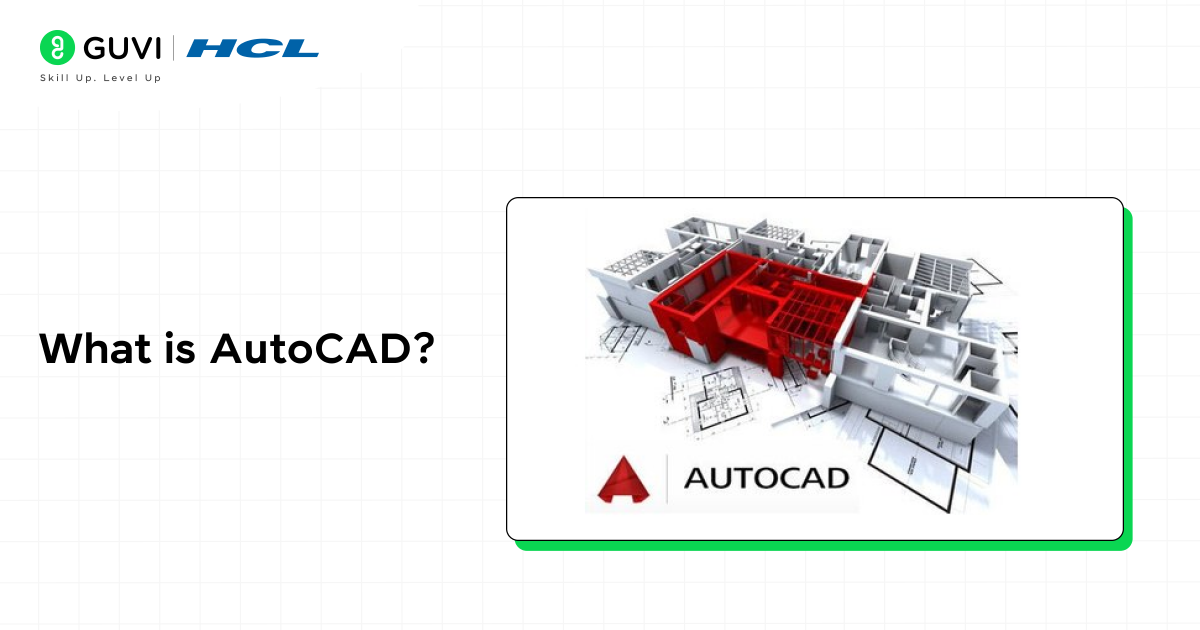
Today, AutoCAD is used by over 156,000 companies worldwide and holds a 38.52% share of the global CAD software market. In India, it is one of the most in-demand design skills for freshers entering mechanical, civil, and electrical engineering roles.
Explore: New features of AutoCAD: 10 New Things to Keep Note Of
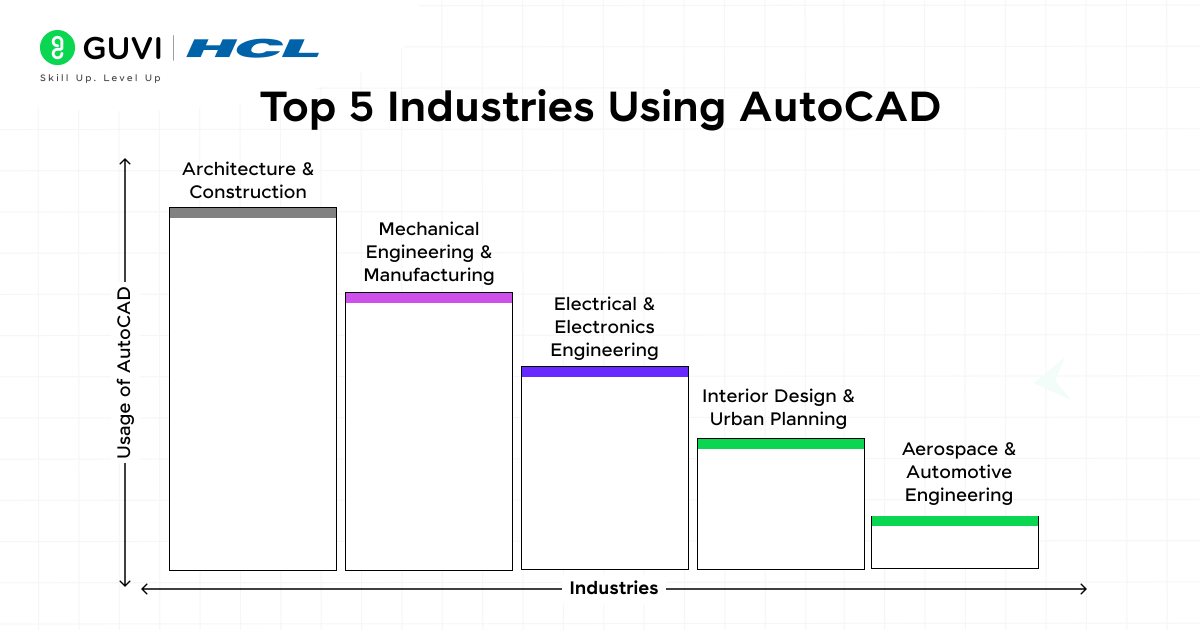
Industries Using AutoCAD: Where AutoCAD is Used Every Day
| Industry | What AutoCAD Designers Build |
| Architecture & Construction | Floor plans, elevation drawings, site layouts, structural blueprints |
| Mechanical Engineering | Machine parts, assemblies, and manufacturing drawings |
| Civil Engineering | Road designs, drainage layouts, and bridge cross-sections |
| Electrical Engineering | Circuit schematics, panel layouts, wiring diagrams |
| Interior Design | Space plans, furniture layouts, 3D room visualizations |
| Automotive | Component drawings, body panels, chassis layouts |
| Aerospace | Precision part drawings, assembly schematics |
| Manufacturing | Production drawings, tooling layouts, quality documentation |
What is AutoCAD Used For? Key Applications
AutoCAD is used to produce technical drawings that serve as the blueprint for building, manufacturing, or installing something. Here is how each industry uses it:
Architecture and construction: Architects use AutoCAD to create detailed floor plans, roof plans, section drawings, and elevation views. Every building you see was drafted in software like AutoCAD before a single brick was laid.
Mechanical and product design: Mechanical engineers use AutoCAD to design individual machine parts and assemblies with exact tolerances. These drawings are sent directly to CNC machines for manufacturing.
Civil engineering: Civil engineers use AutoCAD Civil 3D to design roads, sewage systems, water pipelines, and land development layouts. India’s infrastructure boom, highways, smart cities, and metro rail runs on AutoCAD-designed drawings.
Electrical engineering: Electrical designers use AutoCAD Electrical to create wiring diagrams, control panel layouts, and schematics that are used during construction and maintenance.Interior design: Interior designers use AutoCAD to produce accurate space planning drawings, furniture layouts, and detailed room sections before handing over to contractors.
What are the Key Features of AutoCAD?
AutoCAD’s core strength lies in its precision, flexibility, and extensive toolset. Here are the features that make it the industry standard:
2D drafting and annotation: Create precise technical drawings with exact dimensions, tolerances, and annotations. AutoCAD’s drafting tools, lines, arcs, polylines, hatching, and dimensioning are the most accurate in the industry.
3D modelling: Build three-dimensional solid, surface, and mesh models. AutoCAD’s 3D workspace lets you visualize products and structures before they are built.
Dynamic blocks: Create intelligent, reusable blocks that can change shape, size, and configuration with parameters. This dramatically speeds up repetitive drafting tasks.
Layer management: Organize drawing elements into layers for easy visibility control, color coding, and plotting. A complex architectural drawing might use 50+ layers.
Parametric constraints: Apply geometric and dimensional constraints so that design intent is maintained when changes are made.
Sheet set manager: Organize, manage, and publish multiple drawing sheets as a complete project document set.
Collaboration and cloud access: AutoCAD 2026 integrates with Autodesk Docs for cloud-based file storage, team collaboration, and real-time markup review across desktop, web, and mobile.
Autodesk AI (AutoCAD 2026): AI-powered tools that automatically detect repeating geometry and convert it into intelligent blocks, reducing manual drafting time significantly.
AutoLISP and API: Automate repetitive tasks with custom scripts using AutoLISP, or build integrations using AutoCAD’s API.
Industry toolsets: Specialized versions of AutoCAD include Civil 3D, AutoCAD Electrical, AutoCAD Mechanical, and AutoCAD Architecture, each with domain-specific tools built in.
AutoCAD Versions, Industries, and Pricing
AutoCAD in 2026 isn’t a single product anymore, it’s one subscription that bundles specialized industry toolsets. Here’s how each is actually used:
| AutoCAD Version/Toolset | Industry | Key Features | Price (India, Annual) |
|---|---|---|---|
| AutoCAD LT | Budget 2D-only drafting | 2D drafting and documentation only, no 3D modeling | Lower cost than full AutoCAD, roughly half |
| AutoCAD (Full) | Cross-industry | 2D drafting, 3D modeling, access to all 7 specialized toolsets in one subscription | ~₹1,03,000 + 18% GST (commercial) |
| AutoCAD Architecture toolset | Architecture & Construction | Floor plans, elevations, sections, schedules up to 60% faster than base AutoCAD | Included in full AutoCAD subscription |
| AutoCAD Mechanical toolset | Manufacturing | Standard parts library, automated BOMs, mechanical drafting tools | Included in full AutoCAD subscription |
| AutoCAD Electrical toolset | Electrical Engineering | Electrical symbols, automated circuit generation, panel layout automation | Included in full AutoCAD subscription |
| AutoCAD MEP toolset | Mechanical, Electrical, Plumbing | System coordination tools for building services drafting | Included in full AutoCAD subscription |
| AutoCAD Plant 3D toolset | Oil & Gas, Industrial Plants | P&ID, piping, and structural plant design for industrial projects | Included in full AutoCAD subscription |
Prices are approximate, vary by reseller, seat count, and contract length, and are subject to change. Educational and student licenses are typically free or heavily discounted.
AutoCAD 2D vs 3D: What is the Difference?
| Feature | AutoCAD 2D | AutoCAD 3D |
| Output | Flat drawings- plans, sections, elevations | Solid models, surfaces, mesh objects |
| Primary users | Architects, civil engineers, and electrical engineers | Mechanical designers, product designers, and industrial engineers |
| Complexity | Lower, easier to learn | Higher requires an understanding of 3D geometry |
| File output | DWG, DXF, PDF | DWG, STL, STEP, IGES |
| Use case | Construction documents, manufacturing drawings, schematics | Prototyping, product visualisation, 3D printing |
| Learning time | 1–3 months for basic proficiency | 6–12 months for professional-level 3D skills |
Most beginners start with 2D drafting. Once comfortable with the tools and commands, they progress to 3D modelling. In civil and architectural roles, 2D proficiency alone is sufficient for entry-level positions.
AutoCAD Commands for Beginners: 30 Essential Commands
Knowing commands is the fastest way to improve your AutoCAD speed. Professionals type commands rather than clicking menus, it is 3x faster.
| Command | Shortcut | What It Does |
| LINE | L | Draws straight lines |
| CIRCLE | C | Draws circles by center and radius |
| ARC | A | Draws arcs |
| RECTANGLE | REC | Draws rectangles |
| POLYLINE | PL | Draws connected line/arc segments |
| TRIM | TR | Trims objects to a boundary |
| EXTEND | EX | Extends objects to a boundary |
| OFFSET | O | Creates parallel copies at a set distance |
| MIRROR | MI | Creates a mirror image of objects |
| ARRAY | AR | Creates rectangular or circular patterns |
| MOVE | M | Moves selected objects |
| COPY | CO | Copies selected objects |
| ROTATE | RO | Rotates objects around a point |
| SCALE | SC | Scales objects by a factor |
| FILLET | F | Rounds corners with an arc |
| CHAMFER | Cuts corners at an angle | |
| HATCH | CHA | Fills areas with patterns or solid fills |
| TEXT | H | Adds single-line or multiline text |
| DIMENSION | T | Adds dimensions to drawings |
| LAYER | DIM | Opens the layer manager |
| BLOCK | LA | Creates a reusable block from objects |
| INSERT | B | Inserts a block into the drawing |
| ERASE | I | Deletes selected objects |
| UNDO | E | Undoes the last action |
| ZOOM | U | Zooms in/out on the drawing |
| PAN | Z | Pans the view without zooming |
| PROPERTIES | P | Opens the properties panel |
| PURGE | PR | Removes unused items from the file |
| AUDIT | AUDIT | Checks and repairs drawing errors |
| PLOT | CTRL+P | Prints or exports the drawing |
Pro tip: Type the shortcut key and press Enter or Space to activate any command. Keep one hand on the mouse and one on the keyboard, this is how professionals work in AutoCAD.
AutoCAD 2026 new features worth knowing:
- 11x faster file opening compared to AutoCAD 2025
- 4x faster application startup
- AI-powered smart block detection and placement
- Connected Support Files via Autodesk Docs for team-wide settings
- Markup Import from PDF, JPG, and PNG for incorporating reviewer feedback
- Conversational AI assistant for in-app support and workflow guidance
AutoCAD vs SolidWorks vs CATIA vs Revit — Which to Learn?
These four tools often get lumped together as “CAD software,” but they’re built for genuinely different jobs. Here’s how to decide which one deserves your learning time first:
| Software | Primary Use | Best For | Learning Curve | Typical Price (Annual) |
|---|---|---|---|---|
| AutoCAD | 2D drafting + light 3D modeling | Architecture, mechanical drafting, electrical schematics, civil layouts, general technical drawing | Moderate, beginner-friendly for 2D | ~₹30,000-1,03,000+ (varies by toolset/reseller) |
| SolidWorks | Parametric 3D mechanical design | Discrete part manufacturing, sheet metal, assemblies under ~2,000 parts, automotive subsystems | Steeper, but rewarding for mechanical design | $4,000-$8,000 (Premium with simulation) |
| CATIA | High-end 3D surface modeling and simulation | Aerospace, automotive body design, large assemblies (200+ person engineering teams), regulatory-grade analysis | Steepest of the four | Enterprise pricing, typically the most expensive |
| Revit | Building Information Modeling (BIM) | Architecture, structural engineering, MEP coordination, construction documentation | Moderate to steep, especially for large models | Bundled in Autodesk AEC Collection |
The practical decision: if you’re a fresher or from a mechanical/civil background wanting the broadest, most beginner-friendly entry point, start with AutoCAD. It’s the industry-standard drafting tool and the most commonly required skill across job postings.
If you already know you want mechanical product design specifically, SolidWorks is the stronger long-term investment. If you’re aiming for aerospace or automotive body design at a large engineering firm, CATIA is close to mandatory.
If your career is heading toward architecture or building services (MEP), Revit’s BIM workflow is what most modern firms actually expect.
Notably, AutoCAD and Revit are both from Autodesk and integrate closely, many architecture firms use AutoCAD for early-stage drafting and Revit for full BIM documentation on the same project.
Is AutoCAD Still Relevant in 2026?
Yes, and the data confirms it.
Despite the rise of BIM tools like Revit and parametric CAD tools like SolidWorks, AutoCAD remains the most widely used design software globally.
Over 156,000 companies actively use it. India accounts for 8.27% of global AutoCAD users (approximately 9,500 companies), and the global CAD software market, including AutoCAD, is valued at over $5.5 billion for 3D capabilities alone.
The shift to BIM has not replaced AutoCAD; it has added to it. Many firms use both: AutoCAD for detailed 2D production drawings and Revit or Civil 3D for the broader project model.
Knowing AutoCAD is still the minimum entry requirement for most drafting and design roles in India.
Additionally, AutoCAD 2026’s AI integration is future-proofing the software. Autodesk AI now automates block placement, supports conversational help, and integrates directly into cloud workflows, which means AutoCAD is actively evolving to stay relevant as AI transforms design workflows.
AutoCAD Career Scope in India (2026)
India’s manufacturing, construction, and infrastructure sectors are all expanding rapidly, and every one of them requires AutoCAD-skilled professionals. Here are the roles AutoCAD proficiency opens up:
CAD Designer / Drafter: Creates 2D production drawings from engineer specifications. Entry-level role found in architecture firms, engineering consultancies, and manufacturing companies.
Mechanical Design Engineer: Uses AutoCAD Mechanical to create detailed part and assembly drawings for manufacturing. Works closely with CNC programmers and production teams.
Civil CAD Engineer: Uses AutoCAD Civil 3D to design road alignments, drainage systems, and land development layouts. High demand for infrastructure and urban development projects.
Electrical CAD Designer: Uses AutoCAD Electrical for panel layouts, wiring schematics, and control system documentation. In demand in EPC companies and industrial automation firms.
Architectural Drafter: Converts architect sketches into detailed construction drawings, floor plans, sections, elevations, and details. Standard role in every architectural practice.
Interior Design Drafter: Produces space planning drawings, furniture layouts, and interior detail drawings. Growing demand with India’s real estate and hospitality boom.
BIM Modeller (with AutoCAD + Revit): Creates building information models used for project coordination. Premium role in large-scale construction and infrastructure projects.
Freelance CAD Designer: Takes project-based work from clients globally through platforms like Upwork, Fiverr, and Freelancer. Strong demand for AutoCAD drafting from international architecture and engineering firms.
Beginner to Senior: AutoCAD Career Growth Path
CAD Trainee / Fresher → CAD Drafter / Junior Designer → CAD Designer / Draftsperson → Senior CAD Designer / Design Engineer → Lead Designer / CAD Manager → Design Manager / BIM Manager / Technical Director
Timeline: With consistent skill development, most AutoCAD professionals move from fresher to Senior Designer level within 4–6 years.
Learn: Revit vs AutoCAD: The Ultimate Comparison for Design Professionals
AutoCAD Salary in India (2026): Role-Wise Breakdown
| Role | Experience | Salary Range (per year) |
| CAD Trainee / Fresher | 0–1 year | ₹1.8L – ₹3.5L |
| CAD Draft | 1–3 years | ₹2.5L – ₹5L |
| CAD Designer | 3–5 years | ₹4L – ₹7L |
| Senior CAD Designer | 5–8 years | ₹6L – ₹10L |
| Lead CAD Engineer | 8–12 years | ₹9L – ₹15L |
| CAD / Design Manager | 12+ years | ₹12L – ₹22L |
| Freelance AutoCAD Designer | Project-based | 30,000–₹1.5L per project |
Salary by specialization:
- Mechanical CAD Designer: ₹3L–₹9L
- Civil CAD Engineer: ₹3L–₹8L
- Electrical CAD Designer: ₹3L–₹9L
- Architectural Drafter: ₹9.1 L–₹10 L
- BIM Modeller (AutoCAD + Revit): ₹5L–₹14L
Top hiring cities: Pune, Bengaluru, Chennai, Hyderabad, Mumbai, Delhi NCR
Salary tip: Adding a second tool (Revit, SolidWorks, or Civil 3D) to your AutoCAD skills can increase your salary by 30–50% compared to AutoCAD-only roles.
Explore: 5 Reasons to Learn AutoCAD for Civil Engineers
Top AutoCAD Design Trends in 2026
1. AI-powered layout automation cuts design time by 40–60%. AutoCAD 2026’s AI tools can now detect repeating geometry, suggest block creation automatically, and automate routine drafting tasks. Engineers who once spent hours on repetitive drawing work are completing the same tasks in minutes.
2. AI-driven manufacturability and design checks: AI tools embedded in AutoCAD and connected EDA platforms now flag potential design errors, clashes, tolerance violations, and constructability issues, before drawings reach production. This reduces costly rework.
3. Digital twins and simulation integration. AutoCAD drawings are increasingly feeding into digital twin platforms, where real-world conditions (thermal loads, structural stress, fluid flow) are simulated before physical construction or manufacturing begins.
4. Cloud-first collaboration via Autodesk Docs. AutoCAD 2026’s deep integration with Autodesk Docs means design teams can manage connected support files, track drawing changes, and review markups across locations without emailing DWG files back and forth.

5. AutoCAD on web and mobile Autodesk has expanded AutoCAD Web to support 2D and 3D DWG viewing, markup, and basic editing. Design professionals can now review and annotate drawings from any device, accelerating project approvals.
AutoCAD Design Process: Step-by-Step
Step 1: Set up your drawing environment. Open AutoCAD and configure units (millimetres, inches, or metres), limits (drawing area), and layers. Setting up your environment correctly saves hours of rework later.
Step 2: Create the base geometry. Use drawing commands, LINE, CIRCLE, ARC, RECTANGLE, POLYLINE, to create the basic shapes of your design. AutoCAD’s coordinate system (X, Y, Z) and Object Snap ensure everything is placed precisely.
Step 3: Modify and refine. Use editing commands, TRIM, EXTEND, OFFSET, MIRROR, ARRAY, FILLET, and CHAMFER to refine the geometry. This is where the design takes its final shape.
Step 4: Add dimensions and annotations. Apply dimensions, text, leaders, and hatching to make the drawing readable and manufacturable. Annotations communicate material specifications, tolerances, and notes to the person using the drawing downstream.
Step 5: Organize with layers and blocks. Assign elements to appropriate layers and create reusable blocks for repeated components. Good layer management is the sign of a professional AutoCAD user.
Step 6: Review and verify. Check your drawing against design requirements. Use AutoCAD’s built-in measurement tools to verify dimensions and areas.
Step 7: Plot or publish Configure page layouts and plot settings, then export as PDF or send to a plotter/printer. In collaborative projects, publish to Autodesk Docs for team review.
AutoCAD vs Alternatives: Which Should You Learn?
| Tool | Best For | Learning Curve | Cost | AutoCAD Comparison |
| AutoCAD | General drafting, architecture, civil, electrical | Medium | ₹18,000+/year | Industry benchmark |
| SolidWorks | Mechanical product design, manufacturing | High | ₹3L+/year | Better for 3D assemblies |
| Revit | BIM for architecture and construction | High | ₹18,000+/year | Better for building information modelling |
| CATIA | Aerospace and automotive design | Very High | ₹5L+/year | Better for complex surfaces |
| FreeCAD | Hobbyists, students on a budget | Medium | Free | Open-source, less industry adoption |
| SketchUp | Conceptual architecture and interior design | Low | Free/Paid | Easier but less precise |
Verdict for beginners in India: Learn AutoCAD first. It is the most widely required skill in job postings across architecture, civil, mechanical, and electrical roles. Once you have AutoCAD proficiency, adding SolidWorks or Revit becomes significantly easier.
AutoCAD Certification in India: Types, Cost, and How to Prepare
Getting certified in AutoCAD demonstrates verified competency to employers and clients. Autodesk offers two recognized certification levels:
Autodesk Certified User (ACU)
| Feature | Details |
| Certification | Autodesk Certified User (ACU) |
| Level | Beginner to intermediate |
| Who it is for | Students and early-career professionals |
| Exam format | Multiple choice and performance-based tasks |
| Recommended experience | 150+ hours of AutoCAD practice |
| Cost | Approximately ₹5,000–₹8,000 (varies by test centre) |
| Validity | Does not expire, but Autodesk recommends updating with each major version |
Autodesk Certified Professional (ACP)
| Feature | Details |
| Certification | Autodesk Certified Professional (ACP) |
| Level | Advanced/professional |
| Who it is for | Working professionals with 400+ hours of experience |
| Exam format | Performance-based tasks in live AutoCAD software |
| Recommended experience | 1–3 years of professional use |
| Cost | Approximately ₹8,000–₹12,000 (varies by test centre) |
| Validity | Does not expire; version-specific |
How to prepare for AutoCAD certification:
- Complete a structured AutoCAD course covering all exam objectives
- Practice with real project drawings, not just tutorials
- Complete Autodesk’s official practice exam (available on their website)
- Build a portfolio of 3–5 completed drawings across different drawing types
- Take the exam at an Autodesk Authorized Test Centre
Where to find test centres in India: Autodesk’s official website lists authorized Certiport exam centres across major cities, including Mumbai, Delhi, Bengaluru, Chennai, Hyderabad, and Pune.
How Long Does It Take to Learn AutoCAD?
The honest answer depends on what level of proficiency you need and how much time you invest daily.
| Proficiency Level | What You Can Do | Time Required |
| Basic | Draw simple 2D shapes, apply dimensions, and plot drawings | 2–4 weeks |
| Beginner | Create complete 2D drawings with layers, annotations, and blocks | 1–3 months |
| Intermediate | Handle complex drawings, 3D basics, xrefs, sheet sets | 3–6 months |
| Professional | Full production drawings, advanced 3D, and project management in AutoCAD | 6–12 months |
| Expert | Custom tools, AutoLISP, complex 3D, specialized toolsets | 2–3 years |
For freshers targeting a job: 3–6 months of consistent practice with real-world drawing exercises is enough to qualify for entry-level drafting and design roles.
Learning tip: AutoCAD is a tool; you learn it by drawing, not by reading. Spend at least 1 hour per day inside the software, completing real drawing exercises.
Is AutoCAD Free for Students?
Yes. Autodesk offers free access to AutoCAD and all its specialized toolsets for students and educators through the Autodesk Education Community.
How to get AutoCAD free as a student:
- Go to autodesk.com/education
- Create an Autodesk account
- Verify your student status with your institution email or enrollment documents
- Download AutoCAD or any Autodesk product for free
- Access is valid for 1 year and can be renewed while you are enrolled
Important note: The student version is for educational use only and includes a watermark on printed outputs. It cannot be used for commercial projects.
AutoCAD System Requirements (2026)
| Component | Minimum | Recommended |
| OS | Windows 10 (64-bit) | Windows 11 (64-bit) |
| Processor | 2.5 GHz (3+ GHz recommended) | 3+ GHz, multi-core |
| RAM | 8 GB | 16 GB or more |
| Graphics | 1 GB GPU, DirectX 11 | 4 GB GPU, DirectX 12 |
| Display | 1920 x 1080 | 3840 x 2160 (4K) |
| Storage | 10 GB free space | SSD with 20+ GB free |
| Internet | For licensing and Autodesk Docs | Broadband |
For macOS: AutoCAD 2026 runs natively on both Intel and Apple Silicon (M-series) Macs.
Top AutoCAD Tools and Software in the Ecosystem
AutoCAD (Full): The core product for 2D and 3D design across all industries. The benchmark for every comparison.
Product Link: Try AutoCAD (Full)
AutoCAD LT: A simplified, lower-cost version for 2D drafting only. No 3D, no API access. Suited for small architecture firms and solo practitioners.
Product Link: AutoCAD LT
AutoCAD Civil 3D: The industry standard for civil infrastructure design, roads, grading, drainage, and surveying. Mandatory knowledge for civil engineering design roles in India.
Product Link: AutoCAD Civil 3D
AutoCAD Electrical: Specialized for electrical panel design, wiring schematics, and PLC programming documentation. Used in industrial automation and EPC sectors.
Product Link: AutoCAD Electrical
AutoCAD Mechanical: Adds mechanical drafting tools, standard parts libraries, and manufacturing annotation tools on top of AutoCAD. Used in machine design and manufacturing documentation.
Product Link: AutoCAD Mechanical
AutoCAD Architecture: Adds building-specific objects (walls, doors, windows, stairs) to speed up architectural drafting. Used in smaller architecture firms that have not moved to Revit.
Product Link: AutoCAD Architecture
AutoCAD on Web: Browser-based version of AutoCAD for viewing, annotating, and basic editing of DWG files. Useful for reviews and approvals without installing the desktop application.
Product Link: AutoCAD on Web
Where to Learn AutoCAD: Best Courses in India
HCL GUVI Mechanical CAD Course Hands-on AutoCAD training with real-world projects and mentorship. Designed for beginners seeking professional-level drafting skills for mechanical design roles. Includes guided exercises and placement support.
Explore: HCL GUVI Mechanical CAD Course
Autodesk Official Training: Autodesk’s authorized training through certified instructors at Authorized Training Centres (ATCs) across India. Structured courses that lead directly to ACU and ACP certification.
Explore: Autodesk Official Training
Coursera offers AutoCAD courses from universities covering architectural design, mechanical drafting, and industry-specific applications. Useful for structured self-paced learning with certificates.
Explore: CAD Courses
SourceCAD Practice-focused platform with 70+ real drawing exercises. Ideal for learners who want to go beyond tutorials and build actual drawing skills through repetition.
Explore: SourceCAD
YouTube (free) AutoCAD’s official YouTube channel and channels like CAD Intentions and SourceCAD offer free beginner-to-intermediate tutorials. Good starting point before committing to a paid course.
Explore: AutoCAD
Tip for beginners: Choose a course that includes real drawing exercises, not just tool overviews. The fastest way to become job-ready in AutoCAD is drawing completion; aim for 50+ complete drawings before your first job interview.
Explore: 10 Most trending courses of AUTOCAD
Conclusion
AutoCAD remains one of the most in-demand design tools in 2026, widely used across architecture, civil, mechanical, electrical, and manufacturing industries. With AI-powered features, faster workflows, and strong industry adoption, it continues to be a valuable skill for students and professionals alike.
Whether you want to become a CAD designer, engineer, or BIM professional, learning AutoCAD can open doors to high-growth career opportunities in India. With consistent practice and the right training, you can become job-ready within a few months and build a strong, long-term career in design and engineering.
Concluding Thoughts…
Well, I’m sure by now you’ve thoroughly understood what AutoCAD is and how AutoCAD has transformed the design industry as a powerful tool for more than 40 years. The software evolved from simple 2D drafting to include advanced features like 3D modeling, parametric design, and cloud collaboration. The software’s logical organization and extensive learning resources help new users overcome its initial complexity.
You can achieve proficiency in AutoCAD through regular practice and proper guidance. YouTube tutorials, practice drawings, and online courses are a great way to get the necessary skills. Make sure to follow the steps I’ve listed and you’ll get going in no time.
AutoCAD’s versatility makes it the preferred choice for millions of professionals worldwide. Take time to learn each feature thoroughly, and you’ll understand why. And if you have any doubt, do reach out to us in the comments sections below.
Frequently Asked Questions
What is AutoCAD used for?
AutoCAD is used to create precise 2D technical drawings and 3D models for construction, manufacturing, infrastructure, and product design. Architects use it for floor plans, civil engineers for road and drainage designs, mechanical engineers for machine parts, and electrical engineers for wiring schematics.
2. What is the difference between AutoCAD and AutoCAD LT?
AutoCAD LT is a simplified, lower-cost version of AutoCAD that supports only 2D drafting. It has no 3D modelling capabilities, no AutoLISP scripting, and no access to specialized industry toolsets. Full AutoCAD supports both 2D and 3D design, custom automation, and all industry toolsets.
Is AutoCAD free for students?
Yes. Autodesk offers free 1-year access to AutoCAD and all its toolsets for verified students through the Autodesk Education Community at autodesk.com/education. Access can be renewed annually while you remain enrolled.
How much does an AutoCAD designer earn in India?
AutoCAD designer salaries in India range from ₹1.8L–₹3.5L for freshers to ₹12L–₹22L for senior managers with 12+ years of experience. Mid-level designers with 3–5 years of experience typically earn ₹4L–₹7L per year.
Can I learn AutoCAD without a degree?
Yes. AutoCAD is a skill-based tool, employers care about what you can draw, not your degree. Many AutoCAD professionals in India are diploma holders or self-taught designers who have built their skills through structured courses and practice.
How long does it take to learn AutoCAD?
You can learn basic AutoCAD in 2–4 weeks. Beginner-level proficiency suitable for entry-level roles takes 1–3 months of consistent practice. Professional-level proficiency, managing complex drawings, sheet sets, and 3D modelling, takes 6–12 months.
What is new in AutoCAD 2026?
AutoCAD 2026 features up to 11x faster file opening and 4x faster startup compared to AutoCAD 2025, AI-powered smart block detection, Connected Support Files via Autodesk Docs, markup import from PDFs and images, and a conversational AI assistant for in-app guidance.
Is AutoCAD still relevant in 2026?
Yes. AutoCAD remains the industry standard for technical drafting, with over 156,000 companies using it globally. In India, it is required across construction, manufacturing, infrastructure, and EV sectors. The 2026 version’s AI integration is actively future-proofing the software.
What are the system requirements for AutoCAD 2026?
Minimum: 64-bit Windows 10, 8 GB RAM, 2.5 GHz processor, 1 GB GPU (DirectX 11), 10 GB storage. Recommended: Windows 11, 16 GB RAM, 3+ GHz multi-core processor, 4 GB GPU (DirectX 12), SSD storage.
Which AutoCAD version is best for beginners?
AutoCAD 2026 is the best version to learn because it includes AI-assisted tools that speed up workflows. If your computer does not meet the 2026 requirements, AutoCAD 2024 or 2025 is a solid alternative.
What is the scope of AutoCAD in India for freshers?
The scope is strong. India’s infrastructure expansion, manufacturing growth, EV adoption, and real estate boom all require AutoCAD-skilled engineers. Freshers with solid AutoCAD skills can find roles in architectural firms, engineering consultancies, construction companies, and manufacturing plants across Pune, Bengaluru, Hyderabad, Chennai, and other industrial cities.
Is PCB design different from AutoCAD?
Yes. AutoCAD is for mechanical, civil, architectural, and electrical design drawings. PCB (Printed Circuit Board) design is a separate discipline using tools like Altium Designer or KiCad. AutoCAD is not used for PCB design.
Success Stories

About the Author
Jebasta
I translate the language of data into stories that anyone can understand. As a writer with a data science background, I simplify analytics, AI, and decision-making so beginners and enthusiasts can confidently explore the world of data.
View all posts by Jebasta
Connect with me @













Did you enjoy this article?