


Data Structure Articles
Sliding Window Technique: Explained with Examples
Two Pointer Technique: Problems and Applications


Get In Touch For Details! Request More Information
Huffman Coding Algorithm : Easy Beginner’s Guide with Step-by-Step Examples
Jul 03, 2026 6 Min Read 988 Views
(Last Updated)
Every time you send a file, zip a folder, or stream a video online, data compression is working in the background. One of the most important techniques powering that compression is the Huffman coding algorithm. It was invented in 1952 and is still actively used today inside ZIP files, JPEG images, MP3 audio, and PDF documents.
If you are a beginner learning data structures and algorithms, the Huffman coding algorithm is one of those topics that appears in university exams, coding interviews, and competitive programming regularly. This guide breaks it down completely from scratch using simple examples and step by step walkthroughs.
Quick Answer
The Huffman coding algorithm is a lossless data compression method that assigns shorter binary codes to characters that appear more frequently and longer codes to characters that appear less frequently. It builds a binary tree using character frequencies and reads each character’s code as a path from root to leaf. No data is lost and the original can be perfectly restored.
Table of contents
- Key Terms You Need to Know First
- What Is the Huffman Coding Algorithm
- What Is a Prefix Code and Why It Matters
- How the Huffman Coding Algorithm Works
- Step-by-Step Example: Building a Huffman Tree
- Count Frequencies
- Build the Min-Heap
- Merge A(2) and C(2)
- Merge E(2) and B(3)
- Merge AC(4) and D(4)
- Final Merge: EB(5) and ACD(8)
- Assign Codes by Traversing the Tree
- How to Encode Data Using the Huffman Coding Algorithm
- How to Decode Data Using the Huffman Tree
- Huffman Coding Algorithm vs Fixed-Length Encoding
- Where Is the Huffman Coding Algorithm Used in Real Life
- Tips for Beginners
- 💡 Did You Know?
- Conclusion
- FAQs
- What is the Huffman coding algorithm in simple words?
- Is the Huffman coding algorithm lossless or lossy?
- What data structure is used in the Huffman coding algorithm?
- Why does the Huffman coding algorithm always produce a prefix code?
- Where is the Huffman coding algorithm used in real life?
Key Terms You Need to Know First
Before learning how the Huffman coding algorithm works, make sure you understand these terms:
- Bit: The smallest unit of data in a computer. Either 0 or 1.
- Byte: A group of 8 bits. One ASCII character takes 1 byte which is 8 bits.
- Fixed-length encoding: Every character gets the same number of bits regardless of how often it appears. ASCII uses 8 bits per character.
- Variable-length encoding: Characters get different numbers of bits based on frequency. More frequent characters get fewer bits.
- Lossless compression: Compressing data so the original can be restored perfectly. Nothing is lost.
- Lossy compression: Some data is permanently removed during compression. JPEG and MP3 use lossy compression.
- Frequency: How many times a character appears in the input.
- Min-Heap (Priority Queue): A structure that always gives you the item with the lowest value first.
- Binary Tree: A tree where each node has at most two children, called left and right.
- Leaf Node: A node at the bottom of the tree with no children. Each character sits at a leaf node.
- Internal Node: A node that has children. Created during merging and does not represent any character directly.
- Prefix Code: A system where no code is the beginning part of another code. Makes decoding unambiguous.
What Is the Huffman Coding Algorithm
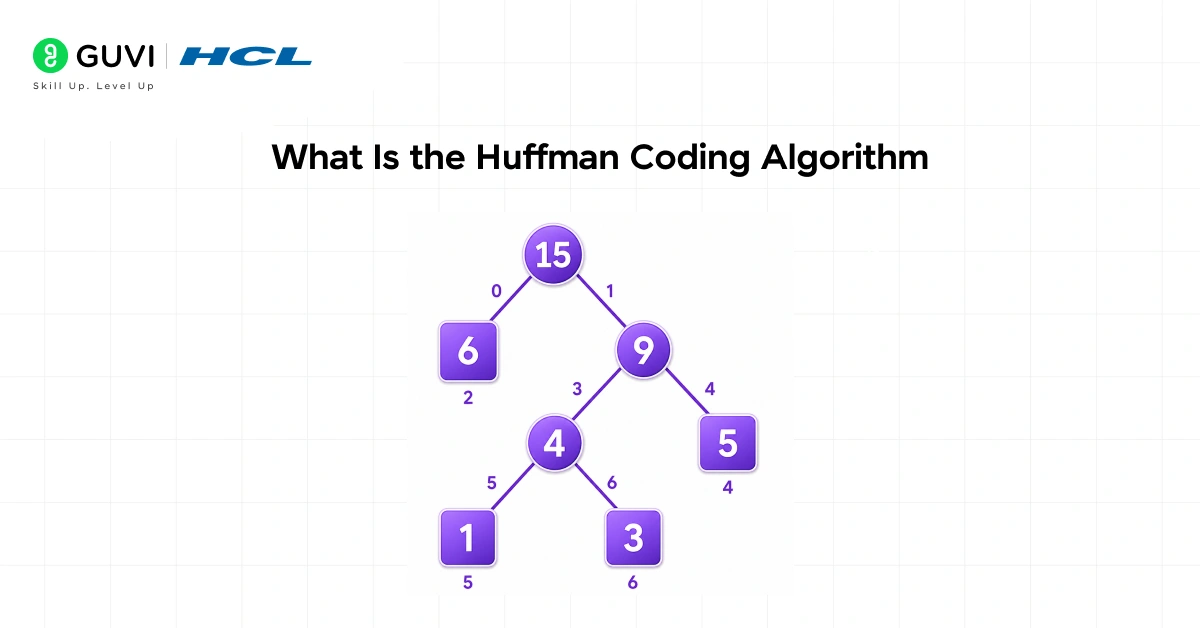
The Huffman coding algorithm is a variable-length encoding technique used for lossless data compression. Instead of giving every character the same number of bits, it studies how often each character appears and rewards frequent characters with shorter codes.
Why this is smarter than fixed-length encoding:
- In ASCII, both E and Z use 8 bits each even though E appears far more often than Z
- The Huffman coding algorithm gives E a short code like 10 and Z a longer code like 110100
- Since E appears thousands of times and Z barely appears, total bits used across the file drops significantly
- The result is a smaller file with absolutely no data lost
Lossless vs Lossy:
- The Huffman coding algorithm is fully lossless. Every character is restored perfectly after decompression.
- JPEG and MP3 are lossy. They permanently discard some data to save space.
- The Huffman coding algorithm is used as a core component inside ZIP, GZIP, JPEG, MP3, and PDF.
Strengthen your problem-solving and coding skills with HCL GUVI’s DSA for Programmers course, designed to help beginners master data structures, algorithms, recursion, graphs, trees, sorting, searching, and real-world coding concepts. Learn through hands-on practice, interview-focused problems, and easy-to-understand explanations that prepare you for coding rounds and software development careers.
What Is a Prefix Code and Why It Matters
The Huffman coding algorithm always produces a prefix code. This is what makes decoding work correctly without any confusion.
A prefix code means no character’s code is the starting part of another character’s code.
Bad example where prefix code is violated:
| Character | Code |
| A | 0 |
| B | 01 |
| C | 011 |
Here the code for A (which is 0) is the start of B (which is 01). When decoding, reading a 0 does not tell you if it is A or the beginning of B. Ambiguity makes correct decoding impossible.
Good example with valid prefix codes:
| Character | Code |
| A | 00 |
| B | 01 |
| C | 10 |
| D | 11 |
No code starts with the same bits as any other. Decoding is always clean and unambiguous.
Why the Huffman coding algorithm guarantees prefix codes:
- Every character sits at a leaf node in the tree
- Leaf nodes have no children
- The path to one leaf can never pass through another leaf
- So one character’s code can never be the start of another character’s code
How the Huffman Coding Algorithm Works
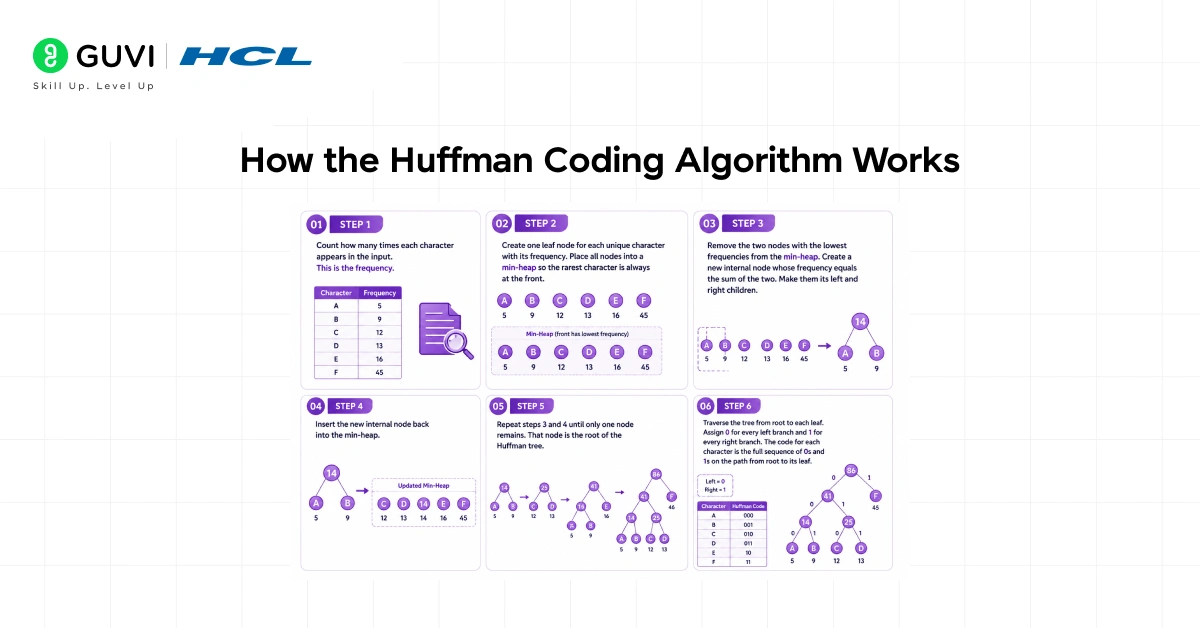
Here are all the steps of the Huffman coding algorithm explained clearly:
Step 1: Count how many times each character appears in the input. This is the frequency.
Step 2: Create one leaf node for each unique character with its frequency. Place all nodes into a min-heap so the rarest character is always at the front.
Step 3: Remove the two nodes with the lowest frequencies from the min-heap. Create a new internal node whose frequency equals the sum of the two. Make them its left and right children.
Step 4: Insert the new internal node back into the min-heap.
Step 5: Repeat steps 3 and 4 until only one node remains. That node is the root of the Huffman tree.
Step 6: Traverse the tree from root to each leaf. Assign 0 for every left branch and 1 for every right branch. The code for each character is the full sequence of 0s and 1s on the path from root to its leaf.
Step-by-Step Example: Building a Huffman Tree
Input string: AABBBCCDDDDEE
1. Count Frequencies
| Character | Frequency |
| A | 2 |
| B | 3 |
| C | 2 |
| D | 4 |
| E | 2 |
2. Build the Min-Heap
Sorted order lowest first: A(2), C(2), E(2), B(3), D(4)
3. Merge A(2) and C(2)
- New internal node AC gets frequency 2 + 2 = 4
- A is left child, C is right child
- Updated heap: E(2), B(3), AC(4), D(4)
4. Merge E(2) and B(3)
- New internal node EB gets frequency 2 + 3 = 5
- E is left child, B is right child
- Updated heap: AC(4), D(4), EB(5)
5. Merge AC(4) and D(4)
- New internal node ACD gets frequency 4 + 4 = 8
- AC subtree is left child, D is right child
- Updated heap: EB(5), ACD(8)
6. Final Merge: EB(5) and ACD(8)
- Root node gets frequency 5 + 8 = 13
- EB is left child, ACD is right child
- Only one node remains. Tree is complete.
7. Assign Codes by Traversing the Tree
Left = 0, Right = 1
| Character | Path from Root | Huffman Code |
| E | Left, Left | 00 |
| B | Left, Right | 01 |
| A | Right, Left, Left | 100 |
| C | Right, Left, Right | 101 |
| D | Right, Right | 11 |
How to Encode Data Using the Huffman Coding Algorithm
Once you have the code table, replace every character in the original string with its code.
Original string: AABBBCCDDDDEE
| Character | Assigned Code |
| A | 100 |
| A | 100 |
| B | 01 |
| B | 01 |
| B | 01 |
| C | 101 |
| C | 101 |
| D | 11 |
| D | 11 |
| D | 11 |
| D | 11 |
| E | 00 |
| E | 00 |
Final encoded bitstream: 100100010101101101111111 0000
Compression comparison:
| Encoding Method | Bits Used | How Calculated |
| ASCII (8 bits per character) | 104 bits | 13 x 8 |
| Fixed-length 3-bit encoding | 39 bits | 13 x 3 |
| Huffman coding algorithm | 33 bits | Sum of frequency x code length |
The Huffman coding algorithm produces the smallest result of all three methods for this input.
How to Decode Data Using the Huffman Tree
Decoding uses the same Huffman tree. You do not need the code table separately. Just the tree is enough.

Decoding rules:
- Start at the root of the Huffman tree
- Read one bit at a time from the encoded bitstream
- If the bit is 0, move to the left child
- If the bit is 1, move to the right child
- When you land on a leaf node, write that character to the output and jump back to the root
- Repeat until all bits are read
Example: Decode the bits 010011
| Bit Read | Direction | Current Node | Decoded Character |
| 0 | Left | EB (internal) | |
| 1 | Right | B (leaf) | B, return to root |
| 0 | Left | EB (internal) | |
| 0 | Left | E (leaf) | E, return to root |
| 1 | Right | ACD (internal) | |
| 1 | Right | D (leaf) | D, return to root |
Decoded output: BED
Huffman Coding Algorithm vs Fixed-Length Encoding
| Feature | Fixed-Length Encoding | Huffman Coding Algorithm |
| Bits per character | Same for all | Varies by frequency |
| Common characters | Same cost as rare ones | Get shorter codes |
| Rare characters | Same cost as common ones | Get longer codes |
| Total file size | Larger | Smaller |
| Decoding | Simple, no tree needed | Needs the Huffman tree |
| Data loss | None | None, fully lossless |
| Examples | ASCII, Unicode | ZIP, GZIP, JPEG, MP3, PDF |
Where Is the Huffman Coding Algorithm Used in Real Life
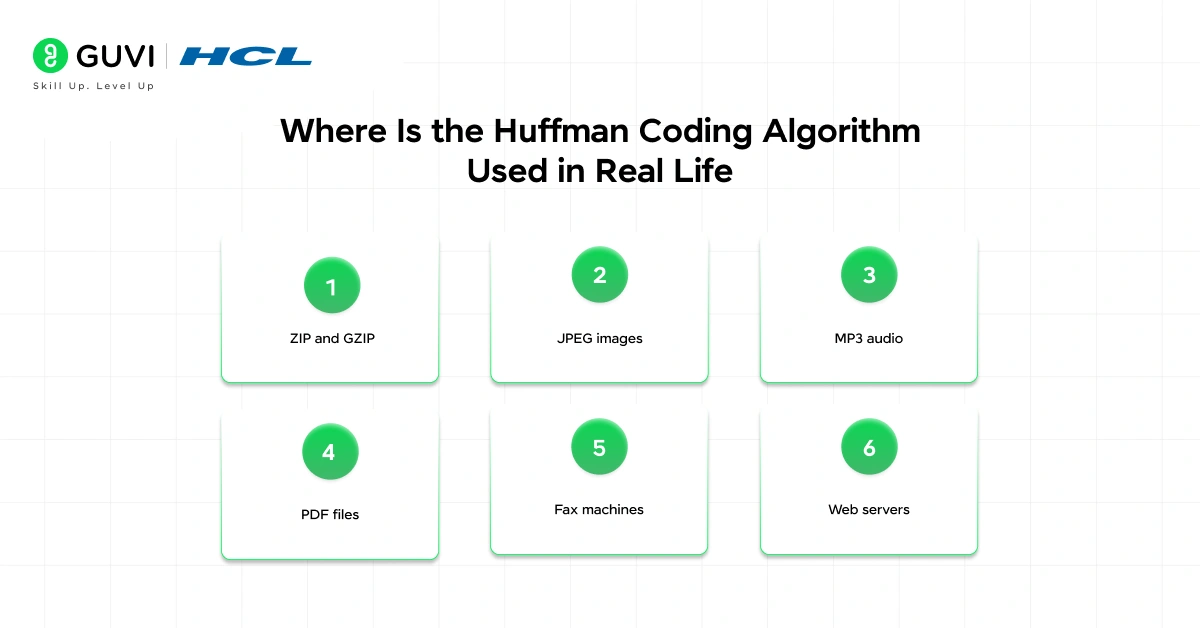
- ZIP and GZIP: Use the Huffman coding algorithm as the core step inside the DEFLATE compression method to reduce file sizes
- JPEG images: After breaking the image into frequency layers using a mathematical transform, JPEG applies the algorithm to compress those layers
- MP3 audio: Compresses audio frequency data after a psychoacoustic filter removes sounds humans cannot hear
- PDF files: Uses this approach to compress embedded text and image data inside documents
- Fax machines: A modified version has been used in fax transmission standards for decades to compress page data before sending
- Web servers: GZIP which includes the Huffman coding algorithm is used by web servers to send compressed responses so pages load faster
Tips for Beginners
- Start with frequency counting. The entire Huffman coding algorithm depends on how often each character appears. Always get this right first before anything else.
- Always use a min-heap. The algorithm must always merge the two nodes with the lowest frequencies. Without a sorted structure you will merge the wrong nodes and build the wrong tree.
- Left is 0, Right is 1. This convention must stay consistent across both encoding and decoding. Mixing them up produces wrong output.
- The tree is needed for decoding. You cannot decode without it. This is why compressed file formats always store the Huffman tree alongside the compressed data.
- Draw it out on paper. Before solving any problem involving the Huffman coding algorithm, draw the nodes, trace the merges, and build the tree by hand. Visual tracing makes it click much faster.
- Verify by calculating total bits. After building codes, multiply each character’s code length by its frequency and add them all up. If the result is smaller than fixed-length encoding, the algorithm works correctly.
- One unique character cannot be compressed. If a string has only one distinct character like AAAAAAA, variable-length codes cannot help. It still needs at least 1 bit per character.
💡 Did You Know?
- David Huffman invented this algorithm in 1952 as a PhD student at MIT. His professor assigned an unsolved problem as coursework and Huffman solved it within the semester. His paper is one of the most cited in all of information theory.
- The Huffman coding algorithm is classified as a greedy algorithm because at every step it makes the locally optimal choice of always merging the two lowest frequency nodes, and this leads to the globally optimal result.
- JPEG does not use the Huffman coding algorithm alone. It first applies a discrete cosine transform to convert image data into frequency layers, then compresses those layers using the algorithm.
- The Huffman coding algorithm works on any type of data, not just text. It can compress images, audio, video, and any binary data where some values appear more frequently than others.
Conclusion
The Huffman coding algorithm is built on one simple greedy rule: always merge the two least frequent nodes. That one rule, repeated until one node remains, builds a tree that produces the mathematically optimal variable-length prefix code for any input.
Once you understand the Huffman coding algorithm deeply, you will see it in every file format you use. Every ZIP, every JPEG, every MP3, every PDF uses it in some form. Start by working through the full example in this guide on paper with your own input. Count the frequencies, draw the heap, trace the merges, assign the codes, encode, then decode back. Do this two or three times and the algorithm will feel completely natural.
FAQs
1. What is the Huffman coding algorithm in simple words?
The Huffman coding algorithm compresses data by giving shorter binary codes to characters that appear often and longer codes to characters that appear rarely. It builds a tree from character frequencies and assigns each character a code based on its path from root to leaf. No data is lost and the original can be fully recovered.
2. Is the Huffman coding algorithm lossless or lossy?
It is fully lossless. Every single character of the original data can be perfectly restored after decompression. Nothing is removed or permanently changed during the compression process.
3. What data structure is used in the Huffman coding algorithm?
A min-heap also called a priority queue is used to always find and merge the two nodes with the lowest frequencies. A binary tree called the Huffman tree is built through these merges and is used for both encoding and decoding.
4. Why does the Huffman coding algorithm always produce a prefix code?
Because every character sits at a leaf node in the tree. Leaf nodes have no children so the path to one leaf can never pass through another leaf. This guarantees no character’s code is ever the starting part of another character’s code.
5. Where is the Huffman coding algorithm used in real life?
It is used inside ZIP and GZIP file compression, JPEG image compression, MP3 audio compression, PDF documents, and HTTP web server compression. It is one of the most widely applied algorithms in all of modern computing.
Success Stories

About the Author
Jebasta
I translate the language of data into stories that anyone can understand. As a writer with a data science background, I simplify analytics, AI, and decision-making so beginners and enthusiasts can confidently explore the world of data.
View all posts by Jebasta
Connect with me @









Did you enjoy this article?