


Data Structure Articles
Sliding Window Technique: Explained with Examples
Two Pointer Technique: Problems and Applications


Get In Touch For Details! Request More Information
Introduction to Tree Data Structure
Jul 14, 2026 10 Min Read 6624 Views
(Last Updated)
Have you ever wondered how your computer quickly finds files, how search engines locate information in seconds, or how apps make decisions instantly? The answer often lies in the Tree Data Structure. It is a powerful way to organize and access data efficiently. Trees arrange information in a connected hierarchy that mirrors real-world systems, from folder structures to decision models.
To explore the depth, importance, and real-world uses of tree data structures, read the full blog now.
Table of contents
- TL;DR
- What is Tree Data Structure?
- Tree Data Structure Diagram
- Types of Tree Data Structure
- General Tree
- Binary Tree
- Ternary Tree
- Binary Search Tree (BST)
- AVL Tree
- Red-Black Tree
- Full Binary Tree
- Complete Binary Tree
- Perfect Binary Tree
- Degenerate or Skewed Tree
- Balanced Binary Tree
- B-Tree
- B+ Tree
- Trie (Prefix Tree)
- Binary Heap
- Segment Tree
- Decision Tree
- Suffix Tree
- Tree Types Comparison Table
- Binary Tree vs BST vs AVL Tree vs B-Tree: Difference Table
- Properties of Tree Data Structure
- Hierarchical Structure
- Root Node
- Parent and Child Relationship
- Leaf Nodes
- Edge
- Depth and Height
- Subtree
- Degree of a Node
- Traversal
- Recursive Nature
- Balance
- Non-Linear Structure
- Importance of Tree Data Structure
- Efficient Data Searching
- Hierarchical Data Representation
- Support for Recursive Operations
- Basis for Advanced Data Structures
- Optimized Memory and Computation
- Applications of Tree Data Structure
- Hierarchical Data Storage
- Database Indexing
- Expression Evaluation
- Routing and Network Systems
- Artificial Intelligence and Machine Learning
- Basic Operations of Tree Data Structure
- Code Example: Basic Operations of Tree Data Structure
- Tree Traversal Methods With Python Code
- Output
- When Is Each Traversal Used?
- Real-World Applications of Trees: File Systems, Databases, and Compilers
- File Systems
- Database Indexing
- Compilers and Interpreters
- Search and Autocomplete
- Artificial Intelligence
- Most Asked Tree LeetCode Questions List
- Easy Tree Questions
- Medium Tree Questions
- Hard Tree Questions
- Conclusion
- FAQs
- Why is a tree data structure important in computer science?
- How does a tree differ from a linked list?
- What are the most common types of trees used in programming?
- Where are trees used in real-world applications?
- What makes a tree structure efficient for searching?
TL;DR
- A tree is a non-linear data structure that organizes nodes through parent-child relationships.
- Binary trees, BSTs, AVL trees, B-trees, tries, and heaps solve different storage and search problems.
- Inorder, preorder, postorder, and level-order traversals provide different ways to process tree nodes.
- Balanced structures such as AVL trees and B-trees prevent excessive depth and maintain efficient operations.
- Trees support file systems, database indexes, compilers, autocomplete tools, routing systems, and coding interview problems.
What is Tree Data Structure?
A tree data structure is a non-linear structure that organizes elements, called nodes, in a hierarchical manner where each node connects to its child nodes through edges. The topmost node is known as the root, and nodes with no children are called leaves. Every connection follows a parent–child relationship that defines the overall structure. Trees are used to represent hierarchical data and support efficient searching, sorting, and data organization. They form the foundation of databases, compilers, artificial intelligence, and countless algorithms that drive modern computing.
Tree Data Structure Diagram
The following ASCII diagram shows the basic structure and terminology of a binary tree:
                         A  ← Root node
                       /   \
                      /     \
                     B       C  ← Children of A
                    / \     / \
                   D   E   F   G  ← Leaf nodes

Relationships:

A → Parent of B and C
B and C → Sibling nodes
B → Parent of D and E
C → Parent of F and G
D, E, F and G → Leaf nodes
A-B, A-C, B-D, B-E, C-F and C-G → Edges
A is the root because it appears at the top of the tree. B and C are child nodes of A and siblings of each other. D, E, F, and G are leaf nodes because they have no children.

Types of Tree Data Structure
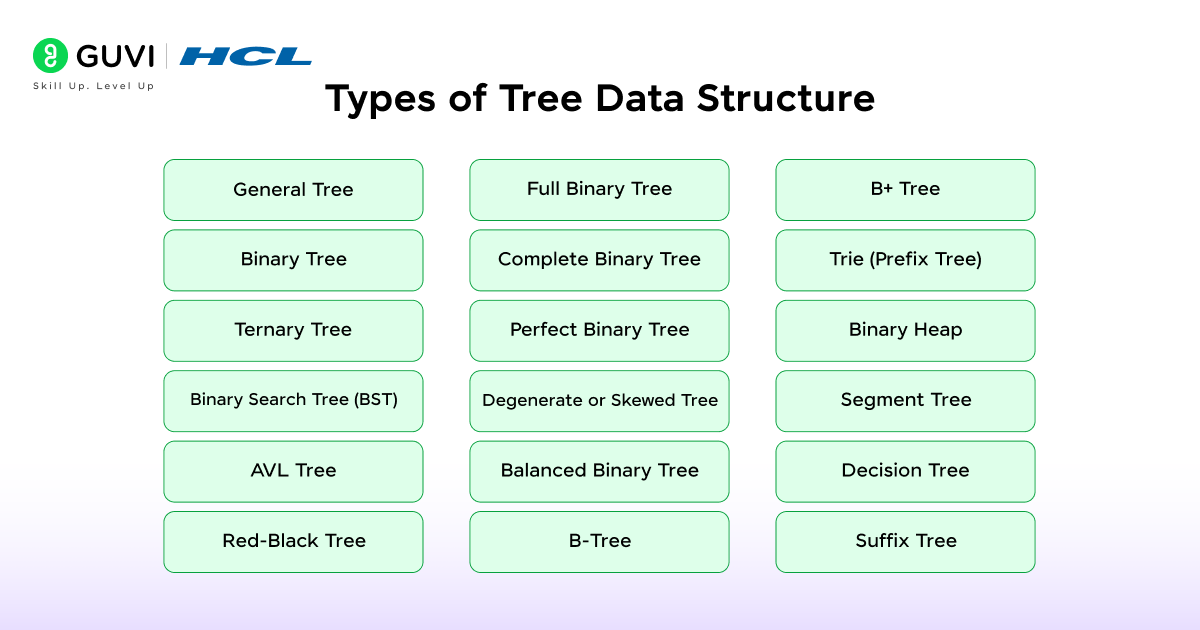
Below are the main types of tree data structures:
1. General Tree
A general tree allows any number of children for each node. It represents complex hierarchies such as file directories and taxonomy structures. The absence of a fixed branching limit gives it flexibility for storing varied relationships.
2. Binary Tree
A binary tree restricts each node to have at most two children called the left child and the right child. This simple design supports fast searching and ordered traversal. Binary trees form the foundation for several specialized tree structures.
3. Ternary Tree
A ternary tree allows each node to have up to three children. These children are often labeled as left, middle, and right. This structure is used in arithmetic expressions and situations where each element leads to three possible outcomes.
4. Binary Search Tree (BST)
A binary search tree organizes data so that values in the left subtree are smaller than the parent and values in the right subtree are larger. This rule maintains sorted order, which supports fast searching, insertion, and deletion.
5. AVL Tree
An AVL tree is a self-balancing binary search tree that maintains the height difference between left and right subtrees within one. This balance ensures stable performance even after multiple insertions and deletions.
6. Red-Black Tree
A Red-Black tree is another form of self-balancing binary search tree. It uses color properties assigned to nodes to maintain height balance. The structure prevents long paths and keeps operations efficient.
7. Full Binary Tree
A full binary tree is a tree where each node has either two children or none. The uniform structure simplifies traversal and computation of properties such as height and node count.
8. Complete Binary Tree
A complete binary tree fills all levels completely except possibly the last. Nodes at the last level appear in order from left to right. This type is widely used in heaps and array-based tree storage because of its compact arrangement.
9. Perfect Binary Tree
A perfect binary tree ensures that all internal nodes have exactly two children and all leaf nodes lie at the same level. The structure maintains ideal balance and maximum possible number of nodes for its height.
10. Degenerate or Skewed Tree
A degenerate tree is a structure where every parent has only one child. It resembles a linked list, which makes searching inefficient due to its linear nature.
11. Balanced Binary Tree
A balanced binary tree maintains similar heights between its left and right subtrees. This balance reduces search time and improves the efficiency of insertion and deletion.
12. B-Tree
A B-tree is a self-balancing search tree in which nodes can hold multiple keys and children. It is used in databases and file systems to store large blocks of sorted data.
13. B+ Tree
A B+ tree extends the B-tree by storing all data values in leaf nodes, while internal nodes contain only keys. This arrangement improves sequential access and indexing performance.
14. Trie (Prefix Tree)
A trie stores strings based on their prefixes. Each level represents a character position, which allows quick prefix-based searches used in autocomplete and spell checking.
15. Binary Heap
A binary heap is a complete binary tree that follows the heap property. In a max heap, parents have greater values than their children, while in a min heap, parents have smaller values. It supports efficient priority queue operations.
16. Segment Tree
A segment tree divides data into segments and stores information about them in nodes. It enables fast range queries and updates in arrays or lists.
17. Decision Tree
A decision tree models conditions and their possible results. Each internal node represents a decision point, and each leaf represents an outcome. It is used in data classification and predictive modeling.
18. Suffix Tree
A suffix tree represents all possible suffixes of a string. It supports quick substring searches and text pattern analysis.
Binary Trees, Binary Search Trees, AVL Trees, Heaps, and Tries are all built upon the fundamentals of tree data structures. Strengthen your understanding of these concepts with HCL GUVI’s free Data Structures and Algorithms Tutorial and prepare for coding interviews with confidence.
Tree Types Comparison Table
| Tree Type | Use Case | Traversal Methods | Time Complexity |
|---|---|---|---|
| General Tree | File directories and organizational hierarchies | DFS and BFS | Search: O(n) |
| Binary Tree | Hierarchical data with up to two children | Inorder, preorder, postorder and level order | Search: O(n) |
| Binary Search Tree | Ordered searching and dynamic sorted data | Inorder, preorder, postorder and level order | Average: O(log n); worst: O(n) |
| AVL Tree | Systems requiring consistently fast searches | Inorder, preorder, postorder and level order | Search, insert and delete: O(log n) |
| Red-Black Tree | Ordered maps, sets and frequent updates | Inorder, preorder, postorder and level order | Search, insert and delete: O(log n) |
| B-Tree | Database and file-system indexes | Key-order and level-order traversal | Search, insert and delete: O(log n) |
| B+ Tree | Database indexing and range queries | Leaf-level sequential traversal | Search: O(log n); range query: O(log n + k) |
| Trie | Autocomplete, dictionaries and prefix searches | DFS and BFS | Search and insert: O(L) |
| Binary Heap | Priority queues and task scheduling | Level order and array traversal | Peek: O(1); insert and delete: O(log n) |
| Segment Tree | Range queries and array updates | Recursive DFS | Build: O(n); query and update: O(log n) |
| Decision Tree | Classification and rule-based decisions | DFS from root to outcome | Prediction: O(h) |
| Suffix Tree | Substring and pattern searching | DFS | Pattern search: O(m) |
Here, n represents the number of nodes, h represents tree height, L represents key length, m represents pattern length, and k represents the number of returned range results.
Complexity also depends on the tree’s structure. An unbalanced BST may behave like a linked list, making search, insertion, and deletion O(n).
Binary Tree vs BST vs AVL Tree vs B-Tree: Difference Table
| Feature | Binary Tree | Binary Search Tree | AVL Tree | B-Tree |
| Basic structure | Each node has up to two children | Ordered binary tree | Self-balancing BST | Multiway balanced search tree |
| Maximum children | Two | Two | Two | Multiple |
| Key-ordering rule | No required order | Left values are smaller and right values are larger | Follows BST ordering | Keys inside each node remain sorted |
| Automatic balancing | No | No | Yes | Yes |
| Search complexity | O(n) | Average O(log n), worst O(n) | O(log n) | O(log n) |
| Insertion complexity | Depends on insertion rule | Average O(log n), worst O(n) | O(log n) | O(log n) |
| Deletion complexity | Depends on implementation | Average O(log n), worst O(n) | O(log n) | O(log n) |
| Balancing method | None | None | Rotations based on balance factor | Node splitting, merging and redistribution |
| Storage style | Usually one key per node | One key per node | One key per node | Several keys per node |
| Main advantage | Simple hierarchical representation | Maintains data in sorted order | Provides predictable search performance | Reduces storage-access operations |
| Common use | Expression trees and hierarchies | Ordered collections and searching | In-memory indexes and lookup systems | Databases and file systems |
A binary tree only limits each node to two children. It does not automatically arrange values.
A BST introduces an ordering rule, but it may become skewed. An AVL tree prevents this problem through rotations. A B-tree stores several keys in each node, making it better suited to database and disk-based indexing.
Properties of Tree Data Structure
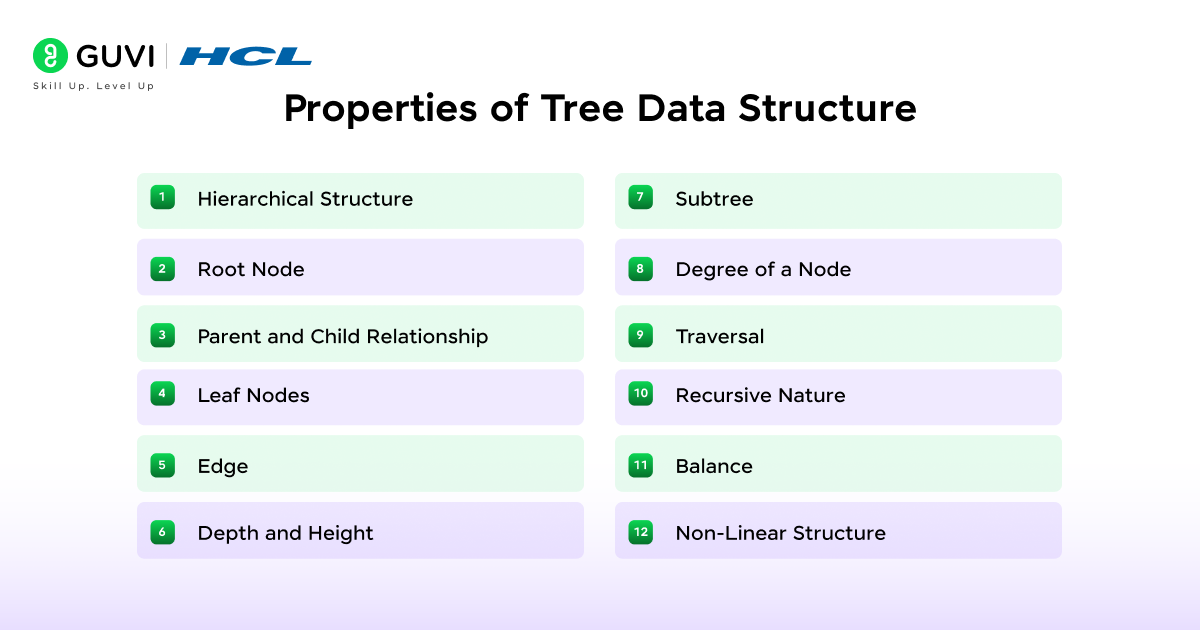
1. Hierarchical Structure
A tree represents data in multiple levels where each node connects to its children through defined links. The hierarchy allows logical grouping of elements that share relationships. Data is stored in layers, which supports clear flow and separation between broader and specific categories.
2. Root Node
The root node is the topmost element in a tree. Every connection in the structure originates from it. All other nodes depend on the root for linkage, which gives it a central role in traversal and data access.
3. Parent and Child Relationship
Each connection in a tree forms a clear association between a parent node and its child nodes. The parent controls how information spreads to its children, which defines the overall organization. This relationship makes it easier to trace data paths and manage dependencies.
4. Leaf Nodes
Leaf nodes are the final points in a tree. They hold values and do not extend further. These nodes indicate completion of data branches and often contain the most detailed information within the structure.
5. Edge
An edge acts as the connector between two nodes. It represents a single directional link that defines how data flows within the hierarchy. The total number of edges in a tree is always one less than the total number of nodes, which maintains structural integrity.
6. Depth and Height
Depth represents the distance from the root to a particular node. Height represents the longest path from the root to a leaf. Both metrics describe how extended or compact a tree is. Deeper trees allow detailed structuring of data, whereas shorter trees support faster access.
7. Subtree
A subtree includes a node and every node descending from it. Each subtree functions as a smaller tree within the main structure. The existence of subtrees allows modular design, which simplifies complex operations through division into smaller and manageable parts.
8. Degree of a Node
The degree of a node shows the number of its children. Nodes with a higher degree create broader branching. The maximum degree among all nodes determines the overall branching capacity of the tree.
9. Traversal
Traversal defines the process of visiting each node in a specific sequence. The main traversal types are inorder, preorder, and postorder. These methods help process and extract data systematically without losing structural order.
10. Recursive Nature
A tree exhibits a recursive pattern where every subtree mirrors the structure of the entire tree. This property allows algorithms to repeat the same logic for smaller parts, which keeps code efficient and consistent.
11. Balance
A balanced tree maintains an even height among its subtrees. This balance improves the speed of searching, insertion, and deletion. Balanced structures prevent excessive depth, which protects performance from degradation.
12. Non-Linear Structure
A tree arranges data through branches that spread in multiple directions. This layout supports representation of hierarchical and relational data. The non-linear pattern makes it suitable for systems that manage layered information such as file directories or classification models.
Importance of Tree Data Structure
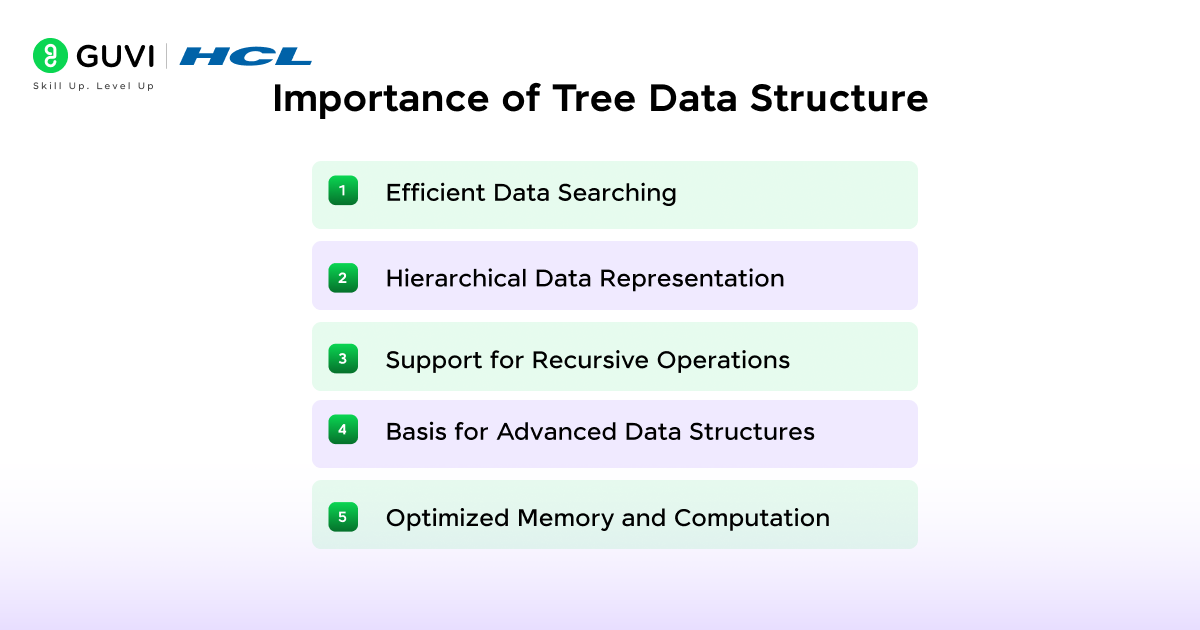
1. Efficient Data Searching
Tree structures support fast searching because data is arranged hierarchically. Searching in a binary search tree follows a structured path that reduces comparisons at each step. This property makes operations like lookup and range queries faster than those in linear structures.
2. Hierarchical Data Representation
A tree naturally represents hierarchical relationships. It models data such as file systems, organization charts, XML structures, and classification models. Each parent–child connection mirrors real-world dependencies, which provides clarity in data organization.
3. Support for Recursive Operations
A tree follows a recursive design where each subtree behaves like a smaller tree. This characteristic simplifies algorithm design for operations such as traversal, insertion, and deletion. Recursive functions work efficiently on trees because of their self-repeating pattern.
4. Basis for Advanced Data Structures
Many complex data structures rely on trees as their foundation. Examples include binary search trees, AVL trees, B-trees, heaps, and tries. These structures improve the performance of indexing, searching, and memory allocation tasks.
5. Optimized Memory and Computation
Tree structures manage data efficiently through balanced branching. Balanced trees prevent skewed layouts and reduce unnecessary computation. Their design minimizes memory waste and ensures predictable performance across large datasets.

Applications of Tree Data Structure
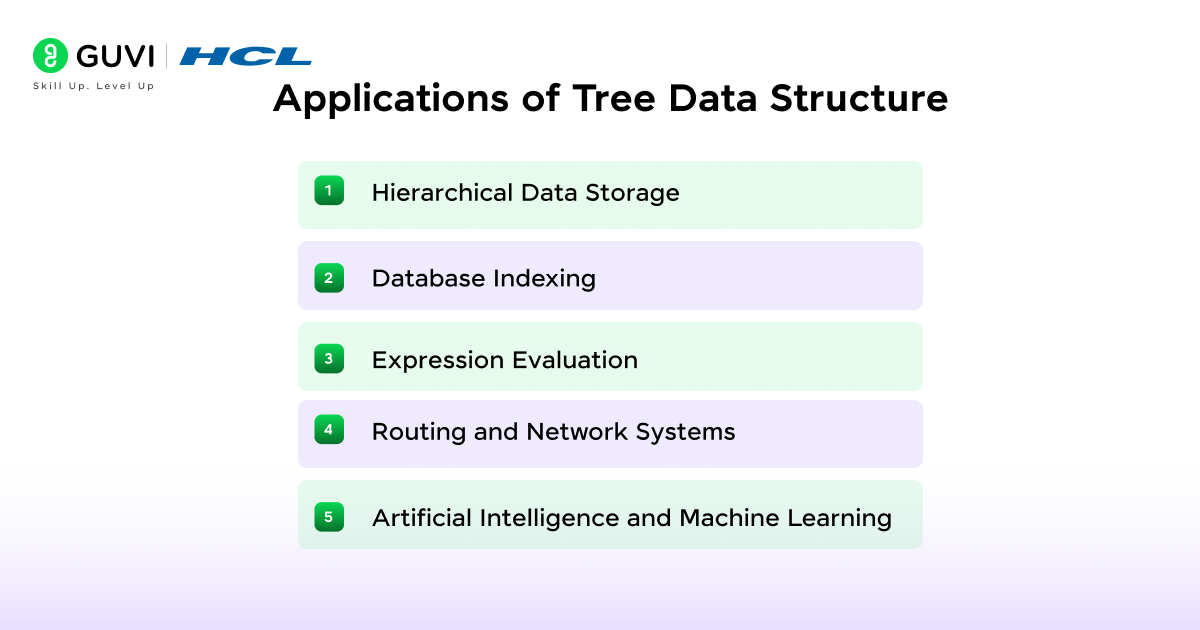
1. Hierarchical Data Storage
Trees represent data that follows a parent–child hierarchy. They are used in file systems, XML and JSON document parsing, and organizational management systems where elements exist at multiple levels.
2. Database Indexing
B-trees and B+ trees are widely used in databases for indexing. They store large volumes of sorted data and provide quick access during insertion and search operations. The structure reduces disk read operations and maintains balanced performance.
3. Expression Evaluation
Expression trees are used in compilers and interpreters to evaluate arithmetic and logical expressions. Operands are stored in leaf nodes, and operators are stored in internal nodes. Traversing the tree in different orders produces prefix, infix, and postfix forms of the expression.
4. Routing and Network Systems
Trees help manage routing tables and communication paths in computer networks. The hierarchical arrangement supports efficient data transmission and network organization in systems such as IP routing and multicast structures.
5. Artificial Intelligence and Machine Learning
Decision trees and random forests are used for classification and data analysis. Each node represents a condition or feature, and each leaf represents a possible outcome. The tree structure allows clear and interpretable decision-making processes.
Basic Operations of Tree Data Structure
- Create: Initializes a new tree by defining its root node. The process sets up the foundation for inserting and organizing data within the structure. A created tree can begin empty or with an initial value assigned to the root.
- Insert: Adds new nodes to the tree while maintaining its structural rules. In binary trees, insertion occurs based on available child positions, whereas in binary search trees, nodes are inserted according to key order. Proper insertion keeps the hierarchy consistent and supports efficient access to data.
- Search: Locates a specific element within the tree. The search process starts at the root and moves through branches until the required value is found or all nodes are checked. Searching can follow different strategies depending on the tree type, such as linear search in general trees or ordered search in binary search trees.
- Traversal: Refers to visiting every node in a systematic manner to process or display data. Traversal helps in analyzing, printing, or modifying node values. The two main traversal techniques are:
- Depth-First Search (DFS) Traversal: Visits nodes by exploring one branch fully before moving to the next. It includes preorder, inorder, and postorder methods.
- Breadth-First Search (BFS) Traversal: Visits nodes level by level from top to bottom. It uses a queue to process nodes in the order of their depth, which provides a complete view of the tree’s structure.
Code Example: Basic Operations of Tree Data Structure
# Basic Operations of Tree Data Structure

class Node:
    def __init__(self, value):
        self.value = value
        self.left = None
        self.right = None


class BinaryTree:
    def __init__(self):
        self.root = None

    # Create – create a tree in the data structure
    def create(self, value):
        self.root = Node(value)

    # Insert – Inserts data in a tree
    def insert(self, value):
        if self.root is None:
            self.create(value)
            return

        queue = [self.root]
        while queue:
            current = queue.pop(0)
            if current.left is None:
                current.left = Node(value)
                return
            elif current.right is None:
                current.right = Node(value)
                return
            else:
                queue.append(current.left)
                queue.append(current.right)

    # Search – Searches specific data in a tree
    def search(self, value):
        if self.root is None:
            return False

        queue = [self.root]
        while queue:
            current = queue.pop(0)
            if current.value == value:
                return True
            if current.left:
                queue.append(current.left)
            if current.right:
                queue.append(current.right)
        return False

    # Depth-First-Search Traversal
    def dfs_traversal(self, node):
        if node:
            print(node.value, end=' ')
            self.dfs_traversal(node.left)
            self.dfs_traversal(node.right)

    # Breadth-First-Search Traversal
    def bfs_traversal(self):
        if self.root is None:
            return
        queue = [self.root]
        while queue:
            current = queue.pop(0)
            print(current.value, end=' ')
            if current.left:
                queue.append(current.left)
            if current.right:
                queue.append(current.right)


# Example usage
tree = BinaryTree()
tree.create(1)
tree.insert(2)
tree.insert(3)
tree.insert(4)
tree.insert(5)

print("Depth-First Search Traversal:")
tree.dfs_traversal(tree.root)

print("\nBreadth-First Search Traversal:")
tree.bfs_traversal()

print("\nSearch for 3:", tree.search(3))
print("Search for 7:", tree.search(7))
Tree Data Structures are a cornerstone of Data Structures and Algorithms, with applications ranging from file systems and databases to coding interviews and competitive programming. To master trees, graphs, recursion, sorting, searching, and other essential DSA concepts, explore HCL GUVI’s free Data Structures and Algorithms Tutorial and strengthen your problem-solving skills.
Tree Traversal Methods With Python Code
Traversal means visiting every node in a defined order. The three main depth-first traversal methods are inorder, preorder, and postorder.
- Inorder: Left subtree → Root → Right subtree
- Preorder: Root → Left subtree → Right subtree
- Postorder: Left subtree → Right subtree → Root
class Node:
    def __init__(self, value):
        self.value = value
        self.left = None
        self.right = None


def inorder(node):
    """Visit the left subtree, root, and right subtree."""
    if node is None:
        return []

    return inorder(node.left) + [node.value] + inorder(node.right)


def preorder(node):
    """Visit the root, left subtree, and right subtree."""
    if node is None:
        return []

    return [node.value] + preorder(node.left) + preorder(node.right)


def postorder(node):
    """Visit the left subtree, right subtree, and root."""
    if node is None:
        return []

    return postorder(node.left) + postorder(node.right) + [node.value]


# Create the example tree
root = Node("A")
root.left = Node("B")
root.right = Node("C")
root.left.left = Node("D")
root.left.right = Node("E")
root.right.left = Node("F")
root.right.right = Node("G")

print("Inorder:", inorder(root))
print("Preorder:", preorder(root))
print("Postorder:", postorder(root))
Output
Inorder: ['D', 'B', 'E', 'A', 'F', 'C', 'G']
Preorder: ['A', 'B', 'D', 'E', 'C', 'F', 'G']
Postorder: ['D', 'E', 'B', 'F', 'G', 'C', 'A']
Each traversal visits every node once, giving it a time complexity of O(n). Recursive implementations use O(h) auxiliary space for the call stack, where h is the tree’s height.
When Is Each Traversal Used?
Inorder traversal returns values in sorted order when applied to a valid binary search tree.
Preorder traversal is useful for copying a tree, creating prefix expressions, and serializing hierarchical structures.
Postorder traversal processes child nodes before their parent. It is useful for deleting trees, evaluating expression trees, and calculating directory sizes.
Real-World Applications of Trees: File Systems, Databases, and Compilers
Trees are not limited to coding exercises. They support many systems people use every day, including folders, search tools, databases, and programming languages.
1. File Systems
File systems organize directories and files through a hierarchy. The root directory appears at the top, while folders, subfolders, and files form connected branches.
A directory acts as a parent node. Its files and subdirectories become child nodes. This arrangement allows users and operating systems to navigate through paths efficiently.
Root
├── Documents
│   ├── Resume.pdf
│   └── Projects
│       └── app.py
└── Pictures
    └── photo.jpg
2. Database Indexing
Databases commonly use B-trees and B+ trees to organize index entries. Their broad, balanced structure reduces the number of levels that must be checked during a search.
B+ trees also connect leaf nodes in sequence. This design supports range queries, ordered scans, and retrieval of records between two values.
3. Compilers and Interpreters
Compilers represent source code through parse trees and abstract syntax trees. Each node describes a programming construct such as an operator, variable, function, condition, or loop.
Consider the expression:
a + b * cA syntax tree preserves the fact that multiplication must occur before addition:
        +
       / \
      a   *
         / \
        b   c
The compiler can traverse this tree to validate syntax, optimize expressions, and generate machine instructions.
4. Search and Autocomplete
Tries store words character by character. Words sharing the same prefix also share part of the tree.
A search box can follow the characters already entered and quickly find matching words. This approach supports autocomplete, spell checking, and dictionary applications.
5. Artificial Intelligence
Decision trees divide data using a sequence of conditions. Each internal node represents a question, each branch represents a possible answer, and each leaf represents a final prediction.
These structures are used in classification, risk assessment, recommendations, and rule-based decision systems.
Most Asked Tree LeetCode Questions List
The following list is a practical interview-preparation shortlist rather than an official frequency ranking. LeetCode maintains a dedicated tree problem collection containing questions across different difficulty levels.
Easy Tree Questions
- Binary Tree Inorder Traversal
Practises recursion, stacks, and inorder processing. - Maximum Depth of Binary Tree
Tests recursive height calculation and breadth-first traversal. - Same Tree
Checks whether two trees have identical structures and values. - Balanced Binary Tree
Tests height calculation and balance checking. - Search in a Binary Search Tree
Covers ordered searching in a BST. - Invert Binary Tree
Tests recursion and subtree swapping. - Path Sum
Introduces root-to-leaf path calculations.
Medium Tree Questions
- Binary Tree Level Order Traversal
Tests breadth-first search using a queue. - Validate Binary Search Tree
Checks whether every node follows the complete BST ordering rule. - Lowest Common Ancestor of a Binary Tree
Tests recursive searching across two subtrees. - Kth Smallest Element in a BST
Uses the sorted order produced through inorder traversal. - Construct Binary Tree From Preorder and Inorder Traversal
Tests recursive tree construction and index mapping. - Binary Tree Right Side View
Covers level-order traversal and depth tracking. - Diameter of Binary Tree
Combines subtree height calculations with path length. - Count Good Nodes in Binary Tree
Tests path-based state tracking.
Hard Tree Questions
- Binary Tree Maximum Path Sum
Requires candidates to calculate local gains and maintain a global maximum. - Serialize and Deserialize Binary Tree
Tests tree encoding, reconstruction, recursion, and queue handling. - Binary Tree Cameras
Tests greedy state management across tree nodes. - Recover Binary Search Tree
Combines inorder traversal with BST-order analysis. - Vertical Order or Vertical Traversal of a Binary Tree
Tests coordinate tracking, grouping, and sorting.
Conclusion
A tree data structure organizes information clearly and logically. It connects data through levels that make searching and processing faster. The structure supports applications in databases, operating systems, and artificial intelligence. Its simple yet structured design helps systems handle large and complex data efficiently, which keeps it central to computer science.
FAQs
1. Why is a tree data structure important in computer science?
A tree data structure is important because it organizes data in a hierarchical form that supports fast searching, sorting, and management. It reduces complexity in operations like lookup and traversal and serves as the base for structures such as heaps, tries, and B-trees.
2. How does a tree differ from a linked list?
A linked list is linear, where each node connects to a single next node, while a tree is non-linear, where each node can connect to multiple children. This branching makes trees more efficient for representing hierarchical data and relationships.
3. What are the most common types of trees used in programming?
The most common types include binary trees, binary search trees (BST), AVL trees, B-trees, heaps, and tries. Each type serves a specific purpose, from maintaining sorted data to managing efficient memory and search operations.
4. Where are trees used in real-world applications?
Trees are used in databases, file systems, search engines, AI models, and compilers. They support indexing and hierarchical data storage. They also play a pivotal part in decision-making algorithms and efficient routing in networks.
5. What makes a tree structure efficient for searching?
Tree structures reduce search time by dividing data into smaller subsets at each level. Balanced trees such as AVL and Red-Black trees maintain near-equal heights, allowing search operations to complete in O(log n) time instead of linear time.
Success Stories

About the Author
Vaishali
I'm a seasoned writer with four years of experience across technical, non-technical, and just about every genre or niche you can imagine. Adaptable and curious, I enjoy exploring new topics and making information engaging and easy to understand. Fueled by a steady stream of tea, I approach each project with creativity, reliability, and genuine enthusiasm for storytelling.
View all posts by Vaishali
Connect with me @














Did you enjoy this article?