


Artificial Intelligence and Machine Learning Articles
Finance Manager to Data Analytics: Career Growth, Salary and Seniority
How to Evaluate LLM Outputs in Production Deployments
AI/ML Skills Gap 2026: Why Companies Can't Find Job-Ready Talent
20 AI/ML Interview Questions Recruiters Can Use Without a Tech Background - Best Guide


Get In Touch For Details! Request More Information

FAISS Tutorial: Facebook’s Similarity Search Library
Sep 07, 2026 4 Min Read 316 Views
(Last Updated)
AI applications often need to quickly find information that is similar to a given query. FAISS Similarity Search is a library designed for efficient similarity search and clustering of dense vectors. It is widely useful in applications involving embeddings, recommendation systems, semantic search, and retrieval-augmented generation (RAG). This guide explains FAISS, how vector similarity search works, its key components, and practical applications.
Table of contents
- TL;DR
- Direct Answer
- Why FAISS Matters for AI
- What Is FAISS?
- How FAISS Similarity Search Works
- Step 1: Generate Embeddings
- Step 2: Create an Index
- Step 3: Add Vectors
- Step 4: Convert the Query
- Step 5: Search the Index
- Step 6: Retrieve Results
- Key FAISS Concepts
- Vectors
- Indexes
- Distance Metrics
- Nearest Neighbors
- Common FAISS Index Types
- Flat Index
- Inverted File Index
- Product Quantization
- HNSW Index
- FAISS in a RAG Pipeline
- Common Applications
- Semantic Search
- Recommendation Systems
- Image Retrieval
- RAG Applications
- Benefits of FAISS Similarity Search
- Fast Retrieval
- Scalability
- Flexible Indexing
- Broad AI Applications
- When Should You Use FAISS?
- Semantic Search
- RAG Applications
- Recommendation Systems
- Image Retrieval
- Large-Scale Vector Search
- Key Concepts to Remember
- A Practical FAISS Workflow
- Prepare the Data
- Generate Embeddings
- Select an Index
- Add Vectors
- Embed the Query
- Search the Index
- Retrieve the Original Content
- Real-World Applications
- Enterprise Search
- E-Commerce
- Content Recommendation
- RAG Systems
- Best Practices
- Conclusion
- FAQs
- What is FAISS?
- What is FAISS used for?
- What is a FAISS index?
- What is nearest-neighbor search?
- Can FAISS be used for RAG?
- Which FAISS index should beginners use?
- What affects FAISS search performance?
TL;DR
- FAISS enables fast similarity search over vector embeddings.
- It is designed to handle large collections of vectors.
- Different indexes support different search requirements.
- FAISS is useful for semantic search and RAG.
- It can also support recommendation and clustering workflows.
Direct Answer
| FAISS Similarity Search is a library for efficiently searching and clustering dense vectors. It allows AI applications to find vectors that are most similar to a query vector, making it useful for semantic search, recommendation systems, image retrieval, and RAG applications. FAISS provides different indexing methods to balance search speed, memory usage, and retrieval accuracy. |
Why FAISS Matters for AI
Modern AI models frequently convert text, images, and other data into embeddings. Searching millions of embeddings directly can become computationally expensive.
FAISS helps make this process more efficient by providing optimized methods for:
- Vector similarity search
- Large-scale retrieval
- Embedding indexing
- Clustering
- Recommendation systems
What Is FAISS?
FAISS (Facebook AI Similarity Search) is a library developed by Meta for efficient similarity search and clustering of dense vectors.
Instead of comparing a query against every vector individually, FAISS provides indexing techniques that can make large-scale searches much faster.
For example, an AI application could convert thousands of documents into embeddings and use FAISS to quickly retrieve the documents whose vectors are most similar to a user’s query.
How FAISS Similarity Search Works
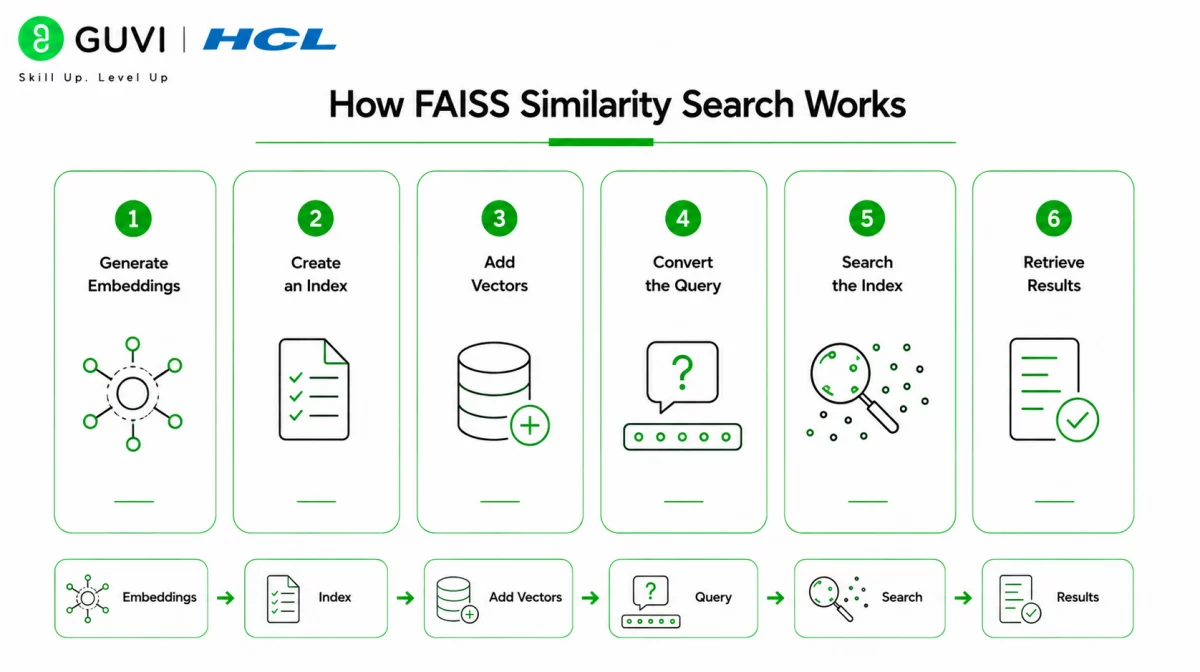
A basic workflow involves several steps.
Step 1: Generate Embeddings
Convert documents, images, or other data into numerical vectors using an embedding model.
Step 2: Create an Index
Choose an appropriate FAISS index for the application’s search requirements.
Step 3: Add Vectors
Store the embedding vectors in the FAISS index.
Step 4: Convert the Query
Transform the user’s query into an embedding using the same embedding approach.
Step 5: Search the Index
FAISS compares the query vector with indexed vectors using a selected similarity or distance measure.
Step 6: Retrieve Results
The closest vectors are returned, allowing the application to retrieve their associated documents or other data.
Key FAISS Concepts
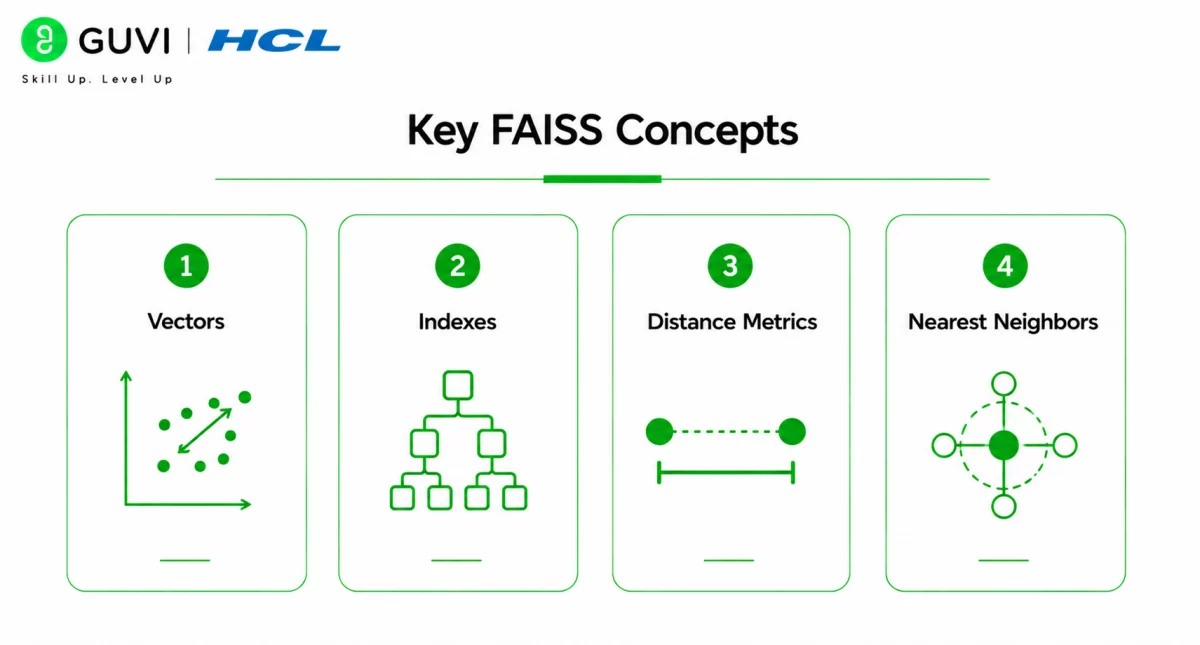
Vectors
Numerical representations of data such as text, images, or other objects.
Indexes
Data structures that organize vectors for efficient similarity search.
Distance Metrics
Methods used to determine how similar or different vectors are.
Nearest Neighbors
Vectors that are closest to a given query according to the selected distance or similarity measure.
Common FAISS Index Types
FAISS provides multiple indexing approaches for different workloads.
Flat Index
Performs an exact search across the stored vectors. It is straightforward and useful when accuracy is prioritized and the dataset is manageable.
Inverted File Index
Partitions vectors into groups and searches relevant groups rather than examining every vector.
Product Quantization
Compresses vectors to reduce memory requirements and support efficient large-scale search.
HNSW Index
Uses a graph-based structure to perform efficient approximate nearest-neighbor searches.
FAISS in a RAG Pipeline
FAISS can serve as the vector-search component of a RAG system:
Documents → Chunking → Embeddings → FAISS Index → Similarity Search → Relevant Context → LLM
When a user submits a question, the system converts the query into an embedding, searches the FAISS index, retrieves relevant content, and provides that content to the LLM as context.
Common Applications
Semantic Search
Retrieve documents based on meaning rather than exact keyword matches.
Recommendation Systems
Find items with embeddings similar to a user’s preferences or previous interactions.
Image Retrieval
Search for visually or semantically similar images using image embeddings.
RAG Applications
Retrieve relevant document chunks before generating an LLM response.
Choosing a FAISS index involves a trade-off between search speed, memory usage, and accuracy. Start with a simple index for smaller datasets and evaluate more advanced indexing methods when the scale or latency requirements demand them.
Benefits of FAISS Similarity Search
Fast Retrieval
FAISS is optimized for efficient vector similarity search.
Scalability
It provides indexing methods designed for large collections of vectors.
Flexible Indexing
Different index types allow developers to adapt search behavior to their workload.
Broad AI Applications
FAISS can support semantic search, recommendations, image retrieval, and RAG systems.
Professionals interested in vector databases, embeddings, RAG, and AI application development can strengthen their expertise through HCL GUVI’s Artificial Intelligence and Machine Learning Course.

When Should You Use FAISS?
FAISS Similarity Search is useful when an AI application needs fast retrieval from a collection of dense vector embeddings.
Semantic Search
Use FAISS to find documents or content that are semantically similar to a user’s query.
RAG Applications
Retrieve relevant document chunks before sending context to an LLM for answer generation.
Recommendation Systems
Find products, articles, images, or other items with embeddings similar to a user’s preferences.
Image Retrieval
Search large image collections using vector representations generated by vision models.
Large-Scale Vector Search
Use FAISS when searching large embedding collections requires efficient indexing and retrieval.
Key Concepts to Remember
- Vectors represent data as numerical embeddings.
- Indexes organize vectors for efficient search.
- Distance metrics determine vector similarity.
- Nearest neighbors are the vectors closest to a query.
- Different indexes provide different speed, memory, and accuracy trade-offs.
- FAISS can perform both exact and approximate similarity search.
A Practical FAISS Workflow
A basic similarity-search system can follow these steps:
1. Prepare the Data
Collect documents, images, products, or other content that needs to be searchable.
2. Generate Embeddings
Convert the data into numerical vectors using an appropriate embedding model.
3. Select an Index
Choose a FAISS index based on dataset size, latency requirements, memory constraints, and desired search accuracy.
4. Add Vectors
Store the generated embeddings in the FAISS index.
5. Embed the Query
Convert the user’s search query into a vector using the same embedding approach.
6. Search the Index
Run a nearest-neighbor search to identify the most similar vectors.
7. Retrieve the Original Content
Use the returned vector identifiers to retrieve the associated documents, images, or other information.
Real-World Applications
Enterprise Search
Search internal documents and knowledge bases using semantic similarity.
E-Commerce
Find products that are semantically or visually similar to a user’s search or preferences.
Content Recommendation
Retrieve articles, videos, or other content based on embedding similarity.
RAG Systems
Retrieve relevant context from a document collection before generating an LLM response.
The HCL GUVI’s Artificial Intelligence eBook introduces artificial intelligence, machine learning, generative AI, and intelligent automation concepts, helping learners understand the technologies and workflows used to build modern AI applications.
Best Practices
- Choose an embedding model suited to your data.
- Normalize vectors when required by the selected similarity metric.
- Select an index based on your scale and latency requirements.
- Benchmark retrieval quality before production deployment.
- Keep track of vector-to-document mappings.
- Test search results using representative queries.
- Rebuild or update indexes when the underlying embedding data changes.
Conclusion
FAISS Similarity Search provides an efficient way to search large collections of vector embeddings. By combining embedding models with appropriate FAISS indexes, developers can build semantic search, recommendation, image retrieval, and RAG systems. The right index depends on the application’s scale, memory limits, search speed, and accuracy requirements, making benchmarking an important part of implementation.
FAQs
1. What is FAISS?
FAISS (Facebook AI Similarity Search) is a library designed for efficient similarity search and clustering of dense vectors.
2. What is FAISS used for?
FAISS is commonly used for semantic search, recommendation systems, image retrieval, embedding search, and RAG applications.
3. What is a FAISS index?
A FAISS index is a data structure used to organize vectors so that similarity searches can be performed efficiently.
4. What is nearest-neighbor search?
Nearest-neighbor search identifies vectors that are closest to a query vector according to a selected similarity or distance measure.
5. Can FAISS be used for RAG?
Yes. FAISS can retrieve relevant document embeddings in a RAG pipeline, allowing an LLM to receive relevant context before generating an answer.
6. Which FAISS index should beginners use?
A simple exact-search index can be a useful starting point for smaller datasets. More advanced indexes can be evaluated as dataset size and performance requirements increase.
7. What affects FAISS search performance?
Index type, dataset size, embedding dimensions, distance metric, hardware, and search configuration can all affect retrieval speed, memory usage, and search quality.
Success Stories

About the Author
HCL GUVI
This article was selected and published as part of the HCL GUVI AI Blogathon 2026, an initiative designed to encourage students, AI enthusiasts, and aspiring tech writers to simplify complex AI concepts through impactful technical content. The contest recognized high-quality, original, and insightful AI-focused blogs, with selected authors receiving publication opportunities on the HCL GUVI blog platform along with official author credits and recognition.
View all posts by HCL GUVI
Connect with me @













Did you enjoy this article?