


Python Articles
Excel SQL Python for BPO Professionals Best Guide to Move Into Data Science
Go vs Python for Forward Deployed Engineering Workloads
Python for Forward Deployed Engineers: What You Actually Need to Know
Freelancing as a Python Developer: Getting Your First Client


Get In Touch For Details! Request More Information

What is Dynamic Typing in Python? All You Need To Know
Jul 22, 2026 6 Min Read 4223 Views
(Last Updated)
Ever run the same variable through three different data types without Python complaining once? That’s Dynamic Typing in Python at work — the language figures out a variable’s type on the fly, right when your code runs, instead of forcing you to declare it upfront. It’s one of the biggest reasons Python feels so fast to write and so friendly to beginners.
But that same flexibility comes with trade-offs you’ll want to understand before you ship anything to production. This guide breaks down how dynamic typing actually works under the hood, how it stacks up against static typing, and where it can bite you if you’re not careful.
Table of contents
- TL;DR Summary
- What is Dynamic Typing in Python?
- How Dynamic Typing Works in Python?
- Why Python Uses Dynamic Typing
- Faster Development
- Easier Prototyping
- Flexible Data Handling
- Dynamic Typing in Functions
- Dynamic Typing vs Static Typing
- Static Typing (Example: Java, C++)
- Dynamic Typing (Python)
- Key Differences at a Glance
- Dynamic Typing vs Static Typing: Python vs Java Comparison Table
- Duck Typing vs Dynamic Typing in Python: What's the Difference?
- Advantages of Dynamic Typing in Python
- Disadvantages of Dynamic Typing in Python
- Advantages and Disadvantages of Dynamic Typing in Production Code
- Common Pitfalls Beginners Face
- Python Type Hints: Adding Static Typing to a Dynamically Typed Language
- Real-World Use Cases Where Dynamic Typing Shines
- Best Practices When Working with Dynamic Typing
- Conclusion
- FAQs
- What does dynamic typing mean in Python?
- Is Python dynamically typed or statically typed?
- Can a variable change its data type in Python?
- Does dynamic typing make Python slower?
- Are Python type hints mandatory in dynamic typing?
TL;DR Summary
- Dynamic Typing in Python means the interpreter decides a variable’s data type at runtime, based on the value assigned — no explicit type declaration needed.
- Variables in Python are references to objects, not fixed containers, so the same variable can point to an integer, then a string, without errors.
- Compared to static typing (Java, C++), Python trades early compile-time error detection for shorter code and faster development.
- Duck typing is a specific use of dynamic typing — Python checks an object’s behavior (its methods) rather than its declared type.
- Type hints let you add optional static-typing-style clarity to Python without changing its runtime behavior, helping tools like mypy catch mistakes early.
Python Was Inspired by Multiple Typing Philosophies Python’s typing system blends ideas from:
What is Dynamic Typing in Python?

Dynamic typing means that Python decides the data type of a variable at runtime, based on the value assigned to it. You do not need to declare the type explicitly before using a variable.
In Python, the variable name itself does not have a fixed type. Instead, it acts as a reference to an object, and that object carries the type information. This is why the same variable can hold an integer at one moment and a string at another without causing errors.
Key points to remember:
- No explicit type declaration is required
- Type is assigned automatically when the program runs
- Variables can change the type of object they reference
This design makes Python flexible and easy to work with, especially for beginners.
A Simple Example
x = 10

print(type(x))

x = "Hello"

print(type(x))
Output:
<class ‘int’>
<class ‘str’>
Here’s what’s happening:
- x first refers to an integer object
- Later, x refers to a string object
- Python allows this without any error
The variable name doesn’t have a fixed type. The object it points to does.
If you are just now starting your journey on Python, then this blog is for you – Python Beginner Roadmap: Basics to Web in 3 Months
How Dynamic Typing Works in Python?
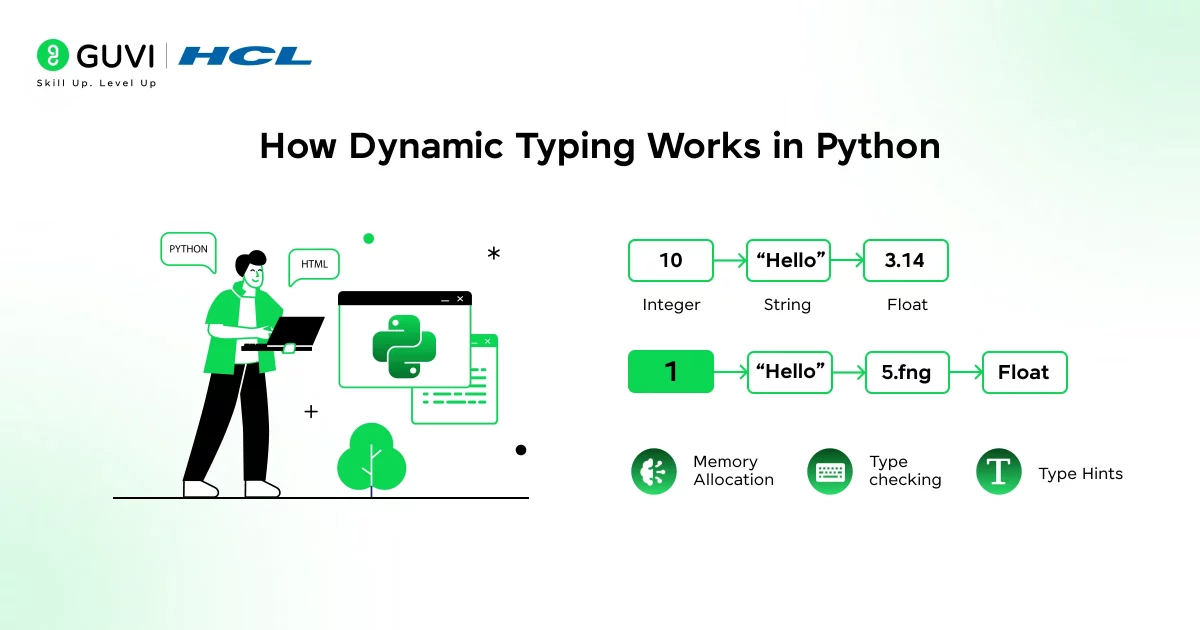
To really understand dynamic typing in Python, you need to shift how you think about variables. Python’s dynamic typing is closely tied to how it handles variables and objects internally. When you assign a value to a variable, Python creates an object in memory and binds the variable name to that object.
Variables Are References, Not Containers
In Python:
- Variables are references to objects
- Objects carry both value and type
- The variable name is just a label
a = 5
b = a
Both a and b point to the same integer object in memory.
When you later do:
a = “Python”
You’re not changing the object. You’re making a point to a completely new object. This design makes dynamic typing possible and efficient.
Why Python Uses Dynamic Typing
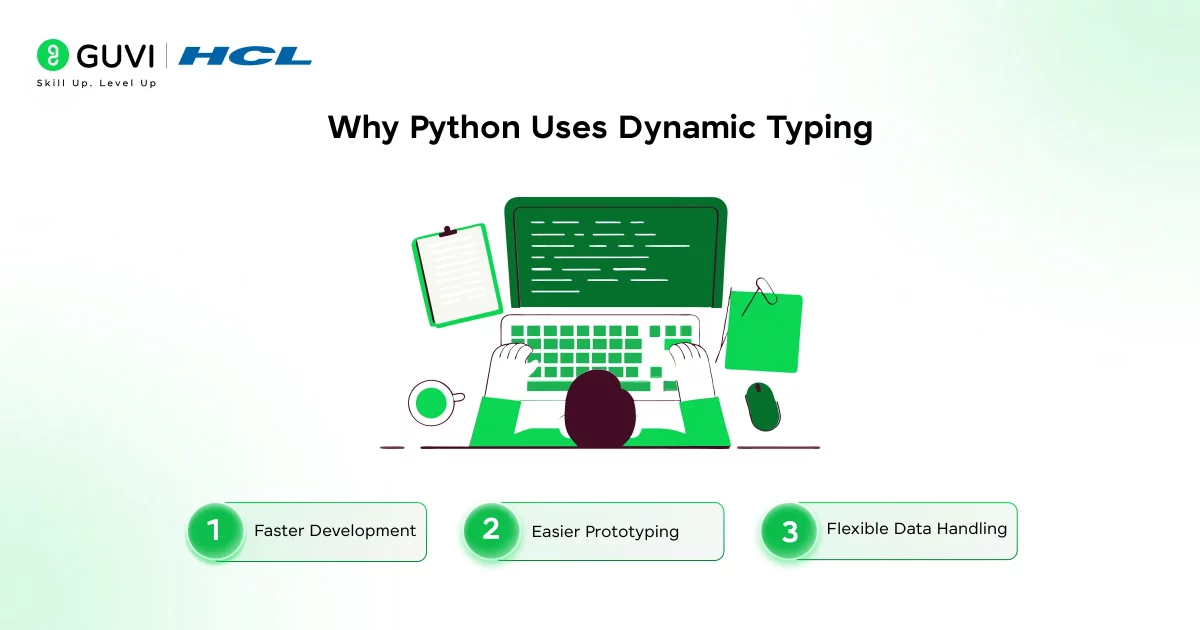
Python was designed to be simple, expressive, and developer-friendly, and dynamic typing supports these goals directly.
Dynamic typing allows developers to focus on problem-solving rather than managing type declarations. This is especially useful during rapid prototyping, scripting, and data analysis.
1. Faster Development
You write less code because you don’t need to declare types everywhere.
total = price * quantity
No extra syntax. No distractions.
2. Easier Prototyping
Dynamic typing makes Python excellent for:
- Rapid prototyping
- Data analysis
- Machine learning
- Automation scripts
You can focus on logic first and structure later.
3. Flexible Data Handling
Dynamic typing allows functions to work with different data types naturally.
def double(value):
return value * 2
This works for:
- Numbers
- Strings
- Lists
As long as the operation makes sense.
If you want to read more about how Python works and its use cases, consider reading HCL GUVI’s Free Python eBook: A Beginner’s Guide to Coding & Beyond, which covers the key concepts of Python, including OOPs, File Handling, and even database connectivity.
Dynamic Typing in Functions
Dynamic typing makes Python functions extremely flexible because they do not require strict type definitions for parameters or return values. A function can accept different data types as long as the operations performed inside the function are valid for those types.
For example, a single function can work with numbers, strings, or lists without modification. Python evaluates whether the operation is supported only when the function is executed.
Key things to understand:
- Function parameters are not bound to a single data type
- The same function can behave differently based on input
- Errors occur only if an invalid operation is performed at runtime
This flexibility is powerful but requires careful design when writing reusable functions.
Example: Same Function, Multiple Types
def display_length(data):
print(len(data))
This works with:
- Strings
- Lists
- Tuples
- Dictionaries
Python checks whether len() is valid at runtime, not before.
Dynamic Typing vs Static Typing
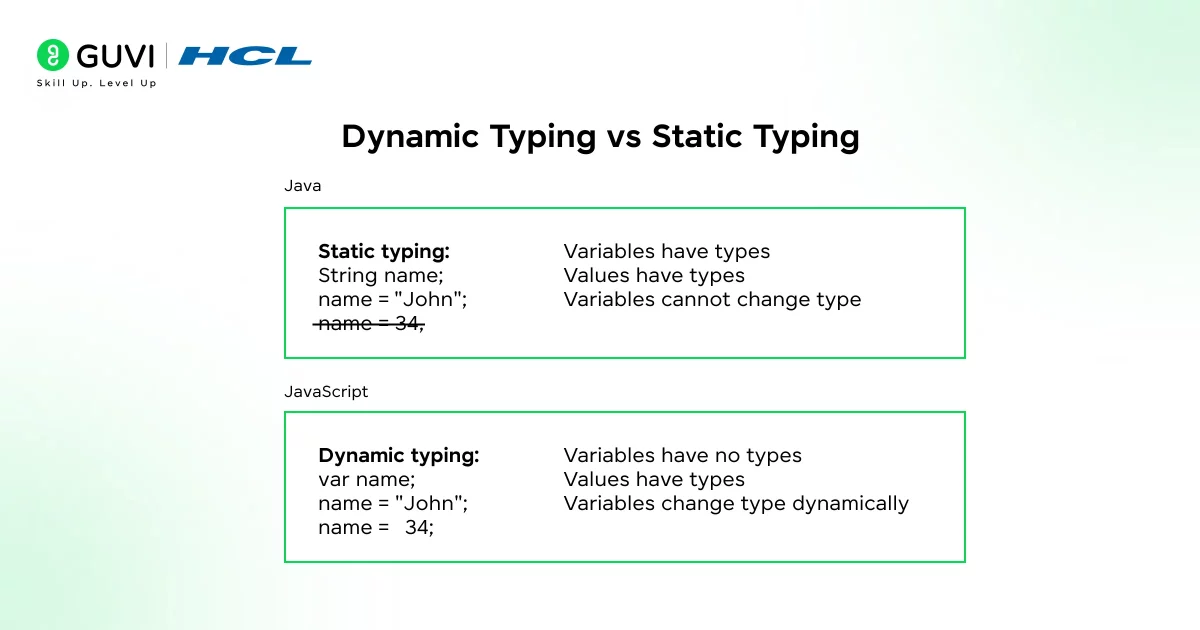
Dynamic typing and static typing represent two different approaches to handling data types in programming languages. Let’s pause and compare this with static typing, because the contrast matters.
Static Typing (Example: Java, C++)
In statically typed languages, you must declare the variable’s type in advance, and that type cannot change during execution. Errors related to types are caught before the program runs.
In statically typed languages:
- You must declare variable types explicitly
- Types are checked at compile time.
- Variables cannot change type
int x = 10;
x = "hello"; // Compile-time error
Dynamic Typing (Python)
In Python’s dynamic typing system:
- Types are inferred automatically
- Type checks occur during execution
- Variables can reference different types over time
x = 10
x = "hello" # Perfectly valid
Key Differences at a Glance
Key differences:
- Dynamic typing favors flexibility and speed of development
- Static typing favors early error detection and strict structure
- Python shifts responsibility from the compiler to the developer and tests
| Feature | Dynamic Typing | Static Typing |
| Type declaration | Not required | Mandatory |
| Type checking | Runtime | Compile-time |
| Flexibility | High | Low |
| Error detection | Runtime | Early |
| Code verbosity | Low | High |
Both approaches have valid use cases, but Python prioritizes readability and productivity.
Dynamic Typing vs Static Typing: Python vs Java Comparison Table
Python figures things out as it goes; Java wants to know upfront. That’s the whole philosophy split in one sentence, but let’s see how it actually plays out feature by feature.
| Feature | Dynamic Typing (Python) | Static Typing (Java) |
|---|---|---|
| Type declaration | Not required — the interpreter infers type from the assigned value | Mandatory — every variable’s type is declared before use |
| Type checking timing | At runtime, as each line executes | At compile time, before the program ever runs |
| Error detection | Type errors surface only when the faulty line actually runs, sometimes deep in production | Type errors are caught by the compiler, often before you even test the code |
| Variable reassignment | A variable can hold an int, then later a str, with no restrictions | A variable is locked to its declared type for its entire lifetime |
| Code verbosity | Shorter — no type boilerplate cluttering the logic | Longer — every declaration carries its type |
| Performance | Slightly slower, since the interpreter checks types on the fly during execution | Generally faster, since type checks are already resolved before runtime |
| IDE/tooling support | Weaker by default — autocomplete and refactoring rely on inference or optional type hints | Strong out of the box — the compiler gives tools exact type info to work with |
| Best suited for | Scripting, prototyping, data work, small-to-mid codebases | Large enterprise systems where type safety matters at scale |
Duck Typing vs Dynamic Typing in Python: What’s the Difference?
People mix these two up constantly, but they’re not the same thing — refer to the table below to know the exact difference between Dynamic Typing in Python and Duck Typing:

| Feature | Duck Typing | Dynamic Typing (Python) |
|---|---|---|
| Core idea | “If it walks like a duck and quacks like a duck, treat it like a duck” | A variable’s type is decided when the code runs, not before |
| What Python checks | Whether the object has the method or attribute you’re calling | What kind of value is currently stored in the variable |
| Focus | Behavior of the object | Type of the value |
| Example | Calling .read() on any object that has a .read() method, regardless of its class | Assigning x = 5 then later x = "hello" without errors |
| Relationship | A specific use of dynamic typing, applied to object behavior | The broader rule that makes duck typing possible in the first place |
| Where you’ll see it | Function arguments, custom classes, interfaces | Every variable assignment across a Python program |
Advantages of Dynamic Typing in Python

Let’s break this down clearly.
- Cleaner and Shorter Code: Less boilerplate. More focus on logic.
- Increased Flexibility: Variables can adapt to different needs during execution.
- Beginner-Friendly: New learners don’t have to fight the type system early on.
- Powerful Abstractions: Dynamic typing enables patterns that would be verbose in statically typed languages.
Disadvantages of Dynamic Typing in Python
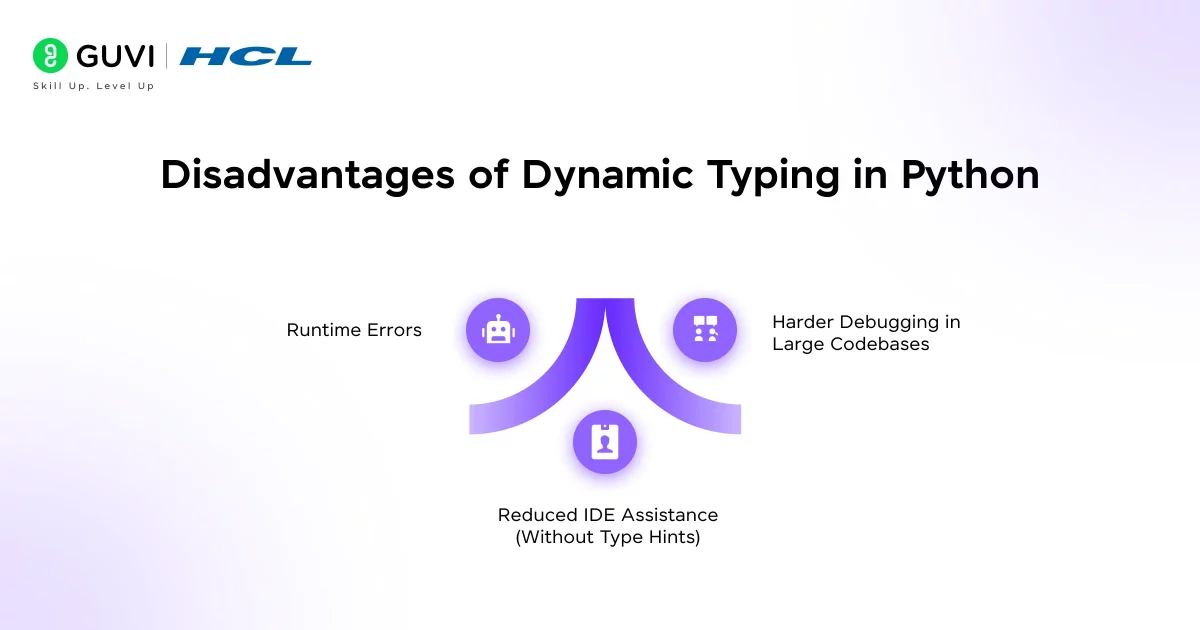
Dynamic typing is powerful, but it’s not perfect. Here’s why:
- Runtime Errors: Type-related errors show up only when the code runs.
x = 10
x.append(5) # AttributeError at runtime
- Harder Debugging in Large Codebases: Type mistakes can hide deep inside the code and surface late.
- Reduced IDE Assistance (Without Type Hints): Without hints, editors may struggle with:
- Autocompletion
- Static analysis
- Refactoring
Advantages and Disadvantages of Dynamic Typing in Production Code
Dynamic typing gives you speed early on, but production code has its own rules — here’s how it really plays out.
| Advantages | Disadvantages |
|---|---|
| Cleaner, shorter code with less boilerplate to write and maintain | Type errors only show up when that exact line runs, sometimes after deployment |
| Faster prototyping — you can test ideas without fighting the type system | Bugs can hide deep in large codebases and surface late, far from their root cause |
| Variables adapt easily to different needs without rewriting declarations | Without type hints, editors struggle with autocomplete and refactoring support |
| Enables flexible patterns (like duck typing) that stay verbose in static languages | Harder for new team members to know what type a function actually expects |
| Less friction when requirements change mid-development | Refactoring large codebases is riskier since the compiler won’t catch type slips |
Common Pitfalls Beginners Face
While dynamic typing simplifies coding, beginners often run into avoidable issues when they assume Python will automatically handle incompatible types.
A common mistake is unintentionally changing a variable’s type and later using it in a way that no longer makes sense. Another frequent issue is expecting Python to implicitly convert between strings and numbers.
Typical pitfalls include:
- Mixing incompatible data types in operations
- Accidentally overwriting variables with a different type
- Discovering type errors only during execution
Understanding that Python is dynamic but still strict about operations helps prevent these errors.
Python Type Hints: Adding Static Typing to a Dynamically Typed Language
Python doesn’t force you to declare types, but it does let you hint at them if you want. Type hints don’t change how the code runs — Python still checks types at runtime like always. They just tell you (and your editor) what type a variable is supposed to hold, so mistakes get caught earlier and autocomplete actually works properly.
Here’s what it looks like:
def greet(name: str) -> int:
    print(f"Hello, {name}")
    return len(name)
What’s happening here:
name: strtells anyone reading the code thatnameis expected to be a string-> inttells you the function is expected to return an integer- Python still won’t stop you if you pass a number instead of a string — hints are not enforced by Python itself
So who catches the mistake then? Tools like mypy, or your code editor, read these hints and warn you before you even run the code — which is the whole point. You get the safety net of static typing, without giving up the flexibility of dynamic typing.
A quick example of what a hint catches:
greet(123) # Python runs this fine, but mypy will flag it as a type mismatchThat one line is really the value of type hints — Python stays flexible at runtime, but your tools can still catch careless mistakes before they turn into real bugs.
Real-World Use Cases Where Dynamic Typing Shines
Dynamic typing is especially useful in domains where flexibility, speed, and experimentation matter more than rigid structure.
Python’s dynamic nature works well in:
- Data science and machine learning workflows
- Automation and scripting tasks
- Web development and backend services
- Rapid prototyping and MVP development
In these scenarios, developers often work with changing data structures, making dynamic typing a practical and efficient choice.
Best Practices When Working with Dynamic Typing
Dynamic typing works best when paired with discipline and good coding habits. Clear intent and structure help prevent runtime errors and make code easier to maintain.
Recommended best practices:
- Use descriptive variable and function names
- Avoid reusing variables for unrelated data types
- Validate inputs in functions where type matters
- Use type hints for public functions and shared code
- Write tests to catch type-related issues early
When used thoughtfully, dynamic typing becomes a strength rather than a risk.
If you want to learn more about Python through a structured course material, consider enrolling in HCL GUVI’s Free Self-Paced IITM Pravartak Certified Python Course that lets you start from scratch and gradually move towards the level where you can write programs to gather, clean, analyze, and visualize data.
Conclusion
In conclusion, dynamic typing is one of the core reasons Python feels simple to start with yet powerful as you grow. By deciding types at runtime, Python gives you flexibility, faster development, and cleaner code, while still offering tools like type hints when structure is needed. Once you understand how dynamic typing works and where to be cautious, you can write Python code that is both expressive and reliable, even as your projects scale.
As you grow as a Python developer, you’ll learn when to rely on dynamic typing and when to add structure using type hints and validation.
Understanding dynamic typing deeply is a key step in writing clean, confident, and scalable Python code
FAQs
1. What does dynamic typing mean in Python?
Dynamic typing means Python decides a variable’s type at runtime based on the value assigned. You don’t need to declare the type explicitly before using a variable.
2. Is Python dynamically typed or statically typed?
Python is dynamically typed. Type checking happens while the program is running, not at compile time, allowing variables to change types during execution.
3. Can a variable change its data type in Python?
Yes. In Python, the same variable name can reference values of different data types at different points in the program.
4. Does dynamic typing make Python slower?
Dynamic typing adds slight runtime overhead due to type checks, but in most real-world applications, the performance impact is negligible.
5. Are Python type hints mandatory in dynamic typing?
No. Type hints are optional and used mainly for readability and tooling support. Python remains dynamically typed even when type hints are added.
Success Stories













Did you enjoy this article?