


Career Articles
TensorFlow Developer Certificate: Complete Prep Guide
Wipro Elite NTH Eligibility Criteria 2026: CGPA, Branch & Backlog Rules Explained
What is Wipro Elite NTH? Complete Overview for 2026 Graduates
How to Get a Tech Job Abroad From India: Visa, Platforms & Timelines


Get In Touch For Details! Request More Information
Is Context Switching is Killing Developers Productivity — 6 Tips for Focus
May 12, 2026 7 Min Read 774 Views
(Last Updated)
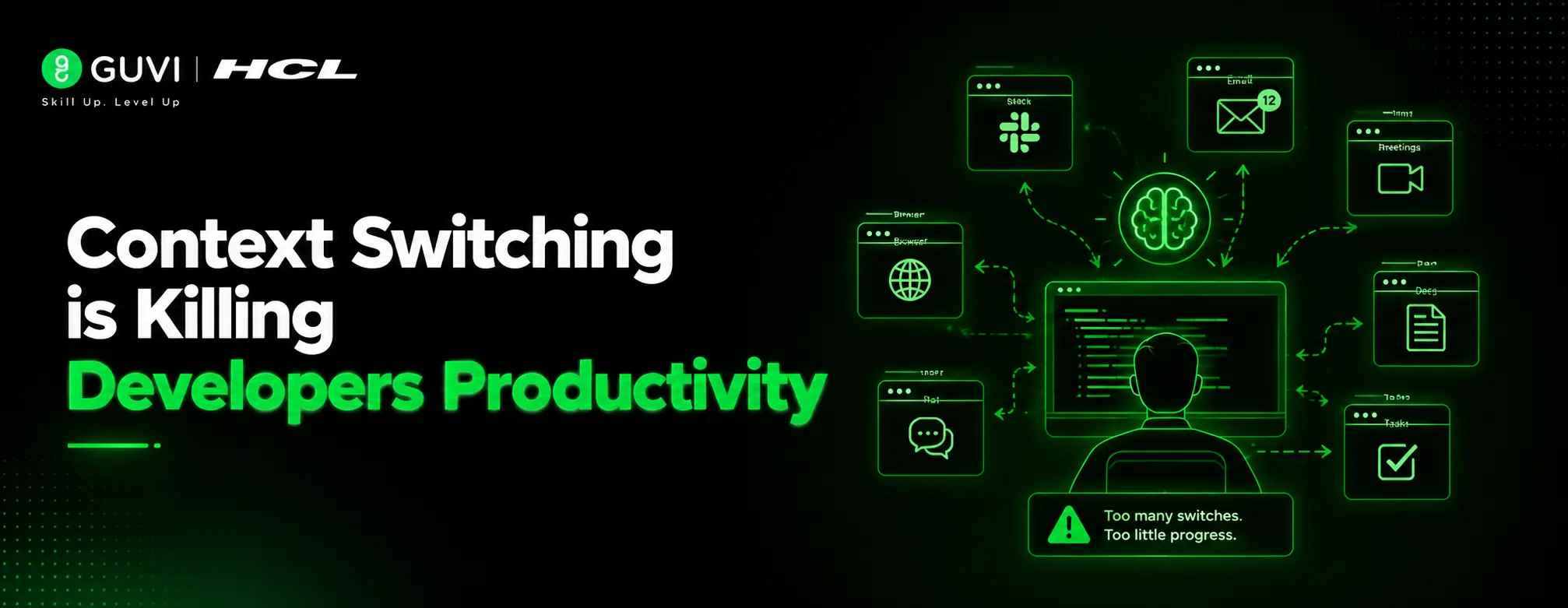
Context Switching is Killing Developers Productivity — and for most developers, it happens dozens of times a day without warning. One moment, you are fully immersed in solving a complex problem, and the next, a Slack notification pulls you into a code review, a bug report, or an urgent ticket update. Just a few interruptions are enough to break your concentration and force your brain to rebuild its entire train of thought from scratch.
For developers, context switching is no longer an occasional distraction — it has become the default way of working. The constant shift between tasks silently drains time, reduces deep-focus hours, and slows down meaningful engineering work. The good news is that much of this disruption can be managed. With the right strategies, you can protect your focus, set clear boundaries, and remain a collaborative, reliable teammate without sacrificing productivity. Drawing from expert insights by Sylvana Santos and industry research, this article shares six practical tips to help you regain control of your workday.
Table of contents
- TL;DR
- What Is Context Switching — and Why It Hurts Developers Most
- Tip 1: Customize Your Notifications to Protect Deep Work
- Tip 2: Take Notes So You Can Jump Back In Quickly
- Tip 3: Use Time Blocking to Manage Multiple Projects
- Tip 4: Set Communication Boundaries — and Respect Others'
- Tip 5: Reprioritize With Your Team Leader When Overloaded
- Tip 6: Identify Good Distractions — Not All Interruptions Are Equal
- Comparison Table: Context Switching Strategies at a Glance
- Key Takeaways
- FAQs
- Why is context switching bad for developers?
- How does context switching affect developer productivity?
- What are the common causes of context switching for developers?
- Can context switching lead to burnout?
- How many interruptions are too many for developers?
TL;DR
• Context switching killing productivity for developers is backed by research: it takes ~9.5 minutes to recover focus after each task switch.
• You do not have to answer every message immediately — scheduling focus blocks and setting status boundaries protects deep work without hurting team responsiveness.
• Taking notes as you work (even quick bullet points in the codebase) dramatically reduces the ramp-up time when you return to a task after an interruption.
• Time blocking your calendar when juggling multiple projects transforms reactive days into intentional, calmer ones.
• Not all interruptions are equal — pair programming, collaborative reviews, and cross-team meetings can be high-value context switches when scoped correctly.
What Is Context Switching — and Why It Hurts Developers Most
Direct Answer:
Context switching is the cognitive process of redirecting attention from one task to a different task. In computing, a context switch allows a single CPU to handle multiple processes by saving and restoring state efficiently, but with overhead. Humans do the same thing, but far less efficiently. For developers specifically, each context switch means mentally unloading one problem’s variables, edge cases, logic, and loading an entirely different one. Research from UC Irvine’s Gloria Mark shows that interrupted work increases stress and perceived effort, even when total time on task stays the same.
In the original UC Irvine study, interrupted workers not only felt more stressed — they actually compensated by working faster and with more effort. The result was higher output in the short term, but at a measurable cost to their wellbeing. Sustainable developer productivity requires protecting focus, not just maximizing short-term output.
Source
Tip 1: Customize Your Notifications to Protect Deep Work
Here is something that takes years of professional experience to truly internalize: you do not need to answer every message immediately. Sylvana Santos puts it plainly: ‘You do not need to answer every message immediately.’ That is not permission to go dark — it is a reminder that reactive availability and productive availability are different things.
Consider these practical steps to restructure your notification environment:
- Block focus time on your calendar and communicate it proactively. Mark two to four hours of protected focus time on your calendar each day and let your team know upfront that you may not respond during those windows. This sets expectations without creating friction — teammates know you are not ignoring them, just heads-down.
- Use app-blocking tools to eliminate procrastination-induced switching. Tools like Freedom or Cold Turkey block distracting websites and apps during focus sessions. The key insight: not all context switching is externally triggered — sometimes we interrupt ourselves.
- Audit the difference between necessary and unnecessary interruptions. Before assuming every ping requires action, track where your interruptions are actually coming from for one week. You may find that a significant portion are self-generated or low-urgency.
| Best Practice: Set your Slack or Microsoft Teams status to reflect your availability honestly — not just ‘Active’ by default. A status like ‘Deep Work — Back at 2 PM’ sets clear expectations and reduces the social pressure to respond immediately. This one change can cut unnecessary pings by a meaningful margin. |
Tip 2: Take Notes So You Can Jump Back In Quickly
| Direct Answer: One of the highest-ROI habits for managing context switching is taking lightweight notes as you work. When you are interrupted mid-task, a quick note — even just a few bullet points or a comment left in the codebase — becomes a recovery mechanism. Instead of spending 15 minutes reloading your mental state, you spend 30 seconds re-reading your own breadcrumbs. |
Imagine you are investigating an upcoming feature while also tracking down a tricky bug in an existing module. Both tasks require you to dive deep into user flows and service logic. Hopping between them without any anchor is cognitively draining.
Sylvana Santos describes her approach: she writes down findings as she works through tasks — quick bullet points, or even comments written directly to herself inside the codebase — so she can orient herself quickly when she returns. ‘The benefit of taking notes,’ she notes, ‘is that you can also share these with your teammates to help them understand your thinking and where things are at.’
This approach works at multiple scales:
- For complex debugging sessions: Leave a comment in the file explaining what you have ruled out and what you suspect next. This is useful even if you never get interrupted — the next version of you will thank you.
- For feature work: Keep a running markdown note with the decisions you have made, the edge cases you have considered, and what remains. This becomes informal documentation that teammates can reference.
- For multi-project days: Start each morning with a quick brain dump — one or two sentences per active task that summarize exactly where you left off. This 5-minute habit can save 30+ minutes of re-orientation throughout the day.
| Pro Tip: Many developers underestimate how much of their ramp-up time after an interruption is spent reconstructing thought processes they have already completed. A note that says ‘Tried approach A — failed because of race condition in auth layer — now testing approach B’ can collapse a 10-minute cognitive reload into a 15-second skim. |
Tip 3: Use Time Blocking to Manage Multiple Projects
| Direct Answer: Time blocking, the practice of assigning specific tasks to specific calendar slots, is one of the most evidence-backed strategies for managing context switching, killing productivity for developers. Rather than reacting to whatever demands attention in the moment, time blocking turns your calendar into an intentional map of your day. It reduces decision fatigue, surfaces scheduling conflicts before they become emergencies, and provides a clear structure for when each project gets your full focus. |
When Sylvana Santos has multiple projects on her plate, time blocking is her go-to tool. ‘It helps me to lay out my day in a more intentional manner and stick to it,’ she says. The approach is particularly useful when feeling overwhelmed — breaking deliverables into smaller tasks and scheduling them makes the day feel manageable rather than chaotic.
Time blocking does not have to be a rigid, everyday system. Sylvana uses it situationally: ‘When I’m feeling particularly jumbled, I find that this helps me tackle things more calmly and methodically.’ Even a once-a-week application of time blocking on your most complex days can meaningfully reduce cognitive load.
| ⚠️ Warning: Time blocking only works if you protect the blocks. The most common failure mode is scheduling focus time and then treating it as negotiable. If a low-urgency meeting gets scheduled over your deep work block, push back. Your calendar is a commitment, not a suggestion. |
Tip 4: Set Communication Boundaries — and Respect Others’
| Direct Answer: Reducing context switching requires mutual respect for focus time — both your own and your teammates’. Communicating your availability clearly, using good chat etiquette (like sending complete questions in a single message), and respecting when others are in deep work are habits that improve the entire team’s productivity, not just your own. |
Neither remote nor in-person work is inherently better for focused development. In-office environments mean easy access to colleagues — but also easy interruption. Remote setups offer more potential for uninterrupted deep work, but require stronger explicit boundaries. The constant, Sylvana says, is communication.
‘Be respectful of other people’s time, too,’ she emphasizes. Practical ways to do this include:
- Send complete questions in a single message rather than a series of vague openers. A message that says ‘Hey’ followed by a slow drip of context forces the recipient to stay engaged in a back-and-forth, eating into their focus time. Include the full question, any relevant context, and — critically — when you need an answer by, so they can respond asynchronously.
- Use your status to communicate honestly. ‘Away’ or ‘Focus Mode’ statuses are not rudeness — they are professionalism. They tell colleagues what to expect and reduce the social friction of delayed responses.
- Consider working from a different physical location when you need sustained focus. If your office environment is high-interruption, a day working from home, a library, or a quiet café can be the difference between shipping and spinning.
The nohello.net etiquette standard, sending a full message in one go rather than a bare ‘Hi’, has been adopted by developer communities worldwide precisely because fragmented messages create unnecessary context-switching overhead for the recipient. A single, complete message costs the sender a bit more effort and saves the recipient multiple interruptions.

Tip 5: Reprioritize With Your Team Leader When Overloaded
| Direct Answer: When your workload makes focus time structurally impossible — too many active tickets, too many cross-functional asks — the right move is to surface this to your manager. A good team leader can help reprioritize, delegate requests from other teams, and set reasonable expectations. Staying silent about overload and attempting to absorb it alone typically results in worse outcomes for you and the team. |
It can feel uncomfortable to tell your manager you have too much on your plate. There is a cultural fear in tech of appearing less capable or less committed. But Sylvana Santos frames it clearly: ‘If you tell your manager exactly what’s on your plate, they should be able to help you move things around and possibly even take things off your plate.’
Your manager can also help you navigate requests from other teams. If a request arrives from a cross-functional team that would disrupt your current sprint focus, your manager is positioned to help redirect it or negotiate a realistic timeline — something that is much harder to do from an individual contributor level.
Managers can also help you answer structural questions that are easy to spiral over alone: How many tickets should you be picking up at a time? How long should specific types of tasks typically take? Is that optional meeting actually useful for your growth right now? These conversations set guardrails that reduce the anxiety that often drives reactive, context-switching behaviour.
| Best Practice: Before any sprint or project phase, have a five-minute conversation with your manager to align on your top three priorities. Anything outside those three should be explicitly triaged, not silently absorbed. This single habit can prevent the “everything is urgent” spiral that is one of the leading causes of developer context switching. |
Tip 6: Identify Good Distractions — Not All Interruptions Are Equal
| Direct Answer: Not every interruption is a productivity loss. Pair programming, collaborative code reviews, and relevant cross-team meetings can be high-value context switches — ones that accelerate learning, unblock teammates, and produce better outcomes than isolated work. The goal is not zero interruptions. It is distinguishing which interruptions return more value than they cost. |
Context switching killing productivity for developers is a real problem — but the solution is not hermetic isolation. Sylvana Santos is clear on this: ‘Don’t get so bogged down in your focus work that you pass up opportunities to interact with your peers.’ Community initiatives, mentoring, and collaborative engineering work have compounding returns that are easy to underestimate when you are under sprint pressure.
The key is scoping. ‘Pair programming is vital to your growth as an engineer,’ Sylvana says. ‘But I think both meetings and pairings should contribute to your core responsibilities.’ Concretely, this might mean:
- Scheduling pair programming sessions on tasks directly related to what you are actively working on, so the context switch is minimal and the collaboration is directly applicable.
- Attending cross-functional meetings where your input directly affects something you own — and declining or sending written input for those where it does not.
- Treating community initiatives and mentoring as investments with deferred returns — and scheduling them deliberately, rather than letting them happen reactively.
According to research on pair programming published in IEEE Software, developers who regularly pair report not just higher code quality but also faster personal skill development. The cognitive overhead of explaining your thinking to a partner often surfaces assumptions you did not know you were making , making pair programming a high-ROI ‘good distraction.’
Comparison Table: Context Switching Strategies at a Glance
Use this table to match strategies to your current challenge as a developer.
| Strategy | Best For | Implementation Effort |
| Notification Management | Reducing external distractions and pings | Low — one-time setup |
| Note-Taking in Code | Faster re-entry after interruptions | Low — habitual change |
| Time Blocking | Managing 3+ concurrent projects | Medium — daily planning |
| Communication Boundaries | High-interruption team environments | Medium — social negotiation |
| Manager Reprioritization | Structural overload / too many tickets | Medium — requires conversation |
| Identifying Good Distractions | Preventing isolation; balancing collaboration | Low — mindset shift |
Key Takeaways
- Context switching kills productivity for developers at a measurable, research-backed level — 9.5 minutes of lost focus per switch and elevated stress after just 20 minutes of interrupted work.
- Notification management is your first and most accessible lever: schedule focus time, use app blockers, and communicate your availability proactively.
- Taking lightweight notes during work — even just comments in the codebase — is a high-ROI habit that reduces ramp-up time after interruptions dramatically.
- Time blocking works best as a situational tool for high-complexity days, not necessarily a rigid daily system.
- Communication boundaries require mutual respect — protect your focus time and respect your teammates’ focus time with thoughtful chat etiquette.
- When workload is structurally too high, escalating to your manager is not a weakness — it is smart project management.
- Not all distractions are equal: pair programming, targeted collaboration, and mentoring are high-value context switches worth protecting in your schedule.
FAQs
Why is context switching bad for developers?
Context switching forces the brain to repeatedly reload information and rebuild concentration. This can lead to mental fatigue, more coding errors, slower task completion, and reduced problem-solving efficiency. Frequent interruptions also make it harder for developers to enter a deep work state.
How does context switching affect developer productivity?
Context switching reduces the amount of uninterrupted focus time developers need for complex tasks. Studies show that even short interruptions can take several minutes to recover from, which adds up to significant productivity loss throughout the day.
What are the common causes of context switching for developers?
Some of the most common causes include:
1. Constant Slack or Teams notifications
2. Frequent meetings
3. Urgent bug fixes
4. Code review requests
5. Multitasking across projects
6. Switching between multiple tools and environments
Can context switching lead to burnout?
Yes. Constant interruptions and task switching can increase stress, mental exhaustion, and frustration. Over time, this can contribute to developer burnout and lower job satisfaction.
How many interruptions are too many for developers?
Even a few interruptions per hour can significantly impact focus. When developers are constantly switching tasks throughout the day, they lose valuable momentum and spend more time recovering concentration than doing meaningful work.
Success Stories

About the Author
Kirupa
An avid fiction reader and a health science graduate who found writing most at home. I have worked as a freelancer with a diverse range of brands and projects, turning complex ideas into relatable content. You can find me at GUVI, in the exciting world of EdTech, where I continue to blend my words with creativity and clarity.
View all posts by Kirupa
Connect with me @













Did you enjoy this article?