


Artificial Intelligence and Machine Learning Articles
AI/ML Skills Gap 2026: Why Companies Can't Find Job-Ready Talent
20 AI/ML Interview Questions Recruiters Can Use Without a Tech Background - Best Guide
How Industry-Backed AI/ML Bootcamps Are Changing the AI/ML Hiring Pipeline - Best Guide 2026
From IT Support to AI Engineer: A Realistic Career Switch Guide 2026


Get In Touch For Details! Request More Information
Skills Unleashed: Beat Claude Code Confusion
Jun 24, 2026 6 Min Read 964 Views
(Last Updated)
Claude Code has evolved into a rich ecosystem of features that can overwhelm beginners, including CLAUDE.md, slash commands, subagents, MCP, Projects, hooks, and Skills. Each promises to boost Claude’s smarts and utility, but picking the right one mid-terminal session is key to real productivity. Knowing when to reach for what turns chaos into flow.
Most users discover these in bits via blogs on MCP, tutorials for subagents, or casual mentions of Skills learning them piecemeal. This isolated approach gets you by but misses synergies, leading to mismatched tools. Uniting them unlocks Claude Code’s true layered power.
In this article, we will break down Claude Code Skills Comparison, what each one does, where it fits, and how to think about combining them. By the end, you will have a clear mental model for building with Claude Code instead of just using it.
TL;DR
- Claude Code Skills are reusable folders of instructions and scripts that Claude loads dynamically for specialized tasks, using progressive disclosure to stay efficient.
- Skills differ from Prompts (ephemeral, one-off), CLAUDE.md (repo-specific), Projects (context workspaces), Subagents (independent handlers), MCP (data access), and Hooks (enforcement rules).
- Use Skills for procedural knowledge like team standards or new capabilities (e.g., web scraping); pair with other features for full workflows.
- Start simple with CLAUDE.md + Skills + prompts; scale to Projects, MCP, Hooks, and Subagents as needs grow.
- Key mindset: Skills teach “how,” MCP gives “access,” Projects provide “what,” Hooks enforce, Prompts direct.
Table of contents
- What Are Claude Code Skills, Exactly?
- Skills are reusable expertise that Claude loads on demand
- Skills vs. Prompts
- Prompts: Ephemeral and Conversational
- Skills: Proactive and Repetitive Task Handlers
- Skills vs. CLAUDE.md
- CLAUDE.md: Repository-Specific Constitution
- CLAUDE.md vs. Skills: Scope Defines Usage
- Skills vs. Projects
- Projects: Self-Contained Knowledge Workspaces
- Projects vs. Skills: Knowledge vs. Procedure
- Skills vs. Subagents
- Subagents: Specialized Task Handlers
- Subagents vs. Skills: Trade-offs and Best Practices
- Skills vs. MCP
- MCP: Standardized External Connectivity
- MCP vs. Skills: Data Access vs. Procedural Logic
- Skills vs. Hooks
- Hooks: Workflow Enforcement Rules
- Hooks vs. Skills: Control vs. Guidance
- How These Features Work Together
- A Practical Guide to Choosing the Right Feature
- Final Thoughts
- FAQs
- What's the biggest difference between Skills and Prompts?
- Do Projects replace Skills?
- Are Subagents better than Skills for complex tasks?
- How do I get started without overwhelm?
- When should I use CLAUDE.md over Skills?
What Are Claude Code Skills, Exactly?
Skills are reusable expertise that Claude loads on demand
- Skills are folders containing instructions, scripts, and resources that Claude discovers and loads dynamically when relevant to a task.
- Think of them as specialized training manuals that give Claude expertise in specific domains from working with Excel spreadsheets to following your organization’s brand guidelines.
- What makes this design smart is the way Skills load. Skills use progressive disclosure: metadata loads first (around 100 tokens), providing just enough information for Claude to know when a Skill is relevant.
- Full instructions load when needed (under 5k tokens), and bundled files or scripts load only as required. This means you can have dozens of Skills installed without slowing Claude down on tasks that have nothing to do with them.
- There are two kinds of Skills worth understanding before you go further. Capability Uplift skills give Claude abilities it does not have on its own. Before the skill, Claude cannot do the task.
- After installing it, the skill teaches Claude new capabilities: web scraping with the Firecrawl skill, creating real PDF files, running browser tests through Playwright. Encoded Preference skills are different. Claude already knows how to do the underlying task.
- The skill encodes your team’s specific way of doing it. Knowing which kind you need shapes how you think about building or choosing one.
Skills vs. Prompts
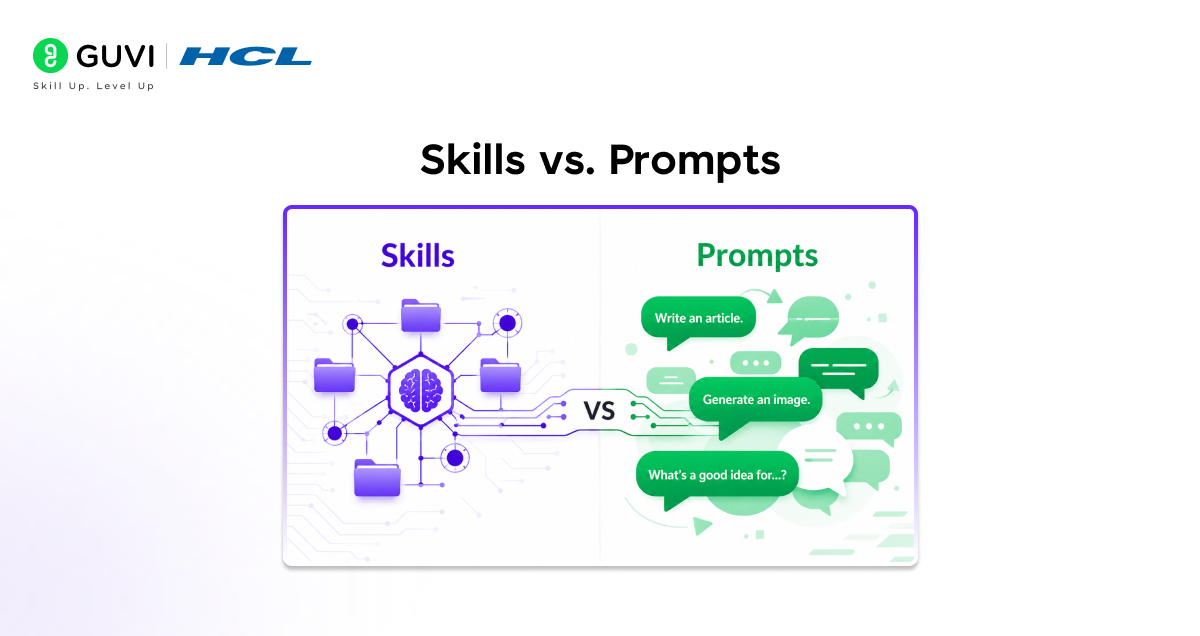
Prompts: Ephemeral and Conversational
- Prompts form the core of interacting with Claude, serving as what you type into chats or CLI for immediate needs. They shine in one-off requests, conversational tweaks, quick clarifications, or ad-hoc instructions with context provided on the spot.
- Being reactive and ephemeral, they vanish once the session ends, making them ideal for tasks you won’t repeat exactly. Use them when flexibility in the moment trumps standardization.
Skills: Proactive and Repetitive Task Handlers
- Skills activate when prompts turn repetitive, like repeatedly asking to “review code for OWASP vulnerabilities” or format analyses consistently. They embed recurring instructions, ensuring Claude applies them proactively without reminders across conversations.
- This proactive nature builds foundational knowledge, freeing prompts for specific, momentary context. Together, they blend reactivity with consistency for efficient workflows.
Skills vs. CLAUDE.md
CLAUDE.md: Repository-Specific Constitution
- CLAUDE.md stands as the vital root file in your codebase, acting as Claude Code’s “constitution” and primary truth source for repository operations. In professional setups like monorepos, it can expand to 13KB, focusing on tools and APIs used by 30%+ of engineers while respecting token limits.
- Start it small, expanding only where Claude errs, avoiding over-explanation of simple commands. This keeps it targeted, patching AI gaps rather than human workflow issues.
CLAUDE.md vs. Skills: Scope Defines Usage
- CLAUDE.md remains repository-bound, detailing how your specific codebase functions uniquely. Skills, by contrast, are portable across projects, imparting general abilities independent of any repo.
- Spot recurring instructions in multiple CLAUDE.md files? That’s your cue to create a Skill for broader reuse. This distinction optimizes: repo truths stay local, universal skills roam freely.
Skills vs. Projects
Projects: Self-Contained Knowledge Workspaces
- Projects create dedicated workspaces featuring independent chat histories and knowledge bases for focused initiatives. Each boasts a 200K context window to upload documents, supply context, and define custom instructions persisting across all project conversations.
- As knowledge nears limits, Claude activates RAG mode automatically, scaling capacity by up to 10x for seamless expansion. They center on background knowledge of what Claude must know about a specific endeavor, like product launch details with relevant docs.
Projects vs. Skills: Knowledge vs. Procedure
- Projects deliver “what you need to know,” housing specifics like market reports or competitor analyses for research. Skills impart “how to do things,” teaching portable procedures such as team writing standards or code review processes across projects.
- Spot identical instructions duplicated in multiple Projects? Convert them into Skills for efficiency. Designed to complement each other, Projects provide context while Skills ensure consistent execution.
Claude Code Skills use smart progressive loading, starting with just ~100 tokens of metadata to determine relevance before loading full instructions or files. This allows you to include dozens of Skills without slowing down everyday tasks. It also helps solve AI’s “forgetting” problem by turning one-time explanations into persistent, reusable expertise.
Skills vs. Subagents
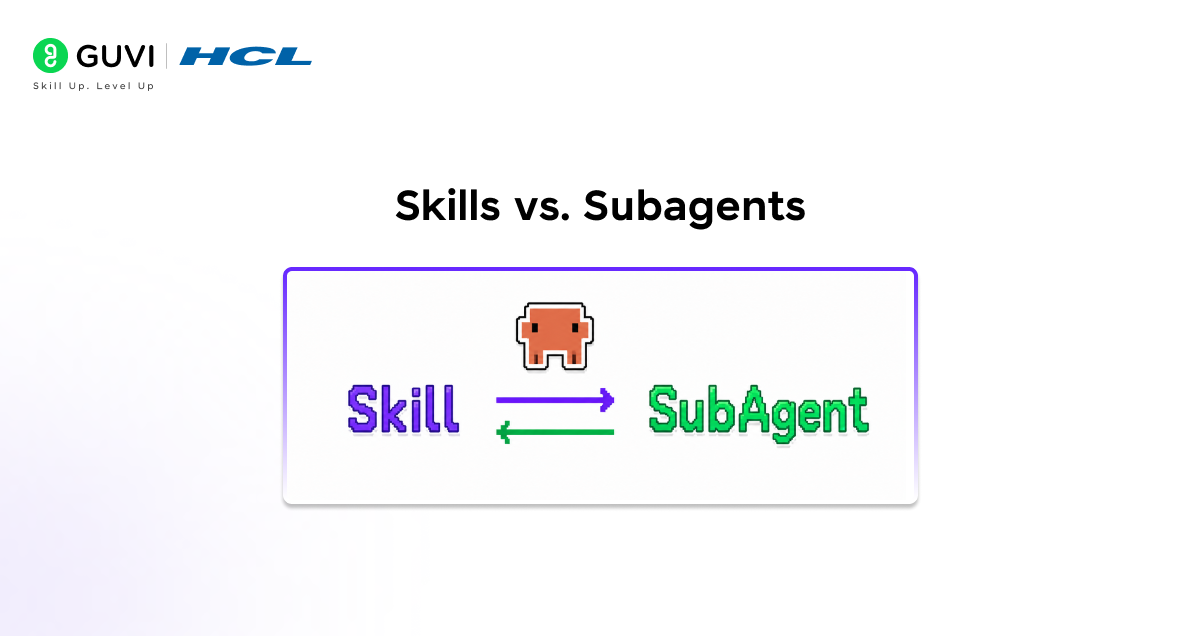
Subagents: Specialized Task Handlers
- Subagents rank among Claude Code’s potent yet often misunderstood capabilities, functioning as dedicated AI assistants with isolated context windows, tailored system prompts, and restricted tool access. Accessible via Claude Code and the Claude Agent SDK, they tackle discrete tasks autonomously, delivering outputs back to the primary agent.
- While ideal for complex delegation on paper, practice reveals drawbacks like context silos such as a PythonTests subagent sequestering testing details from the main agent and imposed human-like delegation rigidity.
Subagents vs. Skills: Trade-offs and Best Practices
- Experienced users favor Claude’s built-in Task feature over custom subagents, spawning versatile agent clones where the main agent dynamically decides delegation timing and method. Skills equip any Claude instance with reusable expertise, akin to training modules enhancing task performance universally across conversations.
- Deploy subagents for fully independent, purpose-built agents managing standalone workflows, and pair them seamlessly with Skills like a code-review subagent leveraging a security Skill for combined autonomy and portable proficiency.
Skills vs. MCP
MCP: Standardized External Connectivity
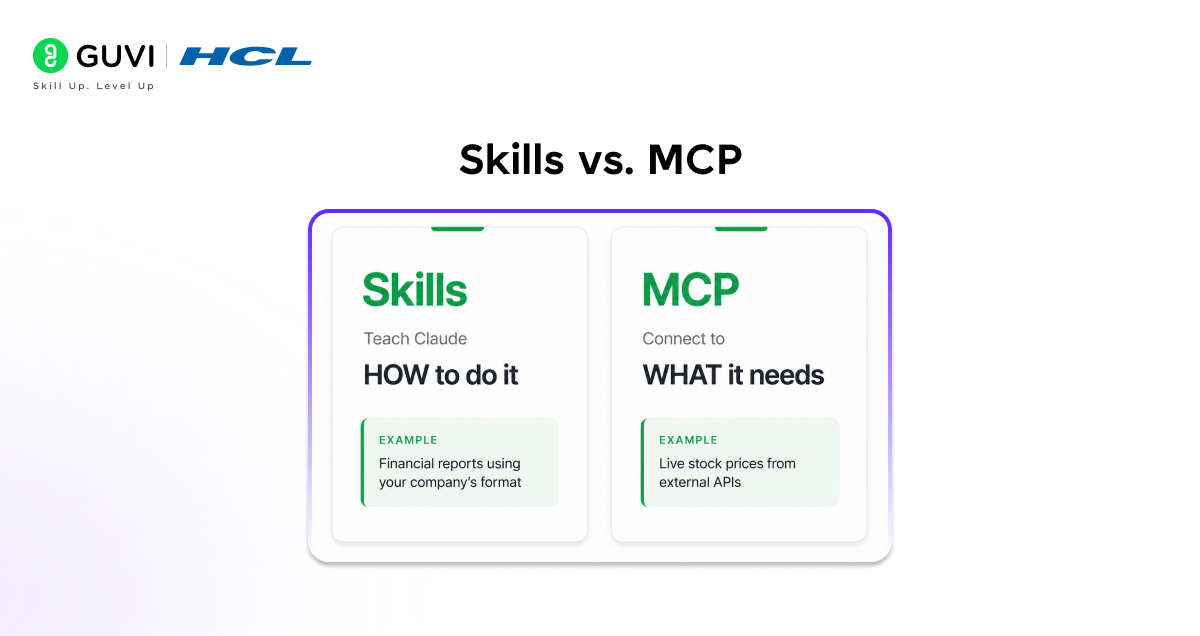
- MCP, or Model Context Protocol, serves as an open standard linking Claude to external tools and data repositories like databases, Google Drive, GitHub, or Slack.
- It standardizes connections, letting you build once against a unified protocol rather than custom integrations per source MCP servers expose data and functions, while clients like Claude interface seamlessly. This unifies access to wherever your data resides, streamlining workflows without bespoke adaptations.

MCP vs. Skills: Data Access vs. Procedural Logic
- MCP handles connectivity to data sources, while Skills instruct Claude on usage like mandating date-range filters for database queries. Combine them effectively: MCP enables access, Skills define procedures atop it. Seasoned users often bypass MCP for development, favoring simple CLIs.
- Skills offer robust, flexible scripting over MCP’s rigid API style. MCP excels as a secure gateway for high-level ops, authentication, and sensitive tasks, with Skills layering the intelligence.
Skills vs. Hooks

Hooks: Workflow Enforcement Rules
- Hooks provide an advanced mechanism to impose strict rules at precise stages in Claude’s processes, acting as deterministic “must-do” mandates alongside CLAUDE.md’s softer “should-do” guidance.
- Essential for navigating complex enterprise repositories, they deliver authoritative control, such as a PreToolUse hook that halts commits on failed tests, trapping Claude in a fix-and-retry cycle until builds pass cleanly. This ensures compliance without relying on persuasion.
Hooks vs. Skills: Control vs. Guidance
- Skills instruct collaboratively, teaching Claude optimal approaches like preferred testing strategies to shape its problem-solving mindset. Hooks command authoritatively, blocking or permitting actions irrespective of Claude’s judgment to guarantee outcomes, such as mandating test passage before commits.
- One fosters skilled thinking; the other rigidly enforces results. Deploy Skills for behavioral influence, Hooks for unbreakable safeguards.
How These Features Work Together
- The real power of Claude Code comes when you stop thinking about these features as alternatives and start thinking about them as layers. Each layer handles a different kind of concern, and they stack cleanly.
- The real power emerges when you combine these building blocks. Each serves a distinct purpose, and together they create sophisticated agentic workflows.
- Here is a practical way to think about the layers: MCP connects Claude to the external world (data, tools, systems). Projects give Claude the background context for a specific initiative. CLAUDE.md tells Claude how your repository works.
- Skills teach Claude how to perform specialized tasks consistently. Subagents handle discrete chunks of work independently. Hooks enforce the rules that must always hold. Prompts steer everything in the moment.
- Skills solve the core problem with AI coding assistants: they forget everything between sessions. You can explain your preferences, your stack, your conventions once, and Claude applies them every time without being reminded.
- That is the value proposition in one sentence. But Skills work best when the rest of the stack is also in place when the data access is handled, the context is loaded, and the guardrails are set.
A Practical Guide to Choosing the Right Feature
- When you are not sure which feature to reach for, ask yourself one question: am I trying to give Claude knowledge, or am I trying to give Claude access?
- Knowledge of how to do things, how your team works, what standards to follow belongs in Skills (reusable across projects) or CLAUDE.md (specific to a repo) or Projects (background context for an initiative).
- Access to data sources, external tools, databases, and APIs belongs in MCP. Control enforcing that something always or never happens belongs in hooks. Delegation offloading independent chunks of work belongs in subagents. And everything else, the specific ask for right now, belongs in a prompt.
- Skills are ideal for organizational workflows like brand guidelines and compliance procedures, domain expertise like Excel formulas and PDF manipulation, and personal preferences like note-taking systems, coding patterns, and research methods.
- Start there, and build out the rest of the stack only when a specific gap makes itself known. Most people find that CLAUDE.md, Skills, and good prompting handle the majority of what they need and the other features become relevant as workflows scale up in complexity.
If you’re ready to supercharge your Claude Code workflows with Skills and the full ecosystem, level up with HCL GUVI’s IIT Pravartak AI and ML Course at HCL GUVI. Master agentic AI tools, build pro setups, and dominate dev tasks ahead of the curve.
Final Thoughts
Claude Code is not a single tool it is an ecosystem, and understanding how the pieces fit together is what separates someone who uses it from someone who builds with it.
Skills stand out because they solve the forgetting problem: Claude no longer needs to be re-educated every session. But they are most powerful when paired with the right combination of MCP for data access, Projects for context, hooks for enforcement, and prompts for in-the-moment direction.
The good news is you do not need to learn all of this at once. Start with a good CLAUDE.md and a couple of Skills that match your actual workflow. Let the gaps reveal themselves, and fill them in from there. The ecosystem is designed to be composable, and that means you can grow into it at your own pace.
FAQs
1. What’s the biggest difference between Skills and Prompts?
Prompts are quick, throwaway instructions for the moment, like a casual chat. Skills stick around, proactively applying repeated guidance so you don’t retype the same setup every time.
2. Do Projects replace Skills?
Nope, Projects hoard background docs and context for one initiative, like a project folder. Skills teach reusable skills, like your team’s code style, working inside any Project.
3. Are Subagents better than Skills for complex tasks?
Subagents shine for standalone mini-agents but silo context; Skills boost any Claude instance universally. Pros often mix them a subagent running a Skill for best results.
4. How do I get started without overwhelm?
Nail a solid CLAUDE.md, add 2-3 Skills for your daily pains, and lean on prompts. Let real gaps guide adding MCP for data or Hooks for rules as your workflow scales.
5. When should I use CLAUDE.md over Skills?
CLAUDE.md is your repo’s unique blueprint think codebase quirks and tools. Skills travel everywhere, perfect for universal how-tos that pop up across projects.
Success Stories

About the Author
Vishalini Devarajan
An Aerospace Engineer turned content writer, I focus on making complex concepts easy to understand through well-structured, reader-friendly blogs. Whether it’s a technical topic or a non-technical one, I love creating content that is clear, engaging, and impactful.
View all posts by Vishalini Devarajan
Connect with me @











Did you enjoy this article?