


Project Articles
Automated Resume Screener: NLP-Based Python Project with Source Code
Business Analysis in Digital Transformation Projects - Best Guide
Build No-Code AI Agents with Flowise AI: Step-by-Step Beginner Guide


Get In Touch For Details! Request More Information
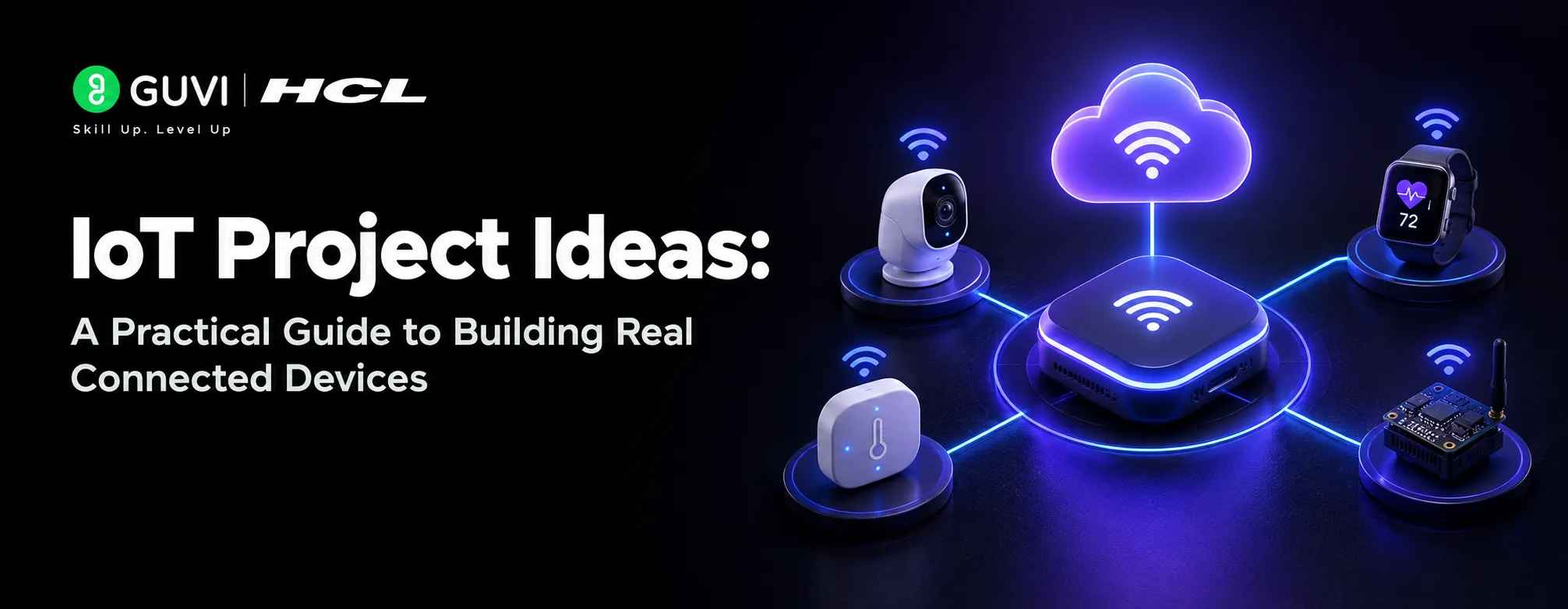
IoT Project Ideas: A Practical Guide to Building Real Connected Devices
Sep 26, 2026 7 Min Read 56998 Views
(Last Updated)
IoT project ideas are everywhere online, but most lists stop at a name and a picture. You never find out what components you actually need or how the pieces connect to make something work. That gap between idea and understanding is where many people lose interest before they even start.
This guide fixes that gap. Each project includes the exact components required, a clear explanation of how the system works, and an honest skill level so you know what you are getting into before you buy a single part.
Table of contents
- TL;DR Summary
- What is IoT?
- Top 10 IoT Project Ideas to Build in 2026
- Smart Home Automation Hub
- IoT-Based Weather Monitoring Station
- Smart Parking System
- AI-Powered Security Camera with Motion Detection
- Smart Waste Management System
- IoT-Based Air Quality Monitor
- Smart Energy Meter with Usage Analytics
- Voice-Controlled Home Assistant Device
- IoT Pet Feeder with Remote Monitoring
- Smart Agriculture Soil Monitoring System
- IoT Project Ideas: Quick Overview
- Conclusion
- FAQs
- What are the best IoT project ideas for beginners?
- Which components are most commonly used in IoT project ideas?
- Do I need coding experience to build IoT projects?
- How much does it cost to start an IoT project?
- Which IoT project idea works best for a college assignment?
TL;DR Summary
- This guide covers 10 practical IoT project ideas, including a Smart Home Automation Hub, a Weather Monitoring Station, and an AI-Powered Security Camera.
- Each project idea lists the exact components needed, so you won’t have to guess what to buy.
- Each IoT project idea, like the Smart Parking System and Soil Monitoring System, explains how the hardware and software connect.
- Projects are marked as beginner, intermediate, or advanced, so you know exactly what you are getting into.
- A comparison table breaks down difficulty, time, and skills gained across all IoT project ideas.
- Skill levels are marked honestly, so you pick IoT project ideas that actually match your experience, from a Pet Feeder to a Voice-Controlled Assistant.
Kevin Ashton coined the term “Internet of Things” in 1999 during a presentation for Procter & Gamble about RFID supply chains.
What is IoT?
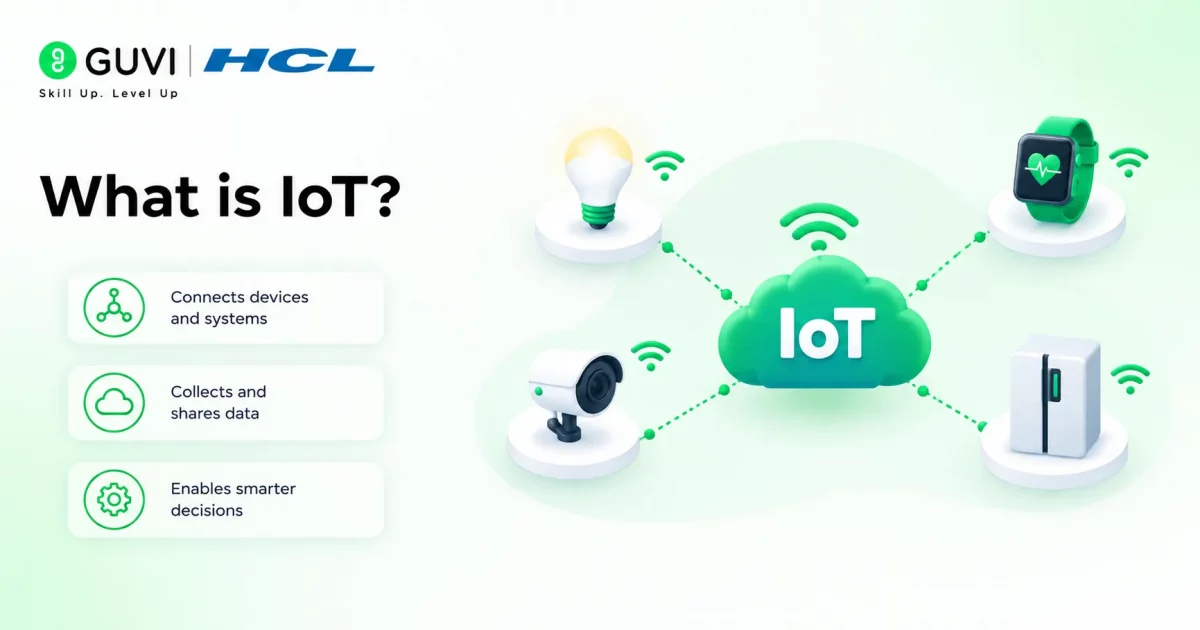
IoT (Internet of Things) refers to physical devices that connect to the internet and exchange data with each other or with a central system. These devices have built-in sensors, processors, and network modules that let them collect real-world information and act on it.
Unlike regular electronics, IoT devices don’t just run on their own. They send data to servers or apps, receive commands back, and often work together as part of a larger connected system. This connection between hardware and software is what makes IoT different from a simple standalone device.
Real-World Examples of IoT Devices:
- Smart thermostats — automated home temperature control
- Fitness trackers — wearable activity monitoring
- Smart doorbells — video-enabled entry alerts
- Industrial sensor networks — factory equipment monitoring
- Smart streetlights — automatic brightness adjustment
- Wearable health monitors — real-time vital tracking
- Smart irrigation systems — automated crop watering
Also Read: AI in IoT Explained
Turn your curiosity about connected devices into a real, working skill. HCL GUVI’s IoT Course takes you from ESP32 basics to sensors, MQTT, and cloud dashboards, with certification to back up what you build and real projects to show for it. Enroll now and start building your first connected device today!
Top 10 IoT Project Ideas to Build in 2026
These IoT project ideas cover a wide range of skills and use cases, so you can pick one that matches your experience level and start building right away:
1. Smart Home Automation Hub
Control lights, fans, and other appliances from your phone or with voice commands through one central hub connected to your home devices.
Components needed
- ESP32 or NodeMCU board
- Relay module (4 or 8 channel depending on how many devices you want to control)
- Jumper wires and a breadboard
- A mobile app or platform like Blynk or Home Assistant
- Wi-Fi router for connectivity
How it works
The ESP32 first connects to your home Wi-Fi network.
Once connected, it links to the relay module, which sits between the board and your appliances and acts like a remote-controlled switch.
When you tap a button on the app, that command travels over Wi-Fi to the ESP32. The board reads the command and instantly triggers the relay to turn the connected device on or off.
For voice control, link this same setup to Google Assistant or Alexa, so a spoken command follows the same path to the relay.
Skill Level: Beginner to Intermediate
Why build it
- Learn real Wi-Fi device communication
- Practice relay and appliance control safely
- Understand app-to-hardware integration
Also Read: Top Real-World Applications of IoT
2. IoT-Based Weather Monitoring Station
Track temperature, humidity, and air pressure in real time and view the data on a live dashboard from anywhere; no need to step outside and check.
Components needed
- ESP8266 or ESP32 board
- DHT11 or DHT22 sensor (temperature and humidity)
- BMP180 or BMP280 sensor (air pressure)
- Wires and a small breadboard
- ThingSpeak or Blynk for dashboard visualization
How it works
The DHT sensor and the BMP sensor connect to the ESP board and constantly read temperature, humidity, and pressure from the surrounding air.
The ESP board pulls these readings at set intervals, say every few seconds, and pushes them over Wi-Fi to a cloud platform like ThingSpeak.
From there, the platform turns the raw numbers into graphs and charts you can check from your phone or laptop. Over time, this gives you a running history of weather patterns in your exact location, not just the nearest city forecast.
Skill Level: Beginner
Why build it
- Learn sensor data collection basics
- Practice cloud dashboard integration
- Build a project with genuine daily use
3. Smart Parking System
Detect open and occupied parking spots in real time and show drivers exactly where to park, without them circling the lot looking for space.
Components needed
- Arduino Uno or ESP32 board
- Ultrasonic sensors (HC-SR04), one per parking spot
- LEDs or an LCD display to show slot status
- Wi-Fi module (if using ESP32, this is built in)
- A simple web app or mobile display for live status
How it works
Each ultrasonic sensor sits above or beside a parking spot and constantly measures the distance to whatever is below it. When a car parks, the distance reading drops sharply, and the board recognizes that spot as occupied.
This status updates an LED indicator at the spot and sends it over Wi-Fi to a central display or app, so anyone checking from outside the lot can see which spots are free before they even arrive.
Multiply this across several sensors, and you get a full live map of the parking area.
Skill Level: Intermediate
Why build it
- Learn multi-sensor data handling
- Practice real-time status updates
- Build something genuinely deployable in real lots
4. AI-Powered Security Camera with Motion Detection
Catch movement at your door or gate and get an instant alert on your phone, with the camera smart enough to tell a person apart from a passing cat or a swaying tree.
Components needed
- Raspberry Pi (3 or 4) with a camera module
- PIR motion sensor
- MicroSD card for storage
- Wi-Fi connectivity (built into Raspberry Pi)
- OpenCV or a pre-trained AI model for object detection
How it works
The PIR sensor stays idle until it detects nearby movement, then triggers the camera module to start recording.
Instead of sending every motion alert straight to your phone, the footage first passes through OpenCV or a lightweight AI model running on the Raspberry Pi, which checks whether the movement is actually a person.
If it confirms a person, it sends a real alert with a snapshot or clip to your phone over Wi-Fi. This filtering step is what separates this project from a basic motion camera that pings you every time a leaf blows by.
Skill Level: Intermediate to Advanced
Why build it
- Learn to combine sensors with AI models
- Practice real-time video processing
- Build a project with genuine home security value
5. Smart Waste Management System
Monitor how full a trash bin is and alert waste collection teams only when it needs emptying, instead of running fixed pickup routes on bins that are half empty.
Components needed
- Arduino or ESP32 board
- Ultrasonic sensor (HC-SR04) mounted inside the bin lid
- Wi-Fi module (built-in if using ESP32)
- Battery pack for outdoor placement
- Cloud dashboard like ThingSpeak or a simple web app
How it works
The ultrasonic sensor sits at the top of the bin, facing down, and measures the distance to the trash below it at regular intervals. As the bin fills up, that distance shrinks. The board tracks this, calculates a rough fill percentage, and sends it over Wi-Fi to a cloud dashboard.
Once the fill level crosses a set threshold, say 80%, the system flags that bin as needing pickup.
Waste management teams can then check the dashboard and only send trucks to bins that are actually full, saving fuel and time.
Skill Level: Beginner to Intermediate
Why build it
- Learn threshold-based automation
- Practice remote sensor monitoring
- Build a project with real civic-tech value
6. IoT-Based Air Quality Monitor
Measure pollution levels in the air around you, from dust particles to harmful gases, and see exactly when air quality dips to unsafe levels.
Components needed
- ESP32 or NodeMCU board
- MQ135 gas sensor (detects CO2, smoke, and other gases)
- PM2.5 dust sensor (like the GP2Y1010AU0F)
- Wi-Fi connectivity for data transmission
- ThingSpeak or Blynk for live readings
How it works
The MQ135 sensor continuously samples the surrounding air and reacts to harmful gases, while the PM2.5 sensor separately tracks fine dust particles floating in the air.

The ESP32 reads both sensors at set intervals and converts their raw signals into readable pollution values. These values get pushed over Wi-Fi to a cloud dashboard, where you can watch air quality change throughout the day, spot spikes during traffic hours, or notice when indoor air gets stale.
Some builders take this further by adding an alert that buzzes or sends a notification when pollution crosses a dangerous level.
Skill Level: Intermediate
Why build it
- Learn to work with gas and particulate sensors
- Practice interpreting environmental data
- Build a project with real health relevance
7. Smart Energy Meter with Usage Analytics
Track exactly how much electricity your home or a specific appliance is using in real time, instead of waiting for a monthly bill to tell you where the money went.
Components needed
- ESP32 or NodeMCU board
- ACS712 current sensor
- ZMPT101B voltage sensor (optional, for more accurate readings)
- Wi-Fi connectivity for data transmission
- ThingSpeak, Blynk, or a custom dashboard
How it works
The current sensor clips onto the power line feeding an appliance or your main circuit and picks up the current flowing through it at any moment.
If you add a voltage sensor too, the board can calculate actual power consumption instead of just current draw. The ESP32 reads these values continuously and pushes them to a cloud dashboard over Wi-Fi, where you get a running graph of usage throughout the day.
Over time, this lets you spot which appliances draw the most power and when your usage spikes, something a normal electricity meter never shows you.
Skill Level: Intermediate
Why build it
- Learn to measure real electrical parameters
- Practice building usage analytics dashboards
- Build a project that can genuinely cut your electricity bill
8. Voice-Controlled Home Assistant Device
Build your own smart speaker that listens for commands and controls other devices in your setup, without relying on a commercial product.
Components needed
- Raspberry Pi (3 or 4)
- USB microphone or a mic module
- Speaker or audio output module
- Wi-Fi connectivity (built into Raspberry Pi)
- Open-source voice assistant software like Mycroft or a custom Python speech recognition setup
How it works
The microphone stays active, listening for a wake word or trigger phrase. Once it hears that word, it starts capturing your spoken command and passes the audio to a speech recognition engine running on the Raspberry Pi.
Then the Raspberry Pi converts your speech into text, matches it against a set of known commands, and triggers the matching action, whether that’s turning on a light connected through your smart home hub or answering a simple question out loud through the speaker.
Since you’re building this yourself, you control exactly what commands it understands and what it connects to.
Skill Level: Advanced
Why build it
- Learn speech recognition integration
- Practice connecting voice input to hardware actions
- Build a genuinely customizable smart assistant
9. IoT Pet Feeder with Remote Monitoring
Feed your pet on schedule or on demand from your phone, even when you’re not home, and get a notification once the food actually gets dispensed.
Components needed
- ESP32 or NodeMCU board
- Servo motor (to control the feeding mechanism)
- Container or hopper to hold pet food
- Wi-Fi connectivity for remote control
- Blynk app or a simple custom app for scheduling and manual triggers
How it works
The servo motor sits attached to a small gate or dispenser mechanism at the bottom of the food container.
When it’s time to feed, either based on a schedule you set or a manual trigger from your phone, the ESP32 sends a signal to the servo, which rotates just enough to release a portion of food.
The board then sends a confirmation notification back to your app over Wi-Fi, so you know the feeding actually happened.
You can also add a weight sensor to measure exact portions, but the basic version works fine with a timed servo rotation.
Skill Level: Beginner to Intermediate
Why build it
- Learn servo motor control basics
- Practice scheduled and remote-triggered automation
- Build a project with real daily use for pet owners
10. Smart Agriculture Soil Monitoring System
Check soil moisture, temperature, and nutrient levels straight from your phone, so you water crops only when the soil actually needs it, not on a fixed schedule.
Components needed
- ESP32 or NodeMCU board
- Soil moisture sensor
- DHT11 or DHT22 sensor (for ambient temperature and humidity)
- Solar panel and battery (for outdoor field deployment)
- ThingSpeak or a custom dashboard for live readings
How it works
The soil moisture sensor sits buried in the ground near the crop roots, constantly measuring how much water is present in the soil.
The DHT sensor, placed nearby, tracks the surrounding air temperature and humidity.
The ESP32 reads both sensors at regular intervals and sends the combined data over Wi-Fi to a cloud dashboard.
From the cloud dashboard, you can see exactly when soil moisture drops below a healthy level and decide whether irrigation is actually needed, instead of watering on a fixed calendar that ignores real conditions.
For remote fields without a stable power source, a solar panel and battery keep the whole setup running.
Skill Level: Intermediate
Why build it
- Learn multi-sensor environmental monitoring
- Practice solar-powered outdoor IoT deployment
- Build a project with real agricultural impact
IoT Project Ideas: Quick Overview
Refer to the table below for a quick side-by-side look at these IoT project ideas before picking one to build.
| Project Name | Difficulty | Time Needed | Skills Gained |
|---|---|---|---|
| Smart Home Automation Hub | Beginner to Intermediate | 1-2 days | Wi-Fi control, relay wiring |
| IoT-Based Weather Monitoring Station | Beginner | 1 day | Sensor reading, cloud dashboards |
| Smart Parking System | Intermediate | 2-3 days | Multi-sensor logic, real-time display |
| AI-Powered Security Camera with Motion Detection | Intermediate to Advanced | 3-5 days | AI object detection, video processing |
| Smart Waste Management System | Beginner to Intermediate | 1-2 days | Threshold automation, remote monitoring |
| IoT-Based Air Quality Monitor | Intermediate | 2 days | Gas sensors, environmental data |
| Smart Energy Meter with Usage Analytics | Intermediate | 2-3 days | Power measurement, usage analytics |
| Voice-Controlled Home Assistant Device | Advanced | 5-7 days | Speech recognition, voice-to-action logic |
| IoT Pet Feeder with Remote Monitoring | Beginner to Intermediate | 1-2 days | Servo control, scheduled automation |
| Smart Agriculture Soil Monitoring System | Intermediate | 2-3 days | Multi-sensor monitoring, solar power setup |
Conclusion
IoT project ideas turn into real skills the moment you connect a sensor and watch actual data show up on a screen. That first successful reading, whether it is temperature, motion, or moisture, is what separates reading about IoT from actually building it. From there, every wire you connect and every line of code you write adds to a foundation that only gets stronger with each project.
FAQs
1. What are the best IoT project ideas for beginners?
Weather monitoring stations, smart pet feeders, and waste management systems make strong beginner IoT project ideas since they use simple sensors and basic wiring.
2. Which components are most commonly used in IoT project ideas?
ESP32, NodeMCU, Raspberry Pi, and sensors like DHT11, ultrasonic, and gas sensors show up across most IoT project ideas.
3. Do I need coding experience to build IoT projects?
Basic coding helps, but many IoT project ideas use beginner-friendly platforms like Blynk that require minimal programming.
4. How much does it cost to start an IoT project?
Most beginner IoT project ideas cost under a few thousand rupees, since core components like boards and sensors are affordable.
5. Which IoT project idea works best for a college assignment?
Smart parking systems and air quality monitors work well for college assignments since they combine sensors, logic, and real-world relevance.
Success Stories









Did you enjoy this article?