


Artificial Intelligence and Machine Learning Articles
AI/ML Skills Gap 2026: Why Companies Can't Find Job-Ready Talent
20 AI/ML Interview Questions Recruiters Can Use Without a Tech Background - Best Guide
How Industry-Backed AI/ML Bootcamps Are Changing the AI/ML Hiring Pipeline - Best Guide 2026
From IT Support to AI Engineer: A Realistic Career Switch Guide 2026


Get In Touch For Details! Request More Information

How to Audit Claude Usage Across Your Organization
Aug 05, 2026 4 Min Read 251 Views
(Last Updated)
Auditing Claude usage helps organizations understand adoption, control risk, and prove compliance. Without visibility, it is hard to know whether employees are using approved workflows or quietly adopting AI in unmanaged ways.
A good audit process answers basic questions: who is using Claude, which teams are using it, what they are using it for, and whether it is producing value. That information is useful for security, finance, compliance, and leadership.
It also helps spot shadow usage. If people are using Claude outside approved channels, you need a way to detect and govern that behavior before it becomes a problem.
Table of contents
- TL;DR Summary
- What to Audit
- Data Sources to Use
- Build an Inventory First
- Use Analytics for Trends
- Use Audit Logs for Accountability
- Add Compliance Exports
- Watch for Shadow Usage
- Set Policy Rules
- Monitor High-Risk Behavior
- Reporting Structure
- Common Mistakes
- A Practical Audit Workflow
- Real-World Example
- What to Do First
- Conclusion
- FAQs
- What is the first step in auditing Claude usage?
- What should usage analytics tell me?
- Why are audit logs important?
- Should I review every conversation manually?
- What is shadow usage?
- How often should audits happen?
- What makes an audit program effective?
TL;DR Summary
- The most reliable way to audit Claude usage is to combine analytics, audit logs, and data exports.
- A good audit program shows who is using Claude, how often, what features they use, and whether usage is aligned with policy.
- You should separate usage monitoring from content inspection so your controls stay focused and privacy-aware.
- The strongest approach includes ownership, retention rules, alerting, and periodic reviews.
- Start with inventory and visibility, then move toward policy enforcement and compliance reporting.
What to Audit
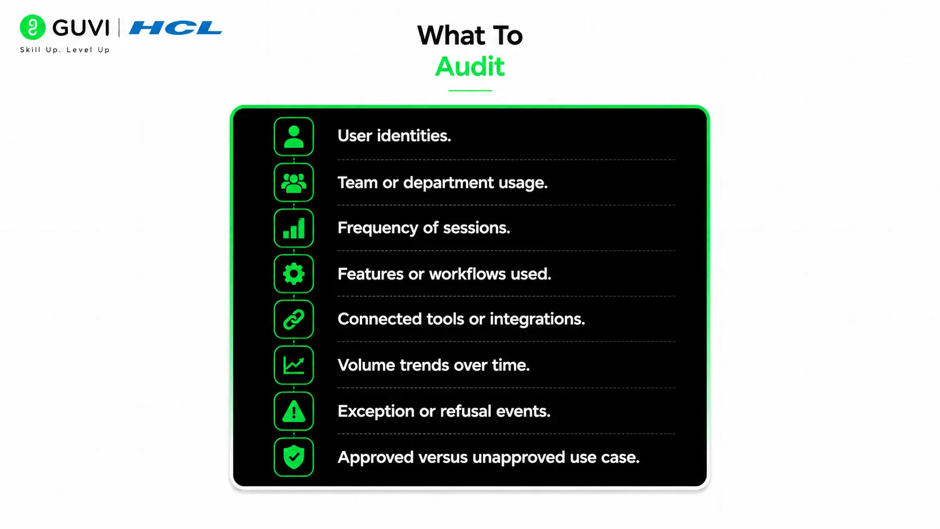
A useful audit program should track more than just logins. The goal is to understand real usage patterns and whether they match policy.
You should audit:
- User identities.
- Team or department usage.
- Frequency of sessions.
- Features or workflows used.
- Connected tools or integrations.
- Volume trends over time.
- Exception or refusal events.
- Approved versus unapproved use cases.
If your environment supports productivity or usage analytics, those can show adoption trends, active users, and feature engagement. If audit logs are available, those can provide a deeper trail of events for compliance and investigation.
Data Sources to Use
The best audits combine several sources because no single view is enough. Analytics can show usage patterns, while logs show traceability, and exports can support deeper review.
Common data sources include:
- Usage dashboards.
- Audit logs.
- Compliance records.
- Data exports.
- Admin activity records.
- Connected app logs.
Each source has a different purpose. Analytics is best for high-level trends, logs are best for accountability, and exports are best for detailed offline analysis.
Audit Claude usage across your organization with analytics, audit logs, and compliance exports to track adoption and control risk. Learn business analytics with HCL GUVI’s Complete Business Analytics Professional Program.
Build an Inventory First
Before you can audit usage, you need a complete inventory of who can access Claude and through what route. That includes direct accounts, team seats, enterprise access, and any connected tools.
A useful inventory should capture:
- User name or email.
- Department.
- Role.
- Access level.
- Enabled features.
- Connected integrations.
- Seat type or license status.
This step matters because you cannot govern what you cannot see. Many organizations discover that the biggest risk is not active misuse, but simply not knowing where Claude is available.
Use Analytics for Trends
Usage analytics are the easiest place to start because they give you a broad view quickly. They can show whether adoption is growing, which teams are active, and how usage changes over time.
Useful questions to ask include:
- Which teams use Claude most?
- When is usage highest?
- Which features are most popular?
- Are some users power users while others barely use the tool?
- Is usage tied to business value?
These trends can help you manage seats, training, and policy rollout. They also help you detect strange spikes or drops that may require review.
Use Audit Logs for Accountability
Audit logs are what make usage traceable. They help you reconstruct what happened, when it happened, and who did it.
A strong audit log should include:
- User identity.
- Timestamp.
- Action taken.
- Feature or connector used.
- Session or request metadata.
- Related object or workflow ID.
Logs should be reviewed regularly, not just stored. If something looks unusual, such as unexpected connectors or access from unusual roles, you need a process to investigate it.
Add Compliance Exports
If your organization needs formal reporting or regulatory support, exports are important. They let you retain records, analyze usage offline, and provide evidence during audits.
Exports are useful for:
- Compliance reviews.
- Legal holds.
- Internal investigations.
- Data retention policies.
- Trend analysis outside the live dashboard.
Pro Tip: Treat exports as a control layer, not just a convenience. A clean export process makes audit work much easier when leadership or regulators ask for evidence.
Watch for Shadow Usage
Shadow usage is when employees use Claude outside approved workflows or without proper visibility. This is one of the most common governance problems in enterprise AI.
Signs of shadow usage include:
- Users with access that is not documented.
- Unexpected spikes in activity.
- Usage from departments outside the rollout plan.
- Connected tools added without review.
- Output being copied into critical systems without oversight.
The best response is not punishment first. Start by documenting what is happening, understanding why people are bypassing controls, and then fixing the workflow gap.
Set Policy Rules
Auditing is only useful if you have a policy to compare it against. Otherwise, you can see usage but cannot judge whether it is acceptable.

Your policy should define:
- Approved use cases.
- Prohibited data types.
- Required approvals.
- Logging expectations.
- Review thresholds.
- Escalation rules.
If you want to audit effectively, the policy must be specific. Vague guidance like “use Claude responsibly” is not enough for real governance.
Monitor High-Risk Behavior
Some usage patterns deserve closer attention than others. You do not need to review every interaction manually, but you should focus on higher-risk behavior.
Pay special attention to:
- Access to sensitive data.
- New or unapproved connectors.
- Large-volume usage from one user.
- Repeated refusals or policy-related outputs.
- Usage tied to production or customer-facing workflows.
- Anything that could trigger privacy or compliance issues.
⚠️ Warning: Do not rely only on volume metrics. A small number of risky actions can matter more than a large number of routine ones.
Reporting Structure
A useful audit report should be simple enough for leadership to understand but detailed enough for ops or security teams to act on.
A good report usually includes:
- Total active users.
- Usage by team.
- Top workflows or features.
- Policy exceptions.
- Risk flags.
- Trends over time.
- Recommended actions.
Reports should not just show numbers. They should tell you what to do next, such as training a team, tightening access, or updating policy.
Common Mistakes
The biggest mistake is only measuring adoption and ignoring control. High usage is not the same as safe or approved usage.
Other common mistakes include:
- No inventory of users and access paths.
- Logging too little or too much sensitive detail.
- Not reviewing connected tools.
- Ignoring shadow usage.
- Failing to define policy thresholds.
- Treating audit data as a one-time project.
Another mistake is trying to build a perfect system before starting. A simple inventory plus usage review is better than no visibility at all.
A Practical Audit Workflow
A straightforward audit process is usually enough to get started. It should be repeatable, lightweight, and tied to ownership.
A practical workflow looks like this:
- Inventory all Claude access.
- Pull usage analytics.
- Review audit logs.
- Compare usage to policy.
- Flag anomalies or high-risk patterns.
- Report findings to owners.
- Update controls where needed.
This creates a feedback loop. The audit shows how the system is really being used, and the governance program improves based on that evidence.
Real-World Example
Imagine a company rolling out Claude to engineering, support, and operations. The security team wants to know whether access is limited to approved users and whether any sensitive data is being sent through unmanaged workflows.
They start with an inventory, then review usage by department, look at audit logs for connectors and actions, and export records for a monthly review. They discover one team is using Claude heavily for a workflow that was never formally approved, so they update the policy and add controls.
That kind of process is what makes auditing useful. It turns usage data into actual governance.
What to Do First
Start with three things:
- A complete user and access inventory.
- A regular usage review.
- An audit trail you can export or inspect.
Once those basics are working, expand into policy enforcement, alerts, and formal compliance reporting. The goal is to get visibility first, then control.
Conclusion
Auditing Claude usage across your organization is mostly about visibility, accountability, and policy alignment. If you know who is using it, how they are using it, and whether that usage matches your rules, you are in a much stronger position.
The best audits combine analytics, logs, and exports. That gives you both the big picture and the evidence you need when something needs review.
FAQs
1. What is the first step in auditing Claude usage?
Start by inventorying all users, access paths, and connected workflows so you know where Claude is actually available.
2. What should usage analytics tell me?
They should show active users, feature adoption, team trends, and overall usage patterns.
3. Why are audit logs important?
They provide traceability for who did what, when it happened, and which features or connectors were involved.
4. Should I review every conversation manually?
No. Focus on policy, metadata, exceptions, and high-risk patterns rather than every message.
5. What is shadow usage?
It is when employees use Claude outside approved channels or without proper visibility and controls.
6. How often should audits happen?
At minimum, review usage regularly, such as monthly, and perform deeper reviews after policy changes or incidents.
7. What makes an audit program effective?
Clear policy, complete inventory, usable logs, regular review, and action on the findings.
Success Stories

About the Author
Vishalini Devarajan
An Aerospace Engineer turned content writer, I focus on making complex concepts easy to understand through well-structured, reader-friendly blogs. Whether it’s a technical topic or a non-technical one, I love creating content that is clear, engaging, and impactful.
View all posts by Vishalini Devarajan
Connect with me @













Did you enjoy this article?