


Software Development Articles
How to Read and Understand System Design Diagrams?
System Engineer Roles and Responsibilities: 12 Proven Duties for Growth
SAP Consultant Roles and Responsibilities: 12 Proven Duties for Growth and Success
Network Engineer Roles and Responsibilities: 12 Essential Duties for Success


Get In Touch For Details! Request More Information
Operating System Examples: Real-World List with Types & Use Cases
Jul 13, 2026 4 Min Read 7339 Views
(Last Updated)
Table of contents
- Quick Answer To Operating System Examples
- Operating System Examples at a Glance
- Desktop and Server Examples
- Mobile OS Examples: Android vs iOS Architecture Difference
- Real-Time OS Examples
- Embedded OS Examples
- Which OS is Best for Programming in 2025?
- Common Mistakes to Avoid
- Conclusion
- FAQs
- What is the most used operating system in the world?
- Is Linux better than Windows for programming?
- What's the difference between an embedded OS and a real time OS?
- Can a real time OS run on a smartphone?
- Why does Apple control iOS so tightly compared to Android?
- Is ChromeOS just a browser?
Quick Answer To Operating System Examples
- Windows: the default OS for enterprise and gaming desktops
- macOS: Apple’s Unix based OS for creative and dev work on Mac hardware
- Linux: open source, runs most of the world’s servers and cloud infrastructure
- Android: Google’s mobile OS, built on a modified Linux kernel
- iOS: Apple’s mobile OS, tightly closed and hardware locked
- ChromeOS: lightweight, browser first OS for budget laptops and schools
- FreeRTOS: the most widely used real time OS for microcontrollers
- Embedded Linux: stripped down Linux used inside routers, TVs, and IoT devices
An operating system is the software layer that turns a pile of hardware into something you can actually use. It manages memory, schedules processes, and gives apps a way to talk to your CPU, storage, and screen. The examples below cover desktop, mobile, real time, and embedded systems, since “operating system” means something quite different depending on whether you’re running a laptop or a pacemaker.
Operating System Examples at a Glance
| OS Name | Type | Device | Market Share | Latest Version |
|---|---|---|---|---|
| Windows | Desktop | Laptops, desktops | ~70% desktop OS share | Windows 11 (24H2) |
| macOS | Desktop | Mac only | ~16% desktop OS share | macOS 26 Tahoe |
| Linux | Desktop/Server | Servers, dev machines | ~77% of web servers | Kernel 6.12+ (distro dependent) |
| Android | Mobile | Smartphones, tablets, TVs | ~72% mobile OS share | Android 17 |
| iOS | Mobile | iPhone, iPad | ~26% mobile OS share | iOS 26 |
| ChromeOS | Desktop (lightweight) | Chromebooks | Small but growing in education | ChromeOS 130+ |
| FreeRTOS | Real Time | Microcontrollers | Most downloaded open source RTOS | v11.x |
| Embedded Linux | Embedded | Routers, IoT, smart TVs | Dominant in consumer IoT | Kernel dependent |
Market share figures shift often, so treat them as directional rather than exact.
Desktop and Server Examples
Windows still runs most enterprise desktops because of its driver support and backward compatibility. It uses a hybrid kernel and a priority based scheduler, and companies rely on it for Active Directory and Group Policy control.
macOS runs on a Darwin core, which blends a Mach microkernel with BSD Unix. Apple keeps tight control over the hardware it runs on, which is part of why it feels smoother than most Windows machines on comparable specs.
Linux is the quiet giant here. It powers the majority of cloud servers, most of Docker and Kubernetes infrastructure, and nearly every supercomputer on the planet. Distributions like Ubuntu, Debian, and Fedora share the same kernel but package it differently for different needs.
Over 96% of the world’s top one million web servers run on Linux, and it also powers the International Space Station’s onboard systems.
Mobile OS Examples: Android vs iOS Architecture Difference
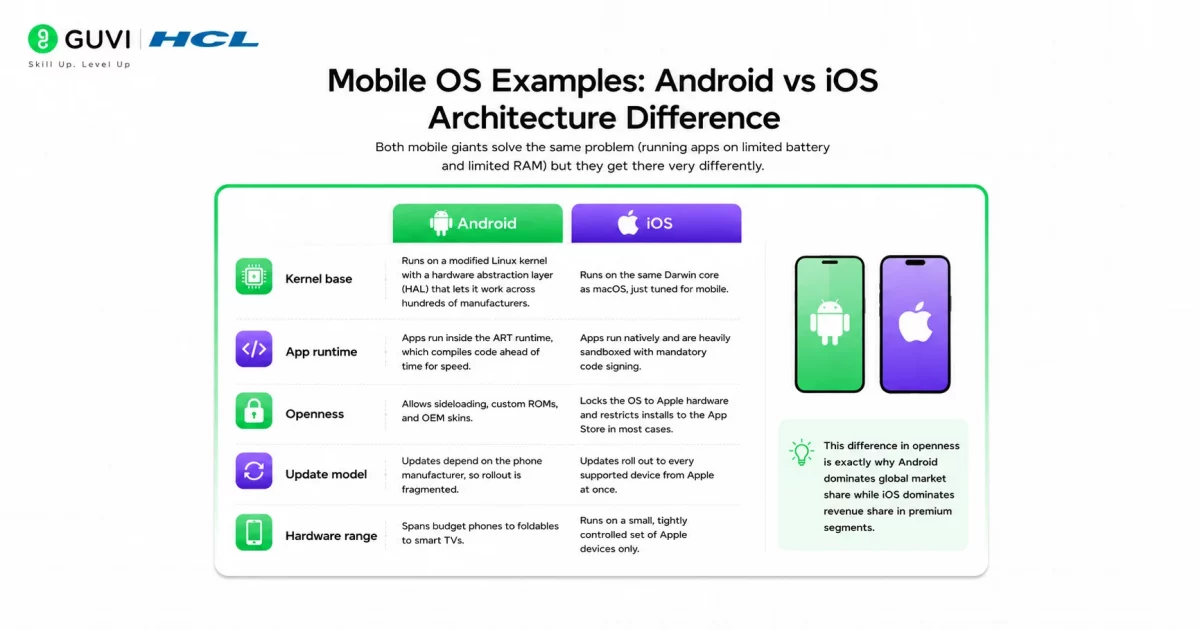
Both mobile giants solve the same problem (running apps on limited battery and limited RAM) but they get there very differently.
- Kernel base: Android runs on a modified Linux kernel with a hardware abstraction layer (HAL) that lets it work across hundreds of manufacturers. iOS runs on the same Darwin core as macOS, just tuned for mobile.
- App runtime: Android apps run inside the ART runtime, which compiles code ahead of time for speed. iOS apps run natively and are heavily sandboxed with mandatory code signing.
- Openness: Android allows sideloading, custom ROMs, and OEM skins. iOS locks the OS to Apple hardware and restricts installs to the App Store in most cases.
- Update model: Android updates depend on the phone manufacturer, so rollout is fragmented. iOS updates roll out to every supported device from Apple at once.
- Hardware range: Android spans budget phones to foldables to smart TVs. iOS runs on a small, tightly controlled set of Apple devices only.
This difference in openness is exactly why Android dominates global market share while iOS dominates revenue share in premium segments.
Real-Time OS Examples
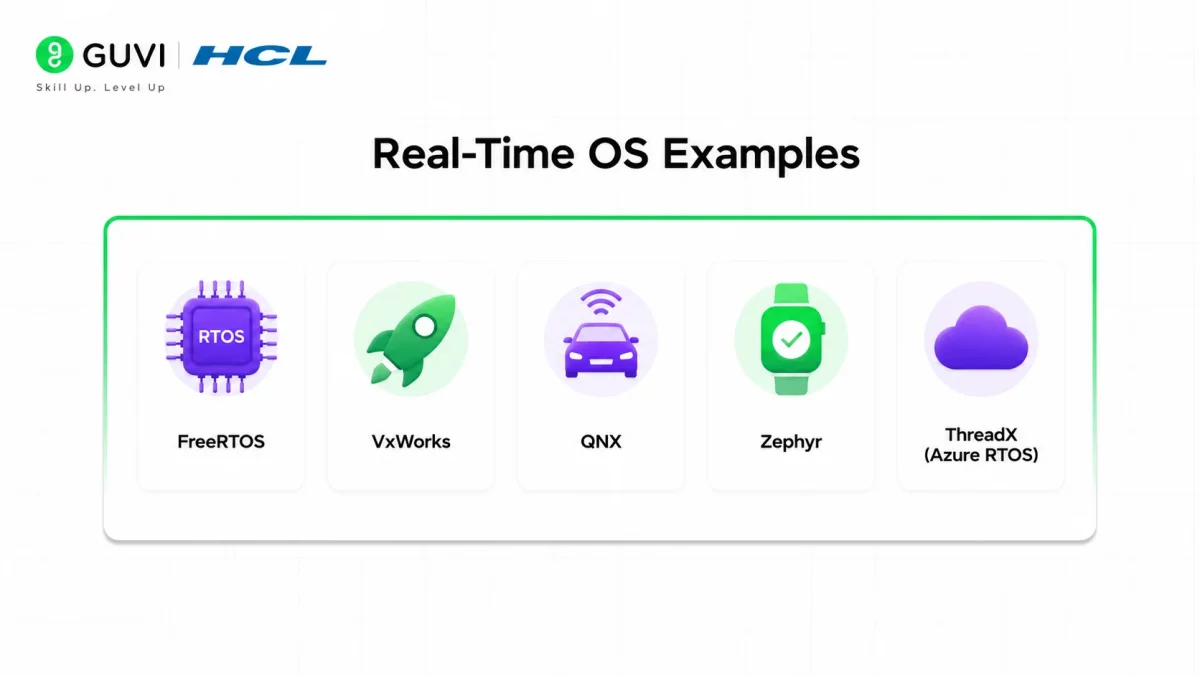
A Real-Time Operating System (RTOS) guarantees that a task finishes within a fixed time window. Miss that window in something like an airbag controller, and the consequences aren’t just annoying, they’re dangerous. Regular OSes like Windows can’t make that promise, which is why RTOS exists as its own category.
- FreeRTOS: open source, MIT licensed, and the go to choice for IoT devices and small microcontrollers.
- VxWorks: used in aerospace and industrial systems, certified for safety standards like DO-178C.
- QNX: a microkernel RTOS that now powers over 60 million vehicles for infotainment and safety systems.
- Zephyr: a newer, vendor neutral RTOS backed by the Linux Foundation, popular for wearables and connected devices.
- ThreadX (Azure RTOS): Microsoft’s RTOS, tuned for resource constrained commercial devices.
RTOS platforms fall into two buckets: hard real time (a missed deadline means system failure, think medical devices) and soft real time (a missed deadline just degrades quality, think video streaming).
Embedded OS Examples
Embedded operating systems are built to run inside a single piece of fixed function hardware, not a general purpose computer. They’re small, efficient, and usually invisible to the end user.

- Embedded Linux: the base for most routers, smart TVs, and consumer IoT hubs.
- QNX: also doubles as an embedded OS for industrial control panels, not just vehicles.
- TinyOS: designed for extremely low power wireless sensor networks.
- Windows IoT: Microsoft’s stripped down Windows build for ATMs, kiosks, and point of sale systems.
- eCos: a configurable embedded OS used in telecom and consumer electronics.
The line between “real time OS” and “embedded OS” blurs often since many embedded devices also need real time guarantees, but the distinction that matters is this: embedded OS is about running on constrained hardware, while RTOS is about hitting timing deadlines.
Which OS is Best for Programming in 2025?
There’s no single right answer here, it depends on what you’re building.
- Linux is the strongest pick for backend development, DevOps, and anything involving Docker or Kubernetes, since most production servers run Linux anyway.
- macOS works well for full stack and mobile development, especially iOS apps, since it gives you a Unix terminal plus native Apple SDKs.
- Windows makes sense if you’re building for the Microsoft stack (.NET, Azure) or doing game development with Unity or Unreal, and WSL2 now gives it a genuinely usable Linux layer too.
If you’re just starting out and unsure, Linux teaches you the most transferable skills since almost every cloud platform and CI/CD pipeline assumes a Linux environment underneath.
Common Mistakes to Avoid
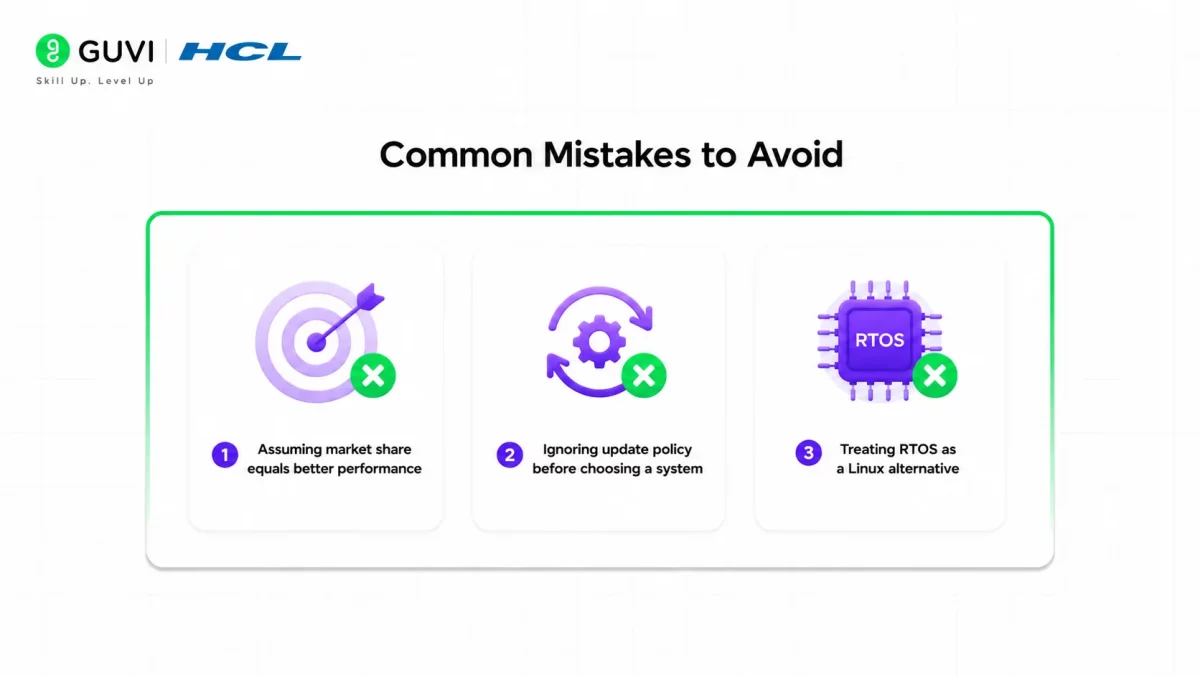
1. Assuming market share equals better performance: Windows leads desktop share, but that reflects legacy adoption more than technical superiority for every use case.
2. Ignoring update policy before choosing a system: some Linux distributions use short support windows that need frequent upgrades, which catches new users off guard.
3. Treating RTOS as a Linux alternative: RTOS solves a timing problem, not a general computing problem. Don’t reach for FreeRTOS when you actually just need a lightweight Linux build.
Looking to master the core concepts while building a strong foundation in web development? HCL GUVI’s Full-Stack Development Course is designed to equip you with in-demand skills like front-end and back-end development, database management, and system architecture. Learn from industry experts, work on real-world projects, and gain hands-on experience with the latest tools and technologies. This course will help you become a job-ready full-stack developer. Take the first step toward your tech career!
Conclusion
Operating systems aren’t one category, they’re several. Windows, macOS, and Linux handle general computing. Android and iOS handle mobile. FreeRTOS and QNX handle systems where timing is non negotiable. Embedded Linux and TinyOS handle the invisible devices around you. Picking the right one starts with asking what the device actually needs to do, not which OS is most popular.
FAQs
What is the most used operating system in the world?
Counting all device types together, Android has the largest installed base globally, mainly due to smartphone volume.
Is Linux better than Windows for programming?
For server side, DevOps, and cloud native work, yes. For Microsoft stack development or mainstream gaming, Windows is usually the better fit.
What’s the difference between an embedded OS and a real time OS?
An embedded OS is built for constrained, fixed function hardware. A real time OS guarantees task completion within a strict deadline. Many devices need both at once.
Can a real time OS run on a smartphone?
Not directly for the main OS, though phones do run small real time systems internally to manage radio and modem timing.
Why does Apple control iOS so tightly compared to Android?
Apple ties iOS to its own hardware and App Store to control security, performance consistency, and revenue through its ecosystem.
Is ChromeOS just a browser?
No. ChromeOS is a full Linux based operating system that now supports Android apps and Linux containers, not just the Chrome browser
Success Stories

About the Author
Lukesh S
A professional content writer who has experience in freelancing and now working as a Technical Content Writer at HCL GUVI having sound knowledge in Blog Writing and Creative Writing!
View all posts by Lukesh S
Connect with me @









Did you enjoy this article?