


Software Development Articles
How to Read and Understand System Design Diagrams?
System Engineer Roles and Responsibilities: 12 Proven Duties for Growth
SAP Consultant Roles and Responsibilities: 12 Proven Duties for Growth and Success
Network Engineer Roles and Responsibilities: 12 Essential Duties for Success


Get In Touch For Details! Request More Information
Top Characteristics of Operating Systems in 2026: A Beginner’s Guide to How Your OS Works
Aug 26, 2026 4 Min Read 3305 Views
(Last Updated)
An operating system (OS) is the software layer that manages your device’s hardware and runs every program you open. It handles memory, processing power, storage, and security so you don’t have to think about any of it.
This guide will walk you through the fundamental characteristics of operating system technology, explaining why they matter and how they impact your everyday computing experience in 2026 and beyond. Let’s begin!
Table of contents
- TL;DR Summary
- What is an Operating System?
- 8 Essential Characteristics of Operating Systems in 2026
- Multitasking and Concurrency
- Memory Management and Virtualization
- Device and File Management
- Security and Access Control
- Fault Tolerance and Stability
- Scalability and Portability
- User Interface and Ease of Use
- Resource Allocation and Scheduling
- Characteristics at a Glance
- Concluding Thoughts...
- FAQs
- What are the main characteristics of an operating system?
- What is the most important function of an operating system?
- Which operating system is most used in 2026?
- Can an operating system run without a user interface?
- Why is security considered a core OS characteristic?
TL;DR Summary
- An OS is the software that connects you, your apps, and your device’s hardware.
- Its core characteristics include multitasking, memory management, file and device handling, security, fault tolerance, scalability, a usable interface, and resource scheduling.
- These characteristics decide how fast, stable, and secure your everyday computing experience feels.
- In 2026, Android leads the global OS market with roughly 36% share, followed by Windows near 27% and iOS around 17%.
- Knowing these basics helps you troubleshoot devices better and gives you a head start if you’re exploring a career in software development.
What is an Operating System?
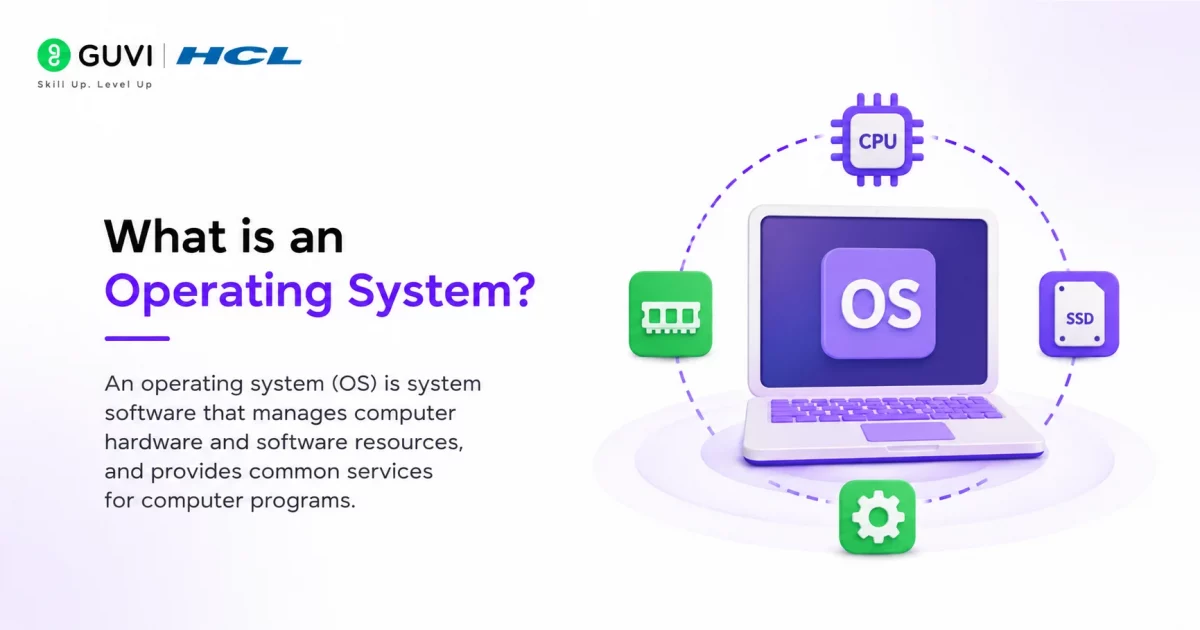
An operating system is essentially a collection of software that manages your computer’s hardware and applications by allocating resources, including memory, CPU, input/output devices, and file storage. Unlike regular software applications, the OS runs constantly in the background, coordinating all activities between your hardware components and the programs you use.
The primary characteristics of operating system software include:
- Resource management: Controlling CPU, memory, storage, and peripheral devices
- Process coordination: Managing multiple applications running simultaneously
- Hardware abstraction: Hiding complicated hardware details from users and applications
- User interface provision: Allowing interaction through GUI or command-line interfaces
8 Essential Characteristics of Operating Systems in 2026
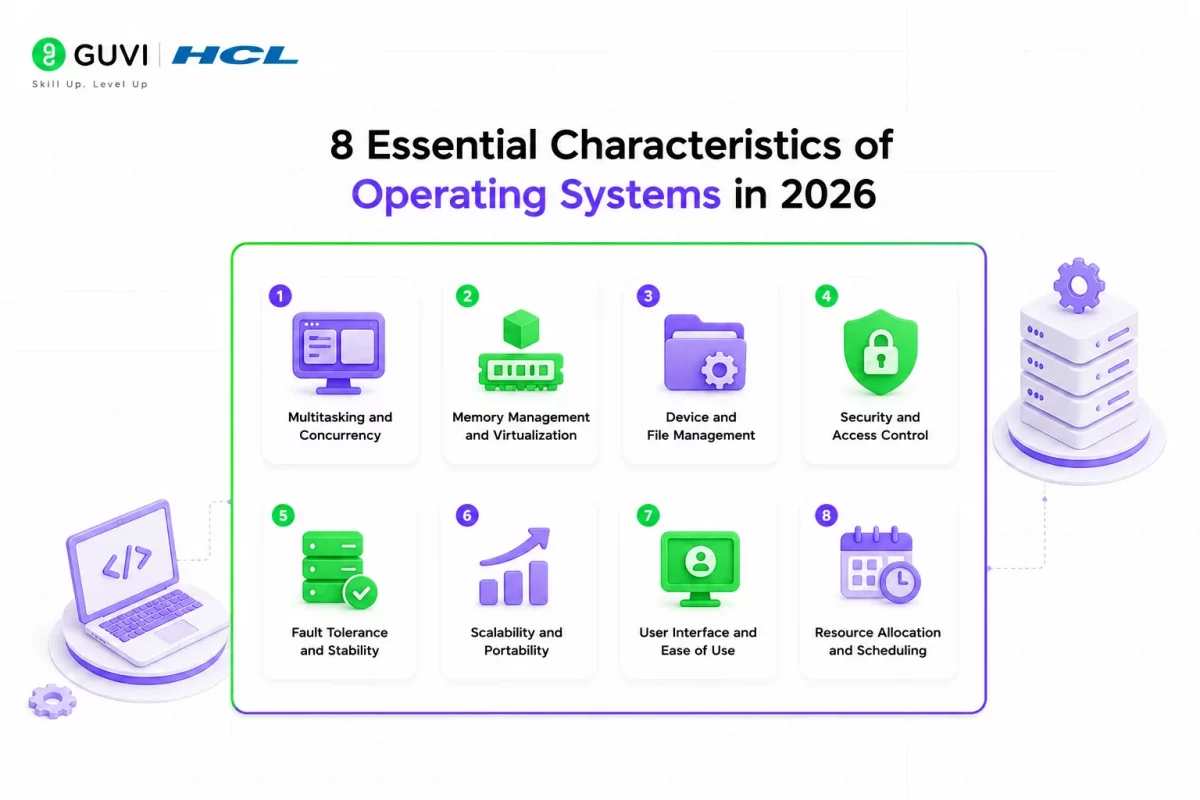
Modern operating systems represent complex software ecosystems with distinct characteristics that determine their effectiveness. Here are the eight essential characteristics of operating system technology that will matter most in 2026:
1. Multitasking and Concurrency
The ability to handle multiple tasks simultaneously forms a cornerstone of today’s operating systems. Rather than truly executing everything at once, the OS rapidly switches between processes, creating the illusion of parallel execution.
Through context switching—saving and restoring process states—the system allocates CPU time slices (typically 1-100 milliseconds) to different tasks. This capability enables you to stream music while editing documents and browsing the web.
2. Memory Management and Virtualization
Effective operating systems expertly manage your device’s memory resources. They allocate memory to programs, reclaim it when no longer needed, and protect processes from accessing each other’s memory space.
Virtual memory systems separate the addresses used by processes from physical addresses, allowing the OS to use secondary storage as an extension of RAM through paging. Additionally, virtualization enables multiple operating systems to run on the same physical hardware, improving resource utilization.
3. Device and File Management
Operating systems act as intermediaries between users and hardware components. They control every physical and virtual device on your computer, assigning them to processes based on importance.
For file management, the OS provides a structured way to store data through hierarchical file systems with features like permissions, directories, and allocation techniques. These systems enable you to perform operations like creating, modifying, and deleting files securely.
4. Security and Access Control
As cyber threats grow more sophisticated, robust security remains a critical OS characteristic. Modern systems implement access control mechanisms that verify user credentials and grant appropriate resource permissions.
This includes role-based controls that assign access rights based on user roles, rule-based systems that use conditional access, and mandatory access controls with non-negotiable security protocols. Zero-trust security architecture, which requires continuous verification of all users and systems, is becoming increasingly important.
5. Fault Tolerance and Stability
A reliable OS must continue functioning despite hardware or software failures. Techniques like process pairs—where critical functions run simultaneously on two processors—allow systems to tolerate approximately 70% of software defects that would otherwise cause processor failures.
Other approaches include redundancy, memory protection, and fault containment to prevent failure propagation. Modern operating systems implement these features to ensure continuous operation in mission-critical applications.
6. Scalability and Portability
Operating systems must adapt to various hardware configurations and workloads. Scalable systems efficiently handle increasing demands without performance degradation, whether on small mobile devices or large server clusters. Portable operating systems can run across different hardware architectures with minimal modification, a crucial characteristic as computing continues to diversify.

7. User Interface and Ease of Use
The user interface forms your primary interaction point with the system. Modern OS interfaces combine visual elements (graphical user interfaces), touch, sound, and other sensory inputs to create intuitive user experiences. Well-designed interfaces prioritize simplicity and functionality while hiding complex operations, enabling both casual and professional users to complete tasks efficiently.
8. Resource Allocation and Scheduling
Operating systems must efficiently distribute finite resources among competing processes. They use various scheduling algorithms—like round-robin and priority-based systems—to determine which process runs next.
For resource allocation, systems either use fixed partitioning (assigning predefined resource sets) or the more flexible pool-based approach (dynamically allocating from a common resource pool). Effective allocation ensures all processes receive necessary resources while maximizing system throughput.
Operating systems have a surprisingly rich and technical history that most users aren’t aware of:
The First OS Was Born in the 1950s: The first operating system was developed in the early 1950s by General Motors for their IBM 701 computer. It was used primarily for batch processing — a far cry from the multitasking systems we use today.
UNIX Set the Foundation for Modern OS: Introduced in 1969, UNIX pioneered concepts like hierarchical file systems and multiuser operations. Today’s macOS, Linux, and even Android trace their roots back to UNIX architecture.
These milestones remind us that every swipe, click, and command you execute today is built upon decades of innovation in operating system design and technology.
Characteristics at a Glance
| Characteristic | What It Does | Real-Life Example |
|---|---|---|
| Multitasking | Switches between processes rapidly | Listening to music while browsing |
| Memory Management | Allocates and frees RAM | Apps not crashing with many tabs open |
| Device & File Management | Organises storage and connected hardware | Safely saving files to a USB drive |
| Security & Access Control | Verifies users and permissions | Login authentication on shared laptops |
| Fault Tolerance | Keeps system running despite errors | One app crashing without freezing the OS |
| Scalability | Adapts to growing workloads | Same OS running on phones and servers |
| User Interface | Provides ways to interact with the system | Touchscreens, icons, voice assistants |
| Resource Scheduling | Distributes CPU time fairly | Smooth performance during multitasking |
If you’re keen to build the future of software with AI at its core, check out the AI Software Development Course by HCL GUVI + IIT M Pravartak + MongoDB — it’s a 9-month deep dive into Java, system design, Generative AI, 15+ hands-on projects and 4 industry-recognised certifications.
Concluding Thoughts…
Operating systems work quietly behind almost everything you do on a computer or phone. From multitasking to security to resource scheduling, these eight characteristics determine how fast, stable, and safe your device feels.
Despite their complexity, operating systems will continue evolving to meet changing user needs and hardware capabilities. Thus, a basic understanding of these essential characteristics helps you make better technology choices and appreciate the remarkable software foundation supporting our increasingly digital world.
FAQs
What are the main characteristics of an operating system?
The main characteristics include multitasking, memory management, file and device management, security, fault tolerance, scalability, a usable interface, and resource scheduling.
What is the most important function of an operating system?
Resource management is often considered the most critical function, since it controls how CPU, memory, and storage are shared across all running programs.
Which operating system is most used in 2026?
Android leads globally with roughly 36% market share across all devices, followed by Windows near 27% and iOS around 17%, based on 2026 usage data.
Can an operating system run without a user interface?
Yes. Server and embedded operating systems often run without a graphical interface, managed instead through command lines or automated scripts.
Why is security considered a core OS characteristic?
Security determines who can access data and system resources. Without strong access control, an OS cannot protect users from unauthorised access or malicious software.
Success Stories

About the Author
Lukesh S
A professional content writer who has experience in freelancing and now working as a Technical Content Writer at HCL GUVI having sound knowledge in Blog Writing and Creative Writing!
View all posts by Lukesh S
Connect with me @








Did you enjoy this article?