


Software Development Articles
How to Read and Understand System Design Diagrams?
System Engineer Roles and Responsibilities: 12 Proven Duties for Growth
SAP Consultant Roles and Responsibilities: 12 Proven Duties for Growth and Success
Network Engineer Roles and Responsibilities: 12 Essential Duties for Success


Get In Touch For Details! Request More Information

Software Development Life Cycle Phases: 7 Stages Explained
Sep 22, 2026 6 Min Read 4265 Views
(Last Updated)
Most software projects don’t fail because of bad code. They fail because the team started building before they knew what to build.
That’s why every successful project follows a process defined by the Software Development Life Cycle phases: planning, requirements analysis, design, implementation, testing, deployment, and maintenance. This blog explains each phase in simple terms, with examples, so you can see how an idea turns into working software.
Quick Answer: The Software Development Life Cycle phases are the stages a team follows to take software from an idea to a working product that keeps improving. The seven phases are planning, requirements analysis, design, implementation, testing, deployment, and maintenance. Each phase has a clear purpose, so teams catch problems early instead of after launch.
Table of contents
- What is the Software Development Life Cycle (SDLC)?
- 7 Phases of the Software Development Life Cycle
- Phase 1: Planning
- Phase 2: Requirements analysis
- Phase 3: Design
- Phase 4: Implementation (coding)
- Phase 5: Testing
- Phase 6: Deployment
- Phase 7: Maintenance
- Software Development Life Cycle Phases: Overview
- Example: Building a Live Order Tracking Feature for a Quick Commerce App
- Advantages of Software Development Life Cycle Phases
- Common SDLC Models
- Conclusion
- FAQs
- What are the Software Development Life Cycle phases?
- Why are the SDLC phases important?
- Which of the SDLC phases is the most important?
- How long do the SDLC phases take?
- What is the difference between SDLC phases and SDLC models?
- Do Agile projects follow the SDLC phases?
What is the Software Development Life Cycle (SDLC)?
The Software Development Life Cycle (SDLC) is a structured process that teams follow to plan, build, test, release, and maintain software. It breaks a large project into clear stages, so everyone knows what to do and in what order.
Following the SDLC helps teams catch problems early, control cost and time, and deliver software that meets user needs. Each stage produces something the next builds on, keeping the work organized from the first idea through long-term support.
Example: Adding a “Schedule Order” Feature to a Food Delivery App
A food delivery company decides to let customers schedule their orders in advance. The team first plans the feature and works out what users need from it.
Designers then map out the screens, developers build it, and testers check that orders go out on time. After release, the team fixes bugs and improves the feature based on user feedback.
Purpose
- Clear direction: Everyone knows what is being built, in what order, and who is responsible.
- Early problem detection: Catching a mistake during design costs far less than finding it after launch.
- Cost and time control: Defined stages make it easier to estimate effort and stay within budget.
- Better quality: Testing is a planned stage, so teams find bugs before users do.
- Smoother teamwork: Developers, testers, designers, and managers all work from the same process.
Also Read: What is Software Development?
A recent study revealed that poor requirements management accounts for nearly 78% of software project failures. This striking statistic highlights the critical role of the Requirements Analysis phase in ensuring project success.
Build the skills to create, deploy, and scale real software with AI. HCL GUVI’s Software and AI Engineer Programme offers 130+ hours of live, mentor-led classes, AI-assisted development training, an IITM Pravartak certification, and placement support through 1000+ hiring partners. Explore the programme and start your journey toward a career in software engineering!
7 Phases of the Software Development Life Cycle
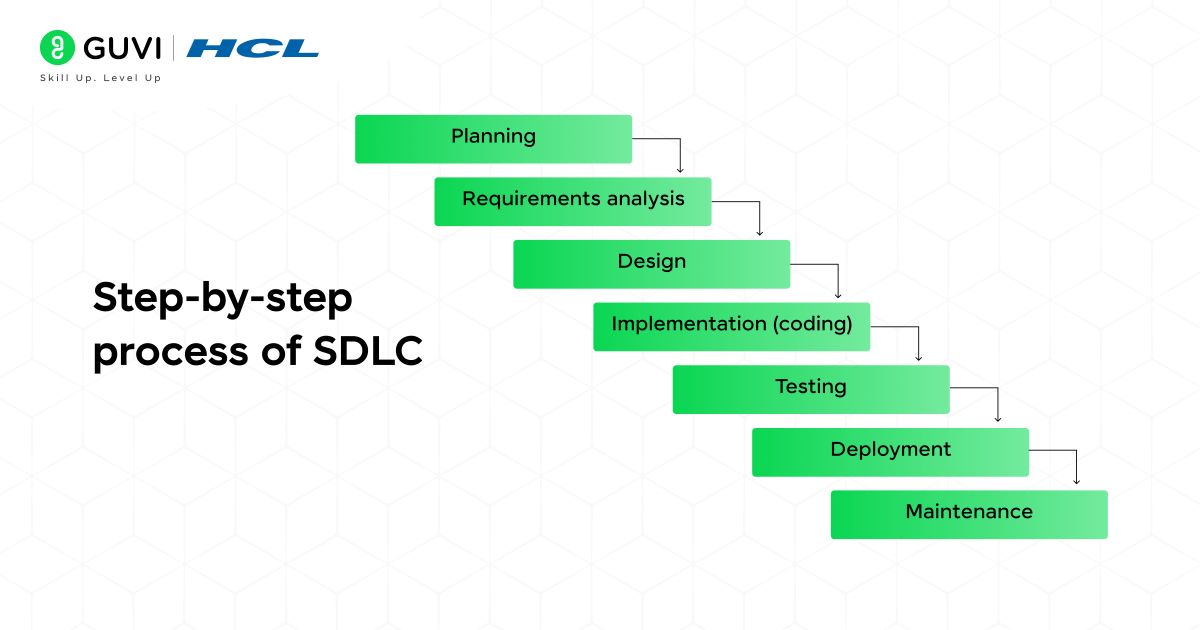
The Software Development Life Cycle has seven phases, and these are the following:
- Planning
- Requirements analysis
- Design
- Implementation (coding)
- Testing
- Deployment
- Maintenance
Phase 1: Planning
Planning is the first phase of the SDLC, where the purpose, scope, budget, and timeline of a software project are defined before any design or development begins. It confirms the project’s feasibility and sets the direction for every phase that follows.
Key Activities
- Defining the project’s goals and scope.
- Assessing technical and financial feasibility.
- Estimating the required budget, timeline, and resources.
- Identifying risks and planning how to manage them.
- Selecting a development methodology, such as Agile or Waterfall.
Output
Planning produces a project plan and a feasibility report. Together, they document what will be built, how long it will take, what it will cost, and who will be responsible for each part of the work.
Who Is Involved
- Project Manager: owns the plan, timeline, and budget.
- Business Analyst: evaluates the business need and validates the project’s objectives.
- Stakeholders and Clients: approve the goals and provide funding.
- Team Leads: estimate the effort and resources their teams will require.
Also Read: Software Requirements Specification (SRS)
Phase 2: Requirements analysis
Requirements analysis is the phase where the team finds out exactly what the software must do. Before anyone designs or codes anything, users and stakeholders tell the team what they need, and the team writes those needs down in a clear, agreed form.
Key Activities
- Gather needs: Interview users, run surveys, and hold workshops with stakeholders.
- Separate the essentials: Sort requirements into functional ones (what the software does) and non-functional ones (speed, security, reliability).
- Resolve conflicts: Settle disagreements when different teams want different things.
- Prioritize: Decide which features are must-haves and which can wait for later.
- Get sign-off: Have stakeholders review and approve the final list.
Output
- A Software Requirements Specification (SRS) document.
- A prioritized list of features.
- Acceptance criteria that define when a feature counts as done.
Who Is Involved
- Business Analyst: collects and documents the requirements.
- Product Owner: decides which features matter most.
- End Users and Clients: explain what they actually need from the software.
- Solution Architect: checks that the requirements are technically achievable.
Phase 3: Design
Design turns the requirements into a blueprint for the software. The team decides how the system will be structured, how data will flow through it, and what users will see on screen, so developers know exactly what to build.
Key Activities
- High-level design: Map out the overall architecture, including the main components and how they connect.
- Low-level design: Detail how each module works, including its logic, inputs, and outputs.
- Database design: Decide how data will be stored, organized, and protected.
- UI/UX design: Create wireframes and prototypes of the screens users will interact with.
- Technology choices: Select the programming languages, frameworks, and tools for the build.
Output
The team delivers a Design Document Specification (DDS) that covers the architecture and module details. It comes with wireframes or prototypes for the interface and a database schema.
Who Is Involved
- Solution Architect: defines the overall system structure.
- UI/UX Designer: shapes how the software looks and feels.
- Database Architect: plans how data is stored and accessed.
- Tech Lead: confirms the design is practical for developers to build.
Phase 4: Implementation (coding)
Implementation is where the design becomes real software. Developers write the code, module by module, following the design document until the product starts working.
Key Activities
- Setting up the development environment and version control, such as Git.
- Writing front-end and back-end code according to the design.
- Following coding standards to keep the code clean and readable.
- Reviewing each other’s code to catch mistakes early.
- Writing unit tests to check that each piece works on its own.
- Combining the modules into one working system.
Output
- Working source code, stored in a shared repository.
- A build of the software that is ready for testing.
- Basic technical documentation for the code.
Who Is Involved
- Software Developers: write the front-end and back-end code.
- Tech Lead: guides the team and reviews the code.
- DevOps Engineer: sets up the build tools and pipelines.
- Database Developer: builds and connects the data layer.
Phase 5: Testing
Testing checks whether the software works as intended and meets the requirements. Bugs, security gaps, and performance issues are found here, before real users ever run into them.
Key Activities
- Preparing test cases based on the requirements.
- Running functional tests to confirm each feature works as intended.
- Running integration tests to check that modules work together.
- Testing speed, load handling, and security.
- Logging every bug found and sending it back to developers for a fix.
- Retesting after the fixes, then running user acceptance testing (UAT) with real users before release.
Output
Testing produces test reports and bug reports, along with the list of fixes made. The final result is a stable build that is approved for release.
Who Is Involved
- QA Engineers: design and run the tests.
- Test Lead: plans the testing effort and tracks the results.
- Developers: fix the bugs that the testers report.
- Security Tester: looks for vulnerabilities and weak points.
- End Users or Clients: take part in user acceptance testing.

Phase 6: Deployment
Deployment is the phase where the tested software is released to real users. It moves the product from the development environment to the live one, and it needs to happen without disrupting the people already using the system.
Key Activities
- Running a final check in a staging environment that mirrors the live system.
- Choosing a release strategy, either releasing to everyone at once or gradually rolling it out to a small group first.
- Keeping a rollback plan ready in case something goes wrong.
- Preparing release notes and deployment documentation.
- Training users or support staff where needed.
- Watching the live system closely for errors and slowdowns after launch.
Output
- The live software, available to users.
- Release notes that explain what is new.
- Deployment documentation and a rollback plan.
Who Is Involved
- Release Manager: plans the release and decides when to release it.
- DevOps Engineer: handles the deployment and automation.
- System Administrator: manages servers and the production environment.
- Project Manager: coordinates the teams and updates stakeholders.
Phase 7: Maintenance
Maintenance is the ongoing phase that begins after release. It keeps the software running smoothly, fixes issues as they arise, and updates the product as user needs and technology change.
Key Activities
- Monitor: Track performance, errors, and uptime to spot issues early.
- Fix bugs: Resolve problems that users report after release.
- Update: Release patches and security updates regularly.
- Improve: Optimize speed and add new features based on user feedback.
- Support: Answer user queries and resolve support tickets.
Output
This phase produces regular patches and updates, new software versions, and maintenance reports on performance and issues. These reports often feed into planning for the next release.
Who Is Involved
- Support Engineers: handle user issues and tickets.
- Developers: fix bugs and build enhancements.
- DevOps or Site Reliability Engineer: keeps the system stable and available.
- Product Owner: decides which improvements to make next.
Explore: Top Software Development Life Cycle Interview Questions and Answers for All Levels
Software Development Life Cycle Phases: Overview
The table below covers each of the Software Development Life Cycle phases, along with what it does and what it produces:
| Phase | Purpose | Key Output | Main Role |
|---|---|---|---|
| Planning | Define scope, budget, and timeline | Project plan | Project Manager |
| Requirements Analysis | Find out what the software must do | SRS document | Business Analyst |
| Design | Create the blueprint of the system | Design document | Solution Architect |
| Implementation | Write the code | Working source code | Software Developer |
| Testing | Find and fix bugs | Test report | QA Engineer |
| Deployment | Release the software to users | Live software | DevOps Engineer |
| Maintenance | Keep the software running and improving | Updates and patches | Support Engineer |
Example: Building a Live Order Tracking Feature for a Quick Commerce App
A quick commerce company promises groceries in 10 minutes, but customers keep calling support to ask where their order is. To fix this, the company decides to add live order tracking inside the app. Here is how the project moves through the seven phases:
- Planning: Management approves the feature, sets a budget and launch date, and picks the team to build it.
- Requirements analysis: The team talks to customers, delivery partners, and support staff to learn what everyone needs, such as a live map, an accurate arrival time, and alerts when the rider is close.
- Design: Designers create the tracking screen, while engineers plan how rider location data will flow to the app without delays.
- Implementation: Developers write code for the live map, arrival-time estimate, and notifications.
- Testing: Testers check what happens in real conditions, such as weak network, a rider taking a different route, and thousands of orders being tracked during the dinner rush.
- Deployment: The feature goes live in one city first, and once it runs smoothly, it rolls out across all cities.
- Maintenance: The team fixes tracking glitches, improves arrival-time accuracy, and adds features like rider contact based on customer feedback.
Advantages of Software Development Life Cycle Phases
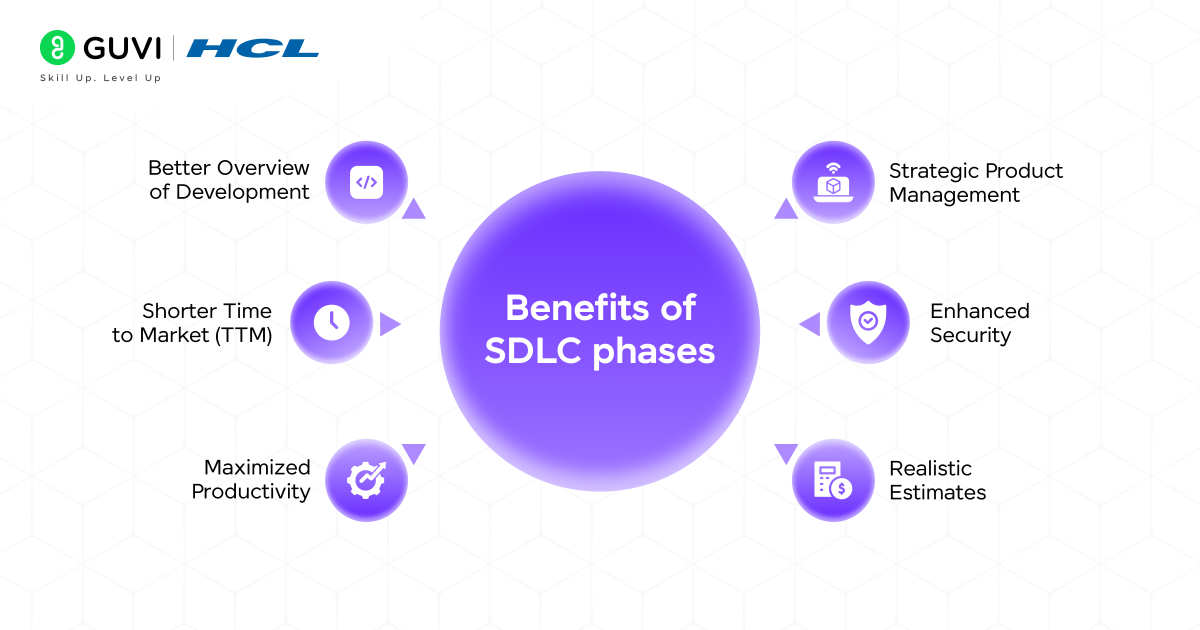
The following are the key advantages of the Software Development Life Cycle phases:
- Better Overview of Development: Every phase is defined, so the whole team can see what is done, what is in progress, and what comes next.
- Strategic Product Management: Clear phases let managers plan features, set priorities, and steer the product toward business goals.
- Shorter Time to Market (TTM): A structured process cuts confusion and rework, so the software reaches users sooner.
- Enhanced Security: Security checks are built into the phases, so vulnerabilities are caught before the software goes live.
- Maximized Productivity: Each team member knows their role and task, which reduces delays and overlapping work.
- Realistic Estimates: Because the work is broken into phases, the team can predict time, cost, and effort more accurately.
Common SDLC Models
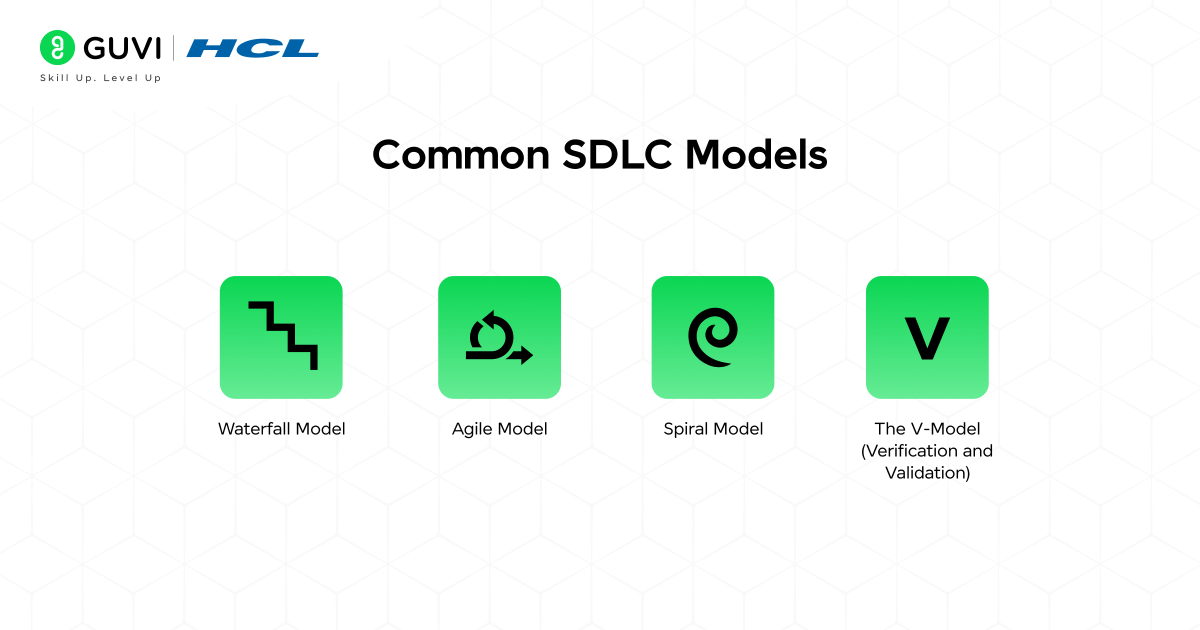
An SDLC model is the approach a team uses to move through the phases. The four most common ones are:
- Waterfall Model: The team completes each phase fully before starting the next, in a straight line from planning to maintenance. It works best when requirements are clear and unlikely to change.
- Agile Model: The team builds and releases software in small parts, with feedback after each one. It works best when requirements keep changing.
- Spiral Model: The project moves in repeated cycles, and each cycle starts by checking for risks. It works best for large, high-risk projects.
- V-Model (Verification and Validation): Every development phase is paired with a testing phase, so checking happens at each level. It works best for safety-critical software, such as medical devices.
Also Read: What are the Types of Software Development Life Cycle (SDLC)
Conclusion
Every app people rely on daily started as a rough idea, and the Software Development Life Cycle phases are what carried it from that idea to something real. The process rarely gets noticed, yet it is behind almost every piece of software that works the way it should. It is also why the best products keep getting better long after their first release.
FAQs
1. What are the Software Development Life Cycle phases?
The 7 Software Development Life Cycle phases are planning, requirements analysis, design, implementation, testing, deployment, and maintenance.
2. Why are the SDLC phases important?
They give the team a clear order to follow, so problems are caught early, and the project stays within budget and time.
3. Which of the SDLC phases is the most important?
Requirements analysis has the biggest impact, because a mistake made there carries into every phase that follows.
4. How long do the SDLC phases take?
It depends on the project. A small app can take a few weeks to a few months, while a large enterprise system can take a year or more.
5. What is the difference between SDLC phases and SDLC models?
The phases are the stages every project goes through. Models, such as Waterfall and Agile, determine how a team moves through those stages.
6. Do Agile projects follow the SDLC phases?
Yes. Agile teams go through the same stages, but they repeat them in short cycles instead of doing each one only once.
Success Stories














Did you enjoy this article?