


Artificial Intelligence and Machine Learning Articles
Finance Manager to Data Analytics: Career Growth, Salary and Seniority
How to Evaluate LLM Outputs in Production Deployments
AI/ML Skills Gap 2026: Why Companies Can't Find Job-Ready Talent
20 AI/ML Interview Questions Recruiters Can Use Without a Tech Background - Best Guide


Get In Touch For Details! Request More Information
Fine-Tuning LLMs with Unsloth and Ollama: A Step-by-Step Guide
Aug 28, 2026 6 Min Read 10574 Views
(Last Updated)
Ever wished you could make a language model work exactly the way your application demands, without relying on expensive cloud APIs or off-the-shelf limitations? That’s exactly where Fine-Tuning LLMs comes in.
Fine-tuning an LLM with Unsloth means retraining a pre-trained model on your own data using memory-efficient LoRA adapters, then exporting it to GGUF format so you can run it entirely offline with Ollama. Whether you’re working with structured outputs or domain-specific data, this hands-on approach gives you full control over your LLM’s behavior.
This guide walks through the full pipeline: when to fine-tune at all, the practical Unsloth implementation in Google Colab, and how to correctly deploy the result locally with Ollama.
Table of contents
- TL;DR Summary
- Introduction to Fine-Tuning LLMs
- Key Differences
- Fine-Tuning vs Prompt Engineering vs RAG: When Should You Actually Fine-Tune?
- Which Base Model Should You Choose for Fine-Tuning LLMs in 2026?
- Practical Implementation Fine-Tuning LLMs with Unsloth
- Step-by-Step Setup Using Google Colab
- Import datasets and Install Unsloth
- Verify GPU Access
- Load Model Using Unsloth
- Format the Dataset
- Apply LoRA Adapters
- Train the Model
- Run Inference
- Export in GGUF Format for Ollama
- IV. Running the Fine-Tuned Model with Ollama
- Steps:
- Unsloth vs Alternatives for Fine-Tuning LLMs: Axolotl, MLX-LoRA, and When to Use Each
- Common Mistakes When Fine-Tuning LLMs
- Conclusion
- FAQs
- Is Unsloth free to use for Fine-Tuning LLMs?
- How much VRAM do I need for Fine-Tuning LLMs with Unsloth?
- Can I fine-tune an LLM without a GPU?
- Can I use my Fine-Tuning LLMs output with tools other than Ollama?
TL;DR Summary
- What it solves: gives you a model that behaves exactly how your application needs, without ongoing API costs or vendor lock-in
- Core tools: Unsloth for efficient fine-tuning, LoRA for lightweight adapters, GGUF for the export format, Ollama for local inference
- Hardware needed: a single GPU is enough for most 7B-8B models via Unsloth’s free tier; no GPU means you’ll need a cloud notebook like Google Colab
- What’s changed in 2026: Unsloth now supports 500+ base models including the Qwen3 and Llama 4 families, and ships a web UI (Unsloth Studio) alongside the original notebook workflow
Introduction to Fine-Tuning LLMs
Fine-Tuning LLMs is the process of adapting a pre-trained language model to perform better on a specific task by retraining it on task-relevant data.
Think of it like training a skilled chef on your restaurant’s specific menu rather than teaching someone to cook from scratch, a good mental model for what Fine-Tuning LLMs actually does.
Key Differences
- Fine-Tuning LLMs retrains the model using new data.
- Parameter tuning adjusts behavior (e.g., temperature, top_k) without altering the model’s weights.
Fine-Tuning vs Prompt Engineering vs RAG: When Should You Actually Fine-Tune?
Before you spend hours training anything, it’s worth checking whether Fine-Tuning LLMs is even the right approach for your problem. A lot of problems people try to solve with fine-tuning are actually better solved another way.
| Approach | Best For | Not Good For | Setup Effort |
|---|---|---|---|
| Prompt Engineering | Quick behavior changes, format tweaks, tone adjustments | Deep domain knowledge, highly consistent structured output at scale | Minutes |
| RAG (Retrieval-Augmented Generation) | Giving the model access to specific, updatable knowledge or documents | Changing how the model reasons or its output style | Hours to days |
| Fine-Tuning | Consistent format/style, domain-specific reasoning patterns, reducing prompt length | Adding new factual knowledge that changes often | Days, plus GPU time |
The rule of thumb worth remembering: don’t fine-tune for knowledge you can retrieve instead, that’s what RAG is for. Don’t fine-tune for formatting you can specify with a good prompt or structured output constraints.
If you’re weighing fine-tuning against other approaches to building AI systems more broadly, Agentic AI vs Generative AI: Key Differences, Use Cases, and Enterprise Impact in 2026 is a useful companion read on where these techniques fit into the bigger picture.
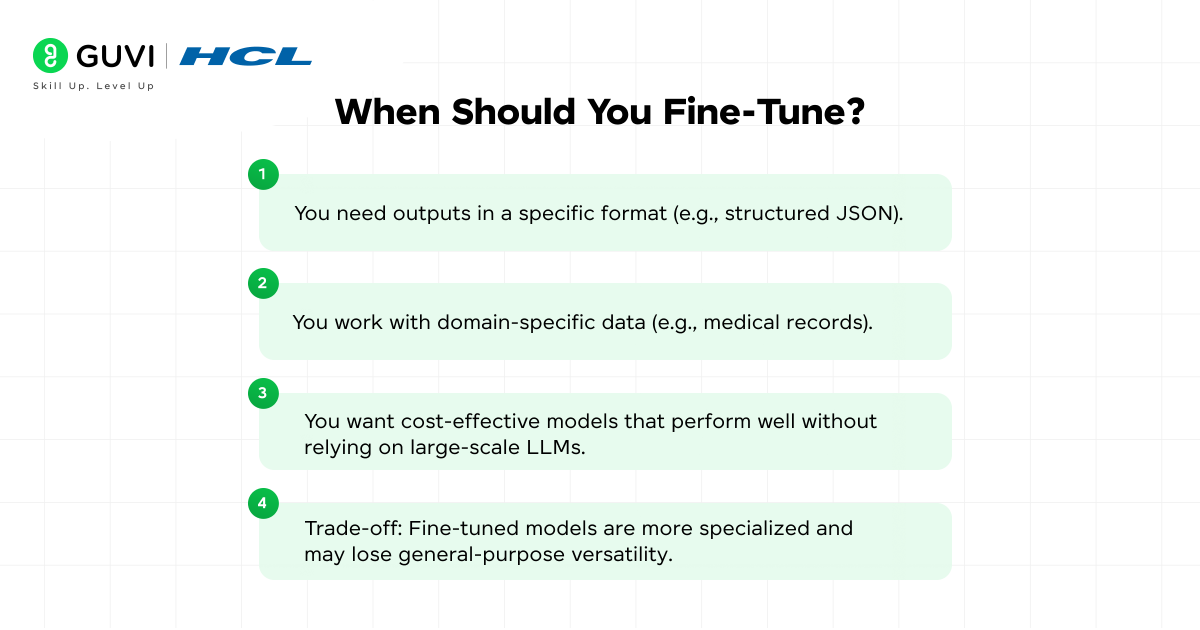
Fine-tuning genuinely earns its cost in a few specific situations:
- You need outputs in a specific format consistently, at scale (e.g., structured JSON across thousands of calls).
- You work with domain-specific data (e.g., medical records) where general-purpose models underperform.
- You want a cost-effective, smaller model that performs well without relying on large-scale commercial LLMs.
- Trade-off to keep in mind: fine-tuned models become more specialized and may lose some general-purpose versatility in the process.
Which Base Model Should You Choose for Fine-Tuning LLMs in 2026?
The model you start from matters as much as your fine-tuning setup. Here’s how the current popular choices compare for consumer-hardware fine-tuning.
| Model | Size | VRAM Needed (QLoRA) | License | Best For |
|---|---|---|---|---|
| Llama 3.1 8B | 8B | ~12GB | Llama Community License | General-purpose tasks, broad ecosystem support |
| Qwen 2.5 7B | 7B | ~12GB | Apache 2.0 | Strong reasoning, fully permissive commercial use |
| Mistral 7B v0.3 | 7B | ~12GB | Apache 2.0 | Fast inference, solid all-rounder |
| Phi-3-mini-4k-instruct | 3.8B | ~6GB | MIT | Lower VRAM setups, the example used in this guide |
| Gemma 2 9B | 9B | ~14GB | Gemma License | Google ecosystem integration |
For most people doing Fine-Tuning LLMs on a single consumer GPU or a free Colab instance in 2026, Qwen 2.5/Qwen3 7B or Llama 3.1 8B are the safest starting points thanks to permissive licensing and strong community support.
This guide uses Phi-3-mini specifically because its smaller size makes the whole pipeline runnable on a free-tier Colab GPU, but the same code works with any of the models above by changing one line.
Practical Implementation Fine-Tuning LLMs with Unsloth

Step-by-Step Setup Using Google Colab
Complete code and datasets are available at https://github.com/BASILAHAMED/LLM-Fine-Tuning.git
1. Import datasets and Install Unsloth
import json

file = json.load(open("json_extraction_dataset_500.json", "r"))

print(file[1])

# install unsloth and other dependencies

!pip install unsloth trl peft accelerate bitsandbytes
2. Verify GPU Access
import torch

print(f"CUDA available: {torch.cuda.is_available()}")

print(f"GPU: {torch.cuda.get_device_name(0) if torch.cuda.is_available() else 'None'}")
3. Load Model Using Unsloth
from unsloth import FastLanguageModel

model_name = "unsloth/Phi-3-mini-4k-instruct-bnb-4bit"

max_seq_length = 2048

dtype = None

model, tokenizer = FastLanguageModel.from_pretrained(

    model_name=model_name,

    max_seq_length=max_seq_length,

    dtype=dtype,

    load_in_4bit=True,

)
4. Format the Dataset
from datasets import Dataset

def format_prompt(example):

 return f"### Input: {example['input']}\n### Output: {json.dumps(example['output'])}<|endoftext|>"

formatted_data = [format_prompt(item) for item in file]

dataset = Dataset.from_dict({"text": formatted_data})
5. Apply LoRA Adapters
model = FastLanguageModel.get_peft_model(

    model,

    r=64,

    target_modules=["q_proj", "k_proj", "v_proj", "o_proj", "gate_proj", "up_proj", "down_proj"],

    lora_alpha=128,

    lora_dropout=0,

    bias="none",

    use_gradient_checkpointing="unsloth",

    random_state=3407,

    use_rslora=False,

    loftq_config=None,

)
6. Train the Model
from trl import SFTTrainer

from transformers import TrainingArguments

trainer = SFTTrainer(

    model=model,

    tokenizer=tokenizer,

    train_dataset=dataset,

    dataset_text_field="text",

    max_seq_length=max_seq_length,

    dataset_num_proc=2,

    args=TrainingArguments(

        per_device_train_batch_size=2,

        gradient_accumulation_steps=4,

        warmup_steps=10,

        num_train_epochs=3,

        learning_rate=2e-4,

        fp16=not torch.cuda.is_bf16_supported(),

        bf16=torch.cuda.is_bf16_supported(),

        logging_steps=25,

        optim="adamw_8bit",

        weight_decay=0.01,

        lr_scheduler_type="linear",

        seed=3407,

        output_dir="outputs",

        save_strategy="epoch",

        save_total_limit=2,

        dataloader_pin_memory=False,

    ),

)

trainer_stats = trainer.train()
7. Run Inference
FastLanguageModel.for_inference(model)

messages = [

    {"role": "user", "content": "Extract the product information:\n<div class='product'><h2>iPad Air</h2><span class='price'>$1344</span><span class='category'>audio</span><span class='brand'>Dell</span></div>"},

]

inputs = tokenizer.apply_chat_template(

    messages,

    tokenize=True,

    add_generation_prompt=True,

    return_tensors="pt",

).to("cuda")

outputs = model.generate(

    input_ids=inputs,

    max_new_tokens=256,

    use_cache=True,

    temperature=0.7,

    do_sample=True,

    top_p=0.9,

)

response = tokenizer.batch_decode(outputs)[0]

print(response)
Also Read: What is Tokenization Explained: How LLMs Read Text
8. Export in GGUF Format for Ollama
model.save_pretrained_gguf("gguf_model", tokenizer, quantization_method="q4_k_m")

import os

from google.colab import files

gguf_files = [f for f in os.listdir("gguf_model") if f.endswith(".gguf")]

if gguf_files:

    gguf_file = os.path.join("gguf_model", gguf_files[0])

    print(f"Downloading: {gguf_file}")

    files.download(gguf_file)
IV. Running the Fine-Tuned Model with Ollama
Steps:
- Create a new directory and move the .gguf file into it.
- Inside that directory, create a file named Model file.
- Add the following to the file (replace <model_name>.gguf):
from ./<model_name>.gguf

param_top_p 0.9

param_temperature 0.2

stop user

stop end_of_text

template "<|im_start|>user\n{{.Prompt}}<|im_end|>\n<|im_start|>assistant\n{{.Response}}<|im_end|>\n"

system "You are a helpful AI assistant."- Run the model
ollama create <model_name> -f Model file

ollama run <model_name>
In case you want to explore more on Artificial Intelligence and Machine Learning, consider enrolling for GUVI’s Artificial Intelligence and Machine Learning Course, which teaches everything related to it with an industry-grade certificate!
Unsloth vs Alternatives for Fine-Tuning LLMs: Axolotl, MLX-LoRA, and When to Use Each
Unsloth isn’t the only option for this workflow, and knowing when to reach for something else saves real time.
| Tool | Best For | Hardware | Notes |
|---|---|---|---|
| Unsloth | Single-GPU fine-tuning, fastest setup | 1 GPU (free tier) | 2x faster training, 70% less VRAM than standard methods; multi-GPU requires Unsloth Pro |
| Axolotl | Production, multi-GPU training pipelines | Multiple GPUs | More configuration-heavy but built for scaling beyond one machine |
| MLX-LoRA | Fine-tuning on Apple Silicon Macs | Mac M-series chips | The practical choice if you don’t have an NVIDIA GPU at all |
| Full Fine-Tuning (no LoRA) | Maximum customization, research settings | Significantly more VRAM and time | Usually unnecessary; LoRA/QLoRA gets you 90% of the benefit for a fraction of the cost |
For most individual developers and the Fine-Tuning LLMs workflow in this guide, Unsloth on a single GPU remains the fastest path from idea to a working fine-tuned model.
Reach for Axolotl once you’re training regularly across a team with dedicated multi-GPU infrastructure, or MLX-LoRA if your only available hardware is a Mac.
Common Mistakes When Fine-Tuning LLMs
A few mistakes come up constantly across Fine-Tuning LLMs projects, regardless of which tool you use.
- Fine-tuning to add knowledge instead of using RAG. If your problem is “the model doesn’t know about X,” reaching for Fine-Tuning LLMs is usually the wrong tool; RAG or a longer context window solves this more reliably and without retraining.
- Using a dataset that’s too small or too repetitive for real Fine-Tuning LLMs work. A few dozen examples rarely teach a model a consistent pattern; most successful fine-tunes use several hundred to a few thousand well-curated examples.
- Skipping evaluation before deployment. Training loss going down doesn’t guarantee the model actually performs better on real inputs; always test on examples the model didn’t train on.
- Mismatching the chat template at inference time. If you fine-tune with one prompt template and then run the model with a different one in Ollama, output quality degrades noticeably, this is one of the most common and hardest-to-diagnose issues.
- Getting the Ollama Modelfile syntax wrong, the deployment side of Fine-Tuning LLMs. As covered above, missing the
PARAMETERkeyword, using a filename with a space, or leaving stop sequences unquoted are all easy mistakes that silently break the deployment step.
If you’re building this skill as part of a longer-term career move, Who is an Agentic AI Developer? Role, Skills and Salary in 2026 covers one of the roles where fine-tuning experience like this directly applies.
Conclusion
In conclusion, Fine-Tuning LLMs with Unsloth and deploying via Ollama isn’t just a cost-saving move, it’s a power move. You get a lightweight, task-optimized model running securely on your own machine.
From structured JSON extraction to domain-specific reasoning, this Fine-Tuning LLMs setup lets you push your LLM workflows further, faster, and without the vendor lock-in.
FAQs
Is Unsloth free to use for Fine-Tuning LLMs?
Yes, Unsloth’s core open-source library is free and covers single-GPU fine-tuning, which is enough for most individual projects. Multi-GPU training requires Unsloth Pro, a paid tier aimed at teams running larger training jobs.
How much VRAM do I need for Fine-Tuning LLMs with Unsloth?
For a 7B-8B parameter model using QLoRA (4-bit quantization), roughly 12GB of VRAM is typically enough, which is why a free Google Colab GPU can handle it. Smaller models like Phi-3-mini need even less, around 6GB.
Can I fine-tune an LLM without a GPU?
Not practically for models in the 7B+ range; the training step genuinely needs GPU acceleration to complete in a reasonable time. If you don’t have a local GPU, a free-tier Google Colab notebook (as used throughout this Fine-Tuning LLMs guide) is the standard workaround.
Can I use my Fine-Tuning LLMs output with tools other than Ollama?
Yes, this is one of the genuine advantages of the Fine-Tuning LLMs workflow covered here. Once you’ve exported to GGUF format, the model works with any GGUF-compatible runtime.
This includes llama.cpp directly, LM Studio, and various other local inference tools; Ollama is simply the most beginner-friendly option covered in this guide.
Success Stories

About the Author
Jebasta
I translate the language of data into stories that anyone can understand. As a writer with a data science background, I simplify analytics, AI, and decision-making so beginners and enthusiasts can confidently explore the world of data.
View all posts by Jebasta
Connect with me @











Did you enjoy this article?