


Web Development Articles
How to Use Firebase Firestore for Real-Time Data in Web Apps
Web Designing Roadmap 2026: Best Guide to Become a Successful Web Designer


Get In Touch For Details! Request More Information

Frontend Deployment With Netlify in 2026: Complete Guide for Beginners
Oct 01, 2026 3 Min Read 12857 Views
(Last Updated)
Deploying a web application is always a tedious task but have you ever wondered how to get your web application online quickly and for free? The answer is simple—using Netlify.
Netlify is a powerful hosting platform that allows developers to deploy web applications effortlessly with minimal setup. Whether you’re working with static HTML, CSS, and JavaScript or using frameworks like React or Vue, Netlify provides a seamless deployment experience.
In just a few steps, you can connect your project, configure deployment settings, and launch your site with a live URL. This guide walks you through the process of hosting your web app on Netlify in minutes.
Table of contents
- AI Overview:
- What is Hosting?
- Types of Hosting:
- What is Netlify?
- Frontend Deployment Platforms: Netlify vs Alternatives
- Hosting a Web App on Netlify
- Step 1: Prepare Your Web Application
- Step 2: Sign Up or Log In to Netlify
- Step 3: Create a New Site
- Step 4: Connect to Your Git Repository
- Step 5: Set Up Deployment Configuration
- Step 6: Deploy Your Site
- Step 7: Add a Custom Domain (Optional)
- Step 8: Enable Continuous Deployment (Optional)
- Conclusion:
- How do I deploy a frontend project on Netlify?
- Can I deploy a React app on Netlify?
- Is Netlify free for frontend deployment?
- What is the difference between Netlify and Vercel?
- Why is my Netlify deployment failing?
AI Overview:
Netlify is a cloud platform that lets developers build, deploy, and host frontend applications from Git repositories or local project files. It supports modern frontend frameworks and can automatically rebuild and deploy a site whenever changes are pushed to a connected repository.
Key points:
- Git-based deployment: Connect GitHub, GitLab, or Bitbucket for automatic deployments.
- Framework support: Deploy projects built with React, Vue, and other modern frameworks.
- Build configuration: Set the build command and publish directory for your project.
- Deploy Previews: Preview changes before publishing them to production.
- Custom domains: Connect your own domain to a deployed site.
- Netlify CLI: Deploy and manage projects directly from the terminal.
- Serverless Functions: Add backend functionality without managing servers.
What is Hosting?
Hosting is a service that allows websites and web applications to be accessible on the Internet. When a user enters a website URL in a browser, hosting servers deliver the site’s content to the user’s device.
Hosting providers offer the necessary infrastructure, such as storage space, bandwidth, security, and server management, ensuring the website runs smoothly and remains online 24/7.
Types of Hosting:
- Shared Hosting – Multiple websites share server resources, making it an affordable option for beginners.
- VPS (Virtual Private Server) Hosting – Provides dedicated virtual resources, offering better performance and flexibility.
- Dedicated Hosting – A full server dedicated to a single website, ideal for high-traffic applications.
- Cloud Hosting – Uses multiple servers for scalability and reliability, reducing downtime risks.
- Static Site Hosting – Used for simple websites without server-side processing, offering faster performance and easy deployment.
What is Netlify?
Netlify is a cloud-based hosting platform designed for static websites and front-end applications. It provides free and easy deployment for projects built with HTML, CSS, JavaScript, and frameworks like React, Vue, and Next.js.
Unlike traditional hosting, it automates the entire deployment process by integrating directly with Git repositories (GitHub, GitLab, Bitbucket).
Frontend Deployment Platforms: Netlify vs Alternatives
| Platform | Best For | Git Deployment | Framework Support | Preview Deployments | Serverless Functions |
|---|---|---|---|---|---|
| Netlify | Frontend and JAMstack projects | Yes | React, Vue, Next.js, etc. | Yes | Yes |
| Vercel | Next.js and modern web apps | Yes | React, Next.js, etc. | Yes | Yes |
| GitHub Pages | Static websites | Yes | Static builds | Limited | No |
| Cloudflare Pages | Fast static and edge applications | Yes | Major frontend frameworks | Yes | Yes |
Netlify supports Git-based continuous deployment, deploy previews, framework detection, and serverless functions, making it suitable for both simple static sites and modern frontend projects.
Hosting a Web App on Netlify
To host your web application on Netlify without any cost, follow these simple steps:
Step 1: Prepare Your Web Application
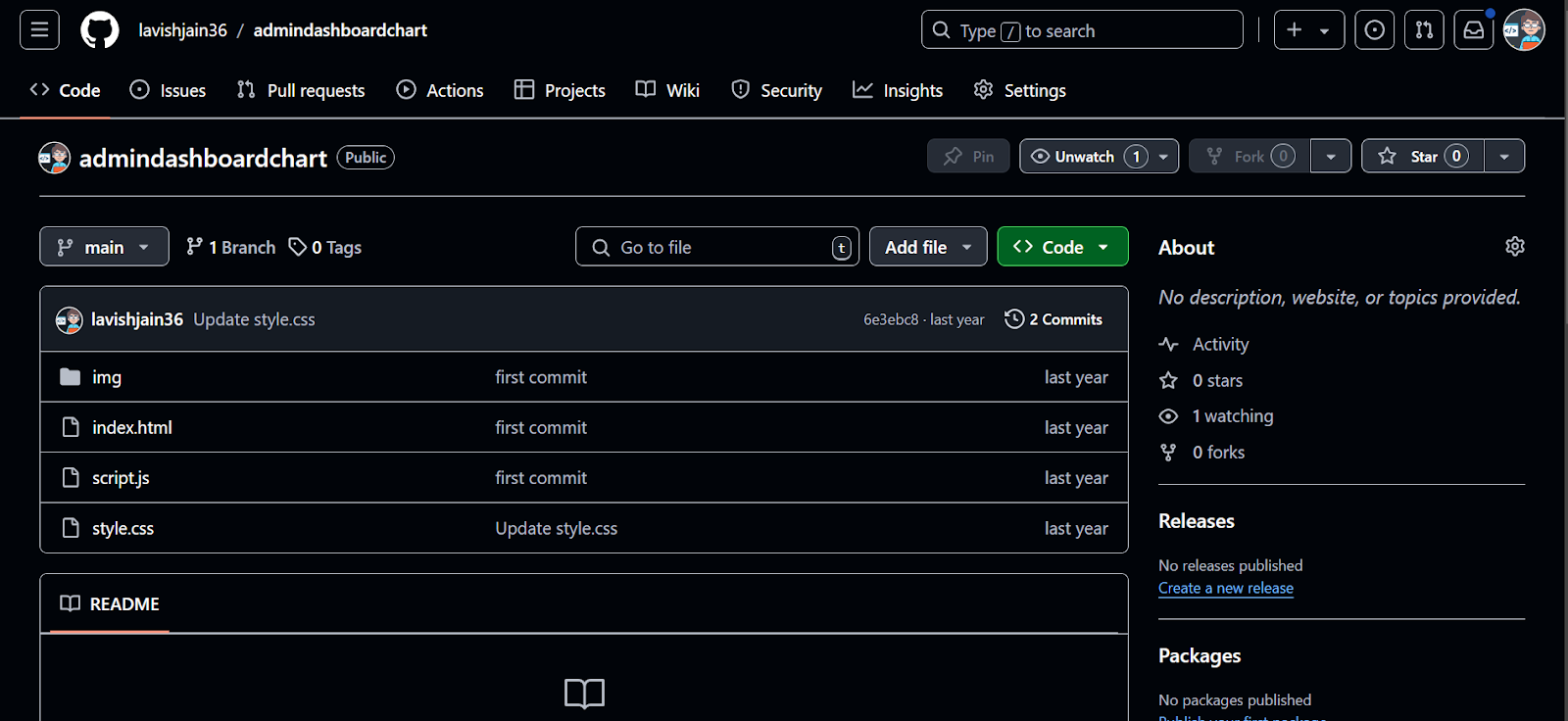
Ensure all your project files, such as HTML, CSS, and JavaScript, are properly organized and ready for deployment. If your app uses a build tool (e.g., React, Vue, or static site generators), build the project first. Make sure the final output has an index.html file located in the root or dist directory.
Step 2: Sign Up or Log In to Netlify
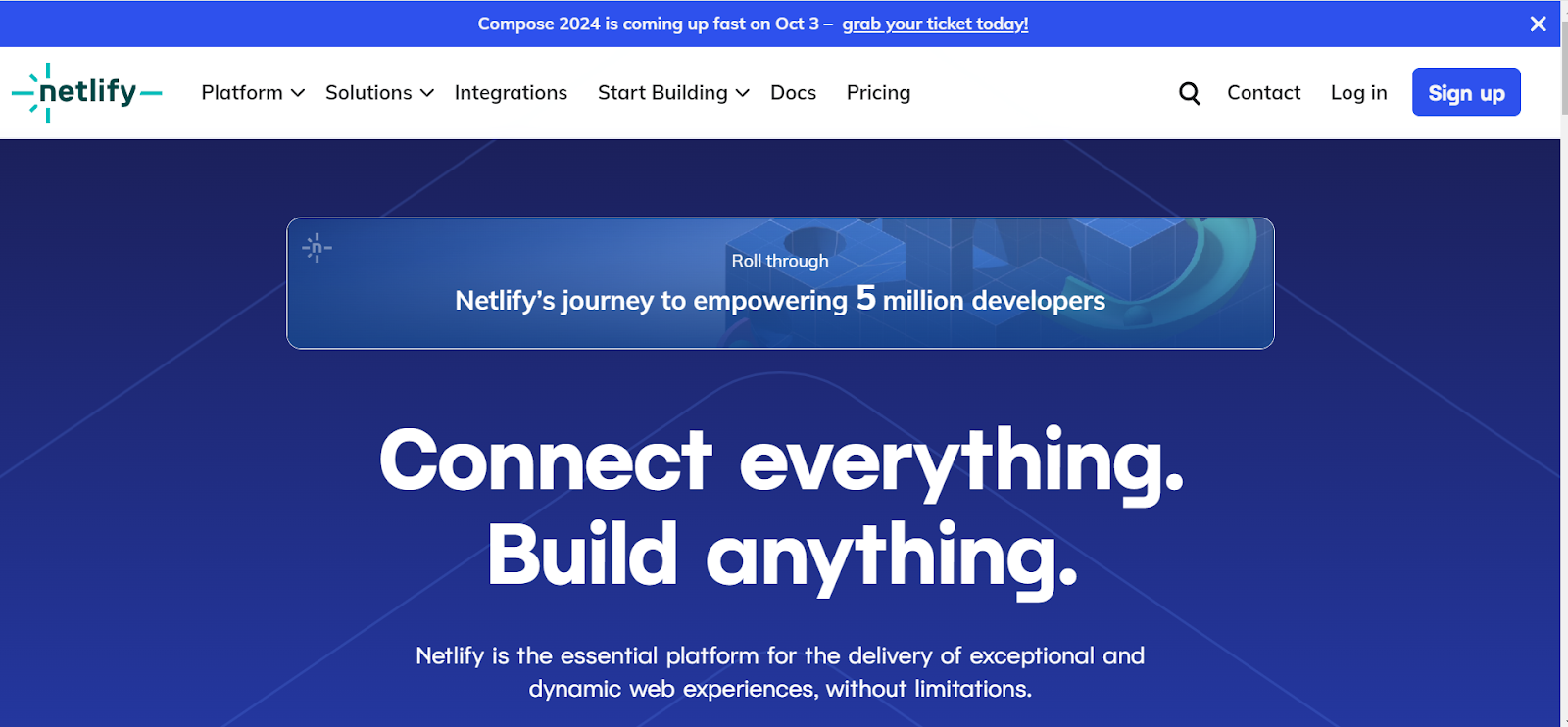
Head over to Netlify and sign up using your GitHub, GitLab, or Bitbucket account, or create a new account using your email or click login using github .
Step 3: Create a New Site
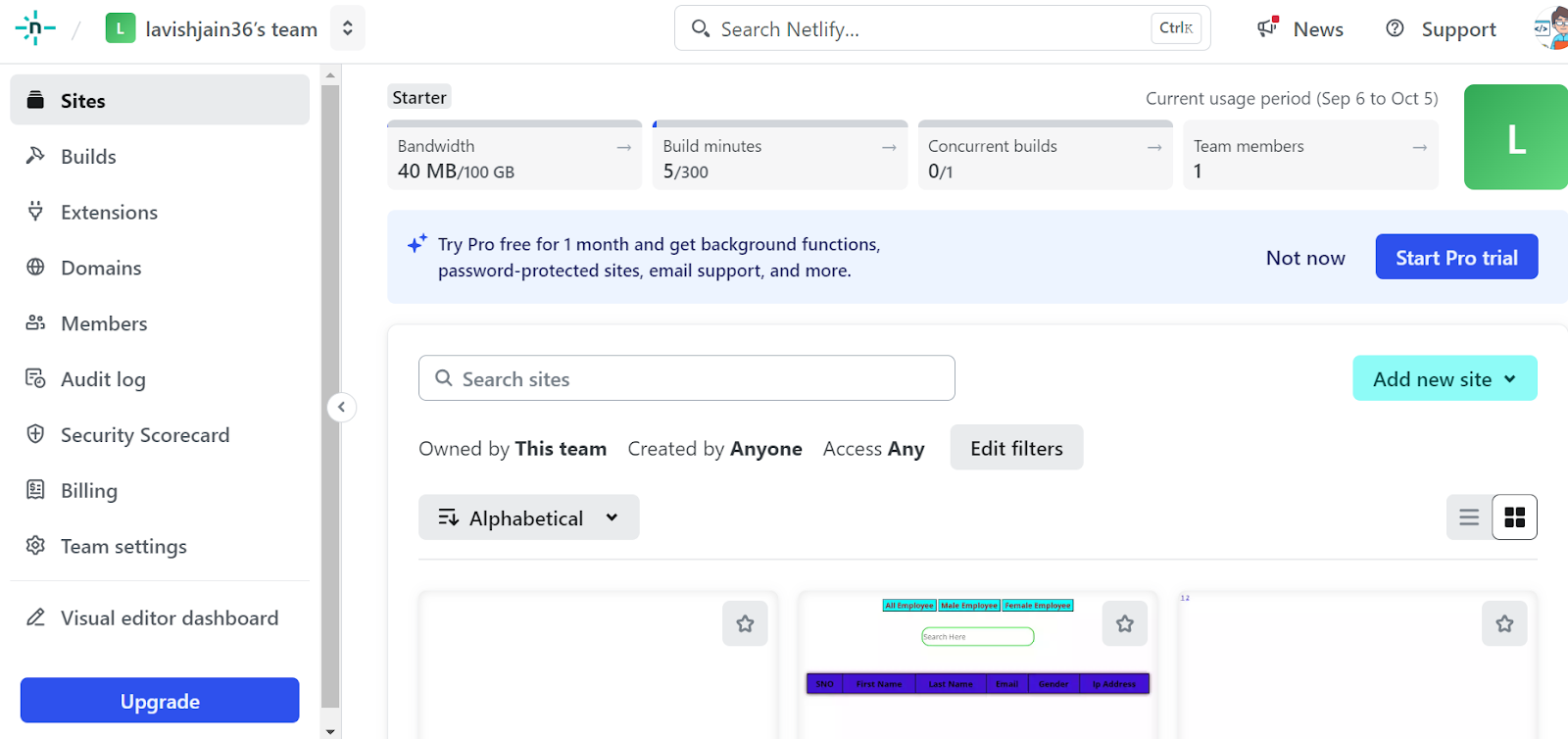
After logging in, navigate to your dashboard. Click on “Add New Site” and choose “Import an Existing Project” if your code is stored in a Git repository (e.g., GitHub, GitLab, or Bitbucket).
Step 4: Connect to Your Git Repository
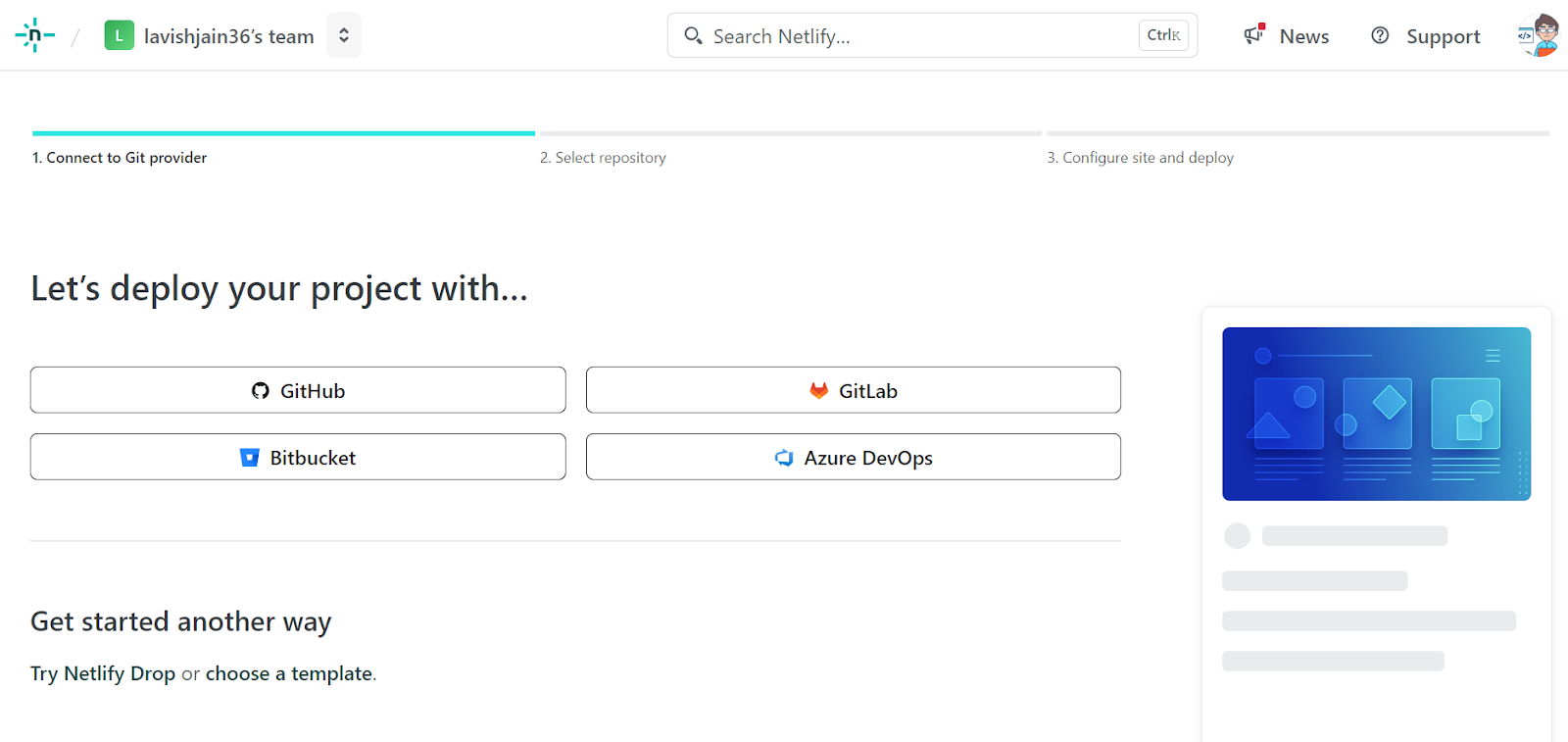
Select your Git provider, such as GitHub, and authorize it to access your repository. Choose the repository containing your project code to proceed.
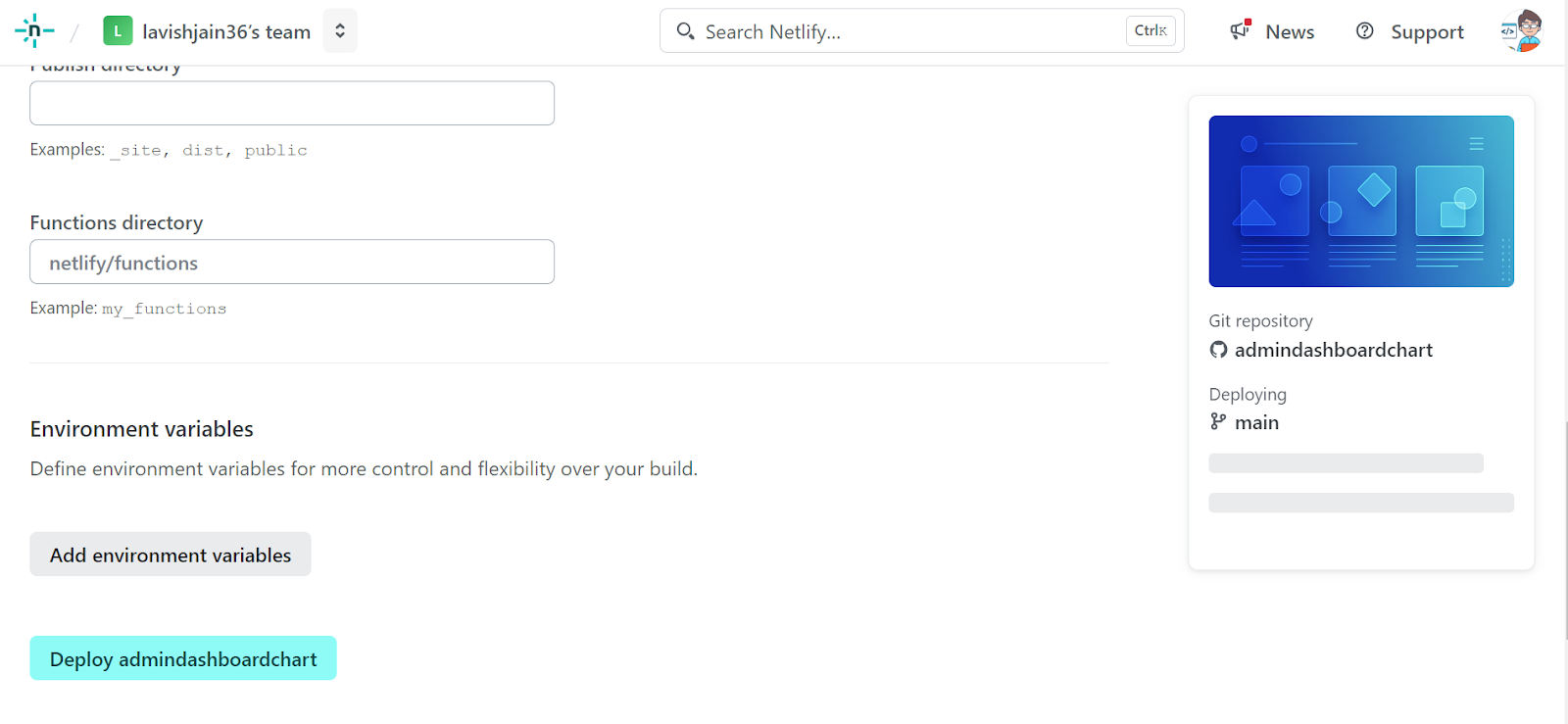
Step 5: Set Up Deployment Configuration
If your project requires a build command (like npm run build), specify it in the Build Settings section. Also, mention the directory to be published (e.g., dist or build). For static sites, skip the build command.

Step 6: Deploy Your Site
Click on Deploy Site after configuring the deployment settings. Netlify will begin deploying your site and provide a live URL (e.g., https://your-site-name.netlify.app) once the process is complete.
Step 7: Add a Custom Domain (Optional)
If you’d like to use a custom domain, go to Site Settings > Domain Management and follow the instructions to set up your domain for free.
Step 8: Enable Continuous Deployment (Optional)
Netlify offers continuous deployment. Whenever you push new updates to your GitHub repository, it will automatically rebuild and redeploy your site.
Congratulations! Your web app is now live and hosted for free on Netlify!
Netlify is one option for deploying frontend applications, but developers can also choose platforms such as Vercel, GitHub Pages, and Cloudflare Pages.
| Platform | Suitable For |
|---|---|
| Netlify | Static sites, React/Vue apps, JAMstack, serverless functions |
| Vercel | Next.js and modern React applications |
| GitHub Pages | Simple static websites and portfolios |
| Cloudflare Pages | Static sites and edge-based applications |
The right platform depends on the framework, deployment workflow, backend requirements, and features needed for the project. For example, Netlify supports Git-based deployments and serverless functions, while Vercel has particularly strong integration with Next.js.
In case, you want to learn more about Frontend Deployment and gain in-depth knowledge on full-stack development, consider enrolling for HCL GUVI’s certified Full stack Development Course that teaches you everything from scratch with an industry-grade certificate!
Conclusion:
In conclusion, hosting your web application on Netlify is a fast and hassle-free process that requires just a few simple steps. By connecting your Git repository, configuring deployment settings, and utilizing Netlify’s automatic build and deployment features, you can effortlessly manage and update your site.
With options for custom domains and continuous deployment, Netlify makes web hosting accessible and efficient for developers of all skill levels. Now that your web app is live, you can focus on improving and growing your project with ease!
1. How do I deploy a frontend project on Netlify?
To deploy a frontend project, connect your Git repository to Netlify, select the project, configure the build command and publish directory, and start the deployment. Netlify builds the project and publishes the generated files. You can also deploy using the Netlify CLI or drag and drop a project folder.
2. Can I deploy a React app on Netlify?
Yes. React applications can be deployed on Netlify by connecting the project’s Git repository or using a manual deployment method. For a build-based React project, configure the appropriate build command and output directory according to the project’s tooling.
3. Is Netlify free for frontend deployment?
Netlify provides deployment options that allow developers to publish frontend projects without managing traditional servers. However, available features, usage limits, and pricing can change, so check Netlify’s current pricing and plan documentation before publishing.
4. What is the difference between Netlify and Vercel?
Both platforms support Git-based deployments, preview deployments, and modern frontend frameworks. Netlify also provides features such as serverless functions, forms, and other web platform capabilities, while Vercel has particularly strong integration with Next.js. The better choice depends on the framework and project requirements.
5. Why is my Netlify deployment failing?
Common causes include an incorrect build command, incorrect publish directory, missing environment variables, dependency issues, or build errors. Check the Netlify deploy log first, verify the build locally, and confirm that the project’s build output matches the configured publish directory. Netlify’s current framework documentation also notes that build settings can vary by framework.
Success Stories

About the Author
Lavish Jain
A Professional Developer Mentor and Corporate Trainer with over 10 years of experience, I have contributed to technological advancements through comprehensive training and mentorship. My journey includes pivotal roles at Cluebix, Focus-4D,ThoughtWorks, and currently with Guvi -HCL Group, where I shape the careers of aspiring developers. I specialize in simplifying complex concepts, making them accessible to learners at all levels, and have successfully trained lakhs of budding developer through corporate and boot camp courses focused on full-stack development.
View all posts by Lavish Jain
Connect with me @




































Did you enjoy this article?