


Digital Marketing Articles
What is Performance Marketing? Complete Guide for 2026
What is the Voice of the Customer and Why Does it Matter
What is A/B Testing in Marketing? A Beginner’s Guide to Smarter Campaign Optimization
What is Lead Nurturing in Marketing? A Practical Guide for Beginners


Get In Touch For Details! Request More Information
10 Social Media Marketing Tools You Need to Know in 2026
Mar 10, 2026 6 Min Read 4012 Views
(Last Updated)
How do you plan to keep up with social media trends when algorithms change overnight?
Building a presence on social platforms is no longer about posting a photo and hoping for likes. Today, businesses need precision, speed, and creativity to capture attention. That is where the right tools make the difference.
The year 2026 brings more competition, shorter attention spans, and smarter algorithms. Brands that succeed will rely on tools that automate tasks, track performance, and make content stand out. Whether you run a startup or manage multiple accounts, having the right technology will save time and boost results.
In this guide, you will learn about 10 social media marketing tools every business should consider in 2026. Each tool is selected to improve content creation, scheduling, analytics, and engagement so you can focus on growth instead of guesswork.
76% of small and midsize businesses say social media improves performance—but over half still struggle with fresh content and trends.
90% of small businesses use social media in their marketing, while 78% of shoppers research brands there before buying.
Social commerce made up 17.11% of all online sales in 2026 and is growing at a 13.7% CAGR—expected to pass $1 trillion by 2028.
Social media ad spending is forecast to hit $276.7 billion in 2025, making it one of the fastest-growing areas of digital advertising.
Table of contents
- What Is the Role of Social Media Marketing Tools?
- Top 10 Social Media Marketing Tools You Need to Know in 2026
- Hootsuite
- Key Features
- Price & Plans
- Top Benefits of Using Hootsuite
- Ease of Use & Integration
- Reviews & Popularity
- Buffer
- Key Features
- Price & Plans
- Top Benefits of Using Buffer
- Ease of Use & Integration
- Reviews & Popularity
- Sprout Social
- Key Features
- Price & Plans
- Top Benefits of Using Sprout Social
- Ease of Use & Integration
- Reviews & Popularity
- Later
- Key Features
- Price & Plans
- Top Benefits of Using Later
- Ease of Use & Integration
- Reviews & Popularity
- Canva
- Key Features
- Price & Plans
- Top Benefits of Using Canva
- Ease of Use & Integration
- Reviews & Popularity
- Loomly
- Key Features
- Price & Plans
- Top Benefits of Using Loomly
- Ease of Use & Integration
- Reviews & Popularity
- SocialPilot
- Key Features
- Price & Plans
- Top Benefits of Using SocialPilot
- Ease of Use & Integration
- Reviews & Popularity
- Planoly
- Key Features
- Price & Plans
- Top Benefits of Using Planoly
- Ease of Use & Integration
- Reviews & Popularity
- Iconosquare
- Key Features
- Price & Plans
- Top Benefits of Using Iconosquare
- Ease of Use & Integration
- Reviews & Popularity
- BuzzSumo
- Key Features
- Price & Plans
- Top Benefits of Using BuzzSumo
- Ease of Use & Integration
- Reviews & Popularity
- Quick Comparison of the Top 10 Social Media Marketing Tools (2026)
- Final Words
- FAQs
- Why is social media automation important for small businesses?
- How do social media tools improve content performance?
- Can social media tools help with customer support?
- Do social media scheduling tools affect engagement rates?
- Are analytics dashboards in social media tools accurate?
What Is the Role of Social Media Marketing Tools?
Social media marketing tools help businesses manage their online presence efficiently. These tools streamline tasks like scheduling posts and tracking engagement. They also provide analytics that guide content strategy for better results.
Social media platforms update their algorithms frequently. Manual posting makes it difficult for businesses to maintain consistency. Tools simplify this process by automating scheduling and offering performance insights. This helps businesses maintain a steady presence and respond quickly to audience interactions.
The right tools help small businesses save time and allocate resources effectively. They allow teams to collaborate without confusion. Real-time analytics help identify which posts work best. This data-driven approach improves engagement and increases return on investment.
Also Read: Top 10 Social Media Trends for 2026
Top 10 Social Media Marketing Tools You Need to Know in 2026
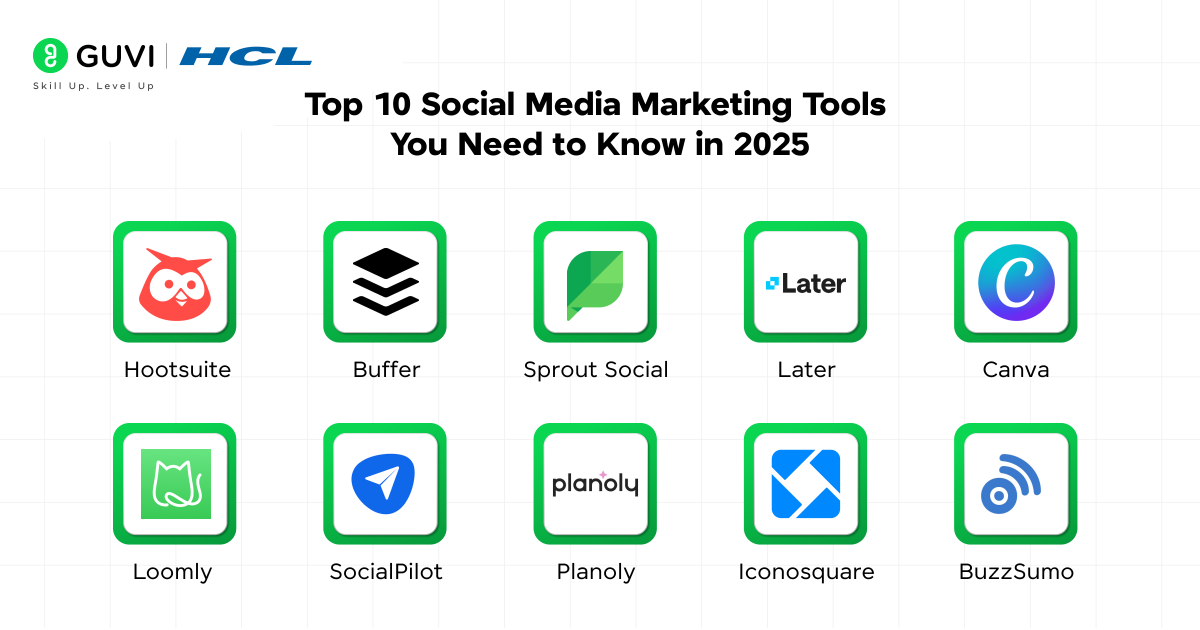
Here are the most trusted tools that help businesses manage social media more effectively. These platforms simplify key tasks and deliver insights to sharpen your strategy without wasting time.
1. Hootsuite
Hootsuite is one of the most popular social media management platforms. It helps businesses schedule posts and monitor engagement across multiple platforms. It also helps track performance and manage team collaboration effectively.
Key Features
- Post scheduling across multiple social networks
- Social listening for monitoring brand mentions and trending conversations
- Advanced business analytics to measure engagement and reach
- Team collaboration tools for assigning tasks and approvals
- Content library for storing and reusing creative assets
Price & Plans
- Professional Plan: $99 per month
- Team Plan: $249 per month
- Enterprise Plan: Custom pricing
Top Benefits of Using Hootsuite
- Saves time by managing multiple accounts in one dashboard
- Improves planning with bulk scheduling features
- Delivers accurate reports for performance evaluation
- Supports team productivity with workflow management
Ease of Use & Integration
- Simple interface that suits beginners and professionals
- Integrates with platforms such as Facebook, Instagram, Twitter, and LinkedIn
- Works with tools like Google Drive and Canva for smooth content management
Reviews & Popularity
- G2 rating: 4.3 / 5
- Trusted by more than 18 million users globally, including small businesses and large enterprises
2. Buffer
Buffer is a user-friendly tool for scheduling posts and analyzing performance. It helps businesses create a consistent posting schedule across different social channels. It also supports engagement tracking to improve interaction with followers.
Key Features
- Simple post scheduling for multiple platforms
- Queue management for timely content publishing
- Engagement tracking to respond to comments and messages
- Analytics for reach, clicks, and engagement metrics
- Browser extension for quick sharing of content
Price & Plans
- Free: $0
- Essentials: $6 per channel per month
- Team: $12 per channel per month
Top Benefits of Using Buffer
- Affordable solution for startups and small businesses
- Easy to set up and manage for beginners
- Provides clear insights for improving engagement
- Simplifies social media planning with calendar views
Ease of Use & Integration
- Very intuitive interface for new users
- Connects with Instagram, Facebook, LinkedIn, and Twitter
- Integrates with Canva and Google Analytics for better workflow
Reviews & Popularity
- G2 rating: 4.3 / 5
- Capterra rating: 4.5 / 5
- Used by over 180,000 creators and businesses worldwide
3. Sprout Social
Sprout Social is a premium tool designed for businesses that need advanced business analytics and team collaboration. It helps brands schedule posts and track detailed metrics across channels. It also supports social listening for deeper insights into audience behavior.
Key Features
- Post scheduling and publishing across multiple platforms
- Social listening to track conversations and sentiment
- Advanced analytics with customizable reports
- Team workflow features for managing roles and permissions
- Built-in CRM for tracking customer interactions
Price & Plans
- Standard: $249 per user per month
- Professional: $399 per user per month
- Advanced: $499 per user per month
Top Benefits of Using Sprout Social
- Provides detailed analytics for informed decisions
- Enhances customer engagement with real-time responses
- Improves team efficiency through task assignment tools
- Tracks performance across multiple campaigns in one place
Ease of Use & Integration
- Modern interface that requires some learning but is powerful
- Integrates with Facebook, Instagram, Twitter, LinkedIn, and TikTok
- Connects with CRM tools such as Salesforce and Zendesk
Reviews & Popularity
- G2 rating: 4.4 / 5
- Capterra rating: 4.7 / 5
- Widely used by agencies and medium-to-large businesses for its advanced capabilities
4. Later
Later is a visual-first platform that focuses on Instagram, TikTok, and Pinterest scheduling. It helps businesses plan content visually and optimize posting times. It also provides analytics to track engagement and reach.
Key Features
- Drag-and-drop calendar for visual content planning
- Post scheduling for Instagram, TikTok, and Pinterest
- Analytics to monitor engagement and growth trends
- Hashtag suggestions to increase post reach
- Link in bio feature to drive traffic from social media
Price & Plans
- Starter: $25 per month or $16.67 per month billed annually
- Growth: $45 per month or $33.33 per month billed annually
- Scale: $80 per month or $73.33 per month billed annually
Top Benefits of Using Later
- Simplifies visual planning for image-heavy content
- Improves Instagram engagement with hashtag recommendations
- Helps small businesses optimize posting time for better results
- Allows traffic redirection with a customizable link in bio
Ease of Use & Integration
- Easy drag-and-drop interface suitable for beginners
- Integrates with Instagram, TikTok, Facebook, Pinterest, and LinkedIn
- Supports media imports from Google Drive and Dropbox
Reviews & Popularity
- G2 rating: 4.5 / 5
- Capterra rating: 4.5 / 5
- Popular among influencers and brands focused on Instagram marketing
5. Canva
Canva is a design platform for creating graphics and social media templates. It helps businesses produce professional visuals without design experience. It also supports team collaboration for brand consistency.
Key Features
- Thousands of templates for social media posts and ads
- Brand Kit for custom fonts, colors, and logos
- AI tools for background removal and design resizing
- Stock images, videos, and icons are available in the library
- Collaboration features for teams to edit designs in real time
Price & Plans
- Free: $0
- Pro: $14.99 per month for one person
- Teams: $29.99 per month for the first five seats
Top Benefits of Using Canva
- Makes design simple for non-designers
- Provides ready-to-use templates for fast content creation
- Maintains brand consistency with custom brand kits
- Offers time-saving AI tools for resizing and formatting
Ease of Use & Integration
- Drag-and-drop design editor suitable for beginners
- Integrates with social platforms for direct publishing
- Connects with storage apps such as Google Drive and Dropbox
Reviews & Popularity
- G2 rating: 4.7 / 5
- Capterra rating: 4.7 / 5
- Trusted by millions of businesses globally for creating professional designs quickly
6. Loomly
Loomly is a social media management tool designed for small businesses and marketing teams. It helps businesses schedule posts and maintain brand consistency. It also provides real-time optimization tips to improve engagement.
Key Features
- Post-scheduling for multiple platforms
- Post ideas and optimization tips for better engagement
- Approval workflows for team collaboration
- Built-in analytics to measure performance
- Asset library for managing creative content
Price & Plans
- Base Plan: $42 per month for 2 users
- Standard Plan: $80 per month for up to 6 users
- Advanced Plan: $175 per month for up to 16 users

Top Benefits of Using Loomly
- Offers content inspiration to improve creativity
- Simplifies approval processes for teams
- Helps businesses maintain consistent posting schedules
- Provides actionable analytics for data-driven strategies
Ease of Use & Integration
- Clean dashboard that simplifies post creation
- Works with Facebook, Instagram, Twitter, LinkedIn, and Pinterest
- Connects with tools like Slack and Google Drive
Reviews & Popularity
- G2 rating: 4.5 / 5
- Capterra rating: 4.6 / 5
- Used by thousands of startups and agencies focusing on collaboration and workflow
7. SocialPilot
SocialPilot is an affordable tool for managing multiple social accounts. It helps businesses schedule posts and analyze performance across several platforms. It also supports client management, making it ideal for agencies and small businesses.
Key Features
- Bulk scheduling for multiple social profiles
- Analytics dashboard for performance tracking
- Client management tools for agencies
- RSS feed automation for content sharing
- Social inbox for managing comments and messages
Price & Plans
- Professional Plan: $30 per month for 10 accounts
- Small Team Plan: $50 per month for 20 accounts
- Agency Plan: $100 per month for 30 accounts
Top Benefits of Using SocialPilot
- Reduces time spent on managing multiple accounts
- Offers affordable pricing for growing businesses
- Provides a white-label option for agencies
- Improves content sharing through RSS automation
- Reinforces business intelligence to multiply leads & maximize revenue
Ease of Use & Integration
- User-friendly interface that works well for beginners
- Supports Facebook, Instagram, Twitter, LinkedIn, and Pinterest
- Integrates with Canva and URL shorteners like Bitly
Reviews & Popularity
- G2 rating: 4.6 / 5
- Capterra rating: 4.6 / 5
- Preferred by freelancers and agencies for its low cost and scalability
8. Planoly
Planoly is a visual planning tool focused on Instagram and Pinterest. It helps brands create aesthetically pleasing feeds. It also simplifies post scheduling and content organization for influencers and small businesses.
Key Features
- Drag-and-drop planner for Instagram layouts
- Visual scheduling for Instagram and Pinterest
- Analytics for tracking engagement and growth
- Content drafting and hashtag storage
- Shoplink feature for monetizing Instagram content
Price & Plans
- Free Plan: $0 with limited features
- Starter Plan: $13 per month
- Growth Plan: $23 per month
- Professional Plan: $43 per month
Top Benefits of Using Planoly
- Helps brands maintain a consistent visual identity
- Improves workflow with an easy visual calendar
- Provides insights to optimize Instagram performance
- Offers features for content monetization through Shoplink
Ease of Use & Integration
- Drag-and-drop interface for easy planning
- Connects with Instagram and Pinterest
- Works with image storage tools like Dropbox
Reviews & Popularity
- G2 rating: 4.3 / 5
- Capterra rating: 4.6 / 5
- Popular among influencers and creative businesses for Instagram strategies
9. Iconosquare
Iconosquare is a powerful analytics and management tool for Instagram, TikTok, and Facebook. It helps businesses track engagement and optimize posting times. It also provides competitor analysis for better strategy planning.
Key Features
- Advanced analytics for Instagram and TikTok
- Post scheduling with best-time suggestions
- Competitor benchmarking to track performance gaps
- Hashtag tracking for engagement insights
- Social listening for brand mentions
Price & Plans
- Pro Plan: $49 per month
- Advanced Plan: $79 per month
- Enterprise Plan: Custom pricing
Top Benefits of Using Iconosquare
- Provides deep analytics for data-driven strategies
- Helps improve engagement with timing insights
- Supports competitive research to stay ahead
- Tracks hashtag performance for targeted growth
Ease of Use & Integration
- Professional interface suitable for marketers
- Works with Instagram, TikTok, and Facebook
- Integrates with cloud storage for content management
Reviews & Popularity
- G2 rating: 4.5 / 5
- Capterra rating: 4.6 / 5
- Preferred by brands and agencies for its analytics depth and performance insights
10. BuzzSumo
BuzzSumo is a research and monitoring tool for content and social media performance. It helps businesses identify trending topics and find influencers in their niche. It also tracks content engagement across multiple platforms.
Key Features
- Content research to identify high-performing topics
- Influencer discovery for partnership opportunities
- Social engagement tracking across platforms
- Alerts for brand mentions and keywords
- Competitor content analysis for benchmarking
Price & Plans
- Content Creation Plan: $119 per month
- PR & Comms Plan: $249 per month
- Suite Plan: $499 per month
Top Benefits of Using BuzzSumo
- Helps businesses create content that performs well
- Identifies influencers for collaboration opportunities
- Tracks trending topics for timely marketing campaigns
- Improves content marketing and strategy with competitor insights
Ease of Use & Integration
- Clean interface with advanced filtering options
- Works with major social platforms for data collection
- Exports data easily for reporting and presentations
Reviews & Popularity
- G2 rating: 4.5 / 5
- Capterra rating: 4.7 / 5
- Trusted by marketers and PR professionals for content research and influencer identification
Ready to turn your social media presence into a powerful growth engine? Our Digital Marketing Course is designed to help you master social media strategies that work in 2026 and beyond. Learn how to leverage trending tools, analyze performance with data-driven insights, and create campaigns that capture attention across Instagram, LinkedIn, and more. Gain hands-on experience, real-world case studies, and mentorship from industry experts to stay ahead of algorithm changes and audience trends. Start your journey today and become a digital marketing professional with skills that brands demand.
Quick Comparison of the Top 10 Social Media Marketing Tools (2026)
| Tool | Free Trial | Best For | Learning Curve | Notable Integrations | Unique Feature |
| Hootsuite | 30 days | Enterprises & SMBs | Moderate | Canva, Google Drive, Slack | Social Listening + Bulk Scheduling |
| Buffer | 14 days | Startups & Creators | Beginner | Canva, Shopify, Unsplash | Simple Publishing Queue with Extensions |
| Sprout Social | 30 days | Agencies & Large Teams | Advanced | Salesforce, Zendesk, HubSpot | Built-in CRM + Advanced Social Listening |
| Later | 14 days | Visual Brands | Beginner | Dropbox, Google Drive | Visual Content Calendar with Drag & Drop |
| Canva | 30 days | All Businesses | Beginner | HubSpot, Dropbox, Social Apps | AI Design Tools + Brand Kits |
| Loomly | 15 days | SMBs & Teams | Beginner | Slack, Google Drive | Post Ideas + Real-Time Optimization Tips |
| SocialPilot | 14 days | Agencies & Freelancers | Beginner | Bitly, Canva, Zapier | White-Label Solutions for Client Reports |
| Planoly | 7 days | Instagram Creators | Beginner | Dropbox, Google Photos | Visual Instagram Feed Planning + Shoplink |
| Iconosquare | 14 days | Analytics-Focused Brands | Moderate | Google Sheets, Facebook Ads | Competitor Benchmarking + Hashtag Analysis |
| BuzzSumo | 30 days | Content Strategists | Moderate | HubSpot, Trello | Content Discovery + Influencer Database |
Final Words
Social media marketing tools help streamline daily tasks and provide data-driven insights for better decisions. They save time and improve content quality. They also keep your brand visible on the platforms that matter most.
Start by identifying your business goals and choosing tools that align with them. Your next step is simple: pick one tool and begin implementing a structured approach today. With the right strategy and tools, your business will stay ahead in the ever-changing social media landscape.
FAQs
1. Why is social media automation important for small businesses?
Automation saves time by scheduling posts in advance and helps maintain consistency. It reduces manual work so businesses can focus on engagement and strategy.
2. How do social media tools improve content performance?
These tools track engagement metrics and show which posts perform best. Businesses can use this data exploration to refine their content strategy for better reach and interaction.
3. Can social media tools help with customer support?
Yes. Many tools include inbox management features that allow businesses to respond to comments and messages quickly, improving customer satisfaction.
4. Do social media scheduling tools affect engagement rates?
Consistent posting often improves engagement rates. Scheduling tools help maintain a regular presence, which increases visibility and audience interaction.
5. Are analytics dashboards in social media tools accurate?
Most top-rated tools provide reliable data by pulling metrics directly from social platforms. This accuracy helps businesses make informed decisions based on real performance insights.
Success Stories

About the Author
Tushar Vinocha
A seasoned content writer with over four years of experience in crafting both technical and non-technical blogs. My passion for writing is fuelled by a relentless curiosity and a love for following-down the rabbit hole, recently leading me to explore the fascinating fields of Natural Language Processing (NLP), Human psychology and Philosophy. Here, you’ll find a blend of genuine insights, innovative ideas, and refusal to settle for the mundane.
View all posts by Tushar Vinocha
Connect with me @






Did you enjoy this article?