


Career Articles
How to Learn SQL Python Power BI While Working an Eight or Nine-Hour Job
Is Data Analytics a Good Career for BFSI Professionals?
Reporting Analyst to Data Scientist: Is It the Natural Next Step?


Get In Touch For Details! Request More Information
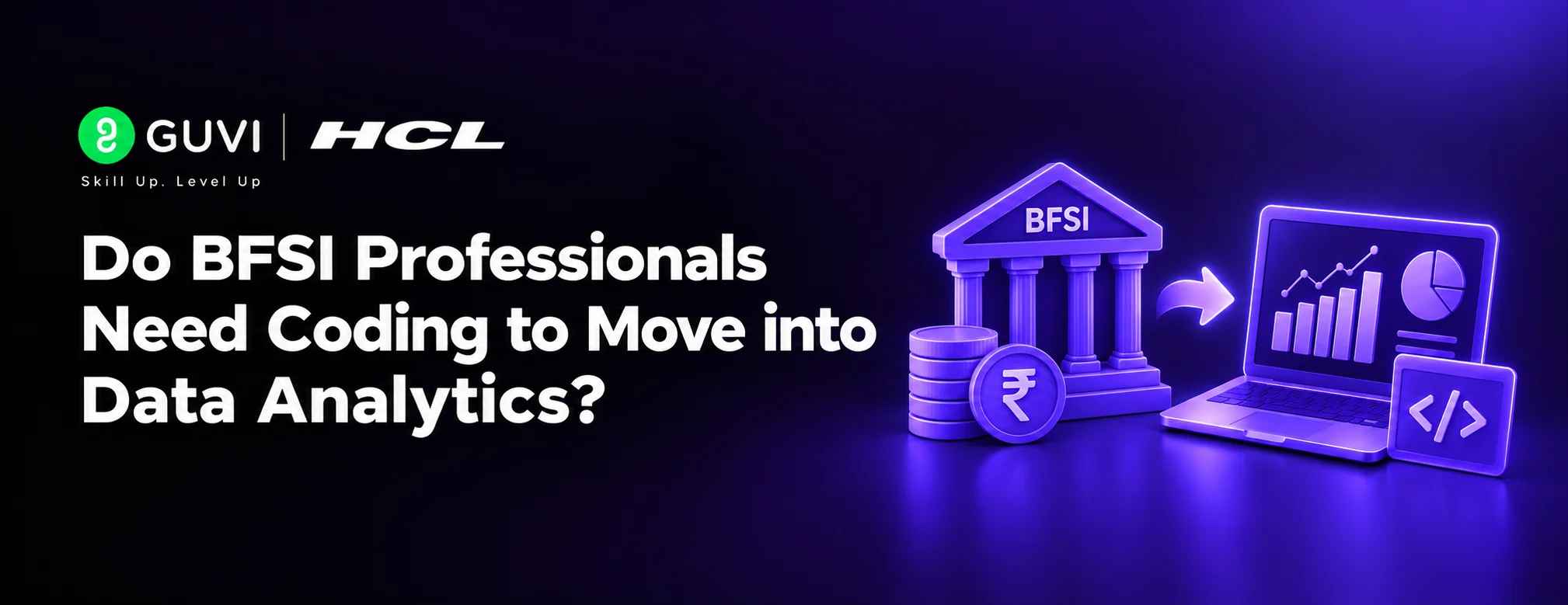
Do BFSI Professionals Need Coding to Move into Data Analytics?
Oct 29, 2026 5 Min Read 23 Views
(Last Updated)
The biggest reason BFSI professionals delay a move into analytics is one word: coding. Bankers, insurers, and NBFC staff who handle crores of rupees in transactions every day still hesitate because they think analytics means writing programs.
For most entry and mid level roles, BFSI professionals to data analytics does not require heavy coding. You need Excel, Power BI, and basic SQL, which reads closer to English than to software. Python helps later, especially for automation and modelling, but it is rarely the first thing employers test.
This blog explains how far you can go with data analytics without coding, which no-code analytics tools matter, how Excel and Power BI for analysts work in BFSI, where coding starts to pay off, and what the BFSI professionals to data analytics path looks like in months and in salary.
Table of contents
- TL;DR Summary
- What is BFSI Professionals to Data Analytics?
- Data Analytics Without Coding: How Far Can BFSI Professionals to Data Analytics Go?
- Do BFSI Professionals to Data Analytics Need Coding for Different Roles?
- No-Code Analytics Tools That Matter
- Excel and Power BI for Analysts: What to Master
- Excel Skills
- Power Query
- Power BI Modelling
- Dashboard Design
- Why SQL Still Matters Without Python
- When Coding Starts to Pay Off
- Roadmap for BFSI Professionals to Data Analytics Without Coding
- Months 1 to 2: Excel and Power Query
- Months 3 to 4: Power BI and SQL
- Months 5 to 6: Project and Applications
- Months 7 to 12: Analyst Role and Python
- Project Idea: A No-Code Portfolio Piece
- BFSI Professionals to Data Analytics Salary in India
- Salary by Role
- What This Means for BFSI Professionals to Data Analytics
- 💡 Did You Know?
- Common Mistakes for BFSI Professionals to Data Analytics
- Conclusion
- FAQs
- Do BFSI professionals need coding to move into data analytics?
- Can I do data analytics without coding?
- Which no-code analytics tools should BFSI professionals to data analytics learn first?
- How long does BFSI professionals to data analytics take without coding?
- When should BFSI professionals to data analytics learn Python?
TL;DR Summary
- What it is: BFSI professionals to data analytics is the move from banking, financial services, or insurance operations into roles that analyse the data those operations produce.
- Coding verdict: For BFSI professionals to data analytics, most entry roles need Excel, Power BI, and basic SQL. Python is a later upgrade, not a starting requirement.
- Tools to learn: Excel with Power Query, Power BI, and SQL.
- Where coding helps: Automation, large datasets, statistical modelling, and data scientist roles.
- Timeline: BFSI professionals to data analytics need about 4 to 6 months for a first analyst role without Python.
- Salary reality: KYC analysts average about ₹4.8 LPA, data analysts about ₹6.5 LPA, and BI analysts about ₹8.9 LPA.
- Next step: Rebuild one monthly report in Power BI as your first BFSI professionals to data analytics project.
What is BFSI Professionals to Data Analytics?
BFSI professionals to data analytics is a career transition in which people working in banking, financial services, or insurance move from running processes to analysing data about them, using spreadsheets, SQL, and dashboard tools.
The move is popular because BFSI work already produces structured data, such as loans, claims, transactions, and complaints. BFSI professionals to data analytics candidates bring product and compliance knowledge that general applicants lack, and tools are the part that can be learned in months.
If you want a structured path with mentors and live projects, HCL GUVI’s Data Science Program, offered with IITM Pravartak, covers SQL, Python, Power BI, and statistics in weekday and weekend batches built for working professionals.
Data Analytics Without Coding: How Far Can BFSI Professionals to Data Analytics Go?
Data analytics without coding is possible for a large share of entry level work. This table shows what you can do with spreadsheets and dashboard tools alone, and where code starts to matter.
| Task | Without Coding | When Code Helps |
|---|---|---|
| Cleaning data | Power Query in Excel or Power BI | Very messy or huge files |
| Summaries and reports | Pivot tables and dashboards | Automated daily reports |
| Joining tables | Power Query merges, SQL joins | Many sources at once |
| KPI tracking | Power BI measures | Custom calculations at scale |
| Trend and cohort views | Power BI visuals | Advanced statistical tests |
| Prediction | Not practical | Python or R models |
The takeaway for BFSI professionals to data analytics is simple. Reporting, dashboards, and business analysis are open without Python. Prediction and automation are where code begins.
Whether coding is needed also depends on the role. The question is covered in whether coding is required for data science, and the answer for analyst roles is lighter than for data scientist roles.
Do BFSI Professionals to Data Analytics Need Coding for Different Roles?
Coding need varies a lot by role. This table shows what to expect.
| Role | Coding Need | Main Tools |
|---|---|---|
| MIS or Reporting Analyst | Low | Excel, Power Query, SQL |
| Business Intelligence Analyst | Low to medium | Power BI, SQL |
| Risk or Credit Analytics Analyst | Medium | SQL, Excel, Python |
| Fraud Analytics Analyst | Medium to high | SQL, Python |
| Data Scientist in BFSI | High | Python, statistics, ML libraries |
For BFSI professionals to data analytics, the first two rows are the easiest entry points. They match the move seen in MIS reporting to data analytics, where reports become the bridge into a data role.
No-Code Analytics Tools That Matter
No-code analytics tools let you work with data through menus and drag and drop. These are the ones employers in BFSI actually ask for.
| Tool | What It Does | BFSI Use |
|---|---|---|
| Excel with Power Query | Cleans and combines data | Reconciliations, monthly reports |
| Power BI | Builds interactive dashboards | Branch, portfolio, claims views |
| Tableau | Visual analytics | Risk and customer dashboards |
| Looker Studio | Free dashboards from simple data | Quick team reporting |
| Power Automate | Automates routine steps | Scheduled report refreshes |
Of these, Excel and Power BI carry the most weight for BFSI professionals to data analytics, because most banks, insurers, and NBFCs already use Microsoft tools.
Excel and Power BI for Analysts: What to Master
Excel and Power BI for analysts is the core pair. Learn them in order, and learn them deeply.
1. Excel Skills
Master pivot tables, lookups, conditional logic, and Power Query. These cover most reconciliations and ad hoc analysis in BFSI.
2. Power Query
Power Query is the point where Excel becomes a data tool. It cleans, reshapes, and merges data without code and refreshes with one click.
3. Power BI Modelling
Learn relationships between tables, a clean data model, and basic DAX measures such as totals, ratios, and year on year change. DAX is a formula language, closer to Excel than to programming.
4. Dashboard Design
A good dashboard answers one question per page. Follow the principles of a data dashboard that people actually use so leaders can act on it.
To prove the skill, take one of the best Power BI courses with certificate and apply it to your own work data.
Why SQL Still Matters Without Python
If you learn one thing beyond Excel and Power BI, make it SQL. It is not heavy programming. It is a way of asking a database questions in short, readable statements.
| Why SQL | What It Gives BFSI Professionals |
|---|---|
| Data lives in databases | Pull loan, claims, and transaction data yourself |
| Less dependence on IT | Faster answers without waiting for extracts |
| Feeds Power BI | Cleaner, faster dashboards |
| Tested in interviews | Most analyst screens include SQL |
BFSI professionals to data analytics should start by rewriting routine data pulls as SQL queries with examples, and then compare your plan with the top data analytics skills employers list.
When Coding Starts to Pay Off
Python is not a requirement at the start, but it helps once you want more. BFSI professionals to data analytics who add it later usually do so for these reasons.

| Reason | Example in BFSI |
|---|---|
| Automation | Generating daily compliance reports |
| Scale | Analysing millions of transactions |
| Statistics | Testing whether a change is real |
| Modelling | Default, churn, or fraud prediction |
| Career ceiling | Data scientist and senior roles |
A sensible plan for BFSI professionals to data analytics is to start without code, work as an analyst, and add Python in months 7 to 12. The sequence is also laid out in the guide to Excel, SQL, and Python for BPO professionals.
Roadmap for BFSI Professionals to Data Analytics Without Coding
This roadmap assumes 6 to 8 hours of study a week beside your current job.
1. Months 1 to 2: Excel and Power Query
In your first BFSI professionals to data analytics step, rebuild one monthly report in Power Query so it refreshes with one click.
2. Months 3 to 4: Power BI and SQL
Build a dashboard from that report. Learn SQL joins and aggregations for the data behind it.
3. Months 5 to 6: Project and Applications
Finish one portfolio project and apply internally and externally. The projects to build for a data analyst portfolio give more ideas.
4. Months 7 to 12: Analyst Role and Python
Move into the role and add Python basics. The data analyst career roadmap covers the analyst stage in more detail.
Want to follow this roadmap with mentors and placement support? HCL GUVI’s Data Science Program follows the same order, from SQL and Python to dashboards and machine learning.
Project Idea: A No-Code Portfolio Piece
A branch or portfolio dashboard is the best first project for BFSI professionals to data analytics, and it needs no Python.
| Dashboard Page | What It Shows | Best Visual |
|---|---|---|
| Overview | Disbursals or premium, outstanding, delinquency | KPI cards |
| Product view | Performance by loan or policy type | Bar chart |
| Risk drivers | Share of overdue or claims by segment | Pareto chart |
| Trend | Month wise movement | Trend line |
| Watchlist | Accounts or policies with rising risk | Flagged table |
Use public or synthetic data only, and never take real customer records out of your employer’s systems.
BFSI Professionals to Data Analytics Salary in India
Salary needs honest framing. These are India averages, and offers vary by city, employer, and skill depth.
1. Salary by Role
| Role | Average Annual Salary |
|---|---|
| KYC Analyst | ₹4.8 LPA |
| Financial Analyst | ₹5.8 LPA |
| Data Analyst | ₹6.5 LPA |
| Business Intelligence Analyst | ₹8.9 LPA |
| Credit Analyst | ₹9 LPA |
| Senior Data Analyst | ₹11 LPA |
| Analytics Manager | ₹23.8 LPA |
2. What This Means for BFSI Professionals to Data Analytics
A KYC analyst who becomes a data analyst earns about 35% more on average, and one who reaches a business intelligence analyst role earns about 85% more. A financial analyst moving to business intelligence earns about 53% more.
Pay rises with tool depth. A Power BI and SQL profile reaches business intelligence pay faster than an Excel only profile, which is why BFSI professionals to data analytics should aim beyond basic reporting.
💡 Did You Know?
- Power Query is built into both Excel and Power BI, so learning it helps you work with data in both tools.
- DAX, the formula language used in Power BI, is familiar to many Excel users because it shares similarities with Excel formulas.
- Microsoft’s PL-300 exam is the official certification exam for the Power BI Data Analyst Associate credential.
Common Mistakes for BFSI Professionals to Data Analytics
- Starting with Python: For reporting roles, Excel, Power BI, and SQL give a faster return.
- Skipping SQL entirely: No-code tools help, but SQL is tested in most analyst interviews.
- Learning tools without a project: A dashboard on real style data proves more than a certificate.
- Using real customer data: It is regulated. Use public or synthetic data only.
- Hiding BFSI experience: For BFSI professionals to data analytics, domain knowledge is your edge over general applicants.
Conclusion
BFSI professionals to data analytics can start without coding. Excel, Power Query, Power BI, and basic SQL are enough for a first analyst role, and Python becomes a useful upgrade once you are in the field. The skill that cannot be replaced is the BFSI knowledge you already have.
If you are ready to build those skills with mentors and real projects, explore HCL GUVI’s Data Science Program and start turning your BFSI experience into an analytics career.
Finance colleagues can also read about data analytics for finance professionals.
FAQs
1. Do BFSI professionals need coding to move into data analytics?
Not for most entry roles. BFSI professionals to data analytics can start with Excel, Power BI, and basic SQL. Python helps for automation, fraud, and modelling roles.
2. Can I do data analytics without coding?
Yes, for reporting, dashboards, and business analysis. Prediction and large scale automation usually need Python or R, which you can add later.
3. Which no-code analytics tools should BFSI professionals to data analytics learn first?
Excel with Power Query, then Power BI. They are the most requested no-code analytics tools in BFSI, and Tableau or Looker Studio are good additions.
4. How long does BFSI professionals to data analytics take without coding?
Most working professionals need 4 to 6 months to be ready for a first analyst role using Excel, Power BI, and SQL, studying 6 to 8 hours a week.
5. When should BFSI professionals to data analytics learn Python?
After you land an analyst role, or earlier if you target fraud analytics or data scientist roles. Months 7 to 12 is a sensible window for most people.
Success Stories

About the Author
Jebasta
I translate the language of data into stories that anyone can understand. As a writer with a data science background, I simplify analytics, AI, and decision-making so beginners and enthusiasts can confidently explore the world of data.
View all posts by Jebasta
Connect with me @








Did you enjoy this article?