


Artificial Intelligence and Machine Learning Articles
AI/ML Skills Gap 2026: Why Companies Can't Find Job-Ready Talent
20 AI/ML Interview Questions Recruiters Can Use Without a Tech Background - Best Guide
How Industry-Backed AI/ML Bootcamps Are Changing the AI/ML Hiring Pipeline - Best Guide 2026
From IT Support to AI Engineer: A Realistic Career Switch Guide 2026


Get In Touch For Details! Request More Information

Claude API Rate Limits: What You Need to Know
Jul 09, 2026 3 Min Read 417 Views
(Last Updated)
You’ve integrated the Claude API into your application, tested a few requests, and everything works smoothly until your application starts returning HTTP 429 (Too Many Requests) errors. Suddenly, requests fail, users experience delays, and your AI-powered workflow becomes unreliable.
This is where API rate limits come into play. Rate limits help ensure fair usage, maintain platform stability, and prevent abuse. Understanding how Claude API rate limits work—and designing your application around them is essential for building reliable AI products. In this article, you’ll learn what Claude API rate limits are, why they exist, the different types of limits, common errors, and best practices for handling them effectively.
Table of contents
- TL;DR Summary
- What Are API Rate Limits?
- Why Does the Claude API Use Rate Limits?
- What Types of Rate Limits Exist?
- What Happens When You Exceed a Rate Limit?
- How Should Applications Handle Rate Limits?
- Optimize Token Usage
- Monitor API Usage
- Common Mistakes That Trigger Rate Limits
- Example Request Flow
- Real-World Example
- Understanding Rate Limits vs Billing Limits
- Conclusion
- FAQs
- What are Claude API rate limits?
- What happens if I exceed a rate limit?
- Can rate limits vary by account?
- How can I reduce the chance of hitting rate limits?
- What is exponential backoff?
- Are rate limits the same as billing limits?
- Where can I find the latest Claude API limits?
TL;DR Summary
- Rate limits protect API stability and ensure fair usage.
- Limits may apply to requests, tokens, or usage tiers.
- Exceeding limits typically results in temporary request rejections.
- Implement retry logic and request throttling to improve reliability.
- Optimize prompts and batch workloads where appropriate.
- Monitor usage regularly to avoid unexpected interruptions.
Keep your Claude API usage efficient rate limits depend on your tier and track requests, input tokens, and output tokens. Learn AI & ML with HCL GUVI’s Artificial Intelligence and Machine Learning course.
What Are API Rate Limits?
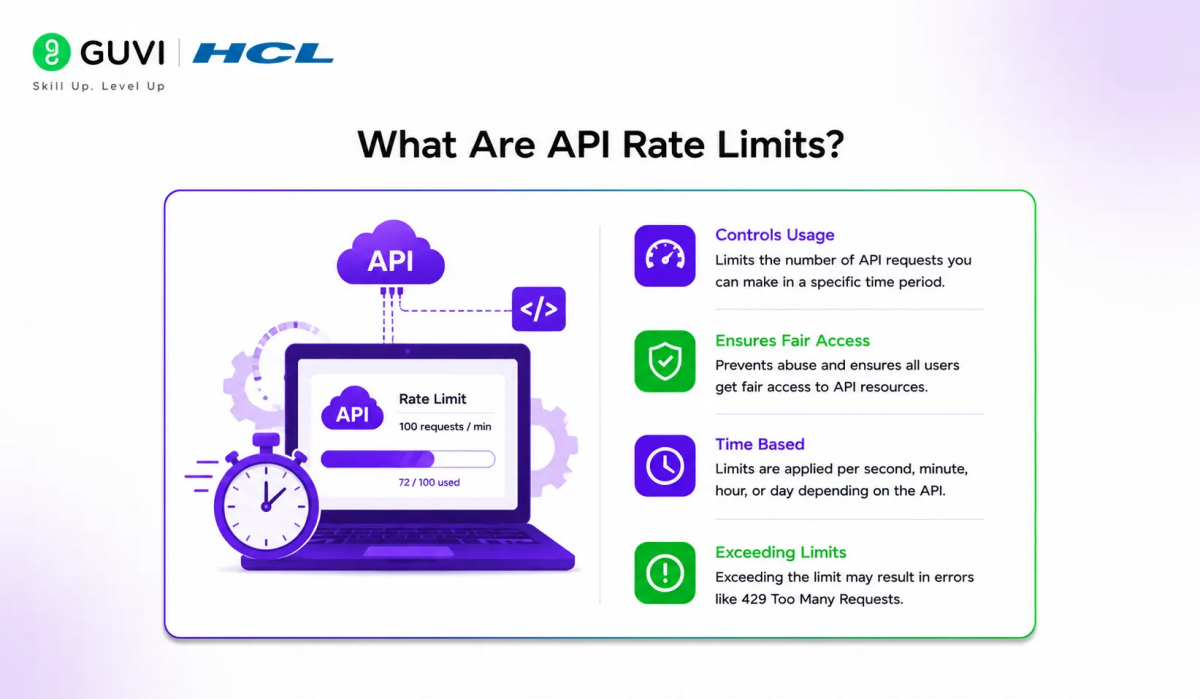
API rate limits are usage restrictions that control how frequently an application can send requests to an API over a specified period.
Instead of allowing unlimited traffic, the API enforces limits to:
- Maintain platform stability
- Prevent abuse
- Ensure fair resource allocation
- Protect service performance
Most modern cloud APIs—including AI APIs—use some form of rate limiting.
Why Does the Claude API Use Rate Limits?
Large language models require significant computing resources to generate responses. Without usage controls, a small number of high-volume applications could negatively affect service availability for others.
Rate limits help:
- Balance system load
- Improve reliability
- Reduce service disruptions
- Encourage efficient API usage
- Support predictable platform performance
These limits are a standard practice across cloud platforms.
📊 Data Point
Most enterprise AI APIs use rate limiting alongside authentication, billing controls, and usage monitoring to manage shared computing resources efficiently.
What Types of Rate Limits Exist?
Although limits may vary by account type and service plan, API platforms commonly apply several categories of limits.
| Limit Type | Purpose |
| Requests per minute (RPM) | Controls request frequency |
| Tokens per minute (TPM) | Limits total token processing |
| Concurrent requests | Limits simultaneous API calls |
| Daily or monthly quotas | Controls overall consumption |
| Organization-level limits | Applies shared limits across projects |
The exact limits available to your account depend on the service tier and current platform policies.
What Happens When You Exceed a Rate Limit?
If your application exceeds an allowed limit, the API typically rejects additional requests until sufficient capacity becomes available again.
Common outcomes include:
- Temporary request failures
- HTTP 429 responses
- Retry recommendations
- Backoff requirements
In most cases, applications should wait before sending additional requests instead of retrying immediately.
⚠️ Warning
Repeatedly retrying failed requests without delay can increase traffic and extend recovery time.
How Should Applications Handle Rate Limits?
Reliable applications are designed to expect temporary rate limiting.
Recommended techniques include:
- Exponential Backoff
Increase the waiting time after each retry rather than retrying continuously.
- Queue Requests
Store requests temporarily instead of sending them all simultaneously.
- Limit Concurrency
Control the number of parallel API calls generated by your application.
- Retry Only When Appropriate
Retry transient errors rather than permanent failures.
These strategies improve stability under high traffic conditions.
Optimize Token Usage
Efficient prompts reduce unnecessary token consumption and improve application performance.
Good practices include:
- Remove redundant instructions.
- Keep prompts focused.
- Reuse system prompts where practical.
- Summarize long conversations when appropriate.
- Avoid sending repeated context unnecessarily.
💡 Pro Tip

Smaller prompts often produce faster responses while consuming fewer tokens, reducing the likelihood of reaching usage limits.
Monitor API Usage
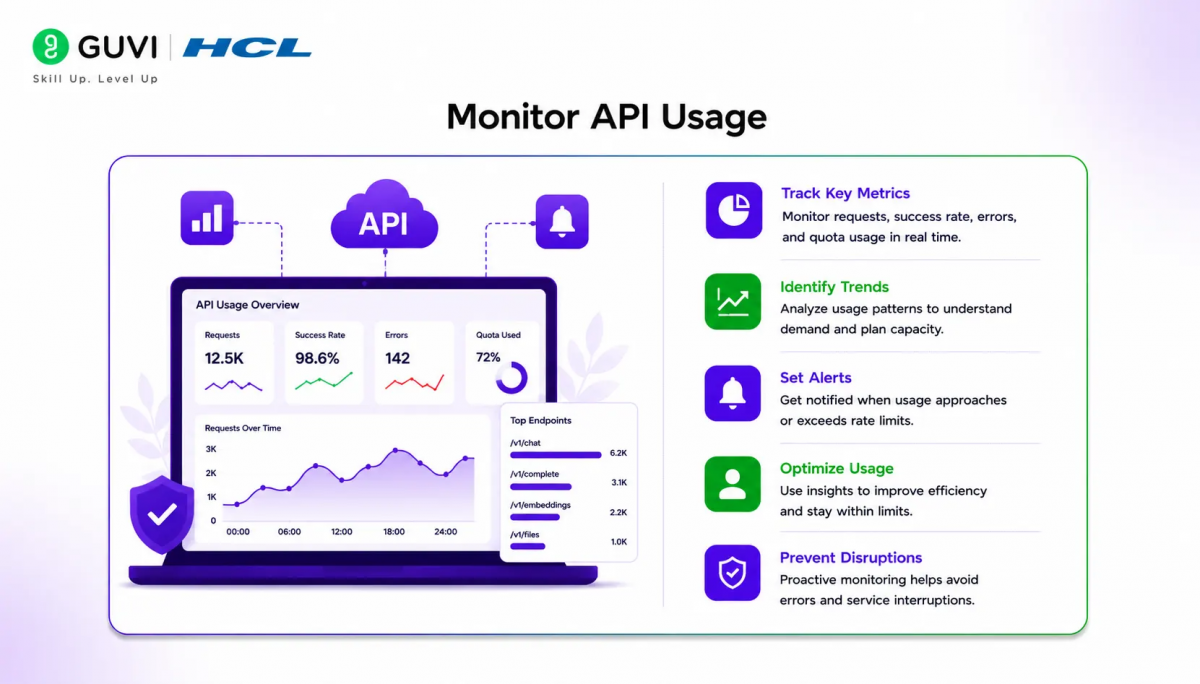
Monitoring helps identify usage spikes before they affect users.
Track metrics such as:
- Request volume
- Token consumption
- Error rates
- Response latency
- Retry frequency
- Concurrent requests
These insights support capacity planning and application optimization.
Keep your Claude API usage efficient—rate limits depend on your tier and track requests, input tokens, and output tokens. Learn AI & ML with HCL GUVI’s Artificial Intelligence and Machine Learning course.
Common Mistakes That Trigger Rate Limits
| Mistake | Better Approach |
| Sending large bursts of requests | Spread requests over time |
| Unlimited retries | Use exponential backoff |
| Excessively long prompts | Optimize prompt length |
| Duplicate API calls | Cache repeated responses where appropriate |
| Ignoring usage metrics | Monitor application behavior continuously |
Example Request Flow
Imagine a document summarization application.
Instead of sending 500 requests simultaneously, the application:
- Places requests into a processing queue.
- Sends requests in controlled batches.
- Waits briefly when temporary limits are reached.
- Retries eligible requests using exponential backoff.
- Continues processing until the queue is empty.
This approach improves reliability without overwhelming the API.
Real-World Example
Consider a customer support platform that uses the Claude API to summarize support tickets.
During normal operation, requests are processed smoothly. However, after a product launch, thousands of tickets arrive within minutes.
Instead of sending every request immediately, the platform places jobs into a queue, limits concurrent API calls, and automatically retries temporary failures with exponential backoff. Although processing takes slightly longer, the system remains stable and continues serving users without overwhelming the API.
Understanding Rate Limits vs Billing Limits
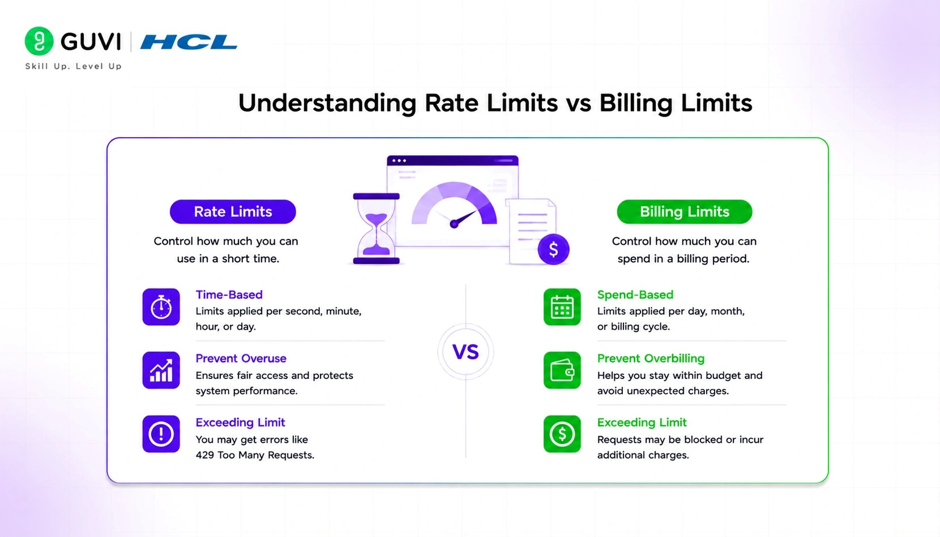
Rate limits and billing limits serve different purposes.
| Rate Limits | Billing Limits |
| Control request frequency | Control spending |
| Protect platform stability | Manage costs |
| Temporary restrictions | Budget management |
| Reset periodically | Based on account usage |
Applications should account for both operational limits and financial constraints.
Conclusion
Understanding Claude API rate limits is essential for building reliable, scalable AI-powered applications. Rather than treating rate limiting as an obstacle, consider it an important aspect of system design that encourages efficient resource usage and improves overall platform stability.
By implementing intelligent retry strategies, optimizing prompts, monitoring usage, and designing applications that gracefully handle temporary limits, you can deliver a better user experience while making the most of the Claude API.
FAQs
What are Claude API rate limits?
Claude API rate limits are usage restrictions that control how many requests or tokens an application can process within a specified period to maintain service reliability and fair access.
What happens if I exceed a rate limit?
If your application exceeds a rate limit, the API may temporarily reject additional requests until the limit resets or sufficient capacity becomes available.
Can rate limits vary by account?
Yes. Available limits often depend on factors such as your service plan, usage tier, and platform policies.
How can I reduce the chance of hitting rate limits?
Optimize prompts, control request frequency, implement retries with exponential backoff, monitor usage, and avoid unnecessary duplicate requests.
What is exponential backoff?
Exponential backoff is a retry strategy that gradually increases the waiting time between retry attempts, reducing unnecessary traffic during temporary failures.
Are rate limits the same as billing limits?
No. Rate limits control request frequency and platform usage, while billing limits relate to account spending and consumption.
Where can I find the latest Claude API limits?
Because limits can change over time, always refer to Anthropic’s official API documentation and your account dashboard for the most current information.
Success Stories

About the Author
Vishalini Devarajan
An Aerospace Engineer turned content writer, I focus on making complex concepts easy to understand through well-structured, reader-friendly blogs. Whether it’s a technical topic or a non-technical one, I love creating content that is clear, engaging, and impactful.
View all posts by Vishalini Devarajan
Connect with me @











Did you enjoy this article?