


Career Articles
Diploma vs Degree vs Certification: What Actually Matters to Employers in 2026? - Best Guide
How to Explain Job Hopping Without Sounding Unstable - Best Guide
Why Full Stack Developers Are in High Demand in 2026?
How to Choose a Skill to Learn Next Based on Your Career Goals - Best Guide 2026


Get In Touch For Details! Request More Information
How No-Code and Low-Code Platforms Are Creating New Career Opportunities
Jul 13, 2026 5 Min Read 117 Views
(Last Updated)
Table of contents
- TL;DR Summary
- Introduction
- What Are No-Code and Low-Code Platforms?
- How No-Code Development Works
- How Low-Code Platforms Work
- Why No Code, Low Code Career Opportunities Are Growing
- Key Statistics That Show the Growth
- Top No-Code and Low-Code Career Opportunities
- Low-Code Developer
- No-Code Developer
- Automation Specialist
- CRM and Business App Builder
- Product Operations Associate
- Citizen Developer
- No-Code vs Low-Code Career Comparison
- Skills Needed for the Future of No Code and Low Code
- Technical Skills
- Business Skills
- Platform Skills
- Roadmap to Start a No-Code or Low-Code Career
- Step 1: Learn Web Basics
- Step 2: Pick One Platform
- Step 3: Build Three Portfolio Projects
- Step 4: Learn Integrations
- Step 5: Apply for Roles or Freelance Projects
- Salary Scope and Benefits
- Why These Careers Are Attractive
- Real-World Examples
- Example 1: Retail Operations
- Example 2: HR and Recruitment
- Example 3: Enterprise Productivity
- Common Mistakes to Avoid
- Mistake 1: Thinking No-Code Means No Skill
- Mistake 2: Learning Too Many Tools at Once
- Mistake 3: Ignoring Web Fundamentals
- Mistake 4: Building Only Demo Projects
- Mistake 5: Not Documenting Your Work
- Wrapping Up
- Frequently Asked Questions
- What are no code low code career opportunities?
- Are no code careers good for beginners?
- Do low code jobs require coding?
- Is no code development the future?
- Which low code platforms should I learn first?
- Can I get a job with only no-code skills?
- Are low-code platforms replacing software developers?
TL;DR Summary
No-code and low-code platforms are opening new career paths for beginners, non-programmers, business analysts, designers, operations teams, and developers who want to build apps faster. These tools reduce the need for heavy manual coding and help companies create internal tools, workflows, dashboards, and customer apps quickly. The best no code, low code career opportunities include low-code developer, automation specialist, CRM builder, workflow consultant, product operations associate, and citizen developer roles.
Introduction
A few years ago, building software meant learning programming languages, databases, deployment, and frameworks before you could create anything useful. Today, no-code and low-code platforms have changed that entry barrier.
Businesses need apps, automation, websites, dashboards, and AI-powered workflows faster than traditional development teams can deliver them. IDC had earlier predicted that 750 million new apps would need to be built by 2025, highlighting the demand gap that low-code and no-code tools are trying to solve.
That is exactly why no code, low code career opportunities are growing. You do not always need to become a full-stack developer first. You can start by learning how to solve business problems using visual builders, workflow tools, integrations, and basic web concepts.
What Are No-Code and Low-Code Platforms?
No-code and low-code platforms are software tools that help users build applications, websites, workflows, dashboards, and automations with minimal manual coding. No-code tools are designed mainly for non-programmers, while low-code platforms combine visual development with some coding for customization, integrations, and scalable business applications.
How No-Code Development Works
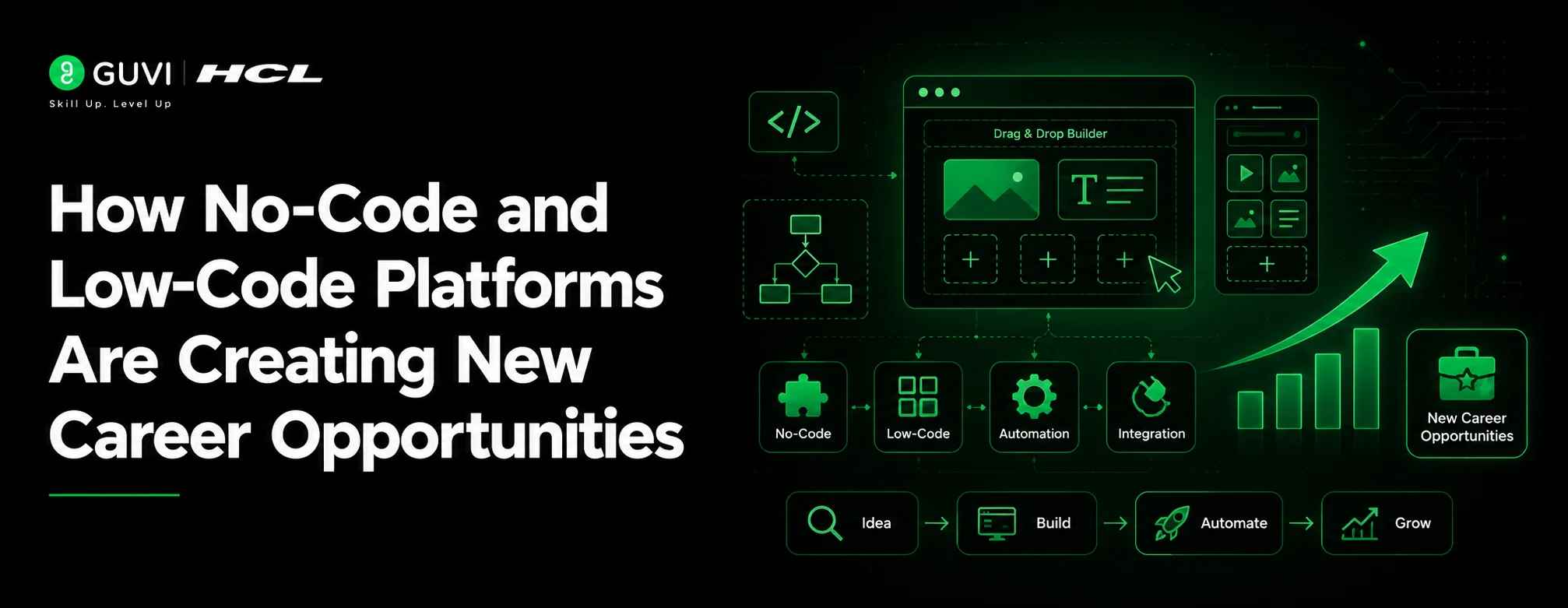
No code development uses drag-and-drop interfaces, templates, forms, visual workflows, and pre-built integrations.
For example, a sales team can build a lead tracking system using Airtable, Notion, Bubble, or Glide without writing complex backend code.
How Low-Code Platforms Work
Low code platforms allow users to build apps visually but also add code when needed.
For example, a company may use Microsoft Power Apps, Salesforce, OutSystems, Mendix, Zoho Creator, or Appian to build an internal approval app connected to databases and APIs.
Microsoft describes Power Apps as a low-code app builder for creating custom business apps that streamline processes and improve productivity.
Why No Code, Low Code Career Opportunities Are Growing
Companies are not adopting these platforms only because they are trendy. They are adopting them because they solve a real business problem: speed.
Traditional software development is powerful, but it can be slow, expensive, and dependent on limited developer bandwidth. No-code and low-code tools help teams move faster.
Key Statistics That Show the Growth
| Statistic | Why It Matters |
| 80% of IT organizations use no-code and low-code app development tools, according to IDC coverage by Salesforce. | Shows mainstream enterprise adoption |
| Gartner has noted that by 2025, 70% of new enterprise applications would use low-code or no-code technologies. | Shows demand beyond small tools |
| Statista forecasts the global low-code platform market to reach around $65 billion by 2027. | Indicates long-term market growth |
| Mendix’s 2025 enterprise survey found that 98% of surveyed enterprises use low-code platforms, tools, or features in development. | Shows enterprise-level confidence |
| Gartner predicts 75% of enterprise software engineers will use AI code assistants by 2028. | Shows low-code, AI, and developer workflows are converging |
You do not need to master full-stack development before building your first useful app. A simple no-code project like a task tracker, lead form, or dashboard can become your first portfolio piece.

Top No-Code and Low-Code Career Opportunities
No code, low code career opportunities are not limited to one job title. They sit between technology, business operations, product, automation, and customer experience.
1. Low-Code Developer
Low-code developers build business apps using platforms like Power Apps, Mendix, OutSystems, Salesforce, or Zoho Creator.
They often work on:
- Internal approval systems
- CRM workflows
- Inventory apps
- HR dashboards
- Customer service portals
2. No-Code Developer
No-code developers build websites, MVPs, landing pages, workflow systems, and simple apps using visual tools.
This is one of the most beginner-friendly no code careers because it focuses on problem-solving before deep programming.
3. Automation Specialist
Automation specialists connect tools and reduce manual tasks using platforms like Zapier, Make, Power Automate, and n8n.
For example, they can automate a workflow where every new website lead is added to a CRM, assigned to a sales executive, and followed up through email.
4. CRM and Business App Builder
Many companies need people who can customize Salesforce, HubSpot, Zoho, or Microsoft Dynamics.
These low code jobs are useful for sales, marketing, support, and operations teams.
5. Product Operations Associate
Product operations teams use no-code tools to create dashboards, feedback trackers, onboarding flows, and internal documentation systems.
This role is ideal if you enjoy product thinking but are not yet ready for hardcore software engineering.
6. Citizen Developer
A citizen developer is a business user who builds apps or automations for their own team using approved no-code or low-code tools.
For example, an HR executive may create an employee onboarding tracker without waiting for the IT team.
Also Read: How Non-Technical Professionals Learn AI and Build Apps
No-Code vs Low-Code Career Comparison
| Factor | No-Code Careers | Low-Code Jobs |
| Best For | Beginners, business users, designers, founders | Developers, analysts, tech consultants |
| Coding Needed | Little to none | Basic to intermediate |
| Common Tools | Webflow, Bubble, Glide, Airtable, Notion | Power Apps, Mendix, OutSystems, Salesforce, Appian |
| Typical Work | MVPs, websites, simple apps, workflows | Enterprise apps, integrations, complex workflows |
| Career Depth | Fast entry, freelancing potential | Stronger enterprise job potential |
| Best Next Skill | UI/UX, automation, APIs | JavaScript, SQL, APIs, cloud basics |
Skills Needed for the Future of No Code and Low Code
The future of no code is not about avoiding technical skills completely. It is about combining business understanding with practical technology skills.
Technical Skills
You should learn:
| Skill | Why It Matters |
| HTML and CSS basics | Helps you understand page structure, styling, responsiveness, and layout customization. |
| JavaScript fundamentals | Useful when a low-code platform needs custom logic, validations, or advanced interactions. |
| API basics | Helps you connect apps, databases, CRMs, payment tools, and third-party services. |
| Database concepts | Helps you organize, store, filter, and retrieve data inside apps and dashboards. |
| Workflow automation | Helps you create task flows such as approvals, notifications, reminders, and data updates. |
| UI/UX design basics | Helps you build apps that are simple, usable, and easy for real users to navigate. |
| Data handling and dashboards | Helps you turn business data into reports, insights, and decision-making dashboards. |
Business Skills
You should build:
| Skill | Why It Matters |
| Problem-solving | Helps you identify the real business issue before choosing a tool or building a solution. |
| Process mapping | Helps you break down workflows step by step before automating or digitizing them. |
| Requirement gathering | Helps you understand what users need, what teams expect, and what the app must deliver. |
| User journey thinking | Helps you design smoother experiences from the user’s first action to final outcome. |
| Documentation | Helps teams understand how the app works, how to use it, and how to maintain it. |
| Testing and feedback handling | Helps you find errors, improve usability, and make the solution reliable before launch. |
Platform Skills
Start with one or two tools instead of trying everything. Good beginner options include:
| Platform Type | Tools | Why It Matters |
| Website builders | Webflow, Framer | Useful for building responsive websites, landing pages, and portfolio sites without heavy coding. |
| App builders | Bubble, Glide | Useful for creating MVPs, internal apps, marketplaces, and mobile-friendly business tools. |
| Database tools | Airtable, Notion | Useful for organizing business data, project trackers, content calendars, and lightweight CRMs. |
| Automation tools | Zapier, Make | Useful for connecting apps and automating repetitive tasks across teams. |
| Enterprise low-code tools | Power Apps, Zoho Creator | Useful for building business applications, approval workflows, and internal enterprise tools. |
Roadmap to Start a No-Code or Low-Code Career
Step 1: Learn Web Basics
Start with HTML, CSS, and basic JavaScript. Even in no-code careers, web fundamentals help you understand layouts, responsiveness, forms, and user interactions.
Step 2: Pick One Platform
Choose one platform based on your goal.
If you want websites, choose Webflow or Framer.
If you want internal apps, choose Power Apps or Zoho Creator.
If you want MVPs, choose Bubble or Glide.
If you want automation, choose Zapier, Make, or Power Automate.
Step 3: Build Three Portfolio Projects
Create practical projects such as:
- A lead management dashboard
- An employee onboarding workflow
- A student attendance or task tracking app
Step 4: Learn Integrations
Most real-world low code jobs involve connecting tools.
Learn how APIs, webhooks, forms, databases, and third-party integrations work.
Step 5: Apply for Roles or Freelance Projects
Start with job titles like:
- No-code developer
- Low-code developer
- Power Apps developer
- Automation specialist
- CRM associate
- Business process analyst
- Product operations associate
Salary Scope and Benefits
Low-code and no-code salaries vary based on platform, city, experience, and project complexity.
Glassdoor India lists the average low-code developer salary at around ₹7.3 LPA, with the typical range between about ₹3.55 LPA and ₹12.45 LPA based on submitted salary data as of July 2026.
| Role | Indicative India Salary Range |
| No-Code Developer | ₹3 LPA – ₹8 LPA |
| Low-Code Developer | ₹3.5 LPA – ₹12+ LPA |
| Power Apps Developer | ₹5 LPA – ₹15 LPA |
| Automation Specialist | ₹4 LPA – ₹12 LPA |
| CRM / Workflow Consultant | ₹5 LPA – ₹18 LPA |
| Low-Code Solution Architect | ₹15 LPA – ₹30+ LPA |
Why These Careers Are Attractive
- Faster entry compared to traditional software development
- Useful for both tech and non-tech learners
- Strong freelancing and consulting potential
- High demand in startups, IT services, SaaS, retail, finance, HR, and operations
- Easier transition into full-stack development later
Real-World Examples
Example 1: Retail Operations
A retail chain can use low-code platforms to build a store issue reporting app. Store managers can upload problems, assign priority, and track resolution without emailing multiple teams.
Example 2: HR and Recruitment
An HR team can build an onboarding workflow that sends offer letters, collects documents, assigns training tasks, and notifies managers automatically.
Example 3: Enterprise Productivity
Microsoft highlights that Accenture had more than 200,000 people using apps built on Microsoft Power Platform monthly and trained 50,000 low-code developers, with reported yearly savings of $6 million.
Common Mistakes to Avoid
Mistake 1: Thinking No-Code Means No Skill
No-code still requires logic, design thinking, testing, and business understanding.
Mistake 2: Learning Too Many Tools at Once
Do not jump between ten platforms. Master one, build projects, then expand.
Mistake 3: Ignoring Web Fundamentals
HTML, CSS, APIs, and databases make you far more employable in no code development and low-code roles.
Mistake 4: Building Only Demo Projects
Recruiters prefer projects that solve real problems, such as expense approvals, CRM workflows, booking systems, or dashboards.
Mistake 5: Not Documenting Your Work
Show screenshots, workflows, problem statements, and results. A clear case study can make your portfolio stronger.
Wrapping Up
No code, low code career opportunities are growing because companies need faster, simpler, and more cost-effective ways to build digital solutions. These platforms are not replacing developers; they are expanding who can participate in software creation. If you are a beginner, start with web basics, pick one platform, build real projects, and learn integrations. The future of no code belongs to people who can combine business understanding, tool fluency, and problem-solving.
If you want to build a strong foundation before entering no-code and low-code roles, start with practical web basics through HCL GUVI’s HTML and CSS Projects course and strengthen your problem-solving practice with HCL GUVI WebKata. As AI becomes part of no-code automation and app development, you can also explore HCL GUVI’s Artificial Intelligence and Machine Learning course to understand how intelligent workflows and AI-powered tools fit into future tech careers.
Frequently Asked Questions
1. What are no code low code career opportunities?
No code, low code career opportunities include roles such as no-code developer, low-code developer, automation specialist, CRM builder, workflow consultant, and product operations associate.
2. Are no code careers good for beginners?
Yes. No code careers are beginner-friendly because they focus on visual development, workflows, and problem-solving before advanced programming.
3. Do low code jobs require coding?
Some low code jobs require basic coding knowledge, especially HTML, CSS, JavaScript, SQL, APIs, and integration logic.
4. Is no code development the future?
No code development is a major part of the future of software creation because it helps teams build faster, automate work, and reduce dependency on limited developer bandwidth.
5. Which low code platforms should I learn first?
Beginners can start with Power Apps, Zoho Creator, Bubble, Webflow, Airtable, Glide, or Make depending on whether they want to build apps, websites, databases, or automations.
6. Can I get a job with only no-code skills?
Yes, but your chances improve when you combine no-code skills with web basics, UI/UX thinking, automation, databases, and portfolio projects.
8. Are low-code platforms replacing software developers?
No. Low-code platforms help developers and business teams work faster. Developers are still needed for complex systems, architecture, security, scalability, and custom integrations.
Success Stories











Did you enjoy this article?