


DevOps Articles
Claude for IT Help Desks: Reducing Ticket Volume
From Beginner to DevOps Engineer: How HCL GUVI Zen Class Helps You Get There


Get In Touch For Details! Request More Information

HashiCorp Vault Tutorial: Manage Secrets the Right Way
Aug 18, 2026 3 Min Read 1047 Views
(Last Updated)
Hardcoding a database password in your code is one of the easiest ways to get hacked. This HashiCorp Vault tutorial shows you how to stop doing that. Vault gives you one secure, central place to store every password, API key, and certificate your applications need, instead of scattering them across config files. By the end, you will have Vault running locally with your first secret safely stored.
Table of contents
- TL;DR Summary
- What is HashiCorp Vault?
- HashiCorp Vault Tutorial: Installation
- Starting a Dev Server
- Storing and Retrieving Your First Secret
- Understanding Secrets Engines
- Vault Policies
- 💡 Did You Know?
- Common Mistakes to Avoid
- Conclusion
- FAQs
- Is HashiCorp Vault free to use?
- What is the difference between dev mode and production mode?
- What types of secrets can Vault store?
- How do I read a secret using the Vault CLI?
- What is a Vault policy?
TL;DR Summary
- This HashiCorp Vault tutorial shows you how to install Vault, start a dev server, and store and retrieve your first secret.
- Vault securely stores passwords, API keys, certificates, and database credentials in one central place instead of scattering them across config files.
- Dev mode lets you practice locally in minutes, never use it in production.
- Core commands: vault server -dev, vault kv put, and vault kv get.
- Vault is written in Go, runs on every major OS, and is used by thousands of companies to prevent secret sprawl.
What is HashiCorp Vault?
HashiCorp Vault is a secrets management tool. It securely stores and tightly controls access to passwords, API keys, certificates, SSH keys, and database credentials.
Instead of every application holding its own copy of a secret, everything goes through Vault, which controls exactly who can access it, logs every access, and can generate temporary credentials that expire automatically. This is what prevents “secret sprawl,” the messy situation where the same password ends up copied across files nobody tracks anymore.
HashiCorp Vault Tutorial: Installation
Vault ships as a single binary, so installation is simple.
- macOS: brew tap hashicorp/tap && brew install hashicorp/tap/vault
- Linux: Download the binary directly with curl –output vault.zip https://releases.hashicorp.com/vault/[version]/vault_[version]_linux_amd64.zip, then unzip it into your PATH.
- Windows: Download the .zip from the official HashiCorp releases page and add the extracted folder to your system PATH.
Confirm it worked by running vault -h, which prints the full list of available commands.
Starting a Dev Server
For learning, Vault’s dev mode is the fastest way to get started. It runs entirely in memory with no extra setup.
Run this command in your terminal:
vault server -dev -dev-root-token-id=”dev-only-token”
Vault prints a warning that dev mode is enabled, along with your VAULT_ADDR and root token. In a new terminal window, set the address so the CLI knows where to send commands:
export VAULT_ADDR=’http://127.0.0.1:8200′
Dev mode is insecure by design and loses all data on restart, it exists purely so you can practice locally. Never run dev mode in production.
Storing and Retrieving Your First Secret
This is the heart of any HashiCorp Vault tutorial, actually storing something secret and getting it back.
Write a secret:
vault kv put secret/myapp password=supersecret123
Read it back:
vault kv get secret/myapp
Vault returns the value along with metadata like the version number and creation time. You can also fetch just the raw value, useful in scripts, with:
vault kv get -field=password secret/myapp
That is the entire core workflow: write once, read whenever your application needs it, with every access logged.
Understanding Secrets Engines
A secrets engine is a plugin for storing, generating, or managing a specific type of secret. The kv (key-value) engine you just used is the simplest and most common starting point.
Check what is enabled with:
vault secrets list
Enable a new versioned key-value engine at a custom path with:
vault secrets enable -path=dev-secrets -version=2 kv
Other engines go further than plain storage. The database engine can generate temporary, auto-expiring database credentials on demand. The PKI engine issues short-lived TLS certificates. This is what makes Vault more powerful than a simple password manager, it can create secrets dynamically instead of just storing static ones.

Vault Policies
A policy is a set of rules that defines exactly what a user or application is allowed to read, write, or delete inside Vault. Without policies, anyone with access could see every secret in the system.
A basic policy file looks like this:
path "secret/data/myapp" {
  capabilities = ["read"]
}
This grants read-only access to one specific secret path, nothing else. Apply policies to the principle of least privilege: give each application access to only the secrets it actually needs, nothing more.
💡 Did You Know?
- HashiCorp Vault is written in Go, allowing the same binary to run consistently across Linux, macOS, and Windows without requiring additional dependencies. Vault uses advanced cryptographic techniques to protect sensitive data such as secrets, API keys, certificates, and encryption keys. For production environments, Vault supports Shamir’s Secret Sharing, which splits the master unseal key among multiple people so that no single individual can unlock Vault alone.
Common Mistakes to Avoid
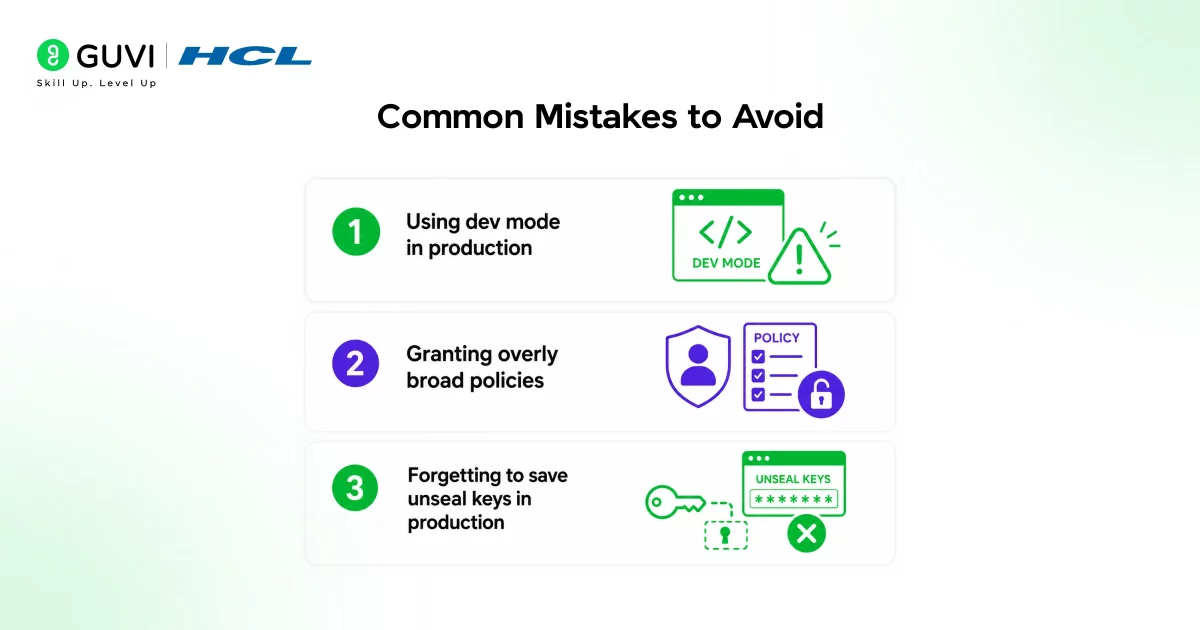
- Using dev mode in production. Dev mode runs in memory and loses everything on restart. It exists purely for local practice, never deploy it for real workloads.
- Granting overly broad policies. Giving every application admin-level access defeats the purpose of using Vault. Scope every policy to the narrowest set of paths it actually needs.
- Forgetting to save unseal keys in production. Losing them means losing access to every secret permanently. Store them securely, never alongside the secrets themselves.
Secrets management is a core DevOps and security skill in 2026. If you want to build the broader infrastructure and automation foundation that tools like Vault plug into, HCL GUVI’s DevOps Course covers CI/CD, cloud infrastructure, and real-world projects with NSDC certification.
Conclusion
This HashiCorp Vault tutorial covers everything you need to get started: installing Vault, running a dev server, storing and retrieving your first secret, understanding secrets engines, and writing a basic policy. The habit that matters most going forward is simple, stop hardcoding secrets anywhere in your code. Once Vault is running, every password, key, and certificate has exactly one secure home.
FAQs
1. Is HashiCorp Vault free to use?
Yes. The open-source version covered in this HashiCorp Vault tutorial is completely free. Paid enterprise and cloud-hosted tiers exist for larger organisations.
2. What is the difference between dev mode and production mode?
Dev mode runs in memory and loses all data on restart, useful only for learning. Production mode requires proper storage, initialization, and unsealing.
3. What types of secrets can Vault store?
Passwords, API keys, database credentials, SSH keys, and TLS certificates. Vault can also dynamically generate temporary, auto-expiring credentials.
4. How do I read a secret using the Vault CLI?
Run vault kv get secret/myapp, or add -field=password to retrieve just one value, useful inside scripts.
5. What is a Vault policy?
A set of rules written in HCL defining exactly what paths a user or application can read, write, or delete, following least privilege.
Success Stories

About the Author
Jebasta
I translate the language of data into stories that anyone can understand. As a writer with a data science background, I simplify analytics, AI, and decision-making so beginners and enthusiasts can confidently explore the world of data.
View all posts by Jebasta
Connect with me @



























Did you enjoy this article?