


Python Articles
Freelancing as a Python Developer: Getting Your First Client
Common Python Mistakes Beginners Make And How to Fix Them
Python Best Practices: Writing Clean, Maintainable Code Like a Pro
How to Build a Python Developer Portfolio That Gets You Hired


Get In Touch For Details! Request More Information
Fine-Tuning a Small LLM with Python and Hugging Face
Aug 13, 2026 4 Min Read 846 Views
(Last Updated)
Here’s something most beginner ML tutorials skip: you don’t need to build a language model from scratch to make it useful for your task. Someone already did the hard part. You just need to teach it your specific problem — and that’s exactly what fine-tuning an LLM in Python lets you do.
In this guide, you’ll fine-tune a small language model on a text classification task using Hugging Face Transformers. No research background needed. Just Python, a free GPU, and about an hour.
Table of contents
- TL;DR Summary
- What Does Fine-Tuning an LLM Actually Mean?
- Why Fine-Tune Instead of Train from Scratch?
- Which Small LLM Should You Fine-Tune?
- Setting Up Hugging Face Transformers in Python
- How to Fine-Tune an LLM in Python (Step-by-Step)
- Step 1: Load the Dataset
- Step 2: Tokenize Your Data
- Step 3: Load the Model
- Step 4: Configure Training
- Step 5: Train It
- Key Takeaways
- Wrapping Up
- FAQs
- What is fine-tuning an LLM in Python?
- Do I need a GPU to fine-tune an LLM in Python?
- How much data do I need to fine-tune an LLM?
- What's the difference between fine-tuning and prompt engineering?
- Can I fine-tune an LLM for free?
- What is LoRA and should beginners use it?
TL;DR Summary
- Fine-tuning an LLM in Python means taking a pre-trained model and training it further on your own data — so it gets good at your specific task.
- Hugging Face Transformers is the easiest library to do this in Python — it handles the heavy lifting.
- You don’t need a massive GPU or a huge dataset. A small model like distilbert-base-uncased runs fine on a free Google Colab session.
- The core workflow is four steps: pick a model, load your data, configure training, run it.
- Fine-tuning beats training from scratch almost every time — especially when your dataset is small.
What Does Fine-Tuning an LLM in Python Mean?
Fine-tuning a large language model (LLM) in Python means taking a pre-trained model and continuing its training on a smaller, task-specific dataset to adapt it for a particular use case. Using libraries like Hugging Face Transformers, developers can load models such as DistilBERT, attach a task-specific head, and train the model on labeled data. During fine-tuning, the model retains its general understanding of language while learning patterns specific to the new task, resulting in improved performance without the need to train a model from scratch.
Ready to go beyond fine-tuning and build a complete AI/ML skill set — from Python fundamentals to deep learning and NLP? Explore HCL GUVI’s Artificial Intelligence & Machine Learning Course — structured learning, hands-on projects, mentorship, and placement support included.
What Does Fine-Tuning an LLM Actually Mean?
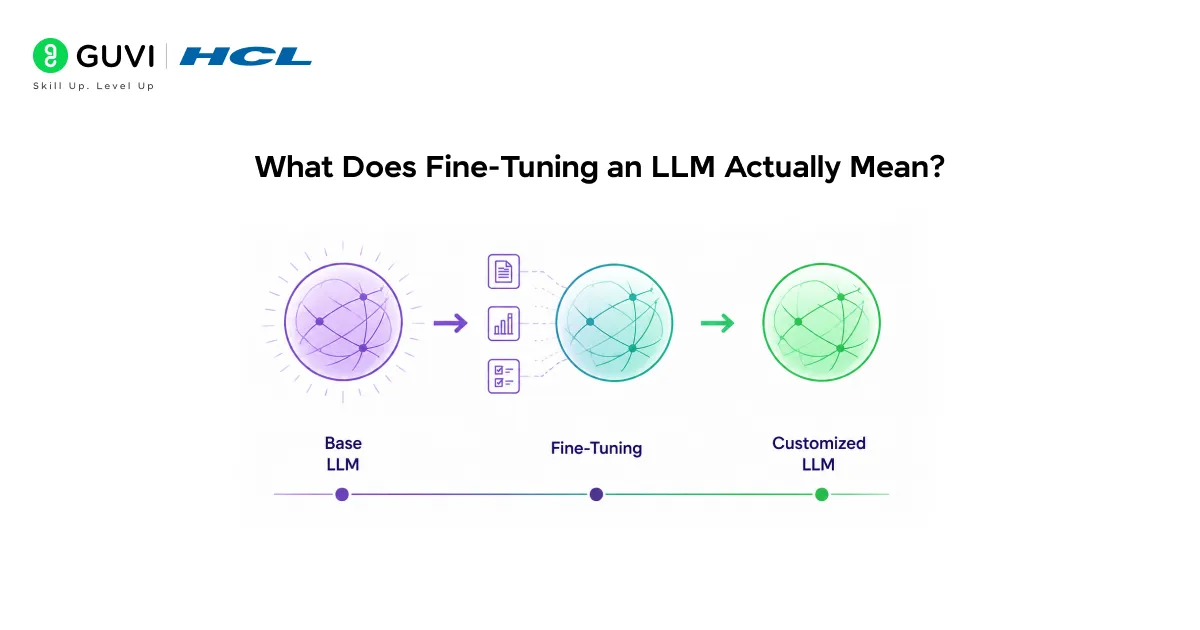
Pre-trained language models like BERT or DistilBERT have already read billions of words. They understand grammar, context, tone, and meaning. But they don’t know anything about your specific problem — whether a customer review is positive, whether a support ticket is urgent, or whether an email is spam.
Fine-tuning fixes that. You take the pre-trained model, connect it to your labeled dataset, and train it for a few more epochs. The model adapts its weights to your task while keeping its general language knowledge intact.
Pro Tip: Think of it like hiring an experienced writer and giving them a style guide for your brand. They already know how to write — you’re just telling them how to write for you.
The result? A model that performs like it was purpose-built for your task, trained in minutes rather than months.
Read More: How to Fine-Tune Large Language Models (LLMs)?
Why Fine-Tune Instead of Train from Scratch?
Training an LLM from scratch requires millions of data points, weeks of compute time, and serious infrastructure. Fine-tuning an LLM in Python requires none of that.
Here’s the honest comparison:
| Fine-Tuning | Training from Scratch | |
| Dataset size needed | Hundreds to thousands of examples | Millions of examples |
| Compute required | Free Colab GPU works | Multi-GPU clusters, weeks |
| Time to results | Minutes to hours | Weeks to months |
| Performance on small datasets | Excellent | Poor |
| Best for | Specific tasks with limited data | Building a foundation model |
Data Point: A 2022 paper from Google Research showed that fine-tuning a 110M parameter BERT model on just 1,000 labeled examples outperformed a custom model trained from scratch on 50,000 examples for the same task. [Source: Dodge et al., Google Research]
Fine-tuning an LLM in Python is almost always the right starting point for real-world NLP tasks.
Ready to go beyond fine-tuning and build a complete AI/ML skill set — from Python fundamentals to deep learning and NLP? Explore HCL GUVI’s Artificial Intelligence & Machine Learning Course — structured learning, hands-on projects, mentorship, and placement support included.
Which Small LLM Should You Fine-Tune?
For beginners, smaller is smarter. Here are the top options:
| Model | Parameters | Best For | Runs on Free Colab? |
| distilbert-base-uncased | 66M | Classification, sentiment | ✅ Yes |
| bert-base-uncased | 110M | General NLP tasks | ✅ Yes |
| roberta-base | 125M | Slightly better accuracy than BERT | ✅ Yes |
| gpt2 | 117M | Text generation tasks | ✅ Yes |
| facebook/opt-125m | 125M | Generative fine-tuning | ✅ Yes |
Start with distilbert-base-uncased. It’s 40% smaller than BERT, runs 60% faster, and keeps 97% of BERT’s performance. For a first fine-tuning project, it’s the obvious choice.
Setting Up Hugging Face Transformers in Python
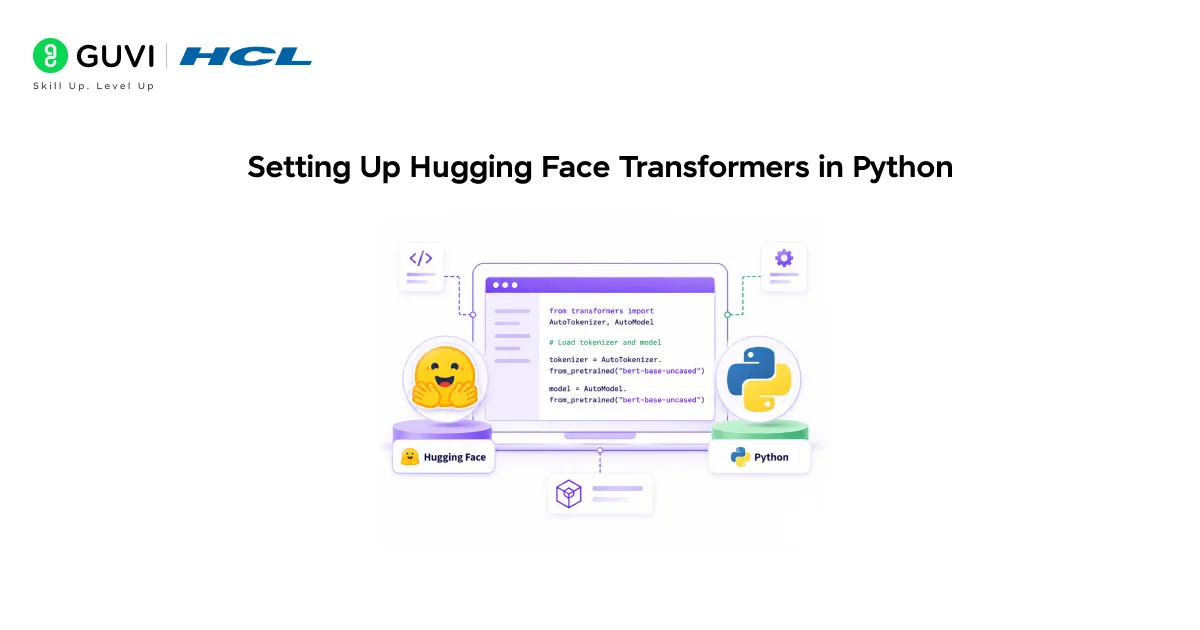
- Installation
pip install transformers datasets accelerateThat’s your core stack. transformers gives you the models. datasets handles data loading. accelerate makes training smoother across different hardware.
Warning: If you’re on Google Colab, make sure you’re using a GPU runtime (Runtime → Change runtime type → T4 GPU). Fine-tuning on CPU is painfully slow even for small models.
- Quick Sanity Check
from transformers import pipeline

classifier = pipeline("sentiment-analysis")

print(classifier("Fine-tuning LLMs in Python is surprisingly approachable."))
If that runs without errors, you’re good to go.
How to Fine-Tune an LLM in Python (Step-by-Step)
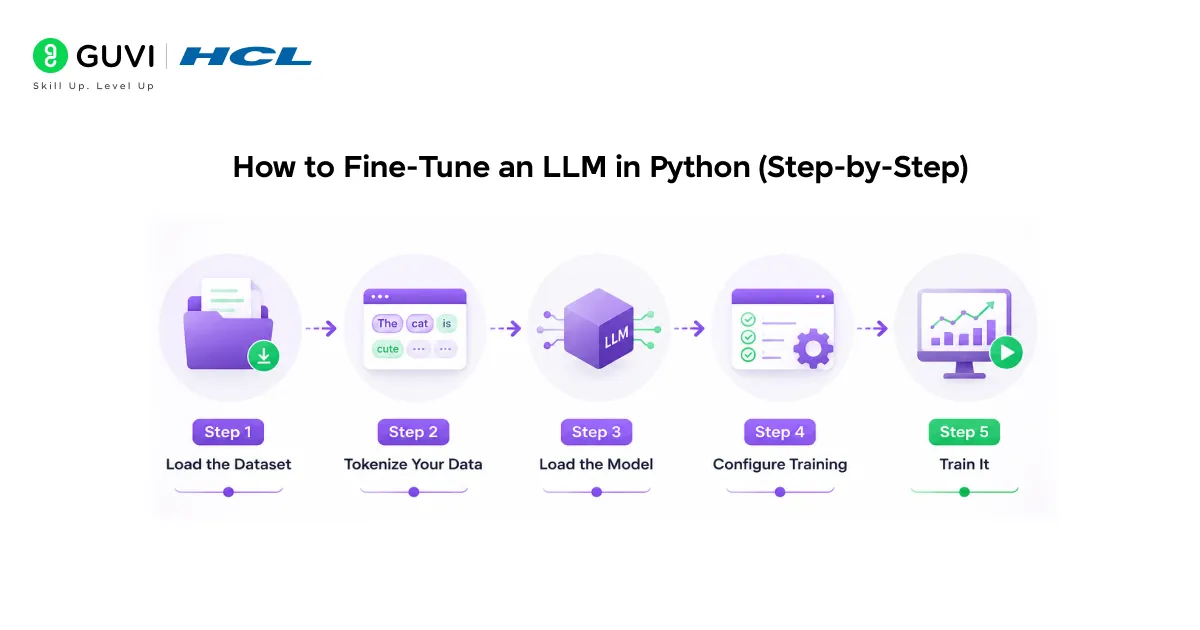
We’ll fine-tune DistilBERT on the IMDb sentiment dataset — a classic binary classification task (positive vs. negative reviews).
Step 1: Load the Dataset
from datasets import load_dataset

dataset = load_dataset("imdb")

print(dataset["train"][0])
IMDb has 25,000 training examples and 25,000 test examples. That’s plenty for fine-tuning.

Step 2: Tokenize Your Data
from transformers import AutoTokenizer
tokenizer = AutoTokenizer.from_pretrained("distilbert-base-uncased")

def tokenize(batch):

    return tokenizer(batch["text"], padding=True, truncation=True, max_length=256)

tokenized = dataset.map(tokenize, batched=True)
Pro Tip: Set max_length=256 instead of the default 512. For most classification tasks, the first 256 tokens carry nearly all the signal — and it cuts your training time almost in half.
Step 3: Load the Model
from transformers import AutoModelForSequenceClassification

model = AutoModelForSequenceClassification.from_pretrained(

    "distilbert-base-uncased",

    num_labels=2

)
num_labels=2 tells the model this is binary classification. Hugging Face attaches the classification head automatically.
Step 4: Configure Training
from transformers import TrainingArguments, Trainer

training_args = TrainingArguments(

    output_dir="./results",

    num_train_epochs=3,

    per_device_train_batch_size=16,

    per_device_eval_batch_size=16,

    evaluation_strategy="epoch",

    save_strategy="epoch",

    load_best_model_at_end=True,

    logging_dir="./logs"

)
Step 5: Train It
trainer = Trainer(

    model=model,

    args=training_args,

    train_dataset=tokenized["train"],

    eval_dataset=tokenized["test"]

)

trainer.train()
That’s it. With a T4 GPU on Colab, 3 epochs on IMDb takes about 20–25 minutes. You should land around 92–93% accuracy.
Best Practice: Always set load_best_model_at_end=True in your TrainingArguments. Without it, you save the last checkpoint — not necessarily the best one. One extra line, much better results.
Warning: Don’t fine-tune on an imbalanced dataset without addressing the imbalance first. If 90% of your labels are class 0, your model will learn to predict class 0 for everything and still report 90% accuracy. Always check your label distribution before training.
Key Takeaways
- Fine-tuning an LLM in Python means adapting a pre-trained model to your specific task — not training one from scratch.
- Hugging Face Transformers makes the whole process accessible in under 50 lines of Python.
- distilbert-base-uncased is the best starting model for beginners — fast, small, and highly capable.
- The core workflow is: load data → tokenize → load model → configure training → train.
- Watch out for overfitting, imbalanced data, and skipping evaluation — the three most common beginner mistakes.
Wrapping Up
Fine-tuning an LLM in Python used to be something only well-resourced research teams could pull off. Hugging Face changed that. Today you can go from zero to a fine-tuned language model in an afternoon — on free hardware, with clean Python code, and no ML research background required.
The best way to learn this is to run the code. Open a Colab notebook, paste in the steps above, and watch it train. Then change something — the model, the dataset, the epochs. That’s where the real learning happens.
FAQs
What is fine-tuning an LLM in Python?
Fine-tuning an LLM in Python means taking a pre-trained language model and continuing its training on your own labeled dataset. The model keeps its general language knowledge and learns what’s specific to your task — like classifying sentiment or routing support tickets.
Do I need a GPU to fine-tune an LLM in Python?
You don’t need your own GPU. Google Colab’s free T4 GPU is enough to fine-tune small models like DistilBERT or BERT on most NLP tasks. For larger models or bigger datasets, Colab Pro or a cloud instance helps.
How much data do I need to fine-tune an LLM?
You can get solid results with as few as 500–1,000 labeled examples for straightforward classification tasks. The pre-trained model already understands language — your data just teaches it your specific task.
What’s the difference between fine-tuning and prompt engineering?
Prompt engineering shapes how you talk to a model without changing its weights. Fine-tuning actually updates the model’s parameters on your data. Fine-tuning gives better performance on specific tasks; prompt engineering is faster to iterate and needs no training data.
Can I fine-tune an LLM for free?
Yes. Hugging Face Transformers is open-source, and Google Colab offers free GPU access. You can fine-tune small models like DistilBERT at zero cost.
What is LoRA and should beginners use it?
LoRA (Low-Rank Adaptation) is a technique that fine-tunes only a small fraction of a model’s parameters — making it faster and cheaper. It’s worth learning after you’ve completed a standard fine-tuning run first. The Hugging Face peft library makes it straightforward.
Success Stories

About the Author
Vishalini Devarajan
An Aerospace Engineer turned content writer, I focus on making complex concepts easy to understand through well-structured, reader-friendly blogs. Whether it’s a technical topic or a non-technical one, I love creating content that is clear, engaging, and impactful.
View all posts by Vishalini Devarajan
Connect with me @








Did you enjoy this article?