


Artificial Intelligence and Machine Learning Articles
What is Replit’s New Database Editor? A Beginner-Friendly Guide
LLM Engineer Skills: What You Need to Know in 2026


Get In Touch For Details! Request More Information

Replit’s Design Revolution: AI Apps That Look Pro
Jun 24, 2026 5 Min Read 387 Views
(Last Updated)
Picture this: Your AI agent nails the web app data loads, logic hums, and everything works. But the preview? Flat buttons, clashing colors, random spacing, no brand vibe. Fine for prototypes. For customers or company reps? Disaster forcing designers or devs to fix it manually, killing AI’s promise.
Enter Replit’s August 26, 2025, update: AI apps now match your designs perfectly, with no manual edits. All users get themes for instant color/font/UI harmony. Enterprises beta-test Figma imports for full brand-system sync.
In this article, we will walk through exactly what each new Replit’s Design Revolution capability does, how themes and design systems work inside Replit, who benefits most from each feature, how these capabilities unlock entirely new use cases, and what this means for the gap between AI-built apps and professionally designed products.
Table of contents
- TL;DR:
- What Are Themes and How Do They Work?
- Themes: Universal Access for All Users
- Single-Update Powers Global Changes
- Instant Component Transformation
- Built on TweakCN for Shadcn Excellence
- Save Themes for Future-Proof Reuse
- Workflow Efficiency That Compounds
- Bring Your Own Design System: The Enterprise Feature
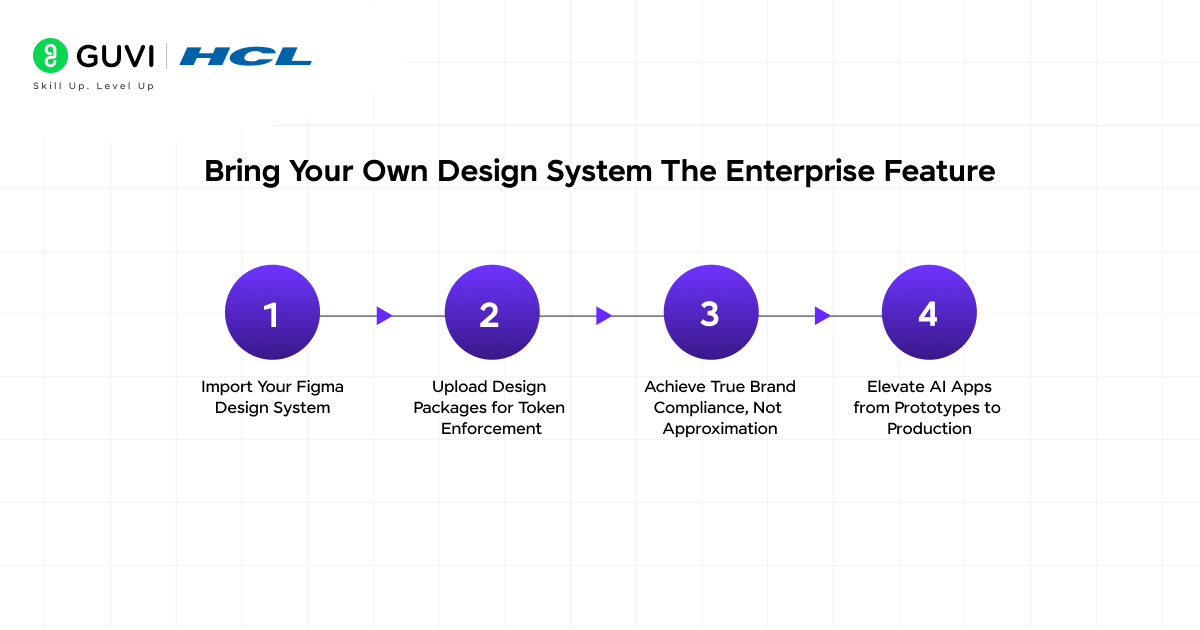
- Step 1: Import Your Figma Design System
- Step 2: Upload Design Packages for Token Enforcement
- Step 3: Achieve True Brand Compliance, Not Approximation
- Step 4: Elevate AI Apps from Prototypes to Production
- What New Use Cases This Unlocks
- Why Design Consistency Is Harder Than It Looks for AI-Built Apps
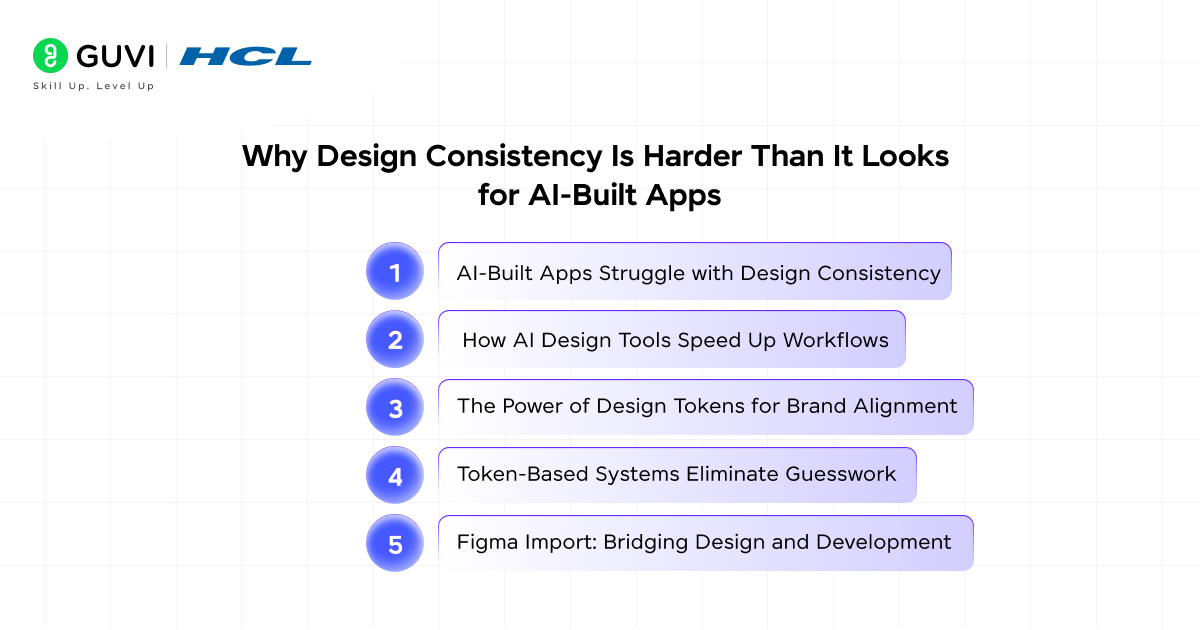
- AI-Built Apps Struggle with Design Consistency
- How AI Design Tools Speed Up Workflows
- The Power of Design Tokens for Brand Alignment
- Token-Based Systems Eliminate Guesswork
- Figma Import: Bridging Design and Development
- The Connection Between Design and Deployment Confidence
- Final Thoughts
- FAQs
- What Replit users get themes?
- How do themes differ from manual CSS?
- Can I reuse themes across projects?
- What's the technical difference between themes and BYOD?
- When will existing apps support these features?
- Does this work with my existing React component library?
TL;DR:
- AI apps now match your brand perfectly, with themes for all users; Figma imports for enterprises eliminate manual design fixes.
- Themes enable one-click global updates, colors, fonts, and UI properties to sync across entire apps instantly.
- Built on TweakCN + Shadcn, an open-source foundation that ensures portability and professional component quality.
- Enterprise BYOD systems import exact Figma tokens (hex codes, spacing scales) for pixel-perfect compliance.
- Unlocks customer-facing app prototypes to become production-ready storefronts, dashboards, and SaaS products.
- Closes design-deployment gap: AI-built apps pass brand reviews, gain deployment confidence.
What Is Replit’s Design Revolution Support?
It is a system that lets you apply your brand’s colors, fonts, and design tokens to Replit AI-built apps globally and instantly, without editing components one by one.
What Are Themes and How Do They Work?
Themes: Universal Access for All Users
Themes form the foundational design layer in Replit’s update, available to every user, not just enterprises. The concept is simple yet transformative: manage your app’s entire visual identity from one place. No more scattered CSS tweaks across components.
Single-Update Powers Global Changes
Create themes to control colors, fonts, and UI properties app-wide. Update once, and every element transforms instantly. Change a primary blue, and all buttons, cards, headers, and inputs reflect it immediately across the entire application. You’re editing the app’s design language, not individual pieces.
Instant Component Transformation
Apply themes to Agent-built apps and watch components reshape in real-time as you tweak values. This global synchronization eliminates the need to hunt down and restyle every UI element manually. One theme edit = app-wide consistency.
Built on TweakCN for Shadcn Excellence
Replit’s theme editor embeds TweakCN, the leading open-source tool for Shadcn theme customization. Shadcn’s React ecosystem popularity ensures your design tokens connect to proven component architecture, not proprietary lock-in. This boosts portability and component quality.
Save Themes for Future-Proof Reuse
Save perfected themes to apply with one click to any new app, without repeated design configuration. Founders building multiple products or teams are creating internal tools to configure their brand once. Every subsequent project launches brand-ready.
Workflow Efficiency That Compounds
The save-and-reuse model creates exponential productivity gains for repeated app development. Multiple internal tools? One theme handles them all. Scaling product lines? Brand consistency without design bottlenecks. Themes turn AI app building into a repeatable, branded factory.
Bring Your Own Design System: The Enterprise Feature

Step 1: Import Your Figma Design System
For enterprise customers, Replit’s beta “Bring Your Own Design System” feature starts with direct Figma import: upload your established Figma libraries containing exact design tokens, component variants, and brand rules.
This pulls in precise color values (hex codes), font weights (300-900), spacing scales (4px, 8px, 16px), and usage documentation that define your visual identity. No more approximations; the Agent reads your source-of-truth design file directly.
Step 2: Upload Design Packages for Token Enforcement
Next, connect or upload your component packages/libraries containing design tokens and rules, the technical backbone of enterprise design systems. Replit applies these across all Agent-built apps, constraining AI choices to your exact specifications rather than letting it guess at “brand-appropriate” blues or spacing.
This package-level integration ensures every generated UI element uses defined tokens, eliminating the “vaguely similar” look of typical AI outputs.
Step 3: Achieve True Brand Compliance, Not Approximation
The game-changer: “looks similar” becomes “exactly follows guidelines.” While prompt-based AI can iterate toward a brand vibe through trial-and-error, Figma/package imports enforce pixel-perfect compliance, specific font variants, documented component states, and spacing hierarchies that maintain consistency across products. Your AI-built apps now match design team output with zero manual CSS overrides.
Step 4: Elevate AI Apps from Prototypes to Production
Finally, this shifts AI-built apps from internal prototypes to customer-facing tools indistinguishable from designer work.
Internal dashboards using your exact tokens pass any brand review; client-facing apps represent your company professionally without design team bottlenecks. Enterprise teams can now deploy AI apps confidently anywhere in the product lifecycle.
What New Use Cases This Unlocks
- The most significant implication of this design update is not about making existing Replit use cases better; it is about enabling entirely different categories of apps to be built on the platform.
- Rapid prototyping and building internal tools have been popular use cases with Replit customers, and now you can go further. With this comprehensive design system support, you can confidently build customer-facing and commercial apps that look and feel like they were designed in-house, fully aligned with your brand guidelines and visual identity.
- This is a meaningful shift in Replit’s positioning. Before this update, the implicit ceiling on AI-built apps was the quality of their visual output, good enough for internal tools but too rough for customer-facing products.
- The theme and design system features lift that ceiling. A customer-facing storefront, a user-facing dashboard, and a B2B SaaS product- all of these become viable outputs from Replit’s Agent when the design layer is properly connected to your brand.
- You are free to create multiple design systems or themes for different teams or use cases and update them anytime.
- This multi-theme capability matters for organizations with more than one brand, for agencies building apps for multiple clients, or for teams that need to produce both internal and external versions of the same product with different visual standards applied.
Why Design Consistency Is Harder Than It Looks for AI-Built Apps
1. AI-Built Apps Struggle with Design Consistency
To appreciate why this update matters, it helps to understand why AI-built apps have historically struggled with design consistency even when the functional code is solid. Without a structured foundation, AI agents make isolated decisions on colors, fonts, and spacing that look fine individually but clash overall, breaking brand unity.
2. How AI Design Tools Speed Up Workflows
AI design tools help designers work faster by taking care of repetitive tasks and generating new ideas. They can turn plain text into layouts, convert mockups into code, and automate routine work. The best ones fit into your existing workflow instead of forcing you to change it.
3. The Power of Design Tokens for Brand Alignment
Design tokens hold the key details that define your brand, such as color codes and spacing values. AI tools that understand these tokens can produce designs that feel like they belong in your product right away.
Without design tokens as a grounding layer, an AI agent building a UI makes arbitrary choices; it picks a shade of blue that looks reasonable, a font size that seems appropriate, and a spacing value that passes visual inspection, but choices won’t align with your brand.
4. Token-Based Systems Eliminate Guesswork
Token-based design systems solve this by replacing arbitrary choices with defined values that the agent is constrained to use. The agent is not guessing at your brand; it is reading your brand’s specifications and implementing them directly. This ensures every element stays consistent as your app scales.
5. Figma Import: Bridging Design and Development
This is also why the Figma import path is technically significant. Figma is where most professional design systems live. The ability to import from Figma directly means that the source of truth for your design system, the file your designers maintain, becomes the source of truth for what Replit’s Agent builds.
Updates to your Figma design system propagate to your Replit apps rather than requiring manual re-specification every time your brand evolves.
Replit’s design system now makes AI-built apps nearly indistinguishable from designer-crafted work. Internal tools can use imported Figma tokens that pass enterprise brand reviews without direct design team intervention, while built-in themes allow solo founders to ship production-grade SaaS products with professional polish in minutes instead of weeks of manual styling.
This shift moves AI applications from prototype-only outputs to genuinely production-ready software, potentially reducing component-level styling effort by up to 80% across multiple projects.
The Connection Between Design and Deployment Confidence
- There is a practical psychological dimension to design quality that affects how willing teams are to deploy AI-built software into production.
- An app that looks unpolished triggers skepticism about whether its code is trustworthy, even when the two are unrelated. An app that looks professionally designed gets the benefit of the doubt.
- You have probably watched perfect Figma designs turn into something completely different when they ship. Spacing is off, colors are wrong, and interactions feel clunky. AI tools help bridge that gap between design and development.
- The goal is not to replace creativity. It is to save time and keep designers focused on the work that requires human judgment, like understanding users and refining experiences.
- Replit’s design system integration addresses this by ensuring that what the AI builds is not just functionally correct but visually trustworthy.
- The gap between the design intent and the shipped product narrows because the design system specifications travel directly from Figma into the Agent’s building instructions rather than being interpreted from a verbal description.
- For teams trying to move fast with AI-built tools, startups without dedicated designers, enterprise teams building internal products at scale, and founders who need to ship commercially viable products without a full design staff.
- This is the feature that makes AI-built apps a credible alternative to traditionally built ones, rather than an approximation that always needs polish before it can be shown to real users.
Ready to build stunning AI apps that look pro-level with Replit? Don’t miss HCL GUVI’s Intel & IITM Pravartak Certified Artificial Intelligence & Machine Learning course. Intel-endorsed and packed with hands-on Replit skills, it delivers a globally recognized credential to supercharge your resume and dominate the AI job market.
Final Thoughts
Replit’s comprehensive design support update addresses one of the most persistent limitations of AI app builders: the gap between functional output and professionally designed output. This release supports all new apps built with Replit, with support for previously built apps on the way.
For individual users and small teams, the Themes feature delivers immediate value: create your brand’s theme once, apply it instantly to every app you build, and update it globally whenever your design evolves.
For enterprise organizations with established design systems, the Figma import and package integration represents something more substantial: the ability to put the full weight of your brand’s design specifications into the hands of an AI agent that will actually use them consistently.
Start with the theme editor on your next Replit project, create a theme that matches your brand, and see how different the baseline output feels compared to building without it.
FAQs
1. What Replit users get themes?
All users are free, core, and teams. Enterprise customers get beta Figma/package imports additionally.
2. How do themes differ from manual CSS?
Themes update every component globally with one edit. CSS requires hunting down each button/card/input individually.
3. Can I reuse themes across projects?
Yes, save once and apply with one click to any new agent-built app. Perfect for teams building multiple tools.
4. What’s the technical difference between themes and BYOD?
Themes = standardized color/font/UI controls. BYOD = your exact Figma design system tokens + component rules enforced.
5. When will existing apps support these features?
New apps are fully supported now. Legacy app compatibility coming soon per Replit’s announcement.
6. Does this work with my existing React component library?
Yes, built on Shadcn/TweakCN, it connects to popular React ecosystems while supporting custom tokens.
Success Stories

About the Author
Vishalini Devarajan
An Aerospace Engineer turned content writer, I focus on making complex concepts easy to understand through well-structured, reader-friendly blogs. Whether it’s a technical topic or a non-technical one, I love creating content that is clear, engaging, and impactful.
View all posts by Vishalini Devarajan
Connect with me @








Did you enjoy this article?