


Artificial Intelligence and Machine Learning Articles
How to Evaluate LLM Outputs in Production Deployments
AI/ML Skills Gap 2026: Why Companies Can't Find Job-Ready Talent
20 AI/ML Interview Questions Recruiters Can Use Without a Tech Background - Best Guide
How Industry-Backed AI/ML Bootcamps Are Changing the AI/ML Hiring Pipeline - Best Guide 2026


Get In Touch For Details! Request More Information
Build Apps From a Link with Lovable Build with URL (2026 Guide)
Jul 09, 2026 2 Min Read 889 Views
(Last Updated)
Developing apps has never been so simple, and the Lovable Build with URL feature makes it possible by speeding up the process of turning your ideas into a fully functional app. Instead of developing the product from scratch, you can create it using just a simple link.
In this blog, our sole purpose is to provide a clear overview of this advanced feature and explain the process of developing an app, so you can get started without any further conclusions.
Quick TL;DR Summary
- This blog gives a simple introduction to Lovable Build via a URL and explains how it works in a clear, easy-to-understand way.
- It highlights real applications so you understand where and how this tool can be used in practical scenarios.
- It guides you step by step through building apps using a URL and wraps up with key takeaways to help you get started quickly.
Table of contents
- Brief Overview: Lovable Build with URL
- Applications
- How to Build Apps with Lovable Build with URL
- Step 1: Open Lovable Link Generator
- Step 2: Write Your Idea (Prompt)
- Step 3: Add Images (if needed)
- Step 4: Create Your Link
- Step 5: Open and Build
- Step 6: Auto Start Setting
- Conclusion
- FAQs
- Do I need coding knowledge to use Lovable Build with URL?
- What kind of links can I use to build apps?
- Is it possible to customise the app after generating it?
- How long does it take to create an app using a URL?
- Can I use this method for business or client projects?
- Is Lovable Build with URL free to use?
Brief Overview: Lovable Build with URL
Lovable Build with URL lets you create apps from a single link. Inject your idea into a URL as a prompt (and images if needed), and Lovable will then generate an app based on it when you hit the link.
You can generate apps in one click, share, embed into websites or automate it without doing any of the work from scratch.
Applications
- Instant app launch buttons for quick access
- Easy link sharing to create and collaborate
- Automated app creation using tools or scripts
- Quick idea to prototype in just seconds
Also Read: How to Create a Portfolio Website Using Lovable AI
Exciting times ahead! Join HCL GUVI’s 5-day AI/ML email course and embark on your journey into the incredible world of AI and ML!
How to Build Apps with Lovable Build with URL
These are the simple steps required to build apps using the Lovable Build with URL feature:
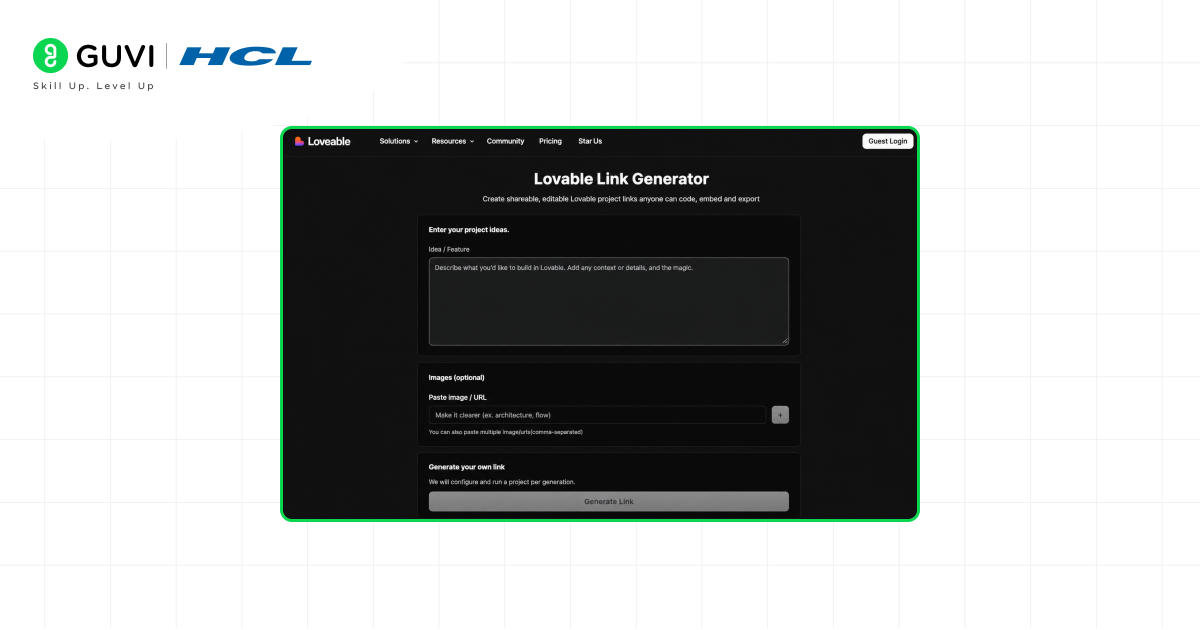
Step 1: Open Lovable Link Generator
- Go to the Lovable link generator page, where everything starts
- This is the place where you create your app link
Step 2: Write Your Idea (Prompt)
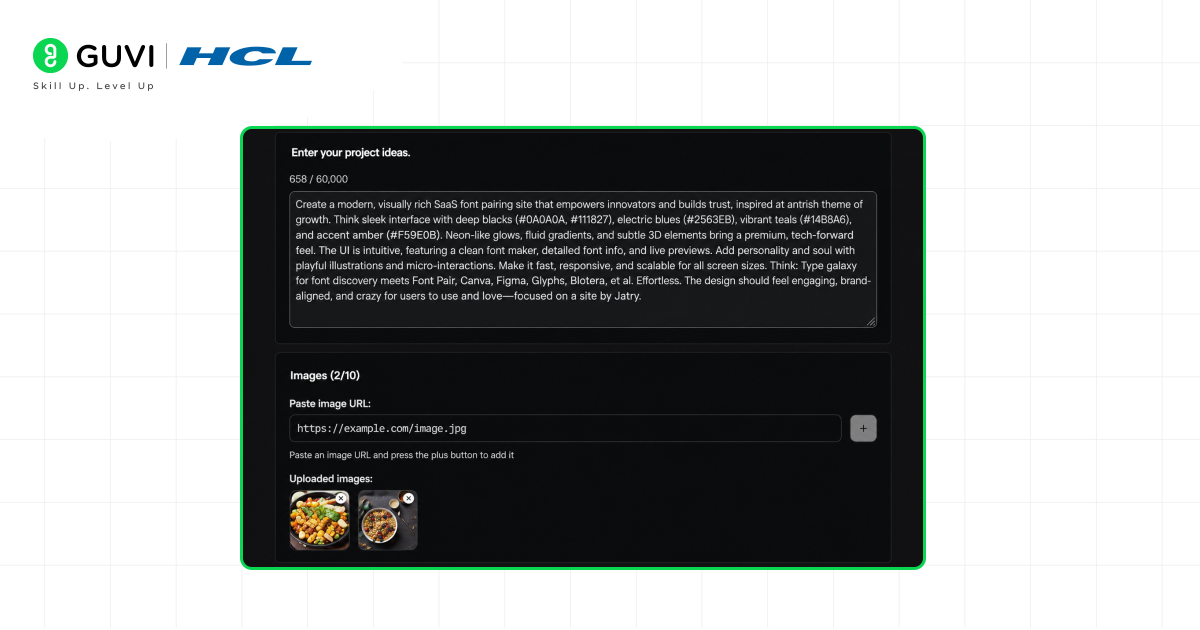
- You’ll see a big box to type your app idea
- Write what you want to build in simple words (you can write up to 50,000 characters)
- You can also explain what your images mean here
Step 3: Add Images (if needed)
- Paste image URLs in the image section
- Click the plus (+) button to attach them
- You can add up to 10 images for your app

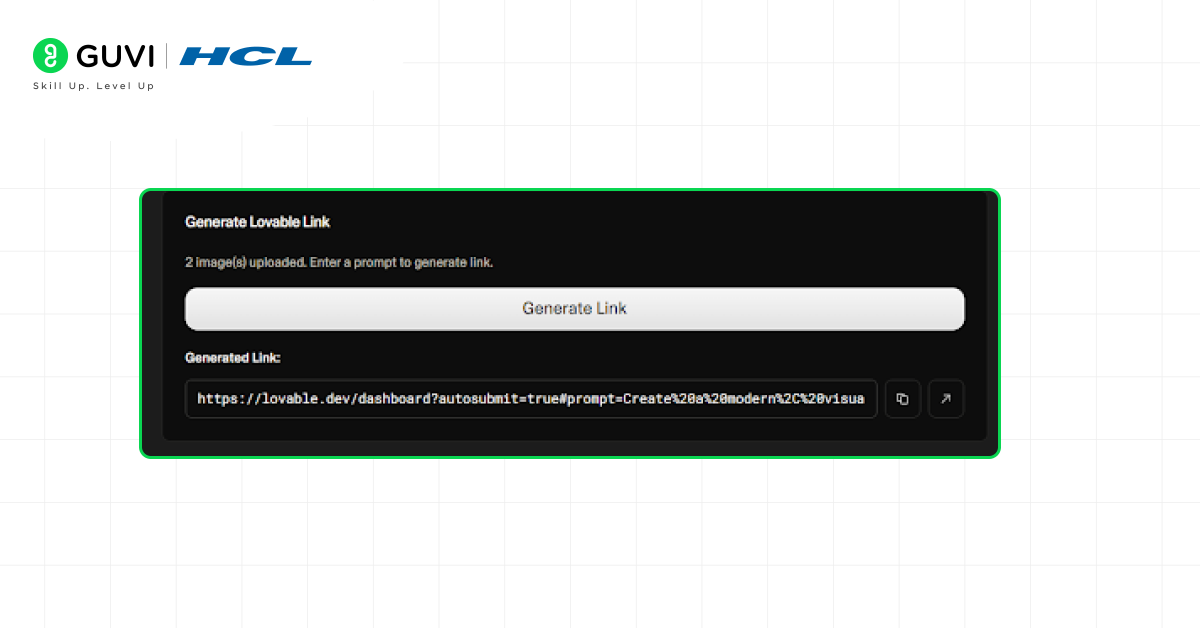
Step 4: Create Your Link
- Click on “Generate Lovable Link”
- It will give you a special link instantly: https://lovable.dev/?autosubmit=true#prompt=Create%20a%20todo%20app
Step 5: Open and Build
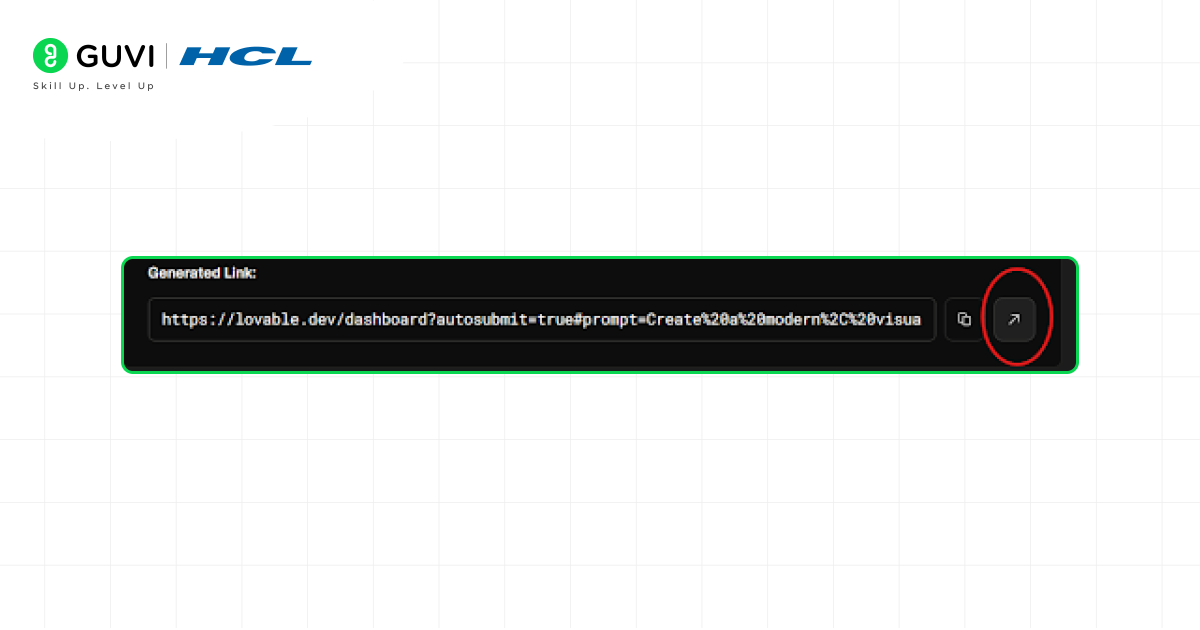
- Just click the Diagonal Arrow icon button on the right side of the link you got
- It will automatically open Lovable and start building your app
Step 6: Auto Start Setting
- Make sure the autosubmit parameter is set to true (like this autosubmit=true)
- This helps the app start building automatically without extra clicks
Join the Intel & IITM Certified AI/ML course at HCL GUVI! Experience engaging in-person classes, hands-on projects, and personalized support, along with career placement services. Boost your skills in Machine Learning, Deep Learning, and Generative AI. Unlock your potential today!
Conclusion
To sum it up, the simple Lovable Build with URL feature is like an improvement as it makes product development quicker and more convenient. There is no need to spend time over-analysing the process; just add a URL, and you’ve got it. Whether you’re testing an idea, sharing something with others, or building quickly, it keeps everything simple and saves time without adding extra effort.
FAQs
Do I need coding knowledge to use Lovable Build with URL?
Not necessarily. Basic understanding helps, but beginners can also get started easily.
What kind of links can I use to build apps?
You can use website URLs, APIs, or content links depending on what you want to build.
Is it possible to customise the app after generating it?
Yes, most tools allow you to edit and customise features after the initial build.
How long does it take to create an app using a URL?
It usually takes just a few minutes to generate a basic app.
Can I use this method for business or client projects?
Yes, it can be used for both personal and professional projects.
Is Lovable Build with URL free to use?
It depends on the platform. Some features may be free, while others require payment.
Success Stories













Did you enjoy this article?