


Artificial Intelligence and Machine Learning Articles
AI/ML Skills Gap 2026: Why Companies Can't Find Job-Ready Talent
20 AI/ML Interview Questions Recruiters Can Use Without a Tech Background - Best Guide
How Industry-Backed AI/ML Bootcamps Are Changing the AI/ML Hiring Pipeline - Best Guide 2026
From IT Support to AI Engineer: A Realistic Career Switch Guide 2026


Get In Touch For Details! Request More Information

SAM3 by Meta: Text-Prompted Image Segmentation Tutorial
May 27, 2026 4 Min Read 1637 Views
(Last Updated)
What if you could describe an object in an image and have it instantly cut out without clicking, drawing, or manually selecting anything?
This is precisely the change that SAM3 by Meta brings to image segmentation. Traditional tools are highly dependent on human intervention, such as bounding boxes or pre-trained categories, and thus are rigid and slow to handle new or complex situations. To isolate something specific, such as a person holding a coffee cup in the background, it may have taken many steps or further training.
With SAM3 by Meta, powered by Meta AI, the process becomes far more natural. All you do is to type what you want, and the model understands, finds and divides it all in a single digit. This introduction of text-prompted AI transforms how we interact with computer vision, making it faster, more intuitive, and accessible.
In this guide, you’ll learn how SAM3 works and build a practical tool using it.
Quick answer:
SAM3 by Meta is an image segmentation model that lets you extract objects from images using simple text prompts. Just describe what you want, and it segments it automatically, no clicks or manual selection are needed.
Table of contents
- What is SAM3?
- Key Improvements in SAM3
- Performance and Capabilities
- Step 1: Environment Setup
- Step 2: Hugging Face Authentication
- Steps:
- Step 3: Organizing Your Project Structure
- Step 4: Importing Libraries and Logging In
- login(token="your_hf_token_here")
- Step 5: Creating the Cutout Function
- Step 6: Executing the Cutout Tool
- Step 7: Running and Testing the Implementation
- First Run:
- Output:
- Step 8: Experimenting with Different Prompts
- Pro Tip:
- Generating Separate Cutouts for Multiple Objects
- Result:
- Architecture Behind SAM3
- Wrapping it up:
- Frequently Asked Questions
- What is SAM3 by Meta?
- How is SAM3 different from Segment Anything?
- Does SAM3 need training or special data?
- Can SAM3 find objects at once?
What is SAM3?
SAM3 (Segment Anything Model 3) is Meta’s latest advancement in image segmentation, designed to identify and outline objects in images and videos based on simple text descriptions. Created by Meta AI, this model enables you to write what you want with plain English rather than by clicking or drawing a bounding box to manually select the objects.
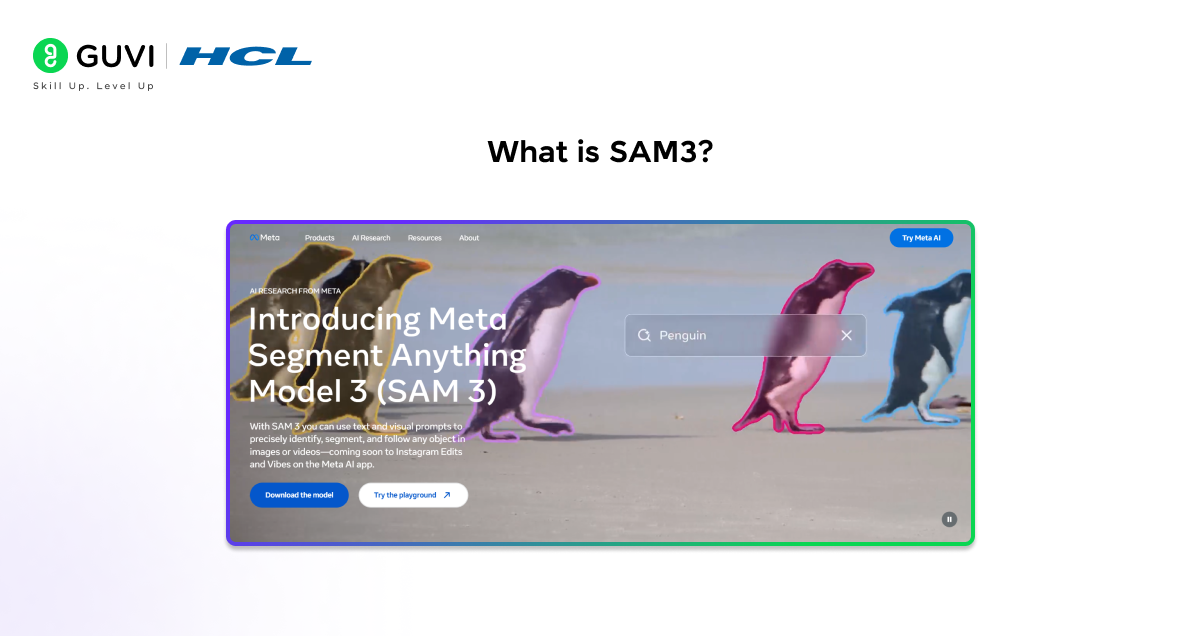
For example, when you search for a yellow school bus, SAM3 will identify and divide all the yellow school buses in the picture. Entering striped cats, all the cats with stripes will be found. The model can comprehend millions of concepts, including simple things like cars and trees as well as more specific ones such as, person wearing a red shirt or glossy metallic surface.
Key Improvements in SAM3
SAM3 implements several significant improvements on previous versions of Segment Anything:
- Text-based interaction: You can simply describe what you are looking for by using natural language.
- Simultaneous detection: SAM3 can simultaneously detect all its matching objects in a single pass and give each object a different mask.
- Video recognition and tracking: SAM3 can track moving objects through video frames, even when they overlap or go out of view.
Performance and Capabilities
SAM3 is trained on a big and diverse dataset with thousands of images and videos, which allows it to make generalizations in a broad spectrum of situations. It is able to perform at human levels of accuracy in most of the segmentation tasks.
It has a zero-shot capability, which is one of its most powerful features, as it can recognize and segment objects it has never seen explicitly in the process of its training. This avoids extra data labeling or fine tuning of models, and is therefore very practical to use in real-world scenarios.
Step 1: Environment Setup
First, create your project folder and environment.
mkdir sam3-project

cd sam3-project

python -m venv sam3_env
Activate it:
# Windows
sam3_env\Scripts\activate# Mac/Linux
source sam3_env/bin/activateInstall required libraries:
pip install torch transformers pillow numpy huggingface_hubStep 2: Hugging Face Authentication
Since SAM3 by Meta is a gated model, you need access.
Steps:
- Go to Hugging Face – Generate token
- Enable “Read” permission
- Request access to SAM3 model
Login via terminal:
huggingface-cli loginPaste your token when prompted.
Step 3: Organizing Your Project Structure
Your folder should look like this:
sam3-project/

│

├── sam3_env/

├── main.py

└── input.png
Step 4: Importing Libraries and Logging In
Open main.py and add:
from huggingface_hub import login

from transformers import SamModel, SamProcessor

from PIL import Image

import torch

import numpy as np
Authenticate:
login(token=“your_hf_token_here”)
Step 5: Creating the Cutout Function
Now, let’s build the main function.
def create_cutout(image_path, prompt, output_path="output.png"):

   device = "cuda" if torch.cuda.is_available() else "cpu"

   print("Loading SAM3 model...")

   model = SamModel.from_pretrained("facebook/sam3").to(device)

   processor = SamProcessor.from_pretrained("facebook/sam3")

   image = Image.open(image_path).convert("RGB")

   print(f"Processing prompt: {prompt}")

   inputs = processor(images=image, text=prompt, return_tensors="pt").to(device)

   with torch.no_grad():

       outputs = model(**inputs)

   results = processor.post_process_masks(

       outputs,

       target_sizes=[image.size[::-1]]

   )[0]

   if len(results) == 0:

       print("No objects found.")

       return

   mask = results[0].cpu().numpy()

   image_array = np.array(image)

   h, w = image_array.shape[:2]

   rgba = np.zeros((h, w, 4), dtype=np.uint8)

   rgba[:, :, :3] = image_array

   rgba[:, :, 3] = (mask * 255).astype(np.uint8)

   cutout = Image.fromarray(rgba, "RGBA")

   cutout.save(output_path)

   print(f"Saved output to {output_path}")
Step 6: Executing the Cutout Tool
Now call the function:
create_cutout(

   image_path="input.png",

   prompt="red bottle",

   output_path="cutout.png"

)
Step 7: Running and Testing the Implementation
Run your script:
python main.pyFirst Run:
- Model downloads (~3–4 GB)
- Takes a few minutes
Output:
- Transparent PNG
- Object isolated cleanly
Step 8: Experimenting with Different Prompts
Try different prompts:
# Simple object
prompt = “dog”
# Detailed description
prompt = “person wearing blue shirt”
# Multiple objects
prompt = “cars”
Pro Tip:
More detailed prompts = better segmentation.
Generating Separate Cutouts for Multiple Objects
If your image has multiple objects, you can modify the function:
for i, mask in enumerate(results):
   mask_array = mask.cpu().numpy()

   rgba = np.zeros((h, w, 4), dtype=np.uint8)
   rgba[:, :, :3] = image_array
   rgba[:, :, 3] = (mask_array * 255).astype(np.uint8)

   output_file = f"output_{i+1}.png"
   Image.fromarray(rgba).save(output_file)

   print(f"Saved {output_file}")
Result:
- Separate file for each object
- Useful for datasets and automation
Did You Know?
SAM3 by Meta can understand millions of visual concepts, even ones it hasn’t explicitly seen during training. This means you can describe very specific things like “a person holding a coffee cup in the background” and still get accurate segmentation without retraining the model.
Architecture Behind SAM3
SAM3 combines vision+language models using transformers.
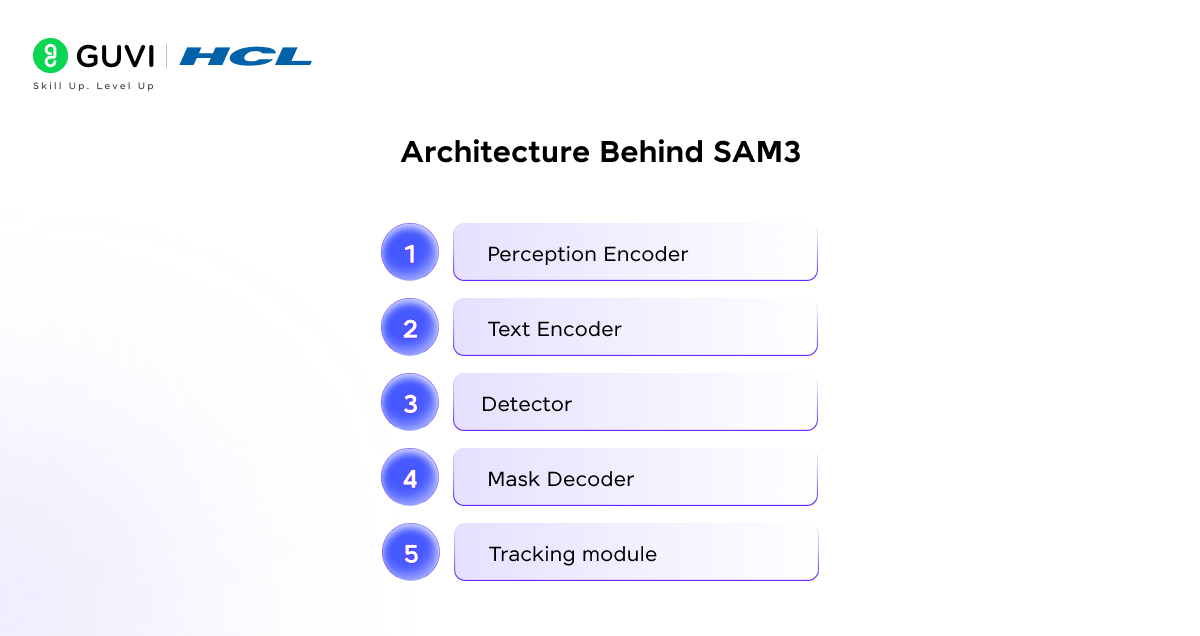
Key Components:
- Perception Encoder: This is where text and image features come together
- Text Encoder: Figures out what the prompt is saying
- Detector: Looks for objects that match what the prompt says
- Mask Decoder: Creates masks to show what is in the picture
- Tracking module: Keeps track of things across video frames
This architecture enables text-prompted AI in computer vision.
Quick Recap (TL;DR)
- SAM3 by Meta enables text-based image segmentation
- No need for clicks or bounding boxes
- Works with zero-shot learning
- Can detect multiple objects at once
- Useful for editing, automation, and datasets
If exploring SAM3 by Meta got you curious about how AI models actually work, this might be the perfect time to dive deeper. Moving from just using AI tools to actually building and understanding them is where real growth begins.
You can explore HCL GUVI’s AI & ML Course to take that next step, gain hands-on experience with real-world projects, and build truly industry-relevant skills.
Wrapping it up:
SAM3 by Meta changes how we do image segmentation. It goes from needing you to interact a lot to just telling it what you want. You describe what you need. It gives you good results. This makes work easier and faster to do in life.
The big deal about SAM3 is that it shows a change in how computers see and understand pictures. Its moving from using tools to understanding what we want. As this gets better, working with pictures will be as easy as writing a sentence.
Frequently Asked Questions
1. What is SAM3 by Meta?
SAM3 is a text-prompted image segmentation model developed by Meta AI that identifies objects based on natural language descriptions.
2. How is SAM3 different from Segment Anything?
SAM3 uses words to find things, not clicks or boxes.
3. Does SAM3 need training or special data?
No, it works using zero-shot learning and can recognize objects without additional training.
4. Can SAM3 find objects at once?
Yes, SAM3 can find things and separate them.
Success Stories

About the Author
Vishalini Devarajan
An Aerospace Engineer turned content writer, I focus on making complex concepts easy to understand through well-structured, reader-friendly blogs. Whether it’s a technical topic or a non-technical one, I love creating content that is clear, engaging, and impactful.
View all posts by Vishalini Devarajan
Connect with me @













Did you enjoy this article?