


Artificial Intelligence and Machine Learning Articles
Finance Manager to Data Analytics: Career Growth, Salary and Seniority
How to Evaluate LLM Outputs in Production Deployments
AI/ML Skills Gap 2026: Why Companies Can't Find Job-Ready Talent
20 AI/ML Interview Questions Recruiters Can Use Without a Tech Background - Best Guide


Get In Touch For Details! Request More Information
How to Use Perplexity AI: Build 3 Projects Step-by-Step
Jul 13, 2026 6 Min Read 3159 Views
(Last Updated)
Have you ever typed a question into Google, opened fifteen tabs, and still walked away feeling like you hadn’t found a straight answer? That frustration is exactly what Perplexity AI was built to solve.
It’s not just another chatbot, it’s a research-grade AI tool that searches the web in real time, synthesizes information from credible sources, and hands you a cited, structured answer in seconds.
Whether you’re a student racing against a deadline, a professional building a business case, or simply someone who values their time, Perplexity AI fits right into your workflow. In this guide, you’ll go beyond the basics and actually build three real projects, step by step, so you can see exactly what this tool is capable of.
Quick Answer:
Perplexity AI is an AI-powered search and research engine that combines real-time web search with advanced language models to deliver cited, conversational answers. You can use it through three core modes, Search, Research, and Labs, to accomplish everything from quick fact-checking to building full interactive dashboards and web apps, no coding required.
Table of contents
- What is Perplexity AI and Why Should You Care?
- Understanding Perplexity's Three Core Modes
- Search Mode
- Research Mode (formerly Deep Research)
- Labs Mode
- Setting Up Perplexity AI: Getting Started in Minutes
- How to Write Better Prompts for Perplexity
- Project 1: Build an Academic Literature Review
- Step 1: Switch to Academic Focus
- Step 2: Write a Research Prompt
- Step 3: Use Follow-Up Questions to Deepen the Review
- Step 4: Organize and Export
- Project 2: Create a Market Research Report
- Step 1: Define Your Research Question Clearly
- Step 2: Activate Pro Search
- Step 3: Layer Your Research with Follow-Ups
- Step 4: Structure the Final Output
- Project 3: Build a Real-Time News Aggregator Dashboard
- Step 1: Open Labs Mode
- Step 2: Write Your Project Brief
- Step 3: Let Labs Process the Project
- Step 4: Review, Refine, and Download
- Tips to Get the Most Out of Perplexity AI
- Perplexity AI Free vs. Pro: What Do You Actually Get?
- Final Thoughts
- FAQs
- Is Perplexity AI free to use?
- How is Perplexity AI different from ChatGPT?
- Can Perplexity AI replace Google Search?
- Is Perplexity AI accurate and reliable?
- Do I need coding knowledge to use Perplexity Labs?
What is Perplexity AI and Why Should You Care?
If you’ve been spending too much time bouncing between a dozen browser tabs just to answer one research question, Perplexity AI was built for you. Unlike a traditional search engine that hands you a list of links and leaves you to figure it out, Perplexity actually reads those sources and synthesizes a clear, structured answer, complete with citations you can verify.
Perplexity AI is an advanced AI-powered search and chat assistant designed to deliver accurate, real-time answers from trusted web sources.
Understanding Perplexity’s Three Core Modes
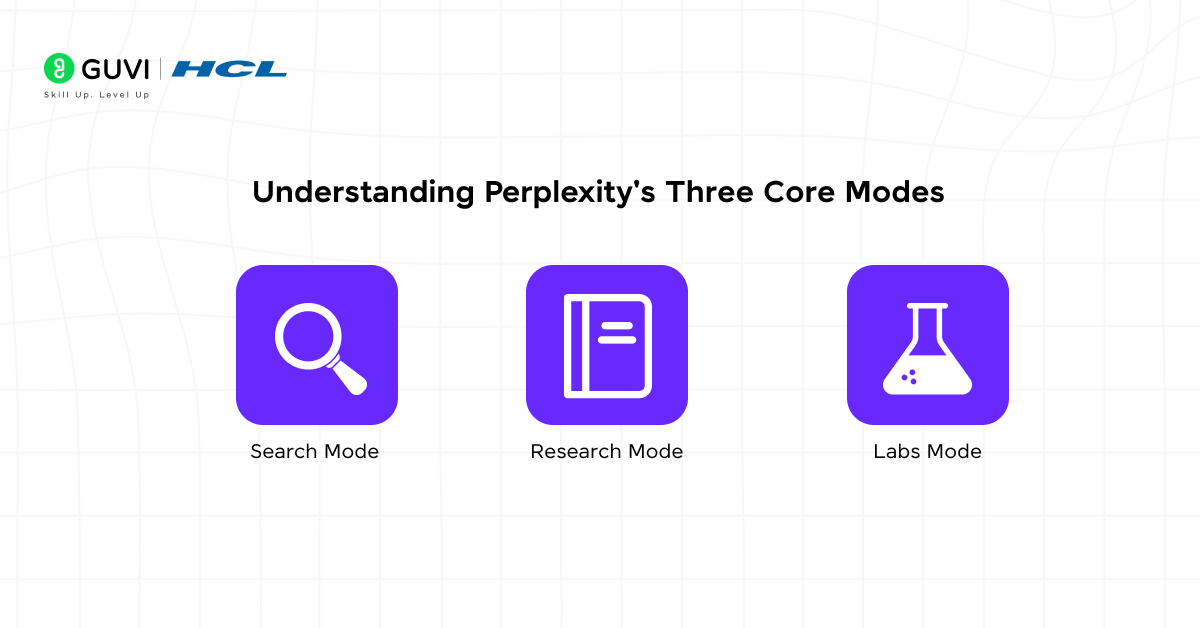
Before you jump into building anything, you need to understand which mode to use and when. Getting this right is the difference between a quick answer and a full-blown project.
Search Mode
This is your everyday go-to. Search Mode delivers quick answers to specific questions using Perplexity’s fast AI model. This free mode returns formatted answers instead of link lists, making it ideal for rapid fact-checking and general queries.
Think of it as the starting point: fast, accurate, and always cited.
Research Mode (formerly Deep Research)
When you need something more thorough, Research Mode steps in. While normal Web Search gives you quick answers by pulling relevant snippets from sources, Deep Research operates at a larger scale.
It takes 2–4 minutes to complete because it performs a thorough, multi-step research process, issuing dozens of linked searches, reading hundreds of sources, cross-verifying facts, and refining its research plan before synthesizing everything into a comprehensive report.
Labs Mode
Labs mode is where things get genuinely exciting. Perplexity Labs is a way to bring your projects to life faster than ever before. Labs can craft everything from reports and spreadsheets to dashboards and simple web apps, all backed by extensive research and analysis.
Often performing 10 minutes or more of self-supervised work, Perplexity Labs uses a suite of tools like deep web browsing, code execution, and chart and image creation to turn your ideas and to-dos into work that’s been done.
When you ask Perplexity a question, it uses cutting-edge language models like GPT-5 and Claude Sonnet to understand the context and nuances of your query, not just keywords. It then searches the internet, gathers information from authoritative sources like articles, websites, and journals, and compiles the most relevant insights into a coherent, easy-to-understand answer with numbered citations linking to original sources.
Setting Up Perplexity AI: Getting Started in Minutes
You don’t need a complicated setup. Here’s how to get going:
- Visit perplexity.ai — the web app works seamlessly on both desktop and mobile browsers.
- Create a free account — while signing up isn’t required, having an account allows Perplexity to personalize responses based on your preferences.
- Explore the interface — you’ll find the search bar at the center, the navigation bar on the left with your threads and Spaces, and the mode selector right below the search box.
- Choose your Focus Mode — by default, Perplexity searches the whole web, but you can narrow it down. The Academic Focus mode leverages academic databases and scholarly resources to provide research-backed answers from peer-reviewed articles, scientific journals, and academic publications.
- Set up your profile — you can add interests and keywords so Perplexity tailors its outputs to your passions, describe your goals and role, and set your location to get region-specific results. Your Discover feed becomes genuinely useful when this is set up correctly.
Once you’ve done that, you’re ready to build.
Also Read: Perplexity Computer Review: Is This the Future of AI or Hype
How to Write Better Prompts for Perplexity
Here’s something that trips people up, the quality of your prompt directly determines the quality of your output. This applies across all three modes.
Instead of asking “What marketing strategies work best?”, try explaining your exact situation, for example: “I’m launching a B2B SaaS product for small accounting firms. What marketing strategies have proven most effective for similar companies in the past 12 months?” The more context you give, the more targeted your results.
A few principles to keep in mind:
- Be specific about scope and timeframe. “What are the top AI trends in 2025 for education?” beats “Tell me about AI” every single time.
- Use follow-up questions. Don’t treat Perplexity like a one-and-done search engine. The advantage comes from having a conversation — start broad, then narrow down with follow-ups. Each follow-up gets more specific and actionable.
- Specify your audience or background. Instead of saying “Python tutorial,” say “Python tutorial for data analysis using pandas, assuming JavaScript background.” This tells the model exactly what level to pitch its response at.
If you want to learn how to properly prompt, then read the blog – Best Practices for Prompt Engineering [Updated]
Project 1: Build an Academic Literature Review
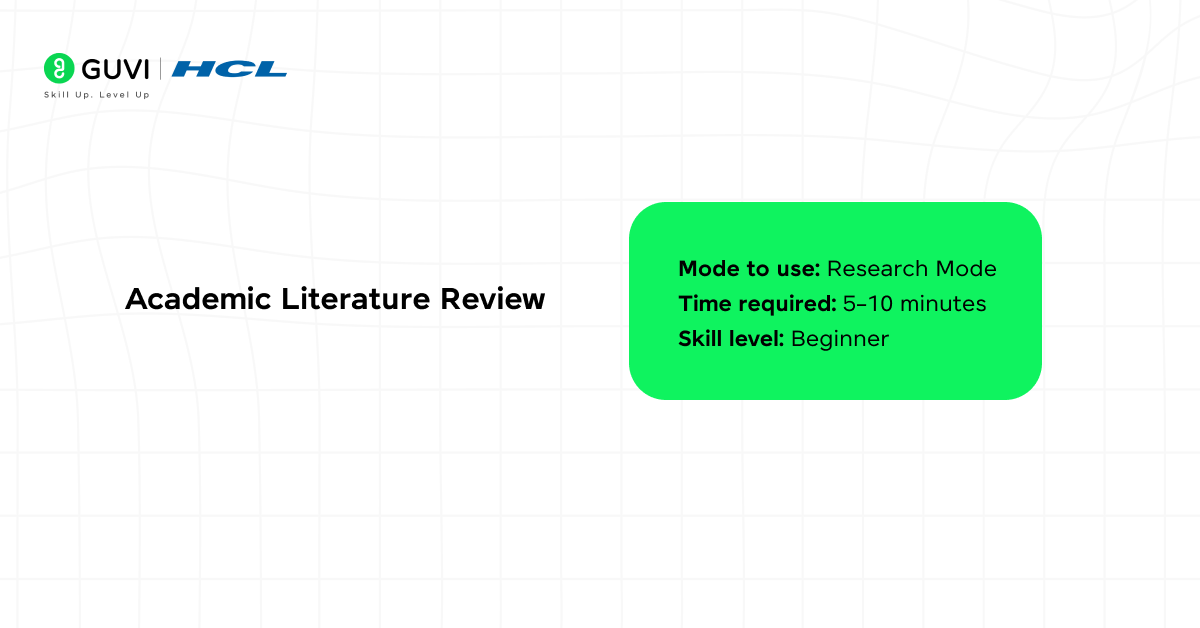
Mode to use: Research Mode
Time required: 5–10 minutes
Skill level: Beginner
Academic research used to mean hours of hunting through databases, reading abstracts, and manually organizing citations. Research Mode handles the heavy lifting for you.
Step 1: Switch to Academic Focus
Click the Focus button below the search bar and select “Academic.” This restricts Perplexity to peer-reviewed sources, journal databases, and scholarly publications — exactly what you need for a credible literature review.
Step 2: Write a Research Prompt
Be precise here. A prompt like this works well:
“Conduct a comprehensive literature review on the impact of gamification on student engagement in K–12 online learning environments. Include key findings, major researchers in this area, conflicting viewpoints, and gaps in existing research. Cite all sources.”
Notice what’s in that prompt: a clear topic, a defined scope (K–12, online learning), specific deliverables (key findings, gaps, citations), and a format instruction.
Step 3: Use Follow-Up Questions to Deepen the Review
Once Perplexity returns your initial report, don’t stop there. Follow up with questions like:
- “Which of these studies had the largest sample sizes?”
- “Are there any meta-analyses published after 2022 on this topic?”
- “Summarize the main criticisms of gamification-based learning from this research.”
Perplexity remembers your conversation history, allowing you to follow up naturally. It will maintain context from the previous response, providing a detailed explanation while remembering the broader discussion.
Step 4: Organize and Export
Once you’re satisfied with the depth, ask Perplexity to restructure the output: “Reformat this as a structured literature review with Introduction, Themes, Methodology Notes, and Conclusion sections.”
You now have a citation-backed, structured academic document in minutes.
Project 2: Create a Market Research Report
Mode to use: Research Mode + Pro Search
Time required: 10–15 minutes
Skill level: Beginner to Intermediate
This project is ideal for anyone in product development, content strategy, business analysis, or entrepreneurship. You’re going to generate a proper market research report, the kind that usually takes days.
Step 1: Define Your Research Question Clearly
Vague questions produce vague reports. Your prompt should look something like this:
“Generate a comprehensive market research report on the EdTech industry in India for 2025. Include market size, key players, growth drivers, challenges, consumer behavior trends, and a competitive landscape overview. Cite data from credible sources.”

Step 2: Activate Pro Search
Pro Search breaks your question apart and investigates each piece separately. Ask a multi-faceted question and Pro Search searches for comparisons, pricing, user reviews, and implementations as separate searches, then synthesizes it all into one answer.
Step 3: Layer Your Research with Follow-Ups
After your initial report is generated, drill into each section with targeted follow-ups:
- “What are the top 5 EdTech companies in India by revenue in 2024–25?”
- “What are the main barriers to EdTech adoption in rural India?”
- “Compare BYJU’S, Unacademy, and upGrad on funding, user base, and product differentiation.”
Each follow-up builds on the previous context, so your report becomes progressively more detailed without starting from scratch.
Step 4: Structure the Final Output
End the conversation with a formatting prompt: “Compile everything from this conversation into a structured market research report with an Executive Summary, Market Overview, Competitive Analysis, Consumer Trends, and Key Takeaways.”
What you get is a research document that’s grounded in real, recent, cited data, ready to share with a team or use as the basis for a presentation.
Project 3: Build a Real-Time News Aggregator Dashboard
Mode to use: Labs
Time required: 15–25 minutes
Skill level: Intermediate (no coding needed)
Requirement: Perplexity Pro subscription
This is where Perplexity shifts from being a research tool to being a full project builder. You’re going to create a deployable, interactive web app, and you won’t write a single line of code yourself.
Step 1: Open Labs Mode
From the main interface, click the Labs icon. If you’re on a Pro plan, you’ll see the Labs prompt area. This is where your project description goes, and it needs to be thorough.
Step 2: Write Your Project Brief
Here’s an example of an effective Labs prompt for a news aggregator:
“Build a real-time news aggregator dashboard on AI regulation updates. Include a timeline view showing major AI regulation events from 2024–2025, a geographic map highlighting countries with active AI legislation, a news feed with the 15 most recent articles from reputable sources like Reuters, Bloomberg, and government sites, category filters for privacy laws, safety standards, employment regulations, and copyright issues, and search functionality to find specific regulations or countries. Pull data from official government sites and major news outlets. Make the interface clean and professional with responsive design.”
The more specific your brief, the more polished the output.
Step 3: Let Labs Process the Project
Labs begins processing, which takes 10–20 minutes depending on complexity. The interface displays progress through multiple tasks: researching current data, structuring it, generating visualizations, writing application code, and deploying the dashboard.
This is a good moment to step away and grab a coffee. Labs is doing what would otherwise take a developer days.
Step 4: Review, Refine, and Download
Once Labs completes your project, you’ll find all your deliverables organized below your query. All files created during your workflow, from generated charts and images to CSV and code files, are organized in the “Assets” section below your query. From there, you can easily view and download everything you need.
If something looks off, use a follow-up like: “The map isn’t rendering correctly on mobile. Fix the responsive layout for screen widths below 768px.” Labs will revise and regenerate accordingly.
Tips to Get the Most Out of Perplexity AI
You now know how to build three real projects. Here are a few additional habits that will sharpen your results over time:
- Verify your sources. Every answer comes with citations, and you should click them. Every response includes interactive citations, making it easy to verify or explore further.
- Use Spaces for ongoing projects. If you’re working on something over days or weeks, a research thesis, a business plan, a content strategy, your Threads and Spaces are private by default, but you can make them public or shared.
- Upload your own documents. You can add PDFs, reports, or images directly to your query. You can upload images or documents to analyze visual data or extract key insights. This is particularly useful when you want Perplexity to cross-reference an uploaded file with live web data.
- Don’t use it for precise calculations. While Perplexity has Wolfram integration, dedicated calculators are more reliable for complex math. For everything else, research, synthesis, summarization, project building, it’s exceptionally strong.
Perplexity AI Free vs. Pro: What Do You Actually Get?
Here’s a clear breakdown so you know what you’re working with:
| Feature | Free | Pro |
| Search Mode | ✅ Unlimited | ✅ Unlimited |
| Pro Search (Copilot) | 5 per 4 hours | Unlimited |
| Research Mode | Limited | Unlimited |
| Labs Mode | ❌ | ✅ |
| Model Selection (GPT-5, Claude, etc.) | ❌ | ✅ |
| File Uploads | Limited | Unlimited |
| Spaces Collaboration | Basic | Full access |
The Pro version offers choice of preferred AI models, increased Pro Search limits (300 times daily vs. 5 for free users), more detailed answers, and additional features including a personalized news feed in the Discover tab.
For casual research and everyday queries, the free plan is genuinely capable. But if you want to build projects like the dashboard in Project 3, a Pro subscription is required.
If you’re serious about learning AI tools like this and want to apply them in real-world scenarios, don’t miss the chance to enroll in HCL GUVI’s Intel & IITM Pravartak Certified Artificial Intelligence & Machine Learning course, co-designed by Intel. It covers Python, Machine Learning, Deep Learning, Generative AI, Agentic AI, and MLOps through live online classes, 20+ industry-grade projects, and 1:1 doubt sessions, with placement support from 1000+ hiring partners.
Final Thoughts
Perplexity AI genuinely changes the way you work with information. Whether you’re a student building a literature review, a professional running competitive analysis, or a creator who wants a working dashboard without a development team, it meets you where you are.
The three projects in this guide — an academic literature review, a market research report, and a real-time news dashboard — each represent a real, practical use case. The best way to learn any AI tool is to use it. So open a tab, pick a project, and start building.
FAQs
1. Is Perplexity AI free to use?
Yes, Perplexity AI has a free plan that covers unlimited basic searches and limited Pro searches. For access to advanced features like Labs (app and dashboard builder), unlimited Deep Research, and model selection, you’ll need the Pro subscription.
2. How is Perplexity AI different from ChatGPT?
Perplexity actively searches the live web for every query and cites every source, making it ideal for current, fact-based research.
3. Can Perplexity AI replace Google Search?
For research, comparisons, and complex questions, many users find Perplexity significantly faster and more useful than Google. However, for local searches, shopping, and simple directional queries, Google still holds the edge.
4. Is Perplexity AI accurate and reliable?
Perplexity is highly accurate for fact-based, time-sensitive topics since it pulls from live sources and provides verifiable citations. That said, like all AI tools, it can occasionally misinterpret sources, so cross-checking important claims is always a good habit.
5. Do I need coding knowledge to use Perplexity Labs?
No, not at all. Labs (now called “Create” in Pro) builds dashboards, spreadsheets, and web apps entirely from plain English prompts — no coding background required whatsoever.
Success Stories

About the Author
Lukesh S
A professional content writer who has experience in freelancing and now working as a Technical Content Writer at HCL GUVI having sound knowledge in Blog Writing and Creative Writing!
View all posts by Lukesh S
Connect with me @













Did you enjoy this article?