


Artificial Intelligence and Machine Learning Articles
Finance Manager to Data Analytics: Career Growth, Salary and Seniority
How to Evaluate LLM Outputs in Production Deployments
AI/ML Skills Gap 2026: Why Companies Can't Find Job-Ready Talent
20 AI/ML Interview Questions Recruiters Can Use Without a Tech Background - Best Guide


Get In Touch For Details! Request More Information

How to Use ChatGPT for Advanced Data Analysis?
Apr 06, 2026 5 Min Read 1445 Views
(Last Updated)
If you already understand how ChatGPT works at a basic level, Advanced Data Analysis is where things start to feel genuinely powerful. It shifts your role from someone who executes analysis to someone who asks the right questions.
Instead of switching between Excel, Python, and BI tools, you can now upload your data, describe what you need, and let ChatGPT handle the heavy lifting.
The real advantage isn’t just speed, it’s how naturally you can explore data without getting stuck in technical friction. Let us now see in depth about using ChatGPT for Advanced Data Analysis.
Quick Answer:
ChatGPT Advanced Data Analysis is a feature that lets you upload files and analyze data using natural language, enabling you to clean, visualize, and extract insights without coding. It works by executing code behind the scenes so you can focus on asking questions and getting actionable results.
Table of contents
- What is ChatGPT Advanced Data Analysis?
- Why Advanced Data Analysis Matters
- Key Capabilities of ChatGPT: Advanced Data Analysis
- Data Cleaning and Preparation
- Data Visualization
- Statistical Analysis
- Predictive Modeling
- Text and Document Analysis
- Code Execution Without Coding
- How to Use ChatGPT Advanced Data Analysis (Step-by-Step)
- Real-World Use Cases
- Business Analytics
- Marketing Optimization
- Education and EdTech
- Finance and Operations
- Product and UX Design
- Prompting Techniques That Actually Work
- Best Practices for Using Advanced Data Analysis
- Limitations You Should Be Aware Of
- The Future of Advanced Data Analysis
- Final Thoughts
- FAQs
- What is ChatGPT Advanced Data Analysis?
- How do I enable Advanced Data Analysis in ChatGPT?
- What types of files can I use with Advanced Data Analysis?
- Can ChatGPT Advanced Data Analysis replace Excel or Python?
- Is ChatGPT's Advanced Data Analysis accurate and reliable?
What is ChatGPT Advanced Data Analysis?
ChatGPT Advanced Data Analysis (ADA) is a feature that allows you to upload files and analyze them directly through conversation. You don’t need to write code or use external tools. You simply tell ChatGPT what you want to do, and it performs the analysis behind the scenes.
At a practical level, this means you can:
- Upload datasets like CSV or Excel files
- Clean and transform messy data
- Generate charts and insights
- Run statistical or predictive analysis
What this really changes is your workflow. Instead of thinking in terms of formulas or scripts, you think in terms of outcomes. You ask questions, refine them, and build insights step by step.
Why Advanced Data Analysis Matters
Here’s the thing. Traditional data analysis comes with friction. You clean data manually, write scripts, debug errors, and then finally get to insights. That process takes time and requires technical depth.
With Advanced Data Analysis, that flow becomes conversational. You upload your data, ask what you want to know, and iterate from there.
This matters because it lowers the barrier to meaningful analysis. You don’t need to be a data scientist to uncover trends or make decisions. At the same time, even if you are technical, it speeds up your workflow dramatically.
In simple terms, it compresses hours of work into minutes, without compromising on depth.
Key Capabilities of ChatGPT: Advanced Data Analysis
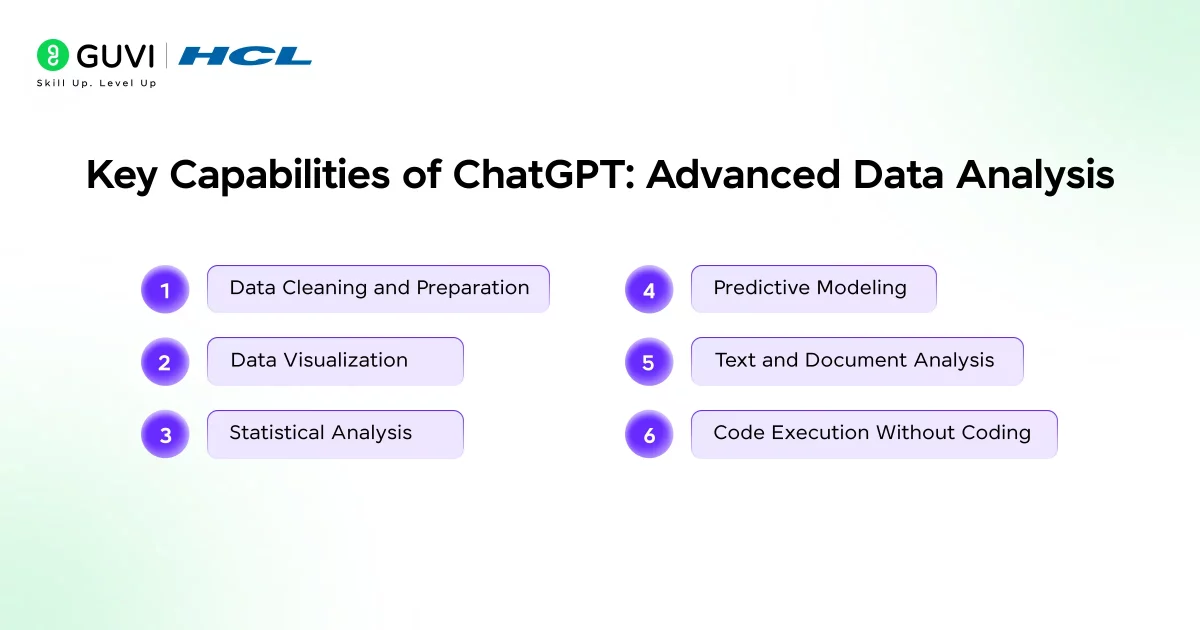
1. Data Cleaning and Preparation
Every dataset has issues. Missing values, inconsistent formats, duplicates, you name it. Normally, this step takes a significant amount of time.
With Advanced Data Analysis, you can simply instruct: “Clean this dataset and prepare it for analysis.”
It will handle tasks like:
- Filling or removing missing values
- Standardizing formats
- Removing duplicates
- Structuring columns properly
What’s useful here is not just automation, but flexibility. You can refine the cleaning process as you go, instead of writing rigid preprocessing scripts.
2. Data Visualization
Understanding data visualization is often faster than reading numbers. ADA allows you to generate charts instantly just by describing what you want.
You can ask for:
- Trend lines over time
- Category comparisons
- Distribution graphs
- Relationship plots
For example, instead of manually building a chart in Excel, you can say: “Show me monthly revenue trends over the past year.”
Within seconds, you get a visual representation that you can iterate on. You can tweak it further by asking for comparisons, breakdowns, or different chart types.
3. Statistical Analysis
If you’ve ever run correlation or regression manually, you know it can get tedious. ADA simplifies this by letting you focus on the question instead of the math.
You can ask things like:
- “Is there a relationship between ad spend and conversions?”
- “What factors are influencing churn?”
Behind the scenes, it performs statistical calculations and explains the results in plain language. This makes it easier to not just compute results, but actually understand them.
4. Predictive Modeling
One of the more powerful aspects of ADA is its ability to work with historical data and generate predictions.
For example, you can:
- Forecast sales based on past performance
- Predict user behavior trends
- Estimate future demand
You don’t need to build complex machine learning pipelines. Instead, you describe the goal, and ChatGPT handles the modeling.
That said, this is best used for directional insights rather than critical business decisions without validation.
5. Text and Document Analysis
Advanced Data Analysis isn’t limited to numbers. You can upload unstructured data like PDFs, reviews, or text documents and extract meaningful insights.
This includes:
- Summarizing long documents
- Identifying recurring themes
- Performing sentiment analysis
- Extracting key information
For example, if you’re working with customer feedback, you can quickly identify patterns without manually reading through hundreds of responses.
6. Code Execution Without Coding
Under the hood, ADA uses a secure environment to write and execute code, typically in Python. The key difference is that you don’t have to see or manage that code unless you want to.
This allows you to perform complex operations without dealing with syntax, errors, or setup. You stay focused on the outcome, while the system handles execution.
How to Use ChatGPT Advanced Data Analysis (Step-by-Step)
Using ADA effectively comes down to how you structure your interaction.
You start by uploading your dataset. This could be anything from sales data to survey responses. Once uploaded, the next step is defining your goal clearly. Vague prompts like “analyze this” won’t get you far. Instead, you should specify what you want to uncover.
For example:
- “Identify top-performing products by revenue”
- “Find trends in user engagement over the last 6 months”
Once you get initial results, you don’t stop there. This is where the real power kicks in. You continue asking follow-up questions.
You might say:
- “Break this down by region”
- “Compare current data with previous months”
- “Highlight any anomalies”
This iterative approach turns analysis into a conversation. You refine your understanding step by step instead of trying to get everything right in one go.
Finally, you can ask for visualizations or export-ready outputs. Whether it’s charts, summaries, or processed datasets, everything can be generated within the same workflow.
Real-World Use Cases
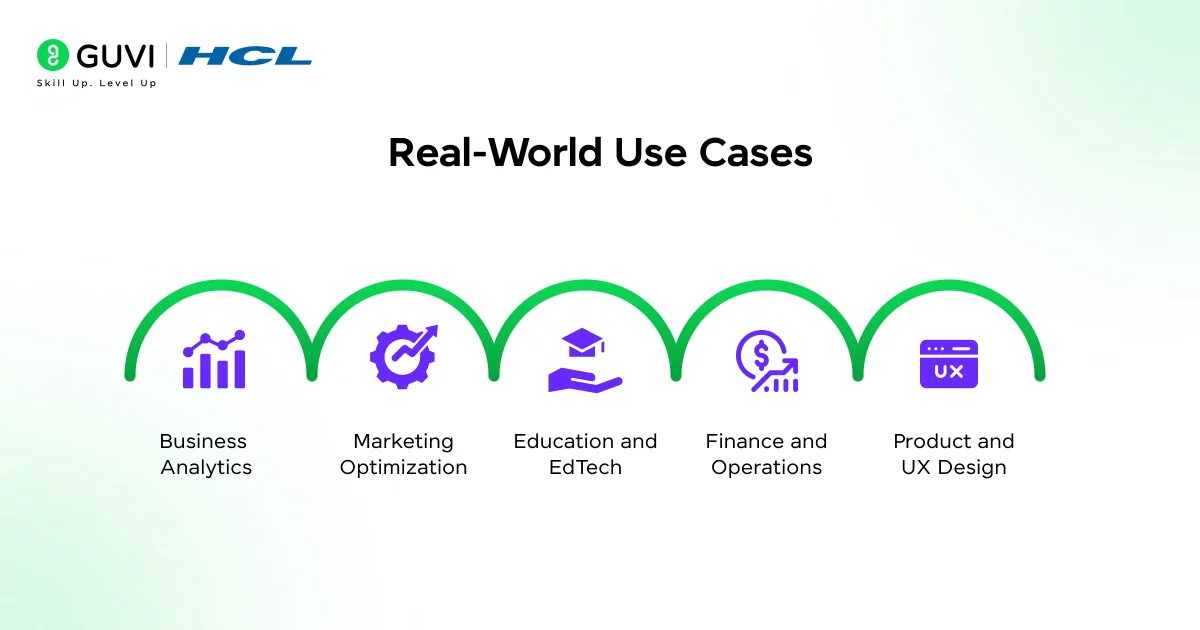
1. Business Analytics
In a business context, ADA helps you move faster from raw data to decision-making. You can analyze sales performance, identify high-performing products, and detect patterns that impact revenue.
Instead of manually building dashboards, you can quickly explore insights and validate assumptions.
2. Marketing Optimization
Marketing teams can use ADA to understand campaign performance, track ROI, and identify audience segments.
For example, you can analyze which campaigns are driving conversions and which ones are underperforming. This allows you to optimize spending and strategy in real time.

3. Education and EdTech
In the edtech space, this becomes especially valuable. You can analyze student performance, track engagement metrics, and identify learning gaps.
For instance, you might:
- Identify which courses have the highest dropout rates
- Analyze completion trends
- Understand learner behavior patterns
This helps in improving course design and overall learning outcomes.
4. Finance and Operations
From expense tracking to risk analysis, ADA allows finance teams to quickly interpret data and generate insights.
You can detect anomalies, forecast budgets, and analyze spending patterns without complex tools.
5. Product and UX Design
If you’re working in product design, this is where things get really interesting.
You can:
- Analyze user journey data
- Identify drop-off points in funnels
- Evaluate A/B test results
- Extract insights from user feedback
Instead of relying only on intuition, you back your decisions with data, quickly and efficiently.
Prompting Techniques That Actually Work
The quality of your results depends heavily on how you ask questions.
Being specific makes a huge difference. Instead of asking for a general analysis, define exactly what you’re looking for. For example, asking for “top 5 insights from this dataset” is far more effective than a vague request.
It also helps to break your analysis into steps. Start with cleaning, move to exploration, and then dive into deeper insights. This structured approach gives you better control over the output.
Another useful habit is asking for explanations. Don’t just accept results, ask ChatGPT to explain them in simple terms. This ensures you actually understand what’s happening.
And most importantly, treat it like a conversation. Ask, refine, question, and iterate.
If you want to learn more about prompting, read ChatGPT Prompt Engineering for Developers: A Practical Guide
Best Practices for Using Advanced Data Analysis
To get the most out of ADA, a few habits make a noticeable difference.
- First, try to upload relatively clean data when possible. While ADA can handle messy datasets, better input leads to better output.
- Second, avoid overwhelming it with unnecessarily large files. If your dataset is massive, consider breaking it into smaller chunks for more focused analysis.
- Third, always validate important results. While the system is powerful, it’s not immune to errors. Cross-check critical insights before making decisions.
- Finally, be mindful of data privacy. Avoid uploading sensitive or confidential information unless you’re sure it’s safe to do so.
Limitations You Should Be Aware Of
As useful as it is, Advanced Data Analysis isn’t perfect.
It can sometimes misinterpret vague prompts, especially when context is unclear. The quality of output is also heavily dependent on the quality of input data.
For complex modeling or high-stakes decisions, you should treat it as a support tool rather than a final authority.
In short, it’s powerful, but it still requires human judgment.
You can essentially turn ChatGPT into a lightweight analytics engine without installing anything. Just by uploading a dataset and asking the right questions, you can generate insights, charts, and even reports within minutes.
If you want to see its full potential, try this simple prompt after uploading a dataset: “Act like a data analyst and give me five key insights along with visualizations.” That single prompt often reveals more than hours of manual exploration.
The Future of Advanced Data Analysis
We’re moving toward a world where interacting with data feels less like programming and more like conversation.
Advanced Data Analysis is an early glimpse of that shift. As it evolves, we can expect deeper integrations, smarter insights, and more autonomous capabilities.
What this really means is simple. The gap between asking questions and getting answers is shrinking fast.
If you’re serious about learning AI frameworks like this and want to apply them in real-world scenarios, don’t miss the chance to enroll in HCL GUVI’s Intel & IITM Pravartak Certified Artificial Intelligence & Machine Learning course, co-designed by Intel. It covers Python, Machine Learning, Deep Learning, Generative AI, Agentic AI, and MLOps through live online classes, 20+ industry-grade projects, and 1:1 doubt sessions, with placement support from 1000+ hiring partners.
Final Thoughts
ChatGPT Advanced Data Analysis changes how you approach data. You no longer need to rely heavily on tools, scripts, or complex workflows.
Instead, you focus on what actually matters. Asking the right questions, exploring insights, and making better decisions.
If you use it well, it doesn’t just save time. It changes the way you think about data altogether. And that’s where the real advantage lies.
FAQs
1. What is ChatGPT Advanced Data Analysis?
It’s a feature that lets you upload files and analyze data using natural language prompts. You can clean, visualize, and extract insights without writing code. It works like a conversational data analyst.
2. How do I enable Advanced Data Analysis in ChatGPT?
You need access to a plan that includes file uploads and data analysis features. Once enabled, you can upload files directly in the chat interface. There’s no separate setup required.
3. What types of files can I use with Advanced Data Analysis?
You can upload CSV, Excel, PDFs, and text files. Structured data like CSV or Excel works best for analysis. It can also process unstructured data like documents.
4. Can ChatGPT Advanced Data Analysis replace Excel or Python?
It can handle many tasks that Excel or Python are used for. However, for complex or large-scale analysis, traditional tools are still useful. Think of it as a faster, more accessible alternative.
5. Is ChatGPT’s Advanced Data Analysis accurate and reliable?
It’s generally reliable for common analysis tasks. However, results depend on data quality and prompt clarity. You should always validate critical insights before using them.
Success Stories

About the Author
Lukesh S
A professional content writer who has experience in freelancing and now working as a Technical Content Writer at HCL GUVI having sound knowledge in Blog Writing and Creative Writing!
View all posts by Lukesh S
Connect with me @













Did you enjoy this article?