


Artificial Intelligence and Machine Learning Articles
How to Evaluate LLM Outputs in Production Deployments
AI/ML Skills Gap 2026: Why Companies Can't Find Job-Ready Talent
20 AI/ML Interview Questions Recruiters Can Use Without a Tech Background - Best Guide
How Industry-Backed AI/ML Bootcamps Are Changing the AI/ML Hiring Pipeline - Best Guide 2026


Get In Touch For Details! Request More Information
Getting Started with Azure OpenAI Service
Jun 16, 2026 5 Min Read 1252 Views
(Last Updated)
What if your organization could build powerful AI applications while keeping enterprise-grade security, scalability, and compliance intact? As artificial intelligence continues to reshape industries, businesses are searching for ways to integrate advanced AI capabilities into their existing cloud infrastructure. Azure OpenAI Service makes this possible by combining OpenAI’s powerful models with the reliability and governance of Microsoft Azure.
Continue exploring this guide to learn how Azure OpenAI Service works and how you can start building AI-powered applications on Azure.
Quick Answer: Azure OpenAI Service lets organizations build AI applications on Microsoft Azure using OpenAI models. Developers create an Azure resource, deploy models, access them through APIs, and integrate them with enterprise systems securely.
- Microsoft Azure operates more than 70 cloud regions and over 400 data centers worldwide.
- OpenAI models on Azure are used by global companies such as Coca-Cola, IKEA, and KPMG to build enterprise AI applications including automation and intelligent assistants.
- Microsoft has invested over $13 billion in OpenAI to expand cloud AI infrastructure and integrate OpenAI models into Azure services.
Table of contents
- What Is Azure OpenAI Service?
- Key Models Available Through Azure OpenAI Service
- Prerequisites to Start Using Azure OpenAI Service
- Basic Technical Knowledge
- Required Tools
- Step-by-Step Guide to Getting Started with Azure OpenAI Service
- Step 1: Create an Azure Account
- Step 2: Request Access to Azure OpenAI Service
- Step 3: Create an Azure OpenAI Resource
- Step 4: Deploy an AI Model
- Step 5: Retrieve API Endpoint and Keys
- Step 6: Install Required Development Libraries
- Step 7: Make Your First API Request
- Step 8: Monitor Usage and Manage Costs
- Step 9: Integrate AI into Applications
- Benefits of Using Azure OpenAI Service
- Azure OpenAI vs OpenAI API
- Key Use Cases of Azure OpenAI Service
- Best Practices for Using Azure OpenAI Service
- Conclusion
- FAQs
- Do you need coding knowledge to use Azure OpenAI Service?
- What industries commonly use Azure OpenAI Service?
- How does Azure OpenAI Service support enterprise security?
What Is Azure OpenAI Service?
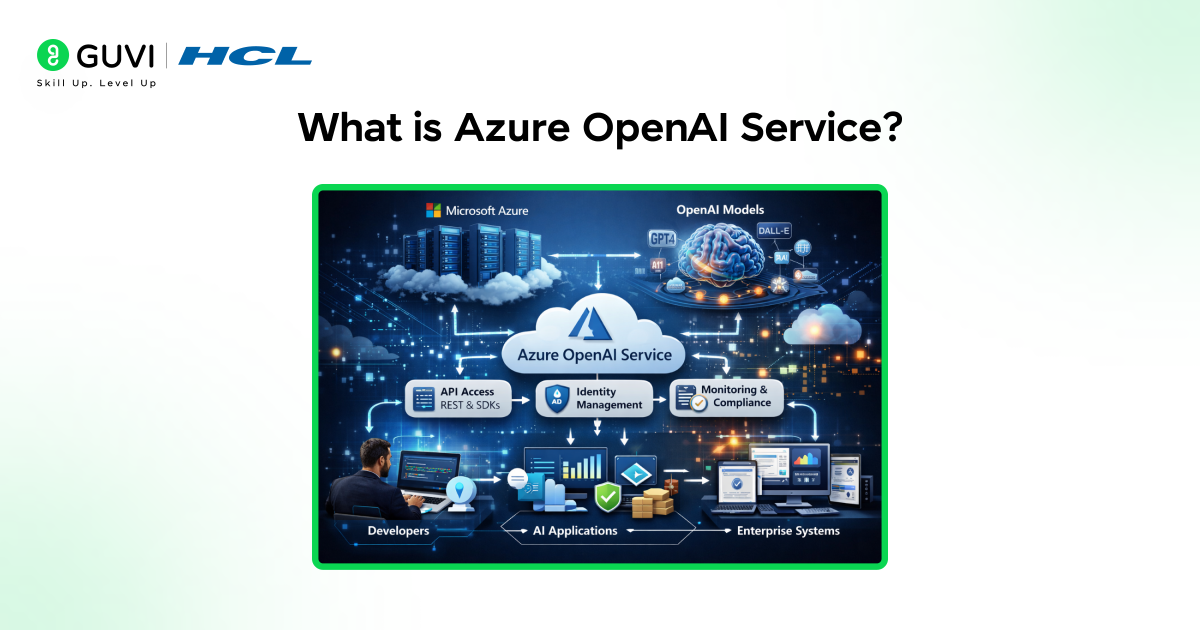
Azure OpenAI Service is a managed AI platform that provides access to OpenAI models through Microsoft Azure cloud infrastructure. Organizations can build, test, and deploy AI applications using Azure-managed APIs while maintaining enterprise governance, identity management, and operational controls.
Key Models Available Through Azure OpenAI Service
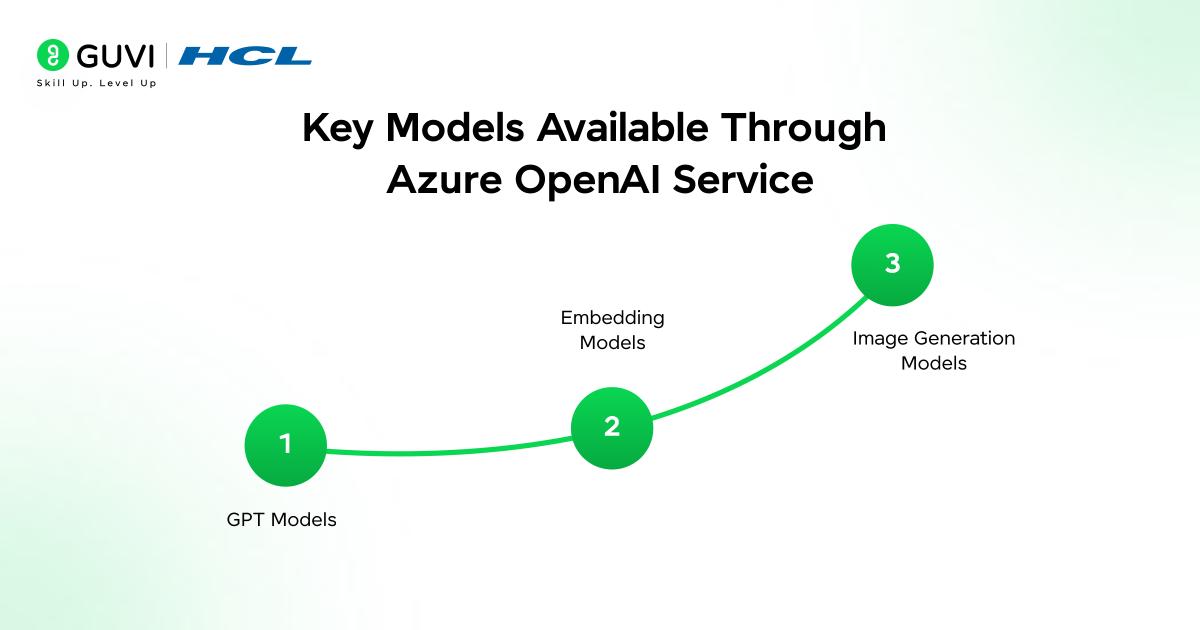
- GPT Models
GPT models generate and analyze natural language. Organizations use them for conversational assistants, document analysis, knowledge systems, and software development support.
- Embedding Models
Embedding models convert text into numerical vectors that support semantic search, recommendation engines, and knowledge retrieval systems.
- Image Generation Models
Image generation models create visuals based on text prompts. These models support marketing content creation and concept visualization.
Prerequisites to Start Using Azure OpenAI Service
- Azure Subscription
An active Azure subscription is required to create and manage AI resources.
- Access Approval to Azure OpenAI Service
Organizations must request access to Azure OpenAI. Microsoft reviews proposed use cases before granting access.
Basic Technical Knowledge
Developers should understand:
- APIs: Most model interactions occur through REST APIs.
- Python or REST Calls: Python SDKs or HTTP requests are commonly used for integration.
- Cloud Development Concepts: Knowledge of cloud resource management, networking, and monitoring improves deployment efficiency.
Required Tools
- Azure Portal: Web interface for resource creation, model deployment, and monitoring.
- Azure CLI: Command-line tool for managing Azure resources and automation workflows.
- Visual Studio Code: Development environment with extensions for Azure-based application development.
- Python SDK: Library used to send prompts, process responses, and integrate AI outputs into applications.
Step-by-Step Guide to Getting Started with Azure OpenAI Service
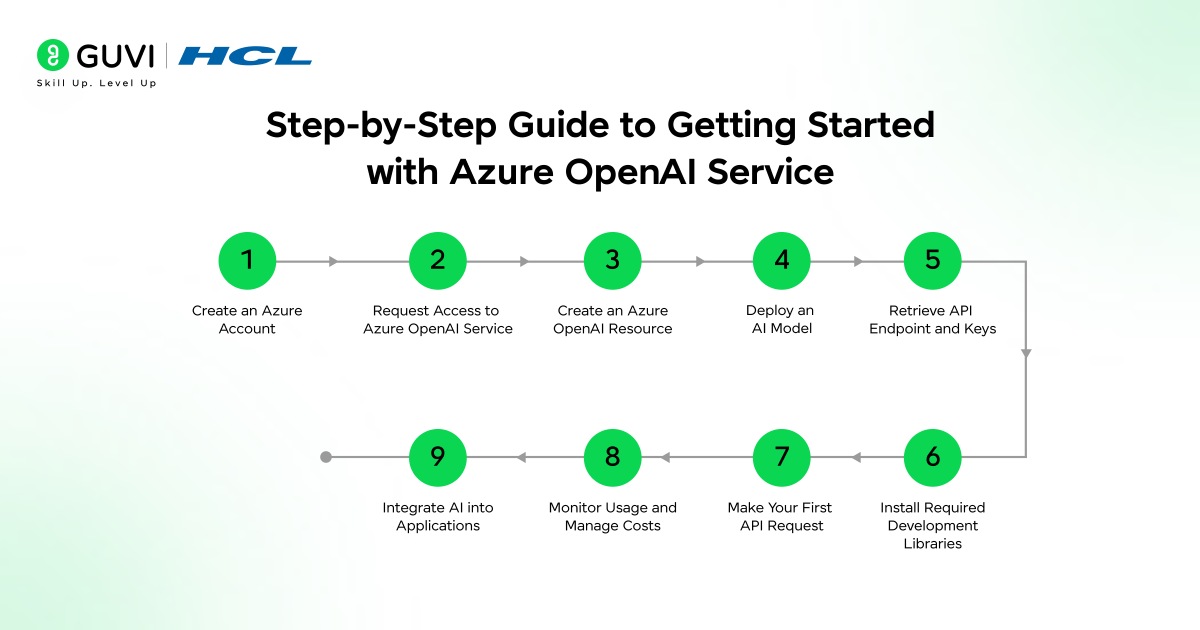
Step 1: Create an Azure Account
Start by creating a Microsoft Azure account. Azure subscriptions provide access to cloud resources such as compute, storage, networking, and AI services.
After creating the account, set up a subscription and resource group structure. Resource groups organize cloud resources, simplify management, and allow teams to apply consistent policies across services.
Enterprises often create separate resource groups for development, testing, and production environments to maintain operational control.
Step 2: Request Access to Azure OpenAI Service
Azure OpenAI Service requires access approval from Microsoft. Organizations submit a request through the Azure portal describing their intended application and usage scenario.
The approval process helps maintain responsible AI usage and applies policy checks before model access is granted. Once approved, the Azure OpenAI resource type becomes available within the subscription.
Step 3: Create an Azure OpenAI Resource
After approval, create the Azure OpenAI resource through the Azure Portal.
Key configuration steps include:
- Select the Azure subscription
- Choose or create a resource group
- Specify the deployment region
- Assign a resource name
- Review networking and security settings
The resource acts as the management layer through which models are deployed and accessed.
Step 4: Deploy an AI Model
Azure OpenAI does not expose models directly after resource creation. A model deployment must be created within the resource.
Steps typically include:
- Open the Azure OpenAI resource in the portal
- Navigate to Model Deployments
- Select the required model family such as GPT
- Assign a deployment name
- Configure capacity and deployment settings
The deployment generates a model endpoint that applications will call through APIs.
Step 5: Retrieve API Endpoint and Keys
Applications interact with Azure OpenAI models through authenticated API calls.
Within the Azure OpenAI resource:
- Locate the Keys and Endpoint section
- Copy the API key
- Note the endpoint URL
Authentication usually occurs through the API key or through Azure Active Directory tokens depending on the organization’s security configuration. These credentials allow applications to send prompts and receive model responses.
Step 6: Install Required Development Libraries
Developers typically use SDKs or REST APIs to communicate with Azure OpenAI models.
A common setup involves installing the Python SDK:
pip install openai
Configuration requires defining the endpoint and API key as environment variables. This approach prevents sensitive credentials from being exposed in application code.
Step 7: Make Your First API Request
Once the environment is configured, developers can send prompts to the deployed model.
A basic request includes:
- API endpoint
- Authentication key
- Model deployment name
- Input prompt
The service processes the request and returns a structured response containing the generated output. This interaction forms the foundation for building applications such as AI assistants, document processors, or knowledge retrieval systems.
Step 8: Monitor Usage and Manage Costs
Azure provides monitoring tools that track token consumption and system performance.
Teams can analyze:
- Request volumes
- Token usage per application
- Latency and response times
- Resource utilization
Monitoring allows organizations to control operational costs and maintain application reliability.
Step 9: Integrate AI into Applications
After initial testing, the deployed model can be integrated into production systems.
Typical integration patterns include:
- Customer support chatbots
- Knowledge search systems
- AI-assisted document analysis
- Developer productivity tools
Applications call the Azure OpenAI API through backend services, web applications, or data pipelines depending on system architecture.

Build practical cloud and AI skills with HCL GUVI’s Azure course. Learn through 100 percent online, self-paced modules, enjoy one year of full course access, and follow an easy-to-learn structure designed for beginners and professionals exploring Microsoft Azure.
Benefits of Using Azure OpenAI Service
- Enterprise-Grade Security
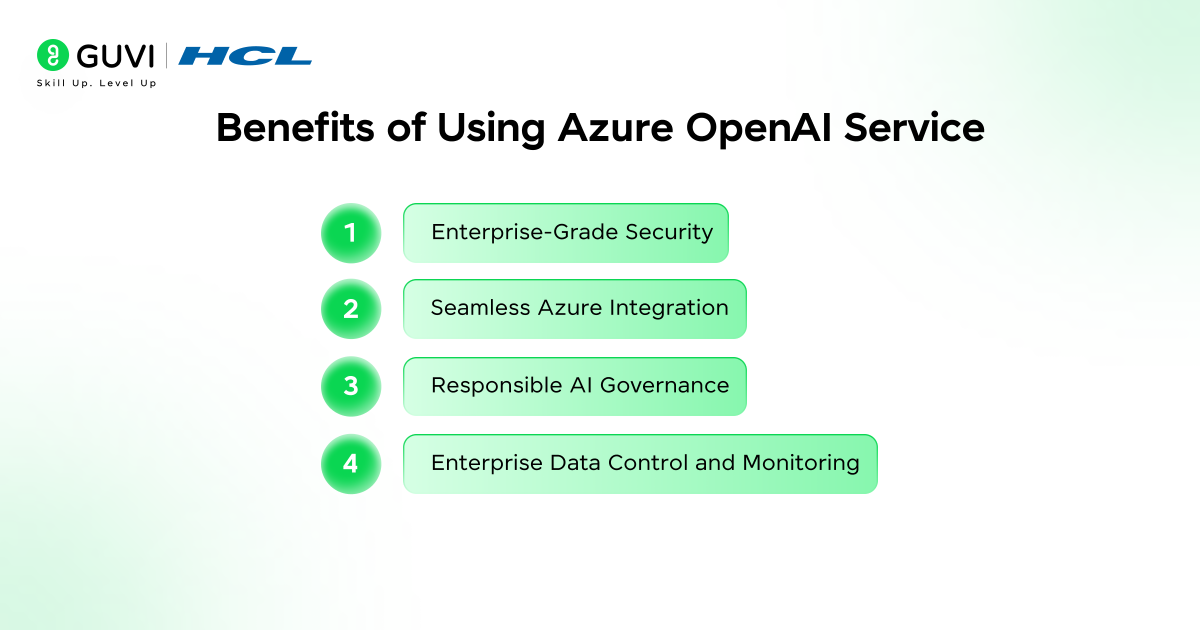
Azure OpenAI Service runs within Microsoft Azure’s enterprise security architecture, allowing organizations to control identity access, networking rules, and resource permissions. Deployments operate in enterprise-managed environments with monitoring and governance controls. Azure also aligns with major compliance standards used in sectors such as finance, healthcare, and government.
- Seamless Azure Integration
Azure OpenAI connects with several Azure services to support enterprise AI workflows. Embeddings can integrate with Azure Cognitive Search for semantic search across large document repositories. Azure Machine Learning supports experimentation and model pipelines, while Azure Data Factory manages data ingestion and transformation for AI applications.
- Responsible AI Governance
Azure OpenAI includes governance controls that support safe AI deployment. Moderation systems analyze prompts and outputs to reduce harmful responses. Microsoft also applies responsible AI policies that guide organizations toward transparent and accountable AI usage.
- Enterprise Data Control and Monitoring
Azure monitoring and resource management tools provide visibility into Artificial Intelligence usage. Teams can track token consumption, request volumes, and system activity through centralized dashboards, helping manage costs, detect abnormal usage, and maintain operational reliability.
Azure OpenAI vs OpenAI API
| Feature | Azure OpenAI | OpenAI API |
| Hosting | Runs on Microsoft Azure infrastructure. | Hosted on OpenAI’s cloud platform. |
| Enterprise Security | Integrates with Azure Active Directory, RBAC, and private networking. | Standard API authentication without enterprise cloud governance integration. |
| Integration | Connects with Azure services such as Azure Cognitive Search, Azure Machine Learning, and Azure Data Factory. | Primarily used as a standalone API within applications. |
| Compliance | Operates under Azure’s enterprise compliance frameworks used by regulated industries. |
Key Use Cases of Azure OpenAI Service
- Enterprise Knowledge Search and Document Intelligence
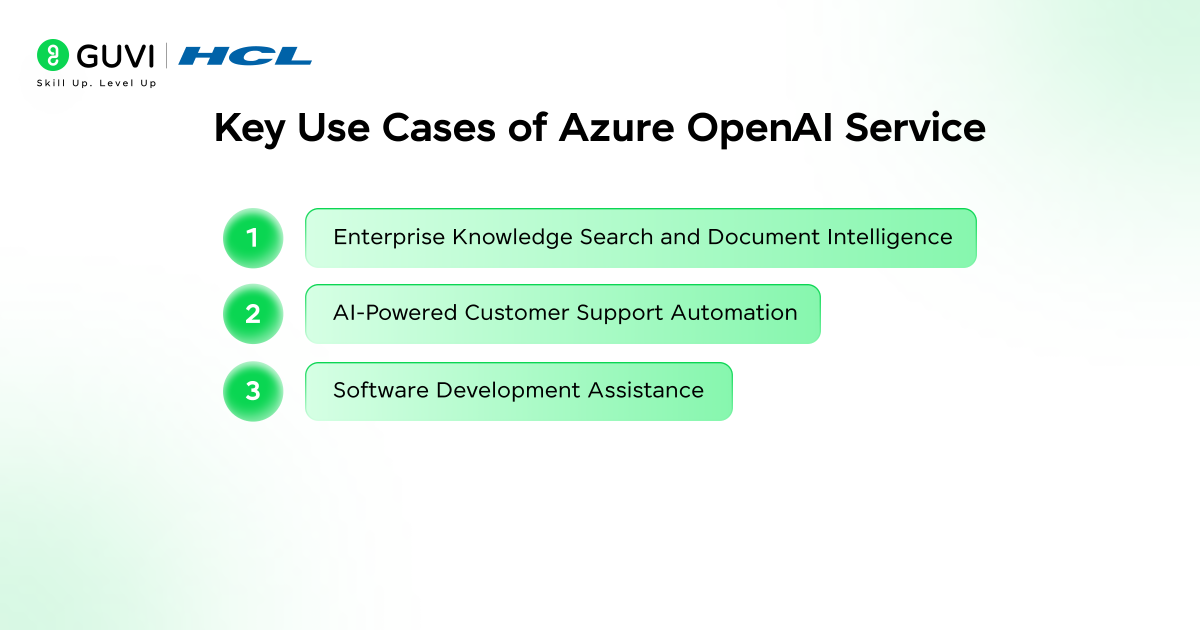
Organizations use Azure OpenAI with embedding models and Azure Cognitive Search to build semantic search systems across large internal document repositories. These systems allow employees to retrieve insights from technical manuals, legal contracts, policy documents, and research archives using natural language queries instead of traditional keyword searches.
- AI-Powered Customer Support Automation
Azure OpenAI models support conversational systems that assist customers with product information, troubleshooting steps, and service requests. Enterprises integrate these AI assistants with existing CRM platforms and knowledge bases to handle repetitive queries, which allows support teams to focus on complex issues while maintaining consistent response quality.
- Software Development Assistance
Development teams integrate Azure OpenAI models into engineering workflows to support code generation, debugging, and documentation tasks. AI-powered assistants can analyze code repositories, generate function templates, explain logic, and help developers review code more efficiently within integrated development environments.
Best Practices for Using Azure OpenAI Service
- Deploy Models in the Same Region as Data Sources: Place Azure OpenAI deployments in the same Azure region as databases, storage accounts, or search indexes. This reduces latency, improves response time, and avoids cross-region data transfer costs.
- Combine Embeddings with Azure Cognitive Search for Retrieval-Augmented Systems: Generate embeddings for internal documents and store them in Azure Cognitive Search indexes. Query these indexes before sending prompts to the model so responses reference verified enterprise data rather than relying solely on model knowledge.
- Implement Prompt Templates for Consistent Output: Create structured prompt templates that define context, task instructions, and formatting requirements. Standardized prompts improve output consistency and reduce unpredictable responses across applications.
- Use Content Filtering in Production Applications: Activate Azure OpenAI content moderation filters to evaluate both prompts and generated responses. This reduces the risk of harmful or non-compliant outputs in customer-facing applications.
Build advanced AI capabilities beyond basic AI tools by joining HCL GUVI’s Artificial Intelligence and Machine Learning Course. Learn in-demand skills such as Python, SQL, Machine Learning, MLOps, Generative AI, and Agentic AI through industry-grade projects, 1:1 SME doubt sessions, and placement assistance with 1000+ hiring partners.
Conclusion
Azure OpenAI Service provides organizations with a structured path to deploy advanced AI models within enterprise cloud environments. By combining OpenAI capabilities with Azure security, governance, and integration tools, businesses can build scalable AI applications while maintaining compliance and operational control. With proper architecture, monitoring, and responsible usage practices, Azure OpenAI becomes a reliable foundation for enterprise AI development.
FAQs
Do you need coding knowledge to use Azure OpenAI Service?
Basic programming knowledge such as Python or REST APIs is helpful when integrating Azure OpenAI into applications. However, developers can also experiment with models using tools like the Azure portal and SDKs before building full production systems.
What industries commonly use Azure OpenAI Service?
Industries such as finance, healthcare, retail, and technology use Azure OpenAI Service to build AI assistants, automate customer support, analyze documents, and improve enterprise knowledge search systems.
How does Azure OpenAI Service support enterprise security?
Azure OpenAI operates within Microsoft Azure’s enterprise cloud environment. It integrates with identity management, role-based access control, monitoring tools, and compliance frameworks to help organizations securely deploy AI applications.
Success Stories

About the Author
Vaishali
I'm a seasoned writer with four years of experience across technical, non-technical, and just about every genre or niche you can imagine. Adaptable and curious, I enjoy exploring new topics and making information engaging and easy to understand. Fueled by a steady stream of tea, I approach each project with creativity, reliability, and genuine enthusiasm for storytelling.
View all posts by Vaishali
Connect with me @










Did you enjoy this article?