


Python Articles
Freelancing as a Python Developer: Getting Your First Client
Common Python Mistakes Beginners Make And How to Fix Them
Python Best Practices: Writing Clean, Maintainable Code Like a Pro
How to Build a Python Developer Portfolio That Gets You Hired


Get In Touch For Details! Request More Information

What is an argument in Python: Types, Examples
Jul 06, 2026 3 Min Read 657 Views
(Last Updated)
Functions are essential in Python. They help developers organize code, avoid repetition, and create reusable logic for different tasks.
Functions become truly useful when they can accept input values. This is where arguments come in. Whether you are passing a user’s name, calculating a total, or building a flexible API, arguments let functions work with different data without changing the function itself.
In this article, you’ll learn what an argument in Python is, how it differs from a parameter, the various types of arguments available, and advanced concepts like *args and **kwargs with practical examples.
Table of contents
- TL;DR
- What is an argument in Python?
- Arguments vs Parameters in Python
- Why Are Arguments Important?
- Types of Arguments in Python
- Positional Arguments
- Keyword Arguments
- Default Arguments
- Arbitrary Arguments Using *args
- Arbitrary Keyword Arguments Using **kwargs
- Positional Only and Keyword Only Arguments
- Common Errors While Passing Arguments
- Missing Required Arguments
- Too Many Arguments
- Duplicate Values
- Best Practices for Using Arguments
- Conclusion
- FAQs
- What is an argument in Python?
- What is the difference between arguments and parameters?
- What are positional arguments in Python?
- What is *args in Python?
- What are **kwargs in Python?
TL;DR
- An argument in Python is a value passed to a function when it is called.
- Arguments help functions accept different inputs and produce dynamic results.
- Python supports positional, keyword, default, *args, and **kwargs arguments.
- Understanding arguments helps you write more flexible, reusable, and maintainable Python code.
What is an argument in Python?
An argument in Python is a value that is passed to a function when the function is called. Arguments provide input data that the function can use to perform a specific task.
Consider the following example:
def greet(name):
print(f”Hello, {name}”)
greet(“Harini”)
Output:
Hello, Harini
In this example, “Harini” is the argument passed to the function.
Without arguments, functions would always produce the same result. Arguments make functions dynamic and reusable.
Arguments vs Parameters in Python
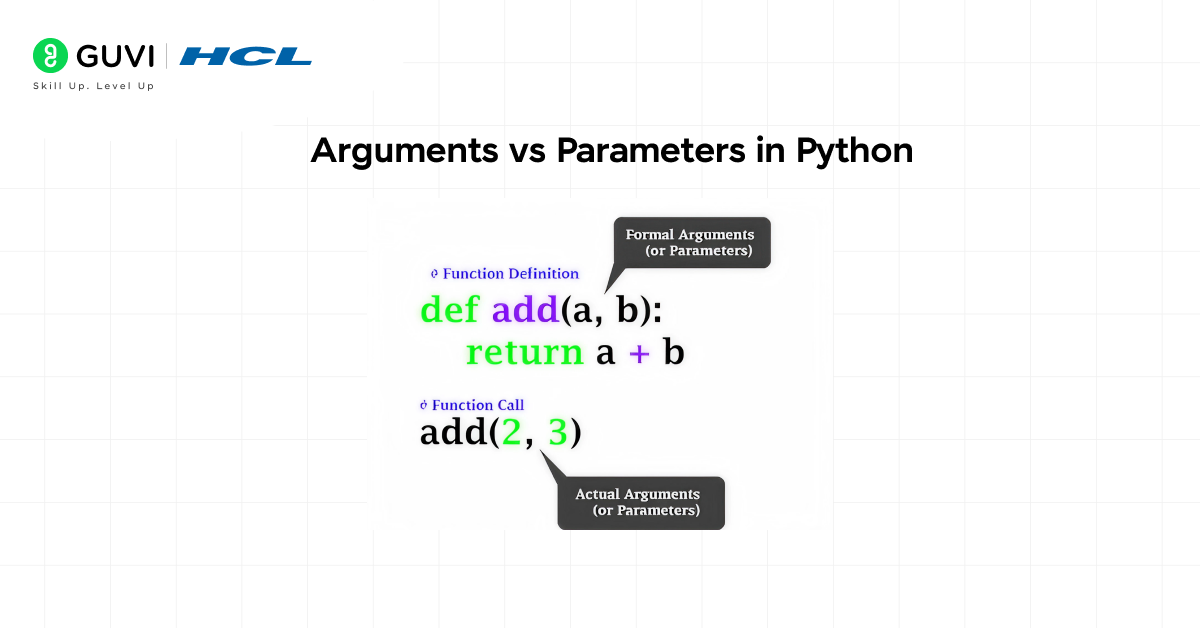
Many beginners confuse arguments and parameters, but they mean different things.
A parameter is the variable listed in the function definition.
An argument is the actual value passed when the function is called.
Example:
def greet(name):
print(name)
greet(“Harini”)
Here:
• name is a parameter
• “Harini” is an argument
Understanding this distinction is important as you work with larger programs and reusable functions.
Why Are Arguments Important?
Arguments allow a single function to work with different inputs.
Instead of creating separate functions for each user, you can use one function and pass different arguments whenever needed.
def welcome(user):
print(f”Welcome, {user}”)
welcome(“Harini”)
welcome(“John”)
welcome(“Priya”)
This approach makes code more scalable and easier to maintain.
You can also download HCL GUVI’s Python ebook to learn more about Python arguments, loops, functions, and beginner-friendly Python programs in one place.
Types of Arguments in Python
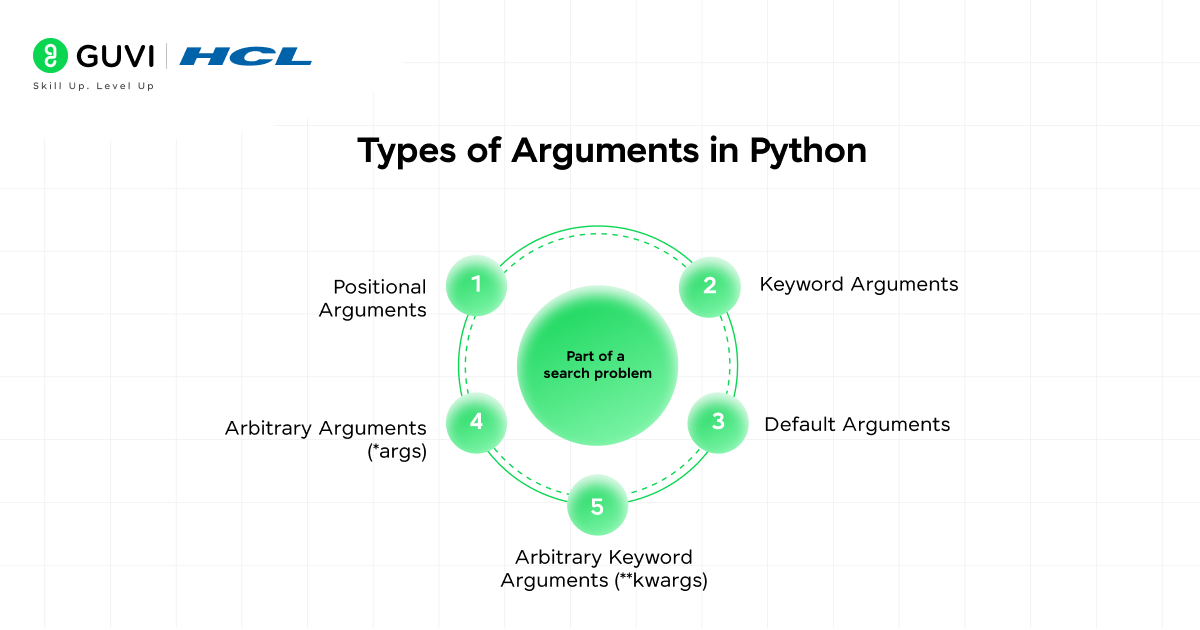
Python supports several types of arguments:
• Positional Arguments
• Keyword Arguments
• Default Arguments
• Arbitrary Arguments (*args)
• Arbitrary Keyword Arguments (**kwargs)
Let’s explore each type.
Positional Arguments
Positional arguments are assigned to parameters based on their order.
def student(name, age):
print(name, age)
student(“Harini”, 23)
Output:
Harini 23
The first argument is assigned to the first parameter, and the second argument is assigned to the second parameter.
If the order changes, the output changes as well.
student(23, “Harini”)
Output:
23 Harini
This shows why positional order matters.
Keyword Arguments
Keyword arguments specify which parameter should receive a value.
def student(name, age):
print(name, age)
student(age=23, name=”Harini”)
Output:
Harini 23
Since parameter names are provided, the order no longer matters.
Keyword arguments improve readability, especially when functions have many parameters.
Default Arguments
Default arguments let you define a fallback value for a parameter.
def student(name, age=18):
print(name, age)
student(“Harini”)
Output:
Harini 18
You can also override the default value.
student(“Harini”, 23)
Output:
Harini 23
Default arguments make functions more flexible by reducing the number of required inputs.
Python allows functions to accept a variable number of arguments through *args and **kwargs. The *args syntax collects extra positional arguments into a tuple, while **kwargs gathers additional keyword arguments into a dictionary. This flexibility is heavily used in frameworks such as Django, Flask, and FastAPI, where functions and decorators often need to handle an unknown number of inputs. Mastering these argument types is an important step toward writing scalable, reusable, and production-ready Python code.

Arbitrary Arguments Using *args
Sometimes you may not know how many arguments will be passed to a function.
In such cases, use *args.
def total(*numbers):
print(numbers)
total(10, 20, 30, 40)
Output:
(10, 20, 30, 40)
Python collects all positional arguments into a tuple.
A more practical example:
def total(*numbers):
return sum(numbers)
print(total(10, 20, 30))
Output:
60
This way is useful for handling an unknown number of inputs.
Arbitrary Keyword Arguments Using **kwargs
The **kwargs syntax allows a function to accept multiple keyword arguments.
def profile(**details):
print(details)
profile(name=”Harini”, role=”Developer”)
Output:
{‘name’: ‘Harini’, ‘role’: ‘Developer’}
Python stores the arguments in a dictionary.
This makes **kwargs useful for working with dynamic configurations and user-defined data.
Positional Only and Keyword Only Arguments
Python gives you more control over how arguments are passed.
def user(name, /, *, city):
print(name, city)
user(“Harini”, city=”Chennai”)
Here:
• name is positional only
• city is a keyword only
This feature is commonly used in modern Python libraries to improve API design and avoid mistakes.
Common Errors While Passing Arguments
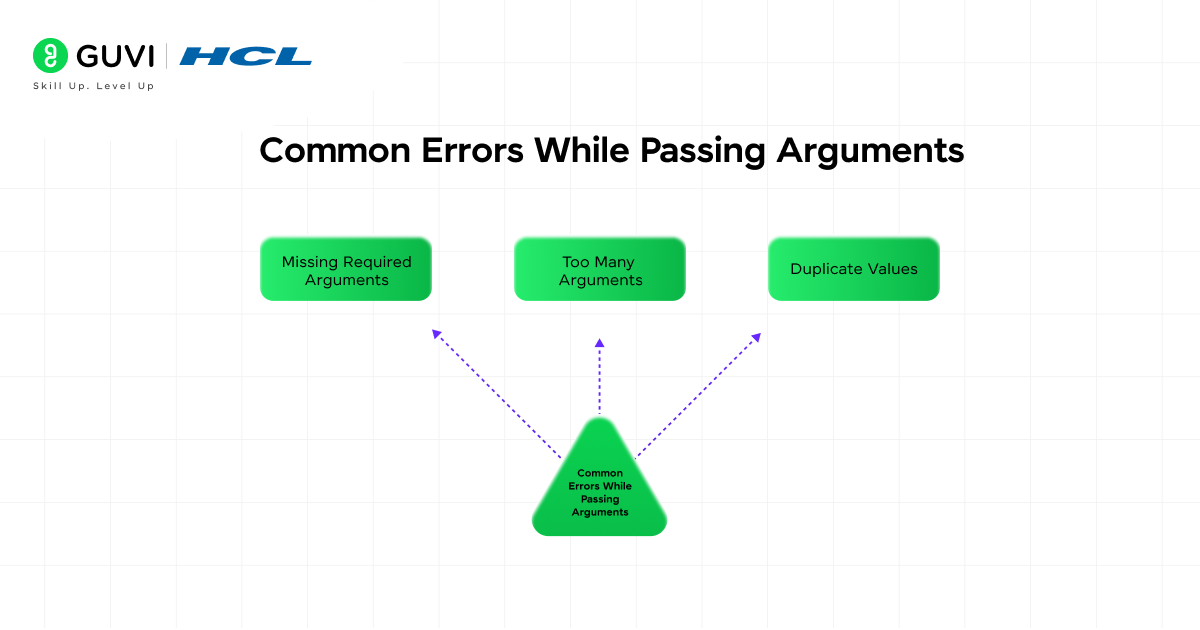
Missing Required Arguments
def greet(name):
print(name)
greet()
Error:
TypeError
The required argument was not provided.
Too Many Arguments
def greet(name):
print(name)
greet(“Harini”, 23)
Error:
TypeError
The function received more arguments than expected.
Duplicate Values
def student(name):
print(name)
student(“Harini”, name=”Priya”)
Error:
TypeError
Python receives two values for the same parameter.
Best Practices for Using Arguments
- Use descriptive parameter names that clearly describe their purpose.
- Prefer keyword arguments when functions have many parameters.
- Use default arguments for commonly used values.
- Avoid excessive use of *args and **kwargs when explicit parameters provide better readability.
- Validate user inputs when building production applications.
- Keep function signatures simple and easy to understand.
Curious about how these concepts work in real life? Join HCL GUVI’s Python course to build Python projects and learn automation, backend development, and data science fundamentals.
Conclusion
Arguments are the mechanism for passing data into Python functions. They make functions dynamic, reusable, and able to handle different inputs without rewriting code.
As you move from beginner to intermediate Python development, understanding positional arguments, keyword arguments, default arguments, *args, and **kwargs becomes essential.
These concepts not only improve code flexibility but also prepare you for working with real-world Python frameworks and applications.
Mastering function arguments is a small step that can greatly enhance the quality and maintainability of your Python programs.
FAQs
1. What is an argument in Python?
An argument is a value passed to a function when the function is called.
2. What is the difference between arguments and parameters?
Parameters are variables defined in the function declaration, while arguments are the actual values passed during the function call.
3. What are positional arguments in Python?
Positional arguments assign values to parameters based on the order in which they are passed.
4. What is *args in Python?
*args allows a function to accept a variable number of positional arguments and stores them in a tuple.
5. What are **kwargs in Python?
**kwargs let a function accept a variable number of keyword arguments and store them in a dictionary.
Success Stories

About the Author
Vishalini Devarajan
An Aerospace Engineer turned content writer, I focus on making complex concepts easy to understand through well-structured, reader-friendly blogs. Whether it’s a technical topic or a non-technical one, I love creating content that is clear, engaging, and impactful.
View all posts by Vishalini Devarajan
Connect with me @















Did you enjoy this article?