


Cloud Computing Articles
Advanced DNS Interview Questions for Senior Engineers: What to Expect in 2026
Advantages of Computer Network: Key Benefits, Limitations & Practical Applications


Get In Touch For Details! Request More Information
Hub in Computer Networks Explained: A Beginner’s Guide 2025
Jan 09, 2026 5 Min Read 1982 Views
(Last Updated)
When setting up your first computer network, you’ll likely encounter a hub in computer network discussions. A hub is essentially a multi-port repeater that operates at the physical layer (Layer 1) of the OSI model.
Although simpler than other networking devices, network hubs serve a specific purpose in connectivity. What does a hub do in a network? It transmits data signals to all connected devices, regardless of the intended recipient. This makes hubs’ networking relatively straightforward but less efficient for larger networks.
Through this guide, as you learn about the different types of hub in computer network architecture, you’ll understand why hubs are generally best suited for small, simple local area network environments. Let’s begin!
Table of contents
- Quick Answer:
- What is a Hub in Computer Network?
- Where it fits in the OSI model
- Hub vs. switch: quick overview
- How Does a Network Hub Work?
- 1) Data transmission process
- 2) Broadcasting and collision domain
- 3) Half-duplex communication explained
- Types of Hubs in Computer Networks
- 1) Passive hub
- 2) Active hub
- 3) Intelligent hub
- Key Features and Limitations of Hubs
- 1) No data filtering or routing
- 2) Shared bandwidth and collision issues
- 3) No IP address or MAC table
- 4) Simple and cost-effective
- Concluding Thoughts…
- FAQs
- Q1. What is a hub in a computer network and what is its primary function?
- Q2. What are the three main types of hubs and how do they differ?
- Q3. How does a hub's operation differ from that of a switch?
- Q4. What are the key limitations of using a hub in a network?
- Q5. In what scenarios might a hub still be a suitable networking solution?
Quick Answer:
A hub is a basic Layer 1 device that connects multiple computers or devices in a Local Area Network (LAN) and broadcasts data to all connected devices.
What is a Hub in Computer Network?
A network hub serves as a central connection point for multiple Ethernet devices within a single computer network segment. Primarily, it functions as a basic Layer 1 networking device that connects multiple computers or other devices in a Local Area Network (LAN).
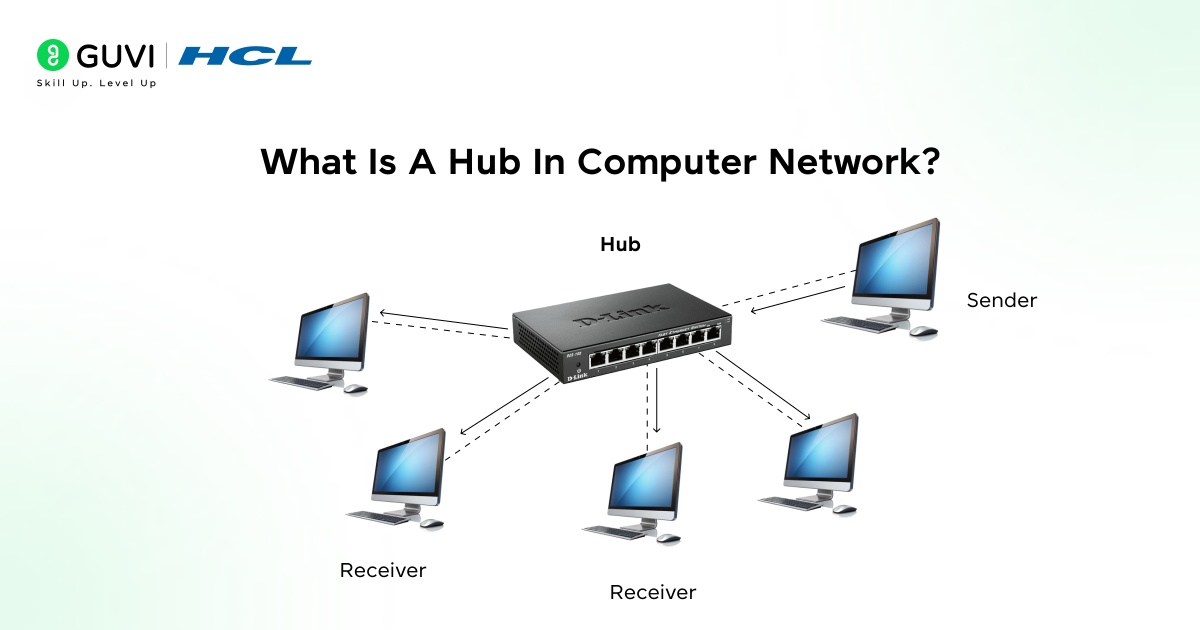
Unlike more advanced networking equipment, a hub operates with minimal intelligence—it simply receives data on one port and repeats those signals to all other connected ports. This broadcasting behavior means every device connected to the hub receives all network traffic, regardless of the intended destination.
Furthermore, a network hub is essentially a multiport repeater. When any device sends data through the hub, it immediately transmits that data out to all other active ports. This means if Computer A wants to send data to Computer B, the hub will forward that data not only to Computer B but also to Computers C, D, and E.
Where it fits in the OSI model
Network hubs operate exclusively at Layer 1 (Physical Layer) of the OSI model. This positioning means hubs work solely with raw electrical signals and bits rather than understanding data frames, MAC addresses, or any higher-layer protocol information.
Moreover, since hubs function at the physical layer, they cannot:
- Filter traffic based on destination addresses
- Store MAC addresses
- Create separate collision domains
- Process or analyze data packets
Specifically, all devices connected to a hub share a single, large collision domain. This means when two devices try to send data simultaneously, the packets will collide, potentially causing data loss. After a collision, the hub sends a jam signal to all connected devices, requiring each sender to wait before attempting to retransmit.
Hub vs. switch: quick overview
The distinction between hubs and switches is critical for understanding networking fundamentals:
- Operation level: Hubs operate at Layer 1 (Physical) of the OSI model, whereas switches function at Layer 2 (Data Link)
- Data handling: Hubs broadcast all data to all ports; switches can identify destinations and direct data only to intended recipients
- Transmission mode: Hubs support only half-duplex communication (cannot send and receive simultaneously), while switches typically support full-duplex
- Bandwidth: All devices on a hub share the same bandwidth; switches provide dedicated bandwidth to each connected device
- Performance: Hub networks slow down as more devices are added; switches maintain performance with scaling
Additionally, hubs create a single collision domain for all connected devices, whereas switches create separate collision domains for each port, significantly reducing collision probability. This fundamental difference explains why switches have mostly replaced hubs in modern networks—they’re simply more efficient and secure.

How Does a Network Hub Work?
A network hub operates through a simple yet fundamental process of receiving and forwarding data at the physical layer. Understanding this device reveals why its broadcasting nature affects network performance.
1) Data transmission process
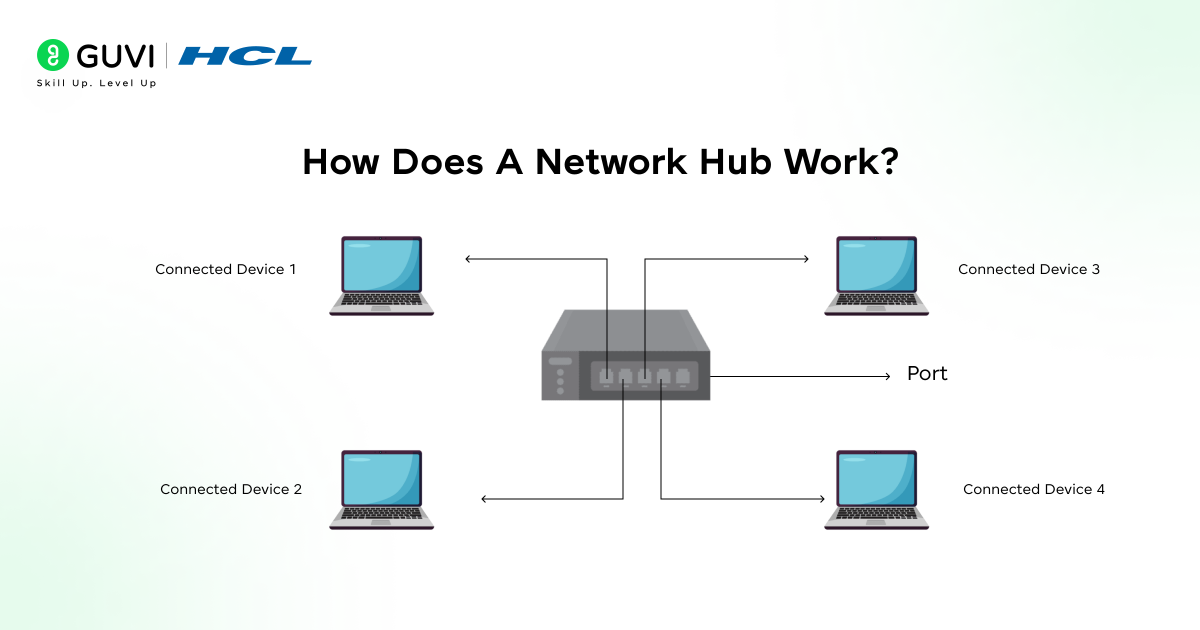
- Inside a network hub, data transmission occurs entirely at the physical layer of the OSI model. When a device sends data, the hub receives the electrical signal on one port, regenerates it, and then forwards these electrical impulses to all other connected ports except the originating one.
- The hub doesn’t read or process destination information. Instead, it operates as a multiport repeater that simply copies bits from one port to all others. Consequently, every connected device must examine each incoming packet to determine if it matches its MAC address, discarding packets not addressed to it.
2) Broadcasting and collision domain
A critical aspect of hub operation is that it creates a single collision domain for all connected devices. This means whenever one device sends data through a hub, all devices receive it – much like a broadcast.
Key characteristics of this shared collision domain include:
- Only one device can successfully transmit at a time
- Total network bandwidth is shared among all connected devices
- When two devices transmit simultaneously, signals collide and become garbled
- After detecting a collision, devices must stop, wait, and retry transmission
Technically, a hub doesn’t recognize collisions – it merely forwards the garbled electrical signals resulting from simultaneous transmissions. The network adapters themselves detect these collisions and invoke the CSMA/CD (Carrier Sense Multiple Access with Collision Detection) protocol to resolve them.
3) Half-duplex communication explained
- Hubs exclusively support half-duplex communication. This means devices connected to a hub can either send or receive data, but never both simultaneously.
- During network operation, each device must wait for silence before transmitting. If one computer is already receiving data, it cannot start sending until that reception completes. Likewise, if a device is transmitting, no other device can send until that transmission finishes.
- This limitation stems directly from the hub’s shared electrical medium – if a device attempted to transmit while receiving, its own signal would interfere with incoming data. This fundamental restriction makes hub-based networks increasingly inefficient as more devices connect, particularly compared to switched networks that support full-duplex operation.
Before switches and routers became standard, hubs were once the backbone of small computer networks. Here are a few fascinating facts:
Origin of Hubs: The concept of a network hub dates back to the early Ethernet days in the 1980s, when simple repeaters were used to extend network signals.
Shared Bandwidth Legacy: All devices connected to a hub share the same bandwidth, meaning if one device transfers data, the others must wait — a major reason why switches replaced hubs.
Physical Layer Operation: Unlike switches or routers, hubs don’t “think.” They operate purely at the Physical Layer (Layer 1), dealing only with electrical signals and not data packets.
Still Used Today: Though outdated for large setups, hubs are still used in small labs, testing environments, and legacy networks due to their simplicity and low cost.
These facts remind us how hubs laid the groundwork for today’s intelligent networking devices, marking an important step in the evolution of computer connectivity.
Types of Hubs in Computer Networks
Network hubs come in three distinct varieties, each with specific capabilities that determine their application in various networking scenarios.

1) Passive hub
Passive hubs serve as basic connection points without any signal processing capabilities. These devices simply connect wires from multiple stations in a star configuration. Primarily acting as conduits, passive hubs:
- Do not amplify or regenerate incoming signals
- Operate without requiring an external power source
- Cannot clean, strengthen, or improve signal quality
- Typically limit maximum media distances due to signal degradation
This simplicity makes passive hubs cost-effective yet restricts their practical use to smaller networks with shorter cable distances.
2) Active hub
Active hubs function as multiport repeaters that enhance network performance through signal processing. These devices:
- Amplify and regenerate electrical signals containing data packets
- Require external power sources to operate
- Strengthen weak signals before forwarding them to other ports
- Apply retiming and resynchronization techniques when signals are too weak
Indeed, active hubs help extend network distances, making them suitable for slightly larger networks where signal integrity over distance becomes important.
3) Intelligent hub
Intelligent hubs represent the most advanced hub category, offering management capabilities alongside basic hub functionality. These sophisticated devices:
- Include remote management capabilities for network administration
- Contain Management Information Base (MIB) software for analyzing and troubleshooting network problems
- Provide flexible data rates to connected network devices
- Support monitoring, diagnostics, and sometimes basic traffic filtering
Despite these advanced features, even intelligent hubs still operate at the physical layer and share the fundamental limitations of all hub types.
Key Features and Limitations of Hubs
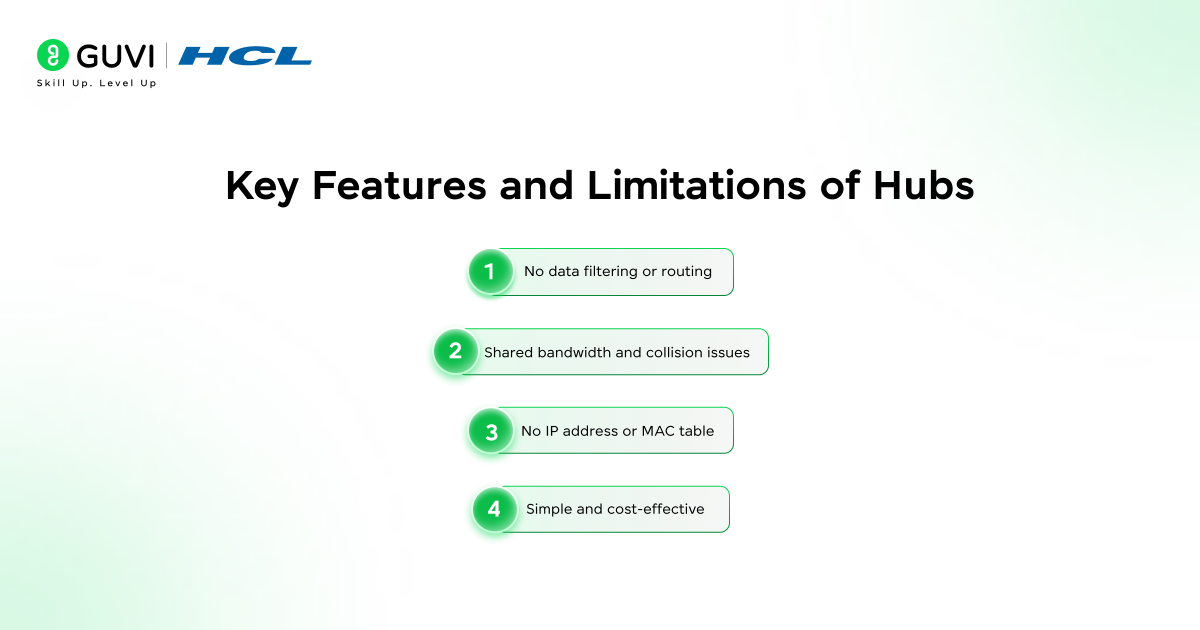
Understanding the limitations of a network hub is crucial for network planning. These fundamental constraints explain why more advanced networking devices have largely replaced hubs in modern setups.
1) No data filtering or routing
Network hubs lack intelligence when handling data packets. Accordingly, a hub:
- Cannot filter information based on destination
- Has no routing table for mapping destination addresses
- Is unable to find the best or shortest path for data transmission
- Does not support Virtual LAN (VLAN) or spanning tree protocol
This absence of filtering means every packet gets forwarded to all connected devices, regardless of the intended recipient, making hubs less secure and efficient.
2) Shared bandwidth and collision issues
One major drawback of a hub in computer network environments is its approach to bandwidth allocation. Given that all connected devices share the same bandwidth, network performance suffers as more devices connect. Furthermore, hubs operate exclusively in half-duplex mode, allowing data to flow in only one direction at a time.
This limitation creates significant collision problems:
- All devices exist in a single collision domain
- When two devices transmit simultaneously, packets collide and become corrupted
- After 16 consecutive failed retransmissions, it’s counted as an excessive collision
3) No IP address or MAC table
Unlike more advanced devices, network hubs operate without:
- An IP address of their own
- Capability to store MAC addresses of connected devices
- Awareness of device addresses on the network
Hubs simply pass electrical signals without understanding the data they carry, functioning at the physical layer without higher-level protocol awareness.
4) Simple and cost-effective
Nonetheless, hubs offer certain advantages that make them suitable for basic networking needs:
- Substantially less expensive than switches or routers
- Extremely easy to install with minimal configuration required
- Support for various network media types
- Sufficient solution for small, simple networks with minimal traffic
Ready to go beyond theory? Enrol in the certified AI Software Development Course by IIT M Pravartak & HCL GUVI — nine months, 300 + hours, hands-on AI product projects, and full placement prep to take your network-tech skills from foundational to future-proof.
Concluding Thoughts…
Network hubs represent one of the simplest networking devices you can encounter when learning about computer networks. Although largely replaced by switches in modern networks, understanding hubs provides a valuable foundation for grasping more complex networking concepts.
As you continue your networking journey, remember that hubs represent the starting point in the evolution of network connectivity devices. Switches and routers have subsequently emerged to address the limitations of hubs while offering more intelligence, security, and efficiency. Nevertheless, understanding how a hub works establishes a solid foundation for comprehending more advanced networking concepts.
FAQs
Q1. What is a hub in a computer network and what is its primary function?
A hub is a basic networking device that connects multiple devices in a Local Area Network (LAN). It operates at the physical layer of the OSI model and functions as a multiport repeater, receiving data on one port and broadcasting it to all other connected ports.
Q2. What are the three main types of hubs and how do they differ?
The three main types of hubs are passive, active, and intelligent. Passive hubs simply connect wires without signal processing. Active hubs amplify and regenerate signals, while intelligent hubs offer additional management capabilities and diagnostics.
Q3. How does a hub’s operation differ from that of a switch?
Unlike switches, hubs operate at the physical layer and broadcast all data to all connected devices. Switches function at the data link layer, can identify destinations, and direct data only to intended recipients. Hubs create a single collision domain, while switches create separate collision domains for each port.
Q4. What are the key limitations of using a hub in a network?
Hubs have several limitations, including no data filtering or routing capabilities, shared bandwidth among all connected devices, creation of a single collision domain, and operation in half-duplex mode only. They also lack IP addresses and cannot store MAC addresses of connected devices.
Q5. In what scenarios might a hub still be a suitable networking solution?
Hubs can be suitable for very small, simple networks with minimal traffic requirements. They are cost-effective, easy to install with minimal configuration, and can support various network media types. However, for most modern networks, switches are preferred due to their superior performance and features.
Success Stories

About the Author
Jaishree Tomar
A recent CS Graduate with a quirk for writing and coding, a Data Science and Machine Learning enthusiast trying to pave my own way with tech. I have worked as a freelancer with a UK-based Digital Marketing firm writing various tech blogs, articles, and code snippets. Now, working as a Technical Writer at GUVI writing to my heart’s content!
View all posts by Jaishree Tomar
Connect with me @












Did you enjoy this article?