


Artificial Intelligence and Machine Learning Articles
Claude for Code Documentation with JSDoc
How to Integrate Claude into a Next.js App with App Router


Get In Touch For Details! Request More Information

How to Use Claude for E-Learning Content Development
Aug 07, 2026 2 Min Read 138 Views
(Last Updated)
Claude for E-Learning Content Development needs a clear learning path, engaging activities, and assessments that check understanding. Claude is useful here because it can help structure the learning experience and draft content that supports real skill development.
Table of contents
- TL;DR Summary
- What Claude Can Do
- Best Uses
- Why It Helps
- How To Structure The Work
- Step 1: Define The Learning Goal
- Step 2: Build The Course Outline
- Step 3: Draft Module Scripts
- Step 4: Create Assessments And Activities
- Step 5: Refine The Content
- Comparison Table
- Common Mistakes
- Real-World Example
- What To Do Next
- Conclusion
- FAQs
- Can Claude create a full e-learning course?
- What should I include in my prompt?
- Can Claude create quizzes and activities?
- Is Claude good for corporate training content?
- Do I still need an instructional designer?
TL;DR Summary
- Claude helps design courses, modules, and lesson scripts.
- It can create assessments, quizzes, and interactive activities.
- Clear learning objectives improve the quality of the output.
- It works well for both self-paced and instructor-led content.
- Human review is still needed for accuracy and instructional quality.
| Direct Answer Box: Claude is a strong tool for e-learning content development because it can help you design courses, write module scripts, create assessments, and build interactive learning activities. It works best when you give it clear learning objectives, audience details, and a structured outline so the content is pedagogically sound and engaging. |
What Claude Can Do
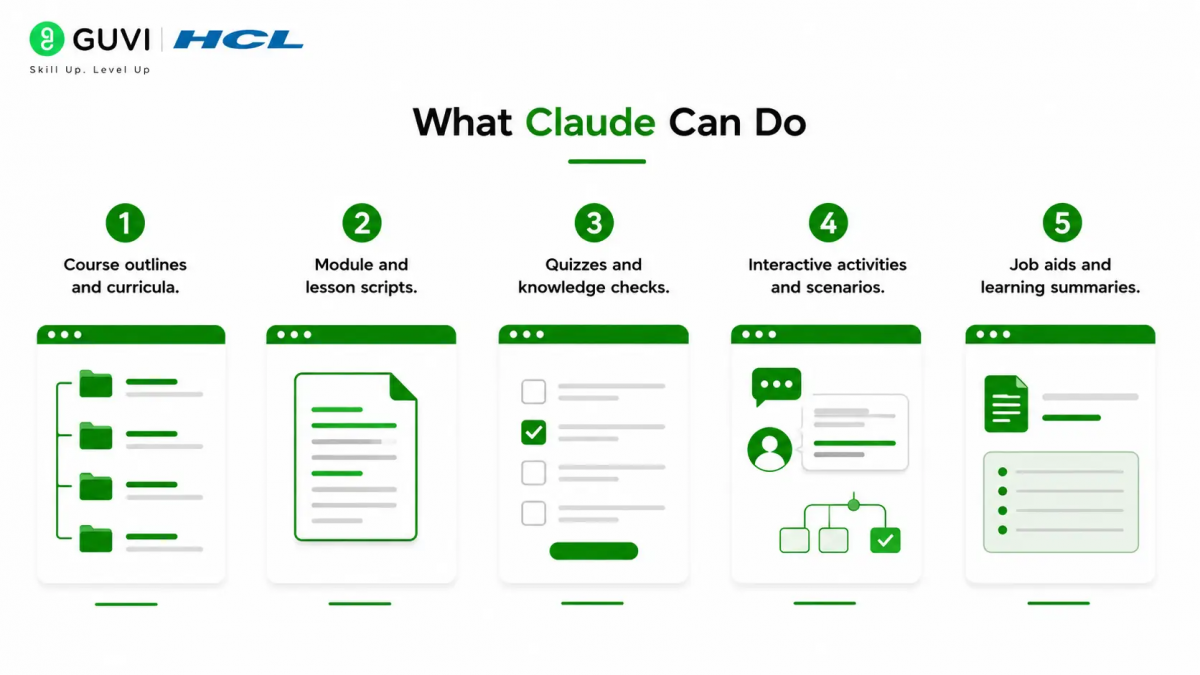
Claude is artificial intelligence instruction designers and educators who need to create structured learning content quickly. It can assist with course outlines, module scripts, activities, and assessments.
Best Uses
Claude works well for:
- Course outlines and curricula.
- Module and lesson scripts.
- Quizzes and knowledge checks.
- Interactive activities and scenarios.
- Job aids and learning summaries.
Why It Helps
Claude can keep a consistent tone, follow learning objectives, and generate content that fits a specific audience. That makes it easier to produce a complete course without starting from scratch.
How To Structure The Work
The best results come from working in stages. Start with the course goal, then build the outline, and finally draft each module with activities and assessments.
Step 1: Define The Learning Goal
Tell Claude:
- The course topic.
- The target audience.
- The skill or knowledge outcome.
- The course length or depth.
- The tone and format.
This sets the direction before any content is written.
Step 2: Build The Course Outline
Ask Claude to create a structured outline that includes the following:
- Course title and description.
- Learning objectives.
- Module titles.
- Lesson topics within each module.
- Suggested activities and assessments.
A clear outline keeps the course focused and logical.
Step 3: Draft Module Scripts
Work through each module one at a time. Provide any source material, notes, or subject-matter input and ask Claude to turn it into a lesson script or learning narrative.
Step 4: Create Assessments And Activities
Ask Claude to design:
- Quizzes and knowledge checks.
- Scenario-based questions.
- Interactive exercises.
- Reflection prompts.
- Summaries and key takeaways.
These elements help learners apply and retain what they have learned.
Step 5: Refine The Content
Once the draft is complete, ask Claude to:
- Simplify complex language.
- Improve flow between lessons.
- Strengthen learning objectives.
- Adjust tone for the audience.
- Add examples and analogies.
Iterate until the content reads clearly and engagingly.

Comparison Table
| Task | Claude’s Strength | Human Role |
| Course design | Fast outline and structure | Define learning goals |
| Script writing | Writes coherent lesson content | Provide expertise and nuance |
| Activity creation | Generates quizzes and scenarios | Ensure pedagogical fit |
| Tone and style | Maintains consistent voice | Approve final messaging |
| Refinement | Rewrites and tightens content | Final instructional review |
Claude can generate interactive learning elements such as branching scenarios, role-play simulations, and dynamic job aids from simple prompts. It can also export code that can be embedded in authoring tools or an LMS for more advanced interactivity.
Common Mistakes
The biggest mistake is asking Claude to create a course with no learning objectives or audience context. Without clear direction, the content can feel generic and weak on pedagogy.
Avoid:
- Skipping the outline stage.
- Providing no subject-matter input.
- Using vague prompts.
- Treating the first draft as final.
- Skipping human review for instructional quality.
Real-World Example
A corporate trainer could give Claude a set of internal processes and compliance rules. Claude can then draft a module-by-module course with scripts, knowledge checks, and scenario-based questions that help employees apply the rules in real situations.
Use Claude to create e-learning content faster, from lesson ideas to structured modules. Learn AI & Machine Learning with HCL GUVI’s Artificial Intelligence and Machine Learning course.
What To Do Next
Start with one course topic and write a clear prompt that includes audience, goal, and key content. Then ask Claude for an outline, draft each module, and add activities and assessments before final review.
Conclusion
Claude is a practical assistant for e-learning content development because it can organize learning material, draft lesson scripts, and create engaging activities. The strongest results come from combining Claude’s speed with human instructional expertise and editorial oversight.
FAQs
1. Can Claude create a full e-learning course?
Yes, Claude can help design and draft a full course, including modules, scripts, and assessments.
2. What should I include in my prompt?
Include the topic, audience, learning goals, key content, and desired format.
3. Can Claude create quizzes and activities?
Yes, Claude can generate quizzes, knowledge checks, scenarios, and interactive exercises.
4. Is Claude good for corporate training content?
Yes, Claude works well for compliance, onboarding, and skills-based training when given clear inputs.
5. Do I still need an instructional designer?
Yes, human review is important for pedagogical quality, accuracy, and alignment with learning goals.
Success Stories

About the Author
HCL GUVI
This article was selected and published as part of the HCL GUVI AI Blogathon 2026, an initiative designed to encourage students, AI enthusiasts, and aspiring tech writers to simplify complex AI concepts through impactful technical content. The contest recognized high-quality, original, and insightful AI-focused blogs, with selected authors receiving publication opportunities on the HCL GUVI blog platform along with official author credits and recognition.
View all posts by HCL GUVI
Connect with me @












Did you enjoy this article?