


Artificial Intelligence and Machine Learning Articles
AI/ML Skills Gap 2026: Why Companies Can't Find Job-Ready Talent
20 AI/ML Interview Questions Recruiters Can Use Without a Tech Background - Best Guide
How Industry-Backed AI/ML Bootcamps Are Changing the AI/ML Hiring Pipeline - Best Guide 2026
From IT Support to AI Engineer: A Realistic Career Switch Guide 2026


Get In Touch For Details! Request More Information
Scanner Class in Java: A Complete Guide to Reading User Input
Jun 24, 2026 6 Min Read 752 Views
(Last Updated)
Reading user input is one of the first challenges every Java programmer faces. You want to create interactive programs that respond to what users type, but how do you actually capture that input?
The Scanner class is Java’s built-in solution for reading input from various sources, including the keyboard, files, and strings. It’s simple, powerful, and essential for any Java developer to master.
In this guide, you’ll learn everything about the Scanner class, from basic usage to advanced techniques that will make your Java programs truly interactive.
Quick TL;DR Summary
- This guide explains what the Scanner class is and how it enables Java programs to read input from users, files, and other sources.
- You will learn the fundamental methods for reading different data types, including strings, integers, doubles, and boolean values.
- The guide covers common use cases like reading keyboard input, processing file data, and handling input validation.
- Step-by-step examples demonstrate how to create Scanner objects, handle exceptions, and avoid common pitfalls like buffer issues.
- You will understand best practices for using Scanner effectively and when to close resources properly.
Table of contents
- What Is the Scanner Class?
- Import Statement
- Creating a Scanner Object
- Essential Scanner Methods
- Basic Scanner Example
- Example : Reading User Name and Age
- Reading from Files with Scanner
- Input Validation with Scanner
- Example: Validating Integer Input with Range
- Using Custom Delimiters
- Example: Parsing CSV Data
- Best Practices for Using Scanner
- Practical Real-World Example: Shopping Cart Calculator
- Conclusion
- FAQs
- What is the difference between next() and nextLine() in Scanner?
- How do I fix the Scanner nextLine() issue after nextInt()?
- Is it safe to use Scanner for reading passwords?
- Why does my program throw InputMismatchException?
- Can Scanner read from multiple sources simultaneously?
What Is the Scanner Class?
The Scanner class is a built-in Java class located in the java.util package that breaks down formatted input into tokens and translates them into different data types. It provides a simple way to read primitive types and strings from various input sources.
Before Scanner was introduced in Java 5, reading input required complex code using BufferedReader and InputStreamReader. Scanner simplified this process dramatically, making it the go-to choice for reading input in Java programs.
Import Statement
Before using Scanner, you must import it:
import java.util.Scanner;
Creating a Scanner Object
Here are the most common ways to create Scanner objects:
- Reading from Keyboard (System.in)
Scanner scanner = new Scanner(System.in);
- Reading from a File
File file = new File(“data.txt”);
Scanner scanner = new Scanner(file);
- Reading from a String
String text = “Welcome to HCL GUVI”;
Scanner scanner = new Scanner(text);
Essential Scanner Methods
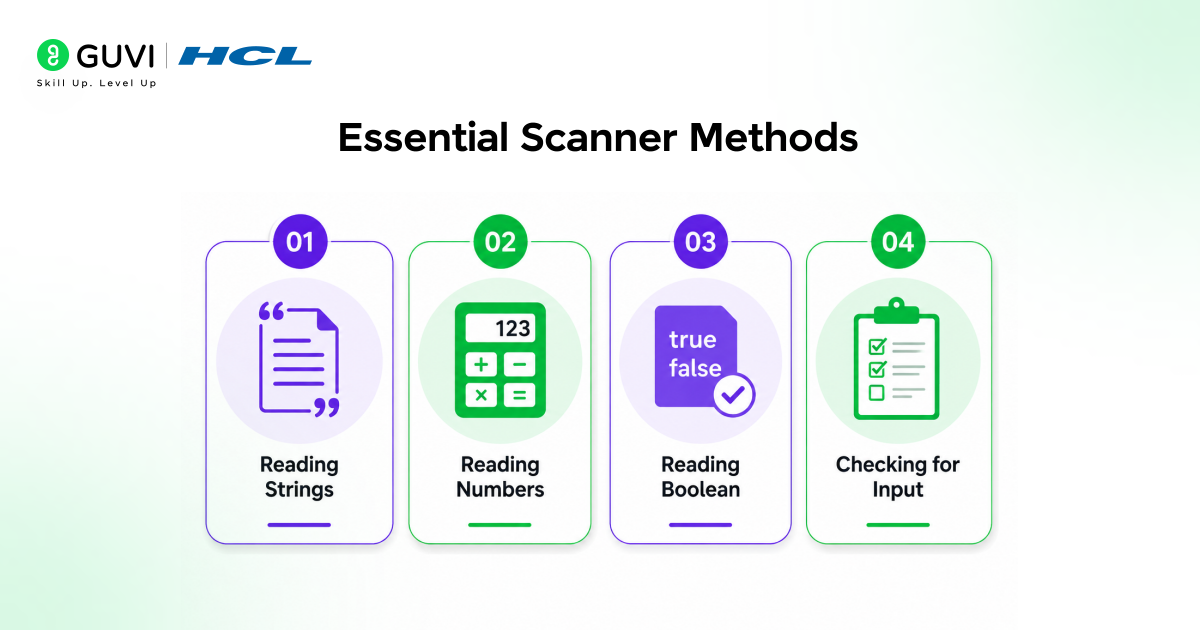
The Scanner class provides numerous methods for reading different data types:
- Reading Strings
next() – Reads a single word up to the next whitespace.
String word = scanner.next();
nextLine() – Reads an entire line including spaces.
String line = scanner.nextLine();
- Reading Numbers
nextInt() – Reads an integer value.
int number = scanner.nextInt();
nextDouble() – Reads a double value.
double decimal = scanner.nextDouble();
nextFloat() – Reads a float value.
nextLong() – Reads a long value.
- Reading Boolean
nextBoolean() – Reads a boolean value (true or false).
boolean flag = scanner.nextBoolean();
- Checking for Input
hasNext() – Returns true if there is another token available.
hasNextInt() – Returns true if the next token can be interpreted as an integer.
if (scanner.hasNextInt()) {
int number = scanner.nextInt();
}
Similar methods exist for other data types: hasNextDouble(), hasNextBoolean(), hasNextLine().
Read More: Getting Started with Java: Essential Concepts and Techniques
Basic Scanner Example
Example : Reading User Name and Age
import java.util.Scanner;
public class UserInput {
public static void main(String[] args) {
Scanner scanner = new Scanner(System.in);
System.out.print(“Enter your name: “);
String name = scanner.nextLine();
System.out.print(“Enter your age: “);
int age = scanner.nextInt();
System.out.println(“Hello ” + name + “, you are ” + age + ” years old.”);
scanner.close();
}
}
Reading from Files with Scanner
Scanner makes file reading incredibly simple.
import java.util.Scanner;
import java.io.File;
import java.io.FileNotFoundException;
public class FileReader {
public static void main(String[] args) {
try {
File file = new File(“data.txt”);
Scanner scanner = new Scanner(file);
while (scanner.hasNextLine()) {
String line = scanner.nextLine();
System.out.println(line);
}
scanner.close();
} catch (FileNotFoundException e) {
System.out.println(“File not found: ” + e.getMessage());
}
}
}
Input Validation with Scanner
Proper input validation prevents crashes and improves user experience.
Example: Validating Integer Input with Range
import java.util.Scanner;
public class InputValidation {
public static void main(String[] args) {
Scanner scanner = new Scanner(System.in);
int age = 0;
boolean validInput = false;
while (!validInput) {
System.out.print(“Enter your age (1-120): “);
if (scanner.hasNextInt()) {
age = scanner.nextInt();
if (age >= 1 && age <= 120) {
validInput = true;
} else {
System.out.println(“Age must be between 1 and 120.”);
}
} else {
System.out.println(“Invalid input. Please enter a number.”);
scanner.next(); // Clear invalid input
}
}
System.out.println(“Your age is: ” + age);
scanner.close();
}
}
Using Custom Delimiters
By default, Scanner uses whitespace as a delimiter. You can change this to parse data with custom separators.
Example: Parsing CSV Data
import java.util.Scanner;
public class CSVParser {
public static void main(String[] args) {
String csvData = “John,25,Engineer\nJane,30,Doctor”;
Scanner scanner = new Scanner(csvData);
while (scanner.hasNextLine()) {
String line = scanner.nextLine();

Scanner lineScanner = new Scanner(line);
lineScanner.useDelimiter(“,”);
String name = lineScanner.next();
int age = lineScanner.nextInt();
String profession = lineScanner.next();
System.out.println(“Name: ” + name + “, Age: ” + age + “, Profession: ” + profession);
lineScanner.close();
}
scanner.close();
}
}
The Scanner class was not always part of Java. Before its introduction in Java 5 (2004), developers had to read input using BufferedReader wrapped around InputStreamReader, often requiring multiple lines of code just to read a single line.
Scanner simplified this to a single line of code, making it one of the most welcomed additions to the Java standard library at the time.
Best Practices for Using Scanner
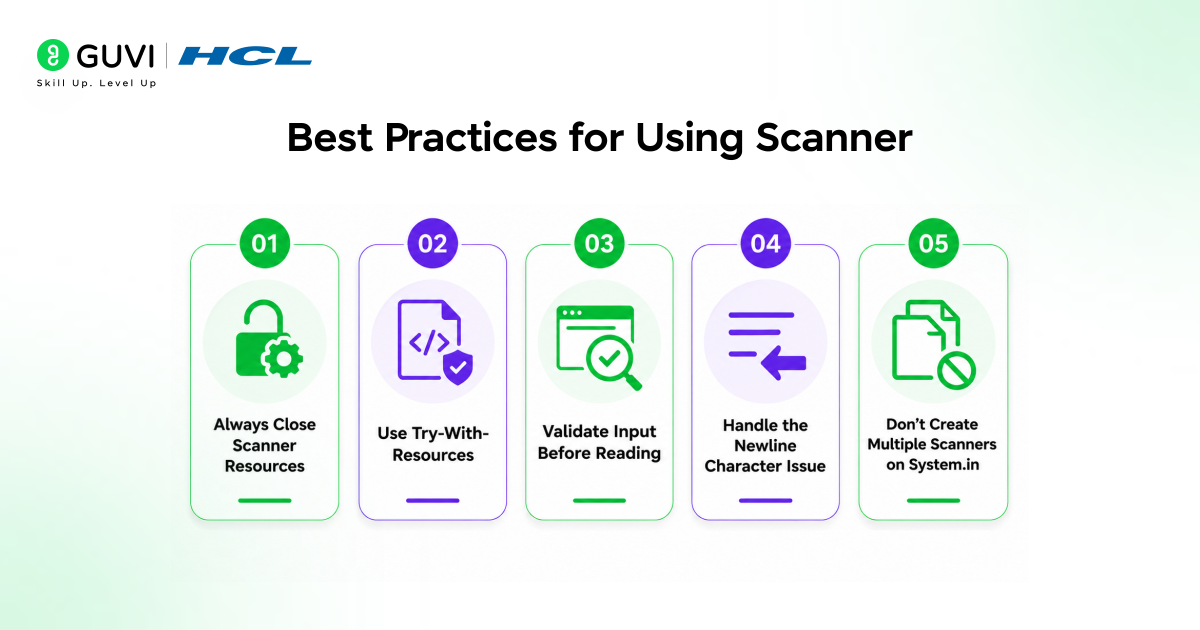
- Always Close Scanner Resources
Failing to close Scanner can lead to resource leaks, especially when reading from files.
- Use Try-With-Resources
The safest way to ensure Scanner is closed properly.
try (Scanner scanner = new Scanner(System.in)) {
// Use scanner
} // Automatically closed
- Validate Input Before Reading
Always check if the expected input type is available before reading to prevent exceptions.
- Handle the Newline Character Issue
Remember to consume leftover newline characters when mixing nextInt() or nextDouble() with nextLine().
- Don’t Create Multiple Scanners on System.in
Creating multiple Scanner objects reading from System.in can cause conflicts. Reuse the same Scanner instance throughout your program.
The Scanner class is not thread-safe, meaning it should not be shared across multiple threads without proper synchronization.
For thread-safe input handling, developers often use BufferedReader combined with synchronized blocks to ensure safe access in concurrent environments.
Practical Real-World Example: Shopping Cart Calculator
import java.util.Scanner;
public class ShoppingCart {
public static void main(String[] args) {
Scanner scanner = new Scanner(System.in);
double total = 0;
System.out.println(“Shopping Cart Calculator”);
System.out.println(“Enter item prices (enter 0 to finish):\n”);
while (true) {
System.out.print(“Enter price: $”);
if (scanner.hasNextDouble()) {
double price = scanner.nextDouble();
if (price == 0) {
break;
}
if (price > 0) {
total += price;
System.out.println(“Item added. Current total: $” + total + “\n”);
} else {
System.out.println(“Price must be positive.\n”);
}
} else {
System.out.println(“Invalid input. Please enter a number.\n”);
scanner.next(); // Clear invalid input
}
}
System.out.printf(“\nFinal Total: $%.2f%n”, total);
scanner.close();
}
}
If you want to learn more about scanner in Java and its functionalities in the real world, then consider enrolling in HCL GUVI’s Certified Data Science Course which not only gives you theoretical knowledge but also practical knowledge with the help of real-world projects.
Conclusion
The Scanner class is an essential tool in every Java programmer’s toolkit. It transforms the complex task of reading and parsing input into simple, readable code that handles various data types effortlessly.
Master the Scanner class, understand its quirks like the nextLine() issue, implement proper input validation, and always remember to close your resources. With these skills, you’ll build robust Java applications that interact smoothly with users and process data reliably.
Whether you’re building a simple calculator, processing files, or creating an interactive application, Scanner gives you the power to handle input with confidence and clarity.
FAQs
1. What is the difference between next() and nextLine() in Scanner?
next() reads a single word up to the next whitespace, while nextLine() reads the entire line including spaces until it encounters a newline character.
2. How do I fix the Scanner nextLine() issue after nextInt()?
Add an extra scanner.nextLine() call after nextInt() to consume the leftover newline character.
3. Is it safe to use Scanner for reading passwords?
No. Scanner is not recommended for reading passwords. Use Console.readPassword() instead, which provides better security.
4. Why does my program throw InputMismatchException?
InputMismatchException occurs when the input doesn’t match the expected data type. Always use hasNextInt() or similar methods to validate input before reading it.
5. Can Scanner read from multiple sources simultaneously?
Yes, you can create multiple Scanner objects for different sources. However, avoid creating multiple Scanner instances for System.in as this can cause conflicts.
Success Stories

About the Author
Vishalini Devarajan
An Aerospace Engineer turned content writer, I focus on making complex concepts easy to understand through well-structured, reader-friendly blogs. Whether it’s a technical topic or a non-technical one, I love creating content that is clear, engaging, and impactful.
View all posts by Vishalini Devarajan
Connect with me @










Did you enjoy this article?