


Artificial Intelligence and Machine Learning Articles
AI/ML Skills Gap 2026: Why Companies Can't Find Job-Ready Talent
20 AI/ML Interview Questions Recruiters Can Use Without a Tech Background - Best Guide
How Industry-Backed AI/ML Bootcamps Are Changing the AI/ML Hiring Pipeline - Best Guide 2026
From IT Support to AI Engineer: A Realistic Career Switch Guide 2026


Get In Touch For Details! Request More Information
Prototype AI-Powered Apps with Claude Artifacts
Jun 20, 2026 5 Min Read 1593 Views
(Last Updated)
Traditionally, building AI applications has required a lot of managing API keys, stressing about costs, handling complex deployments, accidentally hitting rate limits, and more. With Claude’s artifacts, you can skip the hassle of configuration and build a fully functional, AI-powered application with Claude’s intelligence built right in.
These artifacts use your existing usage limits, no API keys, no per-call charges, no deployment hassle, so you can focus on what matters: building your idea. Claude’s artifacts AI app prototyping means you can go from concept to working, shareable app in a single conversation, with no external tools required.
In this guide, you will learn how to rapidly build, test, and share AI-powered applications using Claude. This covers how the Claude API works inside Claude artifacts, four categories of apps to build, tips for getting better results, how sharing works, and when to move from prototype to production.
Quick TL;DR Summary
- What artifacts are: Self-contained pieces of code Claude creates during conversations, displayed in a dedicated panel next to the chat — interactive, shareable, and iterable in real time.
- How AI gets embedded: Ask Claude to add AI capabilities directly to your artifact. Claude embeds a text-based API call to itself inside the app — no API key setup, no costs beyond your existing usage limits.
- Test prompt to start: “Create a simple chatbot that uses Claude. Respond with compliments to every user input.” This produces a working compliment bot that demonstrates the embedded API.
- Four app categories: Learning and education tools, content generation tools, analysis and decision support tools, and apps for fun.
- Sharing: Click Publish, share the link. Anyone with a Claude account can use the app with their own usage limits, at no cost to you. They can also customize and fork their own copy without touching yours.
- Path to production: When you outgrow artifacts, copy the code to your editor of choice. Claude Code is ready to take on production-level development.
Table of contents
- What Are Claude Artifacts?
- How to Embed AI Capabilities in an Artifact
- Step 1: Ask Claude to Embed the Claude API
- Step 2: Test It
- Four Types of Apps to Build
- Learning and Education Tools
- Content Generation Tools
- Analysis and Decision Support Tools
- Tips for Building Artifacts with Claude
- Conclusion
- FAQs
- What are Claude artifacts, and why use them for AI app prototyping?
- Do I need to know how to code to build an AI-powered artifact?
- How does the Claude API get embedded in an artifact?
- What is the test prompt to verify the embedded API is working?
- Does sharing an artifact cost me anything?
What Are Claude Artifacts?
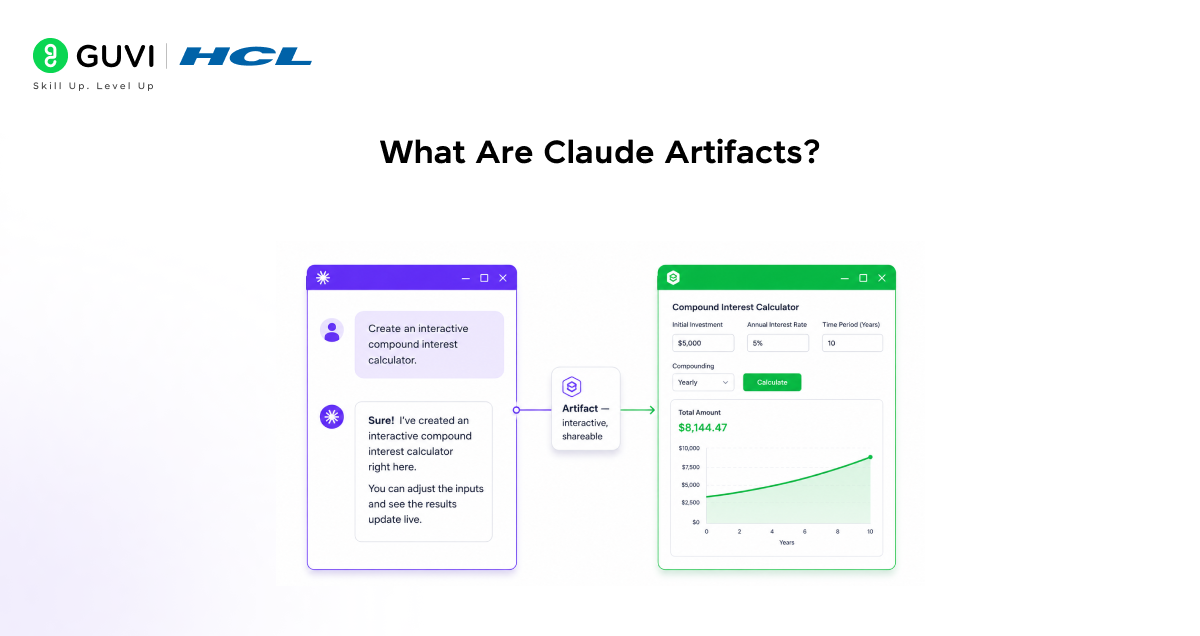
Artifacts are self-contained pieces of code that Claude creates during conversations. They appear in a dedicated panel next to the chat, making them easy to view, edit, and interact with in real time. They can be shared publicly with a single click.
For Claude’s artifact AI app prototyping, artifacts offer three key advantages over traditional development workflows:
- Instant feedback test working code immediately as Claude generates it, without setting up a local environment or deployment pipeline.
- Rapid iteration requests changes based on your testing in real time, in plain language, and Claude updates the artifact while maintaining context about what you have built and why.
- Built-in AI capabilities add Claude API calls without additional costs or setup, using your existing usage limits.
Millions of users have created over half a billion artifacts since launch, from productivity tools to educational games. The dedicated Artifacts space in the Claude sidebar is available on free, Pro, Max, Team, and Enterprise plans.
When someone opens your shared Claude artifact, they can customize and modify it by chatting with Claude — but their changes create a separate copy, leaving your original version untouched. This ensures safe collaboration without risking your work, and you also don’t pay for others’ usage of your shared artifact.
How to Embed AI Capabilities in an Artifact
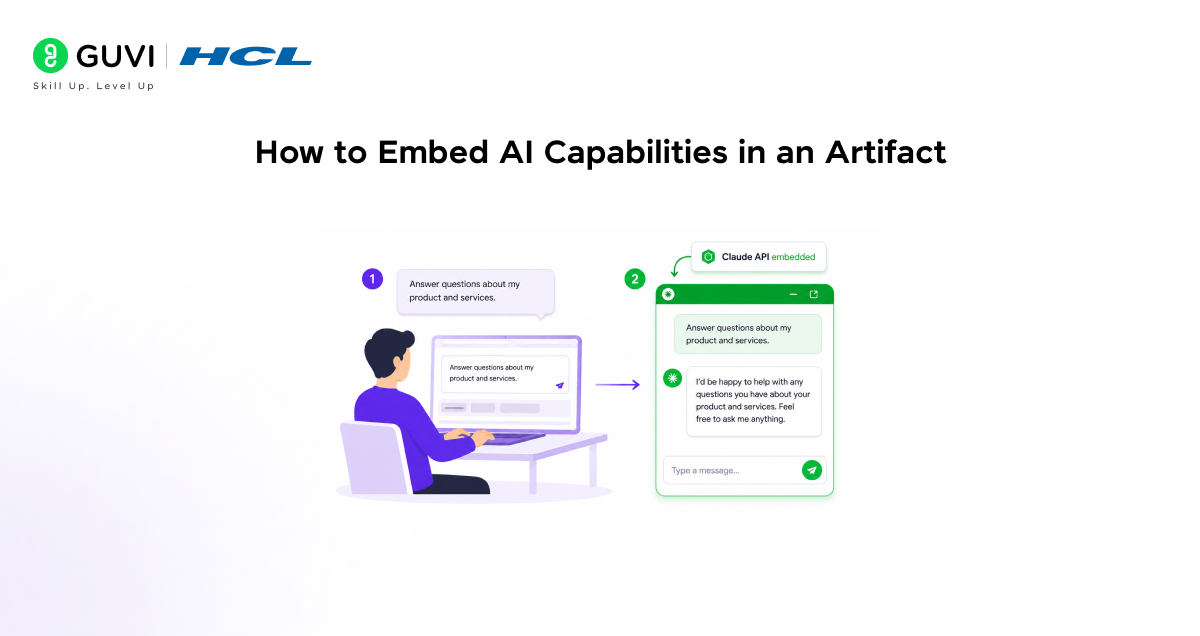
Adding AI capabilities to an artifact is simpler than it sounds. You do not need to configure anything or understand how the API works. You ask Claude to do it, and Claude writes the code.
Step 1: Ask Claude to Embed the Claude API
In any conversation where you are building an artifact, tell Claude you want the app to use Claude. You can be as specific or as simple as you like:
Create a simple chatbot that uses Claude. Respond with compliments to every user input.
Claude will produce a working compliment bot, a full app with a text input where users type anything and receive AI-generated compliments in response. This is the simplest demonstration of the embedded API working.
Step 2: Test It
Once the artifact appears in the panel, type anything into the input. If you receive an AI-generated response, the Claude API is embedded and working correctly. If something is off, describe the issue to Claude in plain language, and he will fix it.
The app runs on Anthropic’s infrastructure. Users authenticate with their own Claude account. Usage counts against each user’s own subscription limits, not against yours, even if the app you built is used by thousands of people.
On Team and Enterprise plans, shared AI-powered artifacts can be used by colleagues without any additional cost to the creator. This makes it practical to build internal tools like a contract reviewer, data analysis assistant, or customer onboarding guide and share them across teams without worrying about per-usage billing.
Four Types of Apps to Build
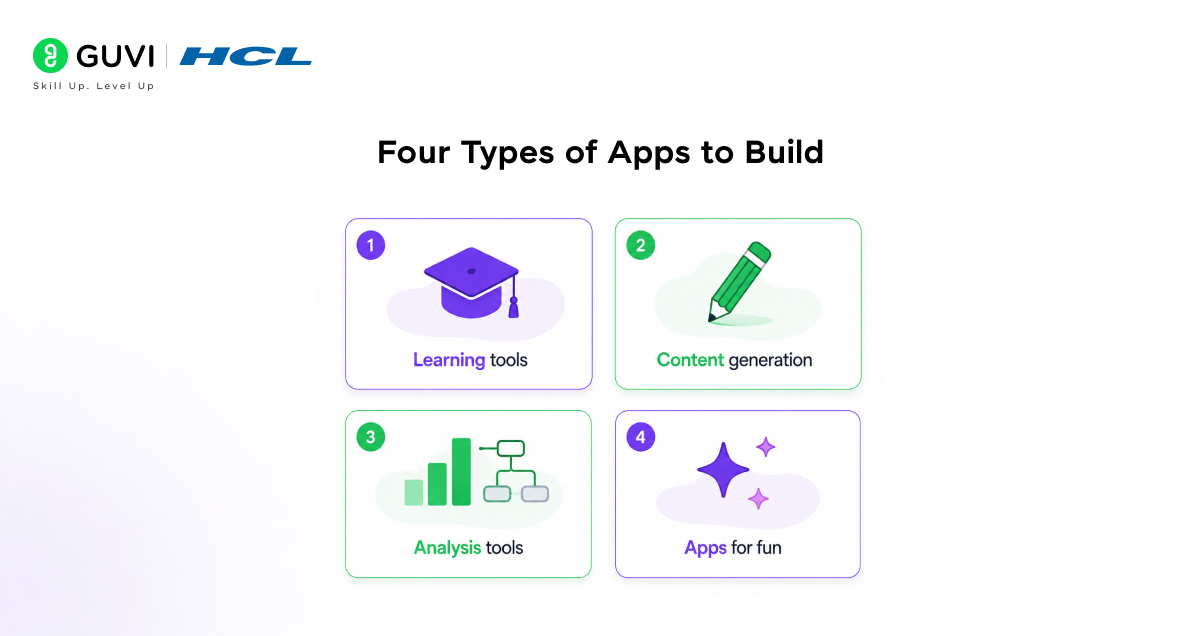
The possibilities for Claude’s AI app prototyping are as broad as your imagination. Here are the four categories Anthropic highlights as starting points, with real examples for each:
1. Learning and Education Tools
Interactive tutors and study companions with AI can understand the context of a user’s learning needs more precisely than static content. Because the app calls Claude directly, it can respond to what a specific user is struggling with, not just what most users ask.
- Code reviewer: gives detailed feedback on style and best practices based on pre-configured guidelines that you define in the artifact.
- Language tutor: lets users chat and learn in a language of their choice, with Claude responding in that language and correcting errors in real time.
- Multiplication game: a parent wanting to help their child learn maths could describe an interactive game where kids answer questions to defeat monsters. A working prototype in a few turns.
2. Content Generation Tools
Collaborative assistants that help brainstorm, develop, and refine creative work according to pre-configured guidelines are useful for teams that need consistent output formats or house styles.
- Slack-to-LinkedIn converter: ingests internal Slack posts and reformats them for LinkedIn, applying the tone and structure guidelines you specify.
- One-page PRD maker: takes product ideas as input and outputs a structured one-page product requirements document.
- Writing assistant: helps with everything from scripts to technical documentation, with Claude maintaining context about the project’s style as the user iterates.
3. Analysis and Decision Support Tools
Intelligent tools that process user input and help make informed decisions through conversation are well-suited to organizational workflows where the same framework gets applied to different inputs repeatedly.
- 5 Whys tool: Helps teams get to the root of problems by applying the five whys framework through guided conversation. Claude asks each follow-up question based on the previous answer.
- Data analysis app: Users upload CSVs and ask follow-up questions in natural language. Claude reads the data and responds with analysis, without the user needing any data skills.
- Agent workflows: Orchestrate multiple Claude calls for complex tasks, one call for research, one for synthesis, and one for formatting all inside a single shareable app.

Tips for Building Artifacts with Claude
As you build, a few habits make a meaningful difference in the quality and speed of what you produce:
- Let Claude interview you. Start with a rough idea and let Claude ask follow-up questions to sharpen it before building. Share your problem — “I wish I had a better way to teach the water cycle to my class, they seem bored” — and let Claude ask about age range, interaction style, and content before it generates anything. The artifact that comes out of an interview is more precisely what you actually wanted.
- Iterate with follow-up prompts. Ask Claude to modify the artifact after it appears: “make the buttons bigger,” “respond in fewer than 200 words each time,” “change the colour scheme to dark mode.” Each request builds on the previous version. Claude maintains context about what you built and why.
- Debug through conversation. When something breaks, either click “Fix with Claude” or describe the problem in plain language: “the calculator is not working with decimals,” “the game crashes at level 3.” You do not need to understand the error message to fix it.
- Experiment with forking. Go back to any previous message, click Edit to create a new conversation branch, and try a completely different direction. You can always return to the original version. This makes bold experimentation low-risk — try a different design, different feature set, or different interaction model without losing what already works.
- Upload a reference screenshot. If you have an app whose design or feel you want to match, upload a screenshot and say, “Make it feel like this.” This gives Claude more to work with than describing aesthetics from scratch. You can also screenshot the artifact itself and circle something specific: “this part fixes this.”
Early users of AI-powered artifacts have already built interactive games with memory-driven NPCs, adaptive learning tools, CSV-based data analysis apps, and multi-agent workflows — all through simple conversations. No coding required.
This marks a shift where ideas become applications instantly, lowering the barrier between concept and execution.
If you want to learn more about building skills for Claude Code and automating your procedural knowledge, do not miss the chance to enroll in HCL GUVI’s Intel & IITM Pravartak Certified Artificial Intelligence & Machine Learning courses. Endorsed with Intel certification, this course adds a globally recognized credential to your resume, a powerful edge that sets you apart in the competitive AI job market.
Conclusion
In conclusion, Claude’s artifacts AI app prototyping removes almost every barrier that used to exist between having an idea and testing it as a working app. No API keys. No deployment. No cost beyond your existing plan. Just describe what you want, let Claude build it, and share it with a link.
The four categories, learning tools, content generation, analysis and decision support, and fun, cover a wide range of practical and creative use cases. The tips for iteration, debugging, and forking make the build process fast and low-risk. And when you are ready to go beyond the prototype, the path to production through Claude Code is clear.
Start with the simplest possible version. Ask Claude to build a compliment bot, see how the embedded API works, and go from there. The scope of what you build next is limited only by what you can describe.
FAQs
1. What are Claude artifacts, and why use them for AI app prototyping?
Artifacts are self-contained pieces of code Claude creates during a conversation, displayed in a dedicated panel next to the chat. For prototyping, they provide instant feedback (test working code immediately), rapid iteration (request changes in plain language), and built-in AI capabilities (Claude API calls with no additional setup or cost). They can be shared publicly with one click, with no deployment required.
2. Do I need to know how to code to build an AI-powered artifact?
No. You describe what you want to build, let Claude ask clarifying questions, and Claude writes all the code. When something does not work correctly, you describe the problem in plain language, and Claude fixes it. The entire build process happens through conversation.
3. How does the Claude API get embedded in an artifact?
You ask Claude to add AI capabilities to your artifact, and Claude writes the code that calls the Claude API from inside the app. Users of the artifact authenticate with their own Claude account, and usage counts against their own subscription limits, not against yours. No API key management is required on your end.
4. What is the test prompt to verify the embedded API is working?
Use this prompt: “Create a simple chatbot that uses Claude. Respond with compliments to every user input.” This produces a working compliment bot where users type anything and receive AI-generated responses. If the compliments appear, the embedded API is working correctly.
5. Does sharing an artifact cost me anything?
No. Sharing your artifact is free regardless of how many people use it. When other Claude users interact with your AI-powered artifact, usage counts against their own subscription limits, not yours. On Team and Enterprise plans, team members can use shared artifacts within your organization without any additional cost to the creator.
Success Stories

About the Author
Vishalini Devarajan
An Aerospace Engineer turned content writer, I focus on making complex concepts easy to understand through well-structured, reader-friendly blogs. Whether it’s a technical topic or a non-technical one, I love creating content that is clear, engaging, and impactful.
View all posts by Vishalini Devarajan
Connect with me @











Did you enjoy this article?