


Artificial Intelligence and Machine Learning Articles
How to Audit LLM Models for Backdoors: Tools & Frameworks for Developers
AI Governance & Compliance in Web Apps: Why You Can’t Ignore Data Risk When Using LLMs
How to Evaluate LLMs for Production: Beyond Benchmarks (A Developer’s Guide)
Is a Career in AI/ML Sustainable for Someone with a Web Dev Background


Get In Touch For Details! Request More Information
Modern AI Developer Mindset: Treating AI Like a Colleague
Dec 26, 2025 6 Min Read 780 Views
(Last Updated)
AI is no longer just a tool you pull out when you are stuck. For many developers, it is already present in daily workflows, suggesting code, reviewing logic, generating tests, and even explaining unfamiliar systems.
Here’s the thing. How you think about AI matters just as much as how you use it.
Developers who treat AI as a smarter autocomplete often get shallow results. Developers who treat it like a colleague, one that is fast, tireless, and context-aware but still fallible, tend to unlock far more value.
This article explores what it really means to treat AI like a colleague, how that AI developer mindset changes your development process, and what skills you need to build to work effectively in an AI-augmented environment. So, without further ado, let us get started!
Quick Answer:
Treating AI like a colleague means collaborating with it as a thinking partner rather than using it as a command-based tool. You provide context, review its output critically, and remain accountable for decisions, using AI to augment judgment, speed, and problem-solving rather than replace them.
Table of contents
- The Shift From Tools to Teammates
- Why the Old Mental Model Falls Short
- The Colleague Mental Model
- Understanding What AI Is Actually Good At
- Strengths You Can Reliably Leverage
- Where Human Judgment Still Leads
- Communication Is the Core Skill
- Prompting Is Just Clear Thinking, Externalized
- Iteration Beats Perfection
- Reviewing AI Output Like You Would a Peer’s Work
- Trust, but Verify
- Using AI as a Reviewer, Too
- The Impact on Developer Productivity
- Speed Without Sacrificing Quality
- Reducing Cognitive Load
- AI as a Learning Partner
- Accelerated Skill Development
- Avoiding Passive Consumption
- Team Dynamics in an AI-Augmented Environment
- AI Does Not Replace Collaboration
- Establishing Team Guidelines
- Ethics, Responsibility, and Ownership
- You Own the Output
- Being Aware of Bias and Limitations
- Preparing for the Future of Development
- The Developer Role Is Expanding, Not Shrinking
- Skills Worth Investing In
- Practical Ways to Start a Modern AI Developer Mindset
- Start With Better “Briefs,” Not Better Prompts
- Talk Through the Problem, Not Just the Solution
- Ask It to Explain Its Own Work
- Use AI for First Drafts, Not Final Answers
- Be Comfortable Pushing Back
- Conclusion
- FAQs
The Shift From Tools to Teammates
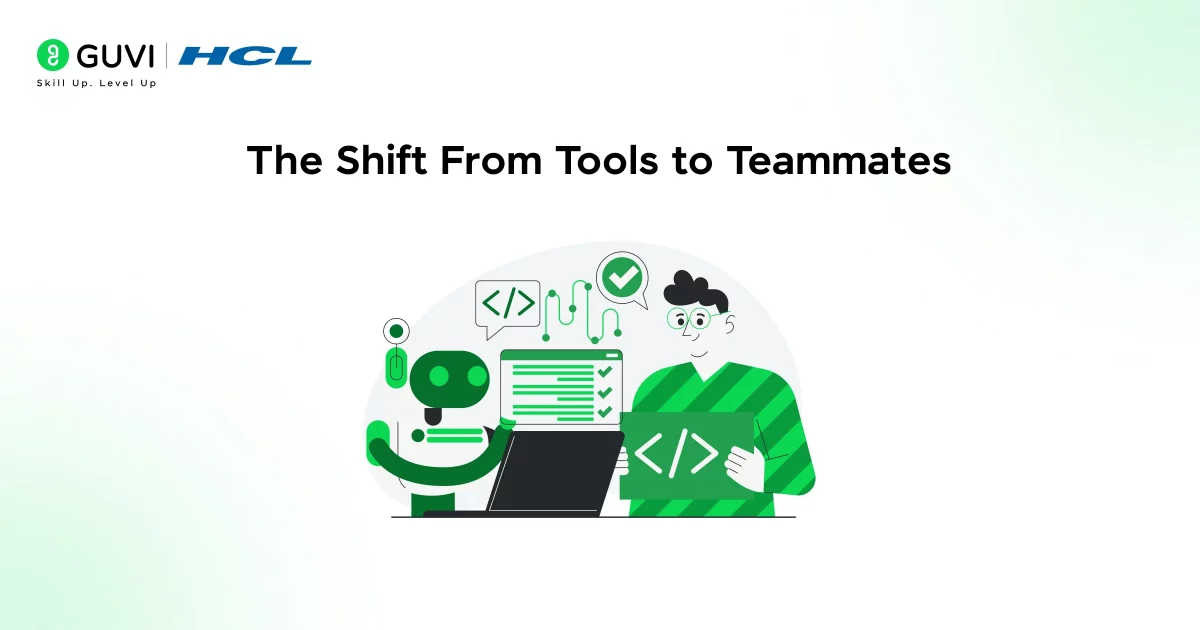
AI has quietly moved beyond being a background utility in development workflows. This section explores why reframing AI as a collaborator changes both expectations and outcomes.
Why the Old Mental Model Falls Short
Traditional developer tools are deterministic. You give an input, you expect a predictable output. Compilers, linters, debuggers, and frameworks all work this way. Artificial Intelligence does not.
Large language models and code assistants operate probabilistically. They infer intent, fill gaps, and make educated guesses based on patterns. When you treat them like rigid tools, frustration follows quickly.
You might see behavior like:
- “It keeps giving me wrong answers.”
- “I can’t trust the output.”
- “This is faster only for trivial tasks.”
These reactions usually point to a mismatch in expectations, not a failure of the technology.
The Colleague Mental Model
A better comparison is a junior-to-mid-level colleague who:
- Has read a massive amount of documentation and code
- Is very fast at producing drafts
- Sometimes hallucinates or misunderstands context
- Needs clear direction and feedback
- Improves with better inputs
Once you adopt this framing, your interactions naturally change. You explain goals instead of issuing commands. You review outputs instead of assuming correctness. You collaborate rather than delegate blindly.
What this really means is that productivity becomes a shared outcome, not a one-click result. That is why this modern AI developer mindset is really important to get the most out of AI.
If the terms Artificial Intelligence, Large Language Models, or even Prompting sound foreign to you, then this blog is for you – A Beginner’s Guide to Artificial Intelligence, LLMs, and Prompting
Understanding What AI Is Actually Good At
Not all tasks benefit equally from AI assistance. Before relying on it heavily, it’s important to understand where AI consistently adds value and where it needs human oversight.
Strengths You Can Reliably Leverage
AI assistants shine in areas where pattern recognition and synthesis matter more than original invention.
Common high-value use cases include:
- Generating boilerplate and scaffolding
- Translating code between languages or frameworks
- Writing unit tests from existing logic
- Explaining unfamiliar codebases
- Summarizing documentation or API behavior
- Suggesting refactors for readability or consistency
When you treat AI like a colleague, you assign it tasks aligned with these strengths instead of expecting it to “solve everything.”

Where Human Judgment Still Leads
There are also areas where you should remain firmly in the driver’s seat.
These include:
- System architecture decisions
- Security-sensitive logic
- Performance-critical paths
- Business rule interpretation
- Ethical or compliance-related choices
AI can assist in exploring options, but it should not be the final authority. Just like with a human teammate, responsibility stays with you.
Communication Is the Core Skill
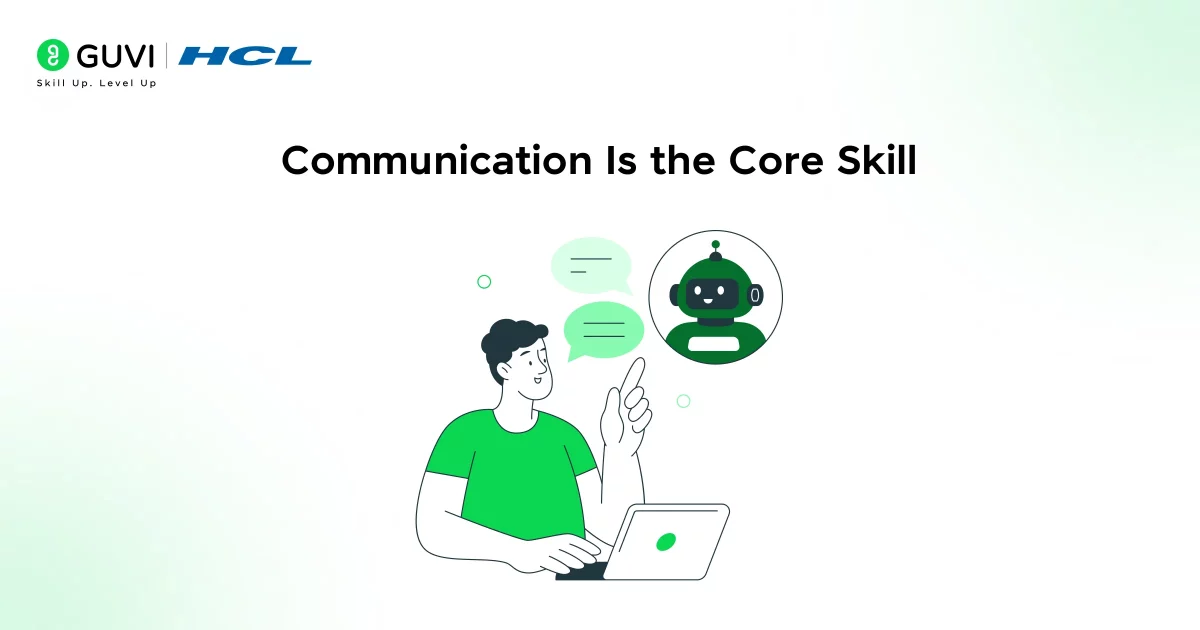
Working well with AI is less about technical tricks and more about how clearly you think and communicate. This section breaks down why interaction quality directly shapes output quality.
Prompting Is Just Clear Thinking, Externalized
The term prompting often gets framed as a niche technical skill. In practice, it is closer to structured communication.
When you talk to a colleague, you do not say: “Do the thing.”
You say: “Here’s the context, here’s the goal, here are the constraints, and here’s what success looks like.”
The same applies to AI. Effective prompts usually include:
- Background context
- The specific task
- Constraints or preferences
- The desired output format
- Examples when possible
The clearer your thinking, the better the collaboration.
Iteration Beats Perfection
You rarely get perfect output on the first attempt, and that is normal.
Strong AI-augmented developers iterate:
- They ask follow-up questions
- They correct misunderstandings
- They refine constraints
- They request alternatives or tradeoffs
This mirrors real team dynamics. Good work emerges through dialogue, not monologues.
Reviewing AI Output Like You Would a Peer’s Work
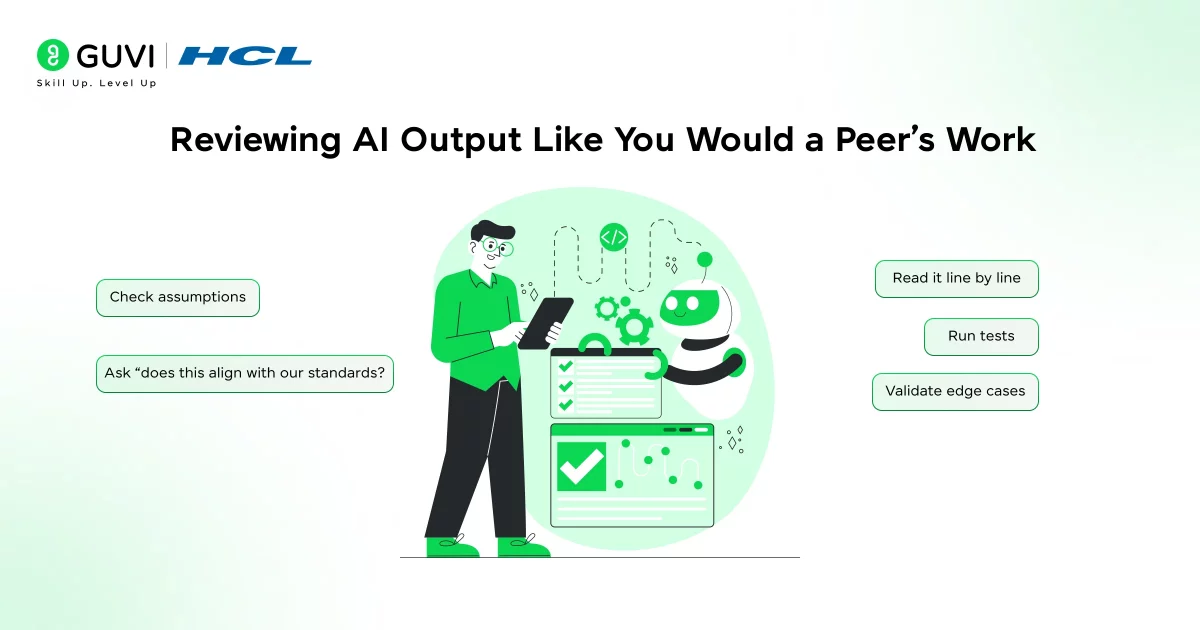
AI-generated code should never bypass scrutiny. Here, we look at how applying familiar review practices helps maintain quality and reduce hidden risks.
Trust, but Verify
One of the most dangerous habits is accepting AI-generated code without review. Not because AI is uniquely bad, but because it is convincingly confident.
Treat AI output like a pull request from a teammate:
- Read it line by line
- Check assumptions
- Run tests
- Validate edge cases
- Ask, “Does this align with our standards?”
This approach reduces risk while preserving speed.
Using AI as a Reviewer, Too
The collaboration goes both ways. You can ask AI to:
- Review your code for readability
- Identify potential bugs.
- Suggest test cases you missed
- Flag inconsistent naming or structure
This creates a feedback loop where you alternate roles, sometimes the author, sometimes the reviewer.
The Impact on Developer Productivity
AI changes not just how fast you code, but how you allocate your attention. This section focuses on how the right mindset leads to sustainable productivity gains.
Speed Without Sacrificing Quality
When used well, AI does not just make you faster. It helps you focus your energy on the highest-leverage thinking.
Instead of spending time on:
- Writing repetitive glue code
- Looking up syntax details
- Rewriting similar logic
You spend time on:
- Designing systems
- Evaluating tradeoffs
- Improving user impact
- Learning new concepts faster
The net effect is not just more output, but better output.
Reducing Cognitive Load
AI can act as an external memory and reasoning aid.
Examples include:
- “Remind me how this pattern works.”
- “Explain why this error happens.”
- “Summarize the difference between these two approaches.”
This reduces context-switching and keeps you in flow longer.
Did you know that many teams report higher satisfaction with AI tools after changing how they interact with them, not which tools they use?
Common shifts include:
AI as a Learning Partner
Beyond execution, AI can play a meaningful role in skill development. This section examines how developers can use AI to learn faster without becoming overly dependent.
Accelerated Skill Development
AI can compress learning cycles dramatically.
You can
- Ask for explanations tailored to your experience level
- Compare multiple implementation strategies side by side
- Explore unfamiliar frameworks without fear of asking “basic” questions
- Learn by modifying and questioning generated examples
This makes AI especially powerful for developers transitioning into new domains.
Avoiding Passive Consumption
There is a risk, though. If you accept outputs without engaging critically, learning stalls.
To stay sharp:
- Ask “why” as often as “how.”
- Rewritethe generated code in your own words
- Challenge assumptions
- Experiment with alternatives
Treat AI like a mentor who explains quickly, but expects you to think.
Team Dynamics in an AI-Augmented Environment
AI doesn’t operate in isolation within real-world teams. This section explores how shared workflows, standards, and collaboration adapt in AI-augmented development settings.
AI Does Not Replace Collaboration
AI changes how teams work, but it does not eliminate the need for human collaboration.
In fact, it often increases the importance of:
- Clear documentation
- Shared standards
- Code reviews
- Architectural alignment
When AI-generated code enters a shared codebase, consistency matters more than ever.
Establishing Team Guidelines
Mature teams often define norms such as:
- When AI-generated code is acceptable
- How to review and attribute it
- What types of tasks are encouraged or discouraged
- Security and privacy boundaries
These guidelines reduce friction and set clear expectations.
Ethics, Responsibility, and Ownership
As AI becomes more embedded in development, questions of accountability grow sharper. This section clarifies where responsibility lies and why it cannot be outsourced.
You Own the Output
No matter how helpful AI becomes, responsibility does not shift. If code breaks, leaks data, or violates policy, the accountability remains with the developer and the team.
This is why treating AI like a colleague, not an authority, is so important.
Being Aware of Bias and Limitations
AI models reflect the data they were trained on. That means:
- They can reinforce outdated patterns
- They may miss edge cases
- They may suggest insecure defaults
- They can reflect bias in subtle ways
Awareness of these biases and ethical concerns is part of professionalism in the AI era.
Preparing for the Future of Development
The Developer Role Is Expanding, Not Shrinking
AI does not eliminate the need for developers. It reshapes the role. The most valuable developers will be those who:
- Think in systems
- Communicate clearly
- Evaluate tradeoffs
- Guide AI effectively
- Take ownership of outcomes
Coding remains important, but judgment, context, and intent matter more.
Skills Worth Investing In
To thrive as an AI-augmented developer, focus on:
- Clear technical communication
- Code review and evaluation
- System design fundamentals
- Security and performance literacy
- Continuous learning
AI amplifies these skills. It does not replace them.
Practical Ways to Start a Modern AI Developer Mindset
You don’t need to overhaul your workflow or suddenly become an AI power user. Most of the shift happens in small, repeatable habits. Think of this as learning how to work well with a new teammate who just joined your team and happens to be very fast.
1. Start With Better “Briefs,” Not Better Prompts
When a new colleague asks what you need, you don’t respond with a vague sentence and walk away. You give context.
Do the same with AI.
Instead of:
- “Write a function for this”
Try:
- “I’m working in a Node.js service that handles user authentication. I need a function that validates JWT tokens, handles expiry clearly, and returns structured errors. Keep it readable and avoid external dependencies.”
You’ll notice the difference immediately. Clear context reduces back-and-forth and cuts down on unusable output. Over time, you’ll naturally get better at explaining what you actually want, which helps not just with AI, but with human teammates too.
2. Talk Through the Problem, Not Just the Solution
One underrated approach is using AI before you’ve fully figured things out.
You can say:
- “Here’s the problem I’m trying to solve, but I’m not sure about the best approach yet. Can you walk me through a few options and their tradeoffs?”
This turns AI into a thinking partner rather than a code generator. You stay in control of the decision, but you get help mapping the landscape faster. It’s similar to grabbing a teammate for a quick design discussion before you commit to an implementation.
3. Ask It to Explain Its Own Work
If a colleague submits code you don’t understand, you ask questions. Do the same here.
After getting an output, follow up with:
- “Explain why you chose this approach.”
- “What assumptions are you making here?”
- “Where could this break in production?”
These questions often surface hidden risks or alternative paths you may not have considered. They also help you spot weak reasoning early, before it makes its way into your codebase.
4. Use AI for First Drafts, Not Final Answers
A healthy way to collaborate is to let AI do the rough work.
This might look like:
- Generating an initial implementation
- Drafting test cases
- Sketching out a refactor
- Creating a checklist or outline
You then step in to refine, simplify, or harden the result. This keeps you in an active role and avoids the trap of blindly accepting whatever shows up first.
Think of AI as someone who gets you 70 percent of the way there quickly. You bring it home.
5. Be Comfortable Pushing Back
If the output feels wrong, say so.
You can respond with:
- “This doesn’t meet the performance requirements I mentioned.”
- “This adds complexity we don’t need.”
- “Can you rewrite this using a simpler pattern?”
Just like with a real colleague, pushback improves the result. AI is unusually patient about revisions, so use that to your advantage.
If you’re serious about mastering Artificial Intelligence and want to apply it in real-world scenarios, don’t miss the chance to enroll in HCL GUVI’s Intel & IITM Pravartak Certified Artificial Intelligence & Machine Learning course. Endorsed with Intel certification, this course adds a globally recognized credential to your resume, a powerful edge that sets you apart in the competitive AI job market.
Conclusion
In conclusion, treating AI like a colleague is not about anthropomorphizing technology. It is about adopting a mindset that aligns with how these systems actually work.
When you develop this type of AI developer mindset, where you collaborate instead of command, review instead of trust blindly, and communicate instead of shortcutting, AI becomes a powerful partner in your development process.
The future of software development is not human versus AI. It is human with AI, working side by side, each doing what they do best. And as with any good colleague, the quality of the relationship depends on how thoughtfully you show up.
FAQs
1. What does it mean to treat AI like a colleague in software development?
It means working with AI as a collaborative partner rather than a command-based tool. You provide context, review its output, and take responsibility for final decisions.
2. Can developers trust AI-generated code?
AI-generated code can be useful, but it should always be reviewed and tested. Developers remain responsible for correctness, security, and performance.
3. How does AI improve developer productivity?
AI reduces time spent on repetitive tasks, documentation lookup, and boilerplate code. This allows developers to focus more on design, problem-solving, and learning.
4. Will AI replace software developers in the future?
No. AI augments developer capabilities but does not replace human judgment, system design, or accountability. Developers who adapt will become more effective, not obsolete.
5. What skills do developers need to work effectively with AI?
Clear communication, critical thinking, code review skills, and system-level understanding are essential. These skills help developers guide AI and evaluate its output responsibly.
Success Stories

About the Author
Lukesh S
A professional content writer who has experience in freelancing and now working as a Technical Content Writer at GUVI. Google Certified Digital Marketer. Have a sound knowledge of SQL, Data Structures and Cloud Computing.
View all posts by Lukesh S
Connect with me @






Did you enjoy this article?