


Javascript Articles
Arrow Functions in JavaScript: A Complete Guide
What Is Currying in JavaScript?


Get In Touch For Details! Request More Information
Is JavaScript Single-Threaded or Multi-threaded? A Clear Explanation
Mar 18, 2026 4 Min Read 504 Views
(Last Updated)
JavaScript is ubiquitous nowadays, from simple websites to complex web applications. However, there is one question that continues to recur again and again among the novices and even the seasoned programmer: what exactly does JavaScript do to allow it to do so much at once? By the time a page is loaded, a button will be reactive, it will be loading data in the background, and it will have animations running without halting everything.
Herein, the misunderstanding begins. Some argue that JavaScript can only do one thing at a time, and others argue that JavaScript can do several things at the same time. So which one is true? JavaScript is either single-threaded, multithreaded, or a mix of the two. This knowledge demystifies much of the unknown and will make you write better and more efficient code.
Quick Answer:
JavaScript runs on a single thread, so it can handle only one task at a time. Because it supports asynchronous operations, it can handle multiple tasks without blocking the program, making it appear to run them simultaneously.
Table of contents
- Understanding Single-Threaded and Multithreaded
- A. Single-Threaded
- B. Multi-threaded
- Is JavaScript Single-Threaded or Multithreaded?
- Example (Pure Single-Threaded Execution):
- Example (How JavaScript Handles Multiple Tasks):
- Role of Event Loop in Single-Threaded JavaScript
- Why JavaScript Is Not Multithreaded
- Conclusion
- FAQs
- Can JavaScript run multiple tasks at the same time?
- Why does JavaScript freeze sometimes?
- Is JavaScript always single-threaded?
Understanding Single-Threaded and Multithreaded
A. Single-Threaded
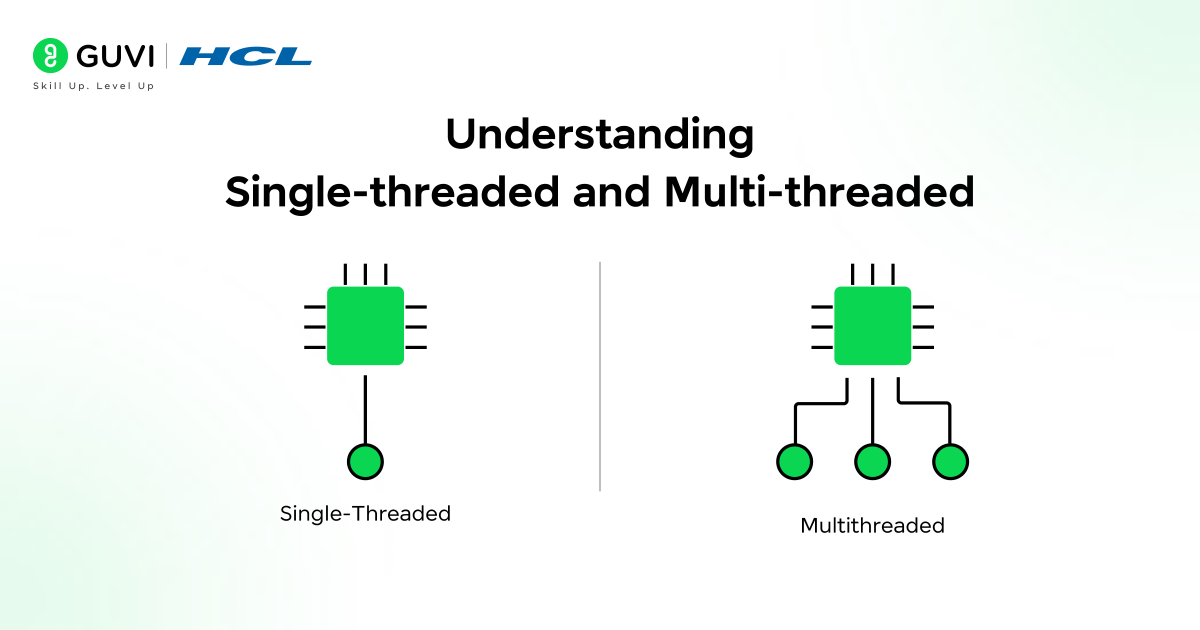
A single-threaded system has tasks that are done in sequence, one at a time. The task can only be executed one at a time, and a subsequent task must wait before it is executed. This allows execution to be predictable and easier to control; however, it can also result in delays in case one task is too long to complete.
This is the reason why intensive operations could intimidate the program and slow down the application or make it unresponsive in JavaScript.
Real-world example:
Consider one cashier in a local grocery store. A customer is attended to fully before the fourth or fifth customer is called. When a single customer takes a lot of time, he or she has to wait until all the others in the queue are attended to.
B. Multi-threaded
A multi-threaded system breaks down the tasks and assigns them to many threads, which can then run simultaneously. This assists in enhancing performance and efficiency, particularly in cases where there are complex or time-consuming operations.
Multiple threading systems can process more workloads easily since they can process multiple tasks at a time. Though it also makes it difficult, as multiple threads are hard to control and need close coordination.
Real-world example:
Suppose it is a big supermarket and there are several billing counters. The number of customers being processed is high at once, thus waiting time is minimized, and the process is completed faster as well.
Get started with JavaScript using HCL GUVI’s free learning resource and build a strong foundation at your own pace: JS eBook
Is JavaScript Single-Threaded or Multithreaded?
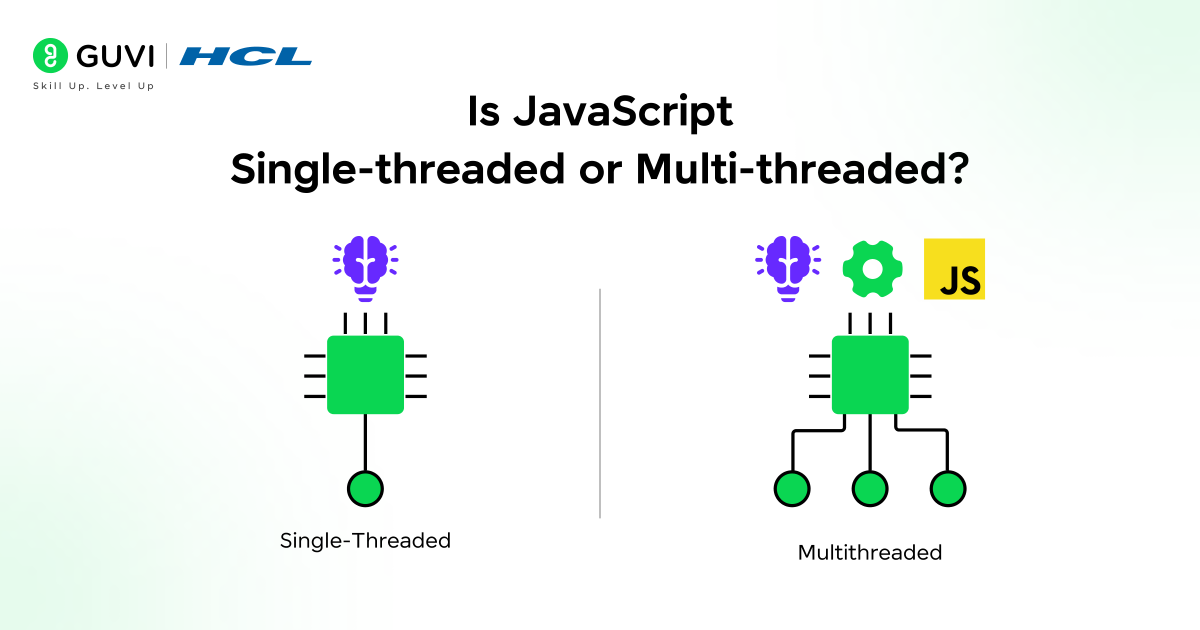
JavaScript is a single-threaded programming language; that is, it can only execute one code at a time on its main thread. It executes instructions sequentially, that is, in the order of their occurrence.
As noted above, JavaScript cannot perform two functions simultaneously on the main thread. Such a one-thread character makes the performance predictable and does not complicate the management of several threads.
Meanwhile, JavaScript can serve several tasks such as timers, API calls, and user interaction. They are handled in such a manner that they do not block the main thread.
As these are being done elsewhere, JavaScript is still running other code. This gives the impression that JavaScript is doing multiple tasks simultaneously (when in reality, one task at a time is executed on a single thread).

1. Example (Pure Single-Threaded Execution):
console.log("First");
console.log("Second");
console.log("Third");
Output:
First
Second
Third
Explanation:
JavaScript will run First, Second, Third, one right after the other. All the lines do not start until the last line is complete. Waiting, background work, and task switching are nonexistent. This is a real case of single-threaded execution.
This indicates that JavaScript is highly ordered and is not able to proceed until the task at hand has been accomplished.
2. Example (How JavaScript Handles Multiple Tasks):
console.log("Start");
setTimeout(() => {
  console.log("Timeout");
}, 2000);
console.log("End");
Output:
Start
End
Timeout
Explanation:
JavaScript initially displays “Start”. It does not wait 2 seconds when it is faced with setTimeout. Rather, it leaves that to be done and then proceeds to execute the following line, which is “End”. Once the main thread is free after 2 seconds, the timeout task is then run, and the words print out as “Timeout”.
Note: The setTimeout() method here takes a callback function as its first argument and a delay time as its second.
This demonstrates that even when several processes are being processed, JavaScript processes them sequentially using a single thread. That is why JavaScript is single-threaded in its essence, and its real-life applications feel fast and responsive.
Role of Event Loop in Single-Threaded JavaScript
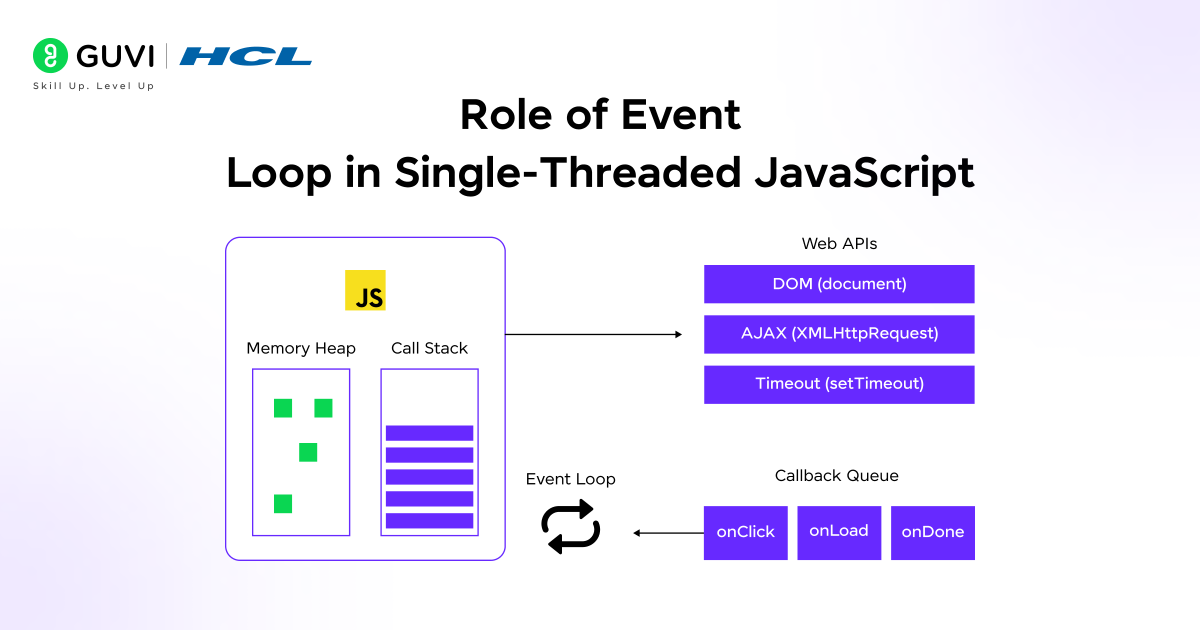
Given that JavaScript does not support multiple tasks simultaneously, it must have a method of choosing which task to execute next. This is where the loop of events is involved. The event loop is a kind of manager that continues to examine if JavaScript is free to execute additional code.
When the main code is still executing, the event loop waits. After JavaScript is done with the task it is performing, the event loop then relays the next task waiting to be performed.
Tasks such as timers, API calls, or a user action do not run right after they are done in the background. They are put in a waiting queue. This line is constantly examined by the event loop, which puts tasks on the main thread at any time it is empty.
This is so that JavaScript will never execute two tasks simultaneously and yet remain responsive.
The event loop, in simple terms, ensures that JavaScript processes things one after another, sequentially, without locking up the application. That is the way JavaScript can support multiple tasks whilst being single-threaded.
Why JavaScript Is Not Multithreaded
JavaScript is not multi-threaded since it was developed to ensure that things were simple and safe, particularly in the browser. The web pages concern the user clicks, animation, and updating of the page. With several threads being able to modify the page simultaneously, it would be extremely easy to introduce errors, crashes, or even unpredictable behavior.
JavaScript would avoid these issues by utilizing a single thread. It is unclear which task will be executed first, or the one that will modify data. All things take place in an understandable sequence.
Although it implies that JavaScript cannot execute intensive tasks simultaneously in the main thread, the single-threaded nature of the language makes applications more predictable and maintainable, which is why it remains a great match with modern web development.
Top tech companies look for real skills, not just theory. Get hands-on experience, expert guidance, and placement support by enrolling in HCL GUVI’s IITM Pravartak Certified MERN Full Stack Development Course and level up your tech career.
Conclusion
JavaScript may appear to be able to multitask, but deep down, it cannot be multitasked because it processes tasks sequentially on a single thread. It is powerful because of its ability to handle several processes without interrupting the primary execution process. This knowledge will make the behavior of JavaScript much more understandable and enable you to write more efficient and cleaner code.
FAQs
Can JavaScript run multiple tasks at the same time?
JavaScript runs a single task at a time on a single thread, but asynchronous features make it feel like multiple tasks run in parallel.
Why does JavaScript freeze sometimes?
A long-running task blocks the main thread, leaving the page unresponsive.
Is JavaScript always single-threaded?
Yes, JavaScript itself is single-threaded, though environments handle background tasks differently.
Success Stories










Did you enjoy this article?