


Python Articles
Freelancing as a Python Developer: Getting Your First Client
Common Python Mistakes Beginners Make And How to Fix Them
Python Best Practices: Writing Clean, Maintainable Code Like a Pro
How to Build a Python Developer Portfolio That Gets You Hired


Get In Touch For Details! Request More Information
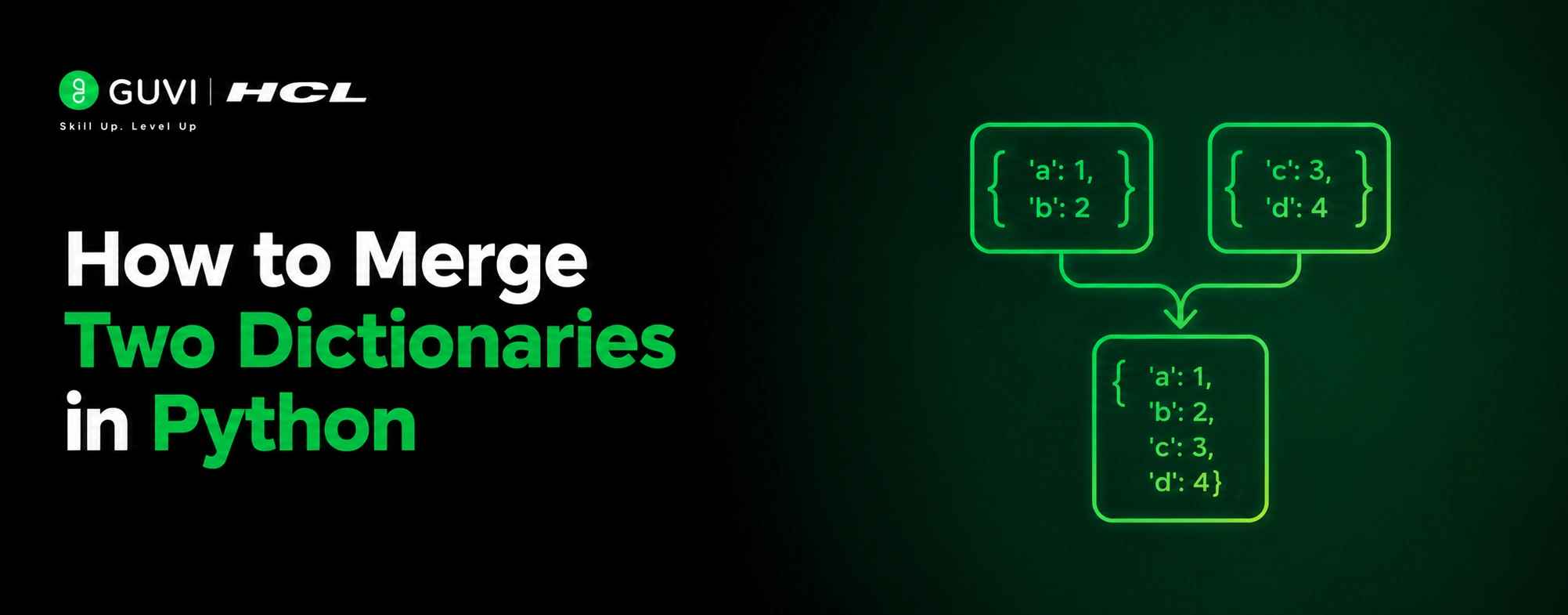
Combining data from two dictionaries is something almost every Python developer runs into, merging config settings, combining API responses, or building a final dataset from multiple sources. Python gives you several clean ways to do this, and picking the right one makes your code easier to read and less likely to cause bugs.
Table of contents
- TL;DR Summary
- How Do You Merge Two Dictionaries in Python?
- Method 1: The Merge Operator (Python 3.9+)
- Method 2: Dictionary Unpacking With **
- Method 3: The update() Method
- Comparing All Three Methods
- Real-World Use Case: Merging Config Settings
- A Practical Example
- Which Method Should You Use?
- Conclusion
- FAQs
- What is the easiest way to merge two dictionaries in Python?
- What happens when both dictionaries contain the same key?
- How can I merge dictionaries in Python versions older than 3.9?
- What is the difference between the | operator and update()?
- Can I merge more than two dictionaries at once?
- How can I merge dictionaries without modifying the original?
- When should I use each dictionary merging method?
TL;DR Summary
- Python provides three primary ways to merge dictionaries: the | merge operator, dictionary unpacking (**), and the update() method.
- When duplicate keys exist, the value from the right-hand dictionary takes precedence regardless of the merging technique used.
- The best method depends on your needs: use | for modern Python, ** for compatibility or multiple dictionaries, and update() for in-place modifications.
Merge dictionaries in Python using |, update(), or {**d1, **d2}. Master Python dicts and core concepts with HCL GUVI’s Python Zero to Hero course. Start your Python journey here
How Do You Merge Two Dictionaries in Python?
The simplest and most modern way is the merge operator |, available in Python 3.9 and later: merged = dict1 | dict2. For older Python versions, use dictionary unpacking with {**dict1, **dict2} or the update() method. All three produce the same result: a single dictionary combining both.
Method 1: The Merge Operator (Python 3.9+)
- A Clean, Modern Syntax
Python 3.9 introduced the | operator specifically for dictionaries. It reads naturally and creates a brand new dictionary without touching the originals.
| dict1 = {‘a’: 1, ‘b’: 2} dict2 = {‘c’: 3, ‘d’: 4} merged = dict1 | dict2 print(merged) # {‘a’: 1, ‘b’: 2, ‘c’: 3, ‘d’: 4} |
Both dict1 and dict2 stay exactly as they were. This is the recommended approach if you’re on Python 3.9 or newer.
- What Happens With Duplicate Keys
When the same key appears in both dictionaries, the right-hand dictionary always wins.
| dict1 = {‘a’: 1, ‘b’: 2} dict2 = {‘b’: 3, ‘c’: 4} merged = dict1 | dict2 print(merged) # {‘a’: 1, ‘b’: 3, ‘c’: 4} |
Here, b exists in both, and dict2’s value (3) overwrites dict1’s value (2). This rule applies to every merge method in this guide; the dictionary on the right always takes priority for shared keys.
- The In-Place Version: |=
If you want to update a dictionary directly instead of creating a new one, use |=.
| config = {‘debug’: False, ‘timeout’: 30} overrides = {‘debug’: True, ‘retries’: 3} config |= overrides print(config) # {‘debug’: True, ‘timeout’: 30, ‘retries’: 3} |
This modifies config directly, which is useful when you’re applying overrides to a settings dictionary and don’t need to preserve the original.
Python 3.9 introduced the dictionary merge operator (
|), making it easier and more intuitive to combine dictionaries. Before its introduction, developers typically used the update() method or dictionary unpacking (**), which often resulted in more verbose code when merging multiple dictionaries. The merge operator improves code readability while providing a concise and expressive syntax for creating new dictionaries from existing ones.
Method 2: Dictionary Unpacking With **
- Works on Older Python Versions Too
If your project needs to support Python versions before 3.9, dictionary unpacking is the go-to alternative. It’s been available since Python 3.5.
| dict1 = {‘a’: 1, ‘b’: 2} dict2 = {‘c’: 3, ‘d’: 4} merged = {**dict1, **dict2} print(merged) # {‘a’: 1, ‘b’: 2, ‘c’: 3, ‘d’: 4} |
The ** unpacks each dictionary’s key-value pairs into a new dictionary literal. The result is identical to using the | operator.
- Merging More Than Two Dictionaries
Unpacking handles any number of dictionaries in one line, which the | operator can’t do as cleanly.
| defaults = {‘color’: ‘blue’, ‘size’: ‘medium’} user_prefs = {‘color’: ‘red’} overrides = {‘size’: ‘large’, ‘font’: ‘Arial’} final = {**defaults, **user_prefs, **overrides} print(final) # {‘color’: ‘red’, ‘size’: ‘large’, ‘font’: ‘Arial’} |
Dictionaries listed later override earlier ones for shared keys; the same “right wins” rule applies, just extended across multiple dictionaries instead of two.
- Adding Extra Keys During the Merge
You can also mix in individual key-value pairs alongside unpacked dictionaries.
| base = {‘a’: 1, ‘b’: 2} extended = {**base, ‘c’: 3, ‘d’: 4} print(extended) # {‘a’: 1, ‘b’: 2, ‘c’: 3, ‘d’: 4} |
This is handy when you need to merge a dictionary and add a couple of extra fields in the same step.
Method 3: The update() Method
- The Traditional Approach
Before Python 3.9, update() was the standard way to merge dictionaries. It’s still widely used and works on every Python 3 version.
| dict1 = {‘a’: 1, ‘b’: 2} dict2 = {‘c’: 3, ‘d’: 4} dict1.update(dict2) print(dict1) # {‘a’: 1, ‘b’: 2, ‘c’: 3, ‘d’: 4} |
Unlike the | operator or unpacking, update() modifies dict1 directly rather than creating a new dictionary. This is a key difference to remember.
- Preserving the Original With copy()
If you need to keep dict1 unchanged, copy it first before calling update().

| dict1 = {‘a’: 1, ‘b’: 2} dict2 = {‘c’: 3, ‘d’: 4} merged = dict1.copy() merged.update(dict2) print(merged) # {‘a’: 1, ‘b’: 2, ‘c’: 3, ‘d’: 4} print(dict1) # {‘a’: 1, ‘b’: 2} unchanged |
This pattern is common in real codebases where you don’t want a merge operation to have side effects on the original data.
Merge dictionaries in Python using |, update(), or {**d1, **d2}. Master Python dicts and core concepts with HCL GUVI’s Python Zero to Hero course. Start your Python journey here
Comparing All Three Methods
| Method | Python Version | Creates New Dict | Best For |
| dict1 | dict2 | 3.9+ | Yes | Modern, clean syntax |
| {**dict1, **dict2} | 3.5+ | Yes | Older Python, multiple dicts |
| dict1.update(dict2) | All Python 3 | No modifies in place | When you want in-place changes |
Real-World Use Case: Merging Config Settings
A Practical Example
A common real-world scenario is combining default settings with user-provided overrides, something almost every application does at startup.
| default_settings = {‘theme’: ‘light’, ‘language’: ‘en’, ‘notifications’: True} user_settings = {‘theme’: ‘dark’} final_settings = default_settings | user_settings print(final_settings) {‘theme’: ‘dark’, ‘language’: ‘en’, ‘notifications’: True} |
The user’s choice for theme overrides the default, while every setting the user didn’t specify falls back to the default value. This pattern shows up in API clients, application configs, and command-line tools constantly.
Which Method Should You Use?
If you’re on Python 3.9 or later, use the | operator for merging two dictionaries; it’s the cleanest and most readable choice. Use {**dict1, **dict2} if you need compatibility with older Python versions or you’re merging more than two dictionaries at once. Reach for update() specifically when you want to modify a dictionary in place rather than create a new one.
Conclusion
Python gives you three solid ways to merge dictionaries, and the right choice depends mostly on your Python version and whether you want a new dictionary or an in-place update.
The | operator is the modern standard for Python 3.9+, unpacking with ** covers older versions and multiple dictionaries, and update() remains useful whenever in-place modification is what you actually want. Whichever method you pick, remember the golden rule: when keys overlap, the right-hand dictionary always wins.
FAQs
1. What is the easiest way to merge two dictionaries in Python?
The easiest and most modern approach is using the merge operator:
dict1 = {“a”: 1}
dict2 = {“b”: 2}
merged = dict1 | dict2
This creates a new dictionary containing key-value pairs from both dictionaries.
2. What happens when both dictionaries contain the same key?
When duplicate keys exist, the value from the right-hand dictionary overwrites the value from the left-hand dictionary.
dict1 = {“a”: 1, “b”: 2}
dict2 = {“b”: 3}
result = dict1 | dict2
# {‘a’: 1, ‘b’: 3}
This behavior applies to all common dictionary merge methods.
3. How can I merge dictionaries in Python versions older than 3.9?
Use dictionary unpacking with **:
dict1 = {“a”: 1}
dict2 = {“b”: 2}
merged = {**dict1, **dict2}
This approach works in Python 3.5 and later and produces a new merged dictionary.
4. What is the difference between the | operator and update()?
The | operator creates a new dictionary and leaves the original dictionaries unchanged. The update() method modifies the existing dictionary directly.
dict1.update(dict2)
Use update() when you want to change the original dictionary in place.
5. Can I merge more than two dictionaries at once?
Yes. Dictionary unpacking is particularly useful for combining multiple dictionaries:
result = {
**defaults,
**user_settings,
**overrides
}
Values from dictionaries appearing later override earlier values when keys overlap.
6. How can I merge dictionaries without modifying the original?
Use either the | operator or create a copy before calling update():
merged = dict1.copy()
merged.update(dict2)
This preserves the original dictionaries while creating a merged result.
7. When should I use each dictionary merging method?
dict1 | dict2 — Best for Python 3.9+ and merging two dictionaries cleanly.
{**dict1, **dict2} — Best for older Python versions or merging multiple dictionaries.
dict1.update(dict2) — Best when you want to modify an existing dictionary directly without creating a new one.
Success Stories

About the Author
Vishalini Devarajan
An Aerospace Engineer turned content writer, I focus on making complex concepts easy to understand through well-structured, reader-friendly blogs. Whether it’s a technical topic or a non-technical one, I love creating content that is clear, engaging, and impactful.
View all posts by Vishalini Devarajan
Connect with me @















Did you enjoy this article?