


Artificial Intelligence and Machine Learning Articles
AI/ML Skills Gap 2026: Why Companies Can't Find Job-Ready Talent
20 AI/ML Interview Questions Recruiters Can Use Without a Tech Background - Best Guide
How Industry-Backed AI/ML Bootcamps Are Changing the AI/ML Hiring Pipeline - Best Guide 2026
From IT Support to AI Engineer: A Realistic Career Switch Guide 2026


Get In Touch For Details! Request More Information
How to Build an AI-First Workflow with Claude
Aug 06, 2026 3 Min Read 257 Views
(Last Updated)
An AI-first workflow with Claude means you design the task around AI from the start, instead of bolting AI on at the end. That works best when the task has clear steps, repeatable decisions, and a lot of text or research work.
Table of contents
- TL;DR Summary Box
- What an AI-First Workflow Is
- Start by Mapping the Work
- Choose One Step First
- Decide What Claude Should Do
- Build the first draft workflow.
- Use Claude Where It Is Strong
- Test And Improve
- Use a review layer
- Common Mistakes
- Real-World Example
- What To Do Next
- Conclusion
- FAQs
- What is an AI-first workflow with Claude?
- What is the best first step to automate?
- Do I need coding to build an AI-first workflow?
- How do I know if Claude is helping?
- Should Claude do the whole workflow?
TL;DR Summary Box
- An AI-first workflow with Claude starts by mapping the task you already do manually.
- The best workflows automate one step first, then expand after testing.
- Claude works best when you give it clear instructions, examples, and a defined output format.
- The goal is not full automation on day one; it is to remove the most repetitive work.
- Strong workflows are simple, repeatable, and easy to improve over time.
What an AI-First Workflow Is
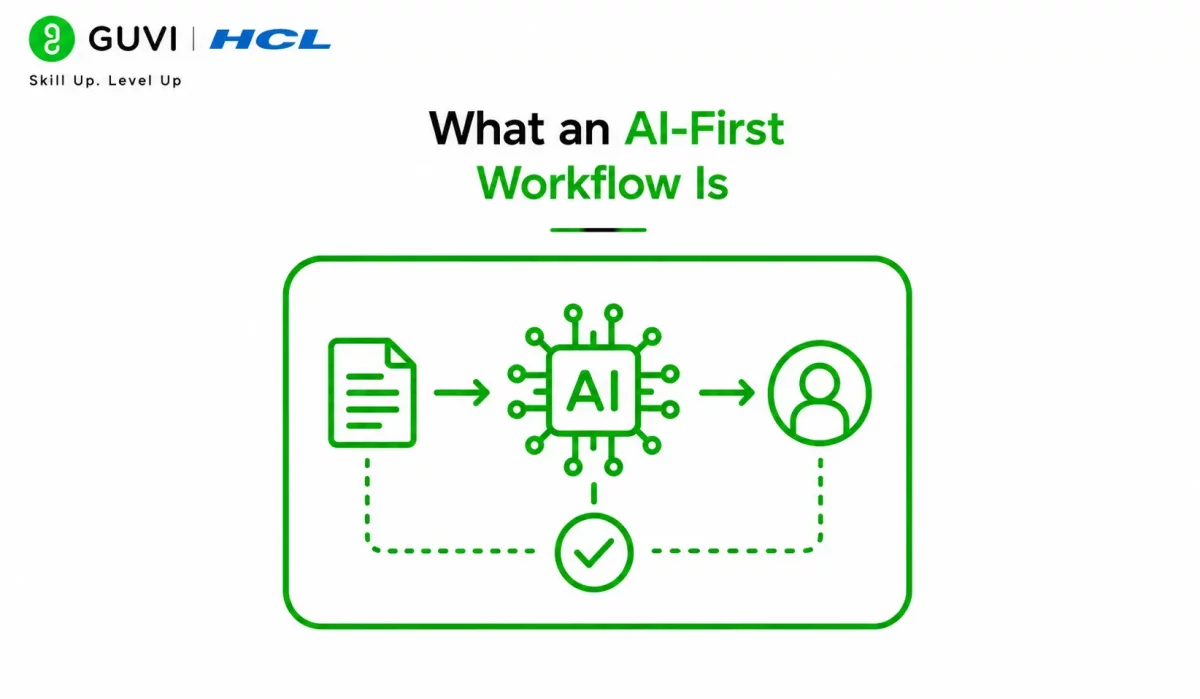
An AI-first workflow is a process where Claude handles one or more steps that humans used to do manually. Instead of asking, “Where can I use AI anywhere?”, you ask, “Which step in this process is repetitive, slow, or easy to standardize?”
That shift matters because it keeps the workflow practical. You are not trying to automate your whole job at once. You are finding the part that wastes the most time and replacing or improving it first.
Start by Mapping the Work
Before you automate anything, write down the full task exactly as you do it yourself. This gives you a real view of the process and shows you where Claude can help.
A simple mapping exercise often includes:
- What triggers the task?
- What inputs you use?
- What decisions you make?
- What outputs do you produce?
- What quality checks you do at the end.
For example, if you write blog posts, your process might include topic selection, research, outlining, drafting, editing, SEO review, and formatting. Claude does not need to do all of that. It just needs to take over the parts that are most repetitive or time-consuming.
Choose One Step First
The fastest way to fail is to automate too much too early. A better approach is to pick one step that Claude can do well and test it in isolation.
Good first steps include:
- Summarizing source material.
- Drafting a first pass.
- Sorting or categorizing inputs.
- Extracting key points.
- Creating outlines.
- Checking for missing items.
This keeps the workflow manageable. It also makes it easier to tell whether Claude is truly helping or just adding complexity.
Decide What Claude Should Do

Once you choose a step, define Claude’s role clearly. The more specific the role, the better the output.
A useful prompt usually tells Claude the following:
- What task it is doing.
- What the input means.
- What the output should look like.
- What rules it should follow.
- What it should avoid.
For example, if you want Claude to help with article outlines, tell it the audience, tone, structure, and length. If you want it to review documents, tell it what to flag, what counts as an issue, and what the final format should be.
Build the first draft workflow.
Your first workflow should be simple enough to test quickly. You want something that works before something that looks impressive.
A practical first draft usually includes:
- Input collection.
- Claude processing.
- Human review.
- Revision.
- Final output.
That is enough for most early use cases. You do not need a complex system unless the workflow is already proving valuable.
Use Claude Where It Is Strong
Claude tends to be most helpful when the work needs reasoning, text handling, or structured output. It is less useful when the workflow depends on rigid system rules or live external actions without guardrails.
It works especially well for:
- Research synthesis.
- Draft generation.
- Editing support.
- Structured summaries.
- Knowledge extraction.
- Decision support.
If the workflow involves many documents or a lot of context, Claude can save a lot of time. If the workflow is mostly mechanical, code-based automation may be the better layer for some steps.
Build an AI-first workflow with Claude by mapping your task, automating the repetitive steps, and iterating fast. Learn AI & ML with HCL GUVI’s Artificial Intelligence and Machine Learning course.

Test And Improve
The first version of the workflow will not be perfect. That is normal. The goal is to test quickly, see where Claude breaks, and tighten the instructions.
When you test, check:
- Accuracy.
- Completeness.
- Consistency.
- Speed.
- Ease of review.
- Failure points.
A small adjustment in the prompt or output format often improves the workflow a lot. For example, adding one example output can make Claude much more reliable.
Use a review layer
Claude should not be the last step in a high-value workflow unless the task is low risk. In most business cases, a human review layer keeps quality high and catches errors early.
That review layer can be simple:
- Check the output for correctness.
- Confirm it matches the goal.
- Fix any missing details.
- Approve before publishing or sending.
This is especially important if the workflow affects customers, money, contracts, operations, or public content. Claude can speed up the work, but a human should still own the result.
Common Mistakes
The biggest mistake is automating a vague process. If you do not understand the work yourself, Claude will not magically fix it.
Other common mistakes include:
- Trying to automate every step at once.
- Giving Claude too little context.
- Expecting perfect results on the first try.
- Skipping review.
- Not defining the output format.
- Using AI where a simple rule or script would work better.
⚠️ Warning: Do not turn a high-stakes process into a fully automatic one just because it feels efficient. Speed without control usually creates more work later.
Real-World Example
Imagine a content team that spends hours turning meeting notes into a usable outline. Instead of writing everything manually, the team gives Claude the transcript, asks it to pull out themes, and then uses a human editor to shape the final piece.
That workflow is faster, but it is also better organized. The team spends less time on extraction and more time on judgment and polish.
The same pattern works for research briefs, support summaries, internal docs, and many other repetitive business tasks.
What To Do Next
Start with one workflow you repeat often. Map it, pick one step, define Claude’s role, and test the output.
Then improve the prompt, simplify the steps, and add review. Once the first workflow is stable, you can build the next one using the same method.
Conclusion
An AI-first workflow with Claude is not about using AI everywhere. It is about designing a process where Claude handles the repetitive part well enough to save time and improve consistency.
If you start with one clear task, give Claude a precise role, and keep a human review step, you can build workflows that are actually useful instead of just impressive.
FAQs
1. What is an AI-first workflow with Claude?
It is a workflow designed so that Claude handles one or more repeatable steps from the beginning.
2. What is the best first step to automate?
Start with a repetitive step like summarizing, outlining, sorting, or drafting a first pass.
3. Do I need coding to build an AI-first workflow?
Not always. Many workflows can begin with clear prompts and a simple review process.
4. How do I know if Claude is helping?
Check whether it saves time, improves consistency, and reduces manual effort without lowering quality.
5. Should Claude do the whole workflow?
Usually no. It is better to start with one step and add more only after the process is proven.
Success Stories

About the Author
Vishalini Devarajan
An Aerospace Engineer turned content writer, I focus on making complex concepts easy to understand through well-structured, reader-friendly blogs. Whether it’s a technical topic or a non-technical one, I love creating content that is clear, engaging, and impactful.
View all posts by Vishalini Devarajan
Connect with me @










Did you enjoy this article?