


Software Development Articles
How to Read and Understand System Design Diagrams?
System Engineer Roles and Responsibilities: 12 Proven Duties for Growth
SAP Consultant Roles and Responsibilities: 12 Proven Duties for Growth and Success
Network Engineer Roles and Responsibilities: 12 Essential Duties for Success


Get In Touch For Details! Request More Information
Essential Features of Operating System: A Beginner’s Guide for 2026
Sep 19, 2026 10 Min Read 5311 Views
(Last Updated)
The features of operating systems continue to evolve as computers become more connected, secure, and intelligent. Modern operating systems do much more than launch applications. They manage hardware, memory, files, processes, security, networks, and system resources that keep digital devices running smoothly.
Understanding the main features of an operating system helps explain how computers handle multitasking, protect user data, manage storage, communicate with hardware, and support modern software. These operating system features form the foundation of everyday computing across desktops, laptops, servers, and mobile devices.
This beginner-friendly guide explains the most important features of an operating system in simple terms, with practical examples of how each feature works and why it matters in 2026.
Table of contents
- Quick Answer
- What Is an Operating System?
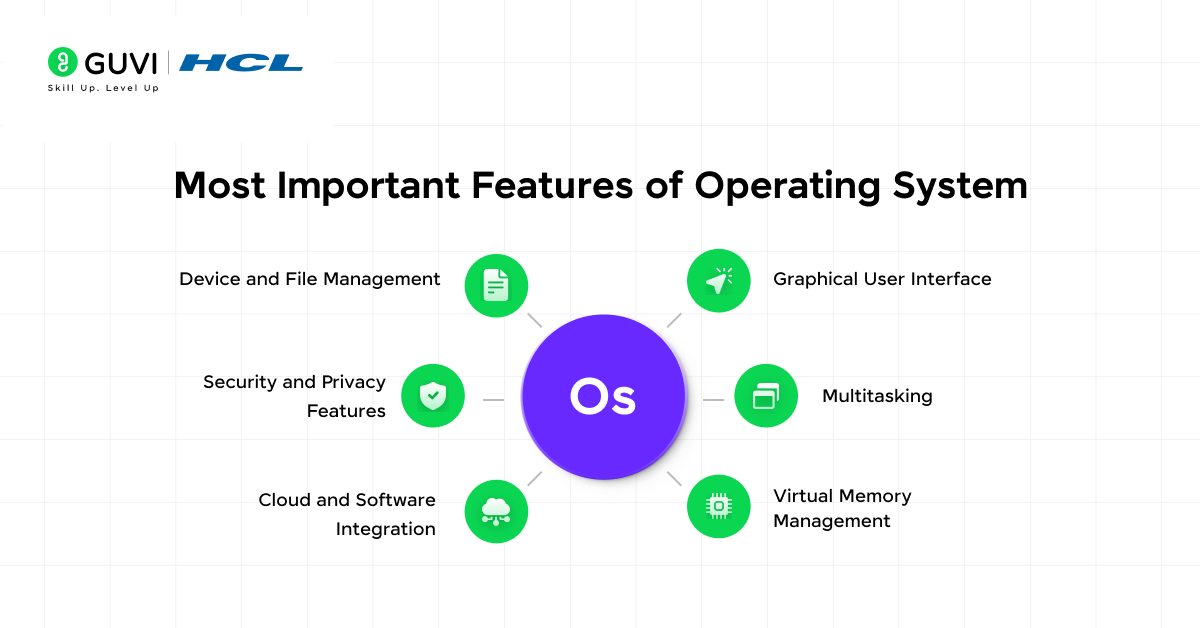
- Most Important Features of Operating Systems
- 1) Graphical User Interface (GUI)
- 2) Multitasking and Process Management
- 3) Memory and Virtual Memory Management
- 4) Device and File Management
- 5) Security and Privacy Features
- 6) Cloud and Software Integration
- Future of Operating Systems: AI, NPUs, and Hardware-Aware Computing
- How to Choose the Right Operating System
- Best Practices to Improve Operating System Performance
- Common Operating System Problems and How to Fix Them
- Concluding Thoughts…
- FAQs
- Q1. What are the main features of a modern operating system?
- Q2. How does multitasking work in an operating system?
- Q3. What is virtual memory and why is it important?
- Q4. How do operating systems manage security and privacy?
- Q5. What role does cloud integration play in modern operating systems?
Quick Answer
The main features of an operating system help manage hardware, applications, memory, files, security, and user interaction efficiently.
- Graphical User Interface: Provides icons, windows, menus, buttons, and other visual elements for easier computer interaction.
- Multitasking and Process Management: Schedules processes, switches between tasks, and allocates CPU time efficiently.
- Memory Management: Allocates RAM, manages virtual memory, and prevents applications from interfering with each other.
- Device and File Management: Controls hardware through device drivers and organizes files using file systems.
- Security and Privacy: Uses authentication, access control, encryption, and firewalls to protect system resources and user data.
- Cloud and Software Integration: Supports cloud synchronization, application updates, and access to data across multiple devices.
What Is an Operating System?
An operating system (OS) is system software that acts as an interface between computer hardware, applications, and users. It manages CPU scheduling, memory allocation, file systems, input/output devices, processes, security, and network resources while providing applications with controlled access to hardware through system calls and device drivers.
Most Important Features of Operating Systems
Let’s take an in-depth look at the most important features of operating systems, everything you must know about them, and how to make the most of them.
1) Graphical User Interface (GUI)
Among the most recognizable features of an operating system, the Graphical User Interface (GUI) stands out as the primary way users interact with modern computers. Gone are the days of typing complex commands to perform simple tasks – today’s operating systems utilize visual elements that make computing accessible to everyone.
a) What is a GUI in an OS?
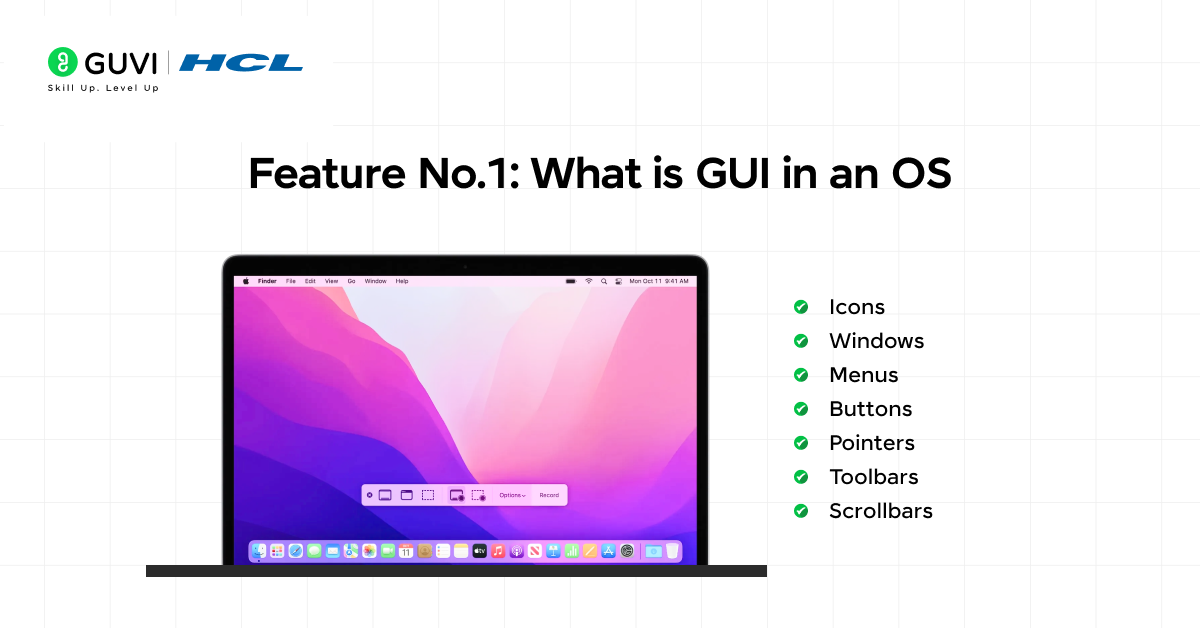
The Graphical User Interface is a visual interface that allows users to interact with electronic devices through graphical elements instead of text-based commands. Unlike command-line interfaces that require memorizing specific commands, a GUI presents information through visual components that users can manipulate directly.
A well-designed GUI typically includes several key components:
- Icons – Small images representing files, folders, and applications
- Windows – Containers that hold applications or documents
- Menus – Lists of clickable options for navigation
- Buttons – Clickable elements that trigger actions
- Pointers – Cursor symbols for selecting items
- Toolbars – Rows of buttons for quick access to common commands
- Scrollbars – Enable navigation through content beyond the visible area
The GUI represents one of the important features of an operating system that bridges the gap between complex computer operations and human understanding.
b) How GUI improves user experience
The GUI revolutionized computing by making technology more accessible to everyday users. Before GUIs, operating systems required technical knowledge and memorization of commands, creating a steep learning curve.
Perhaps the biggest advantage of GUI as a main feature of an operating system is that it’s easier for people to recognize rather than remember. You might not recall a specific command, but you’ll instantly recognize familiar icons and buttons. This principle of recognition over recall is fundamental to why GUIs are considered user-friendly.
Furthermore, GUIs improve the user experience through:
- Discoverability – Users can explore available options directly within the interface rather than consulting external documentation.
- Multitasking – The spatial organization of windows allows users to switch between applications seamlessly, enhancing productivity.
- Error reduction – Visual feedback and warning messages help minimize mistakes.
- Customization – Users can personalize their interface according to preferences.
c) Examples of GUI-based systems
Modern operating systems showcase sophisticated GUI implementations. Windows 11 features a centered Start Menu, rounded corners, and enhanced multitasking capabilities like Snap Layouts for better productivity. Meanwhile, macOS Sonoma offers dynamic desktops, improved notifications, and Stage Manager for effortless application management.
Beyond desktop operating systems, GUIs appear in:
- Mobile devices – iOS and Android use touch-based interfaces with gesture controls.
- Specialized equipment – Medical devices, industrial machinery, and agricultural equipment utilize custom GUIs to display critical information.
- Entertainment systems – Gaming consoles, smart TVs, and media players rely on intuitive interfaces.
- Automotive displays – Modern vehicles incorporate touchscreens with GUIs for navigation and media control.
As operating system features continue to advance, GUIs evolve to become more intuitive, with recent trends moving toward simplified interfaces that help users focus on their content rather than the operating system itself.
2) Multitasking and Process Management
Multitasking stands as one of the core features of operating system technology, enabling your computer to juggle multiple programs simultaneously. Even though you might take this ability for granted, there’s sophisticated machinery working behind the scenes to make it happen.
a) How the OS handles multiple tasks
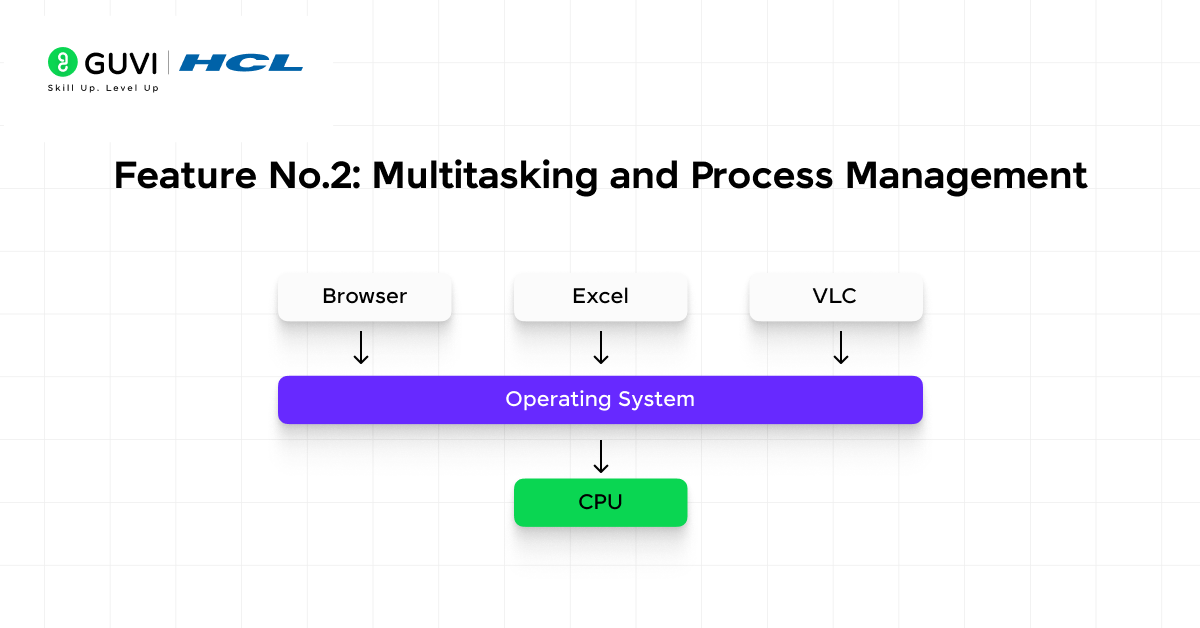
Contrary to what many believe, your computer doesn’t truly run multiple programs at the same moment. Although it appears that way, a single CPU can only execute one process at a time. The operating system creates this illusion through rapid context switching—saving the state of one process and loading another.
The multitasking process works through these steps:
- The OS maintains data structures for each process, tracking its state and resource allocation
- When switching between processes, the OS performs a context switch, saving all information about the current process
- The scheduler then selects the next process to run based on priority and other factors
- This switching happens so quickly (often in nanoseconds) that it appears seamless to you
Two main approaches exist for handling multitasking:
- Preemptive multitasking: The OS automatically interrupts running processes after a fixed time interval, ensuring fair CPU distribution. Modern systems like Windows, Linux, and macOS use this approach.
- Cooperative multitasking: Processes voluntarily yield control to other processes, potentially causing system freezes if one process misbehaves.
b) CPU scheduling basics
The operating system’s scheduler determines which process runs next using specialized algorithms. Common scheduling approaches include:
- Round-Robin: Each process receives an equal time slice (typically 10-100 milliseconds) before moving to the back of the queue, ensuring fair distribution.
- Priority-Based: Higher priority processes run first, with critical system processes taking precedence over regular applications.
- First-Come, First-Served: Processes run in the order they arrive, which can be inefficient if the first process takes a long time.
Consequently, the choice of scheduling algorithm significantly impacts system performance and responsiveness.
c) Benefits of multitasking for users
Multitasking delivers several practical advantages that enhance your computing experience:
Improved productivity: You can edit a document while recalculating a spreadsheet or downloading files in the background.
- Better responsiveness: By giving the user interface a higher priority, applications remain responsive even during intensive background operations.
- Efficient resource utilization: While one process waits for input/output operations like reading data from disk, the CPU can work on other tasks.
- Smoother system operation: Background services like antivirus scans, software updates, and system maintenance run without interrupting your work.
Moreover, multitasking allows specialized tasks to run simultaneously, creating an environment where your operating system remains stable and responsive regardless of how many applications you’re using.
3) Memory and Virtual Memory Management
Memory management serves as the foundation upon which other features of the operating system are built. Without proper memory handling, neither your applications nor the system itself could function effectively.
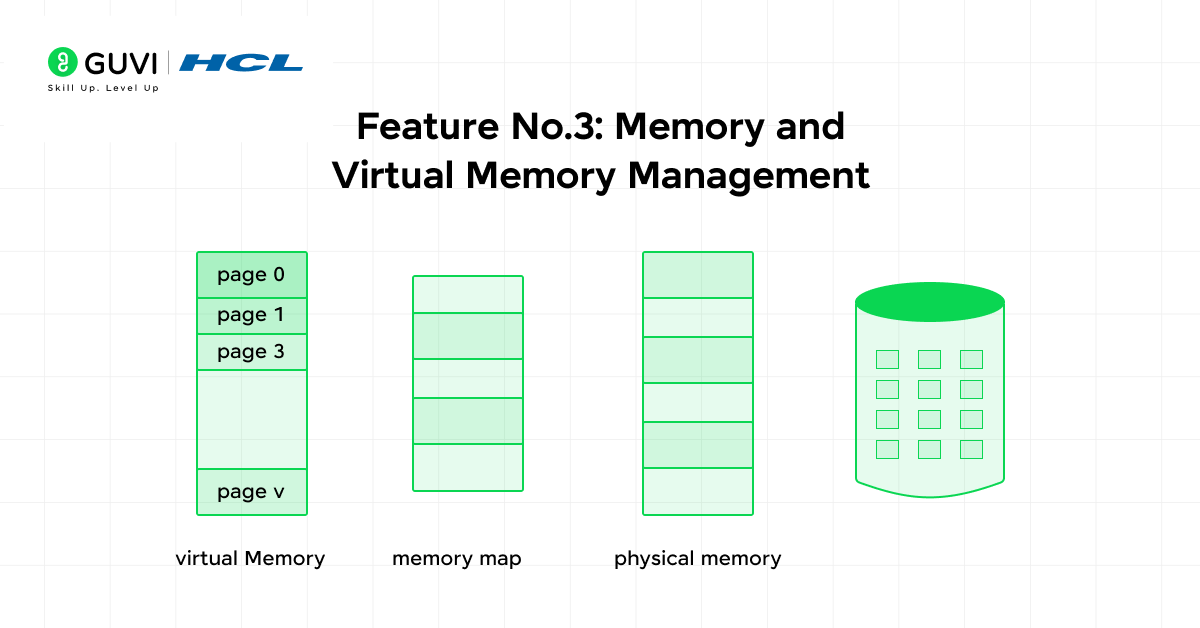
a) What is memory management?
Memory management is the process of controlling and coordinating computer memory, ensuring proper allocation of memory space to programs and maintaining efficient memory utilization. This essential feature handles how your operating system organizes, allocates, and reclaims memory resources while applications run.
First and foremost, memory management keeps track of every memory location regardless of whether it’s allocated to a process or is free. The system continuously monitors:
- Which processes need memory resources
- How much memory should be allocated to each process
- When to free memory from completed tasks
- How to maintain data integrity during execution
Through effective memory management, your computer can run multiple applications simultaneously without one program interfering with another’s memory space.
b) Role of virtual memory
Virtual memory stands as one of the most innovative features of an operating system that creates the illusion of having more memory than is physically available. In essence, it enables your computer to compensate for physical memory shortages by temporarily transferring data from RAM to disk storage.
The operating system accomplishes this by dividing memory into fixed-size blocks called pages and storing inactive pages on the hard drive when RAM fills up. Additionally, this approach provides several key benefits:
- Increased application capacity: Programs can use more memory than physically exists in your computer.
- Memory protection: Each program operates in its own virtual address space, preventing interference between applications.
- Efficient resource utilization: Only the actively used portions of programs need to be kept in physical memory.
c) How the OS allocates and deallocates memory
When programs run, the operating system employs sophisticated mechanisms to manage memory effectively. The Memory Management Unit (MMU) plays a crucial role by translating virtual addresses into physical addresses.
Modern operating systems primarily use these allocation techniques:
- Paging: Memory divides into same-sized blocks (pages in virtual memory, frames in physical memory). The OS maintains page tables to track which virtual pages map to which physical frames.
- Swapping: The OS moves entire processes between RAM and secondary storage as needed. When higher-priority processes need memory, lower-priority ones may be temporarily moved to disk.
As a result, when you launch an application, the OS assigns it memory space, tracks its usage through page tables, and reclaims that memory when you close the program. This continuous cycle of allocation and deallocation ensures optimal utilization of your computer’s limited memory resources.
Operating systems have a longer and more intriguing history than most people realize. Here are a few quick facts you might find surprising:
The First OS Was Created in the 1950s: The earliest operating systems were developed for mainframe computers to manage batch processing — long before personal computers even existed.
UNIX Inspired Modern Systems: UNIX, developed in 1969 at Bell Labs, became the foundation for today’s operating systems like Linux, Android, and macOS.
Windows Wasn’t Always “Windows”: Before the GUI era, Microsoft’s main OS was MS-DOS, a text-based system requiring typed commands.
Android Runs on Linux: Despite being used mainly on smartphones, Android’s core is actually built on the Linux kernel — a testament to open-source power.
These facts reveal how operating systems evolved from simple command-line tools into sophisticated ecosystems that power everything from supercomputers to smartwatches.
4) Device and File Management
Behind every keystroke and saved document lies sophisticated device and file management—essential features of an operating system that form the bridge between hardware and software. These components allow your computer to communicate with connected devices and organize your data effectively.
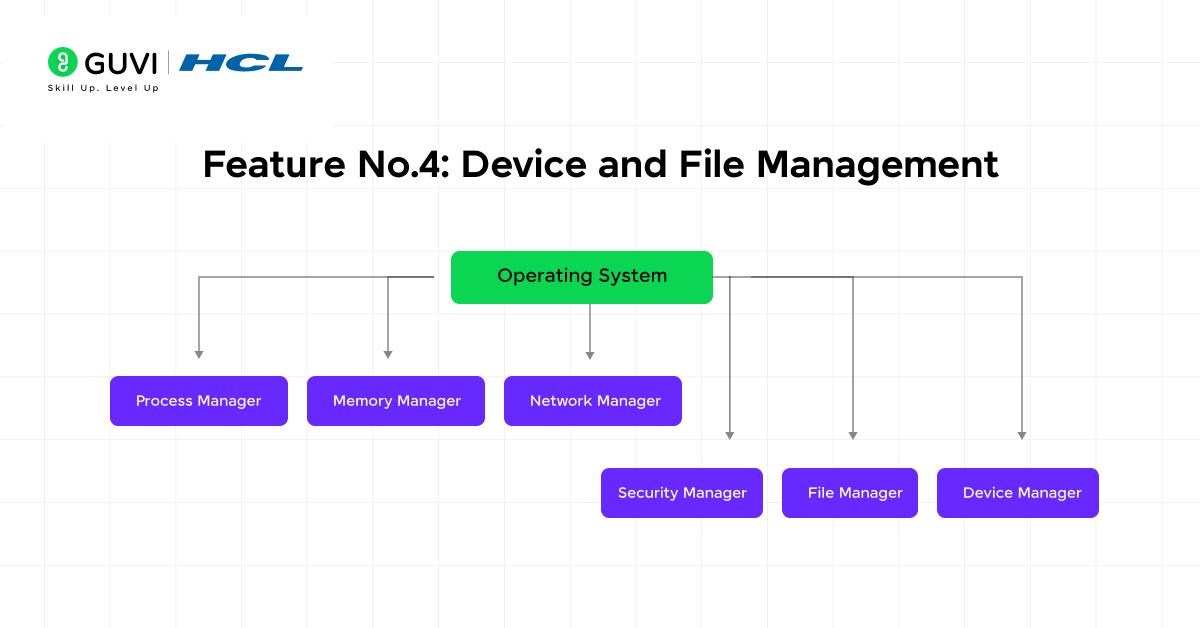
a) Managing hardware devices
The operating system serves as the central coordinator for all hardware connected to your computer. This management includes:
- Device tracking – The OS monitors all connected devices using specialized programs like input/output controllers to maintain awareness of their status
- Resource allocation – Input/output devices are assigned to processes based on their importance and availability
- Device communication – When devices need to access processes being executed by the CPU, the operating system manages these requests by communicating with the CPU
Essentially, device management involves the implementation, operation, and maintenance of everything from printers and keyboards to storage devices and network cards.
b) Role of device drivers
Device drivers function as translators between your operating system and hardware devices. These specialized programs provide several key benefits:
- Hardware abstraction – Drivers hide complex hardware details, allowing the OS to work without modification across different hardware configurations
- Standardized communication – They provide a consistent interface for the OS to interact with various devices, regardless of their manufacturer or specifications
A modern operating system typically utilizes device drivers to access hardware components through their respective drivers. Without them, your mouse, printer, scanner, and other devices couldn’t communicate with your computer. The OS connects these devices to programs in an efficient way, creating a seamless experience for users.
c) File system organization and access
File systems provide an organized method for storing and retrieving data on storage devices. Generally, they offer:
- Abstraction layer – File systems simplify access to permanent storage by providing human-readable filenames and metadata
- Directory structure – Files are organized hierarchically through directories (folders) that list filenames and other directories
- Data reliability – File systems incorporate protocols to maintain data integrity even during crashes or hardware failures
Through file systems, the operating system enables applications to create, delete, open, close, read, and write files while managing all the underlying complexity. This organization becomes particularly important considering the diverse storage technologies used today, from traditional hard drives to solid-state drives and cloud storage solutions.

5) Security and Privacy Features
Security stands as one of the critical features of operating system design that protects your digital life from increasing threats. Without robust security measures, your personal data would remain vulnerable to unauthorized access and malicious attacks.
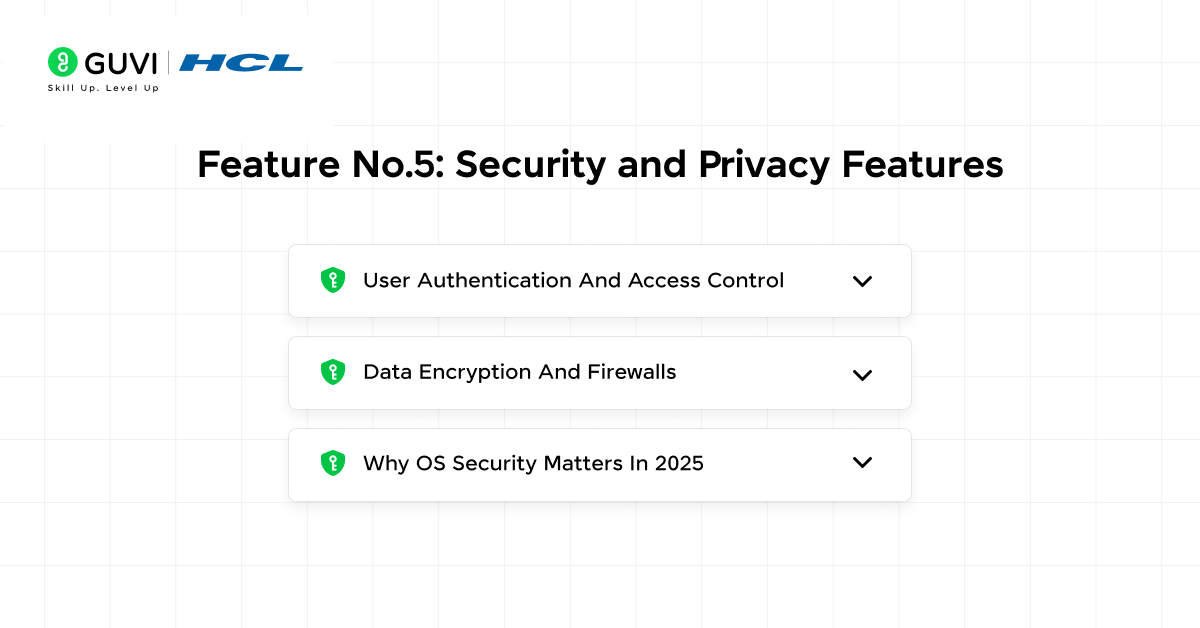
a) User authentication and access control
First of all, operating systems verify user identities through various authentication methods, including passwords, biometrics like fingerprints or facial recognition, and security tokens. These verification processes ensure that only authorized individuals can access your device.
Once authenticated, the OS manages what you can do through access control mechanisms:
- Discretionary Access Control (DAC) – Resource owners determine permissions
- Mandatory Access Control (MAC) – System-wide policies control access rights
- Role-Based Access Control (RBAC) – Permissions based on user roles
These access control models represent basic features of operating system security that maintain confidentiality by restricting sensitive information to authorized users only.
b) Data encryption and firewalls
- In addition to access control, important features of an operating system include encryption capabilities that protect data both at rest and in transit. Encryption transforms your information into coded formats that remain unreadable without proper decryption keys.
- Firewalls serve as the frontline defense in operating system features by monitoring and filtering network traffic. Acting as barriers between your internal network and outside threats, they block unauthorized access while allowing legitimate communications to pass through.
- Windows Firewall, for example, filters traffic based on criteria like source and destination addresses, helping safeguard your device from network-based attacks.
c) Why OS security matters in 2026
- The significance of security as a main feature of an operating system continues to grow as cyber threats become increasingly sophisticated. Indeed, operating systems must constantly evolve their security features to combat emerging attack techniques.
- Through regular updates, modern operating systems address vulnerabilities and strengthen existing protections. Windows 11, for instance, incorporates trusted boot processes, encryption layers, and virus protection to provide comprehensive security against modern cyber threats.
6) Cloud and Software Integration
Modern operating systems now incorporate cloud integration as an indispensable feature, connecting your local devices to powerful online services. This advancement represents a key evolution in operating system features that enhances productivity and accessibility.
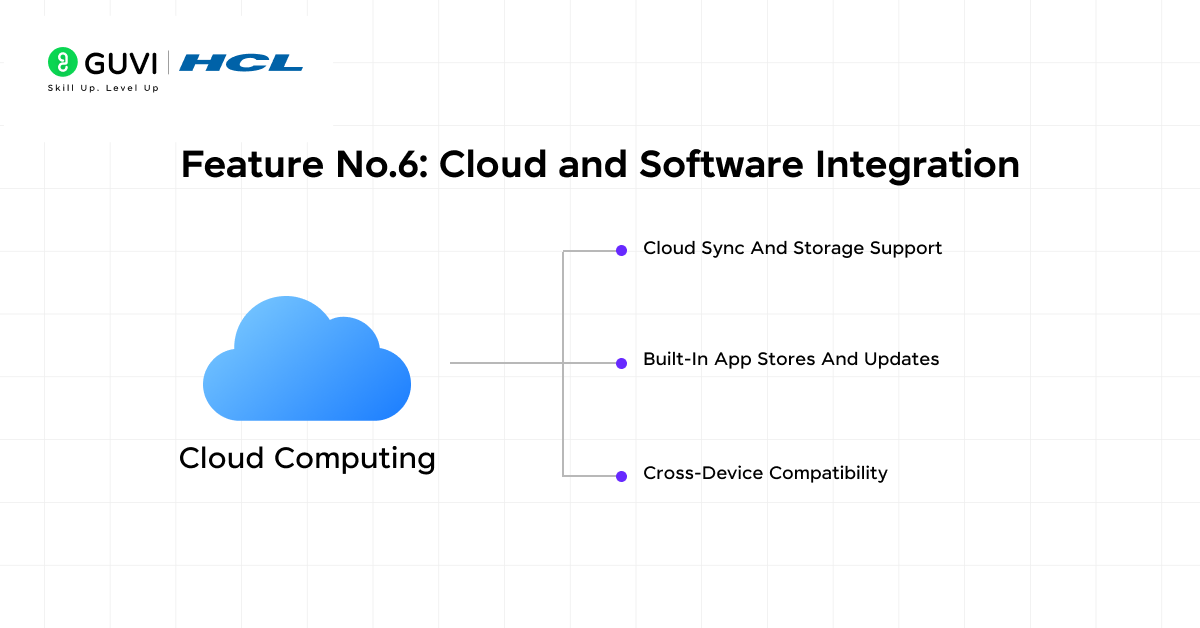
a) Cloud sync and storage support
Today’s operating systems offer built-in cloud sync capabilities that keep your files accessible across multiple devices. Services such as Google Drive, Dropbox, and OneDrive function through:
- Synchronization utilities that connect local files with cloud storage locations
- Smart uploading that transfers only the changed portions of files
- Placeholder files that consume minimal space (just 1 KB) until needed
Files typically exist in three states: placeholder (empty representation), full file (hydrated implicitly), or pinned full file (guaranteed offline availability).
b) Built-in app stores and updates
Currently, operating systems include streamlined software distribution platforms that:
- Track updates for purchased applications
- Notify users when updates become available
- Allow automatic downloads and installations
For instance, macOS provides updates through System Settings, whereas Android supports in-app updates on devices running Android 5.0 or higher.
c) Cross-device compatibility
Likewise, modern operating systems facilitate seamless experiences across different devices through:
- Cloud-based services ensure real-time data synchronization
- APIs that maintain updated information regardless of the access point
Such cross-platform capabilities enable the same content to be accessible from smartphones, tablets, or computers without manual transfers, making this one of the most practical basic features of operating system design in 2026.
Ready to build your career in tech? Enroll in the AI Software Development Course by HCL GUVI + IITM Pravartak + MongoDB University — a 300+ hour, 9-month live program packed with 15+ hands-on projects, AI-driven tools, 4 industry certifications and placement support that unlocks roles at top product-based companies.
Don’t just study operating system fundamentals — pair it with cutting-edge software development skills and become SDE-ready for 2026 and beyond.
Future of Operating Systems: AI, NPUs, and Hardware-Aware Computing
The future of operating systems is moving beyond simply managing CPU, memory, storage, and applications. Modern systems increasingly need to decide whether workloads should run on a CPU, GPU, or Neural Processing Unit (NPU) based on performance, energy use, and workload type.
This is already visible in newer Windows systems. Microsoft states that Windows 11 can coordinate workloads across CPUs, GPUs, and NPUs, while Copilot+ PCs include NPUs capable of more than 40 TOPS for supported AI workloads.
1. NPU-Aware Resource Scheduling
Traditional operating systems primarily schedule work across CPU cores.
AI-capable systems now introduce another processor type:
- CPU: General-purpose application and system workloads
- GPU: Highly parallel graphics and compute workloads
- NPU: Low-power neural network inference and AI processing
The operating system increasingly acts as a coordinator between these processors.
For example, an AI application may keep interface logic on the CPU, perform graphics work on the GPU, and send supported neural network inference to the NPU.
Windows Task Manager can already expose NPU resource usage on compatible systems, showing that NPUs are becoming managed OS resources alongside CPU, memory, disk, and GPU resources.
2. More AI Processing Will Move On-Device
Many AI tasks currently depend on remote cloud servers. Modern operating systems are increasingly supporting local AI inference, where compatible models run directly on the device.
On-device processing can reduce:
- Network dependency
- Round-trip latency
- Cloud processing requirements
- Data transferred outside the device
Examples include local image processing, speech recognition, text processing, translation, and supported generative AI workloads.
Microsoft is already providing Windows AI APIs and models designed to use compatible NPUs and GPUs.
3. Operating Systems Will Become More Hardware-Aware
Future operating systems will need to consider more than whether CPU time is available.
Schedulers may increasingly evaluate:
- Processor type
- Power consumption
- Thermal limits
- Workload priority
- AI accelerator availability
- Memory location
- Battery state
For laptops, this means the OS may choose a lower-power processor for suitable workloads instead of using the CPU or GPU unnecessarily.
Windows already uses low-power operating states such as Modern Standby to reduce background activity and place hardware into lower-power states when it is not required.
4. Stronger Workload Isolation
Operating systems must also isolate an increasing number of applications, containers, services, and cloud workloads.
Linux control groups, or cgroups, already allow administrators to organize processes and control resources such as CPU time, memory, and I/O. This type of resource isolation is particularly important for containers and multi-tenant environments where several workloads share one physical system.
The future operating system will therefore function as more than a hardware manager. It will increasingly act as an intelligent resource coordinator that balances performance, security, energy efficiency, isolation, and AI acceleration across different types of computing hardware.
How to Choose the Right Operating System
The best operating system depends on the applications, hardware, security requirements, and workload you need to support.
Consider these factors before choosing an OS:
- Application Compatibility: Confirm that required software supports the operating system.
- Hardware Support: Check processor architecture, RAM, storage, GPU, and device-driver compatibility.
- Workload: Desktop productivity, software development, gaming, servers, embedded systems, and real-time applications require different operating systems.
- Security Requirements: Evaluate encryption, access control, update policies, and enterprise management features.
- Technical Skills: Some Linux distributions require greater command-line knowledge than consumer-focused operating systems.
- Cost and Licensing: Compare proprietary licensing with free and open-source alternatives.
- Support Lifecycle: Check how long security and feature updates will remain available.
For example, Windows is commonly selected for broad desktop software compatibility, macOS for Apple hardware ecosystems, and Linux for servers, development environments, cloud infrastructure, and highly customizable systems.
Best Practices to Improve Operating System Performance
Understanding the features of an operating system is useful, but performance also depends on how the system is maintained. These practices help Windows, Linux, and macOS systems use CPU, memory, storage, and background services more efficiently.
- Keep the OS Updated: Install security patches, driver updates, and stability fixes regularly.
- Limit Startup Applications: Disable unnecessary programs that automatically launch during boot and consume memory.
- Maintain Free Storage Space: Keep sufficient space available for temporary files, updates, virtual memory, and application data.
- Monitor CPU and RAM Usage: Use Task Manager, Activity Monitor, or Linux monitoring tools to identify resource-heavy processes.
- Remove Unused Software: Uninstall applications and services that consume storage or run unnecessary background processes.
- Update Device Drivers: Current graphics, network, chipset, and storage drivers can improve compatibility and stability.
- Restart Periodically: Restarting clears temporary process states and allows pending system updates to complete.
- Use Built-In Security Features: Keep firewall, malware protection, authentication, and access controls enabled.
These operating system best practices help maintain responsiveness while reducing unnecessary resource consumption.
Common Operating System Problems and How to Fix Them
Operating system problems often appear as slow performance, crashes, startup failures, high memory usage, or hardware detection issues. Identifying the affected system resource helps narrow down the cause.
| Problem | Possible Cause | Practical Fix |
|---|---|---|
| Slow startup | Too many startup programs | Disable unnecessary startup applications |
| High CPU usage | Background process or application | Identify the process using Task Manager or system monitoring tools |
| High RAM usage | Too many active applications or memory-heavy software | Close unnecessary programs and inspect memory usage |
| Low storage warning | Temporary files, downloads, or unused applications | Remove unnecessary files and applications |
| Device not detected | Missing or outdated driver | Update or reinstall the device driver |
| Application crashes | Compatibility issue or corrupted files | Update, repair, or reinstall the application |
| Network problems | Adapter, driver, DNS, or configuration issue | Restart the adapter and verify network settings |
| Boot failure | Damaged system files or startup configuration | Use recovery or startup repair tools |
The correct fix depends on whether the problem originates from hardware, drivers, applications, system configuration, or the operating system itself.
Concluding Thoughts…
Operating systems remain the foundation that connects hardware, applications, users, and digital services. From graphical interfaces and multitasking to memory management, security, virtualization, and cloud integration, each feature works together to keep modern systems stable, responsive, and efficient.
In 2026, operating systems are becoming more intelligent and hardware-aware. AI processing, NPU support, stronger security, energy-efficient resource management, and tighter cloud integration are shaping how Windows, Linux, macOS, and other platforms evolve. Even as these technologies advance, core OS functions such as process scheduling, memory allocation, file management, device control, and access management will remain essential to modern computing.
FAQs
Q1. What are the main features of a modern operating system?
Modern operating systems typically include a graphical user interface, multitasking capabilities, memory management, device and file management, security features, and cloud integration. These features work together to provide a user-friendly and efficient computing experience.
Q2. How does multitasking work in an operating system?
Multitasking in an operating system creates the illusion of running multiple programs simultaneously. The OS rapidly switches between processes, allocating CPU time to each task. This is managed through CPU scheduling algorithms, allowing users to perform multiple tasks efficiently.
Q3. What is virtual memory and why is it important?
Virtual memory is a feature that allows a computer to compensate for physical memory shortages by temporarily transferring data from RAM to disk storage. It’s important because it enables running more applications than the physical memory would typically allow and helps protect memory between different applications.
Q4. How do operating systems manage security and privacy?
Operating systems implement security through user authentication, access control mechanisms, data encryption, and firewalls. These features work together to verify user identities, control access to resources, protect data from unauthorized access, and defend against network-based threats.
Q5. What role does cloud integration play in modern operating systems?
Cloud integration in modern operating systems allows for seamless file synchronization across devices, provides built-in app stores for easy software updates, and enables cross-device compatibility. This feature enhances productivity by ensuring data and applications are accessible from various devices and platforms.
Success Stories

About the Author
Vaishali
I'm a seasoned writer with four years of experience across technical, non-technical, and just about every genre or niche you can imagine. Adaptable and curious, I enjoy exploring new topics and making information engaging and easy to understand. Fueled by a steady stream of tea, I approach each project with creativity, reliability, and genuine enthusiasm for storytelling.
View all posts by Vaishali
Connect with me @








Did you enjoy this article?