


Software Development Articles
My Google SDE Interview Experience: From Rejection to Selection [2026 Success Story]
Apple Interview Experience for Software Developers: What to Expect
Decoding Differences between Network OS and Distributed OS
Operating System Examples: Top OS Types, Features, and Uses Explained


Get In Touch For Details! Request More Information

Evolution of Operating Systems: The Past and Future of It
Nov 17, 2025 6 Min Read 3621 Views
(Last Updated)
When you power on your laptop or unlock your smartphone, you interact with something almost always taken for granted: the operating system (OS). The OS is the layer of software that manages hardware, provides services to applications, and acts as the backbone of your digital experience.
Here’s the thing: the operating systems we use today, rich graphical interfaces, multitasking, cloud-connected – didn’t appear overnight. They grew out of decades of hardware innovation, software experimentation, evolving user expectations, and changing computing contexts.
In this article, you’ll see the evolution of operating systems, why those matter, and what it means for you as a user or as someone learning the basics of computing. So, without further ado, let us get started!
Table of contents
- What is an Operating System?
- Evolution of Operating Systems
- Stage 1: The Pre-OS Era (1940s – early 1950s)
- Stage 2: Batch Processing Systems (mid-1950s – mid-1960s)
- Stage 3: Multiprogramming and Time-Sharing Systems (1960s – 1970s)
- Stage 4: Personal Computer Era (1980s – 1990s)
- Stage 5: Networked and Internet-Connected Systems (1990s – 2000s)
- Stage 6: Mobile and Cloud Era (2000s – 2010s)
- Stage 7: The IoT, Edge, and AI Era (2010s – Present)
- Summary of the Evolution of Operating Systems
- Important Technical Shifts in OS Design
- Kernel Architecture – The Heart of the OS
- Virtual Memory – Giving Programs Breathing Room
- Multitasking and Process Scheduling
- Device Drivers – Making Hardware Work Smoothly
- Virtualization and Containers
- What to Explore Next
- Conclusion
- FAQs
- What was the first operating system ever created?
- Why did operating systems change from batch processing to time-sharing?
- What major features do modern operating systems have that earlier ones didn’t?
- What is “kernel architecture” and how has it evolved?
- Why is it useful to understand how operating systems evolved?
What is an Operating System?
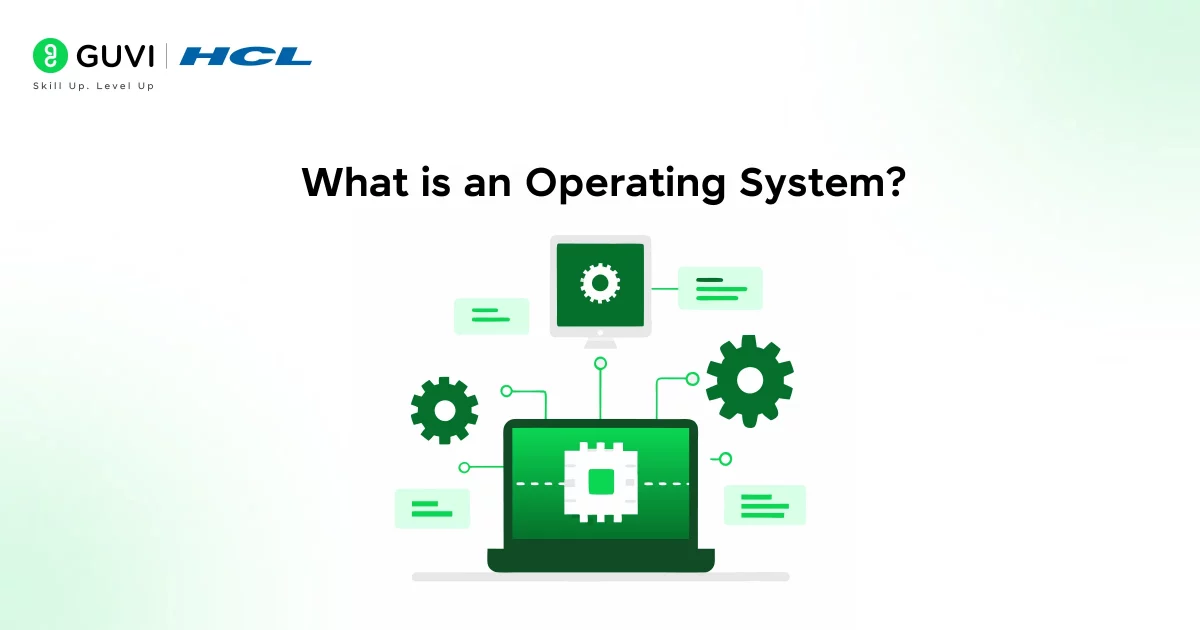
An operating system is system software that manages hardware and software resources and provides common services for computer programs.
In simpler terms: if you imagine a computer as a busy workshop, the OS is the workshop manager – it organises tools (hardware), schedules tasks (software applications), handles disruptions (errors and interrupts), and provides an environment where applications run.
Evolution of Operating Systems
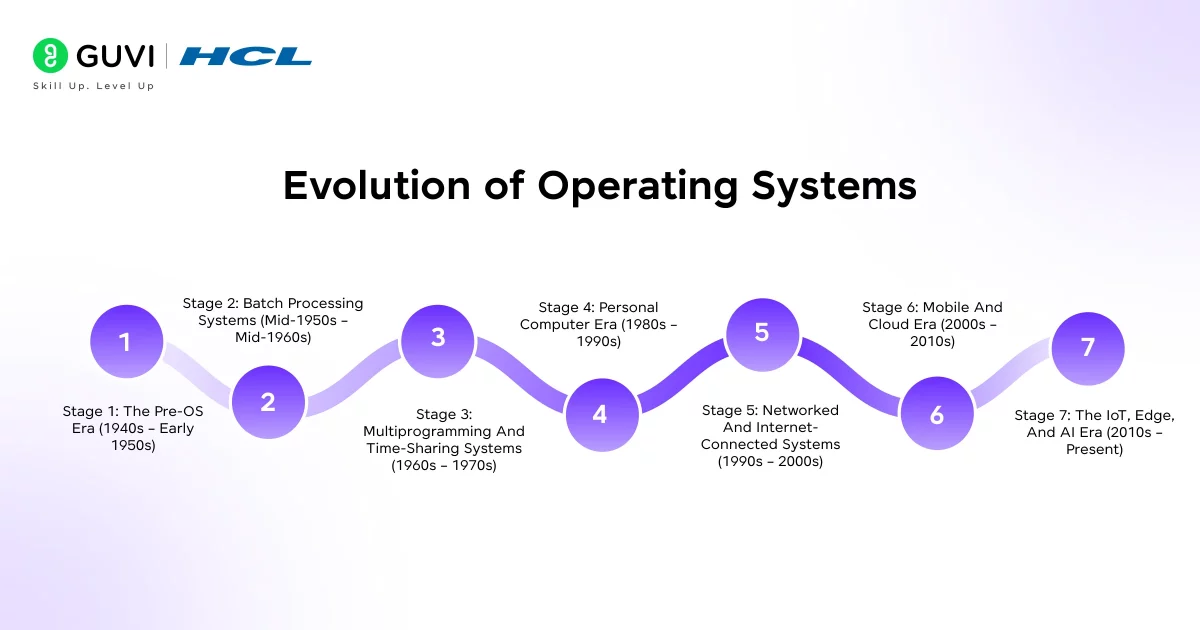
Operating systems didn’t suddenly appear in their sleek, modern form. They’ve gone through decades of transformation, each stage solving a very specific problem that existed at that time.
To understand where we are today (with Windows, macOS, Android, iOS, Linux, and more), it helps to look back and see how each generation shaped the next.
Stage 1: The Pre-OS Era (1940s – early 1950s)
In the earliest computers, there was no such thing as an operating system. Programmers had to directly interact with the hardware by physically wiring circuits, loading instructions on punched cards, or using switches and dials.
If you wanted to run a program, you had to manually load it into the machine, tell the hardware exactly what to do, and wait until it finished before starting another. There was no multitasking, no file system, and not even an easy way to reuse code.
Main problems:
- Every new program required setting up the machine from scratch.
- The CPU (processor) sat idle a lot, waiting for input or reconfiguration.
- Programming was painfully slow and error-prone.
Why this mattered: This era made it clear that computers needed some kind of manager, a layer that could handle setup, scheduling, and coordination automatically. That realization led to the first generation of operating systems.
Stage 2: Batch Processing Systems (mid-1950s – mid-1960s)
To save time, engineers started grouping jobs into batches. The operating system (still very simple) would load one job after another automatically, without needing someone to stand there switching tasks manually.
How it worked:
- You’d submit a stack of punched cards (each representing a job).
- The system would process them one at a time, in a sequence.
- The results would come out later, maybe hours later.
New features introduced:
- Automatic job loading
- Basic file management
- Error handling
The big limitation: There was still no real-time interaction. Once you submitted your job, you couldn’t talk to the computer until it was done. No interruptions, no multitasking.
Why it mattered: Batch systems introduced automation and efficiency. Computers were expensive, so maximizing CPU use was essential. This era gave birth to the very idea of an operating system: software that controls how and when programs run.

Stage 3: Multiprogramming and Time-Sharing Systems (1960s – 1970s)
People realized that while one program was waiting for data (like reading from a tape or disk), the CPU was doing nothing. That was a waste. So, engineers created systems that could keep several programs in memory and switch between them; this was called multiprogramming.
Then came time-sharing, which took it further: multiple users could use the same computer at the same time, each getting a tiny “slice” of CPU time.
How it worked: The OS scheduled CPU time for each user/program in short bursts. It switched so quickly that it felt like everyone had their own machine.
Famous systems:
- UNIX (still the backbone of modern OS design)
- MULTICS (inspired by UNIX)
New concepts introduced:
- Virtual memory – programs could act like they had their own memory space.
- File systems – hierarchical storage instead of flat lists.
- User accounts – separate sessions for each person.
Why it mattered:
- Computing became interactive. You could type a command and see the result immediately.
- Multi-user systems made computing accessible in universities and research labs.
- The foundations for modern OS features (processes, memory management, permissions) were set here.
This stage turned computers from batch processors into interactive systems. That’s a massive leap; it’s why you can open multiple apps and interact with them in real time today.
Stage 4: Personal Computer Era (1980s – 1990s)
Computers got smaller, cheaper, and personal. Instead of mainframes shared by dozens of people, individuals now had their own machines, with the rise of the PC.
Key examples:
- MS-DOS – command-line-based OS for early IBM PCs.
- Mac OS – brought user-friendly graphical interfaces.
- Windows – later adopted GUIs and became mainstream.
New features introduced:
- Graphical User Interface (GUI) – windows, icons, menus, mouse pointers.
- Plug-and-play hardware – automatic detection of devices.
- Multitasking – running more than one application at once.
- File explorer systems – visual navigation for users.
Why it mattered: The OS evolved from being a technical control system to a user experience platform. It wasn’t just about resource management anymore; it was about accessibility and usability.
For the first time, people who weren’t programmers could use computers productively, for documents, games, design, and communication.
This stage democratized computing. It put operating systems in the hands of millions, not just experts.
Stage 5: Networked and Internet-Connected Systems (1990s – 2000s)
Once computers could connect through local networks and eventually the internet, the OS had to evolve again.
New capabilities:
- Networking stacks – built-in support for TCP/IP.
- File sharing – access files across devices or servers.
- Security and permissions – to handle multiple users and threats.
- Client-server model – applications are split between front-end (client) and back-end (server).
Why it mattered: The OS became responsible not only for local resources but also for network resources. It now had to manage data coming from multiple systems, maintain security, and allow communication at scale.
This shift laid the groundwork for the cloud, web services, and distributed computing, things we rely on every day now.
Stage 6: Mobile and Cloud Era (2000s – 2010s)
The explosion of smartphones and cloud computing created new challenges. Devices got smaller, more mobile, and constantly connected.
Mobile OS examples:
- Android
- iOS
Cloud OS examples:
- Linux-based servers
- Windows Server
- Google’s ChromeOS (lightweight, cloud-first)
New features introduced:
- Touch and gesture interfaces
- App stores and sandboxing (for security)
- Virtualization – running multiple OS instances on one machine.
- Automatic updates and syncing
- Cloud integration – data stored and accessed remotely.
Why it mattered: Computing was no longer tied to a single device. Your data and applications followed you. Operating systems became smarter, managing power, connectivity, and data seamlessly between local and cloud environments.
This stage redefined the OS as a platform for mobility and connectivity, not just a local controller of hardware.
Stage 7: The IoT, Edge, and AI Era (2010s – Present)
Now, almost everything, watches, TVs, cars, thermostats, and drones, runs some kind of operating system. These are small, specialized OSes designed for specific tasks and limited resources.
Examples:
- Embedded OSes like FreeRTOS or Zephyr.
- Edge OSes manage data near the source instead of a distant cloud.
- AI-enabled OS layers optimize real-time decisions on devices.
New features introduced:
- Real-time processing – responding instantly to events.
- Tiny, modular kernels – lightweight for small devices.
- Over-the-air updates – software can be updated remotely.
- AI-driven optimization – smarter power and performance management.
Why it matters: We’re entering an era where the operating system isn’t just for a computer; it’s for everything. Cars, appliances, medical devices, and factories all depend on OSes tailored for reliability and communication.
The OS has gone from being a local manager to a global orchestrator, connecting everything around you.
Summary of the Evolution of Operating Systems
| Stage | Key Problem Solved | Impact on Computing |
| Pre-OS (1940s) | Manual control was too slow | Led to the idea of an “automatic manager” |
| Batch Systems (1950s) | Wasted CPU time | Increased efficiency by automating job loading |
| Time-Sharing (1960s) | Wanted real-time user access | Made computing interactive and multi-user |
| Personal Computers (1980s) | Needed accessibility for individuals | Made computers usable by everyone |
| Networking (1990s) | Wanted connected systems | Enabled the internet and client-server models |
| Mobile & Cloud (2000s) | Needed portability and constant access | Made computing seamless across devices |
| IoT & AI (2010s-present) | Needed connectivity everywhere | Extended OS concepts to the physical world |
Important Technical Shifts in OS Design
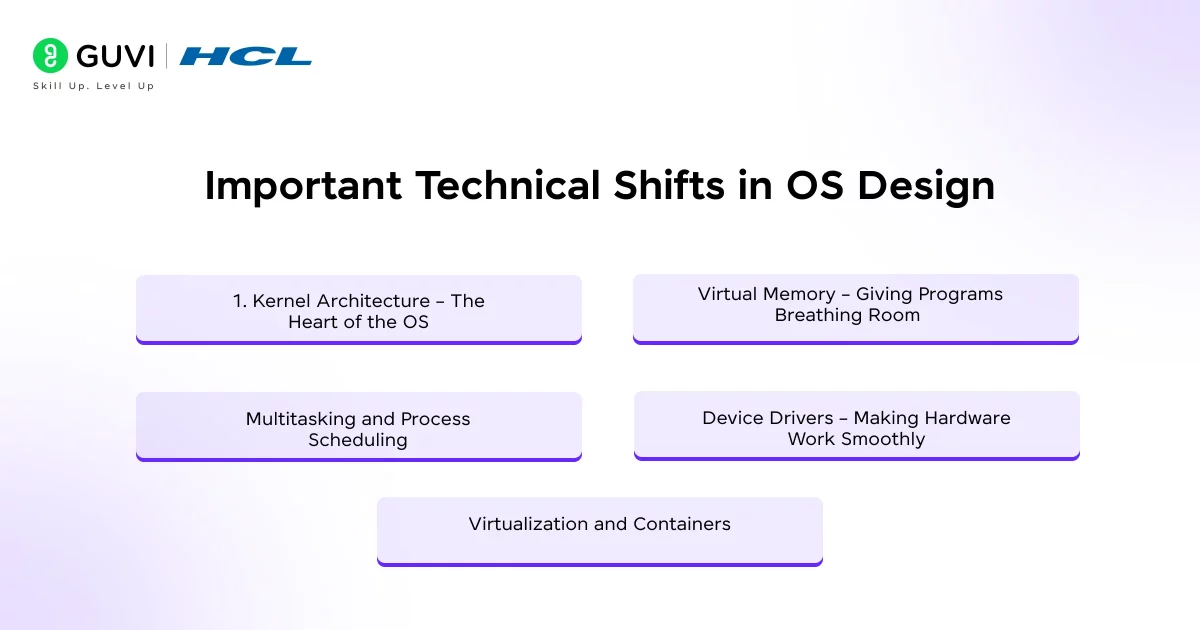
Operating systems have changed not just in appearance, but in how they’re built under the hood. Let’s go through the biggest shifts that made modern systems possible.
1. Kernel Architecture – The Heart of the OS
Every operating system has a kernel. Think of it as the brain or control center; it manages communication between software and hardware. Over time, kernel design has evolved through a few main types:
- Monolithic Kernel: Everything runs in one large block of code inside the kernel (like early UNIX or Linux). It’s fast but complex; if one part crashes, it can bring down the whole system.
- Microkernel: Only the most essential functions (like process management and memory control) run inside the kernel; everything else runs outside it. This makes systems more stable and easier to maintain; if one module fails, the whole OS doesn’t. Example: macOS, QNX.
- Hybrid Kernel: A middle ground performance of monolithic kernels, flexibility of microkernels. Example: Windows, modern Linux variants.
2. Virtual Memory – Giving Programs Breathing Room
Originally, programs could only use as much memory as physically existed on the computer. That meant if your computer had 8 KB of RAM (yes, kilobytes), you couldn’t run anything bigger.
Then came virtual memory, a system that makes it look like there’s more memory available by using disk space as temporary storage.
What this does:
- Each program acts like it has its own private memory space.
- The OS handles swapping data between RAM and disk.
- Keeps programs from interfering with each other’s memory.
Why it matters: This is what allows you to run multiple apps at once, browser, music player, and editor, without them crashing into each other.
3. Multitasking and Process Scheduling
Early systems could only run one job at a time. Now, even your phone juggles dozens of processes. The OS decides which task gets CPU time using algorithms called schedulers.
Different approaches evolved:
- Round Robin – each process gets a short time slice in turn.
- Priority Scheduling – important tasks go first.
- Real-Time Scheduling – tasks that can’t be delayed (like video playback) get guaranteed time.
Why it matters: This is how you can watch a YouTube video, download files, and type notes — all simultaneously without your device freezing.
4. Device Drivers – Making Hardware Work Smoothly
Your OS communicates with hardware through small software pieces called drivers, one for your keyboard, one for your mouse, one for your camera, and so on.
Earlier, you had to manually install and configure drivers. Now, OSes detect hardware automatically and fetch the right drivers themselves.
Why it matters: It made computers plug and play. You can connect almost any device, printer, USB, or headphones, and it just works.
5. Virtualization and Containers
This is one of the biggest shifts of the 21st century.
Virtualization: Lets one physical machine run multiple virtual machines (each with its own OS).
Containers: Even lighter, they share one OS kernel but isolate apps from each other.
Why it matters: This is what powers cloud computing. Companies can run thousands of “virtual computers” on a few physical servers efficiently. If you’ve heard of Docker or Kubernetes, that’s this in action.
What to Explore Next
If you want to dig deeper after reading this, here are some logical next steps:
- Compare two specific OSes (for example, Windows vs Linux) in terms of architecture and evolution.
- Explore the kernel design in more depth (monolithic vs microkernel vs hybrid).
- Look at OS scheduling algorithms (FIFO, round-robin, priority scheduling, real-time) and how they evolved.
- Study virtual memory concepts (paging, segmentation, swap) and why they became necessary.
- Investigate OSes in mobile or IoT devices—how are they different from desktop OSes?
- Consider future OS challenges: cybersecurity threats, AI workload management, heterogeneous hardware (GPUs, FPGAs), and edge computing.
The term “bug” in computer science actually came from a real insect. In 1947, engineers working on the Harvard Mark II computer found that a moth had gotten trapped in a relay, causing a malfunction. They taped it into their logbook and wrote, “First actual case of a bug being found.” From that moment, every software glitch became a “bug,” and fixing them became “debugging.”
If you’re serious about mastering software development along with AI and want to apply it in real-world scenarios, don’t miss the chance to enroll in GUVI’s IITM Pravartak and MongoDB Certified Online AI Software Development Course. Endorsed with NSDC certification, this course adds a globally recognized credential to your resume, a powerful edge that sets you apart in the competitive job market.
Conclusion
In conclusion, operating systems are like the quiet stagehands in the theatre of computing; they manage everything behind the scenes, letting the show run smoothly. Their evolution isn’t just a technical story; it’s a story of human creativity, problem-solving, and constant improvement.
From hand-wired machines to cloud-connected phones, each leap made computing more accessible, faster, and safer. When you understand that journey, you don’t just use technology, you understand it. And that’s what turns a learner into a true tech thinker.
FAQs
1. What was the first operating system ever created?
The earliest systems (1940s–50s) had no formal OS; the first real “operating system” used in work environments was GM‑NAA I/O (1956) for the IBM 704.
2. Why did operating systems change from batch processing to time-sharing?
3. What major features do modern operating systems have that earlier ones didn’t?
4. What is “kernel architecture” and how has it evolved?
Kernel architecture is the central part of an OS that manages hardware/software interaction. It evolved from large monolithic kernels, to microkernels (minimal core), to hybrid kernels combining performance and modularity.
5. Why is it useful to understand how operating systems evolved?
Knowing OS evolution helps you grasp why things like resource scheduling, memory management and security work the way they do today, it gives you deeper insight, not just how to use the OS, but how it works.
Success Stories

About the Author
Lukesh S
A professional content writer who has experience in freelancing and now working as a Technical Content Writer at HCL GUVI having sound knowledge in Blog Writing and Creative Writing!
View all posts by Lukesh S
Connect with me @












Did you enjoy this article?