


Cloud Computing Articles
Advanced DNS Interview Questions for Senior Engineers: What to Expect in 2026
Advantages of Computer Network: Key Benefits, Limitations & Practical Applications


Get In Touch For Details! Request More Information
8 Essential Components of a Computer Network
Jan 02, 2026 6 Min Read 2579 Views
(Last Updated)
Have you ever wondered what actually happens behind the scenes when you connect to Wi-Fi, send a message, or open a website? We rely on networks all day without thinking about what keeps everything running smoothly.
The truth is, every digital action you take travels through a set of components working together like a well-organized system of roads, signals, and vehicles. Understanding these components of a computer network helps you see how data moves, how devices communicate, and why networks are such an essential part of modern life.
If you’re just getting started with computer networking, this article will give you a clear, beginner-friendly view of the components of a computer network. So, without further ado, let us get started!
Table of contents
- Quick Answer:
- What is a Computer Network?
- 8 Key Hardware Components of a Computer Network
- End Devices (Nodes)
- Network Interface Card (NIC)
- Switches and Hubs
- Routers
- Modem
- Cables and Transmission Media
- Wireless Access Points (AP)
- Other Network Devices
- Transmission Example
- Software Components of a Computer Network
- Conclusion
- FAQs
- How do devices find each other on a network?
- What’s the difference between LAN, WAN, and Internet?
- Do I need a switch and a router at home?
- Can two networks with different wiring talk to each other?
- Are cables still used, or is everything wireless now?
Quick Answer:
The main components of a computer network include end devices (like computers and phones), network hardware (such as switches, routers, modems, and access points), transmission media (wired and wireless), and communication protocols that govern data flow.
What is a Computer Network?
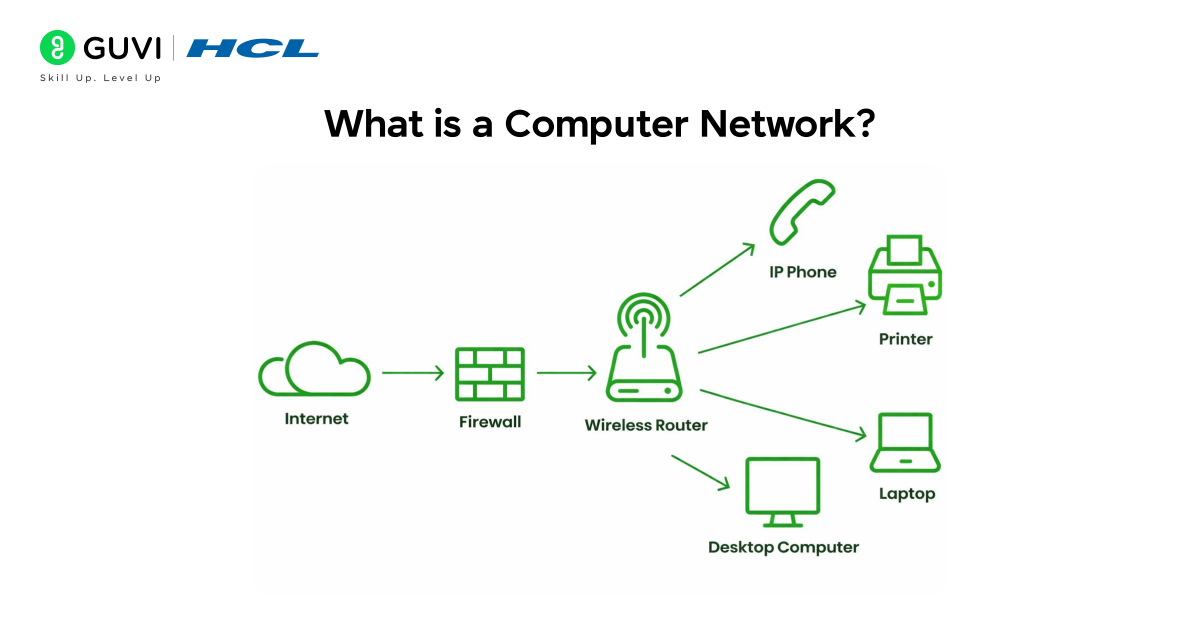
A computer network is simply a group of two or more devices (computers, phones, printers, etc.) connected so they can exchange information and share resources. In other words, networks let your devices talk to each other.
This setup is the foundation of everything from your home Wi-Fi to the global Internet. When a device is on a network, it can send emails, stream videos, access servers, and more – all by passing data to other devices through the network..
8 Key Hardware Components of a Computer Network
At the heart of any network are physical (hardware) components – the devices and media that carry the data. Here are the most important ones:
1. End Devices (Nodes)
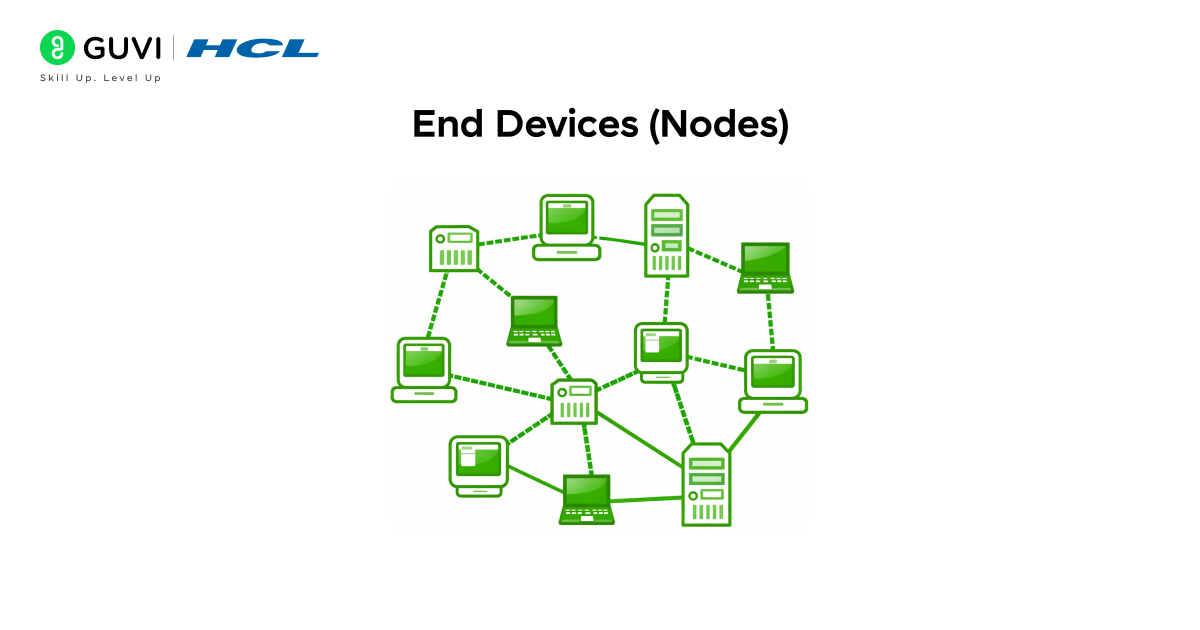
End devices (or nodes) are the endpoints of a network – the computers and gadgets that use it. These include desktop PCs, laptops, tablets, smartphones, printers, and even smart cameras or sensors. Whenever you use the internet or share a file, your device is an end node in the network. Each node can both send and receive data across the network.
- Clients: Most end devices in a typical network act as clients. A client is simply a device that requests data or services (for example, your laptop when you visit a website). Clients run applications like web browsers, email programs, or streaming apps that initiate network connections.
- Servers: On the flip side, some end devices are servers. A server is a powerful computer (or software on a machine) that provides data or services to clients. For example, a file server stores documents, a web server hosts websites, and an email server handles messages. Servers often have extra storage, memory, and processing power to handle many client requests at once. Essentially, servers “serve” clients by giving them what they ask for.
Each end device must connect to the network physically or wirelessly. This leads us to the next component: the network interface.
2. Network Interface Card (NIC)
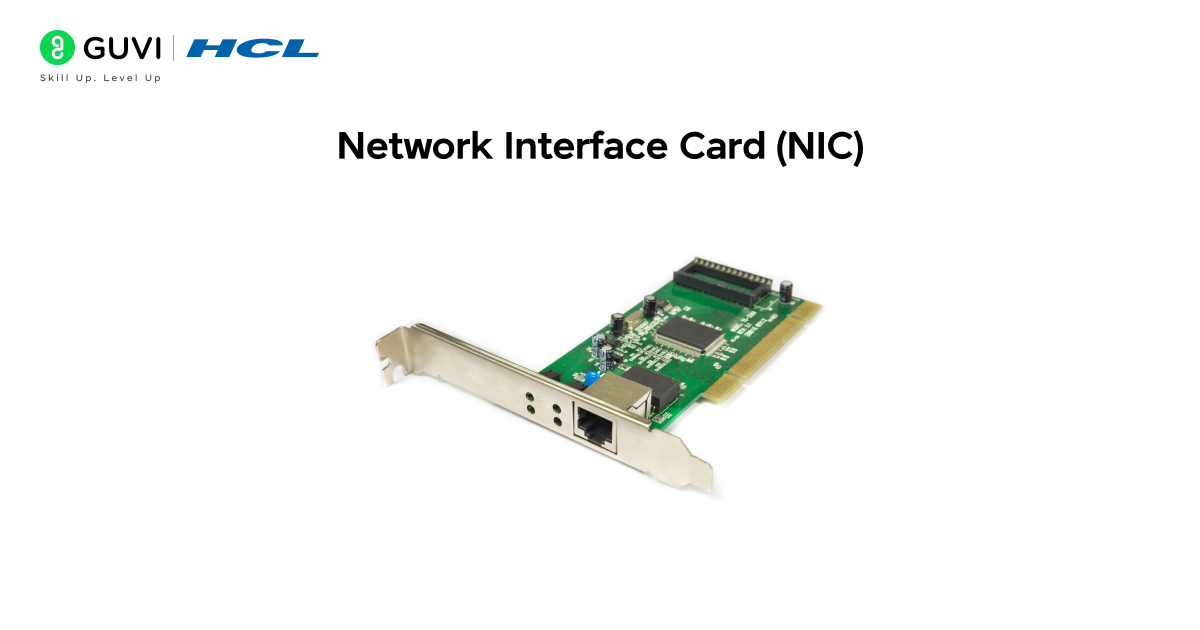
A Network Interface Card (NIC), sometimes called a network adapter, is what lets a device actually join the network. It is built into every network-capable device (your laptop, phone, or smart TV) and provides the port or radio needed to connect. The NIC handles the electrical or wireless signals for the network.
- Wired NIC: On a desktop or older laptop, a wired NIC has an Ethernet port (the square RJ45 socket) where you plug in a cable. The NIC converts digital data from the computer into electrical signals on the cable and back again. It also has a unique hardware ID (called a MAC address) burned into it. Think of the MAC address like a permanent serial number: it identifies your device on the network.
- Wireless NIC: Every modern laptop and smartphone has a wireless NIC for Wi-Fi (and often Bluetooth). Instead of a cable, it uses radio antennas to send and receive data. The wireless NIC also has a unique MAC address.
In short, the NIC is the “network port” of a device. Without a NIC (or similar component), a computer cannot join any network.

3. Switches and Hubs
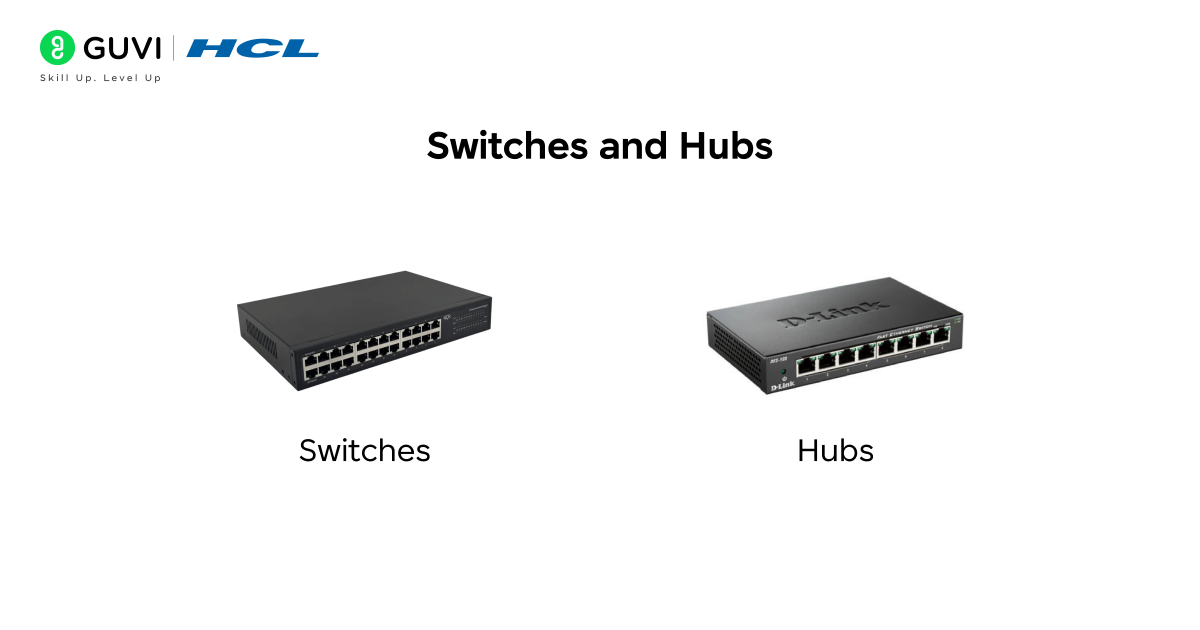
Once devices have NICs, they usually plug into a central box to share the network. In early networks, this box was often a hub; today it’s nearly always a switch. Both are multi-port devices that let multiple devices connect to one network, but they handle data differently:
- Hub: A hub is a very simple device. When any device sends data into a hub, the hub “repeats” that data out to all other ports, indiscriminately. It’s like shouting into a room: everyone hears it, even if the message wasn’t for them. This means hubs create a lot of unnecessary traffic and collisions.
- Switch: A switch is smarter. It also has multiple ports, but when data comes in on one port, the switch looks at the destination address and sends the data only to the port where that destination device is connected. In our highway analogy, a hub is a traffic circle sending cars in all directions, while a switch is a one-way street that guides each car to the right destination.
4. Routers
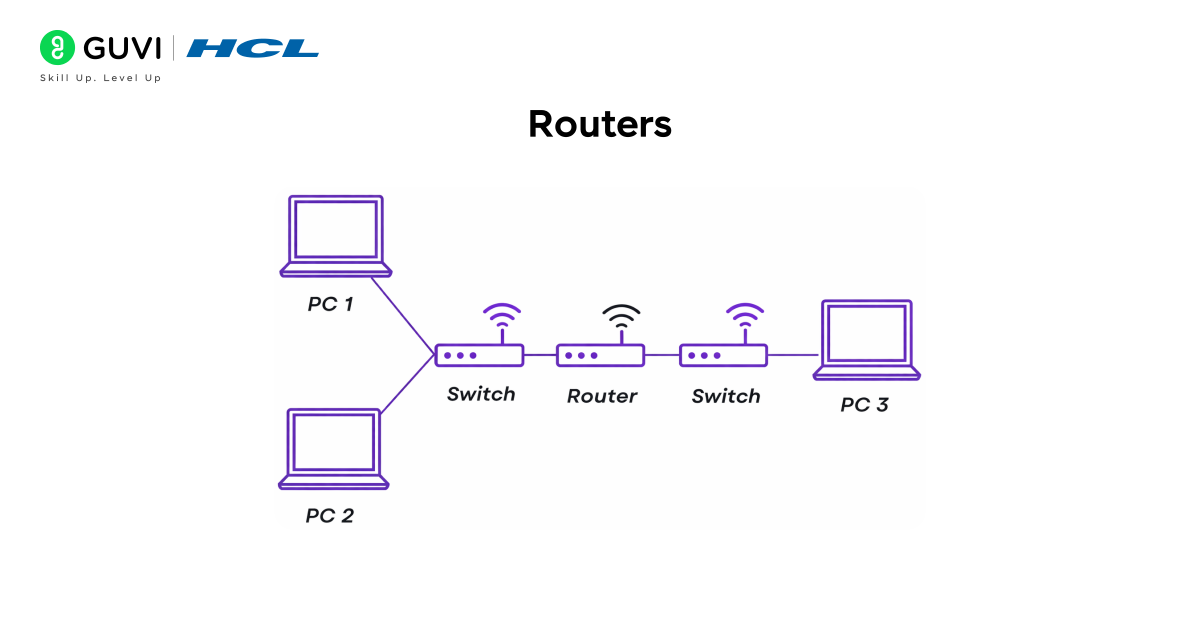
A router connects different networks, most commonly a local network (LAN) to the Internet (a WAN). For example, your home router links your home network of PCs and phones to your Internet Service Provider’s network. A router examines each data packet’s IP address and decides where to send it next – either to a local device or out onto another network.
- Main function: Routes data packets between networks based on IP addresses. For instance, when your laptop asks to visit a website, the router sends that request from your home LAN to the Internet, and then returns the response from the Internet back to the correct PC.
- Broadcast domains: Unlike hubs or switches that keep traffic within one LAN, a router separates networks. Devices connected through different routers cannot “see” each other’s broadcasts.
5. Modem
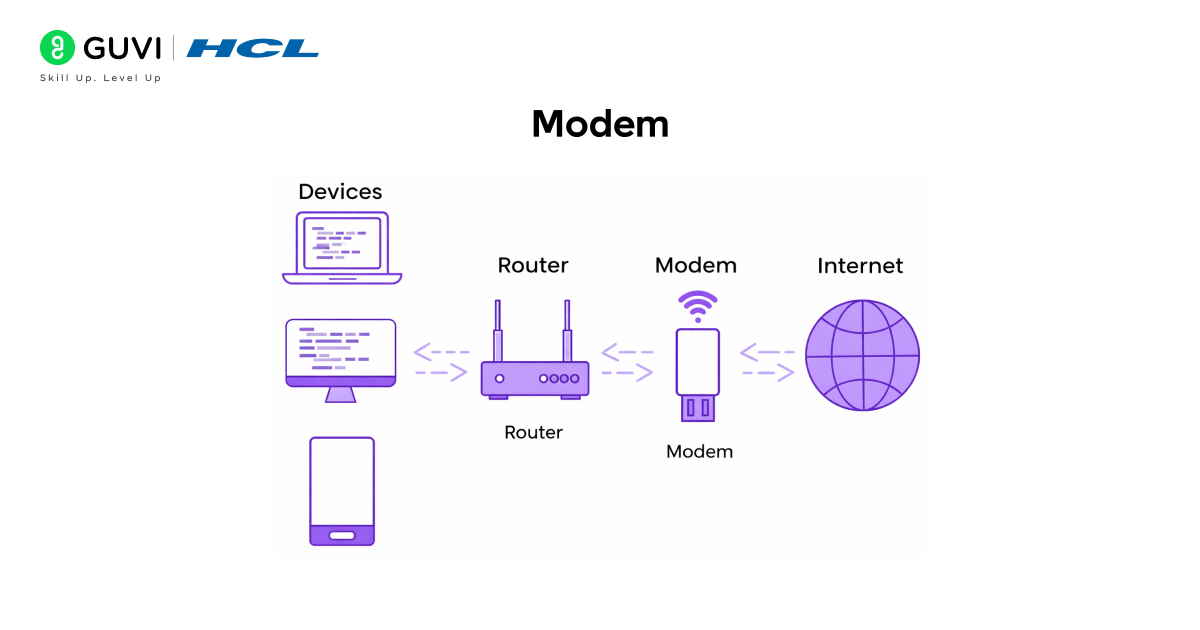
A modem (short for modulator-demodulator) connects your network to the Internet through your phone or cable line. It converts the digital signals from your router or computer into the analog signals used on phone/cable wires (and vice versa).
For example, a DSL or cable modem sits between your home network and the ISP’s network. When your computer sends a request (like loading a webpage), the data goes from your PC → router → modem. The modem modulates (transforms) the digital bits into analog signals that the phone line can carry. At the other end, the ISP’s modem/demodulator turns them back into digital form.
6. Cables and Transmission Media
All these devices must be tied together somehow. Transmission media are the physical or wireless links that carry data between devices. There are two broad categories:
- Wired (Guided) Media: These are cables that physically connect devices. Common types include:
- Twisted-Pair (Ethernet) Cable: The most common LAN cable. It contains twisted pairs of copper wires and uses plugs (like RJ45). Standard categories (Cat5e/Cat6) support up to 1 Gbps or more. For example, Gigabit Ethernet (1000BASE-T) is a twisted-pair cable technology.
- Coaxial Cable: A single solid wire surrounded by insulation and shielding. It was widely used for cable TV and older network backbones. Coax can carry high-frequency signals over longer distances than twisted pair. It’s more expensive but can be faster than plain copper pairs.
- Fiber-Optic Cable: Uses thin glass or plastic fibers and transmits data as pulses of light. This is the fastest and longest-distance medium – data can travel across continents through fiber. It’s also immune to electromagnetic interference. Because of its speed and distance, governments and large companies use it for core Internet backbones.
- Twisted-Pair (Ethernet) Cable: The most common LAN cable. It contains twisted pairs of copper wires and uses plugs (like RJ45). Standard categories (Cat5e/Cat6) support up to 1 Gbps or more. For example, Gigabit Ethernet (1000BASE-T) is a twisted-pair cable technology.
- Wireless (Unguided) Media: No physical cable; data travels through the air (radio waves or light). Common wireless media include:
- Wi-Fi (Radio Waves): Most home networks use Wi-Fi, which sends data over 2.4 GHz or 5 GHz radio bands. Your wireless NIC and access point communicate over these frequencies.
- Bluetooth (Radio Waves): A short-range network used by peripherals and IoT devices.
- Satellite / Microwave: Long-distance point-to-point links (e.g., some rural internet, GPS signals).
- Infrared: Very short range (like TV remotes) – not commonly used in modern networking.
- Wi-Fi (Radio Waves): Most home networks use Wi-Fi, which sends data over 2.4 GHz or 5 GHz radio bands. Your wireless NIC and access point communicate over these frequencies.
Each medium has trade-offs in speed, cost, and range. For example, fiber offers blazing speeds but costs more to install than copper.
7. Wireless Access Points (AP)
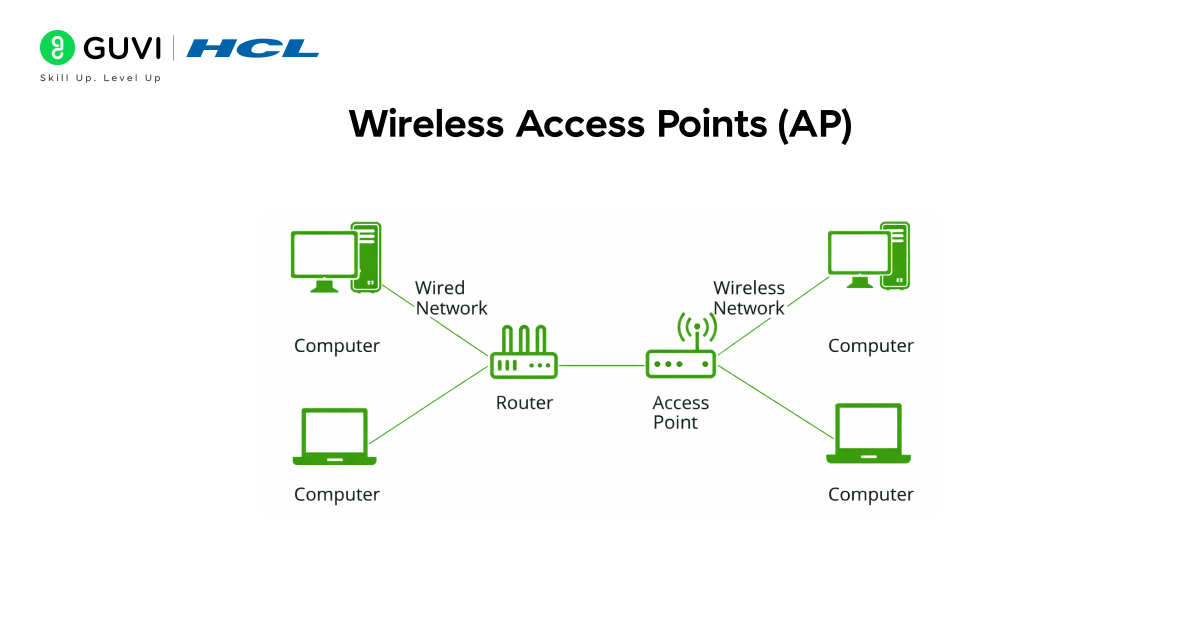
In a wireless network, an access point is the hub for Wi-Fi. It lets wireless devices connect to a wired network. You can think of it like a radio tower in your local area: it broadcasts the Wi-Fi signal that your devices “tune” into.
- Often, a home router includes a built-in access point. In offices, separate AP devices are placed around the building.
- The AP bridges wireless and wired networks: it sends data from Wi-Fi devices into the Ethernet network and vice versa.
- It also manages security (encryption, passwords) and channels to avoid interference.
8. Other Network Devices
There are a few more specialized devices you may encounter:
- Repeater/Extender: A simple device that regenerates and amplifies a weak signal. For example, a Wi-Fi range extender repeats your router’s wireless signal to reach further. In wired networks, a repeater might boost an Ethernet signal over long cable runs.
- Bridge: Connects two LAN segments at the data-link layer (effectively a very simple switch). It filters traffic between segments, reducing collisions. Modern Ethernet switches usually handle this bridging automatically.
- Firewall: A security device (or software) that monitors and filters incoming/outgoing network traffic based on rules. Firewalls can be hardware appliances or built into routers. They block unauthorized access and protect your network from attacks.
- Gateway: Often used interchangeably with router, but strictly a gateway can translate between different protocols or networks. For example, a VoIP gateway converts voice calls between the phone network and a VoIP network.
Transmission Example
Putting it all together: when your computer (an end device) sends data, the NIC converts it to electrical signals and passes it through an Ethernet cable (transmission medium) into a switch. The switch forwards it to a router (if it’s going outside the LAN), which sends it through the modem onto the Internet. Along the way, various protocols and software make sure the message arrives intact and at the right destination.
If you want in-depth knowledge about computer networks and don’t know where to start, consider enrolling in HCL GUVI’s Self-Paced Networking Concepts course, which covers essential networking concepts, protocols, and security measures to help upskill your career in IT infrastructure and network management.
Software Components of a Computer Network
Networks aren’t just wires and boxes – they also rely on software rules and systems. Two key software components are network protocols and network operating systems/software.
- Network Protocols: These are the agreed-upon rules and formats that devices use to communicate. Think of them as languages. The most fundamental protocol suite is TCP/IP, which underpins the Internet. TCP/IP defines how data is packetized, addressed, transmitted, routed, and received. Other important protocols include:
- DNS (Domain Name System): Translates human-friendly names (like example.com) to IP addresses.
- DHCP (Dynamic Host Configuration Protocol): Automatically assigns IP addresses to devices when they join the network.
- HTTP/HTTPS: Used by web browsers and servers.
- FTP, SMTP, etc.: Used for file transfer, email, and so on. Each of these follows strict specifications so devices know exactly how to send and interpret messages.
- DNS (Domain Name System): Translates human-friendly names (like example.com) to IP addresses.
- Network Operating Systems (NOS): Server computers often run special OS software to manage network resources. Examples include Windows Server, Linux, or proprietary systems like Cisco IOS. These systems handle tasks like sharing files, managing user permissions, and running network services.
- Management Software: Tools like Wireshark (a network analyzer) or Nagios (for monitoring) help network admins troubleshoot and monitor the network.
In practice, any time you see an address bar (https://), an IP address, or a login page, that’s protocols and software doing their job behind the scenes. They ensure everyone “speaks the same language” and follows the same traffic laws on the network.
Most network devices have two identities: a permanent MAC address burned into the hardware and a changeable IP address assigned by the network. Your router uses both to decide exactly where your data should go. Without this pairing, even a simple task like loading a webpage wouldn’t know which device in your home requested it.
If you’re curious to learn all about Computer Networks and want to apply it in real-world scenarios, don’t miss the chance to enroll in HCL GUVI’s IITM Pravartak and MongoDB Certified Online Software Development Course. Endorsed with NSDC certification, this course adds a globally recognized credential to your resume, a powerful edge that sets you apart in the competitive job market.
Conclusion
In conclusion, a computer network is built from both hardware and software parts. The hardware includes your end devices (computers, phones, servers), connectors like NICs, and network devices such as switches, routers, modems, and cables. These components form the physical framework that links everything together. The software side includes protocols and operating systems that define how the devices communicate and share data.
By understanding these components, you can better appreciate what happens behind the scenes whenever you connect to Wi-Fi, join a video call, or browse a website. Every time you use the network, you’re relying on this coordinated team of components to deliver your data quickly and safely.
FAQs
1. How do devices find each other on a network?
Each device has a unique MAC address on its NIC (physical address) and usually an IP address (logical address). Switches use MAC addresses to forward frames; routers use IP addresses to forward packets.
2. What’s the difference between LAN, WAN, and Internet?
A LAN (Local Area Network) connects devices in a small area (home, office). A WAN (Wide Area Network) spans cities or countries (like the Internet). The Internet is essentially a massive, global WAN linking LANs worldwide.
3. Do I need a switch and a router at home?
If you have multiple wired devices, you need at least a switch or router with multiple ports. Many home routers already include a built-in switch and Wi-Fi access point, so that single box can handle everything.
4. Can two networks with different wiring talk to each other?
Yes, that’s what routers and gateways do. They connect different network segments (even with different cable types or IP schemes) and pass data between them.
5. Are cables still used, or is everything wireless now?
Both. Wired Ethernet is still the fastest and most reliable for fixed devices (like desktop PCs or servers). Wireless (Wi-Fi, Bluetooth) is everywhere for convenience. Most networks use a mix of wired and wireless connections.
Success Stories

About the Author
Lukesh S
A professional content writer who has experience in freelancing and now working as a Technical Content Writer at GUVI. Google Certified Digital Marketer. Have a sound knowledge of SQL, Data Structures and Cloud Computing.
View all posts by Lukesh S
Connect with me @









Did you enjoy this article?