


Artificial Intelligence and Machine Learning Articles
AI/ML Skills Gap 2026: Why Companies Can't Find Job-Ready Talent
20 AI/ML Interview Questions Recruiters Can Use Without a Tech Background - Best Guide
How Industry-Backed AI/ML Bootcamps Are Changing the AI/ML Hiring Pipeline - Best Guide 2026
From IT Support to AI Engineer: A Realistic Career Switch Guide 2026


Get In Touch For Details! Request More Information

Claude Web Search Unleashed: Real-Time AI for Everyone, Everywhere
Sep 16, 2026 7 Min Read 2088 Views
(Last Updated)
If you have been using Claude for a while, you probably noticed one thing it could not do look up what is happening right now. Ask it about the latest tech news, a product that just launched, or any recent event, and it would tell you its knowledge only goes up to a certain date.
That limitation made sense for a while, but as AI tools became more deeply part of daily work, the need for real-time information became impossible to ignore. Tools like ChatGPT, Gemini, and Grok had already added web search, and users were starting to feel the gap.
In this article, we will break down exactly what Claude web search feature is, how it works, why it matters, how to turn it on, and what you can actually do with it whether you are a student, a professional, or just someone who uses Claude every day.
Quick TL;DR
- Global Access: Free for all users worldwide since May 2025 no paid plan or location limits.
- Easy Setup: Toggle on in claude.ai profile settings; Claude 3.7 Sonnet auto-triggers searches.
- Transparent Citations: Inline links to sources via Brave Search for instant verification.
- Real-Time Power: Pulls fresh web data for news, trends, markets—beats outdated training knowledge.
- Use Cases Galore: Sales pitches, financial analysis, research, shopping comparisons made effortless.
- Smarter than Google: Synthesizes multi-source info with context, citations, and natural answers.
Table of contents
- What Is Claude's Web Search Feature?
- Claude can now access the internet in real time
- How Does the Citation System Work?
- Inline Citations for Easy Verification
- Seamless Web Integration with Clear Marking
- Reliable Results from Brave Search
- Who Can Use It Now?
- Universal Access for All Users
- No Subscriptions Needed Anymore
- Free Plan Users Rejoice
- How to Turn On Web Search in Claude
- What Can You Actually Use It For?
- Sales Teams Boost Win Rates
- Financial Analysts Get Current Data
- Researchers Spot Emerging Trends
- Everyday Shoppers Compare Easily
- Best Prompts for Using Claude Web Search Effectively
- How Is This Different from Just Googling?
- Claude's Web Search vs. Competitors
- Professional Power Users
- Everyday Practical Wins
- Claude Web Search API for Developers
- How Developers Can Control Claude Web Search Sources
- Why This Update Matters
- Limitations of Claude Web Search
- Final Thoughts
- FAQs
- Wait, does this mean free Claude users finally get live info?
- How's it different from typing into Google myself?
- Is the search reliable, or just ad-junk?
- Does it work for my sales job or homework?
- Setup sounds techy. Will I mess it up?
What Is Claude’s Web Search Feature?
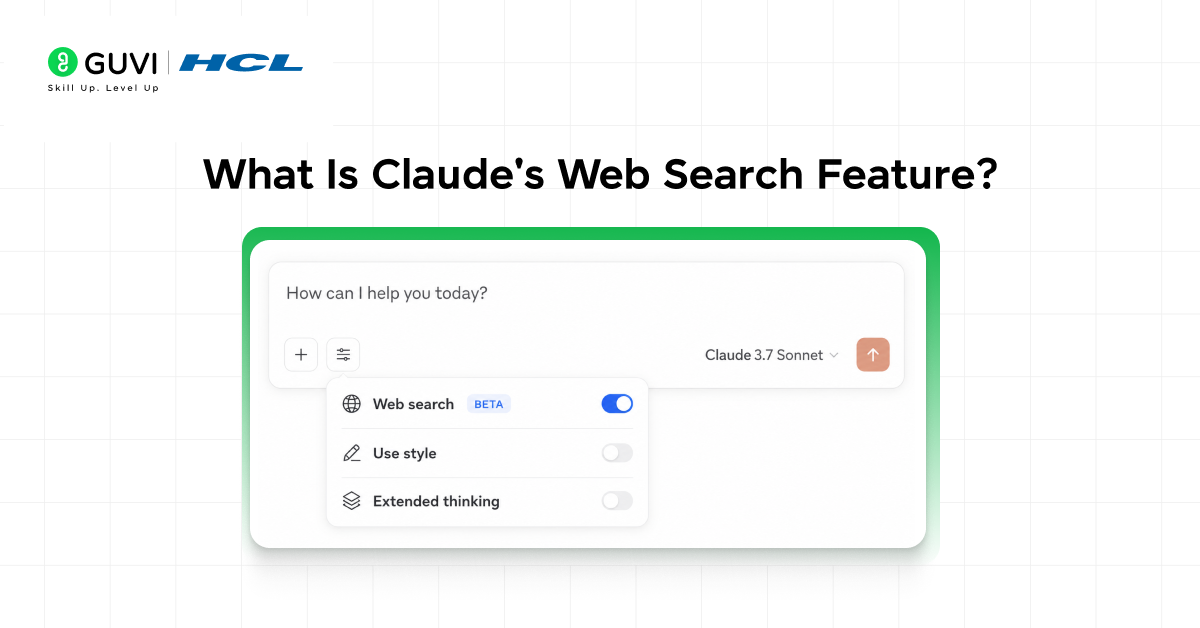
Claude can now access the internet in real time
- With web search, Claude has access to the latest events and information, boosting its accuracy on tasks that benefit from the most recent data. Instead of being limited to what it learned during training.
- Claude can now go out and look things up just like you would but faster, and in a more organized way.
- This might sound simple, but it is actually a significant shift in how Claude operates. Before this feature, Claude was like a very smart friend who had read thousands of books but had been living off the grid with no internet for a while.
- Brilliant, but not always up to date. Now, that same friend has a live connection to the web, and they can pull in fresh information before answering your question.
- What makes this even more useful is that Claude does not just dump raw search results at you. Instead of finding search results yourself, Claude processes and delivers relevant sources in a conversational format.
- It reads the pages, understands the context, and gives you a clean, coherent answer while also pointing you to the original sources.
How Does the Citation System Work?
Inline Citations for Easy Verification
- Claude’s standout feature is its transparency through inline citations in every response. You can instantly verify sources by clicking through to the original content, addressing common AI criticisms like hallucinations or vagueness.
- This builds trust for research, fact-checking, and professional tasks. No more blindly accepting AI outputs, everything is directly traceable.
Seamless Web Integration with Clear Marking
- When Claude searches the web, it weaves relevant information into responses with clear markings. Users can effortlessly click to the actual source for full context and deeper reading.
- This makes Claude ideal for serious workflows where accuracy matters most. Verification becomes second nature, enhancing reliability.
Reliable Results from Brave Search
- Claude powers its searches via Brave Search, a privacy-focused engine that indexes the web independently.
- Unlike ad-driven platforms, Brave delivers unfiltered, reliable results without algorithmic bias. This ensures citations are trustworthy and high-quality. Perfect for users prioritizing data integrity in AI tools.
Who Can Use It Now?
Universal Access for All Users
The May 2025 update made Claude’s web search available to everyone, everywhere. It started with paying US users in March 2025, then expanded to free users globally by May. No subscription or location barriers remain. This levels the playing field for all Claude users.
No Subscriptions Needed Anymore
Regardless of free or paid plans, web search is now standard for everyone worldwide. Official announcements confirm no extra costs for real-time info access. Enable it directly in your settings with ease. Democratization at its best for global users.
Free Plan Users Rejoice
If you’ve stuck with Claude’s free plan, wondering about upgrades for current data the answer is no. The feature is ready in your settings, fully unlocked. No need to pay extra for web-powered responses. Jump in and explore real-time insights today.
How to Turn On Web Search in Claude
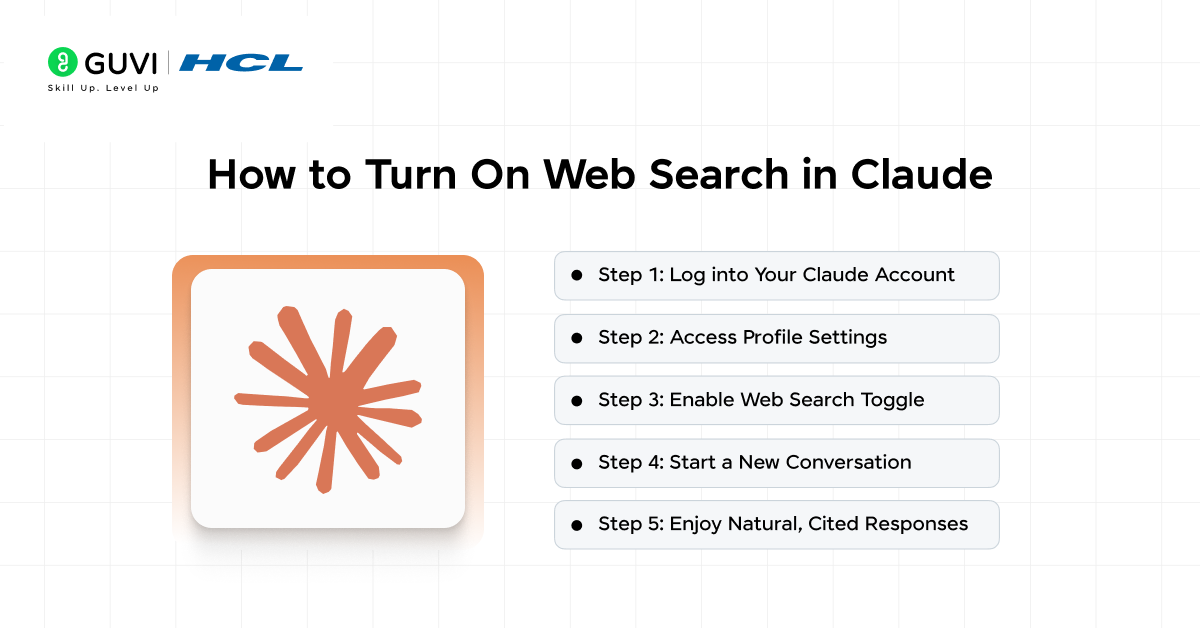
Step 1: Log into Your Claude Account
Head to claude.ai and sign in with your credentials. This opens up your personalized dashboard where all features are accessible.
Step 2: Access Profile Settings
Click the profile icon in the top corner of the interface. This takes you straight to the settings menu with all toggles visible.
Step 3: Enable Web Search Toggle
Find the “Web Search” option under the feature preview section and flip the switch on. Claude is now ready to handle real-time searches automatically.
Step 4: Start a New Conversation
Begin chatting with Claude 3.7 Sonnet as usual. It intelligently triggers web searches in the background when needed for better answers.
Step 5: Enjoy Natural, Cited Responses
Ask any question, and Claude runs searches quietly if helpful, weaving in info with inline citations. No manual management required, the experience feels seamless.
What Can You Actually Use It For?
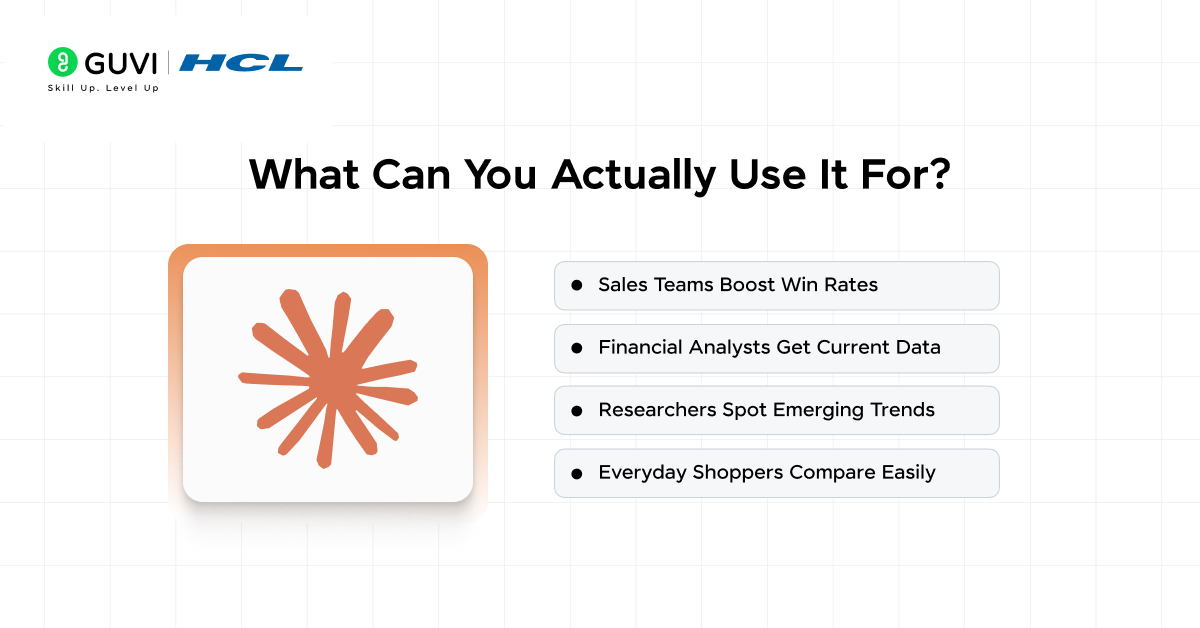
1. Sales Teams Boost Win Rates
Sales professionals can revolutionize account planning with real-time industry trends, key initiatives, and pain points. Informed conversations with prospects lead to higher win rates and stronger pitches. No more relying on outdated data Claude delivers fresh insights instantly.
2. Financial Analysts Get Current Data
Analysts access live market data, earnings reports, and trends to sharpen investment decisions and models. Markets shift rapidly, so working with today’s numbers beats stale info every time. Claude pulls it all together seamlessly for accurate forecasting.
3. Researchers Spot Emerging Trends
Academics and students build robust grant proposals and literature reviews from primary web sources. Identify gaps, track recent publications, and uncover trends effortlessly. Stay ahead in your field without manual digging.
4. Everyday Shoppers Compare Easily
Consumers compare product features, prices, and reviews across sources in one go. Skip juggling ten tabs Claude handles the heavy lifting for smart buys. Real-time info means confident, informed purchases every time
Best Prompts for Using Claude Web Search Effectively
The quality of Claude web search results depends heavily on how the question is framed. Specific prompts help Claude understand what information to search for, which sources matter, and how the final answer should be structured.
- For Latest Information:
Ask: “Find the latest updates on [topic] and include publication dates and source links.” - For Product Comparisons:
Ask: “Compare [Product A] and [Product B] using their latest specifications, pricing, and official sources.” - For Research:
Ask: “Research [topic] using recent primary and credible sources. Summarize the major findings and cite each important claim.” - For Current Market Trends:
Ask: “Find recent data on [industry] trends and highlight the most important statistics, reports, and changes.” - For Fact-Checking:
Ask: “Verify whether this claim is accurate using multiple reliable sources and explain where the evidence agrees or differs.” - For Recent News:
Ask: “Summarize the latest developments around [event] and separate confirmed facts from reported claims or analysis.” - For Better Source Control:
Specify whether Claude should prioritize official websites, research papers, government sources, company announcements, or recent publications.
How Is This Different from Just Googling?
- Technically, you could search Google yourself and get the same information. But what Claude does differently is the layer of understanding it adds on top of the raw search results.
- When you search Google, you get a list of links. You then have to click each one, read through it, decide if it is relevant, and piece together an answer on your own. Claude compresses that entire process.
- It reads multiple pages, understands what they are saying, synthesizes the key points, and delivers a clear and organized answer all in seconds.
- When you ask questions requiring current information, Claude automatically determines if web search would help and generates targeted queries, retrieves relevant results, analyzes them, and provides comprehensive answers with citations back to source material.
- This is especially helpful for complex questions where the answer is not on a single page, or where you need to compare information from multiple sources.
- Claude can conduct multiple searches in sequence, using earlier results to guide where it looks next, which makes it much more effective for research-style tasks than a simple one-shot Google search.

Claude’s Web Search vs. Competitors
Professional Power Users
- Sales teams craft winning pitches with live industry trends, while financial analysts leverage current market data for sharp decisions. Researchers build stronger proposals by spotting gaps in fresh literature sources.
Everyday Practical Wins
- Shoppers compare products, prices, and reviews effortlessly across the web. Claude handles the legwork, turning real-time info into smarter, faster choices for everyone.
Claude’s web search rolled out to free users globally in May 2025, helping bridge the gap with competitors. Powered by privacy-first search, it can synthesize information from multiple sources with citations — significantly reducing research time. Professionals report improved outcomes, from higher sales win rates to faster academic research.
Claude Web Search API for Developers
Claude web search is not limited to the Claude interface. Developers can also add live web search to applications built with the Claude API.
- Web Search Can Be Added as a Tool: Developers can enable web search inside API requests so Claude can retrieve current information when a query requires it.
- Search Usage Can Be Limited: The API supports a
max_usessetting that controls how many searches Claude can perform within one request. - Developers Can Control Sources: Applications can restrict searches to selected domains using
allowed_domainsor prevent specific domains usingblocked_domains. - Search Results Can Be Localized: Developers can pass approximate location information such as city, region, country, or timezone to make results more relevant to a particular market.
- Citations Are Included: Web search responses can include source URLs and cited text, making it easier to build research, monitoring, and fact-checking applications.
- Claude Web Search API Pricing: Anthropic currently prices web search at $10 per 1,000 searches, in addition to standard token costs. Each executed search counts as one use regardless of the number of results returned.
How Developers Can Control Claude Web Search Sources
One of the more useful parts of Claude web search is that developers do not always have to let the model search the entire web. Search scope can be controlled for workflows where source quality or relevance matters.
- Use Allowed Domains for Trusted Sources: Developers can restrict Claude to specific websites such as official documentation, government portals, research databases, or company websites.
- Block Unwanted Sources: The
blocked_domainsoption can prevent Claude from retrieving information from websites that are irrelevant or unsuitable for a particular application. - Control Search Frequency:
max_usescan prevent a single request from triggering too many searches, helping manage latency and API costs. - Use Localized Search Results: Approximate location settings can improve results for queries involving regional businesses, services, regulations, or local information.
- Build Industry-Specific Research Tools: A healthcare research assistant could search only selected medical sources, while a financial tool could prioritize approved market and company websites.
- Improve Source Consistency: Restricting the search space can make results more predictable when applications need information from a known set of trusted sources rather than the wider web.
Why This Update Matters
- The move to make web search available globally to all users including those on the free plan is not just a product update. It is a statement about access.
- AI tools that are only powerful for people who can afford premium plans create a gap between those who benefit from AI and those who do not.
- The inclusion of free users not only lowers the barrier to entry but also reflects Anthropic’s commitment to making AI accessible to all.
- For students, for people in developing countries, for anyone who relies on the free tier of Claude this means they now have access to a version of Claude that is genuinely connected to the present world.
- Anthropic has also indicated that it plans to continue improving the feature.
- In the future, Anthropic plans to further optimize search performance and expand multilingual support to provide smarter and more convenient experiences for users worldwide. This suggests that web search is not just a checked box on a feature list, it is an area the company intends to keep developing.
If you’re ready to harness Claude’s web search for smarter research, sales, or daily tasks, dive deeper into AI tools with HCL GUVI’s IIT Pravartak AI and ML Course. Master real-time AI integration and build workflows that stay ahead.
Limitations of Claude Web Search
Claude web search gives the model access to current online information, but a web-connected answer is not automatically correct. The quality of the response still depends on the sources Claude finds and how clearly the available information supports the query.
- Source Quality Can Vary: Claude may find information from websites with different levels of authority. Important claims should still be checked against primary or trusted sources.
- Recent Information Can Change Quickly: Prices, breaking news, product availability, market data, and company announcements may change shortly after Claude retrieves them.
- Some Web Content May Be Inaccessible: Paywalls, login-protected pages, restricted databases, or dynamically loaded content may limit what Claude can retrieve from a source.
- Citations Still Need Verification: A citation shows where information came from, but users should open the source and confirm that it supports the specific claim being made.
- High-Stakes Information Needs Extra Review: Medical, legal, financial, and safety-related information should not be accepted only because Claude found it through web search. Relevant experts or authoritative sources may still be necessary.
- Web Search Does Not Remove Hallucination Risk: Access to current sources can improve factual grounding, but Claude can still misunderstand, combine, or summarize information incorrectly.
Final Thoughts
Claude’s web search feature, now available to everyone across the globe at every plan level, fills one of the most requested gaps in the product. The combination of real-time information, Brave Search integration, inline citations, and Claude’s natural language understanding makes it a genuinely useful tool not just a marketing feature.
Whether you are a fresher trying to research for an assignment, a professional who needs current market data, or just someone curious about what happened in the world today, Claude can now help in a way it simply could not before.
The setup takes less than a minute, and the results speak for themselves. Turn it on, ask Claude something that requires current knowledge, and see the difference for yourself.
FAQs
1. Wait, does this mean free Claude users finally get live info?
Yes. Since May 2025, everyone on any plan worldwide can use web search no upgrades needed. Just flip the toggle and go.
2. How’s it different from typing into Google myself?
Claude reads pages, compares sources, and crafts clear answers with citations. Saves you from tab overload and manual piecing.
3. Is the search reliable, or just ad-junk?
Powered by privacy-focused Brave Search independent indexing, no ad bias. Citations are clean and trustworthy.
4. Does it work for my sales job or homework?
Absolutely track trends for pitches, market data for analysis, or fresh research for papers. Everyday shopping too!
5. Setup sounds techy. Will I mess it up?
No, it’s one click: Log in > Profile > Toggle “Web Search” on. Start chatting; it runs quietly in the background.
Success Stories

About the Author
Vaishali
I'm a seasoned writer with four years of experience across technical, non-technical, and just about every genre or niche you can imagine. Adaptable and curious, I enjoy exploring new topics and making information engaging and easy to understand. Fueled by a steady stream of tea, I approach each project with creativity, reliability, and genuine enthusiasm for storytelling.
View all posts by Vaishali
Connect with me @













Did you enjoy this article?