


Artificial Intelligence and Machine Learning Articles
AI/ML Skills Gap 2026: Why Companies Can't Find Job-Ready Talent
20 AI/ML Interview Questions Recruiters Can Use Without a Tech Background - Best Guide
How Industry-Backed AI/ML Bootcamps Are Changing the AI/ML Hiring Pipeline - Best Guide 2026
From IT Support to AI Engineer: A Realistic Career Switch Guide 2026


Get In Touch For Details! Request More Information

Claude Code on Your Phone: Complete Guide
Jun 10, 2026 6 Min Read 1845 Views
(Last Updated)
Ever had a brilliant code fix hit you on the couch or in a taxi, only to lose it because your laptop’s across the room? Mobile coding was a joke tiny terminals, dropped SSH, autocorrect ruining useState. But AI agents like Claude Code have changed that.
With $2.5B+ ARR and 29M daily VS Code installs, developers want it everywhere.
This article covers every way to run Claude Code on your phone in 2026, how official Remote Control works, approach comparisons, and the real question: Is a 6-inch screen right for AI development?
TL;DR Summary
- Claude Code is Anthropic’s terminal-based AI agent ($2.5B ARR, 29M VS Code installs) that reads codebases, writes/tests/commits autonomously—not just autocomplete.
- Mobile access demand: Monitor long tasks, approve changes, start work anywhere without desk tethering.
- 4 ways to use on phone:
- DIY: SSH + Tailscale + Tmux (20min setup, unreliable connections).
- Remote Control (Feb 2026): Official QR code scan from Claude app—live session view, secure TLS via Anthropic API (Pro+ plans only).
- 3rd-party: Mobile IDE app, Railway cloud SSH, Telegram/Takopi bots.
- Cloud: Claude Code on Web (no desktop needed).
- Best for: Monitoring refactors, fixing prod incidents remotely, async task delegation.
- Limits: Desktop must stay on; no new mobile sessions (Remote Control); review diffs always!
- Key takeaway: Mobile = agent oversight, not full coding, Remote Control excels here.
Table of contents
- What is Claude Code and Why Do Developers Want It on Mobile?
- Claude Code Is Not a Chatbot - It Is an Agent
- What Developers Actually Want From Mobile Access
- All the Ways to Use Claude Code on Your Phone
- The DIY Route: SSH + Tailscale + Tmux
- Remote Control: Anthropic's Official Answer
- Third-Party Apps and Cloud Deployments
- What Remote Control Can (and Can't) Do: The Honest Breakdown
- Practical Use Cases: When Mobile Claude Code Actually Makes Sense
- Quick Tips for Getting the Most Out of Claude Code on Mobile
- Conclusion
- FAQs
- What is Claude Code Remote Control and how does it work?
- Which plans support Claude Code Remote Control?
- Does Claude Code Remote Control work if my laptop goes to sleep?
- Can I start a new Claude Code session from my phone?
- Is it safe to use Claude Code Remote Control with a private codebase?
What is Claude Code and Why Do Developers Want It on Mobile?
Claude Code Is Not a Chatbot – It Is an Agent
- Claude Code is a terminal-based AI agent built by Anthropic that goes far beyond autocomplete. You run it from your command line, point it at a codebase, and it reads files, writes code, runs tests, handles errors, and commits changes all on its own, based on instructions you give in plain English.
- It is not just a code suggestion tool that speeds up typing. It is an agent that actually does the work.
- This distinction matters for understanding why mobile access is such a big deal. When an agent is running a long refactoring task or rebuilding a component from scratch, it might take minutes or even longer.
- Developers naturally want to step away from their desks without losing visibility into what is happening, without being forced to babysit a terminal window.
- The demand for mobile access is really a demand for agent oversight, monitoring tasks, approving changes, and staying in the loop without being physically tethered to a workstation.
What Developers Actually Want From Mobile Access
When you look at what developers ask for on Reddit, GitHub discussions, and the Claude community forums, the request boils down to four things: checking on long-running agent tasks without walking back to a desk, approving or rejecting changes when a notification pops up, kicking off new work from anywhere, and keeping development moving without being chained to one physical location.
These are not terminal problems. They are orchestration problems and that distinction shapes which mobile approach actually makes sense for you.
All the Ways to Use Claude Code on Your Phone
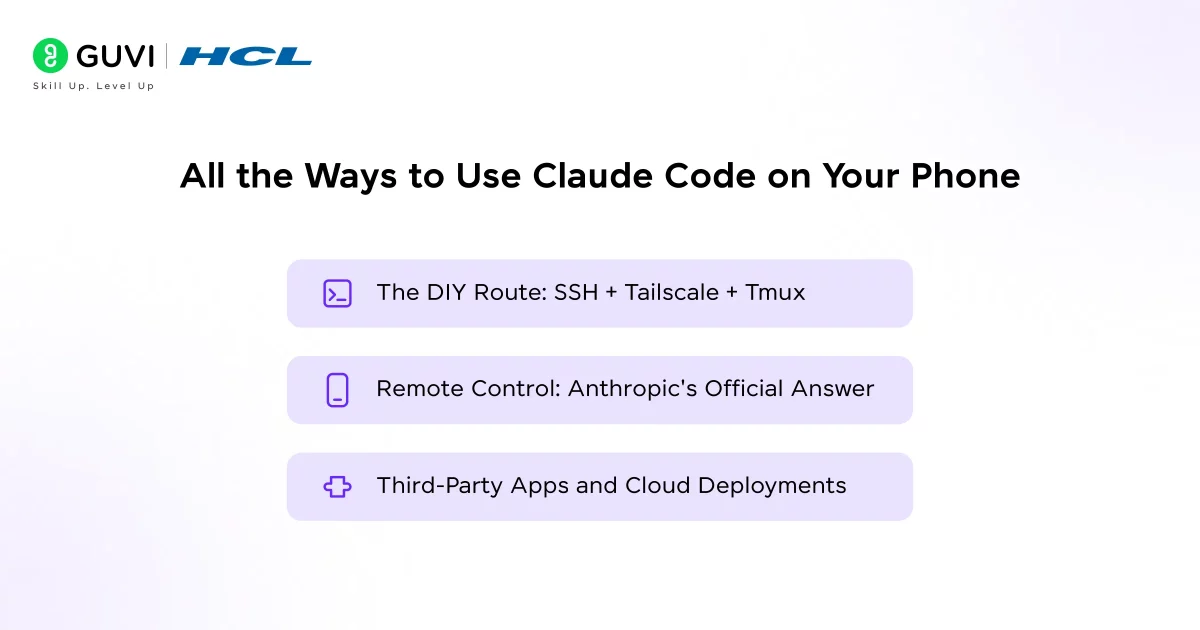
Developers have responded to the demand for mobile Claude Code access with a range of approaches from five-second setups to twenty-minute configurations. Here is a breakdown of every major option.
1. The DIY Route: SSH + Tailscale + Tmux
- This is the original approach for mobile coding, and it still works. The architecture involves keeping your desktop running Claude Code at home, using Tailscale to create a private network between your desktop and phone, installing Termux on Android or Blink on iOS for a real terminal, SSH-ing into your desktop, and using tmux or zellij to keep sessions alive when your phone locks.
- Setup takes about 20 minutes if everything goes smoothly, and when it works, you get full terminal access to a complete Claude Code environment: your filesystem, your MCP servers, your project configuration, everything.
- The drawback is reliability. SSH drops the moment your phone hops from WiFi to cellular or the screen locks. Mosh can help with connection resilience, but it adds another layer to configure. And typing code on a virtual keyboard while reviewing a terminal stream is a genuinely painful experience after about ten minutes.
2. Remote Control: Anthropic’s Official Answer
- On February 25, 2026, Anthropic shipped the feature that developers had been cobbling together with workarounds: Remote Control. The setup is almost effortless. From any active Claude Code session, you run /rc or claude remote-control in your terminal, and you get a QR code.
- Scan it with the Claude app on iOS or Android, and you have a live window into your session the same files, the same MCP servers, the same project context. Walk away from your desk, and your agent keeps working.
- The security model behind Remote Control is clean and robust. Your local Claude Code session makes only outbound HTTPS requests, never opening inbound ports. It registers with the Anthropic API, polls for work, and routes all traffic over TLS using the same secure transport as standard Claude Code sessions.
- Connections use short-lived, single-purpose credentials that expire independently, with auto-reconnect after network drops under 10 minutes.
- Requirements: Claude Code v2.1.51 or later; available on Pro, Max, Team, and Enterprise plans.
- Team/Enterprise setup: Admin must enable Remote Control in settings first.
- Authentication: Requires claude.ai OAuth account (no API keys).
3. Third-Party Apps and Cloud Deployments
- Beyond the DIY and official routes, a whole ecosystem of creative solutions has appeared. There is a companion iOS app called Mobile IDE for Claude Code that syncs prompts and results between your iPhone and Mac via CloudKit, with one free prompt per day and unlimited access on a paid plan.
- Railway offers a one-click cloud deployment template called claude-code-ssh that gives you an always-on container you can SSH into from anywhere which solves the “laptop must stay on” problem entirely.
- An open-source developer named Stan Girard discovered a hidden -sdk-url flag in Claude Code’s binary and built a web UI around it called the Vibe Companion, giving you a browser-based mobile interface without needing a dedicated app.
- There is also Takopi, which routes Claude Code through Telegram so your messaging app becomes a coding interface. These solutions are creative, and some of them genuinely work well for specific workflows. But they all share a common assumption: that the local terminal is the right foundation for mobile AI coding.
Claude Code’s Remote Control feature routes all session traffic through the Anthropic API over TLS and uses multiple short-lived credentials that expire independently. This means no inbound ports are ever opened on your machine during a Remote Control session. Your local environment stays completely private the phone and the remote interface are just a window into your local session, not a backdoor into your network. This is meaningfully more secure than traditional SSH tunneling, which requires at minimum one open inbound port.
What Remote Control Can (and Can’t) Do: The Honest Breakdown
- Where Remote Control Genuinely Shines
For a large number of developers, Remote Control hits exactly the right spot. You kick off a refactoring task before dinner, scan the QR code, and keep an eye on it from the couch. You are on the commute, and a build fails you pull up the session, describe the fix, and the agent handles it before you reach your stop.

The “shower thought to coded feature by coffee” pipeline is now real. You do not need to configure anything manually, and you do not need to manage an SSH connection or keep a tunnel alive.
Remote Control also keeps your full local environment intact. Your filesystem, your MCP servers, your project configuration none of it moves to the cloud. The phone is just a control surface. This matters for teams working with proprietary codebases, internal tooling, or environments that cannot be replicated in a cloud container.
- Where Remote Control Falls Short
A few limitations are worth being upfront about. Your desktop must stay powered on, and the terminal must remain open. The moment you close the terminal or stop the Claude Code process, the session ends. Your laptop battery is now infrastructure.
Remote Control also limits you to one remote session per interactive process outside of server mode, which means you cannot run multiple parallel agent tasks and monitor them simultaneously from your phone. And critically, you cannot start new sessions from mobile; you can only continue ones that were already initiated at your desktop.
Practical Use Cases: When Mobile Claude Code Actually Makes Sense
- Monitoring a Long-Running Refactor
Kick off a big refactor at your desk, then check progress and approve decisions from your phone via QR code. - Handling a Production Incident Away From Your Desk
Get deployment alerts on your phone, connect to diagnose/fix issues, but always review diffs before merging. - Delegating Work Between Meetings
Use Dispatch in the Claude app to message tasks to desktop Claude Code for async handling. - Running Parallel Sessions on Cloud Infrastructure
Run sessions in Anthropic’s cloud via web browser—no local setup needed, but no private filesystem access.
Quick Tips for Getting the Most Out of Claude Code on Mobile
Whether you are using Remote Control, cloud sessions, or a third-party setup, a few habits will save you from learning things the hard way.
- Always review diffs before merging- Mobile sessions are perfect for monitoring and approving, but the compressed screen makes it easy to miss something in a large change. Pull up git diff before you merge anything, even if the fix looks right at a glance.
- Name your sessions clearly – When you run claude remote-control, you can pass a custom name: claude remote-control “Auth Refactor”. This makes sessions easy to find in the list on claude.ai/code when you are connecting from your phone later.
- Use server mode for longer tasks – Running claude remote-control in server mode keeps a dedicated process alive that can accept connections even after your session fully disconnects. It is more reliable for tasks that will run over extended periods.
- Keep tmux running underneath–Even with Remote Control, keeping a tmux or zellij session underneath your Claude Code process adds a layer of resilience. If the terminal window itself closes unexpectedly, the underlying process survives.
- Do not merge under pressure– The scenario where a production alert hits your phone and you want to fix it in three minutes is exactly when mistakes happen. Take the extra 30 seconds to review the change. It is almost always worth it.
If you’re using Claude Code on mobile, always review diffs before merging, this catches agent errors even under pressure.Master AI agents like Claude Code: Enroll in HCL GUVI’s Artificial Intelligence & Machine Learning course for hands-on AI expertise!
Conclusion
Claude Code on your phone is real, and for a large number of everyday workflows it genuinely works. Remote Control is Anthropic’s cleanest answer to the problem fast to set up, secure, and reliable for monitoring and steering long-running tasks without being tied to a desk. The DIY approaches add flexibility for those who want it. The cloud options remove the desktop dependency entirely.
The honest takeaway is that mobile coding is not about replicating your full development environment on a small screen. It is about staying connected to work that is already in motion, approving changes at the right moment, and keeping agents productive while you are living the rest of your life. Remote Control does that well. Start there, learn its limits, and build your setup from what you actually need.
Claude Code’s Remote Control feature is available today on Pro, Max, Team, and Enterprise plans. All you need is Claude Code version 2.1.51 or later and a claude.ai account.
FAQs
What is Claude Code Remote Control and how does it work?
It’s an official feature to continue desktop Claude Code sessions from your phone/browser. Run /rc or claude remote-control, scan the QR code in the Claude app, and connect. Everything runs locally, your phone is just a remote window.
Which plans support Claude Code Remote Control?
Available on Pro, Max, Team, and Enterprise claude.ai plans (no API keys, needs OAuth). Team/Enterprise admins must enable the Remote Control toggle in settings first.
Does Claude Code Remote Control work if my laptop goes to sleep?
No, the terminal must stay running. It auto-reconnects after <10-min network drops but ends if the terminal closes. Use Claude Code on the Web for cloud-based, sleep-proof sessions.
Can I start a new Claude Code session from my phone?
Not with Remote Control (it only continues desktop sessions). Use Dispatch in the Claude app to trigger desktop sessions, or start fresh with Claude Code on the Web.
Is it safe to use Claude Code Remote Control with a private codebase?
Yes, no inbound ports open; all traffic goes through Anthropic API over TLS. Local files/MCP servers stay on your machine; phone is just a secure control interface.
Success Stories

About the Author
Lukesh S
A professional content writer who has experience in freelancing and now working as a Technical Content Writer at HCL GUVI having sound knowledge in Blog Writing and Creative Writing!
View all posts by Lukesh S
Connect with me @





Did you enjoy this article?