


Artificial Intelligence and Machine Learning Articles
Finance Manager to Data Analytics: Career Growth, Salary and Seniority
How to Evaluate LLM Outputs in Production Deployments
AI/ML Skills Gap 2026: Why Companies Can't Find Job-Ready Talent
20 AI/ML Interview Questions Recruiters Can Use Without a Tech Background - Best Guide


Get In Touch For Details! Request More Information
Fusion 1.0: The First AI Agent for Product, Design, and Code
Jul 06, 2026 6 Min Read 1170 Views
(Last Updated)
Have you ever been on a software team where the product manager writes the plan, the designer draws the screens, and the developer builds it only for the final product to look nothing like anyone imagined? That communication gap is one of tech’s oldest frustrations, wasting teams’ time and energy daily.
Fusion 1.0, built by Builder.io, is the first AI agent designed to fix it. Instead of separate AI tools for each role, Fusion unifies product, design, and code in one workflow. It plugs into Slack, Jira, Figma, and GitHub, turning ideas into production-ready features.
Whether you’re a developer decoding vague tickets, a designer whose mockups don’t survive handoff, or a product manager craving faster results, this article covers what Fusion 1.0 is, how it works, and if it fits your team. Let’s dive in!
TL;DR Summary
- Fusion 1.0 by Builder.io unifies product managers, designers, and developers in one AI-powered workflow, integrating Slack, Jira, Figma, and GitHub to eliminate handoff losses and turn ideas into production code.
- Key features: Slack/Jira auto-building from messages/tickets, bidirectional Figma sync treating designs as structured data, design system intelligence for team-specific code, smart PRs that respond to feedback, MCP servers for stack integrations, and persistent AI memory that improves over time.
- Battle-tested with 10M+ designs/PRDs processed pre-launch at major companies; role-agnostic for PMs, designers, devs; enterprise-ready with security, custom models, Docker; available now on Builder.io Free/Pro/Enterprise plans.
Table of contents
- What is Fusion 1.0, and Why Should You Care?
- What's New in Fusion 1.0? A Feature-by-Feature Breakdown
- Idea to Action Directly From Slack
- Jira Ticket Assignment That Actually Builds Code
- Bidirectional Figma Integration
- Design System Intelligence
- Intelligent Pull Requests and Code Reviews
- MCP Servers: Connecting Your Entire Stack
- Pricing and Availability
- Practical Use Cases: What Can You Actually Do With It?
- Product Managers Who Want to See Ideas Come to Life Immediately
- Designers Who Are Tired of Losing Control in Handoff
- Developers Who Spend Too Much Time on Repetitive Work
- Teams Building Under Tight Deadlines
- Content and Marketing Teams Who Need to Ship Without Waiting for Developers
- AI Memory: The Feature That Makes Fusion Smarter Over Time
- The Learning Curve: Is Fusion 1.0 Easy to Pick Up?
- Quick Tip for Beginners
- Conclusion
- FAQs
- What exactly is Fusion 1.0 and who built it?
- Do I need to be a developer to use Fusion 1.0?
- How is Fusion 1.0 different from tools like GitHub Copilot or Cursor?
- Is my codebase and design data safe with Fusion 1.0?
- Can Fusion 1.0 work with our existing tech stack?
What is Fusion 1.0, and Why Should You Care?
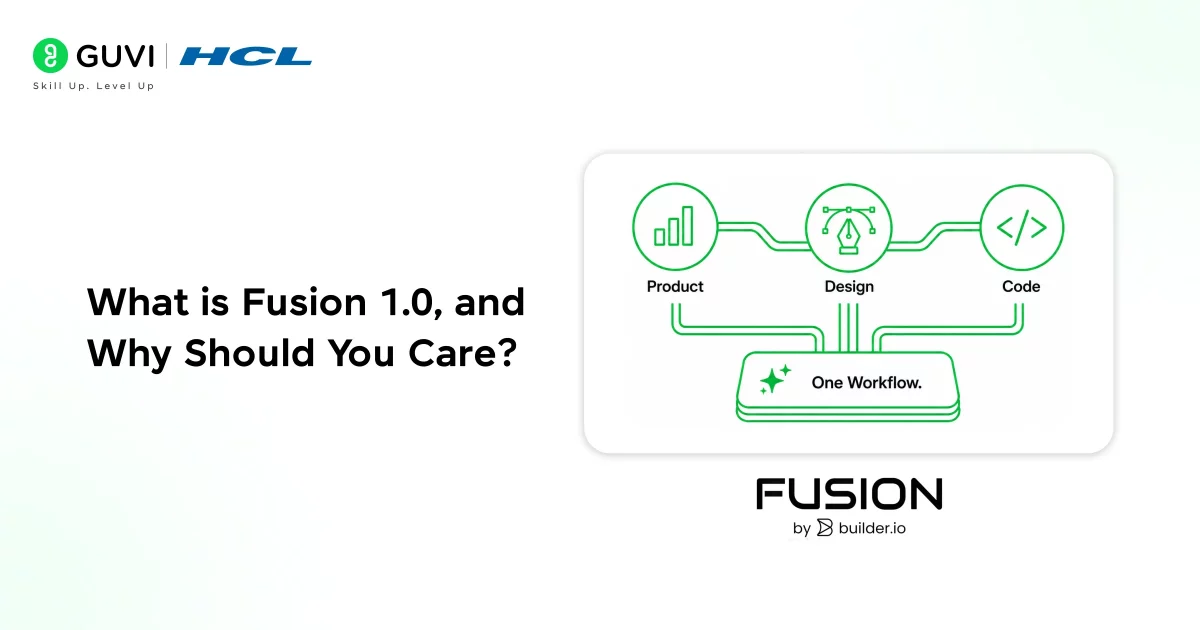
Fusion 1.0 is an AI agent built by Builder.io, a visual development platform trusted by some of the world’s largest companies. It was officially launched on November 14, 2025, and it describes itself as the first AI agent that genuinely speaks the language of all three core disciplines in software development product, design, and code.
Fusion 1.0 sits across all of those stages at once. It does not replace Slack, Jira, Figma, or GitHub; it lives inside them, connecting the dots automatically. The result is a workflow where a conversation in Slack can become a branch in GitHub without anyone writing a single ticket or scheduling a single meeting.
What’s New in Fusion 1.0? A Feature-by-Feature Breakdown
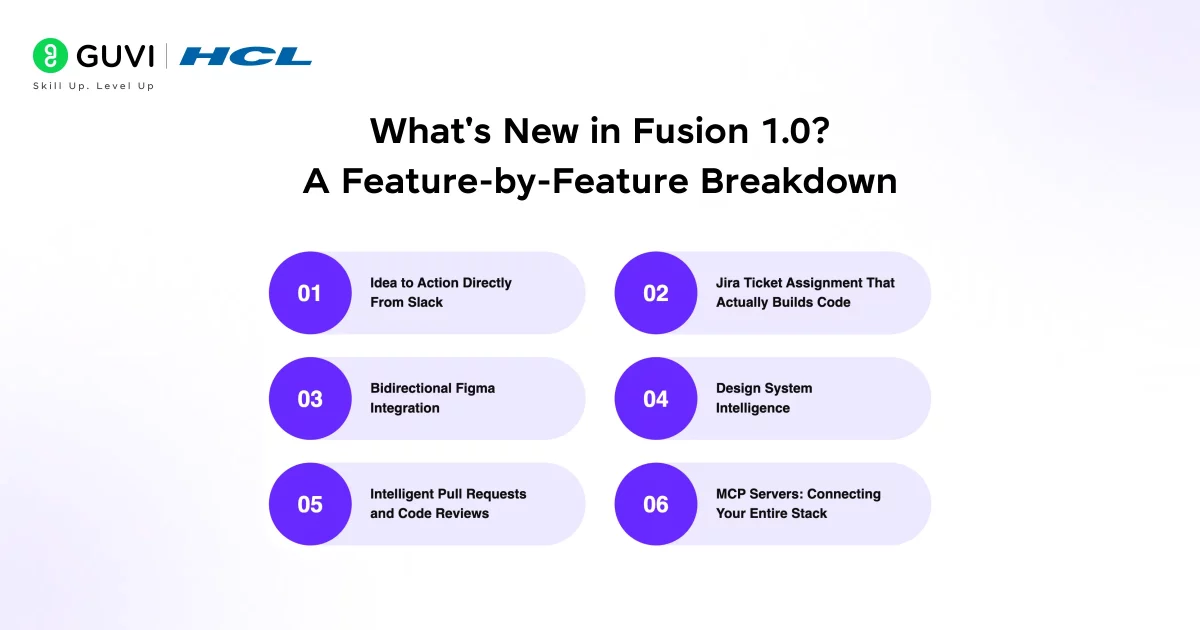
Fusion 1.0 is not a minor update or a new coat of paint on an old idea. It is a full reimagining of how cross-functional product teams can work together using AI. Here is a breakdown of what makes it genuinely different.
1. Idea to Action Directly From Slack
Most product ideas start as a message in a team chat. Fusion 1.0 takes that literally. By tagging builder.io in any Slack thread, your team can turn a rough idea or a feature request into an actual implementation — without leaving Slack.
Fusion reads the message context, understands what is being asked, links it to the relevant project, and starts building. When it finishes, it drops a preview and status update right back into the same thread. No ticket creation, no separate tool, no waiting. Everyone in the conversation can see what is happening as it happens, and the team stays in sync automatically.
2. Jira Ticket Assignment That Actually Builds Code
If your team uses Jira to manage work, Fusion 1.0 introduces a capability that will feel almost too good to be true at first. You can assign a Jira ticket directly to the Builder bot just like you would assign it to a developer.
Fusion reads the ticket, understands the acceptance criteria and user stories inside it, creates a branch in your connected repository, and begins implementing the feature. If you add a comment to the ticket with additional context or changes, Fusion responds with corresponding code updates. The gap between “writing requirements” and “seeing code” collapses dramatically.
Want to master Jira integrations like those in Fusion 1.0? Enroll in HCL GUVI’s Jira Project Management Course today to gain hands-on expertise in workflows, agile boards, and automation perfect for product teams!
3. Bidirectional Figma Integration
Design-to-code has always been a painful transition. You spend hours perfecting a Figma file, hand it to an engineer, and what comes back looks similar but not quite right. Components are reimplemented. Spacing is eyeballed. Color tokens are approximated.
Fusion 1.0 solves this by treating Figma as structured data, not just a visual reference. When you import a Figma design, Fusion understands that three button variants should become one component with props. It recognizes that your color tokens map to CSS variables. It identifies your spacing system and uses your actual components, not newly generated ones. And it works both ways; designs built or edited inside Fusion can be exported back to Figma, keeping your design files synchronized with the live product.
4. Design System Intelligence
Here is something that separates Fusion from generic code generation tools. Fusion deeply indexes your team’s entire design system components, documentation, naming conventions, and styling patterns. Once indexed, this becomes Fusion’s native language.
Whether a team member is importing from Figma or describing a feature from scratch in plain English, everything Fusion generates will reflect how your team actually builds. It will use your existing components, follow your naming conventions, and honor your visual language automatically. This means less time reviewing and correcting AI output, and more time shipping.
5. Intelligent Pull Requests and Code Reviews
Once Fusion writes code, it connects to your repository through GitHub, GitLab, Azure DevOps, or Bitbucket. When a pull request is created and the Builder bot is tagged, code reviews become actual conversations.
A reviewer can comment “make this more prominent” or “use our card component here,” and Fusion reads that feedback and commits the corresponding code change. It handles build failures on its own. It keeps iterating after the team has gone home for the day. For developers who have spent hours translating review comments into code changes, this is a meaningful shift in how much manual work disappears.
6. MCP Servers: Connecting Your Entire Stack
Fusion extends its reach beyond the editor through Model Context Protocol (MCP) servers. This allows it to connect with databases, APIs, and deployment platforms that your team already relies on.
You can connect Supabase or Neon for database operations, Netlify for deployments, Linear for project management, Zapier for bridging hundreds of services, and more. Enterprise teams can even build custom MCP servers for proprietary internal tools. Fusion does not force you into a walled garden; it plugs into the architecture you have already built.
By the time Fusion 1.0 was officially launched, over 10 million designs and PRDs had already been converted into production features through Builder.io’s platform serving real users at some of the world’s largest companies. That means the technology behind Fusion 1.0 was not theoretical. It had already been battle-tested at serious enterprise scale before the 1.0 release even happened.
Pricing and Availability
- Fusion 1.0 is available today for all Builder.io customers
- Free Tier ($0): Core features with usage limits—perfect for exploring workflows
- Pro Plan ($24–$30/user/month): Unlimited usage, advanced AI models, priority support for small teams
- Enterprise Plan (Custom): Role-based access, custom Docker, full MCP integrations for large orgs
Practical Use Cases: What Can You Actually Do With It?
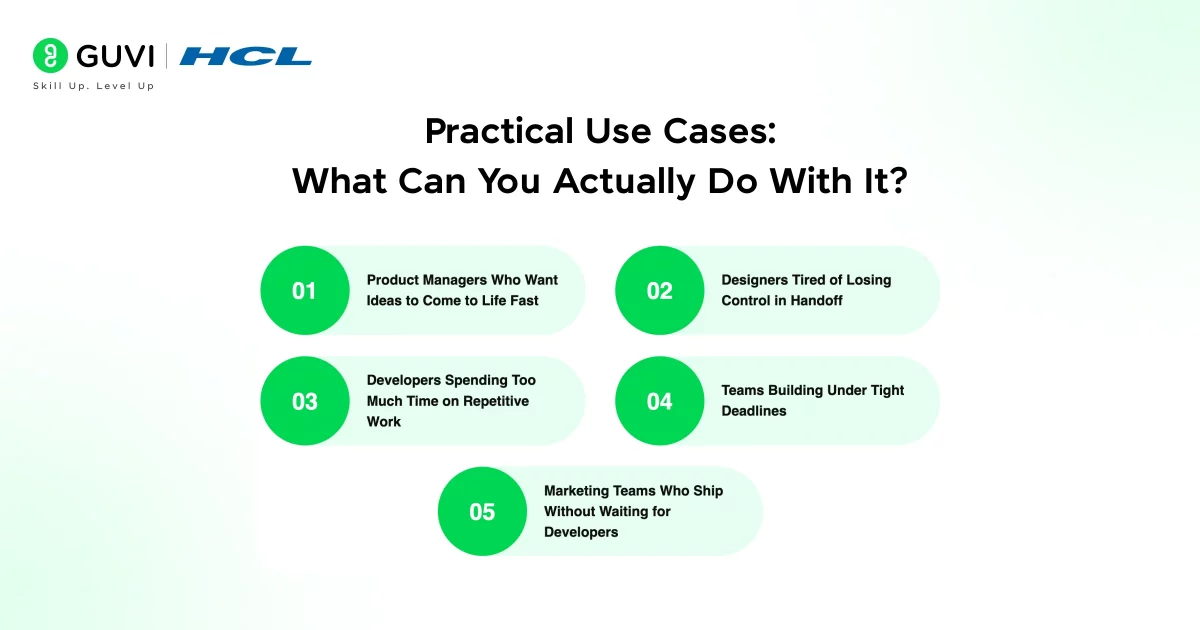
Theory is great, but let’s talk about how Fusion 1.0 shows up in real-world scenarios across different roles on a product team.
1. Product Managers Who Want to See Ideas Come to Life Immediately
A product manager used to write a specification, hand it off, and wait days or weeks before seeing anything working. With Fusion 1.0, a PM can describe a feature in a Slack message or a Jira ticket and watch it begin building in real time. Early adopters at enterprise companies have reported that what used to take months now happens in live team meetings someone pitches an idea, and a working demo exists minutes later.

2. Designers Who Are Tired of Losing Control in Handoff
Designers invest enormous care in getting every detail right. Fusion 1.0 preserves that care. By importing a Figma design, a designer can watch their work become actual, production-quality code that respects every component, color token, and spacing decision they made. The design does not get reinterpreted, it gets faithfully translated.
3. Developers Who Spend Too Much Time on Repetitive Work
Many of the tasks that consume a developer’s day are not complex, they are just tedious. Scaffolding a new endpoint, writing boilerplate for a new component, fixing a build failure after a review comment. Fusion handles all of these automatically, freeing developers to focus on the parts of engineering that actually require creative problem-solving.
4. Teams Building Under Tight Deadlines
When a team needs to go from a product brief to a working prototype quickly, Fusion 1.0 shortens the path dramatically. Teams can use it to scaffold an entire application structure, connect it to a database through MCP servers, and have something doable in a fraction of the time it would traditionally take.
5. Content and Marketing Teams Who Need to Ship Without Waiting for Developers
Fusion 1.0 includes a publishing SDK that allows non-technical team members to update pages, run A/B tests, and personalize experiences directly, without opening a pull request or asking an engineer for help. Guardrails in the permission system ensure they can only touch what has been approved for self-service editing, so the codebase stays safe while these teams gain real autonomy.
AI Memory: The Feature That Makes Fusion Smarter Over Time
Most AI tools start fresh every session. You explain your codebase, your conventions, and your preferences every time you open a new chat. Fusion 1.0 works differently.
- Fusion maintains persistent memory across everything your team does. It learns your UX patterns, your component naming habits, your code conventions, and any direct guidance your team provides. Every time you correct a suggestion or clarify a preference, Fusion gets a little smarter.
- Over weeks and months of use, this means the AI starts producing output that feels genuinely tailored to your team, fewer corrections needed, fewer mismatches with your architecture, and less time spent nudging the AI back on track.
- This is one of the most underrated aspects of Fusion 1.0. It is not just an AI tool — it is one that is designed to become more effective the longer you use it, like a new team member who keeps getting better at understanding how your team works.
The Learning Curve: Is Fusion 1.0 Easy to Pick Up?
- For developers who already work in VS Code, GitHub, and Figma, the transition to Fusion 1.0 is relatively smooth. The integrations are built around tools you already know, and the core idea: tag the bot, assign the ticket, import the design is intuitive from day one.
- The more nuanced skill is learning how to communicate with Fusion effectively. Like any AI tool, the quality of what you get out depends heavily on the clarity of what you put in. Here are a few tips to help you get the most out of it early on.
- Start with the Slack or Jira integration. Give Fusion a small, well-defined task and watch how it handles it. This builds your intuition for how it interprets instructions and what level of detail it needs.
- Use Figma imports to test the design system intelligence. Import a real design file and check whether the components and tokens are being recognized and applied correctly.
Quick Tip for Beginners
If you are new to AI-powered development tools and feeling overwhelmed, start with one integration before trying them all. Connect Fusion to GitHub, assign it one real ticket from your backlog, and review what it builds. Seeing the full cycle ticket to branch to code in action just once is often enough to make the rest of the workflow click. You do not have to change everything at once. Start with one lane and expand from there.
If you’re using Fusion 1.0, verify AI outputs by explaining them in your own words before mergingthis boosts team alignment.Master AI workflows like Fusion: Enroll in HCL GUVI’s Artificial Intelligence & Machine Learning course for hands-on AI expertise!
Conclusion
In conclusion, if you are part of a product team that spends too much energy on handoffs, miscommunications, and repetitive implementation work, Fusion 1.0 is worth your attention. It does not promise to replace your skills or eliminate the need for thoughtful product decisions. What it does promise is that the gap between having an idea and seeing it built will shrink dramatically.
For developers, designers, and product managers who have grown tired of tools that make individuals faster but leave teams fragmented, Fusion 1.0 represents a different kind of solution. It is the first serious attempt to turn the entire product development process into one continuous, AI-assisted workflow and based on the scale at which it was already operating before launch, it is a bet that Builder.io has taken seriously.
So connect a repository, tag the bot in your next Slack thread, and see how it fits into the way your team works. You might be surprised by how quickly the old handoff cycle starts to feel unnecessary.
FAQs
1. What exactly is Fusion 1.0 and who built it?
Fusion 1.0 is an AI agent built by Builder.io, launched on November 14, 2025. It connects product management, design, and engineering into a single workflow by integrating with tools like Slack, Jira, Figma, and GitHub.
2. Do I need to be a developer to use Fusion 1.0?
No. Fusion 1.0 is designed for the entire product team. Product managers can use it through Jira and Slack without writing a single line of code. Designers interact with it through Figma.
3. How is Fusion 1.0 different from tools like GitHub Copilot or Cursor?
Copilot and Cursor are primarily individual developer tools they help one engineer write code faster. Fusion 1.0 is a team-level agent that connects the full product development lifecycle.
4. Is my codebase and design data safe with Fusion 1.0?
Fusion 1.0 offers enterprise-grade security features including granular role-based access control, custom Docker environments, and model flexibility so teams can choose Anthropic, OpenAI, or Google models based on their compliance requirements.
5. Can Fusion 1.0 work with our existing tech stack?
Yes. Fusion 1.0 is designed to work with existing React and component-driven JavaScript frameworks, and it supports custom internal architectures through MCP servers.
Success Stories

About the Author
Lukesh S
A professional content writer who has experience in freelancing and now working as a Technical Content Writer at HCL GUVI having sound knowledge in Blog Writing and Creative Writing!
View all posts by Lukesh S
Connect with me @


















Did you enjoy this article?