


Data Science Articles
Accountant vs Data Analyst Salary in India After Switching Careers - Best Guide
Finance Managers: Could Data Science Be Your Next Career Move?
Insurance Claims Executive to Data Analyst: Is It a Good Switch?
Banking Executive (Loans, KYC) to Data Analyst: Skills and Career Path


Get In Touch For Details! Request More Information

Power BI and Tableau: A Comprehensive Comparison
Mar 10, 2026 6 Min Read 3351 Views
(Last Updated)
If you’ve ever worked with data, whether it’s for a class project, research, or business analytics, you’ve probably heard of Power BI and Tableau.
They’re two of the biggest names in data visualization, and for good reason. But here’s the question most students and professionals eventually ask: Which one should you actually learn or use? Both tools turn raw data into clear, interactive visuals that help you understand patterns and make smarter decisions. The difference lies in how they do it, their design philosophy, ease of use, pricing, and the kind of ecosystem they fit into.
So if you’re trying to choose between Power BI and Tableau for your next project, this guide will help you figure out which one’s right for you. Let us get started!
Table of contents
- What Are Power BI and Tableau?
- Key Similarities Between Power BI and Tableau
- Power BI vs Tableau: Detailed Comparison
- Which One Should You Use?
- Conclusion
- FAQs
- Which one is better: Power BI or Tableau?
- Is Power BI easier to learn than Tableau?
- Do I need coding skills to use either Power BI or Tableau?
- Can I try either tool for free before committing?
- Which tool handles large datasets better: Power BI or Tableau?
What Are Power BI and Tableau?

Microsoft Power BI is a suite of cloud and desktop tools that turn diverse data sources into interactive reports and dashboards. It originated as Excel add-ons (Power Pivot and Power Query) and officially launched as a standalone product in 2015.
Tableau, by contrast, is a data visualization platform founded in 2003 by a team of Stanford researchers and released in 2004. Tableau was acquired by Salesforce in 2019 (for $15.7 billion), making it part of a large enterprise ecosystem.
Despite their different origins, both tools let even non-technical users explore and present data visually without heavy coding. In practice, you can use either to connect to data (spreadsheets, databases, cloud sources, etc.) and build charts, maps, and dashboards that answer your questions.
If you are interested in learning more about Power BI and how it works in an actual data science environment, consider enrolling in HCL GUVI’s Self-paced Power BI Course that is specifically tailored to equip you with the skills to build insightful dashboards and reports.
Key Similarities Between Power BI and Tableau
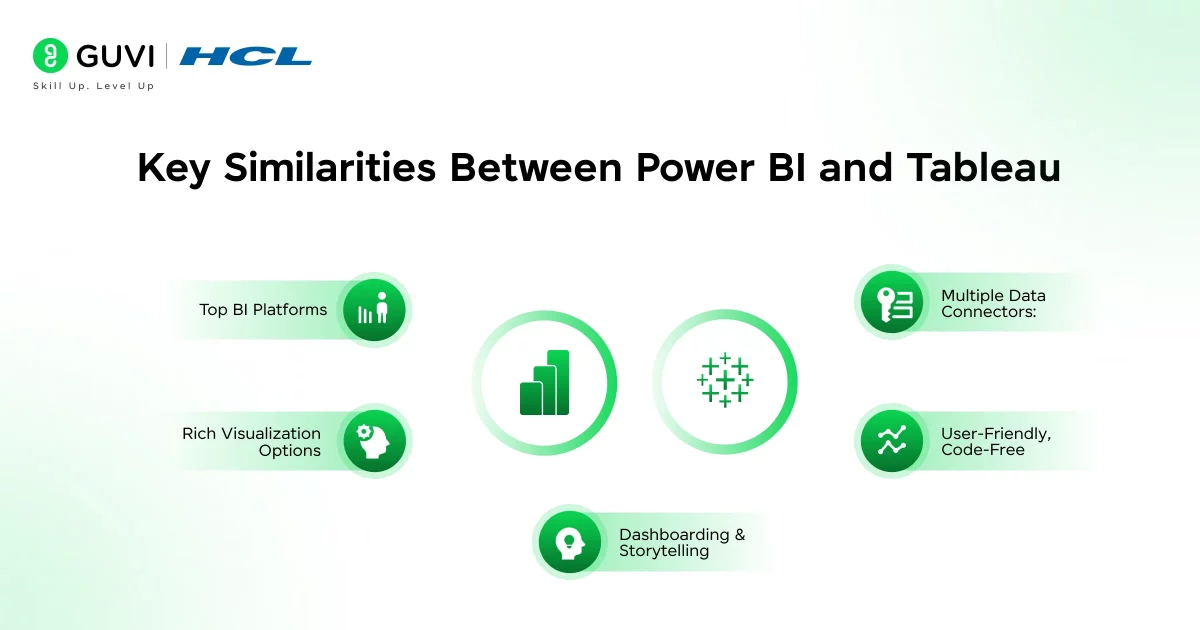
- Top BI Platforms: Gartner consistently ranks Power BI and Tableau as the #1 and #2 analytics/BI tools on the market. Both enjoy active communities and high user ratings (each averaging about 4.4/5 stars in reviews).
- Rich Visualization Options: You can create a wide range of charts in either toolbar/line charts, pie charts, treemaps, heat maps, geographic maps, and more. Both platforms provide drag-and-drop dashboards where you can filter, drill down, and interact with the data.
- Multiple Data Connectors: Both Power BI and Tableau connect to many data sources out of the box. Common sources include Excel, CSV/JSON files, SQL databases, and cloud warehouses. In their paid versions, each adds 50+ more connectors (e.g., Google BigQuery, Amazon Redshift, Salesforce).
- User-Friendly, Code-Free: These tools are designed for self-service analytics. You can build reports by pointing and clicking and without writing code. This makes both Power BI and Tableau popular choices for students and business users who want to visualize data without programming expertise.
- Dashboarding & Storytelling: Both allow you to combine charts into interactive dashboards, add filters, tooltips, and even story “slides” (Tableau’s Story Points or Power BI’s bookmarks) to guide viewers through insights.
Power BI vs Tableau: Detailed Comparison
| Category | Power BI | Tableau |
| Primary Focus | Power BI focuses on delivering data analytics that are easy to use and tightly integrated with Microsoft tools. It aims to make reporting, data modeling, and sharing as simple as possible for all skill levels. | Tableau focuses heavily on data exploration and visual storytelling. It gives users granular control over charts and dashboards, making it ideal for deep analytical work and presentations. |
| User Interface | If you’ve ever used Excel or other Microsoft products, you’ll find Power BI’s interface instantly familiar. Its drag-and-drop design, combined with clear navigation, makes report building straightforward for beginners. | Tableau’s interface is built for visual thinkers. It feels more creative and flexible, allowing users to experiment with layouts, chart types, and filters to uncover insights visually. |
| Operating System Support | Power BI Desktop works only on Windows, but you can still access the Power BI Service from any browser or device. | Tableau Desktop is available on both Windows and macOS, making it a better choice if you’re a Mac user. |
| Pricing and Licensing | Power BI offers a generous free desktop version and affordable paid plans. The Pro license (about $10 per user/month) allows report sharing, while Premium plans add advanced data features and higher capacity. | Tableau’s pricing starts higher, with the Creator plan at around $75 per user/month. However, it offers advanced capabilities, including Tableau Prep and stronger server options for enterprise use. |
| Free Version Availability | Power BI Desktop is completely free for personal use and learning. You only need to pay if you want to share your dashboards securely or publish them in a workspace. | Tableau Public is free, but anything you create is visible to everyone online. It’s great for learning or showcasing work publicly, but not ideal for sensitive data. |
| Ease of Use | Power BI is known for its simplicity. You can create professional dashboards quickly, especially if you already know Excel. Its guided visuals and AI suggestions make it approachable for students and beginners. | Tableau has a steeper learning curve but rewards you with greater creative control. Once you understand its logic, you can design highly detailed and beautiful visualizations. |
| Visualization Quality | Power BI visuals are clean and functional, designed for quick insights and business reporting. You can enhance them further with custom visuals from Microsoft’s marketplace. | Tableau excels in design flexibility and presentation quality. Its visuals look more polished and dynamic, making it ideal for storytelling and academic or research presentations. |
| Performance with Large Data | Power BI handles small to medium datasets effortlessly. However, extremely large data models may require Power BI Premium or Azure integration to maintain performance. | Tableau handles large datasets with ease thanks to its Hyper Data Engine. It’s often the preferred tool for organizations working with big data and complex analytics. |
| Data Preparation Tools | Power BI uses Power Query for cleaning and transforming data. It’s user-friendly, offering step-by-step transformation tracking and support for the M query language. | Tableau provides Tableau Prep, a dedicated data preparation tool. It lets you visually shape, combine, and clean data before analysis, which is useful for larger, messy datasets. |
| Integrations and Ecosystem | Power BI integrates seamlessly with the Microsoft stack: Excel, Teams, SharePoint, and Azure. This makes it a natural fit for students or organizations already using Microsoft tools daily. | Tableau integrates deeply with Salesforce and many third-party platforms like Google BigQuery, Snowflake, and AWS. |
| Collaboration and Sharing | Power BI makes collaboration simple through Power BI Service and Microsoft Teams. You can publish reports, manage permissions, and update dashboards in real time. | Tableau Server and Tableau Cloud allow secure sharing and real-time updates. Users can comment, interact, and collaborate directly within dashboards. |
| Community and Support | Microsoft’s Power BI community is huge, with active forums, documentation, and learning paths on Microsoft Learn. You’ll also find countless tutorials, blogs, and videos online. | Tableau’s “DataFam” community is known for being one of the most passionate in the BI world. They host user groups, forums, and conferences that make learning and networking easy. |
| Deployment Options | Power BI can be deployed on the cloud via Power BI Service or hosted on-premises using Power BI Report Server. It’s scalable and easy to manage through Azure. | Tableau offers both Tableau Cloud (for SaaS users) and Tableau Server (for organizations needing on-prem control). Both support secure, large-scale deployments. |
| Mobile Accessibility | Power BI has responsive mobile apps for iOS and Android, and dashboards automatically adapt to smaller screens. | Tableau also provides strong mobile support, allowing users to explore dashboards on smartphones and tablets with fluid interactivity. |
| Best Suited For | Power BI is best for beginners, students, and small-to-medium organizations who want quick insights without complex setup. It’s ideal if your environment already uses Microsoft tools. | Tableau is better for users who prioritize deep analysis, storytelling, and flexibility. It shines in research, large enterprises, and data-heavy academic projects. |
| Learning Curve | Power BI’s learning curve is gentle, and you can be productive within days. Most students find it intuitive and forgiving when starting out. | Tableau requires more practice, but once you grasp its flow, it becomes an incredibly powerful visualization tool that rewards creativity. |
| Typical Use Cases | Great for financial dashboards, academic reporting, and quick business insights. Common in companies using Office 365. | Commonly used for exploratory data analysis, storytelling projects, and professional-grade visualizations in research and enterprise environments. |
If you want to read more about how Power BI and Tableau influence Data Science and its use cases, consider reading HCL GUVI’s Free Ebook: Master the Art of Data Science – A Complete Guide, which covers the key concepts of Data Science, including foundational concepts like statistics, probability, and linear algebra, along with essential tools.
Tableau has its own public “Viz of the Day.” Every day, Tableau highlights one user-created visualization from around the world. It’s an amazing way to see creative, real-world uses of data, from art history trends to sports analytics.
Power BI integrates with ChatGPT and Copilot now. The latest Microsoft 365 Copilot updates let you ask Power BI questions directly in natural language and generate dashboards faster. It’s blurring the line between data analysis and AI-driven storytelling.

Which One Should You Use?

Both tools are powerful, so focus on what you need:
- Your Tech Environment: If you (or your organization) already live in Microsoft 365/Azure/Excel, Power BI will slide right into your workflow. If you primarily use Salesforce, Google Cloud, or need Mac support, Tableau might make more sense.
- Budget & Scale: Power BI can be much cheaper at small scale (even free for desktop). Tableau’s full license is pricier but includes enterprise-grade features. Think about how many users you’ll have and how complex the deployment is.
- Visual/Analytic Needs: For day-to-day reporting and dashboards, Power BI has more than enough chart types. But if you want highly customized visuals or advanced analytics (storytelling, niche charts), Tableau is often favored. Similarly, for huge datasets (think billions of rows), Tableau may handle scaling better.
- Try Them Out: Both platforms have free/trial options. Download Power BI Desktop or sign up for Tableau Public/Trial and experiment. Practice with sample data – many tutorials walk you through common scenarios (sales dashboards, student data analytics, etc.).
- Learning & Career: In the end, learning either tool builds valuable skills. Many data analytics courses and edtech curricula include at least one of them. If you’re a student, you might find chances to use both (class projects, certifications). Focus first on the one your course or workplace emphasizes, then try to explore the other later.
Whichever you choose, you’ll be gaining experience in data visualization, a key skill in edtech and beyond.
If you want to learn more about how both tools are crucial for data science through a structured program that starts from scratch and slowly teaches you everything about the subject, consider enrolling in HCL GUVI’s Certified Data Science Course, which empowers you with the skills and guidance for a successful and rewarding data science career
Conclusion
In conclusion, Power BI and Tableau aren’t rivals as much as they are two different paths to the same goal: understanding data better. Power BI shines when you want something practical, affordable, and deeply tied to Microsoft tools. Tableau stands out when you want creative control, scalability, and presentation-ready visuals that wow your audience.
If you’re a student or early in your data journey, start with Power BI to build a strong foundation in analytics and reporting. Once you’re comfortable, explore Tableau to push your visualization skills further. Both tools are valuable in the job market, and learning either will give you the confidence to turn complex data into stories that actually make sense.
FAQs
1. Which one is better: Power BI or Tableau?
It depends on your context, for students or organizations already using Microsoft tools, Power BI is usually more cost-effective and easy to adopt. For advanced visualization work, large datasets or storytelling with data, Tableau often offers more flexibility and depth.
2. Is Power BI easier to learn than Tableau?
Generally yes, Power BI has a gentler learning curve, especially if you’re familiar with Excel or the Microsoft environment. Tableau has more advanced features and thus may take more time to master for deeper analytics.
3. Do I need coding skills to use either Power BI or Tableau?
No, neither requires coding for basic dashboards and visuals; you can get started without programming. But if you want to unlock advanced calculations, modeling or visuals, both tools allow you to use languages (DAX/M, R, Python) for extra power.
4. Can I try either tool for free before committing?
Yes, Power BI offers a free Desktop version and Tableau offers a free Public (or trial) version. These let you explore features, build dashboards and see if the tool fits your workflow before upgrading to paid licenses.
5. Which tool handles large datasets better: Power BI or Tableau?
Success Stories

About the Author
Lukesh S
A professional content writer who has experience in freelancing and now working as a Technical Content Writer at HCL GUVI having sound knowledge in Blog Writing and Creative Writing!
View all posts by Lukesh S
Connect with me @














Did you enjoy this article?