


Software Development Articles
How to Read and Understand System Design Diagrams?
System Engineer Roles and Responsibilities: 12 Proven Duties for Growth
SAP Consultant Roles and Responsibilities: 12 Proven Duties for Growth and Success
Network Engineer Roles and Responsibilities: 12 Essential Duties for Success


Get In Touch For Details! Request More Information

AI in Software Development: How it Transforms Coding?
Sep 08, 2026 6 Min Read 2839 Views
(Last Updated)
What if writing code felt less like a struggle with syntax and more like having a smart partner who finishes your sentences? That’s the promise AI brings to software development.
In India, especially, where millions of developers fuel one of the world’s largest IT ecosystems, AI isn’t just a buzzword; it’s becoming a daily companion in coding, testing, deployment, and even project management.
But what does this shift really mean for you as a developer, a student, or even a project lead watching deadlines pile up? Let’s understand how AI is reshaping the way software gets built.
Table of contents
- How AI and Software Development Go Hand-in-Hand?
- AI in Software Development: How it Transforms Coding?
- AI-Powered Code Generation and Assistance
- Smarter Testing and Debugging with AI
- AI in Deployment and DevOps Automation
- Streamlining Code Reviews and Documentation
- AI-Assisted Project Management in Software Development
- Ethical and Practical Considerations of Using AI in Software Development
- Impact on Developer Jobs and Skills in India
- Quick Quiz: How Much Did You Learn?
- Conclusion
- FAQs
- How is AI used in software development?
- Will AI replace software developers?
- What are the benefits of AI in software development?
- What challenges come with using AI in software development?
- What is the future of AI in software development?
- What is the difference between an AI course and an AI & ML course?
- What job roles can I apply for after completing an AI & ML course?
- How should I evaluate AI & ML certifications before enrolling?
How AI and Software Development Go Hand-in-Hand?
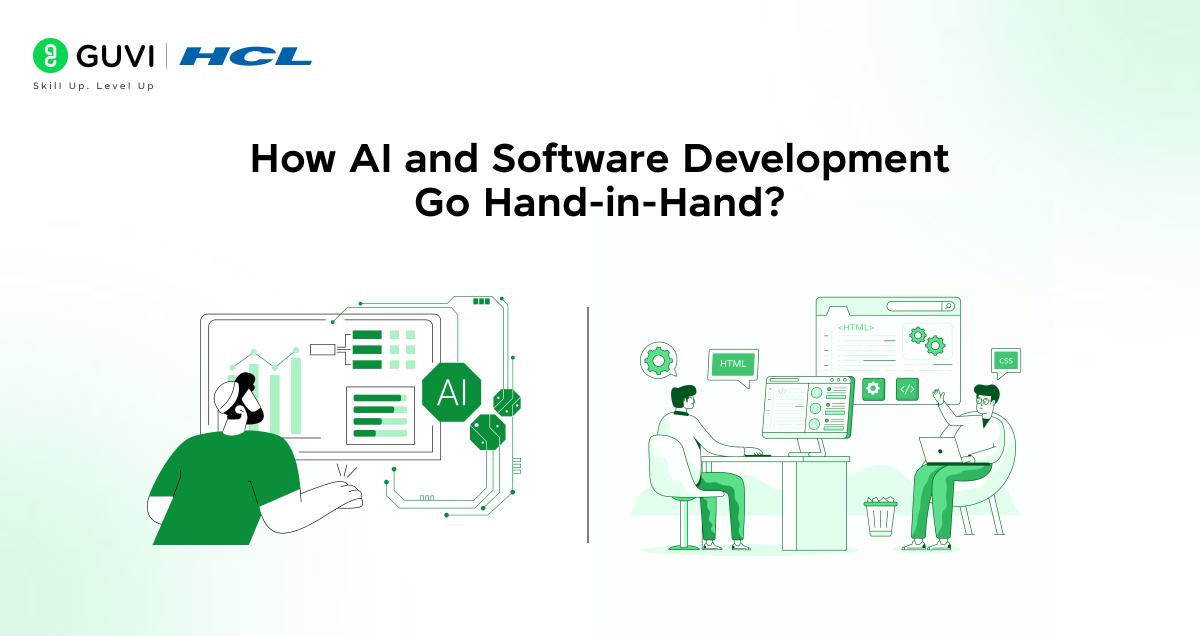
Artificial Intelligence and software development are no longer separate disciplines; they’re increasingly intertwined. At its core, software development has always been about solving problems with logic and structure. What AI adds is the ability to learn from massive patterns of past code, automate routine work, and suggest improvements in real time.
This means the developer doesn’t have to spend hours writing boilerplate functions, running repetitive tests, or digging through endless error logs. Instead, AI tools can generate code snippets, highlight potential bugs before they cause failures, and even forecast risks in deployment pipelines.
In short, AI and software development now move forward hand in hand, shaping a future where the act of building software is both smarter and more human-centric.
AI in Software Development: How it Transforms Coding?
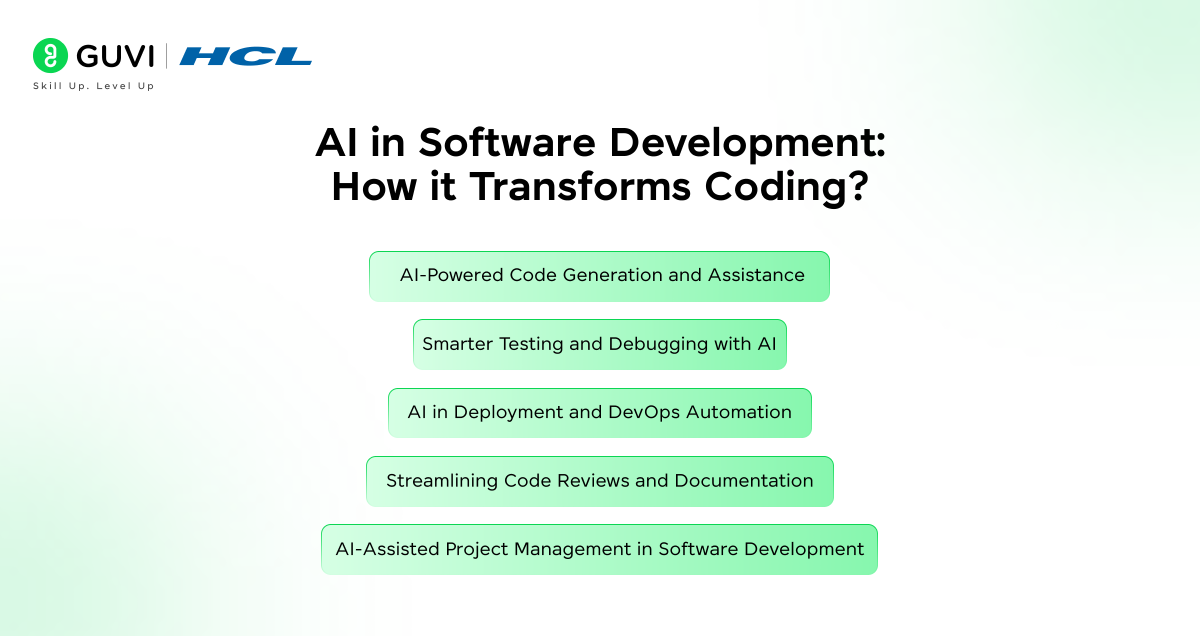
AI in software development isn’t just about futuristic concepts; it’s already reshaping how software is built today. From writing code and testing it to managing deployments and projects, AI acts as a powerful co-pilot for developers. Let us see the impact that it creates in the coding world.
1. AI-Powered Code Generation and Assistance
One of the most visible impacts of AI in programming is the rise of AI coding assistants. These are tools (often built on large language models) that can understand natural language and source code context to suggest or even generate code.
Think of them as autocompletion on steroids – you write a comment or a function signature, and the AI suggests several lines of code instantly. In fact, generative AI models can turn simple text instructions into working code 55% faster, and even help check code quality in many programming languages.
How AI helps with coding:
- Autocompletion and Boilerplate: AI can complete whole functions or classes once you write a few lines or a descriptive comment. This saves time on writing boilerplate code (the boring, repetitive bits).
- Code Generation from Natural Language: You can describe a task in plain English, and the AI will draft the code. This lowers the barrier for beginners and speeds up prototyping.
Tools in Action:
- GitHub Copilot – integrates with VS Code, JetBrains, and Neovim for smart code suggestions.
- Tabnine – AI autocompletion trained on open-source code.
- Amazon CodeWhisperer – code generation with multi-language support.
2. Smarter Testing and Debugging with AI
Writing code is only half the battle – making sure it works (and keeps working) is the other half. AI is proving invaluable in software testing and debugging by automating and smartening up many quality assurance (QA) tasks.
AI’s knack for pattern recognition is a game-changer in debugging. Instead of manually combing through log files or using trial-and-error to find a pesky bug, machine learning models can spot anomalies in program behavior or code that deviate from the norm.
How AI improves software testing and debugging:
- Automated Test Generation: AI tools can generate unit tests or UI test scripts by analyzing code structure and user flows, ensuring broader test coverage without requiring QA engineers to write every test manually.
- Intelligent Bug Detection: Machine learning models learn what “normal” code execution looks like and can flag deviations. They can detect subtle issues that might escape human eyes, such as edge-case scenarios or performance bottlenecks.
- Faster Root Cause Analysis: When a test fails or an application crashes, AI can help pinpoint the likely cause by correlating error messages, recent code changes, and known issues. This speeds up debugging significantly.
Of course, this doesn’t mean that human testers will run out of job, human oversight in testing is still crucial. AI might miss context or misunderstand the intended behavior of a feature. But as a supportive tool, it dramatically reduces the tedious parts of QA.
Tools in Action:
- Testim – AI-powered automated testing for UI and regression.
- Mabl – cloud-based intelligent test automation.
- Diffblue Cover – AI unit test generator for Java.
3. AI in Deployment and DevOps Automation
Getting code from a developer’s laptop to running on servers (whether in a data center or the cloud) involves a complex process called Continuous Integration and Continuous Deployment (CI/CD).
Here too, AI is making its mark by automating and optimizing deployment pipelines. In traditional setups, DevOps engineers set up scripts and monitors to ensure updates roll out smoothly. Now, AI algorithms can observe these pipelines and learn patterns to predict issues.
AI in DevOps can:
- Automate Routine Steps: Tools augmented with AI can automatically configure environments, run compatibility tests, and deploy to production when conditions are met, all without waiting for a human trigger.
- Predict and Prevent Failures: AI looks at metrics, logs, and past incidents to predict if a deployment might introduce a bug or performance issue. It might catch, for instance, that a new version of an app is likely to overload the server CPU based on test data trends.
Tools in Action:
- Harness – AI-driven CI/CD with continuous verification.
- Dynatrace – AIOps platform for monitoring and auto-remediation.
- Ansible Lightspeed with IBM Watson Code Assistant – AI support for infrastructure automation.
By automating deployment and managing infrastructure intelligently, AI not only saves time but also reduces the risk of human error (like that one missed configuration that could crash a server).
4. Streamlining Code Reviews and Documentation
Every developer knows the pain of code reviews and documentation. AI-assisted code review tools act like an extra pair of senior eyes. They scan through code changes and highlight potential issues, maybe a security vulnerability (like a missing input validation), a performance concern (an inefficient loop), or just coding style inconsistencies.
Benefits of AI in reviews and docs:
- Faster Code Reviews: AI review assistants catch many common errors or deviations from standards, so code reviews take less time, and feedback becomes more objective.
- Improved Code Quality: By consistently checking every change, AI tools enforce good practices (for example, they might warn if new code doesn’t have corresponding tests or if it duplicates existing code).
- Up-to-date Documentation: AI can automatically update documentation when code changes – for instance, adjusting an API specification when a developer modifies a function signature, ensuring docs don’t fall out of sync.
Tools in Action:
- Amazon CodeGuru Reviewer – AI-based code review suggestions.
- DeepCode (by Snyk) – AI-powered static code analysis.
- Kite – autocompletion and docstring generation.
5. AI-Assisted Project Management in Software Development
It’s not just the coding side of software projects getting an AI upgrade – project management is too. Software development is ultimately a team activity with timelines, resource planning, and risk management. AI is starting to play the role of an intelligent project assistant, helping project managers (PMs) and teams make better decisions.
How does this work? One big way is through data analysis and predictive analytics. Software projects generate lots of data: task estimates vs actual time taken, bug counts, team velocity, etc. AI can crunch this historical data to find patterns that a human PM might miss.
Where AI aids project management:
- Risk Prediction: AI tools scan project data and even code quality metrics to predict risks. An interesting case – AI can analyze code repositories to gauge code health (like complexity or lack of tests) and warn the PM of areas that might cause bugs or slow down development.
- Resource Allocation and Scheduling: By learning from past projects, AI can suggest the optimal allocation of developers to tasks or the realistic duration of a task.
- Communication and Coordination: Virtual assistants can automate a lot of administrative PM work. AI meeting assistants can transcribe meetings, highlight action items, and even send follow-up reminders.
Tools in Action:
- ClickUp AI – project management assistant for tasks and documentation.
- Monday.com AI – predictive analytics and automation in workflows.
- Jira with Atlassian Intelligence – AI for sprint planning, backlog grooming, and summaries.
- Notion AI – automates meeting notes, task breakdowns, and documentation.
India ranks second in AI-assisted coding usage: Around 80% of Indian programmers already use AI tools like ChatGPT or IDE plug-ins for coding help, making India one of the fastest adopters globally.
AI writes more than half the code in some projects: On platforms where AI pair-programmers are enabled, up to 60% of the code is generated by AI, and experts predict this could reach 80% in the near future.

Ethical and Practical Considerations of Using AI in Software Development
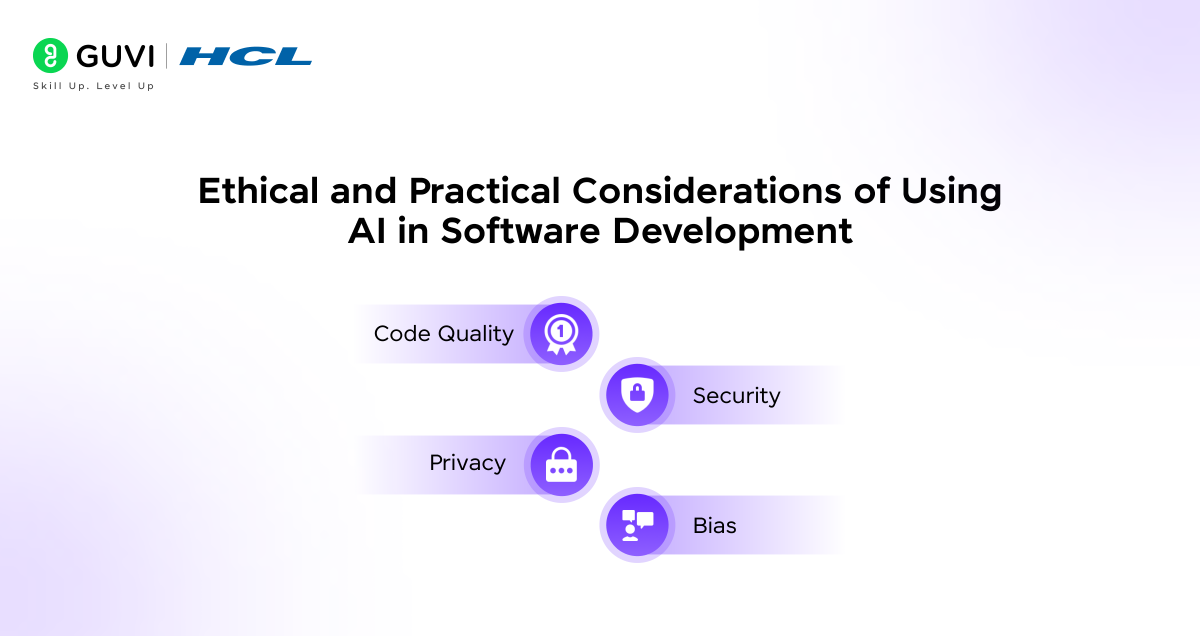
While the marriage of AI and software development is exciting, it comes with its share of ethical and practical challenges. It’s important to navigate these carefully to utilize AI’s benefits without unintended consequences.
- Code Quality: One major concern is code quality and correctness. If an AI generates code, who guarantees it’s right? AI tools can sometimes produce inaccurate or inefficient code if the prompt or context is ambiguous.
- Security: Closely related is the issue of security and malicious code. AI models trained on public code might inadvertently suggest insecure practices or even include snippets of copyrighted or vulnerable code. Ultimately, it’s about trust but verify – AI assists in coding, but developers must review for security and compliance.
- Privacy: Another ethical dimension is intellectual property and privacy. AI coding assistants often operate by training on vast amounts of existing code, which may include open-source code under various licenses.
- Bias: Finally, there’s the ethical imperative of bias. If AI is used in any decision-making (say, suggesting one solution approach vs another), it could carry hidden biases based on the training data.
Remember that the goal is to enjoy the productivity boost and innovative spark that AI provides, without stumbling into legal, security, or quality pitfalls.
Impact on Developer Jobs and Skills in India
Whenever automation comes in, the inevitable question is: “What does this mean for jobs?” In the context of AI and software development, the answer isn’t black and white. Rather than eliminating the need for human developers, AI is changing the nature of software development jobs.
Let’s tackle the fear first: Will AI take away developer jobs? In the near term, most signs point to no. Top industry executives have repeatedly said that AI is a tool to augment developers, not replace them. In fact, AI may help tackle the chronic talent crunch by making each developer more productive, rather than making some developers redundant.
In the broader picture, AI’s rise in software development could actually expand the software job market. How? By dramatically reducing development costs and time, AI could enable many more software projects (including in areas that were not economically feasible before). The developers’ role will shift to higher-value tasks. So rather than a wave of layoffs, it might be a wave of upskilling and role transformation.
Quick Quiz: How Much Did You Learn?
Think you’ve got a handle on AI’s impact on software development? Test your knowledge with this short multiple-choice quiz:
- By how much have some AI coding tools been reported to improve developer productivity?
a. 10-15%
b. 25%
c. Around 50%
d. Over 90% - What percentage of Indian programmers are estimated to be using tools like ChatGPT or AI code assistants to help with their work?
a. 10%
b. 40%
c. 60%
d. More than 80% - Organizations that fully embrace AI in project management are roughly ___ more likely to deliver projects on time.
a. 5%
b. 30%
c. 50%
d. 100%
Check your answers below to see how you did!
Answers: 1. c; 2. d; 3. b.
If you’re serious about mastering artificial intelligence in software development and want to apply it in real-world scenarios, don’t miss the chance to enroll in HCL GUVI’s IITM Pravartak and MongoDB Certified Online AI Software Development Course. Endorsed with NSDC certification, this course adds a globally recognized credential to your resume, a powerful edge that sets you apart in the competitive job market.
Conclusion
In conclusion, AI is no longer an experiment sitting on the sidelines of software development; it’s embedded in the way code is written, tested, and shipped. The opportunity lies in faster cycles, smarter tools, and new career paths; the responsibility lies in using these tools ethically, validating their output, and continuously upskilling to stay relevant.
If there’s one takeaway, it’s this: AI won’t replace you, but a developer who knows how to work with AI might. The future of software in India will be written by human creativity, powered by machine intelligence, and that’s a combination worth preparing for.
FAQs
1. How is AI used in software development?
AI is used to speed up and improve nearly every stage of the software development lifecycle. It assists with code generation, testing, debugging, deployment automation, project management, and even documentation.
2. Will AI replace software developers?
No, AI is not expected to replace developers entirely. Instead, it acts as a co-pilot, automating routine coding and testing while humans handle design, architecture, and decision-making. In India, most developers see AI as a skill booster rather than a threat.
3. What are the benefits of AI in software development?
The key benefits include:
– Faster coding with AI-generated suggestions
– Improved bug detection and automated testing
– Smarter, risk-aware deployments
4. What challenges come with using AI in software development?
The main challenges are:
– Code accuracy
– Security
– Intellectual property
5. What is the future of AI in software development?
The future points toward more autonomous AI agents that can handle entire workflows, from building an app structure to testing and deployment. In India, with its massive developer base, this will accelerate innovation in startups and IT services alike.
What is the difference between an AI course and an AI & ML course?
An AI course focuses on artificial intelligence concepts, while an AI & ML course includes machine learning, deep learning, NLP, computer vision, and practical model-building skills. If you’re looking for hands-on AI and ML training, explore the HCL GUVI AI & ML Programme.
What job roles can I apply for after completing an AI & ML course?
You can apply for roles such as AI Engineer, Machine Learning Engineer, Data Scientist, NLP Engineer, Computer Vision Engineer, and AI Developer. To prepare for these roles, consider a project-based AI & ML Programme with career support.
How should I evaluate AI & ML certifications before enrolling?
Evaluate AI & ML certifications based on industry recognition, curriculum relevance, hands-on learning, project experience, and career outcomes. You can also compare what’s included in the HCL GUVI AI & ML Programme before making a decision.
Success Stories

About the Author
Lukesh S
A professional content writer who has experience in freelancing and now working as a Technical Content Writer at HCL GUVI having sound knowledge in Blog Writing and Creative Writing!
View all posts by Lukesh S
Connect with me @










Did you enjoy this article?