


UI/UX Designing Articles
What is a Design System? The Ultimate Guide to Building Consistent UIs
What is UX Writing? A Complete Guide to Mastering Microcopy and Content Design
What is a UX Audit? A Complete & Best Guide to User Experience Evaluation
How HCL GUVI Zen Class Helps You Build a Job-Ready UI/UX Portfolio


Get In Touch For Details! Request More Information

The Role of Micro-Interactions in UX
Jun 04, 2026 5 Min Read 9120 Views
(Last Updated)
Small animations, button responses, and swipe actions are part of what makes apps and websites feel smooth and interactive. These tiny design elements, called micro-interactions, help users navigate digital products more naturally and create a better user experience.
From showing feedback after an action to guiding users through tasks, micro-interactions improve usability in subtle ways. While they may seem minor, these small details play a major role in making digital experiences more engaging and enjoyable.
Table of contents
- TL;DR Summary
- What Are Micro-Interactions
- Micro-Interactions Working Mechanism
- A Trigger Starts the Interaction
- The System Processes the Action
- Feedback is Given to the User
- The Interaction Continues or Ends
- The User Understands the Result
- The Role of Micro-Interactions in UX Design
- Enhancing Usability
- Guiding User Behavior
- Adding Delightful Details
- Communicating System Status
- Encouraging User Engagement
- Balancing Simplicity and Complexity
- Benefits of Micro-Interactions in UX Design
- Examples of Micro-Interactions
- Scrollbar
- Pull-to-Refresh Animation
- Swipe Animation
- Digital Alarm
- Notification
- Conclusion
- FAQs
- Can too many micro-interactions create a bad user experience?
- Are micro-interactions only used in mobile applications?
- What makes a good micro-interaction?
- Why do loading animations matter in UX design?
- Do micro-interactions affect user retention?
- Should every button or action have a micro-interaction?
TL;DR Summary
- Micro-interactions are small UI elements and interactions that improve user experience and usability by providing feedback, guiding actions, and making apps and websites feel smooth and interactive.
- The micro-interaction mechanism follows a simple process in which triggers, system processing, and feedback help users instantly understand the results without confusion.
- The role of micro-interactions in UX design includes guiding user behaviour, improving usability, communicating system status, and creating smoother digital experiences.
- Benefits of micro-interactions in UX design include better communication, increased user engagement, and intuitive navigation, helping create more enjoyable experiences.
- Common examples of micro-interactions include scrollbars, swipe animations, notifications, and pull-to-refresh actions that make everyday interactions faster and easier.
The term “Microinteractions” became widely popular after designer and author Dan Saffer published his book in 2013, bringing attention to the small interactions that shape digital experiences.
What Are Micro-Interactions
Micro-interactions are the small, often unnoticed actions that occur within a digital product. They’re the tiny functionalities or animations that happen when you interact with a device or application. For example, when you turn off an alarm on your phone, the switch you tap is a micro-interaction.
These interactions are usually so seamless and integrated into our digital experiences that we might not even think about them, but they play a big part in how we feel about using a product.
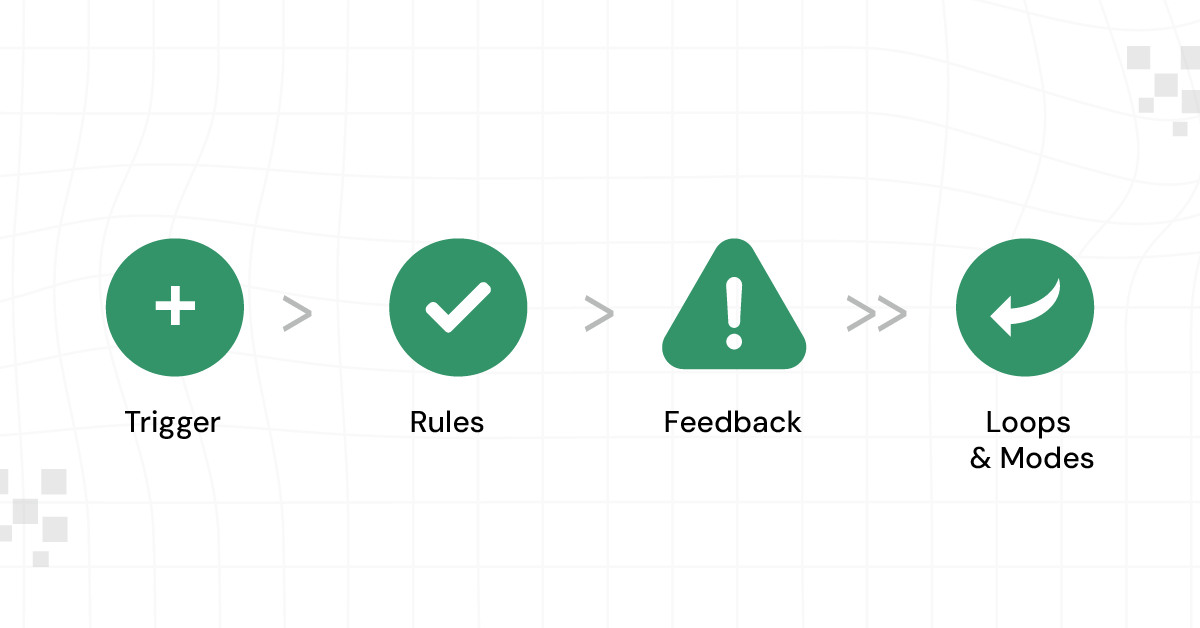
The elements that make up a micro-interaction are as follows:
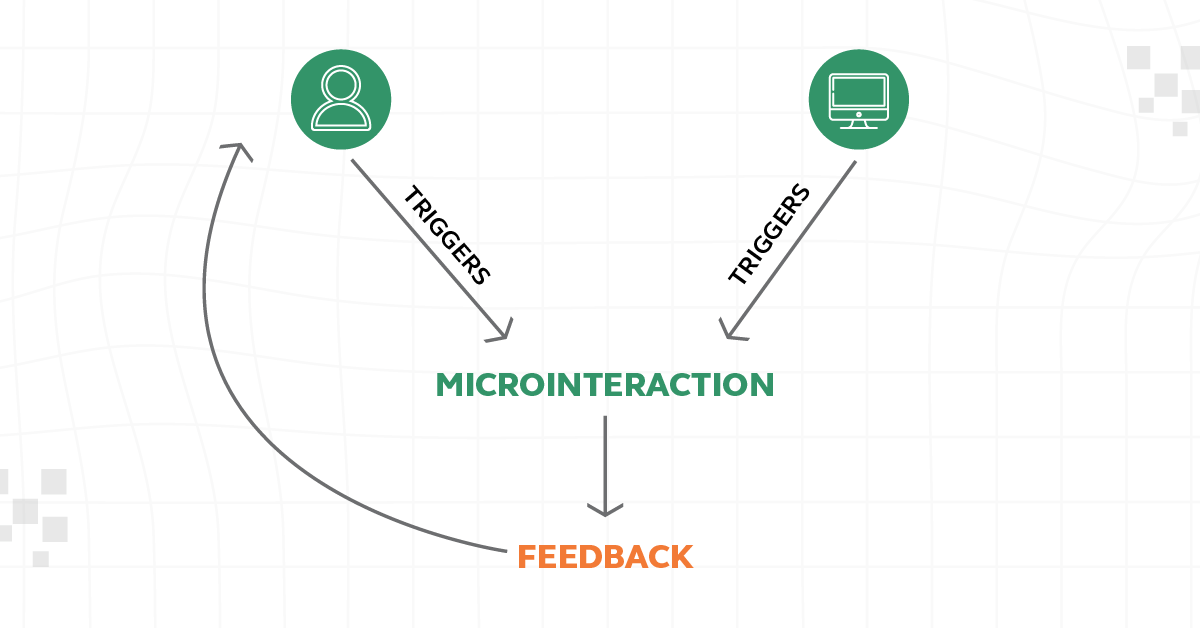
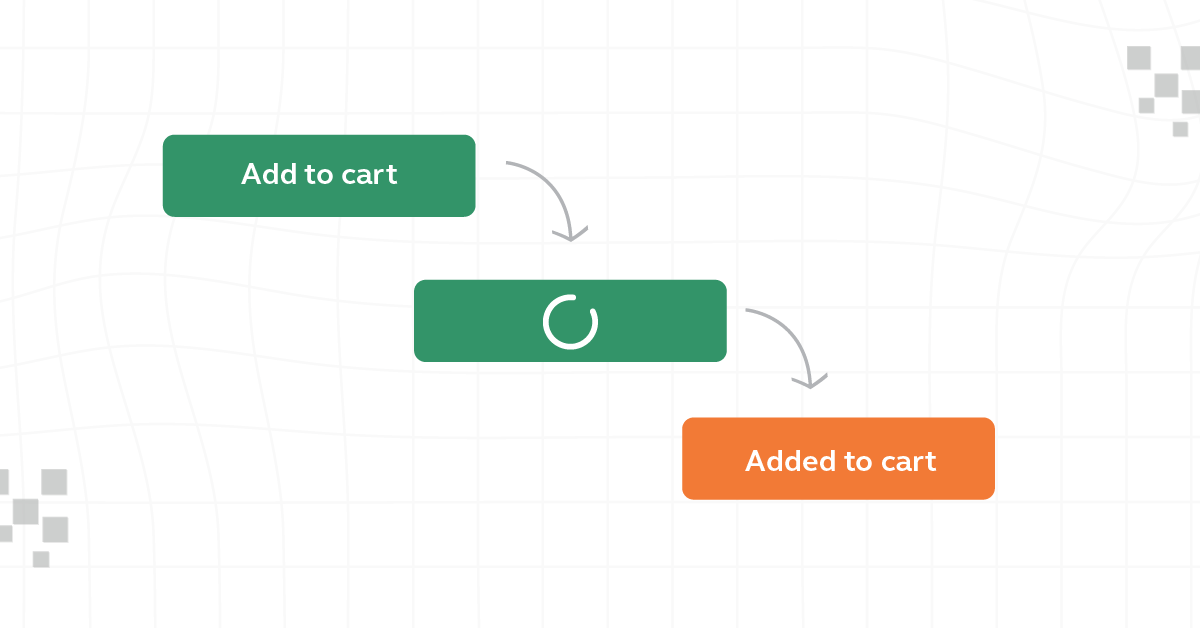
- Trigger: This is what initiates a microinteraction. It can be user-initiated, such as clicking a button, or system-initiated, such as a notification popping up when you receive a new message.
- Rules: These define what happens during the micro interaction. For instance, if you swipe down to refresh a page, the page will reload and display any new content.
- Feedback: This is what the user sees, hears, or feels in response to the interaction. It could be a sound, a visual animation, or a vibration. Feedback lets users know that the system has received their input.
- Loops and Modes: These determine the interaction’s length and its changes over time. For example, a looping animation might indicate that a page is loading, or different modes might be activated based on how a user interacts with a feature (such as silent or vibrate modes on a phone).
If you want to explore Figma, you can try HCL GUVI’s Figma certification course, a self-paced program designed to help you learn design basics and build practical UI skills with ease.
Micro-Interactions Working Mechanism
Micro-interactions follow a sequence of actions that starts when a user or system performs an action and ends when the interaction is completed. Here’s how the process works:
1. A Trigger Starts the Interaction
Every micro-interaction begins with a trigger. This trigger can come from a user action, such as tapping a button or swiping a screen, or from the system itself, such as showing a low-battery warning.
Example: A user taps the “Like” button on a social media post.
2. The System Processes the Action
After receiving the trigger, the system processes predefined rules to decide what should happen next. These rules determine the response based on the user’s action.
Example: The system detects that the user pressed the Like button and updates the post status.
3. Feedback is Given to the User
Once the action is processed, the system provides feedback confirming the interaction was successful. This feedback can appear as animations, sounds, color changes, vibrations, or messages.
Example: The heart icon fills with color and slightly animates.
4. The Interaction Continues or Ends
Some micro-interactions stop immediately after feedback, while others continue depending on the situation. Certain interactions repeat, change modes, or wait for another input.
Example: A loading spinner continues rotating until content finishes loading.
5. The User Understands the Result
The final goal of a micro-interaction is communication. The user understands what happened without needing extra instructions, making the experience feel smooth and natural.
Example: The user instantly understands that the post has been liked because of the visual response.
This complete process happens within seconds, allowing users to interact with digital products without constantly thinking about how the system works.
The Role of Micro-Interactions in UX Design
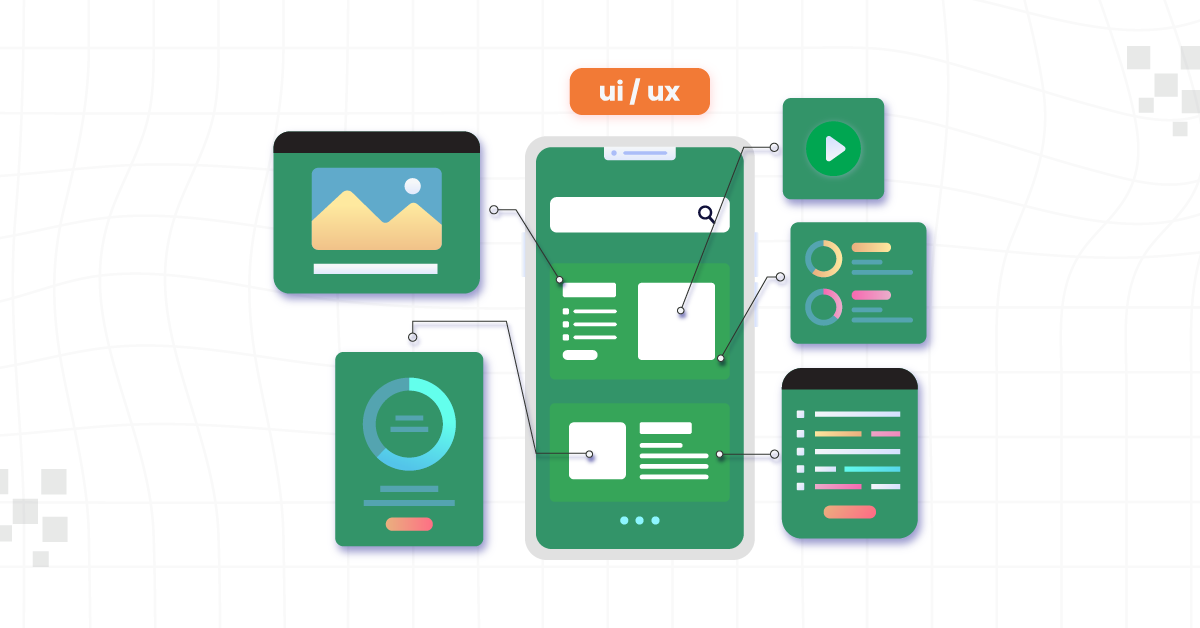
Let’s take a closer look at micro-interactions in UX Design and see how these tiny details make a big difference in how we use and enjoy our apps and websites:
1. Enhancing Usability
Micro-interactions play a key role in making interfaces more intuitive and user-friendly. By providing immediate feedback in response to a user’s action, they clarify the result of an interaction.
For example, a color change on a button when it’s clicked helps users understand that their action has been registered. This immediate visual or tactile response makes the interface easier to navigate and reduces the learning curve for new users.
2. Guiding User Behavior
Micro-interactions are also instrumental in subtly guiding user behavior. They can draw attention to certain elements, suggesting the next step a user should take.
For instance, a gentle animation on a “Sign Up” button can guide the user’s eye and suggest this is their next step. This subtle guidance helps users navigate through a digital product without feeling overwhelmed or lost.
Know More About User Flow in UX Design: 11 Important Steps to Look After
3. Adding Delightful Details
These small interactions can significantly enhance the user experience by adding delightful details. A playful animation when a task is completed, or a unique sound effect, can make the interaction more enjoyable.
These delightful moments create a memorable experience, encouraging users to continue engaging with the product.
4. Communicating System Status
Micro-interactions are important in informing users about the system’s status. For example, a spinning icon or a progress bar during a file upload keeps the user informed about the ongoing process, reducing uncertainty and frustration.
It assures users that the system is working as expected and provides an estimated wait time.
5. Encouraging User Engagement
Engaging in micro-interactions can significantly boost user interaction and retention. When users find the interactions enjoyable or helpful, they are more likely to continue using the application.
For example, a rewarding animation for completing a task can encourage users to continue using the app to discover more such interactions.
6. Balancing Simplicity and Complexity
While designing micro-interactions, it’s essential to balance simplicity and complexity. They should be simple enough to be understood and used effortlessly but complex enough to provide the necessary functionality and enjoyment.

Overly complicated micro-interactions can confuse users, while overly simple ones may not be engaging or informative enough. The key is to keep them intuitive and efficient without overwhelming the user.
Also Read: UI/UX Designer Job Description and Roles & Responsibilities
Having understood the important role micro-interactions play in UX Design, let’s now shift our focus to the numerous benefits they offer in enhancing user experience and overall design effectiveness.
Benefits of Micro-Interactions in UX Design
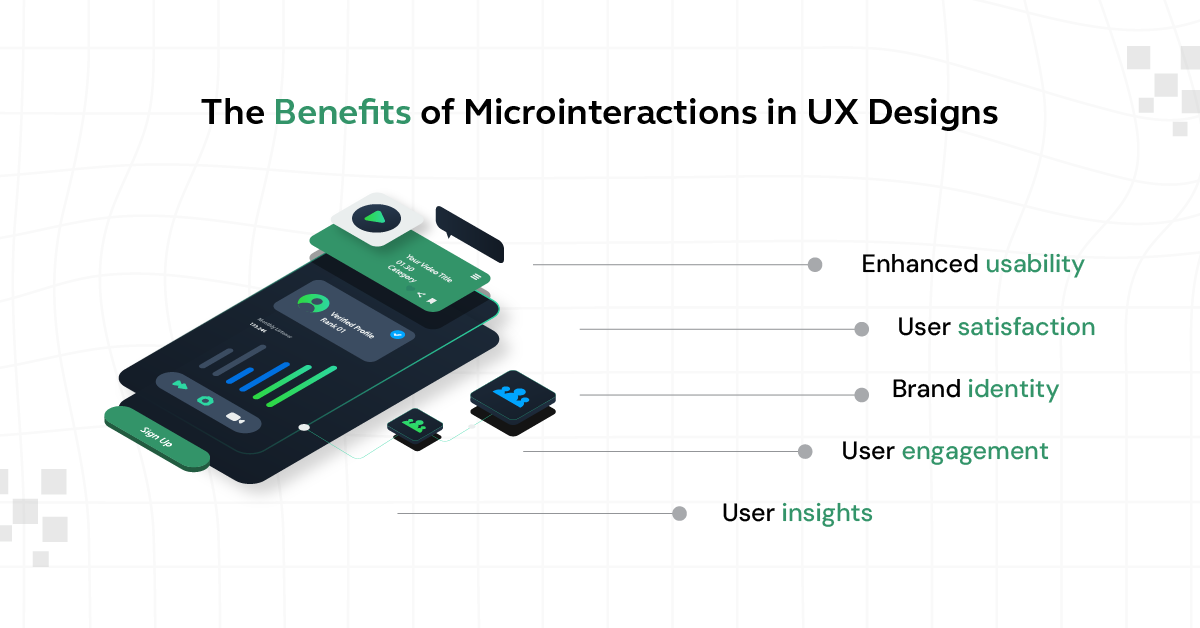
Micro-interactions offer several advantages in UX design, each contributing to a more positive and engaging user experience. Here’s a summary of their key benefits:
- Improved Usability: By providing immediate, intuitive feedback, micro-interactions make digital products easier to navigate and understand, thereby improving overall usability and accessibility.
- Increased User Engagement: These small interactions make even simple tasks more enjoyable, leading to higher user satisfaction and loyalty.
- Better Communication: Micro-interactions communicate system status clearly and guide users through interactions, reducing confusion, frustration, and errors.
- Intuitive User Guidance: They provide subtle cues that help users understand how to use a product without obvious instructions, creating a smoother experience.
- Emotional Connection: Well-designed micro-interactions create delight and surprise, making experiences more memorable and encouraging repeated use.
Micro-interactions in UX design are powerful tools for creating more efficient, enjoyable, and intuitive user experiences. Their ability to guide, inform, and delight users, while simplifying interactions, plays a crucial role in the success of a digital product.
Also Read: Top 11 UI/UX Design Tools
Having explored the numerous benefits of micro-interactions in enhancing user experience, let’s now turn to practical examples. These examples will help you understand better how micro-interactions function in everyday digital interactions, bringing the concept to life.
Examples of Micro-Interactions
Micro-interactions are the little things we do in everyday life that make things easier or more fun. They happen when we use apps or websites and help us know what’s going on. For example, when you like a photo and see a little heart pop up, that’s a microinteraction. Let’s look at some simple examples to see how they work:
1. Scrollbar
The scrollbar is a fundamental micro-interaction in user interfaces. It provides a visual and interactive way for users to understand where they are on a page and how much content is available.
When a user scrolls up or down, the scrollbar’s movement provides immediate feedback on the effect of the action. This simple tool makes navigating through long pages or lists intuitive and efficient, enhancing the overall user experience.
2. Pull-to-Refresh Animation
The pull-to-refresh animation, commonly used in mobile applications, is an innovative micro-interaction. Users pull down the screen, usually at the top of a content feed, and release it to initiate a refresh.
This interaction feels natural and intuitive, mimicking a physical action in the digital space. It has become a standard in mobile apps for checking new updates or content, contributing significantly to the ease of use.
3. Swipe Animation
Swipe animations are integral to navigational experiences, especially in touch-screen devices. Swiping to change pages, access menus, or dismiss items provides a tactile and interactive experience.
This gesture-based navigation feels more natural and engaging than traditional clicking, allowing quicker, more fluid movement through content. Visual feedback from items moving or reacting to swipes enhances users’ understanding and interaction with the interface.
4. Digital Alarm
In digital alarm applications, micro-interactions significantly enhance user experience. Setting an alarm involves interactions like scrolling through numbers, with immediate visual and often tactile feedback.
Disabling an alarm might involve swiping or shaking the phone, which feels more engaging than simply pressing a button. These interactions make the application more engaging and can even help wake the user up more effectively.
5. Notification
Notifications are a vital micro-interaction for user engagement. They alert users to new messages, updates, or other important events.
The way a notification appears and is interacted with — whether it’s a banner that drops down, an icon that lights up, or a vibration pattern — can significantly affect how users perceive and respond to the information.
These examples demonstrate how micro-interactions can enhance functionality, intuitiveness, and engagement in digital products, making everyday interactions smoother and more enjoyable.
Boost your UI/UX skills with HCL GUVI’s UI/UX Course with Placement Assistance, where you’ll learn tools like Figma, Adobe XD, Illustrator, and Photoshop through real-time projects to gain hands-on experience and build a strong portfolio for your career. Start designing what the world sees!
Conclusion
Micro-interactions may seem small, but they have a major impact on how users experience digital products. From providing feedback to guiding actions, these subtle elements help create smoother, faster, and more intuitive experiences.
As user expectations continue to grow, focusing on these small details can make apps and websites feel more engaging and user-friendly. Investing in thoughtful micro-interactions is not just about design—it’s about creating better experiences that users enjoy and remember.
Also Explore: 10 Real-World UI/UX Applications: The Magic of UI/UX
FAQs
1. Can too many micro-interactions create a bad user experience?
Too many animations or effects can make interfaces distracting, slow, and harder to use.
2. Are micro-interactions only used in mobile applications?
Micro-interactions are used across websites, mobile apps, software, wearable devices, and many digital products.
3. What makes a good micro-interaction?
A good micro-interaction feels natural, provides clear feedback, and supports the user without causing confusion.
4. Why do loading animations matter in UX design?
Loading animations keep users informed about ongoing actions and reduce uncertainty during waiting times.
5. Do micro-interactions affect user retention?
Thoughtful interactions create smoother experiences that can encourage users to return and keep using a product.
6. Should every button or action have a micro-interaction?
Micro-interactions work best when used to improve the experience through feedback, guidance, or communication.
Success Stories












Did you enjoy this article?