


Product Management Articles
APIs for Product Managers: A Non-Technical Guide to API Basics, REST APIs, and Integrations
What Is Net Promoter Score? A Beginner’s Guide to NPS
Top Product Analytics Tools Compared: Amplitude vs Mixpanel vs Google Analytics


Get In Touch For Details! Request More Information
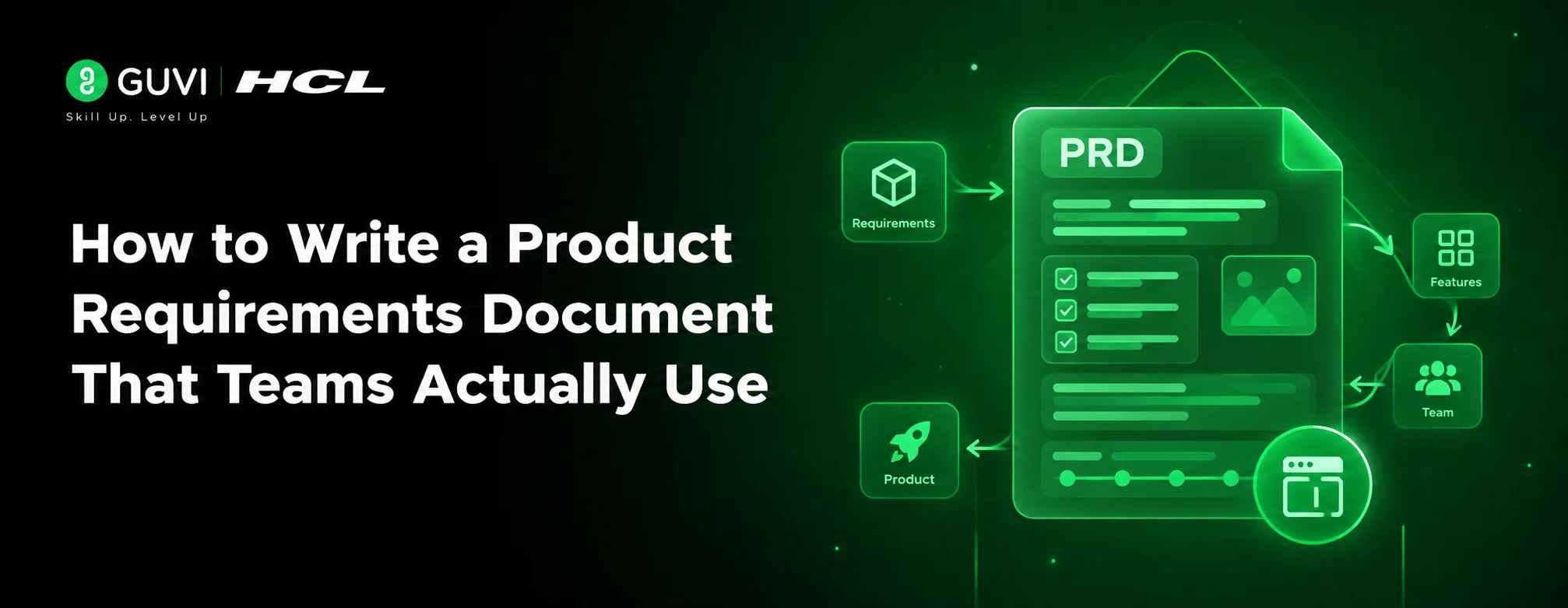
How to Write a Product Requirements Document That Teams Actually Use
Aug 21, 2026 6 Min Read 81 Views
(Last Updated)
Table of contents
- TL;DR Summary
- Introduction
- What is a Product Requirements Document?
- Who Writes a PRD?
- Why a PRD Matters in Product Management
- Benefits of Writing a PRD
- What Should a PRD Include?
- Core Sections of a PRD
- What Makes a PRD Useful?
- How to Write a Product Requirements Document Step by Step
- Step 1: Define the Problem Clearly
- Step 2: Identify Users and Use Cases
- Step 3: Write Goals and Non-Goals
- Step 4: Add Functional Requirements
- Step 5: Define Success Metrics
- PRD Template You Can Use
- Simple PRD Template
- Product Requirements Document H3 Example Placement
- PRD Example for Better Understanding
- Learning Platform Feature Scenario
- PRD vs Other Product Documentation
- Common Mistakes to Avoid
- Writing the PRD After Development Starts
- Making the PRD Too Long
- Skipping Success Metrics
- Ignoring Non-Goals
- Not Updating the PRD
- Wrapping Up
- Frequently Asked Questions
- What is a Product Requirements Document?
- What should a PRD template include?
- Who is responsible for writing a PRD?
- Can you give a simple PRD example?
- Is a PRD required in Agile teams?
- How long should a Product Requirements Document be?
- What is the difference between a PRD and a product roadmap?
- Why is product documentation important?
TL;DR Summary
A Product Requirements Document is a clear product documentation file that explains what needs to be built, why it matters, who it is for, how success will be measured, and what is out of scope. A strong PRD helps product managers, designers, developers, testers, and business stakeholders stay aligned before development begins. The best PRDs are concise, outcome-focused, user-backed, and regularly updated. Use a PRD template that covers goals, user problems, requirements, success metrics, timelines, dependencies, risks, and launch plans.
Introduction
A Product Requirements Document can be the difference between a product team that builds with clarity and one that burns weeks fixing misunderstandings. In fast-moving product teams, unclear requirements often lead to scope creep, missed deadlines, rework, and features users do not need.
A PRD solves this by turning product ideas into a shared execution plan. It explains the user problem, business goal, product behavior, requirements, metrics, and launch expectations in one place.
This matters because requirements directly affect project outcomes. PMI found that 47% of unsuccessful projects fail to meet goals due to inaccurate requirements management.
What is a Product Requirements Document?
A Product Requirements Document is not a long academic report. It is a practical working document that helps teams make better product decisions before writing code.
It works as a structured product documentation file that defines a product or feature’s purpose, target users, core requirements, expected behavior, success metrics, constraints, dependencies, and launch scope. It helps product, design, engineering, QA, business, and leadership teams build the same product with shared clarity.
Atlassian describes a PRD as a document that defines the product’s purpose, features, functionality, behavior, user needs, and success criteria for cross-functional alignment.
Who Writes a PRD?
Usually, the product manager owns the PRD. However, a good PRD is not written in isolation.
You should involve:
- Product managers for business goals and prioritization
- Designers for user flows and experience details
- Engineers for feasibility and technical constraints
- QA teams for test scenarios
- Sales or support teams for customer pain points
- Leadership for business alignment
Why a PRD Matters in Product Management
A PRD matters because product development is cross-functional. Everyone may agree on the idea, but still imagine different versions of the final product.
Benefits of Writing a PRD
A well-written Product Requirements Document helps you:
- Align teams before execution begins
- Reduce requirement ambiguity
- Avoid unnecessary feature creep
- Prioritize user value over assumptions
- Give developers and designers clear context
- Define measurable success before launch
- Improve product documentation quality
McKinsey found that mature product and platform operating models correlate with 38% higher customer engagement and 37% higher brand awareness. It also notes that product management “ways of working” have the greatest impact on business performance.
A PRD works best when it behaves like a living document, not a locked PDF that nobody opens after the first meeting.
Also Read: A Guide to Essential Product Management Tools
What Should a PRD Include?
A good PRD gives enough context to build confidently without drowning the team in unnecessary detail. Think of it as a decision-making document, not a dump of every possible thought.
Core Sections of a PRD
| PRD Section | What to Include | Why It Matters |
| Product Overview | Feature name, owner, status, target release | Gives everyone quick context on what the PRD is about, who owns it, and where it stands in the product lifecycle. |
| Problem Statement | User pain point and business need | Keeps the team focused on solving a real user or business problem instead of jumping straight into features. |
| Goals | What the product should achieve | Helps stakeholders understand the expected outcome and judge whether the feature is worth building. |
| Non-Goals | What is out of scope | Prevents scope creep by making it clear what will not be included in the current release. |
| User Personas | Who the product is for | Ensures the product decisions are based on specific user needs, not broad assumptions. |
| User Stories | What users need to do | Converts user needs into practical scenarios that design, engineering, and QA teams can work with. |
| Functional Requirements | What the product must do | Defines the exact product behavior so teams know what needs to be designed, built, and tested. |
| Non-Functional Requirements | Performance, security, scale, accessibility | Covers quality expectations that affect the product experience but may not appear directly in the UI. |
| Success Metrics | Activation, retention, conversion, usage | Shows how the team will measure whether the feature actually worked after launch. |
| Dependencies & Risks | APIs, teams, legal, data, timelines | Helps teams identify blockers early and plan around technical, business, or operational constraints. |

What Makes a PRD Useful?
A useful PRD is specific, testable, and easy to update. Instead of writing “the app should be fast,” write “the search results page should load within two seconds for 95% of users.”
That small shift helps engineering, QA, and product teams work with the same expectation.
How to Write a Product Requirements Document Step by Step
Writing a PRD becomes easier when you follow a repeatable process. Start with the user problem, then move toward requirements, success metrics, and launch readiness.
Step 1: Define the Problem Clearly
Start your PRD with the problem, not the feature.
Instead of: “Build a dashboard filter.”
Write: “Users cannot quickly compare monthly sales performance by region, causing manual Excel exports and delayed decisions.”
This gives your team the reason behind the feature.
Step 2: Identify Users and Use Cases
Define who will use the feature and in what situation.
For example, in a B2B SaaS analytics product, the users may include sales managers, regional heads, and business analysts. Each user may need a different workflow, permission level, and data view.
Step 3: Write Goals and Non-Goals
Goals explain what success looks like. Non-goals explain what you are intentionally not building.
For example:
- Goal: Allow sales managers to filter dashboard data by region, month, and product category.
- Non-goal: This release will not include predictive sales forecasting.
This keeps the product scope realistic.
Step 4: Add Functional Requirements
Functional requirements describe what the product must do.
Example:
- Users can select one or more regions.
- Users can reset all filters with one click.
- The dashboard updates without a full page reload.
- Filter selections remain saved during the session.
Make each requirement clear enough to test.
Step 5: Define Success Metrics
Your PRD should explain how the team will know whether the feature worked.
Useful PRD metrics include:
- Feature adoption rate: Shows how many users are actually using the feature after launch.
- Task completion time: Measures how quickly users can complete the intended action.
- Conversion rate: Tracks how many users move from one desired step to the next.
- Retention rate: Shows whether users continue coming back after using the feature.
- Support ticket reduction: Measures whether the feature reduces user confusion or complaints.
- Revenue impact: Tracks whether the feature contributes to sales, upgrades, renewals, or monetization.
- User satisfaction score: Captures how users feel about the feature through ratings, surveys, or feedback.
PRD Template You Can Use
A PRD template helps you avoid starting from a blank page. You can adapt this structure for SaaS products, mobile apps, internal tools, fintech platforms, edtech products, and ecommerce features.
Simple PRD Template
| Field | Details |
| Feature Name | Name of the product or feature |
| Owner | Product manager or feature owner |
| Status | Draft, In Review, Approved, In Development, Launched |
| Problem Statement | What problem are you solving? |
| Target Users | Who faces this problem? |
| Business Goal | Why does this matter to the company? |
| User Stories | What should users be able to do? |
| Functional Requirements | What must the product do? |
| Non-Functional Requirements | Performance, security, compliance, accessibility |
| Success Metrics | How will success be measured? |
| Dependencies | APIs, teams, tools, data, legal, design |
| Risks | What can delay or reduce impact? |
| Timeline | Discovery, design, development, QA, launch |
| Open Questions | What still needs clarification? |
Product Requirements Document H3 Example Placement
When publishing for SEO, include the focus keyword in at least one H3 naturally. For example: “Product Requirements Document Template for SaaS Teams” works better than forcing the keyword into every heading.
PRD Example for Better Understanding
A PRD example makes the concept easier to apply. Let’s use a practical product scenario from an edtech business.
Learning Platform Feature Scenario
Imagine an edtech platform wants to launch a “resume score checker” for learners applying to data science jobs.
The product team’s PRD may include:
- Problem: Learners do not know whether their resumes match recruiter expectations.
- User: Final-year students and early-career professionals.
- Goal: Help learners identify missing skills, weak project descriptions, and formatting gaps.
- Requirement: Users upload a PDF resume and receive a score with improvement suggestions.
- Success Metric: 40% of users update their resume within seven days of receiving feedback.
- Non-Goal: The first version will not include recruiter matching.
This PRD example shows how product documentation connects user pain, feature behavior, and measurable business value.
If your PRD cannot explain the feature to a new designer, developer, or QA tester in five minutes, it probably needs simplifying.
PRD vs Other Product Documentation
A PRD is often confused with a product roadmap, MRD, BRD, or user story document. They are connected, but they are not the same. Here’s a quick comparison:
| Document | Main Purpose | Best Used For |
| PRD | Defines what to build and why | Product and feature development |
| Product Roadmap | Shows strategic direction over time | Prioritization and stakeholder planning |
| BRD | Defines business requirements | Business approvals and enterprise projects |
| MRD | Explains market needs | Market research and positioning |
| User Stories | Breaks requirements into user actions | Agile sprint planning |
| Technical Spec | Explains how to build it | Engineering implementation |
Common Mistakes to Avoid
Even experienced teams make PRD mistakes. The issue is usually not lack of effort, but lack of clarity, ownership, and measurable thinking.
Writing the PRD After Development Starts
Many teams document requirements only after engineering has already started building. This creates confusion because design, engineering, QA, and business teams may already be working with different assumptions.
The fix is to create a draft PRD during discovery itself. It does not need to be perfect, but it should define the problem, users, goals, non-goals, and major requirements before execution begins.
This saves time because teams can debate scope early instead of fixing misalignment later.
Making the PRD Too Long
A 30-page PRD may look impressive, but it is rarely useful if nobody reads it. Long PRDs often hide the most important decisions under unnecessary background information.
Keep the PRD concise and structured. Use tables, bullets, diagrams, and links to supporting research instead of writing everything in paragraph form.
Your goal is not to prove how much you know. Your goal is to help the team build correctly.
Skipping Success Metrics
A PRD without success metrics is incomplete. If you do not define success before launch, every stakeholder may judge the outcome differently.
Add measurable metrics such as activation rate, feature adoption, task completion time, support ticket reduction, or revenue impact.
This helps you move from “we shipped the feature” to “we solved the right problem.”
Ignoring Non-Goals
Non-goals are one of the most underrated parts of a PRD. Without them, stakeholders may keep adding “small” requests that quietly expand the scope.
Clearly mention what is not included in the current release. This does not reject future ideas; it simply protects the current delivery timeline.
A strong non-goal section helps product managers say no with logic, not emotion.
Not Updating the PRD
A PRD should not become outdated after the first stakeholder review. Requirements change when teams discover technical constraints, user behavior, compliance issues, or design limitations.
Update the PRD whenever decisions change. Add dates, owners, and version notes so everyone knows what changed and why.
This turns your PRD into a trusted source of truth.
If you want to move beyond writing PRDs and learn how product managers think through strategy, validation, GTM, analytics, AI, and product leadership, explore the Certificate Programme in Product Management by IIM Indore. The programme is designed for professionals who want structured product learning with practical exposure, including a “Bring Your Own Project” component and live online learning with campus immersion.
Wrapping Up
A Product Requirements Document is one of the most important tools in product management because it turns ideas into buildable, measurable, and aligned product work. The best PRDs are clear, concise, user-focused, and updated throughout the product lifecycle. Start with the problem, define users, write goals and non-goals, document requirements, and attach success metrics before development begins. Once you practice this process with real product scenarios, your PRDs will become stronger, sharper, and more useful for every cross-functional team.
Frequently Asked Questions
1. What is a Product Requirements Document?
A Product Requirements Document is a structured document that explains what product or feature needs to be built, why it matters, who it serves, and how success will be measured.
2. What should a PRD template include?
A PRD template should include the problem statement, goals, non-goals, user personas, user stories, functional requirements, non-functional requirements, success metrics, dependencies, risks, timeline, and open questions.
3. Who is responsible for writing a PRD?
The product manager usually owns the PRD, but designers, engineers, QA teams, business stakeholders, and customer-facing teams should contribute to it.
4. Can you give a simple PRD example?
A simple PRD example is a dashboard filter feature where the goal is to help sales managers compare revenue by region, the requirement is multi-select filtering, and the success metric is reduced reporting time.
5. Is a PRD required in Agile teams?
Yes, but Agile PRDs should be concise and flexible. They should create shared understanding without becoming rigid documents that block iteration.
6. How long should a Product Requirements Document be?
A PRD should be as long as needed to create clarity, but as short as possible to remain readable. For most features, 3–8 well-structured pages are enough.
7. What is the difference between a PRD and a product roadmap?
A PRD explains what to build for a specific product or feature, while a product roadmap shows the broader product direction, priorities, and timelines.
8. Why is product documentation important?
Product documentation helps teams preserve decisions, reduce confusion, onboard new members faster, and maintain a clear source of truth throughout the product lifecycle.
Success Stories









Did you enjoy this article?