


Artificial Intelligence and Machine Learning Articles
Claude for Code Documentation with JSDoc
How to Integrate Claude into a Next.js App with App Router


Get In Touch For Details! Request More Information

How to Use Claude for Technical Writing and Style Guides
Aug 07, 2026 3 Min Read 148 Views
(Last Updated)
Claude is a powerful tool for technical writing and style guides because it can turn complex information into clear, consistent documentation. It works best when you give it existing content samples, terminology rules, and a defined voice so the output matches your brand and technical standards.
Table of contents
- TL;DR
- Why Use Claude for Technical Writing
- The Challenge With Technical Writing Documentation
- How Claude Helps
- Setting Up Claude for Technical Writing
- Step 1: Create A Style Guide
- Step 2: Load Your Context
- Step 3: Define Output Requirements
- Best Practices for Technical Documentation
- Use Real Examples
- Standardize Terminology
- Break Content Into Sections
- Pro Tips for Better Results
- Iterate With Feedback
- Use Templates For Consistency
- Automate Repetitive Tasks
- Set Up Regular Reviews
- Building A Content Style Guide
- Analyze Your Existing Content
- Define Your Voice Elements
- Create Usage Examples
- Common Mistakes to Avoid
- Don't Skip The Style Guide
- Avoid Vague Instructions
- Don't Forget Human Review
- Real-World Workflow
- The 15-Minute Setup
- The Three Deliverables
- The Living Document
- Conclusion
- FAQs
- How long does it take to set up Claude for technical writing?
- Can Claude write API documentation?
- How do I maintain consistency across docs?
- What types of documents can Claude create?
- Do I still need human review?
TL;DR
- Use Claude for technical writing to create consistent API documentation, user manuals, SOPs, and style guides faster.
- Provide Claude with your style guide, terminology, and product documentation to generate accurate, on-brand technical content.
- Combine AI-generated drafts with human review to ensure technical accuracy, consistency, and quality.
Why Use Claude for Technical Writing
The Challenge With Technical Writing Documentation
Technical documentation takes significant time to produce and maintain. Teams often struggle with consistency, clarity, and keeping docs up to date with product changes.
How Claude Helps
Claude can generate API documentation, user manuals, standard operating procedures, release notes, and knowledge base articles. It follows your style rules and terminology while producing clear, structured content.
Setting Up Claude for Technical Writing
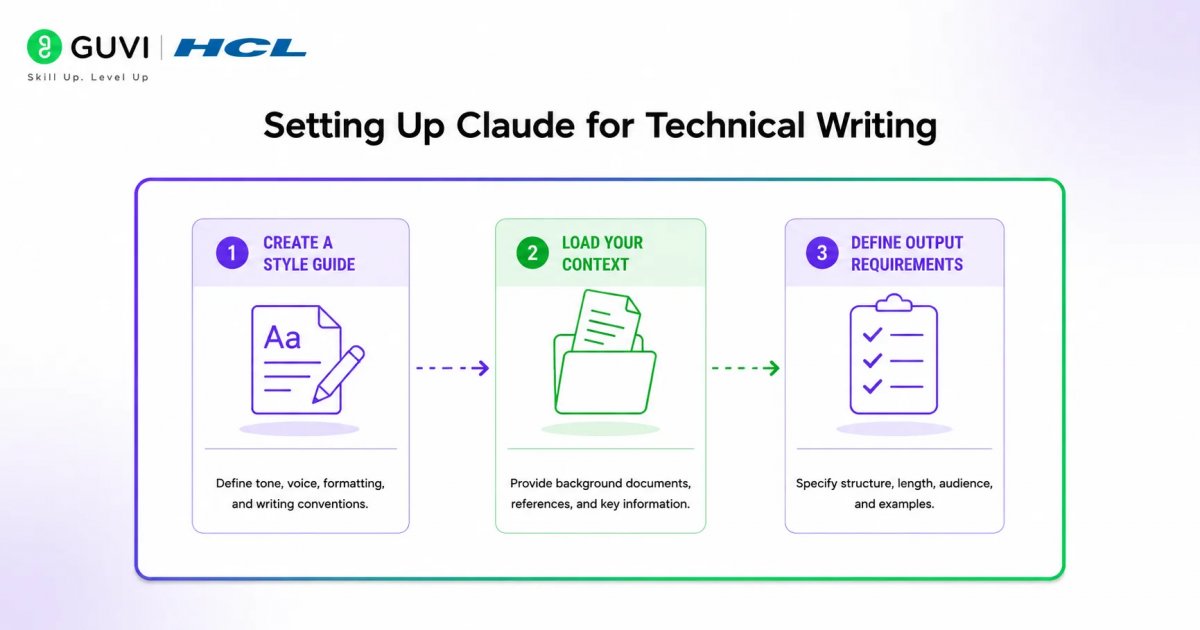
Step 1: Create A Style Guide
Start by defining your writing voice, tone, structure, and terminology. Include examples of what good documentation looks like in your organization.
Step 2: Load Your Context
Upload your existing documentation, product specs, and brand guidelines to a Claude project. This gives Claude the context it needs to write in your voice.
Step 3: Define Output Requirements
Specify the format, audience, and purpose for each document type. Tell Claude whether it’s writing for developers, end users, or internal teams.
Best Practices for Technical Documentation

1. Use Real Examples
Feed Claude examples of your best existing documentation. This helps it learn your preferred structure, tone, and level of detail.
2. Standardize Terminology
Create a glossary of approved terms and phrases. Ask Claude to use these consistently across all documentation to maintain clarity.
3. Break Content Into Sections
Use clear headings, subheadings, and bullet points. Claude can organize complex information into scannable, well-structured sections.
Pro Tips for Better Results
1. Iterate With Feedback
Review the first draft and give Claude specific direction on what to adjust. Design iteration is fast, so clarify your preferences and let Claude refine the output.
2. Use Templates For Consistency
Create templates for common document types like API docs, how-to guides, and troubleshooting articles. Claude can fill these templates while maintaining your style.
3. Automate Repetitive Tasks
Use Claude to generate release notes, API references from OpenAPI specs, and knowledge base articles. This saves time for more complex documentation work.
4. Set Up Regular Reviews
Establish a review cycle where Claude compares current docs against recent product changes and flags sections that need updates.
Building A Content Style Guide
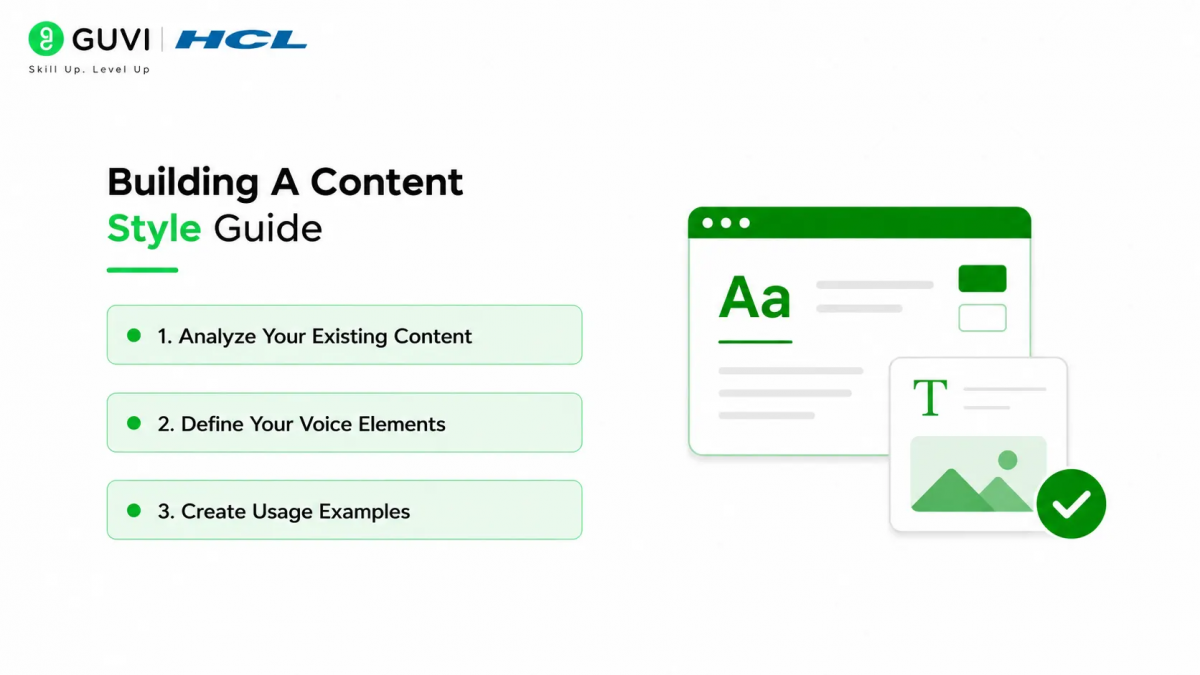
1. Analyze Your Existing Content
Upload your best-performing content to Claude and ask it to identify patterns in voice, structure, and formatting. This creates a foundation for your style guide.
2. Define Your Voice Elements
Document your preferred tone, sentence length, heading structure, and formatting rules. Include do’s and don’ts specific to your organization.

3. Create Usage Examples
Show Claude examples of correct and incorrect usage for common scenarios. This helps it understand your standards and apply them consistently.
Common Mistakes to Avoid
1. Don’t Skip The Style Guide
Without a written style guide, every piece of content becomes a guessing game. AI output defaults to something polished but generic without clear direction.
2. Avoid Vague Instructions
Be specific about format, audience, and purpose. Generic prompts produce generic results that don’t match your needs.
3. Don’t Forget Human Review
Always review technical documentation for accuracy before publishing. Claude speeds up the process, but human expertise ensures correctness.
Use Claude to draft technical content and style guides that keep your writing clear, consistent, and on-brand. Learn more with HCL GUVI’s Full Stack Development Course.
Claude can generate API references directly from OpenAPI specifications and create tutorials, runbooks, and release notes in minutes instead of hours. It can also analyze your existing content to build a custom style guide that matches your brand voice.
Real-World Workflow
1. The 15-Minute Setup
Any technical writer can load their product context into a Claude Project and start generating documentation immediately. This includes API specs, user guides, and internal wikis.
2. The Three Deliverables
First, formatted API documentation with clear examples. Second, user guides with step-by-step instructions. Third, release notes that explain changes in plain language.
3. The Living Document
Documentation doesn’t just sit in a folder. It becomes a living tool that updates as your product evolves, with Claude flagging sections that need refresh.
Conclusion
Claude for technical writing and style guides transforms how teams produce documentation by creating clear, consistent content that follows their brand standards. The key is providing clear context, defined style rules, and regular human review to ensure accuracy and quality.
FAQs
1. How long does it take to set up Claude for technical writing?
Most teams can start using Claude for technical documentation within a few hours. The setup involves loading context and defining style guidelines.
2. Can Claude write API documentation?
Yes, Claude can generate API references from OpenAPI specs and create comprehensive API documentation with examples.
3. How do I maintain consistency across docs?
Use a style guide and templates. Claude follows your defined voice, tone, and terminology across all documentation.
4. What types of documents can Claude create?
Claude can write API docs, user manuals, SOPs, release notes, knowledge base articles, and technical tutorials
5. Do I still need human review?
Yes, always review technical documentation for accuracy before publishing. Claude speeds up the process but human expertise ensures correctness.
Success Stories

About the Author
HCL GUVI
This article was selected and published as part of the HCL GUVI AI Blogathon 2026, an initiative designed to encourage students, AI enthusiasts, and aspiring tech writers to simplify complex AI concepts through impactful technical content. The contest recognized high-quality, original, and insightful AI-focused blogs, with selected authors receiving publication opportunities on the HCL GUVI blog platform along with official author credits and recognition.
View all posts by HCL GUVI
Connect with me @













Did you enjoy this article?