


Artificial Intelligence and Machine Learning Articles
How to Use Claude for Influencer Outreach Campaigns
Claude for Writing App Store Descriptions That Convert


Get In Touch For Details! Request More Information
Claude for Drafting Board Resolutions and Meeting Minutes
Aug 19, 2026 3 Min Read 39 Views
(Last Updated)
Board meetings often cover strategic decisions, policy updates, financial discussions, and governance matters—all of which require accurate documentation. Preparing meeting minutes and board resolutions manually can be time-consuming, especially when discussions are lengthy and involve multiple stakeholders. Claude for Drafting Board Resolutions can help organize discussions, summarize key decisions, draft formal resolutions, and capture action items, allowing organizations to complete documentation more efficiently while ensuring every document is reviewed before approval.
Table of contents
- TL;DR
- How Can Claude Simplify Board Documentation?
- Why Use Claude for Board Meetings?
- What Information Can Claude Organize?
- Drafting Professional Board Resolutions with Claude
- Managing Action Items More Effectively
- Tips for Getting Better Meeting Minutes with Claude
- Real-World Example
- Common Challenges When Using AI
- Key Takeaways
- Conclusion
- FAQs
- Can Claude draft board meeting minutes?
- Can Claude write board resolutions?
- Can Claude identify action items from meetings?
- Should AI-generated meeting minutes be reviewed?
- Who can use Claude for meeting documentation?
TL;DR
- Claude helps draft board meeting minutes and resolutions.
- AI organizes discussions into structured meeting records.
- It identifies key decisions, action items, and follow-ups.
- Human review ensures legal and organizational accuracy.
- Claude reduces administrative work after board meetings.
How Can Claude Simplify Board Documentation?
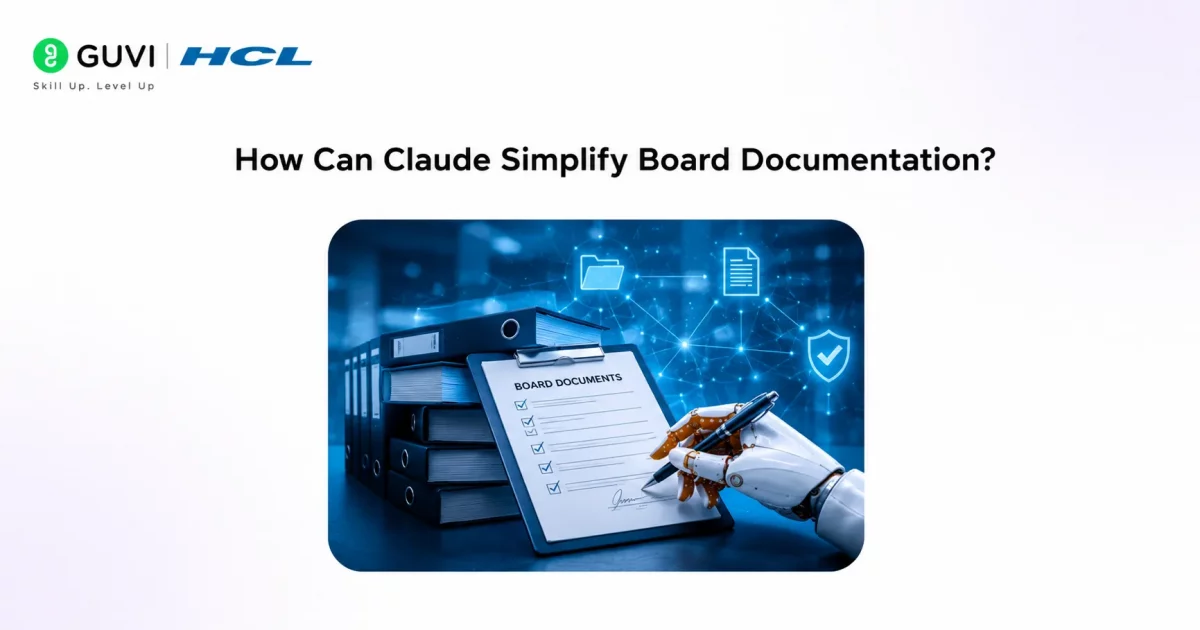
Claude acts as a writing assistant by transforming meeting notes, transcripts, or recordings into structured documents. Rather than spending hours organizing conversations, board secretaries and administrators can use Claude to produce a well-formatted first draft.
Typical tasks include:
- Drafting meeting minutes
- Preparing board resolutions
- Summarizing discussions
- Listing action items
- Organizing voting outcomes
Clear meeting documentation creates a reliable record of board decisions, making future audits and governance reviews much easier.
Read More: Building a Claude-Powered Newsletter in 1 Hour
Enhance business reporting and documentation with HCL GUVI’s Business Analytics Course. Learn data analysis, reporting, and decision-making through hands-on, industry-focused projects.
Why Use Claude for Board Meetings?
Accurate documentation is essential for transparency, accountability, and organizational governance. Claude helps reduce repetitive writing while ensuring important discussions are easier to review.
Some advantages include:
- Save documentation time. Claude converts lengthy notes into structured minutes within minutes.
- Maintain consistency. Every meeting follows a similar format regardless of who records it.
- Highlight important decisions. AI separates discussions from approved resolutions and assigned tasks.
- Improve collaboration. Well-organized minutes help board members review decisions after meetings.
Data Point: Organizations that maintain consistent meeting records often spend less time clarifying previous decisions during future board meetings.
What Information Can Claude Organize?
Board meetings contain different types of information, and Claude can help categorize each section for easier review.
Examples include:
- Meeting agenda
- Attendance records
- Key discussion points
- Board resolutions
- Voting results
- Assigned responsibilities
- Project updates
- Next meeting schedule
Providing organized notes allows Claude to produce cleaner and more accurate drafts.
Pro Tip: Upload meeting transcripts along with the agenda so Claude can align discussions with each agenda item and produce more structured minutes.
Drafting Professional Board Resolutions with Claude
Board resolutions often follow a formal structure that clearly records decisions approved by the board. Claude can generate resolution drafts using meeting discussions, approval details, and supporting information.
For better results:
- Include the purpose of the resolution.
- Specify who proposed and approved it.
- Mention voting outcomes if applicable.
- Add implementation dates and responsible teams.
- Review legal wording before final approval.
A structured approach makes resolutions easier to reference in future meetings.
Best Practice: Use Claude to prepare the first draft of every resolution, but have legal or governance teams review the final wording before it becomes an official record.

Managing Action Items More Effectively
One of the biggest challenges after a board meeting is tracking what happens next. Claude can extract action items from meeting discussions and organize them into a clear follow-up list.
A well-structured action summary may include:
- Assigned owner
- Task description
- Priority level
- Expected deadline
- Current status
This makes it easier for board members and project teams to monitor progress between meetings.
Tips for Getting Better Meeting Minutes with Claude
Claude produces better meeting documentation when it receives clear and organized input. Providing complete context helps the AI distinguish between discussions, decisions, and follow-up actions, resulting in more accurate and professional meeting records.
To improve the quality of generated minutes:
- Share the meeting agenda first. This helps Claude organize discussions under the correct agenda items and create a logical meeting flow.
- Provide speaker notes or transcripts. Detailed meeting transcripts allow Claude to capture important decisions and discussions more accurately than brief notes.
- Clearly identify approved resolutions. Mention which proposals were accepted, rejected, or deferred so Claude can draft precise board resolutions.
- Review legal and governance language. Board resolutions often become official organizational records, so they should always be checked before approval.
Pro Tip: Ask Claude to generate separate sections for discussions, resolutions, voting outcomes, and action items instead of combining everything into one summary. This makes the minutes much easier to review later.
Real-World Example
Imagine a nonprofit board meeting lasting nearly three hours, covering fundraising strategies, financial updates, policy changes, and future projects.
Instead of manually reviewing pages of notes, the board secretary uploads the meeting transcript into Claude. The AI generates organized meeting minutes, drafts formal resolutions for approved motions, summarizes discussions by agenda item, and prepares an action-item tracker for follow-up.
The secretary reviews the document, verifies every decision against the official recording, and shares the finalized minutes with board members.
Common Challenges When Using AI
Claude can significantly reduce documentation time, but it cannot independently verify every discussion or understand organizational policies without context.
Some limitations include:
- AI depends on accurate meeting notes or transcripts.
- Informal conversations may require manual interpretation.
- Legal language should always be reviewed.
- Sensitive governance matters require human oversight.
- Final approval should remain with authorized personnel.
Warning: Never publish AI-generated board minutes or resolutions without verifying attendance, decisions, voting records, and official approvals.
Key Takeaways
- Claude helps prepare meeting minutes and board resolutions faster.
- AI organizes discussions into professional documentation.
- Action items become easier to track after meetings.
- Human review remains essential for governance accuracy.
- Well-structured meeting records improve organizational transparency.
- Claude reduces administrative effort while supporting consistent documentation.
Conclusion
Claude is a practical writing assistant for organizations that regularly prepare board meeting documentation. By organizing discussions, drafting resolutions, summarizing decisions, and identifying follow-up actions, it allows administrators to spend less time formatting documents and more time supporting effective governance.
However, official board records require careful verification before distribution. Combining Claude’s drafting capabilities with human review ensures meeting minutes remain accurate, compliant, and reliable.
FAQs
Can Claude draft board meeting minutes?
Yes. Claude can organize meeting notes or transcripts into structured meeting minutes for review.
Can Claude write board resolutions?
Yes. Claude can draft formal board resolutions based on approved decisions and meeting discussions.
Can Claude identify action items from meetings?
Yes. Claude can summarize follow-up tasks, responsible individuals, and deadlines from meeting notes.
Should AI-generated meeting minutes be reviewed?
Yes. Every document should be checked to verify attendance, decisions, voting records, and legal accuracy.
Who can use Claude for meeting documentation?
Board secretaries, nonprofit leaders, corporate administrators, governance teams, and executive assistants can all benefit from using Claude for meeting documentation.
Success Stories

About the Author
HCL GUVI
This article was selected and published as part of the HCL GUVI AI Blogathon 2026, an initiative designed to encourage students, AI enthusiasts, and aspiring tech writers to simplify complex AI concepts through impactful technical content. The contest recognized high-quality, original, and insightful AI-focused blogs, with selected authors receiving publication opportunities on the HCL GUVI blog platform along with official author credits and recognition.
View all posts by HCL GUVI
Connect with me @










Did you enjoy this article?