


Artificial Intelligence and Machine Learning Articles
Using Claude to Prepare for Difficult Conversations
Claude for Habit Tracking and Accountability


Get In Touch For Details! Request More Information
Claude for Python Data Science: Pandas, NumPy & Matplotlib
Aug 13, 2026 3 Min Read 30 Views
(Last Updated)
Claude for Python data science helps in powering everything from data analysis and visualization to machine learning and artificial intelligence. Libraries like Pandas, NumPy, and Matplotlib simplify complex data tasks, while Claude helps users write code, explain concepts, debug errors, and build complete data science workflows more efficiently.
Table of contents
- TL;DR
- Direct Answer Box
- Benefits of Using Claude for Python Data Science
- Step 1: Define Your Data Science Goal
- Step 2: Prepare and Understand Your Dataset
- Step 3: Analyze Data Using Pandas
- Step 4: Perform Numerical Analysis with NumPy
- Step 5: Visualize Data with Matplotlib
- Step 6: Debug and Improve Your Code
- Step 7: Interpret Results and Improve Your Workflow
- Claude Prompts for Python Data Science
- Analyze a Dataset
- Clean Data
- Perform NumPy Calculations
- Create Visualizations
- Explain Python Code
- Debug Errors
- Optimize Performance
- Build an End-to-End Workflow
- Python Data Science Tasks You Can Automate with Claude
- Tasks Claude Should Not Replace
- Best Practices for Using Claude for Python Data Science
- Conclusion
- FAQs
- Can Claude write Pandas code?
- Does Claude support NumPy?
- Can Claude generate Matplotlib charts?
- Can Claude debug Python code?
- Is Claude useful for beginners in data science?
- Should I verify Claude's Python code?
- What Python libraries does Claude commonly support?
TL;DR
- Claude helps write, explain, and debug Python data science code.
- It supports Pandas, NumPy, and Matplotlib workflows.
- AI assists with data cleaning, analysis, visualization, and reporting.
- Human validation is still essential for interpreting results.
- Claude accelerates learning and productivity for data science projects.
📚 Data Point: Python consistently ranks among the world’s most popular programming languages and remains the leading language for data science because of its extensive ecosystem of libraries, community support, and ease of use.
Source: Stack Overflow Developer Survey
Direct Answer Box
| Claude helps data scientists and Python learners work more efficiently by generating Pandas, NumPy, and Matplotlib code, explaining concepts, debugging errors, optimizing workflows, and assisting with data analysis. It supports learning and productivity, but should not replace human validation or statistical reasoning. |
Benefits of Using Claude for Python Data Science
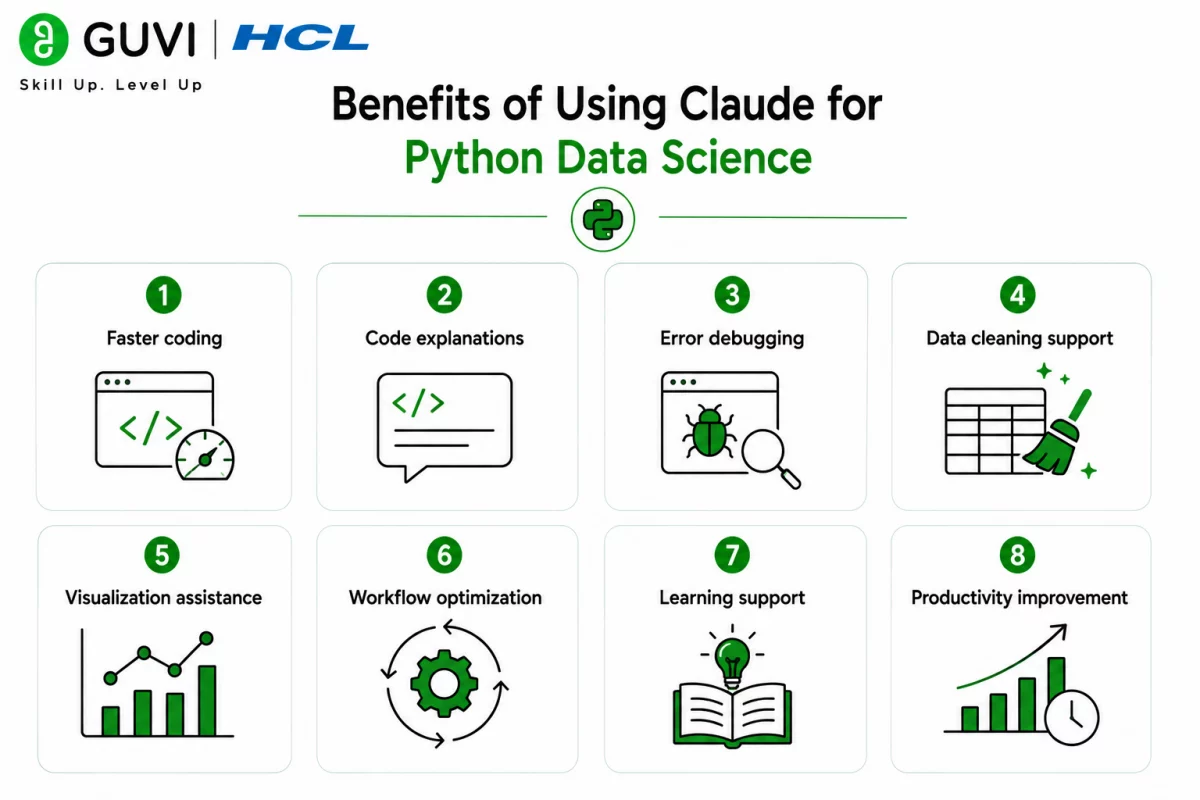
Claude simplifies repetitive coding tasks while helping users understand data science concepts, making it useful for beginners and experienced professionals alike.
Key benefits include:
- Faster coding
- Code explanations
- Error debugging
- Data cleaning support
- Visualization assistance
- Workflow optimization
- Learning support
- Productivity improvement
How to Use Claude for Python Data Science
Step 1: Define Your Data Science Goal
Clearly explain what you want to accomplish before requesting code.
Define:
- Project objective
- Dataset type
- Expected output
- Python libraries
- Analysis goals
Step 2: Prepare and Understand Your Dataset
Provide Claude with dataset details so it can recommend the right preprocessing steps.
Include:
- Column names
- Data types
- Missing values
- Sample records
- Dataset size
- Business context
Step 3: Analyze Data Using Pandas
Use Claude to write Pandas code to clean, filter, group, and transform data.
Generate:
- Data cleaning
- Filtering
- Aggregations
- GroupBy analysis
- Missing value handling
- Data transformation
Step 4: Perform Numerical Analysis with NumPy
Claude can generate efficient NumPy code for mathematical operations and numerical computing.
Analyze:
- Arrays
- Matrix operations
- Statistical calculations
- Mathematical functions
- Random sampling
- Numerical optimization
Step 5: Visualize Data with Matplotlib
Create clear charts to understand patterns and trends better.
Visualize:
- Line charts
- Bar charts
- Histograms
- Scatter plots
- Pie charts
- Multiple subplots
Step 6: Debug and Improve Your Code
Ask Claude to explain errors, improve readability, and optimize performance.
Review:
- Syntax errors
- Logic errors
- Performance
- Code quality
- Best practices
- Documentation

Step 7: Interpret Results and Improve Your Workflow
After generating code and visualizations, review the outputs carefully and validate conclusions using statistical reasoning and domain knowledge. Professionals interested in building real-world analytics, Python programming, and AI skills can develop practical expertise through HCL GUVI’s Data Science Course.
Many data scientists use AI assistants to generate boilerplate code, explain unfamiliar libraries, debug notebooks, and accelerate exploratory data analysis, allowing them to spend more time interpreting insights
Claude Prompts for Python Data Science
Writing detailed prompts helps Claude generate more accurate code, explanations, and analysis.
Analyze a Dataset
“Analyze this dataset using Pandas. Identify missing values, summarize key statistics, and recommend suitable preprocessing steps.”
Clean Data
“Generate Python code using Pandas to clean this dataset by removing duplicates, handling missing values, and correcting inconsistent formats.”
Perform NumPy Calculations
“Write NumPy code to calculate descriptive statistics, normalize numerical values, and perform matrix operations on this dataset.”
Create Visualizations
“Generate Matplotlib code to create meaningful visualizations that highlight trends, distributions, and relationships within this dataset.”
Explain Python Code
“Explain what this Python code does line by line and suggest improvements for readability and efficiency.”
Debug Errors
“Identify the cause of this Python error, explain why it occurred, and provide the corrected code.”
Optimize Performance
“Review this Python script and recommend optimizations to improve execution speed and memory usage.”
Build an End-to-End Workflow
“Create a complete Python data science workflow using Pandas, NumPy, and Matplotlib for this dataset, including preprocessing, analysis, visualization, and reporting.”
Python Data Science Tasks You Can Automate with Claude
Claude can assist with many common Python data science activities.
Claude can help with:
- Data cleaning
- Pandas coding
- NumPy calculations
- Matplotlib visualizations
- Exploratory data analysis
- Statistical summaries
- Code debugging
- Code optimization
- Documentation
- Notebook explanations
- Data preprocessing
- Report generation
The HCL GUVI’s Artificial Intelligence eBook introduces practical AI concepts, prompt engineering techniques, Python workflows, and real-world applications. It helps learners understand how AI can improve coding, analytics, automation, and problem-solving across data science projects.
Tasks Claude Should Not Replace
Claude supports data science workflows but should not replace professional expertise.
Claude should not replace:
- Statistical interpretation
- Business decisions
- Data validation
- Expert analysis
- Research methodology
- Conclusions
- Ethical judgment
- Domain expertise
- Human critical thinking
⚠️ Warning: Claude can generate functional Python code, but AI-generated scripts may contain errors, outdated syntax, or inefficient implementations. Always test your code, validate outputs, and review results before using them in production or research.
Best Practices for Using Claude for Python Data Science
- Clearly define your objective.
- Provide dataset context.
- Review the generated code carefully.
- Validate statistical results.
- Test visualizations.
- Optimize code iteratively.
- Verify AI-generated explanations.
- Follow Python best practices.
- Use Claude as a learning and productivity tool.
Conclusion
Claude makes Python data science more accessible by helping users write Pandas, NumPy, and Matplotlib code, debug errors, visualize data, and understand analytical workflows. When combined with human expertise and careful validation, it becomes a valuable assistant for learning, experimentation, and professional data science projects.
FAQs
1. Can Claude write Pandas code?
Yes. Claude can generate Pandas code for data cleaning, filtering, aggregation, transformation, and analysis.
2. Does Claude support NumPy?
Yes. Claude can write NumPy code for arrays, matrix operations, statistical calculations, and numerical computing.
3. Can Claude generate Matplotlib charts?
Yes. Claude can create Python code for line charts, bar charts, scatter plots, histograms, pie charts, and other visualizations.
4. Can Claude debug Python code?
Yes. Claude can explain Python errors, identify bugs, and suggest corrected and optimized code.
5. Is Claude useful for beginners in data science?
Yes. Claude explains concepts, provides code examples, and helps learners understand Python libraries and workflows.
6. Should I verify Claude’s Python code?
Yes. Always test AI-generated code and validate outputs before using them in production, research, or business projects.
7. What Python libraries does Claude commonly support?
Claude can assist with popular libraries, including Pandas, NumPy, Matplotlib, Scikit-learn, TensorFlow, PyTorch, and many others.
Success Stories

About the Author
HCL GUVI
This article was selected and published as part of the HCL GUVI AI Blogathon 2026, an initiative designed to encourage students, AI enthusiasts, and aspiring tech writers to simplify complex AI concepts through impactful technical content. The contest recognized high-quality, original, and insightful AI-focused blogs, with selected authors receiving publication opportunities on the HCL GUVI blog platform along with official author credits and recognition.
View all posts by HCL GUVI
Connect with me @












Did you enjoy this article?