


Academics Articles
Is the HCL GUVI AI/ML Program Right for You? A Quick Self-Assessment
Inside the HCL GUVI AI/ML Curriculum: What You’ll Actually Build
Wipro Elite NTH Eligibility Criteria 2026: CGPA, Branch & Backlog Rules Explained
What is Wipro Elite NTH? Complete Overview for 2026 Graduates


Get In Touch For Details! Request More Information
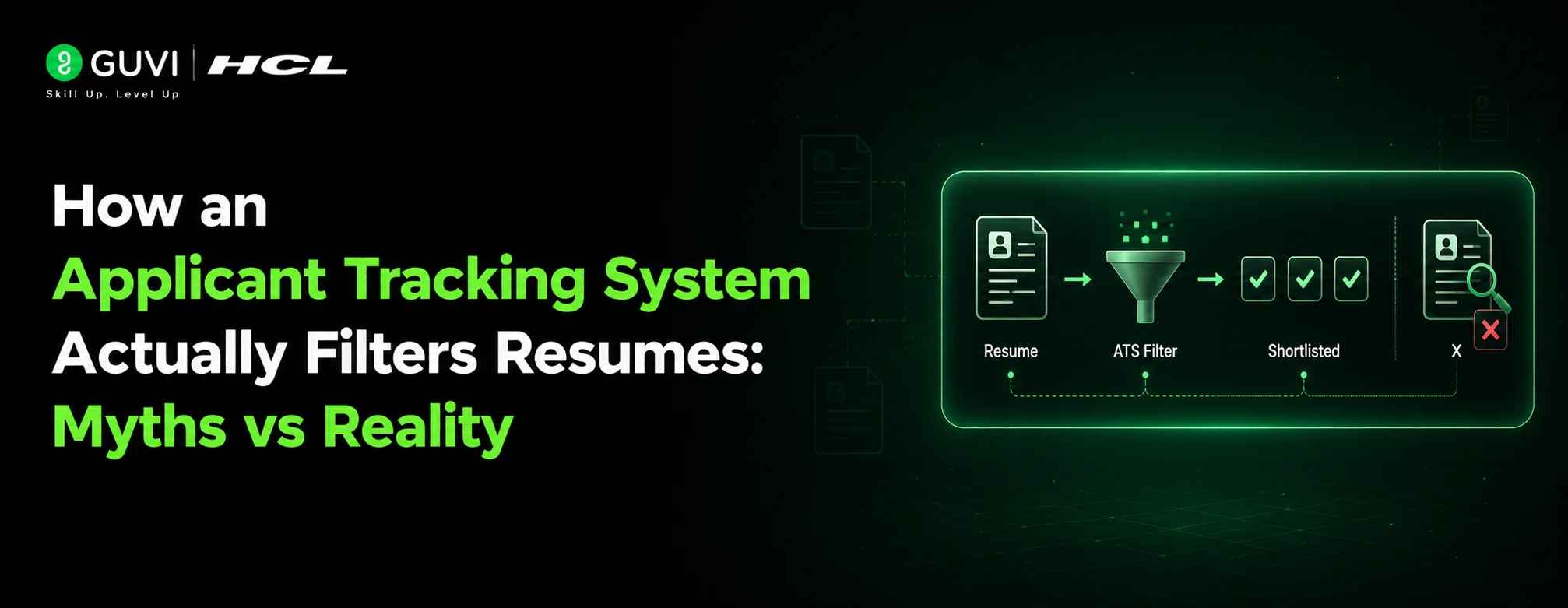
How an Applicant Tracking System Actually Filters Resumes: Myths vs Reality 2026- Best Guide
Jul 16, 2026 8 Min Read 1007 Views
(Last Updated)
Table of contents
- TL;DR Summary
- Applicant Tracking System Myths vs Reality
- What Is an Applicant Tracking System (ATS)
- How Does Applicant Tracking System (ATS) Filtering Work?
- Step 1: The system receives your application
- Step 2: What does an applicant tracking system parse from your resume?
- Step 3: Screening rules evaluate application answers
- Step 4: The application enters a review queue
- Step 5: Search, filters, and ranking affect visibility
- Step 6: A recruiter or hiring team reviews the application
- What Can Cause Automatic Rejection?
- Knockout questions
- Eligibility and application rules
- Assessments and screening integrations
- Role status and duplicate applications
- How Do Applicant Tracking System (ATS) Keywords Work?
- Do Applicant Tracking System (ATS) keywords need to match exactly?
- Where should keywords appear?
- Does keyword density matter?
- Does Resume Formatting Matter?
- Which resume file format is safest?
- Which layout is safest?
- How can you test resume parsing?
- Real-World Indian Hiring Example
- Common ATS Resume Mistakes
- Sending the same resume to every role
- Stuffing or hiding keywords
- Trusting an ATS resume score as a guarantee
- Placing essential information inside design elements
- Ignoring application questions
- How to Improve Your Resume
- Build Your Resume With HCL GUVI
- Conclusion
- FAQs
- What is an applicant tracking system?
- Does an ATS automatically reject resumes?
- How does an ATS filter resumes?
- What is a good ATS resume score?
- Should I submit my resume as PDF or Word?
- Can an ATS read a Canva resume?
- Does keyword stuffing help a resume pass ATS screening?
- Why did I receive an immediate rejection email?
- How can freshers make their resumes ATS-friendly?
TL;DR Summary
An applicant tracking system does not use one universal algorithm to accept or reject every resume. It usually receives your application, extracts information from your resume, stores it in a searchable candidate profile, evaluates employer-defined application questions, and helps recruiters search or filter candidates. Some platforms also offer AI-assisted matching or ranking. Automatic rejection is possible, but it is commonly triggered by knockout questions or fixed eligibility rules rather than a missing keyword or imperfect design. Your goal is not to trick the ATS. It is to make your qualifications readable, relevant, accurate, and easy for a recruiter to find.
An applicant tracking system is often blamed whenever a qualified candidate receives no interview call, but the reality is more complicated.
The software may parse your resume, evaluate application answers, organise candidate data, support recruiter searches, or provide AI-assisted recommendations. The employer decides which features and rules are used.
Greenhouse’s 2026 hiring benchmark report analysed more than 640 million applications across over 6,000 companies. It found that the average number of applications received per job increased from 116 in 2022 to 244 in 2025—a rise of 111%. This growing application volume helps explain why employers rely on applicant tracking systems, screening questions, search filters, and structured review workflows.
Understanding each screening stage helps you improve the parts of your application that are actually within your control.
Applicant Tracking System Myths vs Reality
The following comparison explains the most common Applicant Tracking System myths without pretending that every employer uses the same process.
| ATS Myth | What Actually Happens | What You Should Do |
| The ATS automatically rejects 75% of resumes | There is no dependable universal study proving that one fixed percentage of resumes is rejected because of ATS resume content. Workflows differ by employer. | Avoid repeating unsupported percentages. Focus on eligibility, relevance, readability, and timing. |
| Missing one keyword causes rejection | Missing terms may reduce search visibility or match relevance, but they do not always trigger automatic rejection. | Include important job-specific skills naturally and truthfully. |
| Every application is reviewed by a recruiter | A resume may be stored successfully but remain unread because of application volume, queue order, filters, internal hiring, or role closure. | Apply to closely matched roles and make your strongest evidence easy to scan. |
| An ATS score determines whether you pass | There is no universal score shared by all ATS platforms and employers. Third-party resume tools create their own estimates. | Use scores to identify possible improvements, not as guaranteed pass marks. |
| PDFs are automatically rejected | Modern systems can often parse text-based PDFs, although file support and parsing quality vary. | Follow the employer’s file instructions and avoid scanned or image-only PDFs. |
| A two-column resume is always rejected | Complex layouts do not automatically cause rejection, but they can increase parsing and reading-order risks. | Use a simple single-column layout for the lowest formatting risk. |
| Keyword stuffing beats the system | Repeated, hidden, or irrelevant terms weaken human readability and may appear deceptive. | Prove keywords through projects, responsibilities, tools, and measurable results. |
| ATS software makes the final hiring decision | ATS tools support workflows. Employers, recruiters, hiring managers, screening rules, assessments, and integrations can all influence the outcome. | Write for both accurate software extraction and fast human evaluation. |
Official Greenhouse documentation confirms that employers can configure application-question rules that automatically reject applicants. The same platform also offers AI-assisted talent filtering while keeping candidate-review decisions under recruiter control.
What Is an Applicant Tracking System (ATS)
An ATS, or applicant tracking system, is recruitment software used to receive applications, organise candidate records, track hiring stages, schedule activities, record feedback, and help hiring teams find relevant applicants.
The Applicant Tracking System (ATS) may include several connected capabilities:
- Application management: Collects resumes and form responses.
- Resume parsing: Extracts details such as names, contact information, employers, job titles, education, dates, and skills.
- Screening rules: Evaluates answers to employer-defined questions.
- Search and filtering: Helps recruiters find candidates by skills, location, experience, tags, or other data.
- AI-assisted matching: May suggest keywords, summaries, candidate matches, or ranked results.
- Workflow tracking: Records whether a candidate is new, under review, interviewing, offered, hired, or rejected.
- Integrations: Connects assessments, background checks, interview tools, job boards, and communication systems.
The key point is that Applicant Tracking System (ATS) does not describe one identical machine. Workday, Greenhouse, Lever, iCIMS, Oracle, SAP SuccessFactors, and other platforms offer different features, and employers configure them differently.
Greenhouse’s 2026 benchmark report found that recruiters handled an average of 746 applications each in 2025, compared with 146 in 2022. That is a 412% increase, showing why recruiters increasingly depend on ATS workflows to organise, search, and prioritise applications.
How Does Applicant Tracking System (ATS) Filtering Work?
Your resume does not simply receive one mysterious pass-or-fail decision. It normally moves through several separate stages.
Step 1: The system receives your application
You upload a resume and complete the employer’s application form.
The form may ask for your location, notice period, work authorization, graduation year, experience, salary expectations, willingness to relocate, shift availability, certifications, or other role-specific information.
Your uploaded resume and form answers may be stored as separate data sources. That is why you should complete mandatory fields accurately even when the same information already appears in your resume.
Step 2: What does an applicant tracking system parse from your resume?
Resume parsing converts your document into structured candidate information.
For example, the system may attempt to recognise:
- Your name and contact details
- Current and previous employers
- Job titles
- Employment dates
- Education
- Skills and technologies
- Certifications
- Languages
- Location
- Resume text
Parsing is primarily an extraction process. It does not automatically prove that you are qualified or unqualified.
A parsing error can still matter. Your resume may be attached successfully while some fields are extracted incorrectly, left blank, or placed in the wrong category.
Step 3: Screening rules evaluate application answers
Employers can create rules for non-negotiable requirements.
For example, a company may require:
- A valid professional licence
- Legal authorisation to work in a location
- Availability for a specific shift
- Willingness to work from the stated office
- A mandatory certification
- A maximum notice period
- A minimum level of experience
Greenhouse’s official documentation shows that organisations can configure automatic rejection based on answers to custom application questions. These rules are defined by the employer rather than invented independently by the ATS.
Step 4: The application enters a review queue
Candidates who are not rejected by a screening rule are usually stored against the relevant job opening.
Recruiters may review applications:
- In submission order
- By referral status
- By location
- By relevant experience
- Through keyword searches
- Through employer-created tags
- Through AI-assisted filtering or matching
- Through a combination of these methods
This stage explains why being successfully parsed does not guarantee that a recruiter will open your resume.
Step 5: Search, filters, and ranking affect visibility
Recruiters may search for a specific technology, certification, job title, language, location, or domain.
Modern filtering can include more than exact keyword matching. Greenhouse, for example, describes an AI-assisted filtering feature that suggests search terms and searches both resumes and internal candidate notes. However, the platform states that recruiters retain control of review decisions.
Older workflows may rely more heavily on literal terms. Using the recognised wording from the job description is therefore useful, especially for technical tools, certifications, and role-specific skills.
Step 6: A recruiter or hiring team reviews the application
Once surfaced, your resume must still convince a person.
The recruiter may check:
- Whether your experience matches the role
- Whether your projects demonstrate the required skills
- Whether your achievements show measurable impact
- Whether your career progression makes sense
- Whether your salary, notice period, or location aligns
- Whether your profile is stronger than other applicants
Ashby’s 2026 recruiting research found that more than 300 applications were required for every hire on average during 2025. High application volume means that clarity and relevance matter even when no automatic rejection takes place.
What Can Cause Automatic Rejection?
Automatic rejection is real, but it is not triggered in the same way for every role.
Knockout questions
A knockout question tests a requirement that the employer treats as essential.
Examples include:
- “Are you willing to work from Chennai five days a week?”
- “Can you join within 30 days?”
- “Do you hold the required security certification?”
- “Do you have at least three years of Java development experience?”
- “Are you authorised to work in this country?”
When the employer has configured a rejection rule, a disqualifying answer may produce an immediate email.
Do not provide a false answer to pass the rule. The mismatch can be discovered during recruiter review, document verification, background screening, or the interview.
Eligibility and application rules
Campus and fresher hiring programmes may use structured requirements such as graduation year, degree branch, academic percentage, active arrears, or prior participation in the same recruitment process.
These requirements may be evaluated through application fields, an external hiring portal, or assessment software connected to the ATS.
Assessments and screening integrations
Some employers connect coding tests, aptitude assessments, questionnaires, or AI-assisted screening platforms to their recruitment workflow.
A rejection after such a stage may come from the assessment criteria or the employer’s configured workflow rather than from resume parsing itself.
Role status and duplicate applications
Applications may also be closed or dispositioned when:
- The position is filled
- Hiring is paused
- The role is cancelled
- An internal candidate is selected
- The candidate has already applied
- The recruiter moves a group of applicants to another status
An immediate email therefore does not prove that a resume keyword or template caused the rejection.
How Do Applicant Tracking System (ATS) Keywords Work?
ATS keywords are words or phrases that help connect your experience with the employer’s requirements.
They commonly include:
- Job titles
- Programming languages
- Frameworks
- Business tools
- Certifications
- Industry terminology
- Methodologies
- Functional skills
- Domain knowledge
Do Applicant Tracking System (ATS) keywords need to match exactly?
Exact wording is helpful for hard skills and formal terms.
For example, write “Power BI” when the job description asks for Power BI rather than only writing “data visualisation.” Similarly, write “Spring Boot”, “REST APIs”, and “PostgreSQL” rather than expecting “backend technologies” to communicate the same information.
You can include both a full form and an abbreviation where useful:
- Search Engine Optimisation (SEO)
- Natural Language Processing (NLP)
- Amazon Web Services (AWS)
- Continuous Integration and Continuous Delivery (CI/CD)
However, your resume should not look like a copied list of job-description terms.
Where should keywords appear?
Place relevant terminology in meaningful sections:
- Professional summary
- Skills
- Work experience
- Internships
- Projects
- Certifications
- Education, where relevant
A skill is more convincing when it appears in context.
Weak: Java, SQL, APIs, Git
Better: Built a Java and Spring Boot inventory API, connected it to MySQL, and used Git for version control across a four-member project team.

The second version helps both software and recruiters understand how you used the skills.
Does keyword density matter?
There is no dependable universal keyword-density formula.
Repeating a term 15 times does not prove expertise. It can make your resume less readable and may expose an attempt to manipulate screening.
Prioritise the essential requirements you genuinely possess. Then support those terms with projects, achievements, responsibilities, certifications, or measurable outcomes.
Does Resume Formatting Matter?
Formatting affects whether information is extracted in the correct order and whether a recruiter can scan the document.
It does not mean every decorative element leads to automatic rejection.
Which resume file format is safest?
| File Format | ATS Consideration | Recommended Use |
| Text-based PDF | Preserves appearance and is supported by many modern systems | Use when PDF is accepted and you can select or copy its text |
| DOCX | Widely supported and generally easy to parse | Use when the portal requests Word or DOCX |
| Scanned PDF | May contain an image rather than selectable text | Avoid unless specifically requested |
| JPG or PNG | Usually unsuitable as the primary resume document | Avoid for standard job applications |
| Design-heavy PDF | May introduce reading-order or extraction problems | Use a simpler version for portal applications |
| Plain TXT | Highly readable but offers little visual hierarchy | Use only when explicitly requested |
Which layout is safest?
A simple single-column structure remains the lowest-risk option because the reading order is clear.
Use standard headings such as:
- Professional Summary
- Skills
- Work Experience
- Internships
- Projects
- Education
- Certifications
Avoid placing essential contact details only inside graphical icons, shapes, headers, or footers.
To compare single-column, experience-focused, skill-grouped, and hybrid layouts, explore these ATS-friendly resume format examples
How can you test resume parsing?
Use this simple check before uploading:
- Open the final resume.
- Select all its text.
- Copy it into a plain-text editor.
- Check whether the content appears in the correct order.
- Confirm that your name, email, phone number, titles, dates, skills, and education remain readable.
- Review the application’s autofilled fields after uploading the file.
- Correct any missing or inaccurate fields manually.
This test cannot reproduce every ATS feature, but it can expose basic text-extraction and reading-order problems.
Real-World Indian Hiring Example
Consider a final-year B.Tech student applying for a Java Developer role at a Bengaluru SaaS company.
The candidate uploads a clean resume containing academic projects, Java, Spring Boot, REST APIs, MySQL, and Git. The Applicant Tracking System (ATS) parses these details into the candidate profile.
The application then asks, “Can you join within 30 days?” If the candidate selects “No” and the employer has configured a maximum 30-day notice-period rule, the application may be rejected automatically.
Suppose the candidate passes that question. A recruiter may then filter or search for applicants mentioning Java, Spring Boot, REST APIs, and SQL.
If the resume only says “worked on backend development,” the candidate may be harder to find. If it names the tools and explains the project clearly, the profile is more likely to appear relevant.
The recruiter still makes the next decision after reviewing project quality, academic background, communication, location, competition, and role fit.
This example shows that resume filtering is not one event. Parsing, application rules, search visibility, and human evaluation are separate stages.
Common ATS Resume Mistakes
1. Sending the same resume to every role
A generic resume may contain good experience but fail to highlight the requirements of a specific position.
Fix: Adjust the summary, skills, and most relevant experience for each serious application without inventing qualifications.
2. Stuffing or hiding keywords
Repeating terms unnecessarily or adding white text creates an unnatural resume and can damage trust when the extracted text is reviewed.
Fix: Use keywords only where you can demonstrate genuine knowledge or experience.
3. Trusting an ATS resume score as a guarantee
A score from one resume tool does not represent every employer’s ATS configuration, recruiter workflow, or hiring criteria.
Fix: Use the score to identify possible gaps, then review the resume manually for truthfulness, relevance, and readability.
Used carefully, AI tools for resume building can help you compare templates, identify possible keyword gaps, and improve resume wording, but their scores should remain editing signals rather than hiring guarantees.
4. Placing essential information inside design elements
Contact details, skills, or job titles inside icons, text boxes, graphics, or complicated columns may be extracted incorrectly.
Fix: Keep essential information as normal, selectable text in a logical reading order.
5. Ignoring application questions
Applicants sometimes rush through questions because they assume the resume is the only important part.
Fix: Read every field carefully. Application answers may directly influence screening, eligibility, and automatic rejection.
How to Improve Your Resume
Follow this practical ATS resume screening checklist:
- Read the complete job description. Identify essential skills, qualifications, location requirements, and experience expectations.
- Use recognised terminology. Include the exact names of relevant tools, certifications, technologies, and methodologies you genuinely know.
- Show evidence. Connect each major skill to an achievement, project, internship, responsibility, or measurable result.
- Use standard headings. Make sections easy for both resume parsing software and recruiters to recognise.
- Choose a simple layout. Use a clear single-column structure when you are unsure which system the employer uses.
- Follow the file instructions. Submit PDF, DOCX, or another format exactly as requested.
- Check text extraction. Copy the resume into a text editor and review the reading order.
- Review autofilled fields. Correct inaccurate job titles, dates, employers, education details, or contact information.
- Answer screening questions honestly. Do not misrepresent notice period, experience, location, work authorisation, or qualifications.
- Optimise for a human reader. Make your strongest and most relevant evidence visible within the first half of the resume.
An ATS-friendly resume is not a document written for robots. It is a clear, well-structured resume that preserves your meaning when software extracts it and when a recruiter scans it.
When you need help turning rough experience notes into clear achievement-focused bullet points, follow this step-by-step guide to create a professional resume using ChatGPT, and manually verify every generated claim before applying.
Before creating your resume, see how the HCL GUVI Resume Builder works and how it helps you organise your skills, education, projects, and experience in a structured format.
Build Your Resume With HCL GUVI
Understanding ATS filtering is useful, but applying every formatting and keyword rule manually can still feel confusing.
The HCL GUVI Free Resume Builder helps you create a structured resume, review its ATS readiness, and identify content or keyword gaps before submitting an application.
Use the ATS score as an editing signal rather than a guaranteed employer pass mark. The final resume should remain accurate, natural, easy to parse, and convincing to the recruiter who eventually reads it.
Conclusion
An applicant tracking system can parse resumes, evaluate application answers, organise candidates, support keyword searches, and sometimes provide AI-assisted matching. However, there is no universal ATS score, rejection percentage, keyword formula, or formatting rule used by every employer. Automatic rejection is possible, particularly through knockout questions and fixed eligibility criteria, but many candidates are also overlooked because of weak relevance, high application volume, or limited recruiter time. Build a clean resume, use accurate job-specific terminology, complete every application field carefully, and show clear evidence of your skills. These practices improve both software readability and human decision-making.
FAQs
1. What is an applicant tracking system?
An applicant tracking system is recruitment software that receives applications, stores candidate records, extracts resume information, supports screening workflows, and helps recruiters track applicants through hiring stages.
2. Does an ATS automatically reject resumes?
Some ATS platforms can automatically reject candidates when an employer configures a rule around application-question responses. Missing a keyword or using an imperfect layout does not automatically cause rejection in every system.
3. How does an ATS filter resumes?
An ATS may parse resume data, evaluate application answers, organise candidates, apply recruiter-selected filters, run keyword searches, or provide AI-assisted matches. The exact workflow depends on the platform and employer configuration.
4. What is a good ATS resume score?
There is no universal ATS resume score accepted by all employers. A score from a resume tool should be used to identify possible improvements, not as proof that you will receive an interview.
5. Should I submit my resume as PDF or Word?
Follow the employer’s instructions. A text-based PDF and a clean DOCX file are both widely supported, while scanned PDFs and image-only files create greater parsing risk.
6. Can an ATS read a Canva resume?
Some ATS platforms may parse a Canva resume, but layouts containing multiple columns, graphics, icons, or text boxes can produce extraction or reading-order problems. Keep a simpler portal-ready version for online applications.
7. Does keyword stuffing help a resume pass ATS screening?
No. Keyword stuffing does not prove that you have the required experience and may weaken readability. Use relevant terms naturally within skills, projects, responsibilities, and achievements.
8. Why did I receive an immediate rejection email?
An immediate rejection may be caused by a knockout question, eligibility rule, location requirement, notice-period condition, assessment result, duplicate application, or closed role. It does not automatically mean your resume format failed.
9. How can freshers make their resumes ATS-friendly?
Freshers should use standard headings, list relevant technical skills, describe academic projects clearly, include internships and certifications, and match genuine skills with the job description. Projects should explain what was built, which tools were used, and what outcome was achieved.
Success Stories

About the Author
Reemsha Khan
Always been a storyteller at heart. Now, I turn complex topics into simple, easy-to-understand stories through content. Hope you find it helpful.
View all posts by Reemsha Khan
Connect with me @















Did you enjoy this article?